This week on the GeekWire Podcast: A study commissioned by the City of Seattle says the city is not in decline but is in danger — finding that 10 companies, nine of them in tech, pay three-quarters of the payroll tax on large employers, and that the tax structure uniquely penalizes the hiring of senior, high-compensation workers.
The report says Seattle should be most concerned about AI but most active in cleantech, the one industry the city can actually shape, since it owns the electric utility and controls permitting, building codes and land use.
Meanwhile, the Seattle Times and Newsday sue Microsoft and OpenAI, accusing them of copying hundreds of thousands of articles to train their AI models, putting Microsoft’s hometown paper against a company that helps fund some of its journalism.
Which leads us to a new GeekWire Trivia Challenge about the Microsoft products that Apple later turned into categories. Stick around to the final segment to see if you can figure it out.
Upcoming Event
AI meets real estate
GeekWire, in partnership with Real Estate at Work, is recording the GeekWire Podcast live at 4 p.m. Wednesday, Sept. 16, with Toby Roberts, SVP of Engineering at Zillow. John Cook and Todd Bishop host with Real Residential broker Leka Devatha at Atmosphere Seattle. Grab a ticket.
A few weeks ago, my wife was out walking the dog, and she sent me four or five photos of small orange boxes planted all around our neighborhood. (OK, I’ll bite!) They had little cards on them explaining that they were geophones, and a QR code on them that lead to a website with all the details. Munich was getting a large-scale seismic survey to map out our underground water, with the aim of using it for geothermal heat and power in the near future.
How do you map up to five kilometers under the earth? You pound the ground, sending shockwaves downward, and then listen for their reflections. At the boundaries between different layers, the change in the speed of sound in the different media cause reflections. Calculating the time it took for a given reflection to reach you lets you figure out how deep the layer boundary is.
The seismic survey procedure goes like this: geophones are set out at roughly 20 m intervals in lines spaced around 300 m apart that run roughly north-south, while “vibrotrucks” drive a roughly east-west course, creating mini-earthquakes every 20 meters along the way. Covering a surface of 1,000 km^2 with over 120,000 sample locations and exciting them 86,000 times is going to take a while. Lucky for me, they started in my part of town.
Hot Water
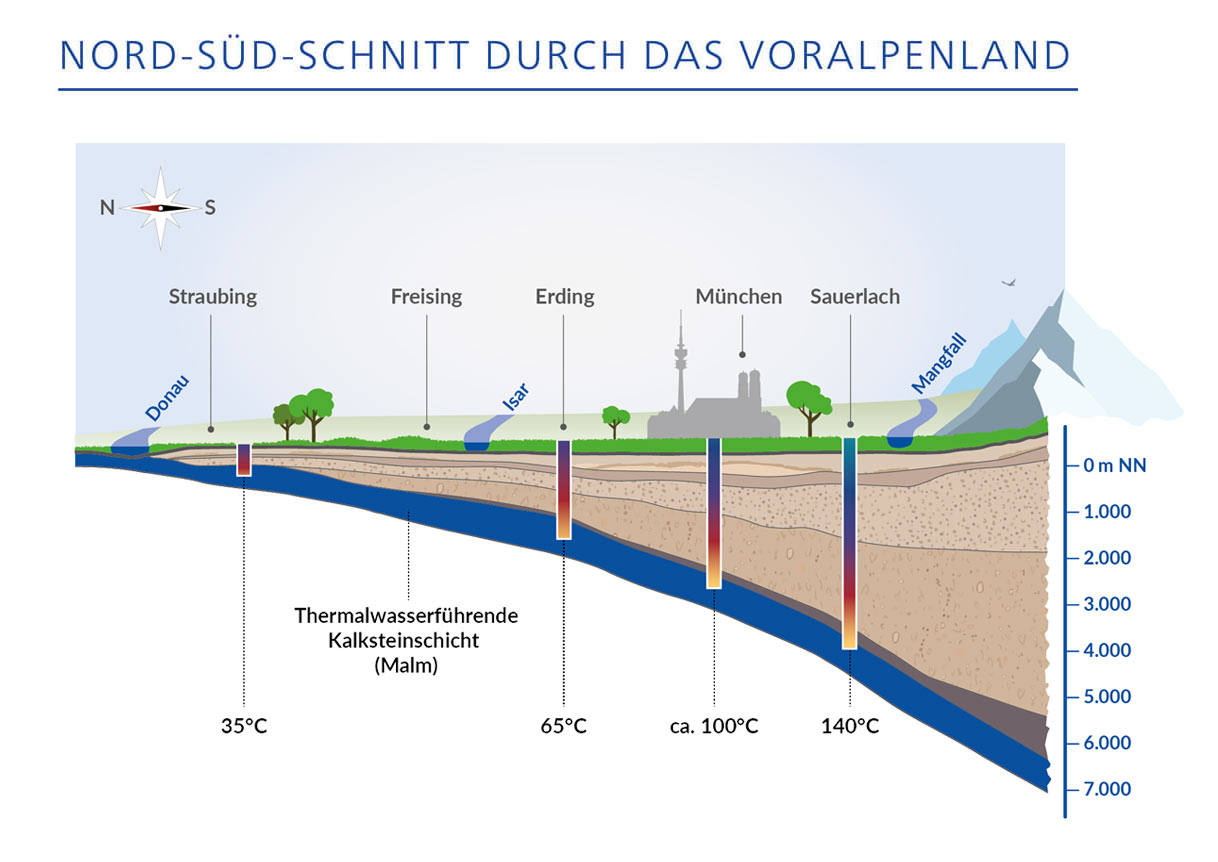
Because the earth is essentially a ball of hot molten metal with a thin and crispy outer crust, and because there is radioactive decay going on even within the crusty bit, temperatures rise as you dig down: roughly 30 °C per kilometer. And Munich has this fantastic source of water that’s folded under the earth in a layer that dates back to the Jurassic, which makes it both low in dissolved minerals and sitting just around 3 km down: at 100 °C. This turns out to be the sweet spot in terms of difficulty of drilling and heat gained from doing so.
Blessed with hot water underground, the question is how to best use it. The plan at the moment is to situate a number of geothermal plants around the city, drill relatively large bore holes at each site that reach down 1 km to 2 km, and then drill diagonally down after that to spider out into a larger source of water. This “extended reach drilling” pulls from a larger heat source, prevents cool spots, and has only recently become technologically feasible.
Which brings us to the GIGA-M study. A 3D map of the underground will help plan out where to put the geothermal plants, in which directions the runners will need to be drilled, and generally how to best coordinate the resource. There were a number of individual smaller surveys done over the last 20 years, and Munich and the surroundings already have a number of geothermal plants, but this survey aims to fill in all of the gaps.
The Hunter and His Prey
It was a Thursday morning when my wife thought she heard some pounding and humming outside. She was wrong, but it got us to look at the online map, and while they weren’t in our neighborhood just yet, they were probably within easy driving distance. I threw my camera and tripod in the car and headed out.
The Big Vibrotrucks
Out in the country, just outside of Grossdingharting (you can’t make these names up!) I spotted a plume of dust rising up from a field. Was it just a farmer tilling? Or was it a vibrotruck? I drove through the woods on a logging road, and when I came out, I was nearly face-to-face with the beasts.
They were loud, and I felt the rumble when I stepped out of the car, so I ran up and asked if I could film it. They said “sure”, and I set up the tripod. The first video I shot, apparently I hadn’t screwed the camera down hard enough in the tripod, and it vibrated loose. So I ran another 20 m further and tightened everything down.
I’m not going to lie: it was exceedingly loud and very exciting. I drove back home and couldn’t wait to review the footage.
The next morning, I heard the same sound outside my own house. They were driving vibrotrucks around in the field about a block up the street. I grabbed the camera and ran out barefoot to get footage. And then Saturday morning, while cooking blueberry pancakes for the family, they drove up my street. Am I stalking the vibrotrucks, or are they stalking me?
An engineer asked if they could stand in our front yard, so I took my chance to bombard him with questions. He seemed stoked to talk about it.
Geophones and Vibrotrucks
When you stand next to one of these things, first it shakes, and then you can hear a bassy tone, and then it rises and stops. They’re obviously doing a frequency sweep, much like you would use a sonar chirp to help disentangle the multiple reflections from one another.
The sweep means that even if they receive two reflections at once, they will hear two different pitches because one signal traveled further than the other, and comes from the earlier, lower-pitch part of the impulse. It also makes for a very easy to find signature. Correlating these times of flight across the entire array of geophones gives a 3D map of the underground layer discontinuities.
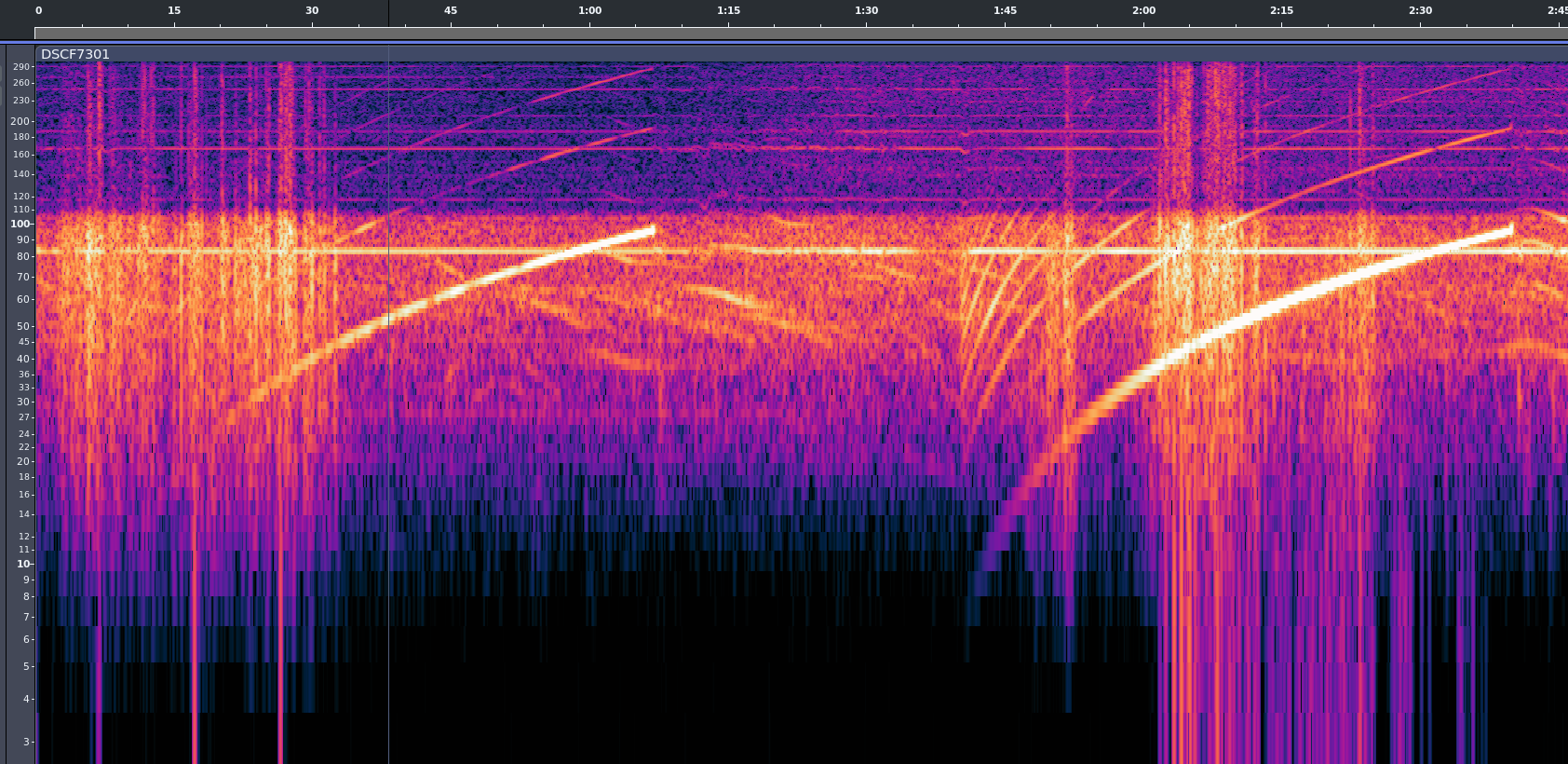
You can see from a cleaned up version of the audio that they’re sweeping from something like 6 Hz up to maybe 96 Hz. The lower end sounds like distinct hammering, and the top end a humming. Here is another video, with filtered audio. Because you feel the vibrations through your feet and in your chest, the live experience is a little bit like this with more noise. Play on good headphones or with a subwoofer for maximum effect.
Of course, the time of flight matters. I asked if each geohpone had a GPS timebase, and the friendly engineer told me that they individual geophones don’t – too expensive – but that when they install one, they connect it to a laptop with GPS that records the location and sets the geophone’s clock. When they harvest them, they record the location again, dump the time to verify that the clocks haven’t drifted too much, and then pull down all of the recorded timestamped data.
Why do they drive around in pairs? It’s simply because they make twice the vibration. The two trucks are actually synced together in phase, so they emit as one. The trucks have a GPS-disciplined clock inside, so they know exactly when they start each cycle and can derive the time-of-flight to all of the receiving geophones. The rest is math.
He also mentioned that it was too bad that I only got to experience the smaller “urban” vibrotrucks like the one outside my house. I kept my mouth shut – nobody needs to know that I’m a vibrotruck stalker.
Sonic on display at the 210 Gallery in Pioneer Square on Sept. 3, as part of a media preview event. (GeekWire Photo / Thomas Wilde)
If you attended the Sunset Market in Seattle’s Pioneer Square on Thursday night, you might’ve noticed that one of the local galleries had been transformed into a shrine to, of all things, Sonic the Hedgehog.
That’s because on Labor Day weekend, Seattle is hosting 35 Years of Speed: The Sonic Art Exhibit. This touring art collection is part of the celebration of the anniversary of the Sonic franchise, which began in 1991 with the original Sonic the Hedgehog for the Sega Genesis.
Sega commissioned more than 50 pieces for the exhibition, ranging from the iconic to the deliberately comedic. (GeekWire Photo/Thomas Wilde)
The Sonic Art Exhibit features framed concept and box art from the Sonic archives, several pieces by official Sonic artists, and a curated selection of pieces created and submitted by the Sonic fan community, which includes paintings, sketches, and even statuary.
“It’s Sonic’s 35th anniversary, so we’ve been looking at ways to celebrate his legacy,” said Jessica Perri, Sega brand director. “We commissioned 50-plus artists across styles and different mediums, and we also worked with fans who bring their own inspirations to the table. We’re displaying it all here in Seattle over the course of the weekend.”
Perri continued, “We’re really just excited to celebrate Sonic through the lens of art.”
The exhibit features multiple pieces of concept art from the history of the Sonic series, such as a design document for Sonic’s evil robot duplicate Metal Sonic (lower right) and framed boxes from multiple international editions of the original games. (GeekWire Photo/Thomas Wilde)
The game was Sega’s first-party “killer app,” intended to compete directly with the Super Nintendo and its Super Mario franchise. The title character is a blue hedgehog with the power of super-speed, who fights alongside his friends against his nemesis, Dr. Ivo Robotnik.
In the last 35 years, Sonic has appeared in more than 100 video games, which range from some absolute classics to one of the most infamous misfires in the history of the medium.
There have also been multiple lines of merchandise; several animated shows; a successful live-action film series with a fourth entry coming in early 2027; a popular comic book, which is currently published by San Diego-based IDW; and a recent comic crossover with the DC Universe that did well enough to get a sequel. (Trivia: Sonic the Hedgehog is now technically a member of the Justice League.)
35 Years of Speed: The Sonic Art Exhibit is running at Seattle’s 210 Gallery at 301 Occidental Ave. S. from Sept. 4 through Sept. 6 from 11 a.m. to 7 p.m. Admission is free. After its Seattle run, the exhibition will have its final show in Los Angeles later this month.
If you used a scientific calculator in the 1970s or 1980s, there was a fair chance that it worked differently from almost every calculator you see today. Instead of typing:
2 + 3 =
you entered:
2 ENTER 3 +
There wasn’t even an equals key. Hewlett-Packard made this system — Reverse Polish Notation, or RPN — practically synonymous with serious scientific calculators until other players like TI and Casio got serious. Once you got used to it, ordinary algebraic calculators could feel annoyingly clumsy.
Today, RPN calculators look like a nearly extinct species. HP left the calculator market, licensing the HP calculator line to Moravia Consulting. Old HP-15Cs, 16Cs, 32Ss, 42Ss, and 48s have become collectibles. But RPN isn’t dead. You can still buy new hardware, build your own, or turn almost any computer or phone into a very capable RPN machine. There are reasons some of us still want to.
But Why Polish?
The name goes back to Polish logician [Jan Łukasiewicz], who devised a notation in which operators precede their operands. Instead of writing:
A + B
you can write:
+ A B
The big advantage is that parentheses aren’t required. The structure of the expression tells you exactly what operates on what. Reverse Polish notation simply puts the operator at the other end:
A B +
[Łukasiewicz] wasn’t designing calculators, of course, but the same idea turned out to be extremely convenient for computers and calculators. Your software doesn’t have to remember what operation is in progress. Each operator is ready to go and can simply work on the operands that you’ve already read.
RPN isn’t exactly the way people calculate with pencil and paper, and it certainly wasn’t derived from the slide rule, but there is a similarity in the way you work. With a slide rule, you generally establish some value, operate on it, and continue from the result. When doing a long-hand calculation, you often calculate a subexpression, write down the answer, and use that answer in the next step. You will probably start with the inner parenthesis and work outward, just like someone with an RPN calculator does. RPN formalizes that process with a stack.
Suppose you want:
(3 + 4) × (5 + 6)
On a conventional calculator, you either need parentheses, or you have to calculate one result and remember it. On an RPN calculator:
3 ENTER

4 +

5 ENTER

6 +

×
The first + leaves 7 on the stack. The second leaves 11 above it. The multiply consumes both and leaves 77.
Notice what’s missing: parentheses, an equals key, and any need to tell the calculator about precedence. This isn’t much of a win for a five-key calculation. It becomes more apparent with something like computing the value of a bunch of parallel resistors:
R=1/(1/R1+1/R2+1/R3…)
An RPN user can calculate each reciprocal, add it to the running result on the stack, and finally take the reciprocal. Intermediate answers stay in the calculator naturally instead of being stuffed into memory registers or enclosed in increasingly impressive collections of parentheses.
Is RPN better? Calculator users have been arguing about that for half a century. But once RPN gets wired into your fingers, it can be surprisingly hard to give up.
RPN Before HP
Although RPN and HP are nearly inseparable in popular memory, HP didn’t invent the RPN calculator. That distinction generally goes to the Friden EC-130, introduced in 1964. It was a 44-pound transistorized desktop calculator costing $2,150, and its CRT actually displayed all four levels of its RPN stack at once. More than 18,000 were eventually made. You can even simulate it in Verilog, if you like.
HP entered the business in 1968 with the HP 9100A, a programmable desktop scientific calculator. It weighed about 40 pounds and sold for $4,900, but it provided logarithms, trigonometry, hyperbolic functions, coordinate conversion, programming, and RPN operation. HP famously called it a calculator rather than a computer partly because customers could often buy calculators without getting corporate computer departments involved.
Then came the machine that changed everything: 1972’s HP-35, the first HP pocket scientific calculator. From there, RPN became a defining characteristic of HP calculators for decades.
There were financial calculators, programmer’s calculators, scientific calculators, graphing calculators, and eventually the RPL machines such as the HP-28 and HP-48, which generalized the stack idea into an entire programming environment.
Eventually, though, algebraic entry won the mass market. Even HP began producing machines with algebraic modes, and some later calculators let you choose either system.
So did RPN die out? Are there any RPN machines left in 2026? Quite a few, as it turns out. The real question is do you want a calculator that pretends, in some way, to be your favorite old-fashioned RPN calculator, or do you want a more modern device that happens to use (or, at least, is able to use) RPN?
RPN You Can Still Hold In Your Hand
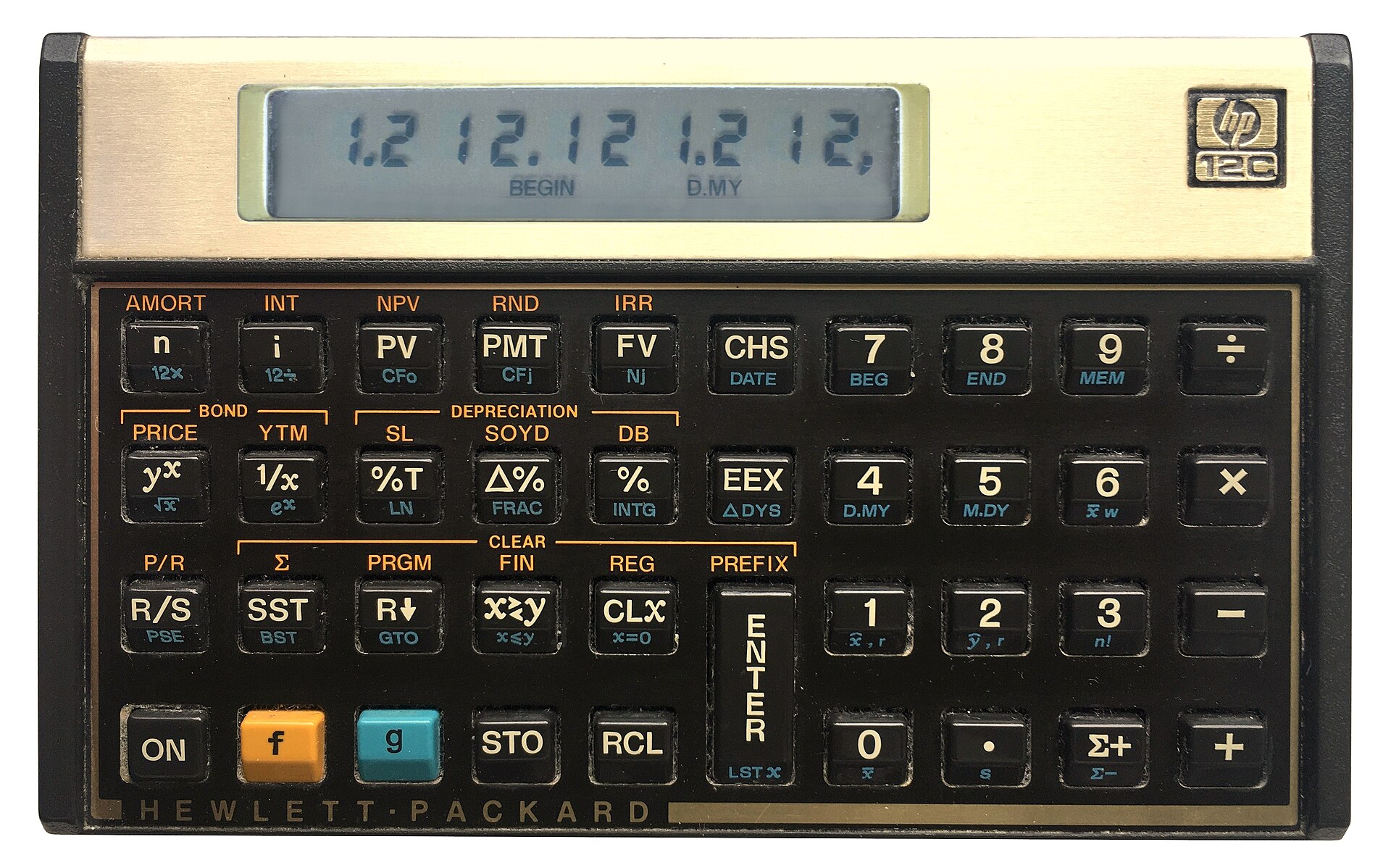
You can still get an HP12C (public domain).
The strange survivor is the HP-12C. Introduced in 1981 as a financial calculator, it remains available new more than four decades later. Depending on the retailer, expect something around $50 to $70. The 12C Platinum, which can operate in either RPN or algebraic mode, is also still available for roughly $80 to $110.
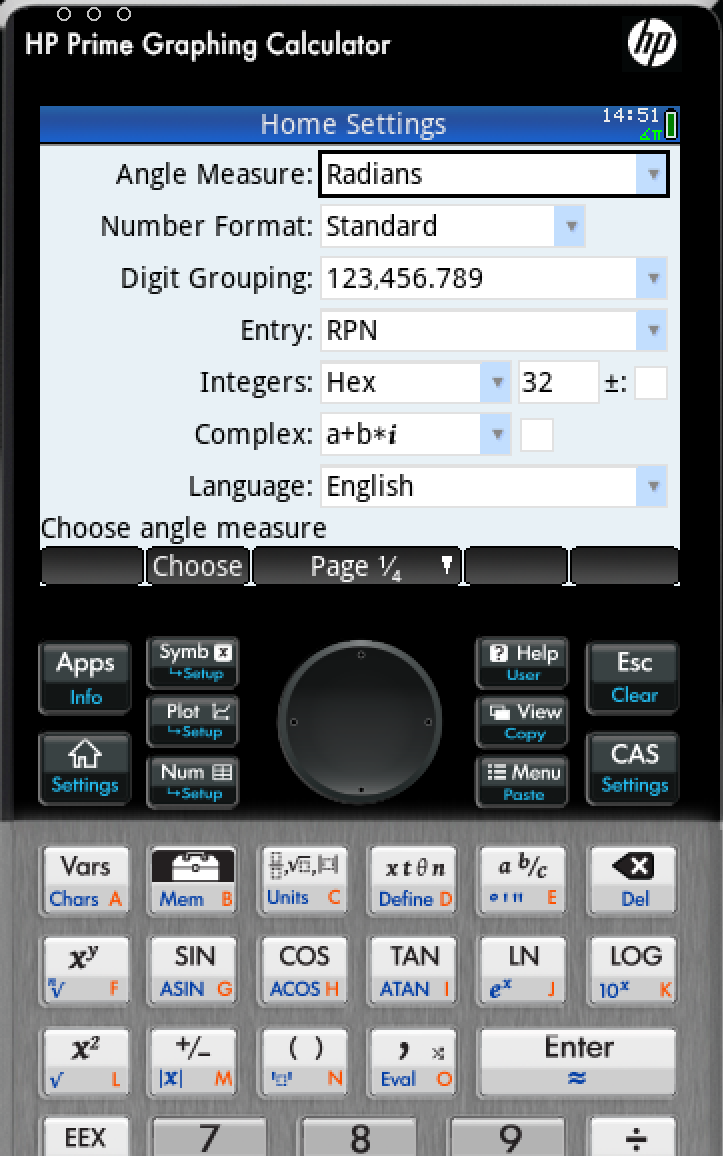
Then there is the HP Prime G2, generally around $150 to $170. The Prime is a graphing calculator with CAS, programming, symbolic mathematics, touch screen, and textbook-style input — but buried among all of that is an RPN entry mode. It isn’t an old-fashioned HP RPN calculator, but it certainly qualifies.
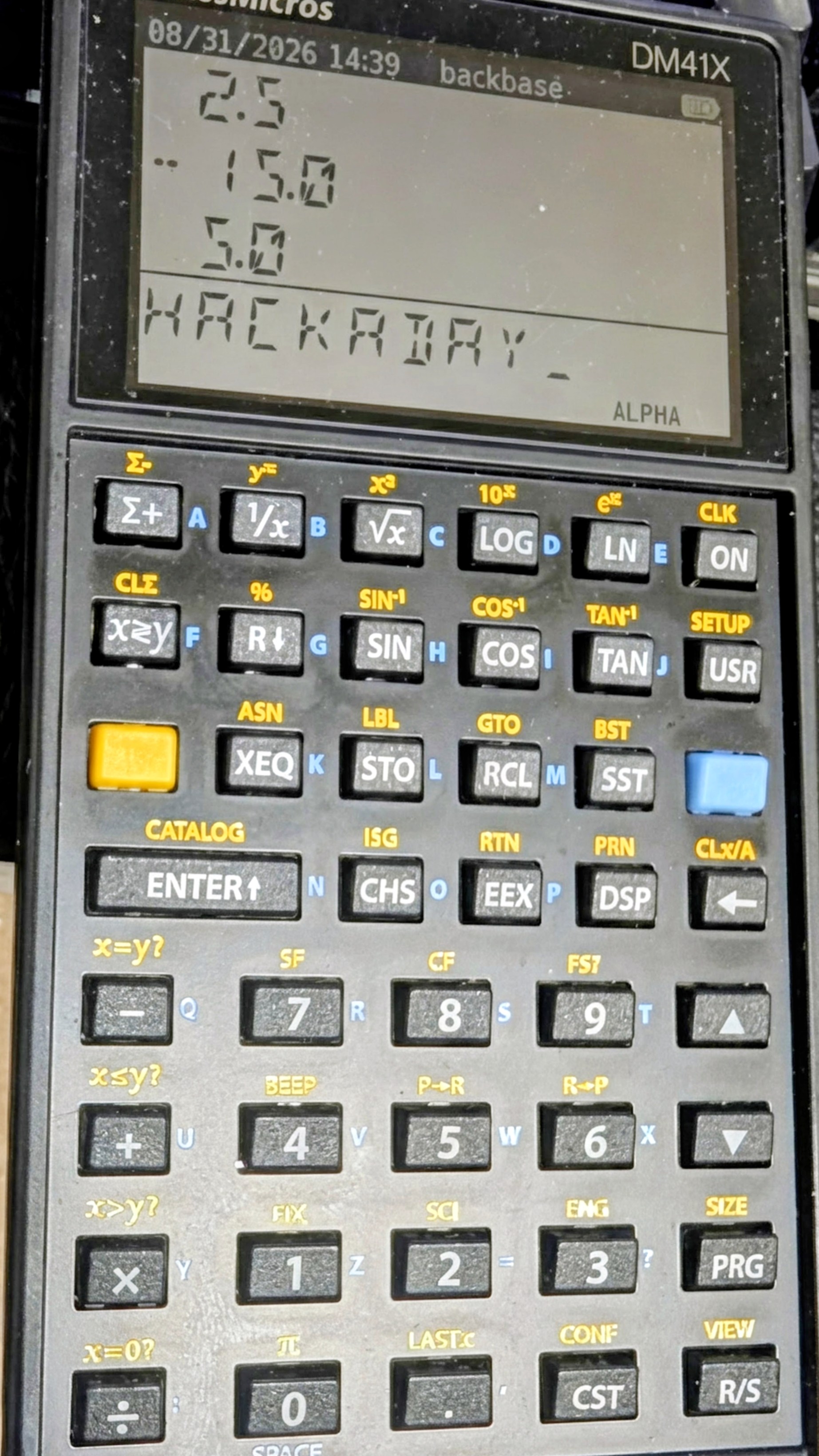
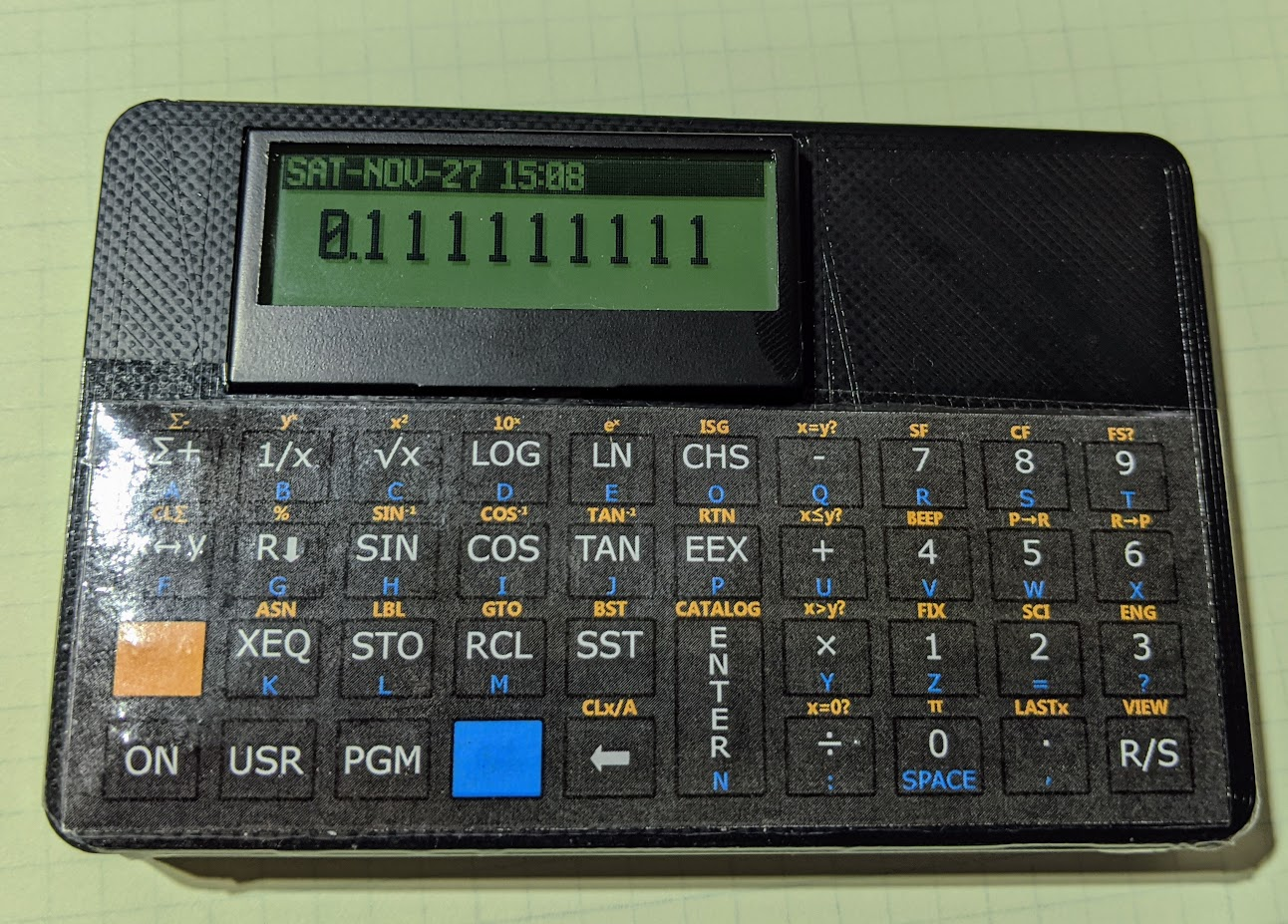
The real center of new RPN hardware today, however, is SwissMicros. SwissMicros started by producing modern implementations of classic HP designs and has since moved well beyond simple reproduction. Its current machines include the DM15L, modeled after the HP-15C; the DM16L programmer’s calculator; DM41L, DM41C, and DM41X machines inspired by the HP-41 family; and the DM32, which occupies roughly the territory once covered by the HP-32SII.
The SwissMicros answer to the HP41C (thanks [Julian]).At the high end is the DM42n, a modern descendant of the HP-42S idea. It has a 400×240 display, USB-C, programmable operation, matrices, complex numbers, equation solving, numerical integration, and 34-digit decimal arithmetic. It currently sells for a bit more than $300.
Perhaps more interesting is the R47, at about the same price. Instead of recreating a particular HP calculator, it grew out of the WP34S/WP43 community projects and attempts to be a modern enthusiast’s RPN calculator. It has an eight-level stack, matrices and vectors, complex arithmetic, base-N and bit operations, statistics, units, financial calculations, equation solving, integration, programming, and even built-in electrical engineering functions. Its firmware is still officially considered beta. This is probably the closest thing today to somebody asking, “What calculator would an obsessive HP engineer build if we started over?”
SwissMicros calculators aren’t cheap. Depending on the model, you’re generally looking at roughly $180 to more than $300 after currency conversion. But they are real, currently manufactured calculators rather than 40-year-old collectibles.
Heat Up The Soldering Iron
Sure, a real HP41C is in portrait mode, but otherwise, [Garza’s] is a pretty good clone.There is also a suitably hacker-friendly route. [Alex Garza’s] PAXER calculator projects reproduce machines such as the HP-15C, HP-16C, and HP-41C using an ATmega328. They’re available in kit form, use through-hole components, and aren’t just empty cases containing old calculator electronics.
The ATmega scans the keyboard, drives the display, and emulates the original machine. The design adds such modern amenities as continuous memory, an LCD backlight, real-time clock, and considerably higher execution speed than the originals. Kits and assembled versions are typically under $100.
There is also the 10LC (and related models), which approaches the problem from the other direction: take inexpensive ESP32-based M5Stack Cardputer hardware, add calculator firmware and key labels, and turn the whole thing into a pocket RPN calculator. Figure roughly $50-$60.
It isn’t going to make a calculator collector forget an HP-42S keyboard, but it does show how little hardware is actually required to build an extraordinarily capable calculator today.
There’s An App For That
CalcTastic is a modern RPN phone app.If physical keys aren’t mandatory, RPN is actually thriving. You can get a host of RPN calculators on your Android or iPhone. There are many options for desktop computers, too. You can generally find these on your platform’s program repositories.
One of the best places to start is Free42, [Thomas Okken’s] free, clean-room implementation of the HP-42S. It runs on Android, iOS, Windows, macOS, and Linux. Plus42, from the same author, takes that foundation and expands it with equations, units, directories, plotting, financial functions, and other capabilities that the original HP-42S never had.
Android users also have CalcTastic, which can switch between algebraic and RPN modes and provides scientific calculation, complex numbers, fractions, statistics, conversions, and — in the paid version — programmer functions. The basic version is free, and the Plus version is only a few dollars.
For the HP-48 crowd, there is Droid48 on Android and several HP-48 implementations on iOS. If your idea of a calculator includes directories, symbolic objects, programs, lists, and an RPL command line, the phone in your pocket can impersonate a 48 far faster than the original hardware ever could. If you prefer the HP41C, go41C is the one I like.
Apple users have an especially large selection. i41CX recreates and extends the HP-41 environment. PCalc isn’t primarily an RPN calculator, but has long offered a very good RPN mode. There are also modern RPN calculators including MathU, RPN Calc, RPN Calculator 48, and a growing number of simulations of individual classic HP machines.
Real HP
Even HP’s current flagship environment is available in software. HP Prime Pro runs on Android and iOS and supports optional RPN input.
Desktop users aren’t left out either. HP provides a free HP Prime Virtual Calculator for Windows, and there has also been a macOS version. Most unusually, HP once produced an actual native Linux version. The Linux release was packaged as an AppImage and survives as a 2019 technical preview — build 2.1.14288 in the copy sitting on my Linux machine. It isn’t the Windows version hidden inside Wine; it’s a native HP build, and it still works remarkably well. Unfortunately, it predates one particularly interesting addition to the Prime: Python programming.
The HP Prime needs a setting to change to RPN mode.
There is a way to get that on Linux, although HP doesn’t make it easy. I found that the December 2024 Windows release of the Virtual Calculator, version 2.2.15212, runs under Wine using the Soda 9 runner in Bottles. That version includes the Prime’s Python app and reports MicroPython 1.9.4. The catch is that you don’t want to accept its offer to upgrade. Updating to the current Windows version causes the simulator to stop working under the same setup, and Soda 11 doesn’t appear to fare any better. So there is a slightly absurd sweet spot where an older Windows Prime under an older Wine runner provides a more up-to-date Prime on Linux than HP’s own native Linux build.
Between Free42, Plus42, Prime, HP-48 emulators and innumerable smaller projects, software may actually be the easiest way to use RPN today.
The Used Option
Of course, another source is available: millions of old calculators are already out there. If you’ve always wanted an HP-11C, 15C, 16C, 28S, 32SII, 41CX, 42S, or 48GX, auction sites and used-equipment dealers will happily provide one. Sometimes you can still find a bargain, especially if you’re willing to buy a cosmetically ugly machine or something outside the most desirable models. The problem is that the best old calculators aren’t merely used calculators anymore. They’re collectibles.
A calculator that originally lived in an engineer’s shirt pocket may now be a pristine example with its case, manuals, and box — and priced accordingly. Even fairly ordinary examples of desirable models can sell for enough money that carrying one around every day starts to feel irresponsible. My treasured HP41C, for example, works fine, but is already scuffed up enough that I rarely risk using it at my desk these days.
That creates a slightly absurd situation. A perfectly functional 35- or 40-year-old calculator may cost considerably more than an astonishingly capable modern computer because one is being priced as a collectible and the other as a tool.
On the other hand, battered calculators exist. If you don’t care about scratches, engraved names, missing battery doors, or someone’s old asset-control sticker, those are often exactly the machines to buy. You’re going to use it, after all.
ENTER Isn’t Dead
RPN plainly lost the calculator wars. Walk into an office supply store, and almost every calculator on the shelf expects conventional algebraic input. But it didn’t disappear.
You can still buy an HP-12C. You can buy sophisticated new RPN machines from SwissMicros. You can solder together your own HP-inspired calculator around an 8-bit AVR. You can turn an ESP32 gadget into one. Or you can install an app and have an HP-42S, HP-48, or modern RPN calculator in your pocket for anywhere from nothing to a few dollars.
That’s a surprising amount of life for an input system the mainstream calculator industry decided we didn’t want decades ago. Then again, people who like RPN tend to really like RPN.
If 2 ENTER 3 + looks more natural to you than 2 + 3 =, apparently somebody is still willing to sell you a calculator. If you want to see how easy it can be to parse RPN in a program, we’ve done that.
Two Illinois customers allege Walmart created voiceprints from service calls without obtaining consent required under the state’s biometric privacy law.
Two Illinois customers allege Walmart created voiceprints from service calls without obtaining consent required under the state’s biometric privacy law.
If you tear into old TVs or recording equipment, you may see shields made from some exotic-looking metal. Old timers will tell you it’s called mu metal, and its purpose is to — sort of — shield things from magnetic fields. The qualification is important. Unlike a conductive RF shield, mu metal doesn’t really stop a magnetic field. Instead, it gives magnetic flux an easier path to follow around whatever you’re trying to protect.
What’s In The Metal?
Mu metal belongs to a family of soft magnetic nickel-iron alloys. A typical modern formulation is about 80% nickel and 15% iron, with molybdenum and a few other elements making up most of the remainder. What makes it useful is its extremely high magnetic permeability. Commercial material can have relative permeability around 100,000 or more, and some specialty alloys can reach even higher.
You can think about reluctance as the magnetic equivalent of resistance. Put a high-permeability shell around something sensitive, and magnetic flux would much rather travel through the shell than through the space inside it, just like current tends to take the path of least resistance.
This works particularly well for DC and low-frequency fields, exactly where your usual copper or aluminum EMI shield isn’t much help.
You May Have Seen It Before
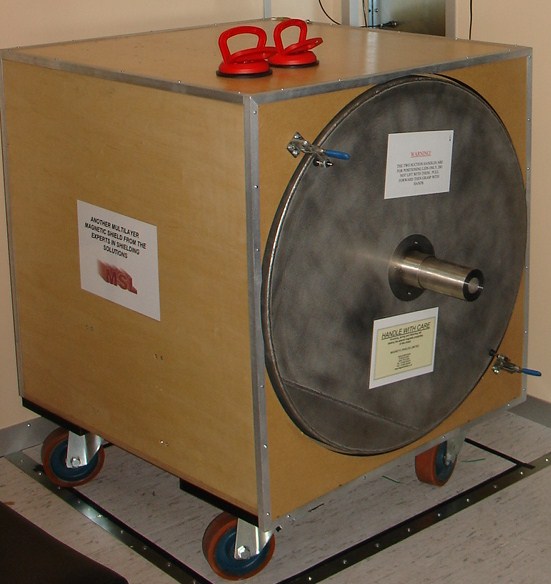
A multilayer magnetic shield box. (Photo by [Zureks] CC-BY-SA-3.0)Classic applications included shielding CRTs, tape heads, transformers, photomultipliers, and sensitive analog instruments. Put a transformer too close to the wrong part of an old television or audio amplifier and 60 Hz magnetic fields could cause very visible — or audible — trouble. The disappearance of CRTs and magnetic tape might make mu metal sound like another material destined for the antique electronics cabinet.
However, mu metal is still around. Modern applications include magnetometers, precision current sensors, electron microscopes, scientific instruments, and experiments that require extremely low magnetic fields. Commercial multi-layer mu-metal chambers are still sold for creating near-zero-field environments; with suitable construction and degaussing, some claim attenuation of static and low-frequency fields by factors approaching a million.
Quantum and cryogenic instrumentation have also created some 21st-century magnetic shielding problems. Ordinary mu metal loses performance at very low temperatures, so related nickel-iron alloys are made specifically for operation at liquid-nitrogen and liquid-helium temperatures.
Don’t Bend It
There are a couple of catches. First, mu metal gets much of its impressive permeability from its metallurgical structure. Machining, stamping, welding, or even bending it can introduce stresses and seriously degrade its magnetic properties. High-performance shields are therefore commonly formed first and then hydrogen annealed to restore their permeability.
So buying a sheet of wonderfully permeable material and folding it into a box isn’t necessarily the recipe for a wonderfully permeable box.
The second surprise is saturation. Mu metal is superb with weak fields but isn’t necessarily what you want closest to a powerful magnet. Its saturation induction is only around 0.75 tesla. In strong fields, manufacturers recommend combining it with a lower-permeability material having higher saturation capability, letting that outer layer tame the field before the mu metal handles what’s left.
History
British scientists Willoughby S. Smith and Henry J. Garnett patented mu metal in 1923 for inductive loading of submarine telegraph cables for a British company that built the Atlantic undersea telegraph cables. The seawater surrounding these cables added capacitance, requiring inductance to compensate. This was first done by wrapping the conductors with a helical wrapping of metal tape or wire of high magnetic permeability, which confined the magnetic field.
Mu-metal was invented to directly compete with permalloy, the first high-permeability alloy used for cable compensation, but it belonged to competitor Western Electric. Mu-metal was developed by adding copper to permalloy to improve ductility. Each 1.6 km of cable needed about 80 km fine mu-metal wire so there was a great demand for the alloy.
Other Tricks
Mu metal isn’t the only way to fight magnetic interference, as you can see in [FesZ’s] video below. Ordinary steel and other high-saturation magnetic alloys can redirect stronger fields. At higher frequencies, conductive copper or aluminum shields become effective through induced eddy currents. Ferrite is good at high frequencies, too, but is not very ductile nor is it very conductive. When you really need a quiet magnetic environment, active compensation coils can measure the ambient field and generate an opposing one.
But if the problem is a weak DC or low-frequency magnetic field, the basic trick hasn’t changed much. You just give the magnetic flux an easier path. Sometimes the old material in that 50-year-old television can be at home in a quantum computer, too.
Flip disc displays can be quite a task to drive, what with having some sort of actuator mechanism for each and every dot in the display. [Zimm] has built an altogether different kind of flip disc display, though, which gets around this with a complexity all its own.
The idea behind the build is simple. There is still an array of discs, in this case, 37 x 18 square discs that are black on one side and blue on the other. However, they’re not actuated by magnets or any kind of per-disc flipper. Instead, a CNC machine is charged with flipping them one at a time. There’s a tool head that scans through the array, and uses a color sensor and LIDAR to identify which pixels to flip and how far to push them. It’s not fast, by any means, but it’s a perfectly cromulent way to build a flip disc display, as it turns out.
For users of a certain age, fractal patterns and computers are nearly synonymous. Typing in BASIC programs and seeing the Mandelbrot set or other fractals slowly render on screen is a key memory for some of us. Others will have generated recursive patterns mucking about: point an analog camera at the screen showing its video feed, and you’d better believe you get recursion. It’s called video feedback, and it looks a lot better than audio feedback sounds, especially in the hands of a master like [The Light Herder] who has now found a way to take this vintage art into the 4K resolution of the 21st century.
Physically this build is very similar to the “God Machine II” sculpture we covered previously, which in turn built on the first 720p version of his art piece. Getting analog video feedback in HD was hard enough — you need to be able to adjust the hue, saturation, brightness and contrast of the monitor as you go in order to have the full control of the resulting image. Most old TVs had those back in the SD era, but once HD came around it was rare; [The Light Herder] despaired of ever finding a screen that would to this in 4K.
As it turns out, the answer was to embrace digital — all the knobs on his analog control board feed into a Teensy, which is communicating via RS-232 with the LCD driver boards to alter the desired display properties. Obviously judicious selection of driver boards was required. If you watch the build video embedded below, you’ll find there’s an awful lot of tech in this analog, ‘no computer’ setup. If you want to skip the how-to and a master’s explanation of video feedback and just see pretty pictures he’s got a demo video as well. It really has to be seen to be believed.
If you want to create a colorful analog light show that isn’t quite so self-referential and a lot simpler to build, you could always try soap. Actually, we’d love to see him start the feedback with some soap-film colors. The result would likely be as was once said “totally far out, man”.
Fluid simulations are one of the “killer apps” of high-performance computing, but if you can’t afford the performance, they can take a depressingly long time to run. Depending on your use case, as long as you keep the Reynold’s number in mind– or are just looking for a qualitative look at pretty flows–you might be able to get away with purely-practical simulations using rheoscopic fluid, as [Visual Thinker] demonstrates in a recent video.
The fluid, as you can guess from the name, lets you scope out rheos— that’s flow, for those of you didn’t take Greek. Making it is as simple as you could ask for: get some mica flakes, which are readily available to add ‘sparkle’ to cosmetics, and mix with water and a drop of soap. The soap isn’t always necessary, but depending on your mica it helps keep it in suspension and avoid clumping– [Visual Thinker] found it helped him a good deal. Being flat plates of reflective material, the mica flakes catch the light and sparkle beautifully– and since they align with the fluid shear, they show you exactly what’s going on in your ‘simulation’.
[Visual Thinker] isn’t starting with serious simulations; the first thing he tries is essentially a toy that lets him see fluid flow around a Benchy by sticking magnets in it and using it to move a cross-section of its hull though a thin layer of fluid sandwitched betwixt pieces of laser-cut acrylic. We don’t call it a toy to disparage it, though– we totally want one. [Visual] mentions the idea of a coffee table combining the concept with the kind of underslung mechanism we see in sand drawing tables, which sounds dangerously hypnotic. If any of you build one, please try and tear your eyes away long enough to let us know.
He has another beautiful piece that make the video worth watching: a wind-tunnel, again made of laser-cut acrylic and printed parts. With careful consideration of the scale and flow speeds, that one might actually prove useful– and even if it doesn’t, it’s pretty enough that it doesn’t really matter. Beauty has its own utility sometimes.
Most wind tunnels we see around here use actual wind, but rheoscopic fluid was invented for this sort of thing, even if it does make for pretty baubles.
Somewhere in the pile of old patent filings from the mid-2000s is a description of something you do without thinking about it: tap once on your phone, and an app just appears.
No license key. No installation folder to pick. No wizard asking questions you don’t have answers to. It’s easy to forget that this used to be complicated. Installing software in the early 2000s often meant a CD, a serial number written on a sleeve, and a setup program that walked you through half a dozen screens before anything worked. Somebody had to figure out how to make all of that disappear.
Behind even the simplest-looking app install today is a fair amount of machinery: a catalog of software, a way to deliver it over a network, authentication for the user and the device, the install itself, and a system for handling updates afterward. What makes a modern app store feel effortless is that all of this stays out of view. You never see the plumbing.
So who described that vision first?
One answer, worth a closer look: back in March 2006, an inventor named Tarik Tali filed a provisional patent application for a system he called “Method & System for Acquiring, Storing, & Managing Software Applications Via a Communications Network.” The provisional — №60/743,845 — was filed March 28, 2006. A full application followed a year later, on March 28, 2007, assigned to a company called SilentClick, Inc., and it published as US 2007/0233782 A1 that October. The filing described a system for viewing, managing, uploading, downloading, and installing software over a network, with what the document itself called “one button” upload and “one button” download and install — no manual license key, no additional prompts.
For context: that’s more than a year before the iPhone existed, and years before there was an App Store, a Play Store, or a Galaxy Store to put one in.
The vision, as Tali tells it, didn’t come from a lab or a whiteboard session. It came from a bad morning in Bangkok.
He was there in 2005, in Bangkok, for an MBA program, on-site for meetings with several companies across Asia. One morning, getting ready for a meeting, he noticed his laptop had slowed to a crawl and decided to uninstall a piece of Symantec antivirus software to free things up. Partway through, the uninstaller asked whether it should also remove a DLL file. He said yes. That single click turned out to break another program he needed for the trip — and every install disc and setup file that could have fixed it was sitting at home in Redwood City, thousands of miles away.
The problem stuck with him. On the flight home from Hong Kong to San Francisco, he ended up sitting next to Adam Barba, a teammate from his MBA program, and the two spent part of the flight talking through what software installation should feel like — something closer to a single action than a series of decisions any one of which could quietly break something else. That conversation became the seed of the filing that followed a few months later.
Worth saying plainly, since it would be misleading not to: the application never became a granted patent. It was eventually abandoned. That doesn’t erase it as a dated, public record of the vision — a patent application is still evidence of what someone described and when — but it does mean this is a story about who wrote something down first, not about anyone holding enforceable rights today.
The harder question is whether the vision was really new in 2006. Downloadable software wasn’t new. Installer programs weren’t new. Even automated network deployment of software was already common in corporate IT by then — an administrator could push an install out to a machine without touching the keyboard on the receiving end.
But most of those systems don’t quite match what’s described here. A typical enterprise deployment tool still required someone to log into a console, find the target machine, and choose what to install before anything happened — several decisions made by an administrator, not one tap made by an ordinary person. The specific combination worth checking for is narrower than “software over a network”: one simple action, taken by a regular consumer, with no license key and nothing further to configure once it’s started.
So far, nothing earlier than March 2006 has turned up that clearly matches all three of those pieces at once. That’s interesting, but it isn’t proof of anything. Patent and prior-art searches only find what got published, filed, or indexed somewhere searchable. Plenty of real systems from that era left no such trail — an old download portal, an internal prototype, a product demoed at a trade show and then forgotten. Any of those could still be out there, and any one of them would change this story.
Which is really the reason to write it up at all. This isn’t a claim that any company copied this filing — it’s entirely possible several teams landed on a similar vision around the same time, which happens often enough in technology that it’s barely worth remarking on. It’s more of an open question, aimed at anyone who might know of something earlier: a mobile software portal, a browser-based installer, some consumer product from the early 2000s that already did one-tap installation without a key or extra steps.
Until someone produces that, the March 2006 filing stands as an early description — currently the earliest one anyone’s found — of an innovation that eventually became how most people install software today. On the current record, Tarik Tali stands to be recognized as the person who first put that specific combination into writing — credit for an innovation, not a claim on anyone’s revenue.
If you know of something that predates it, I’d like to hear about it.
We’ll start this week off with some disappointing, though not entirely unexpected, news — the ambitious commercial mission to save NASA’s Neil Gehrels Swift Observatory is officially a bust. The space agency provided an update earlier this week explaining that the attitude control issues with the LINK spacecraft that started a few weeks after it launched will prevent it from being able to safely dock with the Swift Observatory and boost its altitude. As such, the space telescope is now expected to reenter the Earth’s atmosphere and burn up before the end of the year.
Although LINK won’t be able to live up to its name, NASA did say operator Katalyst Space has been given permission to continue with the rendezvous attempt. The two craft won’t actually make contact with each other, but teams on both sides feel there’s lessons to be learned and data to be collected by seeing the orbital dance of these two vehicles play out for as long as possible.
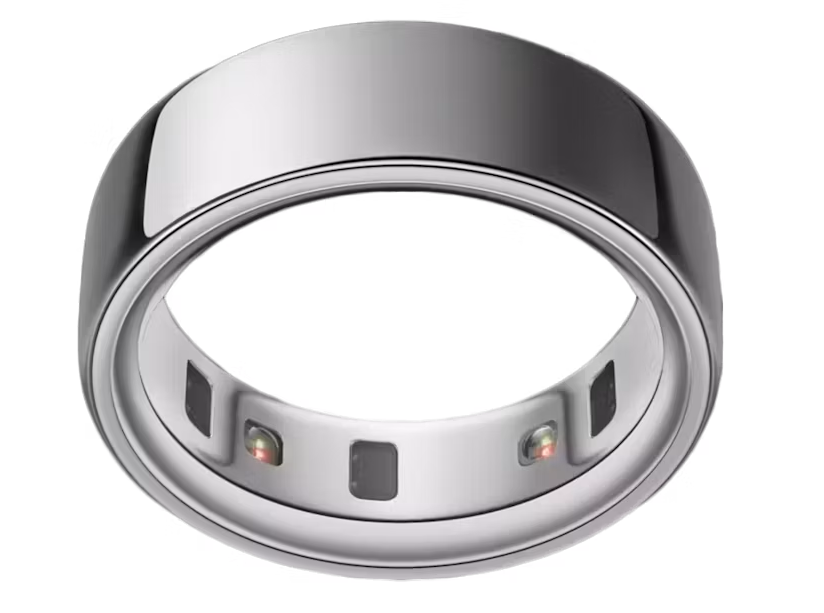
Speaking of hardware that couldn’t quite hit its design goals, TechCrunch is reporting that a class action lawsuit has been filed against Oura by customers that say the company made misleading claims about the sleep-tracking accuracy of their smart rings. Namely, that the rings could somehow detect which stage of sleep the wearer was in with only the pulse and temperature sensors it has onboard.
The complaint argues that sleep stages can only be accurately determined with an electroencephalogram (EEG), and that there’s no way for the ring hardware to actually know what’s happening in the wearer’s brain. For their part Oura has released a statement defending their methodology, and say that the ability of their rings to estimate sleep cycles compares favorably with data collected from clinical sleep studies. It should be interesting to see how this one plays out.
On the subject of products not quite doing what you expected, there’s been a story buzzing around online about a number of computer games failing to work properly on Windows machines that have installed the August system updates. Microsoft has investigated the issue and is currently pointing the finger towards RGB lights as the potential culprit.
On the surface it might sound like some kind of exotic hardware clash or interference, but the actual issue is disappointingly mundane. According to Microsoft, the August update fiddles with a system component that the software which drives some of these lights ties into, namely inpoutx64. As a quick fix they’ve provided some instructions on keys that can be modified in the Windows Registry to prevent the conflict, but it sounds like such gefingerpoken und mittengrabben may prevent the blinkenlights from performing their critical function.
Finally, we’ll end this week with an update on the ASCII CITY project that’s been making the rounds online. For those who haven’t seen it yet, this is 3D engine implemented in a single HTML file that renders a cyberpunk 3D city for players to wander around in. The latest version brings many new features to the non-game, notably the ability to enter the various buildings scattered throughout the world.
A sale price at a Seattle grocery store. A proposed city ordinance would bar grocers from setting different prices for individual shoppers based on their personal data. (GeekWire Photo / Todd Bishop)
Seattle is in the final stages of becoming the first city in the country to ban so-called “surveillance pricing” in grocery stores. Experts disagree about whether it will actually save consumers money.
The proposed Fair Pricing and Transparency Ordinance would ban grocers from setting variable prices for individual consumers based on their personal data, both in-store and online.
This was one of Mayor Katie Wilson’s biggest campaign promises, and it comes after Maryland, Connecticut, and New Jersey passed the first state-level surveillance pricing regulations this spring. The City Council will hold a public meeting this Friday, Aug. 21, to hear amendments to the proposed ordinance.
The bill has received fierce criticism from tech and grocery industry representatives who say the ordinance would prohibit personalized discounts that benefit customers.
A City Council Central Staff Memo, which was first circulated last Thursday and will be presented at Friday’s meeting, raises some of those same concerns. Despite opposition from one councilmember and requests for major amendments from another, the bill seems well on its way to getting the requisite votes.
Impact on consumers
At the heart of the controversy is a disagreement about whether personalized pricing harms or benefits consumers.
The use of algorithmic pricing by Instacart last December met with so much backlash that the platform stopped using it. A 2025 Consumer Reports investigation had found that Instacart varied the total cost of the same cart at a Seattle-area Safeway by roughly $10, with only 8% of shoppers getting the lowest price. Those were randomized experiments to test price sensitivity rather than prices set from individual profiles, and Instacart stopped offering the technology behind them in December after the investigation was published.
In brick-and-mortar stores, electronic shelf labels have not yet been shown to offer individualized list prices. Instead, grocers such as Krogers and Albertsons personalize the effective price through the distribution of individualized digital coupons to loyalty club members.
The federal government is moving to regulate those. The FTC on Wednesday proposed an enforcement policy that would treat undisclosed personalized pricing, including discounts, as a violation of federal law, and opened it for public comment.
Amanda Dalton, who represents the Northwest Grocery Retail Association, said personalized discounts make groceries cheaper overall. Her organization was involved in drafting the bill but ultimately testified against it out of concern that it would prohibit those deals.
“We support what the council is trying to do as it relates to using personal information to drive higher prices,” Dalton told GeekWire. “Where we diverge is the need and ability to continue what we call pro-consumer common practices that are happening in grocery stores every day, like discount programs, coupons, fuel rewards, student discounts, and volume based deals.”
Contrary to messaging from some industry advocates, the current bill does allow some discounts. Loyalty programs, volume-based discounts, third-party manufacturer coupons, and discounts based on a broad identity, such as students or seniors, are all explicitly permitted.
Industry groups predict, however, that the liability exposure will make it too risky for stores to continue to offer those deals.
“There will be hoops that companies need to jump through to deliver those discounts, and a lot of legal exposure to liability,” Drew Ambrogi, a policy manager at Chamber of Progress, said.
As a solution, industry groups including Chamber of Progress, TechNet, and NWGRA have suggested that the bill be amended so that algorithmic pricing is prohibited for raising prices but is permitted for lowering them.
Advocates on the other side worry that would gut the bill entirely.
“That creates an incentive for retailers to inflate the list price and offer personalized discounts to each person based on their individual willingness to pay,” said Grace Gedye, a policy analyst for Consumer Reports.
UFCW 3000, which represents workers at major grocery chains, has also endorsed the bill, opposing individualized pricing regardless of whether it raises or lowers prices.
“It’s easy to figure out when your neighbors are getting a different price,” said union member J’Nee DeLancey, who works at Ballard Town and Country. “We grocery workers will have to handle the fallout of angry, confused customers.”
Loyalty programs
One Kroger and Albertsons-funded group called Protect Seattle Savings has claimed, online and in mass text blasts to Seattleites, that the proposed ordinance “puts your loyalty rewards program on the chopping block” — a claim that is not backed up by the bill itself.
In fact, the bill does exactly the opposite: it includes a carve-out for loyalty programs that allows retailers to use a customer’s purchase history to determine pricing so long as that customer has opted into a loyalty program and the criteria for the discount are disclosed.
That exception has drawn criticism from the NWGRA, which warns it may unintentionally penalize consumers who can’t afford to join the loyalty program. On DoorDash, for example, users have to pay $10 a month to be a “DashPass” loyalty rewards member. If DoorDash is only allowed to offer discounts to those members, then the bill may unintentionally make orders more affordable only for customers who can afford the membership fee.
NWGRA is calling on the city to expand the carve-out so that a retailer can offer purchase history-based discounts to non-loyalty members as well. The Central Staff Memo circulated last week highlighted the push from industry to preserve the use of purchase history for all customers, but wrote that it is “difficult to ascertain whether the limitations on personalized discounts would result in a net cost increase for consumers,” since consumer data could be used to raise prices as well as lower them.
Input from industry
Supporters of the regulation say they’ve already made significant compromises with industry. Councilmember Alexis Mercedes Rinck, who sponsored the bill, initially planned to ban electronic shelf labels, as New Jersey did, but dropped the provision after grocery workers said the new labels made their jobs easier. Now, the Seattle bill simply prohibits a store from using electronic shelf labels to display a price that has been determined using algorithmic pricing.
Another compromise was the narrowing of the regulation to exempt small grocers and convenience stores. The bill will apply only to grocers with 20 or more retail locations globally, as well as mixed-use retailers that sell groceries, like Costco; and delivery services, like Instacart and DoorDash.
Councilmember Rinck said the bill is the product of engagement with retailers, and that she hopes to keep them on board.
“We were at the table with grocers, and the proposal changed in response to their business concerns,” Rinck said. “We will be watching what folks in industry have to say about the legislation and amendments this Friday.”
Private right of action
The last major sticking point is the proposed enforcement mechanism, which industry representatives criticize for being overly aggressive.
The bill splits enforcement between the City Attorney’s Office and consumers. Both avenues allow civil penalties of up to $3,000 for a first violation and $10,000 for subsequent offenses, plus damages. The private right of action can only be pursued against stores with 25 or more locations instate, and civil penalties for a single collective action are capped at $1 million.
“The private right of action will have a chilling effect on the offering of discounts altogether,” Ambrogi said. “What is not explicitly banned by the bill may be presumptively banned because a business’s compliance department doesn’t think it’s worth exposing them to ambiguity.”
Dalton also opposes the private right of action for being too broad. Customers can seek damages for being offered an individual price, even if they did not buy the product in question.
“Our argument has been for clarity and simplicity,” Dalton said. “Now you’ve got a $1 million class action threat on every single product in your grocery cart.”
Consumer advocacy groups say the expansive private right of action is what gives the bill teeth, pointing to the similar clause in New Jersey’s surveillance pricing ban.
“If it was only public enforcement, there are practical limits on how frequent enforcement could be,” Gedye said. “Compliance might not be as rigorous as it would be if any consumer who thinks they’ve really been harmed by this practice can start looking into it and potentially initiate a case.”
City Attorney enforcement
The Central Staff Memo warned that the City Attorney’s Office may not be up for enforcing this law, either. Stores will be required to retain records on prices and discounts for three years. The bill charges the CAO with the task of auditing stores and ensuring compliance with the record keeping requirements.
Unlike the law that passed last year regulating algorithmic rent-fixing in Seattle, this bill does not enlist a city agency to help the CAO with enforcement. The regulation also applies to a far larger potential pool of complainants, and it does not arrange for additional funding in its fiscal note.
“The CAO may have to develop new systems and procedures to handle intakes directly and may not have capacity to conduct thorough investigations that would involve analyzing large volumes of data,” the memo said.
In response, a CAO spokesperson told GeekWire their office does not share the memo’s concerns and is in “full support” of the proposed ordinance.
“The City expects that grocery retailers will voluntarily comply with the legislation once it’s adopted, which includes a 1-year phase-in while the City will inform and educate retailers about the bill’s provisions,” a CAO spokesperson told GeekWire. “We anticipate the expected level of work can be managed using existing resources and funds recovered through litigation.”
The council will vote on the bill in September after they return from recess. But first, Friday’s committee meeting will reveal which councilmembers are in support of the legislation and what kinds of amendments will be considered.
Councilmember Rinck said she “feels good” about getting the bill passed, and looks forward to making Seattle the first city to regulate algorithmic pricing on groceries.
“Government gets a bad rap for being reactive,” Rinck said. “This is an opportunity for us to be proactive in trying to regulate this kind of practice before it really takes hold in our city.”

 Login
Login