
 Login
Login
“I’m Not Dead Yet!” Reverse Polish Notation Calculators You Can Still Buy

If you used a scientific calculator in the 1970s or 1980s, there was a fair chance that it worked differently from almost every calculator you see today. Instead of typing:
2 + 3 =
you entered:
2 ENTER 3 +
There wasn’t even an equals key. Hewlett-Packard made this system — Reverse Polish Notation, or RPN — practically synonymous with serious scientific calculators until other players like TI and Casio got serious. Once you got used to it, ordinary algebraic calculators could feel annoyingly clumsy.
Today, RPN calculators look like a nearly extinct species. HP left the calculator market, licensing the HP calculator line to Moravia Consulting. Old HP-15Cs, 16Cs, 32Ss, 42Ss, and 48s have become collectibles. But RPN isn’t dead. You can still buy new hardware, build your own, or turn almost any computer or phone into a very capable RPN machine. There are reasons some of us still want to.
But Why Polish?
The name goes back to Polish logician [Jan Łukasiewicz], who devised a notation in which operators precede their operands. Instead of writing:
A + B
you can write:
+ A B
The big advantage is that parentheses aren’t required. The structure of the expression tells you exactly what operates on what. Reverse Polish notation simply puts the operator at the other end:
A B +
[Łukasiewicz] wasn’t designing calculators, of course, but the same idea turned out to be extremely convenient for computers and calculators. Your software doesn’t have to remember what operation is in progress. Each operator is ready to go and can simply work on the operands that you’ve already read.
RPN isn’t exactly the way people calculate with pencil and paper, and it certainly wasn’t derived from the slide rule, but there is a similarity in the way you work. With a slide rule, you generally establish some value, operate on it, and continue from the result. When doing a long-hand calculation, you often calculate a subexpression, write down the answer, and use that answer in the next step. You will probably start with the inner parenthesis and work outward, just like someone with an RPN calculator does. RPN formalizes that process with a stack.
Suppose you want:
(3 + 4) × (5 + 6)
On a conventional calculator, you either need parentheses, or you have to calculate one result and remember it. On an RPN calculator:
3 ENTER

4 +

5 ENTER

6 +

×
The first + leaves 7 on the stack. The second leaves 11 above it. The multiply consumes both and leaves 77.
Notice what’s missing: parentheses, an equals key, and any need to tell the calculator about precedence. This isn’t much of a win for a five-key calculation. It becomes more apparent with something like computing the value of a bunch of parallel resistors:
R=1/(1/R1+1/R2+1/R3…)
An RPN user can calculate each reciprocal, add it to the running result on the stack, and finally take the reciprocal. Intermediate answers stay in the calculator naturally instead of being stuffed into memory registers or enclosed in increasingly impressive collections of parentheses.
Is RPN better? Calculator users have been arguing about that for half a century. But once RPN gets wired into your fingers, it can be surprisingly hard to give up.
RPN Before HP
Although RPN and HP are nearly inseparable in popular memory, HP didn’t invent the RPN calculator. That distinction generally goes to the Friden EC-130, introduced in 1964. It was a 44-pound transistorized desktop calculator costing $2,150, and its CRT actually displayed all four levels of its RPN stack at once. More than 18,000 were eventually made. You can even simulate it in Verilog, if you like.
HP entered the business in 1968 with the HP 9100A, a programmable desktop scientific calculator. It weighed about 40 pounds and sold for $4,900, but it provided logarithms, trigonometry, hyperbolic functions, coordinate conversion, programming, and RPN operation. HP famously called it a calculator rather than a computer partly because customers could often buy calculators without getting corporate computer departments involved.
Then came the machine that changed everything: 1972’s HP-35, the first HP pocket scientific calculator. From there, RPN became a defining characteristic of HP calculators for decades.
There were financial calculators, programmer’s calculators, scientific calculators, graphing calculators, and eventually the RPL machines such as the HP-28 and HP-48, which generalized the stack idea into an entire programming environment.
Eventually, though, algebraic entry won the mass market. Even HP began producing machines with algebraic modes, and some later calculators let you choose either system.
So did RPN die out? Are there any RPN machines left in 2026? Quite a few, as it turns out. The real question is do you want a calculator that pretends, in some way, to be your favorite old-fashioned RPN calculator, or do you want a more modern device that happens to use (or, at least, is able to use) RPN?
RPN You Can Still Hold In Your Hand
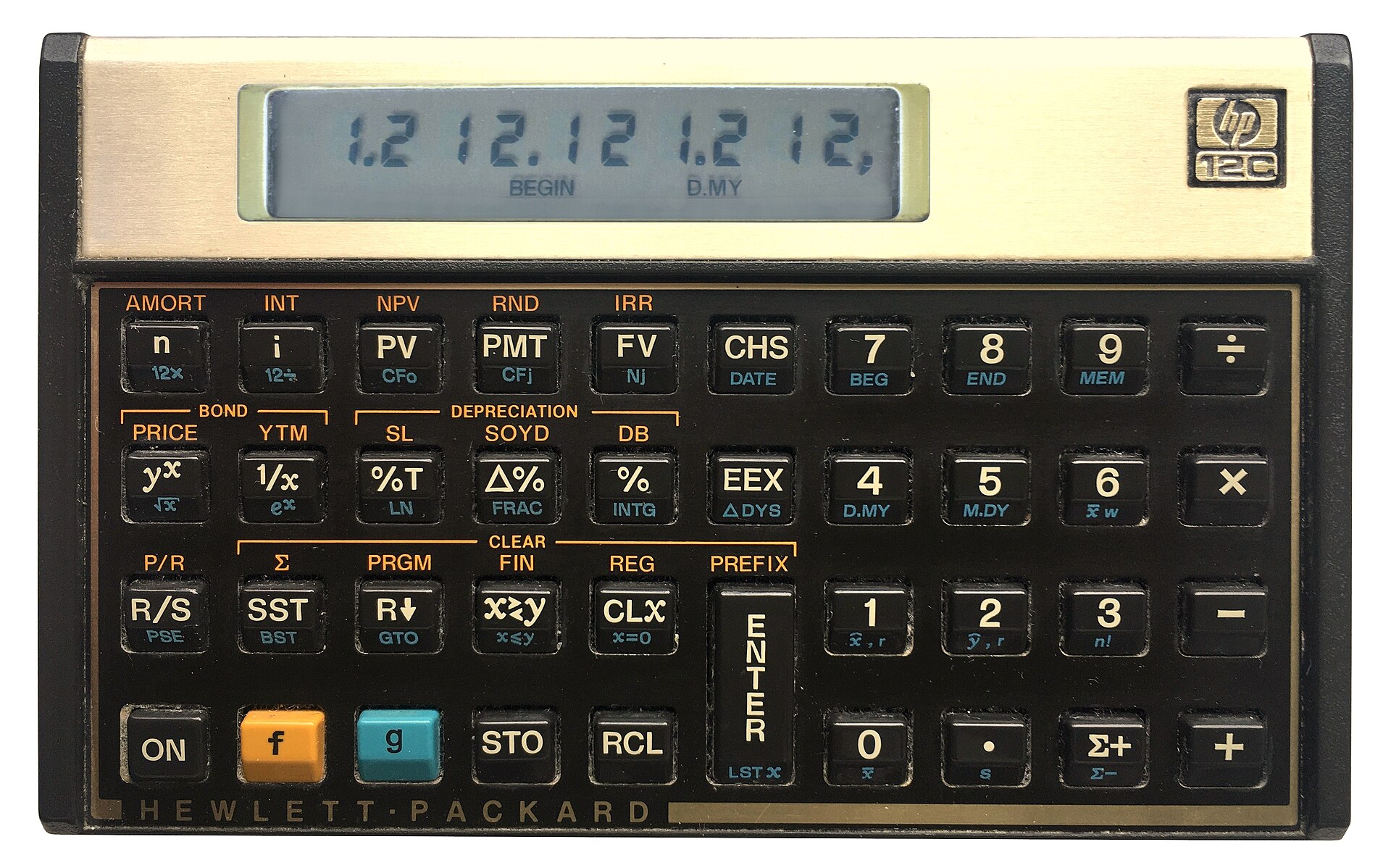
The strange survivor is the HP-12C. Introduced in 1981 as a financial calculator, it remains available new more than four decades later. Depending on the retailer, expect something around $50 to $70. The 12C Platinum, which can operate in either RPN or algebraic mode, is also still available for roughly $80 to $110.
Then there is the HP Prime G2, generally around $150 to $170. The Prime is a graphing calculator with CAS, programming, symbolic mathematics, touch screen, and textbook-style input — but buried among all of that is an RPN entry mode. It isn’t an old-fashioned HP RPN calculator, but it certainly qualifies.
The real center of new RPN hardware today, however, is SwissMicros. SwissMicros started by producing modern implementations of classic HP designs and has since moved well beyond simple reproduction. Its current machines include the DM15L, modeled after the HP-15C; the DM16L programmer’s calculator; DM41L, DM41C, and DM41X machines inspired by the HP-41 family; and the DM32, which occupies roughly the territory once covered by the HP-32SII.
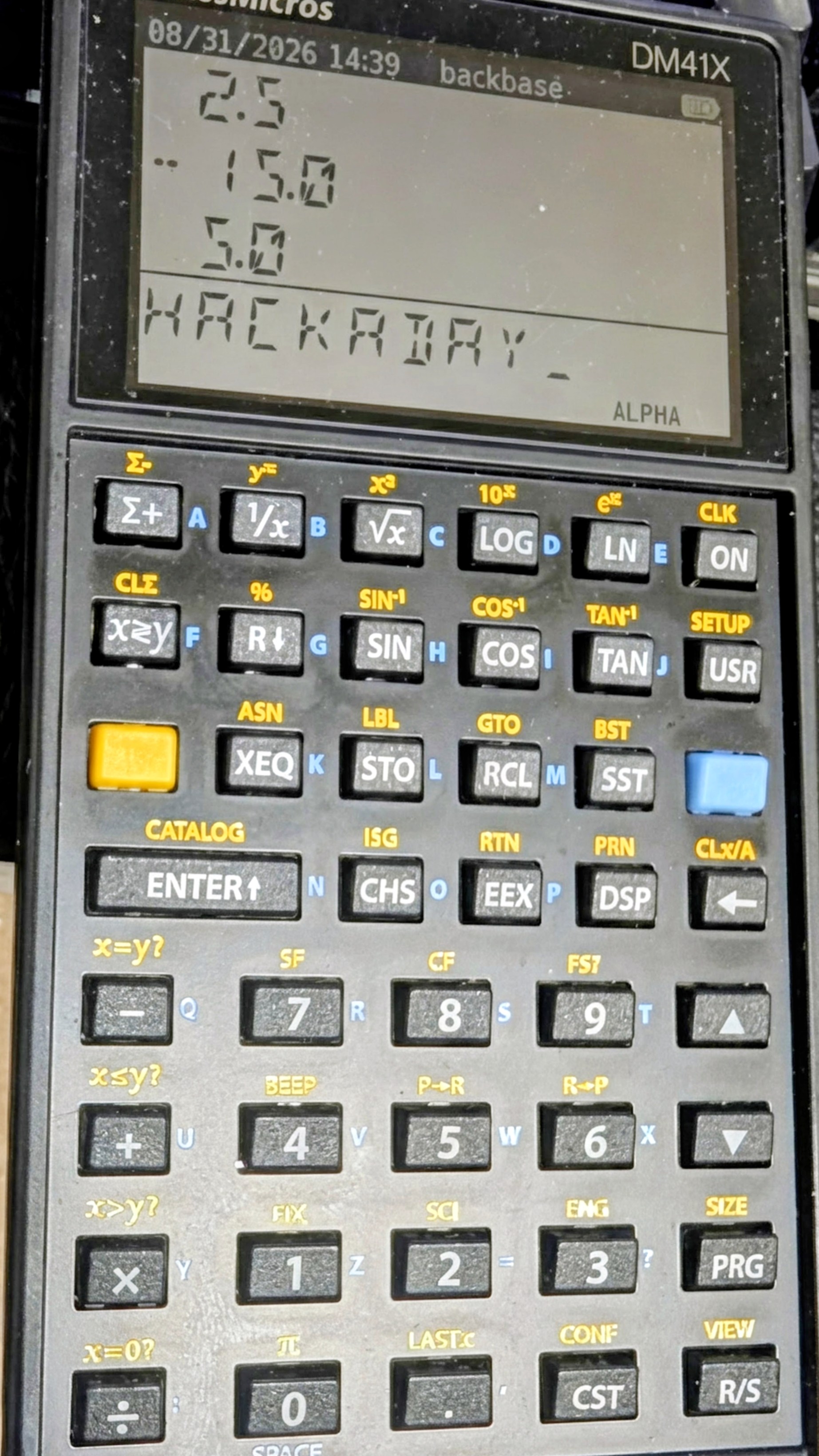
Perhaps more interesting is the R47, at about the same price. Instead of recreating a particular HP calculator, it grew out of the WP34S/WP43 community projects and attempts to be a modern enthusiast’s RPN calculator. It has an eight-level stack, matrices and vectors, complex arithmetic, base-N and bit operations, statistics, units, financial calculations, equation solving, integration, programming, and even built-in electrical engineering functions. Its firmware is still officially considered beta. This is probably the closest thing today to somebody asking, “What calculator would an obsessive HP engineer build if we started over?”
SwissMicros calculators aren’t cheap. Depending on the model, you’re generally looking at roughly $180 to more than $300 after currency conversion. But they are real, currently manufactured calculators rather than 40-year-old collectibles.
Heat Up The Soldering Iron
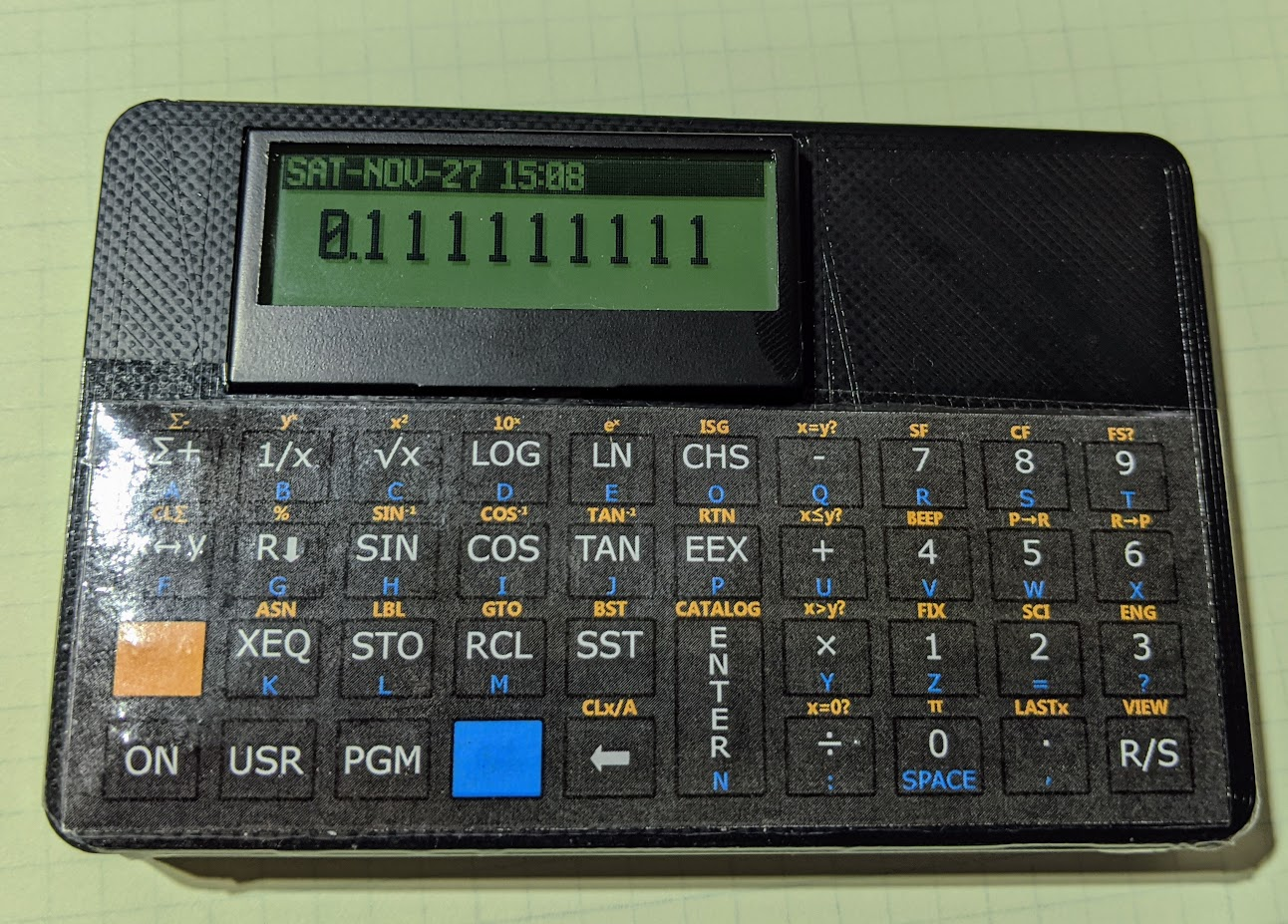
The ATmega scans the keyboard, drives the display, and emulates the original machine. The design adds such modern amenities as continuous memory, an LCD backlight, real-time clock, and considerably higher execution speed than the originals. Kits and assembled versions are typically under $100.
There is also the 10LC (and related models), which approaches the problem from the other direction: take inexpensive ESP32-based M5Stack Cardputer hardware, add calculator firmware and key labels, and turn the whole thing into a pocket RPN calculator. Figure roughly $50-$60.
It isn’t going to make a calculator collector forget an HP-42S keyboard, but it does show how little hardware is actually required to build an extraordinarily capable calculator today.
There’s An App For That
CalcTastic is a modern RPN phone app.If physical keys aren’t mandatory, RPN is actually thriving. You can get a host of RPN calculators on your Android or iPhone. There are many options for desktop computers, too. You can generally find these on your platform’s program repositories.
One of the best places to start is Free42, [Thomas Okken’s] free, clean-room implementation of the HP-42S. It runs on Android, iOS, Windows, macOS, and Linux. Plus42, from the same author, takes that foundation and expands it with equations, units, directories, plotting, financial functions, and other capabilities that the original HP-42S never had.
Android users also have CalcTastic, which can switch between algebraic and RPN modes and provides scientific calculation, complex numbers, fractions, statistics, conversions, and — in the paid version — programmer functions. The basic version is free, and the Plus version is only a few dollars.
For the HP-48 crowd, there is Droid48 on Android and several HP-48 implementations on iOS. If your idea of a calculator includes directories, symbolic objects, programs, lists, and an RPL command line, the phone in your pocket can impersonate a 48 far faster than the original hardware ever could. If you prefer the HP41C, go41C is the one I like.
Apple users have an especially large selection. i41CX recreates and extends the HP-41 environment. PCalc isn’t primarily an RPN calculator, but has long offered a very good RPN mode. There are also modern RPN calculators including MathU, RPN Calc, RPN Calculator 48, and a growing number of simulations of individual classic HP machines.
Real HP
Even HP’s current flagship environment is available in software. HP Prime Pro runs on Android and iOS and supports optional RPN input.
Desktop users aren’t left out either. HP provides a free HP Prime Virtual Calculator for Windows, and there has also been a macOS version. Most unusually, HP once produced an actual native Linux version. The Linux release was packaged as an AppImage and survives as a 2019 technical preview — build 2.1.14288 in the copy sitting on my Linux machine. It isn’t the Windows version hidden inside Wine; it’s a native HP build, and it still works remarkably well. Unfortunately, it predates one particularly interesting addition to the Prime: Python programming.
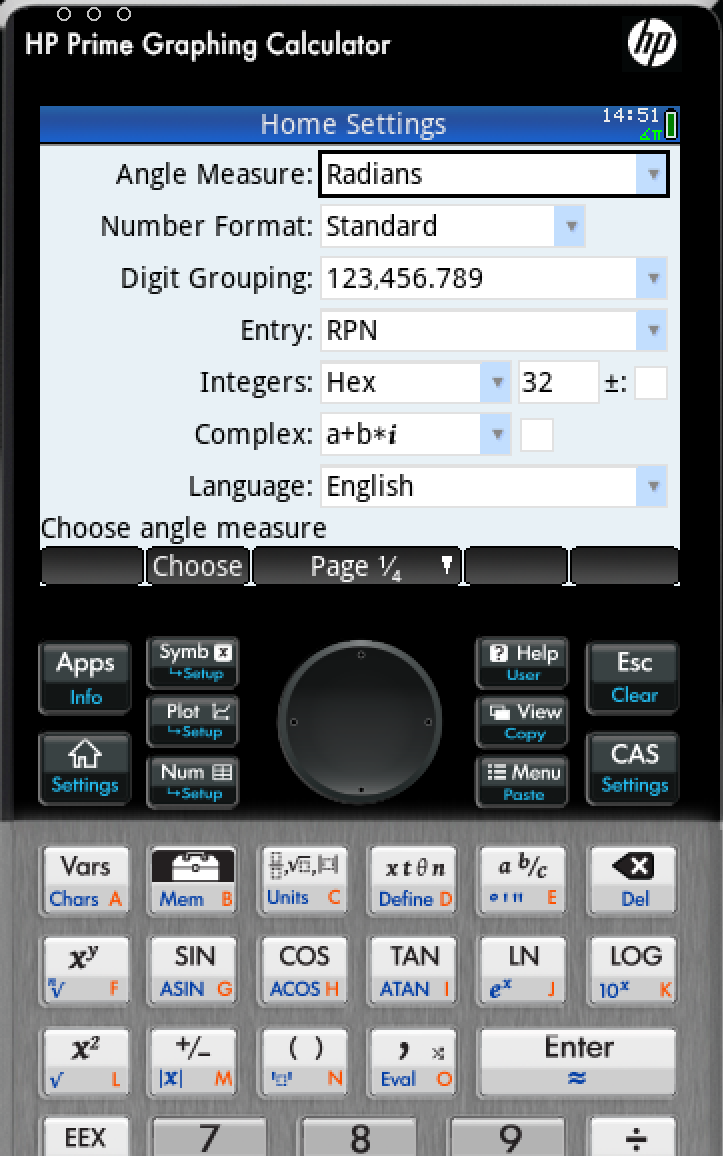
There is a way to get that on Linux, although HP doesn’t make it easy. I found that the December 2024 Windows release of the Virtual Calculator, version 2.2.15212, runs under Wine using the Soda 9 runner in Bottles. That version includes the Prime’s Python app and reports MicroPython 1.9.4. The catch is that you don’t want to accept its offer to upgrade. Updating to the current Windows version causes the simulator to stop working under the same setup, and Soda 11 doesn’t appear to fare any better. So there is a slightly absurd sweet spot where an older Windows Prime under an older Wine runner provides a more up-to-date Prime on Linux than HP’s own native Linux build.
Between Free42, Plus42, Prime, HP-48 emulators and innumerable smaller projects, software may actually be the easiest way to use RPN today.
The Used Option
Of course, another source is available: millions of old calculators are already out there. If you’ve always wanted an HP-11C, 15C, 16C, 28S, 32SII, 41CX, 42S, or 48GX, auction sites and used-equipment dealers will happily provide one. Sometimes you can still find a bargain, especially if you’re willing to buy a cosmetically ugly machine or something outside the most desirable models. The problem is that the best old calculators aren’t merely used calculators anymore. They’re collectibles.
A calculator that originally lived in an engineer’s shirt pocket may now be a pristine example with its case, manuals, and box — and priced accordingly. Even fairly ordinary examples of desirable models can sell for enough money that carrying one around every day starts to feel irresponsible. My treasured HP41C, for example, works fine, but is already scuffed up enough that I rarely risk using it at my desk these days.
That creates a slightly absurd situation. A perfectly functional 35- or 40-year-old calculator may cost considerably more than an astonishingly capable modern computer because one is being priced as a collectible and the other as a tool.
On the other hand, battered calculators exist. If you don’t care about scratches, engraved names, missing battery doors, or someone’s old asset-control sticker, those are often exactly the machines to buy. You’re going to use it, after all.
ENTER Isn’t Dead
RPN plainly lost the calculator wars. Walk into an office supply store, and almost every calculator on the shelf expects conventional algebraic input. But it didn’t disappear.
You can still buy an HP-12C. You can buy sophisticated new RPN machines from SwissMicros. You can solder together your own HP-inspired calculator around an 8-bit AVR. You can turn an ESP32 gadget into one. Or you can install an app and have an HP-42S, HP-48, or modern RPN calculator in your pocket for anywhere from nothing to a few dollars.
That’s a surprising amount of life for an input system the mainstream calculator industry decided we didn’t want decades ago. Then again, people who like RPN tend to really like RPN.
If 2 ENTER 3 + looks more natural to you than 2 + 3 =, apparently somebody is still willing to sell you a calculator. If you want to see how easy it can be to parse RPN in a program, we’ve done that.
