Although once little more than an academic endeavor, the RISC-V architecture is slowly supplanting applications that would have normally gone to ARM. Even a few microcontrollers have chips running this open-source instruction set now, and we expect it to grow in the future since it doesn’t require the licensing of an ARM or x86 chip. [M_Jagadeesh97] is getting ahead of the curve with this retro gaming system built on a custom-designed RISC-V system.
Most of us, presumably including [M_Jagadeesh97], don’t have access to chip fabrication tools, but what we can get is any of various FPGAs. This RISC-V CPU is built on a Terasic DE0-Nano board with 32 MB of RAM available to it, and boots to a launcher with 32 games available. There are a few limitations with this low-power system which was largely solved by limiting the display to 64×32, which lets it maintain the same aspect ratio as the original DOOM as well as the same aspect ratio for many of the older games, while still maintaining 45 FPS.
The project writeup goes deep into the design of a system like this, from the bare metal, the CPU design, the timing of the video signals, and how to implement a Wolfenstein-like raycaster. After adding a small display it looks to be fairly portable as well and is an excellent demonstration of how powerful inexpensive boards like this FPGA can be with the proper amount of effort.
What [Jan] has built is a 100% browser-based emulator for an Intel 80486DX2-66 PC. Obviously, it’s not just a CPU that’s being emulated here—[Jan] has gone so far as to throw in the motherboard and ISA/VLB adapter card emulation necessary to make this a real and functioning computer that runs inside a solitary browser tab.
It’s all written in ES6 JavaScript. It will happily run SeaBIOS, VGA BIOS, FreeDOS 1.3, and a whole bunch of classic games, like Wolfenstein 3D, Duke Nukem, and DOOM. There’s even a control panel where you can configure the PC how you like, from storage to expansion cards and all the rest.
Once upon a time an emulator was an application you had to download and run, hoping all the while that your new machine had enough grunt to emulate the classic hardware of your desires. These days, we have endless piles of CPU cycles to throw at everything and you can do it all within a browser. Or even on a tiny microcontroller, if you feel like it!
If we care to cast an eye over the history of ubiquitous personal computing as we know it today, we might immediately point at the original IBM PC. After all, for most of us our machines share backward compatibility in some form through multiple generations back to that original box from 1981.
But if we look at the things we use today and take for granted, from laser printers to graphics cards to the routers which power most of the Internet, they’re not from IBM at all. At the recent Vintage Computing Festival Berlin, [Michael Engel] delivered a talk naming a surprising progenitor for much of that technology, none other than Sun Microsystems.
It all starts with [Andy Bechtolsheim], famously Sun’s co-founder, when at the end of the 1970s he was a postgraduate at Stanford University. Working on the Stanford University Network — SUN — project he designed a computer to be used as a workstation on the network. The processor of choice then was Motorola’s 68000, but it lacked the MMU that would be required to run UNIX. His design had an MMU implemented externally to the 68000, with a bank of SRAM serving as the page table. This design would form the CPU board of the first Sun workstation.
The story might end there, were it not that many other companies had the same requirement, and Sun could supply them a CPU board. Silicon Graphics, the distant ancestral progenitor of your GPU, was one of them, so the first SGI workstation also had the same CPU as the first Sun. It appeared in the early Imagen laser printers too, as well as commercial AppleTalk to Ethernet bridges. Perhaps the biggest surprise is that because the original Stanford board had also been used as a router, the software for that became part of Cisco’s first product.
The video is below the break, and it’s a fascinating watch.
The humble credit card reader — most of us have used hundreds, perhaps even thousands of them over the years. But even for folks like us, it’s not the sort of device we give a lot of thought to. It’s just a keypad, a display, and a magnetic stripe reader. How interesting could it possibly be?
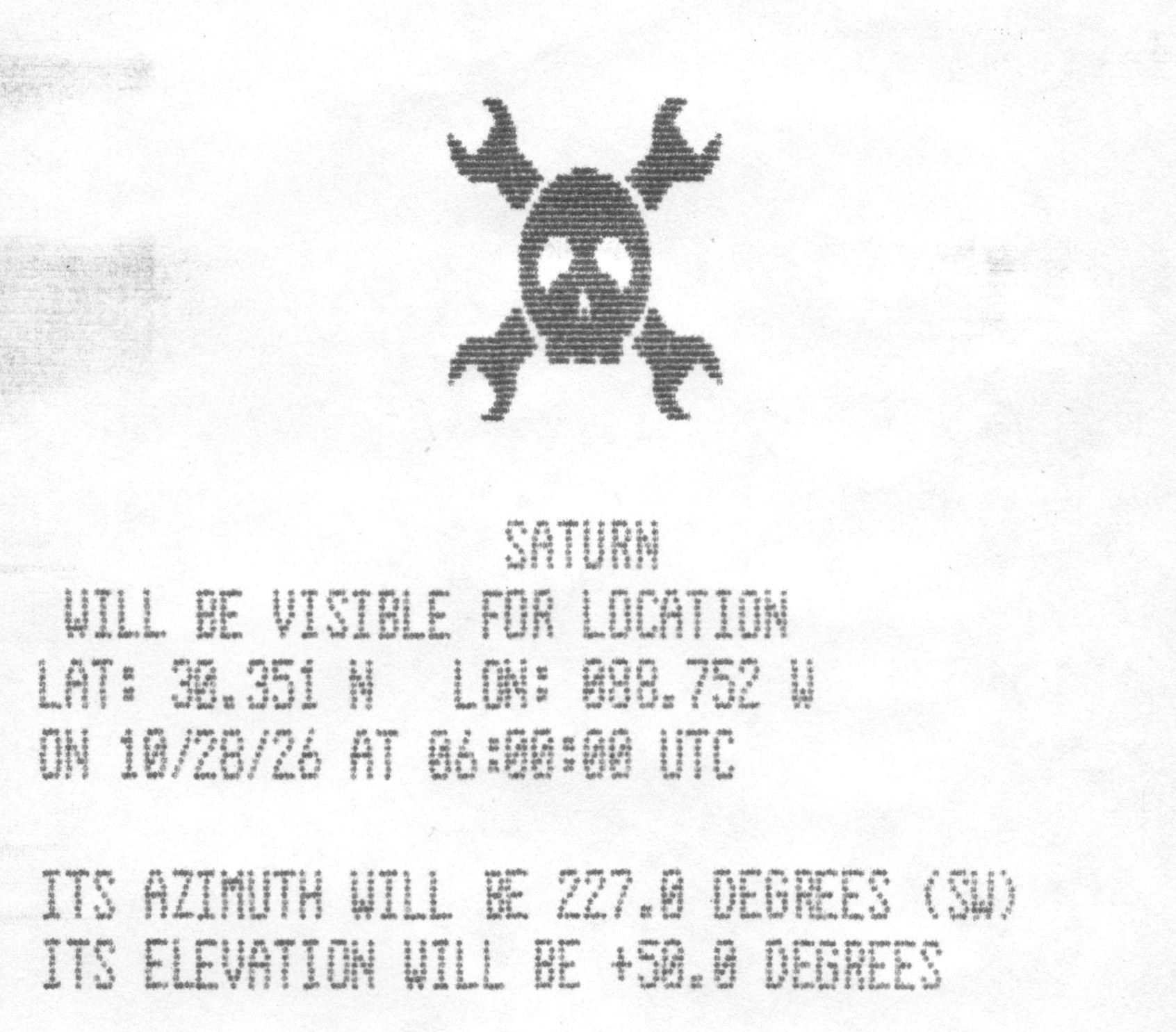
That may be true in some cases, but at least for the 1990s-era TRANZ 330, there’s a bit more to the story than that. As [CharlesD] explains, these particular readers are essentially complete Z80 computers just waiting to do something more exciting than processing PINs. In the case of this particular unit, the addition of a GPS module and some new code has turned it into an interactive guide to the solar system.
Thanks to the UV erasable ROMs used in the TRANZ 330, loading new code on the device is easy enough. With a bit of educated poking around, [CharlesD] was able to map out what did what. Working from the basics of getting the display and keypad working, he moved onto the serial interface, which in turn let him communicate with a modern GPS module and era-appropriate thermal printer. From there it was just a matter of getting the math implemented to compute the azimuth and elevation of a given planet, and he had an offline map of the solar system for use with his telescope.
This is one of those projects which is awesome enough on its own merits, but it’s particularly exciting to see just how easy it is to repurpose one of these card readers, especially since [CharlesD] was kind enough to share his source code. If you end up picking one of these up and getting something running on it, be sure to let us know.
In the open source world we are used to software being compiled from source for our particular distro, so while in a few cases an ancient release may still be in use, it’s just going to run on the latest distro version. But in the Windows world it’s rare for software to come with the source, so you’re left with a binary that will only run if your Windows version has the right APIs for it. Since the more recent versions of Windows dropped 16-bit support a while back, that means there must be a hard date set on the earliest Windows GUI application that can still run today. [Enlyth] decided to investigate.
Given that the earliest API supported in WIndows 11 is the 32-bit version, the hunt led straight to either the first Windows NT release and ancestor of Windows 11, or the Win32s extension for WIndows 3.1. Thus a 1993 Win32S version of Freecell runs happily, but that want’s the end of the trail. Somewhere in the pre-release builds of Windows NT 3.1 would be the requisite binary, but there’s a snag. Early Windows NT 3.1 APIs were incompatible with later ones. This led through a lot of crashing binaries to a November 1992 version of the CD player app, that ran because it called a DLL which happens to still be present. The need for another DLL to emulate a CD drive speaks volumes about the progress of the PC world, back then they were the last word in storage but who’s got one now?
That’s the earliest official binary to run, but the story’s not quite over. Windows 11 may not have a VDM to run 16-bit apps, but there’s a WINE VDM for that. Behold, Reversi from Windows 1.01 in November 1985, in Windows 11. Your ancient software may yet be saved.
A few years ago, [Smashcat] ported a ZX Spectrum game called Manic Miner to the Arduino Uno. The Arduino has less memory than the original Spectrum did, so doing all this on an 8-bit microcontroller was no easy lift. Since then, parts of this original port have been adapted to produce a game engine, allowing [Smashcat] to port several other games to the Arduino Uno as well.
The engine is able to host a 2D map with the ability to scroll, at a resolution of 256×256, as well as up to nine sprites at the same time. The graphics are locked to 50 FPS, but only with a real Arduino Uno that has a crystal oscillator. Some replica boards do not have a timekeeping chip accurate enough to replicate the video signal, which is done without a framebuffer. That signal, as well as two PWM audio channels, are still generated directly as well, with only a few resistors needed to hook everything up to a monitor and a controller, including the option of using an NES controller.
With all of that running on the Arduino and it hooked up to the daughterboard that provides the controller interface as well as the resistors for the video signal to function and a driver for a speaker, the system now runs the original Manic Miner as well as three other games: Scramble, Space Invaders, and Pac Man.
Meatloaf is an ESP32 device at its core, which plugs in to any of several Commodore computers through their IEC serial port. Many similar systems exist to bridge the gap between the modern world and the now-retro one, but this one connects to a dedicated service which points towards files no matter where they’re stored. There is some local storage, but it can also retrieve files from any active URL, and Meatloaf retrieves the files and then sends them to the Commodore over that serial link.
Part of what makes this unique is that the user doesn’t need to configure Meatloaf in any particular way, everything is done from the Commodore as long as the URL is known to the user. The system can even parse nested files like archive file types and send them along to the computer just like it would if they were on a period-correct floppy drive. There’s a GitHub project page as well for anyone looking to get into the weeds of this serial data interface.
Even though laptops from around the early 2000s came with just about every conceivable port on them, they still would often feature a somewhat unusual combined video output port. While at its core this was just a 4-pin analog S-video output, the three additional pins on the mini-DIN connector provided some more features. Of course, as [VWestlife] found out during his archaeological research, not every manufacturer used the same pinout here.
The naming for this specific port differs, with the name ‘S-video+’ appearing regularly, yet many descriptions glossing over the additional pins and only mentioning that it can be used with a 4-pin S-video connector. As it turns out, most manufacturers used roughly the same pinout, matching the shown Dell one. This adds composite output, along with two S/PDIF digital audio pins that could be routed out with an adapter into their full-sized ports.
Of course, the Apple PowerBook G4 had to be that exception again, with it omitting the audio pins and putting the composite signal on pin 5. This left the last two pins completely unused, but serving to completely confuse anyone who thought that they could get more out of the port with an adapter for those uncouth PC systems.
As to the remark at the end about how the transition to ‘just USB ports’ has made everything better, we’d challenge the average person to look at a random USB-C port and tell based on its appearance which standards it actually supports.
There’s just something about backing way, way off the cutting edge to rediscover the simpler joys of yesteryear. We’ve got a contest about to wrap up along those lines, and there are festivals celebrating all things retro in the world of computers and electronics the world over. Vintage Computer Festival (VCF) Southwest happened back in the summer, but [Wave Design] just posted a gloriously retro retrospective, complete with the full 1990s video-editing workflow, completed on an SGI O2.
The footage was recorded on a 1990s vintage DV camera, and read using a somewhat-newer Sony tapedeck that we sadly have to admit also counts as retro in these late days. That gets piped into a vintage SGI O2 workstation that would have had us drooling back in the day, whose only concession to modernity is the inclusion of an NVMe SSD through a collection of adapters we can only call a hack. This may be burying the lede deep, but it turns out there is now an NVMe driver for IRIX 6.5. Using a modern SSD saves [Wave] from dealing with the literal stack of external drives video editing called for back in the day, so we can’t hardly blame him.
After the hardware walk-through, [Wave]’s video gets into the software, which is surprisingly modern. The footage he creates is decidedly not. It looks exactly like it was broadcast in 1996, perhaps following an episode of ReBoot — which conveniently enough, also used SGI workstations in its production, though with a decidedly rarer type of digital video tape.
If we’re honest, there aren’t a whole lot of accessories coming out for the MSX computer line this holiday period. There is, however, a new sound expansion cartridge for the diehard fans out there, thanks to [Ricardo Suzuki].
It’s called the Misato MSX, and it’s a cartridge you can build yourself to give your computer a grander set of sound capabilities than it ever had before. At the heart of the cartridge lies the Yamaha YMF288, an OPN3 chip that offered three Software Sound Generator (SSG) channels, six FM channels, and six rhythm channels. Paired with a decent DAC chip, it provides deliciously rich synthesized sound very characteristic of that 1980s/1990s FM synthesis era. The cart can be used for play of a wide variety of OPN music, or creating your own compositions with the right software tools. Audio output can be had either from the stereo line out jack on the cart itself, or mixed down to mono and passed to the MSX’s internal mixer.
If you’ve got an MSX that is a little weedy in its sound capabilities, this cart could be just the thing you’re looking for. We’ve looked at some fun MSX machines before, too. If you’re cooking up your own upgrades for retro machines, don’t hesitate to let us know on the tipsline!
Recently the [Chornobyl Family] got their hands on an ES-4001 control panel for a 1970s-era Soviet mainframe, with the intention to restore it to full working order. Not just because they’re really into cool old Soviet technology, but also because of the connection that this control panel holds to the Chernobyl nuclear accident that was so instrumental to the area in modern times.
The Duga-1 computer room with what’s left of the ES-1060 mainframe. (Credit: Chornobyl Family, YouTube)
During the 1970s the USSR felt that it could not be left behind in the race to create better digital computers. This led them to not only create a few original designs, but also effectively clone the IBM System/360 and System/370. This resulted in the ES EVM-series of mainframes, with an ES-1060 finding itself installed at the Duga-1 early warning radar system near what is now the Chornobyl nuclear power plant in Ukraine.
Although the radar arrays are the most well-known feature of the Duga-1, below it is the computer center where the ES-1060 was installed. It was never put into service following the ChNPP Unit-4 accident — all that remains of a once pinnacle of Soviet engineering are the picked-over carcass of the mainframe and its control panel.
The control panel in question was obtained was from the early 1980s, serving a more gentle service life in a datacenter and looks to be in a mostly good condition. That said, there was still enough to be done to make it work and undo the damage of its violent removal from the mainframe. Along the way we also learn how the system was used and how the control panel works.
Although similar in some ways to the System/370, it’s still very different, and with only about 300 of these mainframes produced, it’s worth saving whatever elements still remain today, along with the surviving documentation.
I recently got the Amazon Christmas toy book in the mail, and it is definitely the modern version of the Sears Christmas Wish Book for last century’s youth. Or at least the majority of last century’s youth. For the true hacker, we had a different set of wishes. Recently, I found something I’ve clung to for over 50 years: the 1975 “The Age of Altair” catalog from MITS. Now that was a wish book!
The poor thing has been dragged around for decades and, I’m sad to say, it looks it. It isn’t totally trash, but I decided I should scan it. Then I realized that Bitsavers has already done it for me and with a much nicer copy, too. The images in this post are from their scan instead.
About the Altair
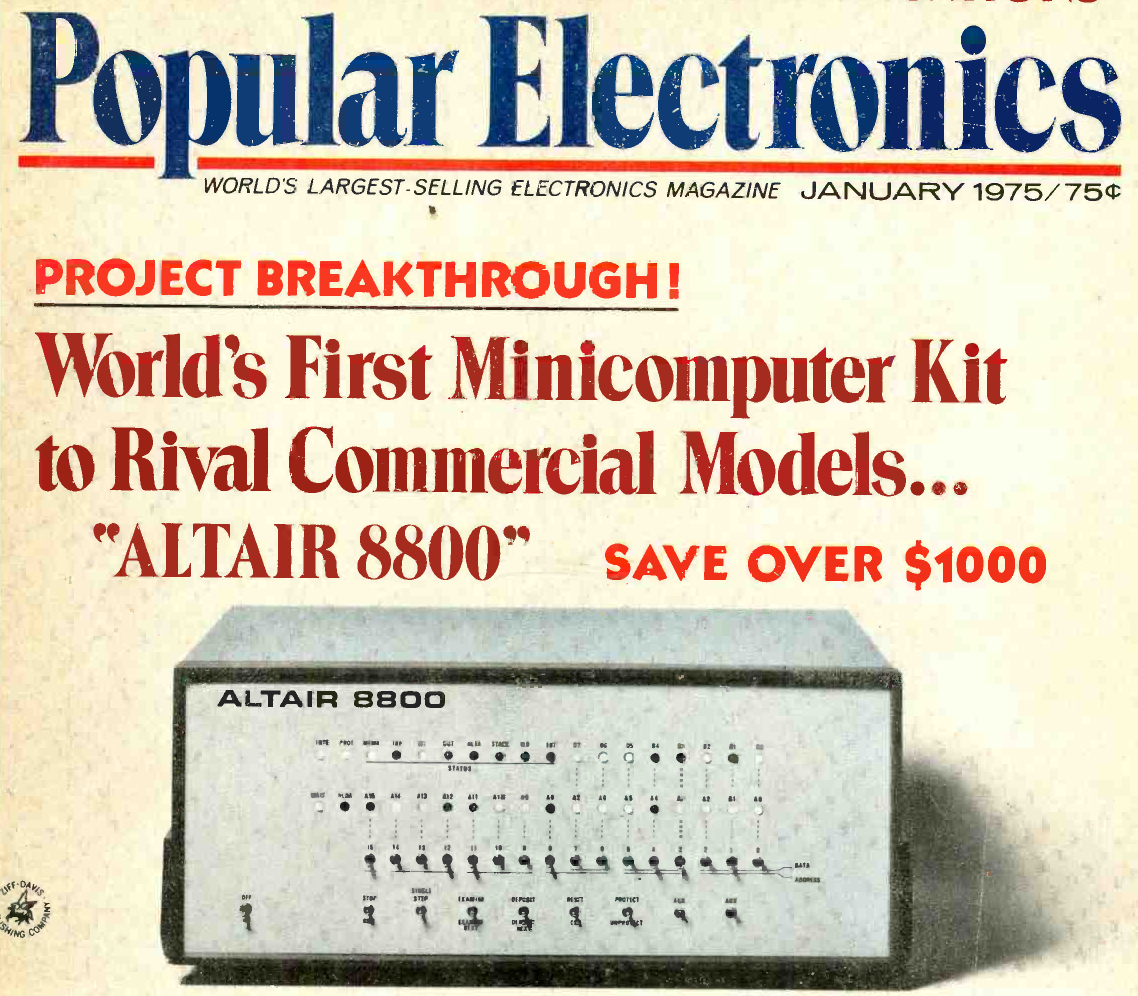
The magazine that started it all (World Radio History).
If your first computer ran Windows, you might not get the significance of the Altair. Back in 1974, the idea of having your own computer was practically ludicrous. Sure, Radio Electronics had published plans for the Mark 8 in July of that year. But it used an anemic 8008 CPU, and it wasn’t easy to get all the parts you’d need to build one. Other limited computers, like the Kenbak-1 or the occasional surplus minicomputer, ended up in personal hands. But you couldn’t just decide you wanted a real computer, plunk down some money, and have one delivered unless you had extremely deep pockets.
To stay on magazine stands longer, old print mags would come out earlier than their cover date suggested. The January 1975 Popular Electronics arrived, actually, in December of 1974 — just in time for the holidays. It showed a computer you could buy as a kit or assembled: the Altair 8800. Many of us were mesmerized by the idea of owning an actual useful computer.
Reality Check
Of course, the problem is, it wasn’t actually a useful computer. All by itself, it was a bunch of switches and LEDs with a CPU. You’d need memory, and even a little was super expensive. But it was still cheaper than anything else. Want a terminal and enough memory to run BASIC? That’s going to be even more.
In those days, magazines had “bingo cards.” Each ad had a number, and if you wanted more information, you circled that number on the card and mailed it to the magazine. A while later, you’d be rewarded with mail from the company in question. I have no idea how many of the “Age of Altair” catalogs were sent, but I know I got one.
The machine on the cover didn’t look much like the machine in the magazine. The story is that the original machine was sent to the magazine for photography and was lost in the return shipping. But either way, it looked like a small minicomputer of the era.
Micro
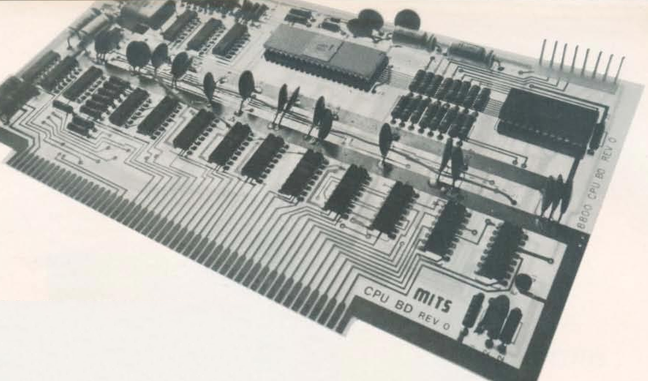
The CPU board used what would later be called the S-100 bus.
The catalog notes a cycle time of two microseconds, or about 500 kHz. That’s a little misleading. The CPU actually ran at 2 MHz, but each instruction took multiple clock periods, and some instructions required several machine cycles. Even a simple NOP took two microseconds, while more complex instructions could take considerably longer. It wasn’t a speed demon.
One nice thing about the Altair is that it had a card cage, and you could plug in whatever you wanted with what would later be called the S-100 bus. Of course, to save money, you might not get all the card guides and connectors.
If you had deep pockets, you could get fast static memory. This would cost more and provide less memory, but the chips stored bits in flip-flops, and it was fast. Or you could opt for more dynamic memory, which stored data in tiny capacitors on its memory chips. The downside is that the memory had to periodically refresh itself, stealing cycles away from the already slow CPU.
Down with Switches
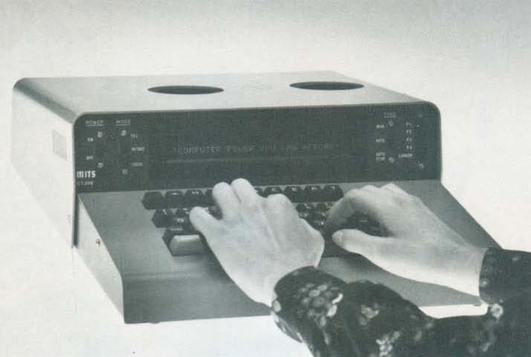
The Comter 256 showed a whole 32 characters at a time!
Naturally, you didn’t want to flip switches all the time. MITS offered the Comter 256 terminal. It had 256 bytes of its own storage and a whopping 32-character display. It even had holes to stick your phone in, if you wanted to talk to a remote computer.
This was, of course, not very practical. Your best bet was a TeleType. The TeleType Model 33 had a printer and a keyboard. The ASR variant had a paper tape reader and punch, too. Mass storage and a printer that operated at 10 characters per second. No screen, though. Everything you did was on paper. And it was pricey, too.
Software
The catalog offered a 4K and 8K BASIC along with “Extended” BASIC, which needed 12K but got you double precision math, PRINT USING, and disk I/O. There was also a single page of 8080 instructions in binary. I remember fixating on that page, trying to understand how you’d program this machine. There was a lot of missing detail.
Pricing
For as cheap as these were compared to the alternatives, they were still out of reach for many people, especially a kid. The computer itself was just a bit over $600 unless you wanted to build it yourself. Then you could save just under $200.
You couldn’t do anything without memory, though. A board that could hold 1 kB of static RAM (but only came with 256 bytes) was $134 assembled, plus $61 for every 256 bytes after that. If you wanted the board fully loaded, they discounted that to $209. The slower 4 kB dynamic RAM board was a cool $338. If you didn’t have paper tape, you probably wanted the interface to load and save programs from cassette. That was another $174.
Wanted something with a keyboard? The Comter terminal was $885, but for $35 more, you could get one that would also work with your cassette recorder to save and load things. Or opt for the TeleType for $1,500. You might be tempted by the 88-VLCT (the “low cost terminal”) at only $169. But if you saw it, it only had seven numeric keys (for octal) and two other buttons.
That’s not all. Those terminals had to plug into something. That board would run you around $140, depending on which variant you wanted. Even something like a real-time clock was an extra purchase.
The base computer price had four available slots, one of which held the CPU. So if you had a CPU, two memory cards, and a serial I/O card, you were full unless you bought more slots. To make it easier, you could buy a bundle. The cheapest was just shy of $3,000.
Perspective
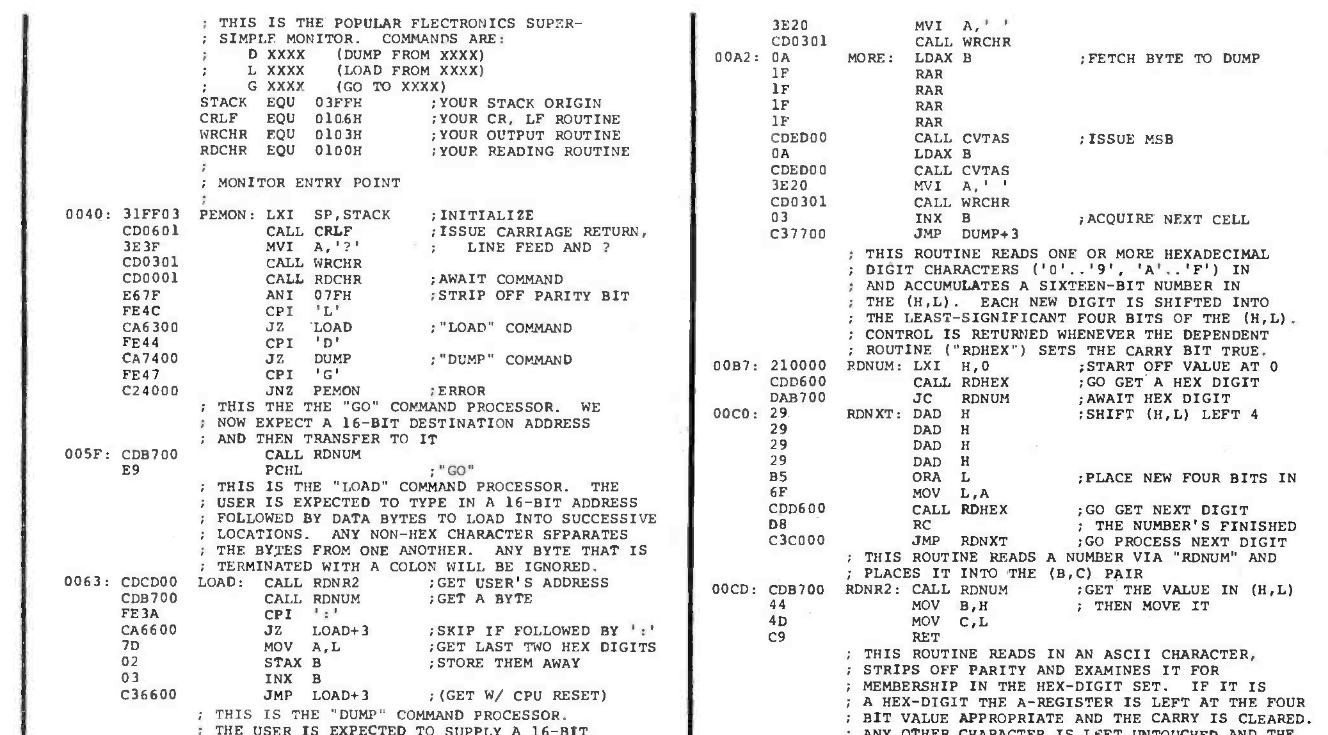
Why are the addresses backward? Part of the PEMON monitor from the November 1975 Popular Electronics.
I know. It is easy enough to spend $3,000 on a state-of-the-art computer today and, at the time, this was pretty state-of-the-art. But in today’s dollars, that’s about $19,000. A new car was about $5,000, and $3,000 would get you a very nice used car. An average home ran about $42,000, and $3,000 would be a hefty part of a down payment. The median income in 1975? Under $14,000.
Still, these were the first real computers you could at least imagine buying. It wouldn’t be long before the prices of even better machines dropped considerably.
I wasn’t the only one who wanted one of these machines. I conspired with friends to pool money to get one, but we never managed it. I pored over machine code listings in later magazines and the instruction reference in the catalog, trying to puzzle it out. I finally did. In those days, you couldn’t just download the manuals or watch a video about it.
Then again, the value of an original working Altair 8800 today makes it, again, out of reach for most of us. There are always faithful recreations. Or even less-than-faithful ones. I have plenty of these recreations and simulations now, but I still have kept the catalog I pored over so many years ago.
If there’s one thing everyone hated about Windows 98, was the lack of USB4.0 support. We remember vividly the cries of anguish at the launch party when we found out that 21 years in the future, the operating system wouldn’t support the then-undreamt of speeds of the thunderbolt-based fastest USB protocol. After two decades of living with this crushing disappointment, [Yeo Kheng Meng] has delivered the goods: the most modern of USB interfaces on some very much not modern versions of windows.
This builds on [Yeo Kheng Meng]’s work on xHCI drivers for USB2.0 support, which we covered at the time. Like that hack, this one applies to Windows 98 through 7, and has a similar level of LLM-wrangling involved. There are actually a few parts to it– one is a USB3.0 driver, which replaces the old xHCI98 driver and is available on GitHub. On Windows98, USB3.0 speed caps out around 200 MB/s, likely restricted by Windows98’s maximum request limit of 64kB on USB transfers. Even with the faster bus in action, it can only gobble those tiny blocks of data so fast.
There’s also experimental USB4.0/Thunderbolt support, as stated above. While not as stable as the USB3.0 portion, we’re kind of impressed it runs at all. Thunderbolt is more than just a faster data bus, after all– you have to support multiple protocols. To handle all that you can install xhcicm.sys and have the surreal experience of accessing an docked NVMe drive from the last century’s best Windows via his Stor98 driver. That’s based largely on [SweetLow]’s NVMe9x project, which he forked but is going to be bundled into the main repo.
What might be more helpful to the community than these drivers is [Yeo Kheng Meng]’s fork of QEMU11 that emulates USB4/Thunderbolt hosts and devices. Having a working emulator seems like it would be a huge boon for this sort of semi-automated development. That’s available in its own repo.
Aside from the already-linked USB2.0 drivers, [Yao Kheng Meng] has an impressive retro-computing record, that includes Swift on the Apple II and turning DOS into llama.c habitat. It should be noted that that llama.c’s TinyStories is not the LLM that assisted with this project.
Modern computers are towers of glass and metal with very few large deviations from one to another. Monitor A will go against B, except you can’t tell them apart unless they’re on. At least, that is, compared to how different the old bulky monitors look compared to the new. [Andrzej Górski] seems to agree with this sentiment with his Oldputer, a blast from the past.
[Andrzej Górski]’s inspiration came from one component, and the main component of the project, an old e-ink display. When life gives you one of the slowest versions of a display, there really isn’t too much else to do other than pair it with slow old computers of the past. From that inspiration, there isn’t entirely a whole lot to do other than throw in an ESP32 and some LEDs for indicator lights. Put all this into a fun case, and you get one pretty desk ornament for whatever information you wanna display.
If you want to replicate the past again, you might want to look for the project GitHub here. If you’re looking for something even older, check out the replica of the MCM/70!
[Bob the Science Guy] remembers how to use a slide rule. Even after all these years, it is pretty easy to remember how to multiply and divide. If you can’t remember, you can usually work it out, as long as you understand how slide rules work. But what about sine, cosine, and quadratics? [Bob’s] been making videos about topics like this, and if you’ve wanted to put your slide rule collection to practical use, you’ll enjoy these videos. You can see one below.
The trick to the slide rule is that it is deceptively simple. You are in effect adding logarithms and then taking an antilog. The issue is that you still have to have some intuition about the scale of the answer since 2×3 works out the same as 2×3000 or 200×300.
But it is even trickier than that. Adding and subtracting is not easy on the slide rule. [Bob] shows how to use your math skills to convert problems that might have been addition problems into trig problems. So while it might seem more complicated to use trig, it may help work the problem on the slide rule.
In the 8-bit home computer boom of the early 1980s, Sir Clive Sinclair’s machines were always among the cheapest on the market, often packing a surprising level of sophistication in their limited hardware. If there was one component that was key to their success it was the Ferranti ULA, or Uncommitted Logic Array, a clever way to make an ASIC from a chip containing a library of logic parts ready made. The Sinclair ULAs have been reverse engineered, but their full details have remained a mystery. Until now it seems, because here’s [Happy Little Diodes] with a treasure trove of original Ferranti design documents covering all the Sinclair parts.
The documents were picked up on eBay, and contain folders with printouts, engineering drawings, and hand written design notes. They cover the full range of Sinclair products of the era, including the ZX81 and Spectrum, the ZX printer, the Microdrive, the Spectrum Interface 1, and even the curious little flat screen TV. Oddly the IP is now held by the satellite broadcaster Sky as the holder of Amstrad’s portfolio, but fortunately Sky have recognised their historical importance and allowed their sharing with minimal changes. They’re all catalogued with download links in a Google spreadsheet, so dig in and see what you can find. Of particular interest are the ULAs that haven’t been reverse engineered yet, and the subtle differences between different versions of the same ULA as the engineers tried to fix bugs. The video is below the break.
If you want to play old Commodore games, there are C-64 emulators available for just about any platform– but most of them are so high level, they’re really meant for just that: playing games. [antirez] has a different goal with his c64-hw-sim project— it’s a lower-level emulation that simulates every chip and every connection on an ASSY 250407 motherboard, and all the chips on it, too. Ever wondered what happens when a specific chip is missing, or a random pin is shorted to ground or forced high? You can do all that in software, with no risk of harming antique hardware.
While that might be a fun bit of faffing about for a certain sort electronics sadist, the real utility is to learn about the hardware, both in the abstract and to help you troubleshoot a board you might have. It’s likely that many given failure modes reproduce the same effects– lots of things can knock out the display output, for example–but at least if you’ve reproduced a flaw in software you can try testing the hardware to see if that’s the cause of your problem. Assuming the simulation covers your hardware issue, anyway.
There’s cycle-accurate chip emulation for the processor, CIAs, SID and VIC-II via code by [Andre Weissflog], a.k.a. [flooh]. Meanwhile analog circuitry in the video, audio and power sections are not simulated so not everything fault will be replicable here. Still, it might be a neat tool– just don’t try and run any games on it, because even on high-end modern hardware it only runs at about one-third speed. That’s fast enough for diagnostics, but not so much for Maniac Mansion, never mind Elite.
We’ll give you three guesses what the most important bits of silicon in [LouD]’s USBSID-Pico are, and two don’t count. Yes, there’s a Raspberry Pi Pico, and a pair of the unforgettable SID chips from MOS– the sound chip of the C64, the die that launched a thousand chiptunes. Well, unless you build it with a hardware SID replacement, but the goal of this device is to get SIDs hooked up to modern hardware.
To that end, USBSID-Pico can be controlled via USB– obviously– in the form of CDC/WebUSB/WebSerial but also MIDI, and even ASID, which is a specific protocol for streaming SID register data over MIDI. You might be wondering the point, since surely you can get cycle-accurate SID emulation on an RP2040, right? Well, not everyone agrees that cycle-accurate emulation is accurate enough; like the people who swear by the subtle distortions tube amplifiers introduce into the sound, some say the chip’s own inaccuracies give the sound out of the physical device a unique vibe emulators don’t match. That’s a fight for others to litigate; we just appreciate the work that went into getting these old sound chips talking to modern hardware, and getting the project certified as Open Source Hardware.
This combination of old sound and new microcontroller makes the USBSID-Pico a good entry for our ongoing retrocomputing contest, particularly the retro-modern category. Just be aware of PAL and NTSC differences with these old chips, or your beeps and boops might be out of tune. They haven’t made them in decades, but there are more than a few modern replacements for the MOS 6581.
Game consoles tend to have a weak spot or two that will take certain units out sooner than they would due to normal parts aging. In the case of the Wii U it’s the eMMC storage IC with the console’s firmware and any user data that likes to keel over, with the SK Hynix variant reportedly developing faulty cells much sooner than the Samsung and Toshiba chips. If you want to check the health of these eMMC ICs in your Wii U, you can do so easily now with the Wafel Installer project by [zer00p].
This doesn’t take much more than navigating to the wafel.xyz URL on the Wii U to launch the installer on any (unmodified) Wii U, or alternatively starting it from an SD card if you’re running a homebrew-enabled console. This can also install the Stroopwafel CFW, ISFSax and the Aroma homebrew environment, but the NAND testing option in the installer’s menu is what you want to select if you’re not into homebrew or have already cracked open the console for said sweet homebrew action.
All of this is covered in this video by [FunkyScott47], whose Wii U’s Samsung-branded eMMC is fortunately still all fine, but it shows off the variety of tests available. Unless the eMMC is already quite cooked this should take only a minute or two, so it’s pretty good for ease of mind.
With the heavily waffle, syrup and stroopwafel-coded naming scheme for these tools we can not be held responsible for a sudden case of the munchies, of course.
The Commodore 1541 is famously the floppy drive for the Commodore 64 series of 8-bit computers, and can be found with relative ease. Not so well known is its 1551 sibling — the drive made for the Commodore 16 and Plus/4 machines.
They’re particularly rare in 2026, so [Maciej Witkowiak] has made an emulator. But it’s not just modern silicon emulating the whole thing. Instead it’s the same 6510 and ROM you might have found on the original, talking to a Pi Pico emulating the drive hardware. It’s a gloriously over the top solution to the problem of emulating a disk drive, the reason being that it started life as a daughter board plugged into an original drive mainboard.
Complementing the Pico is a CPLD for glue logic, and an OLED for selecting disk images. The Pico even generates the clock and IRQ timing for the venerable 8-bit part. The ROM is 64k in size, room enough for both the original firmware and enhanced community versions. The whole thing can be found in a GitHub repository, should you wish to have a go yourself.
Long time Hackaday readers will know [Bil Herd] as one of our contributors. If you’re interested in the back story to the series of computers that included the Commodore 16, his book makes for interesting reading.

 Login
Login