 Login
Login5 simple Chrome settings to fix the browser's worst memory hogs
29 October 2026 at 10:30
Chrome is constantly eating up at least 2GB of my computer's memory, and that's when I'm not doing anything particularly demanding.


Chrome is constantly eating up at least 2GB of my computer's memory, and that's when I'm not doing anything particularly demanding.

An investigation into browser extensions identified 319 suspicious extensions linked to about 13.4 million reported users, exposing a search-hijacking ecosystem operating since 2016. Marketed as manual finders, PDF converters, safe search utilities, and AI search tools, the extensions funnel queries through operator-controlled infrastructure before delivering Yahoo or Bing results. The Searchjacked investigation expands earlier research […]
The post 319 Suspicious Chrome Extensions Hijack Default Search Settings Without Sensitive Permissions appeared first on GBHackers Security | #1 Globally Trusted Cyber Security News Platform.
Security researchers at OffensiveCon Japan 2026 explored topics including Chrome sandbox escapes, zero-click attack surfaces in Telegram, and newly discovered iOS zero-day vulnerabilities. This two-day program took place on October 27–28. The published agenda also covered hypervisor exploitation, Windows privilege escalation, Linux kernel techniques, and AI-assisted security research. However, session titles alone do not indicate […]
The post Security Researchers Demonstrate Chrome Sandbox Escapes, Telegram Zero-Click Attacks and iOS Zero-Day Research appeared first on GBHackers Security | #1 Globally Trusted Cyber Security News Platform.
Many of the image formats we’re familiar with have been around for decades. We all know JPEG and PNG like the back of our hands, and GIF even had a bit of a resurgence when tiny annoying looping animations became cool again on social media. There has been a growth in newer formats, though, like WEBP, and AVIF, with various platforms and software companies adopting them for greater efficiency, performance, and image quality.
Amongst the new crop of formats vying for relevance is JPEG XL. It was touted as a format that improved on what JPEG could do in the lossy compression space, while also adding on a lossless mode. There were grand hopes that it would become a universal replacement for all existing raster formats on the Web. A major problem was that Google was seemingly against it, only to backflip—with the format now slated to hit the big time with renewed backing from the search giant. So what’s going on?
The JPEG XL standard is modern, but by no means brand new. It was initially released on 13 October 2021, having been developed by a consortium of the Joint Photographic Experts Group, Google, and Cloudinary. It was deveoped from earlier work from Jon Sneyers on the Free Universal Image Format (FUIF), and work from Google on the PIK format.
It was decided the resulting format would use the *.jxl file extension. The spec defined a format with a wide range of features well beyond what classic JPEG ever offered. It has lossless compression, including for the alpha channel, but also lossy compression available in different modes to suit both photographic and synthetic imagery.
It remains fast to decode—almost as fast as JPEG and much quicker than HEIC with x265. A key future proofing feature is that it can also handle 32-bit sample precision, and images with over a billion pixels per side—that’s a terapixel, if you’re playing along at home.
A wide range of major tech companies have backed the standard in the years since it dropped, from Meta, to Adobe, Intel, and Flickr. While it might seem like Google was fully onboard from the get-go, having literally been involved in development of the standard, the history is more complicated, as reported by TT Lab.
Chromium implemented a libjxl-based decoder all the way back in 2021, which seemed to signal JPEG-XL support would soon be a thing in Chrome and other products besides. However, soon enough, there was a change in direction. In late 2022, it was slated for removal, with a notice that ecosystem support wasn’t great enough to justify continued efforts to bring JPEG-XL into the fold.
In Chrome 110, there was no trace left—JPEG-XL was not going to be a part of things. And yet, in the years that followed, debate raged on the Chrome issue tracker as to whether the nascent format would earn its inclusion. Elsewhere, JPEG-XL was struggling to find a footing. Apple rolled it into Safari in 2023, while Mozilla continued to hedge, noting that including another C++ image decoder was undesirable for reasons around memory safety.
New movement happened in November 2025, when Rick Byers, Area Tech Lead on Google Chrome, noted that the landscape had shifted. He posted that in light of JPEG-XL support being added to things like the PDF format and Safari, amidst other signals of support in the wider ecosystem, that the development team would be open to “integrate a performant and memory-safe JPEG XL decoder in Chromium.”
With Chrome having over 65% of the browser market, this would be a game changer for the format and likely see its adoption skyrocket across the web. It just needed to actually be implemented. However, Byers was careful to note that the inclusion of the new format would be contingent on a commitment to long-term maintenance of the decoder.
Things moved fast, and when Chrome 145 dropped in February this year, JPEG-XL was on the docket. This was thanks to the development of the jxl-rs decoder, which was implemented in Rust. This was an intentional decision for security reasons, with Google relying on the Rule of 2 to keep its browser safe. However, the new decoder was not activated by default. It would take another half a year or so before the new format would become a mainstream part of Chrome, rather than being hidden behind an experimental flag or anything like that. As of Chrome 155, though, JPEG-XL will be fully supported in the browser.
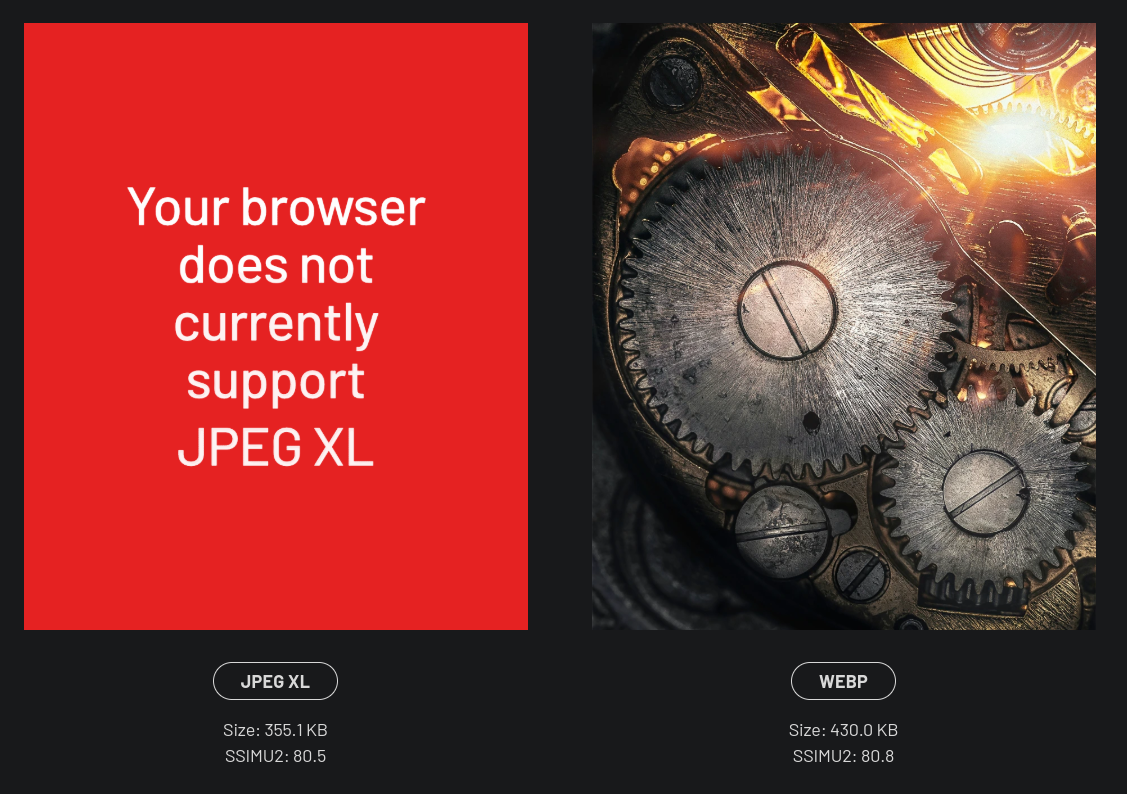 Don’t expect to see a ton of *.jxl files out on the wider web immediately. However, with the new format offering 30-50% better compression than JPEG, it will be appealing to just about any content provider looking to slimline data budgets and improve page loading times. When the performance gains start boosting traffic to a degree that makes up for the loss of users from older non-compliant browsers, expect to see things changing more quickly.
What does it mean for you, the end user? Probably little more than some minor headaches. You’ll struggle here and there when you download a *.jxl and try and load it into older software that doesn’t support it. You might get a device that shoots pictures in JPEG-XL and then find you can’t upload them to an older website with an out-of-date image submission form.
It’s the same problem we’ve all dealt with as HEIC, AVIF, and WEBP have started bouncing around the web, and we’ll have to weather it again. At least, at the end of the day, we’ll have slightly prettier images that take up a little less space. It’ll all be worth it, to be sure.
The Chrome 156 update fixes 52 bugs, while Firefox 159 was rolled out with 167 security patches.
The post Chrome and Firefox Updates Patch Over 200 Vulnerabilities appeared first on SecurityWeek.
Anthropic announced that an unreleased research model called Claude successfully developed working exploit chains for Chrome, Safari, Android, Windows, and Linux. The company’s Frontier Red Team shared these findings on October 27, 2026. Many exploit chains required minimal or no user interaction, and the team reported every identified flaw to the respective vendor before publication. […]
The post Anthropic’s Claude Chains One-Click and Zero-Click Exploits to Bypass Chrome, Android and Linux Security appeared first on GBHackers Security | #1 Globally Trusted Cyber Security News Platform.
Explore Google Chrome's features, Gemini AI, Auto Browse, security settings, privacy controls, and Chrome Enterprise tools in this complete cheat sheet.
The post Google Chrome Cheat Sheet: Features, Gemini AI, Security, and More appeared first on TechRepublic.
Explore Google Chrome's features, Gemini AI, Auto Browse, security settings, privacy controls, and Chrome Enterprise tools in this complete cheat sheet.
The post Google Chrome Cheat Sheet: Features, Gemini AI, Security, and More appeared first on TechRepublic.
Google Chrome introduces suspicious-site warnings and AI-powered ClickFix detection, with both new defenses tied to Enhanced Protection mode.
The post Chrome Adds Suspicious Site Warnings and ClickFix Protection appeared first on TechRepublic.
Google Chrome introduces suspicious-site warnings and AI-powered ClickFix detection, with both new defenses tied to Enhanced Protection mode.
The post Chrome Adds Suspicious Site Warnings and ClickFix Protection appeared first on TechRepublic.
Protections have been added against scams and social engineering, including new site warnings and server-side Gemini analysis.
The post Google Hardens Chrome Against ClickFix Attacks, Insecure HTTP Connections appeared first on SecurityWeek.
The update fixes 353 flaws, including 163 memory corruption and 125 use-after-free vulnerabilities.
The post Memory Bugs Account for Most of Chrome’s 353 New Security Fixes appeared first on SecurityWeek.
Google released Chrome version 156 to the stable channel for Windows, macOS, and Linux, addressing 353 security vulnerabilities, including six critical flaws. Announced on October 20, 2026, this update addresses memory corruption, use-after-free errors, input validation issues, and other weaknesses across various browser components. Google stated that the deployment will continue over the coming days […]
The post Google Chrome 156 Fixes 353 Security Vulnerabilities, Including 6 Critical Flaws appeared first on GBHackers Security | #1 Globally Trusted Cyber Security News Platform.
OpenAI expands ChatGPT's Chrome integration with tab access and browser automation. Learn what the update means for productivity, privacy, and enterprise security.
The post ChatGPT Can Now Do More in Chrome, but There’s a Security Trade-Off appeared first on TechRepublic.
OpenAI expands ChatGPT's Chrome integration with tab access and browser automation. Learn what the update means for productivity, privacy, and enterprise security.
The post ChatGPT Can Now Do More in Chrome, but There’s a Security Trade-Off appeared first on TechRepublic.
Apple says Safari delivers five more hours of streaming than Chrome. Independent battery research raises questions about performance during a workday.
The post Safari vs Chrome on Mac: Apple Claims 5 More Hours of Battery Life, but Do Tests Agree? appeared first on TechRepublic.
Apple says Safari delivers five more hours of streaming than Chrome. Independent battery research raises questions about performance during a workday.
The post Safari vs Chrome on Mac: Apple Claims 5 More Hours of Battery Life, but Do Tests Agree? appeared first on TechRepublic.
