
❌

Normal view

There are new articles available, click to refresh the page.
Before yesterdayMain stream

KiCad… In The Browser?

22 October 2026 at 11:30

KiCad is a useful tool for designing printed circuit boards, but it’s of no use to you if you can’t install it on the computer you’re on. To get around that, [Akshay Rukade] has whipped up a browser-based alternative to help keep you working in less permissive environments. It’s called ZiroEDA.

Quite simply, ZiroEDA is a TypeScript port of KiCad 10.0.6’s C++ source code. You get the schematic editor, the PCB editor, the interactive router, and the electrical and design rule checkers all running in a browser. It can open .kicad_pro files as you’d expect, and you can edit and save them as you would if you were working in standard KiCad directly.

[Akshay] reports that KiCad’s own kicad-cli was used for compatibility testing, and that zone fills came out vertex-identical from ZiroEDA versus using KiCad itself. With that said, the project is still a work in progress, and some dialogs from the original software are still missing. Projects are said to be end-to-end encrypted, but you’ll hopefully lose your job quickly if you try and put anything important to national security through a tool like this. You can always try it, just to give your higher-ups a heart attack.

Source is available on GitHub if you want to see how it all ticks. We’ve featured other great KiCad hacks before, too, like this GPU-accelerated autorouter. If you’re working on PCB tools of your own, don’t hesitate to notify the tipsline.
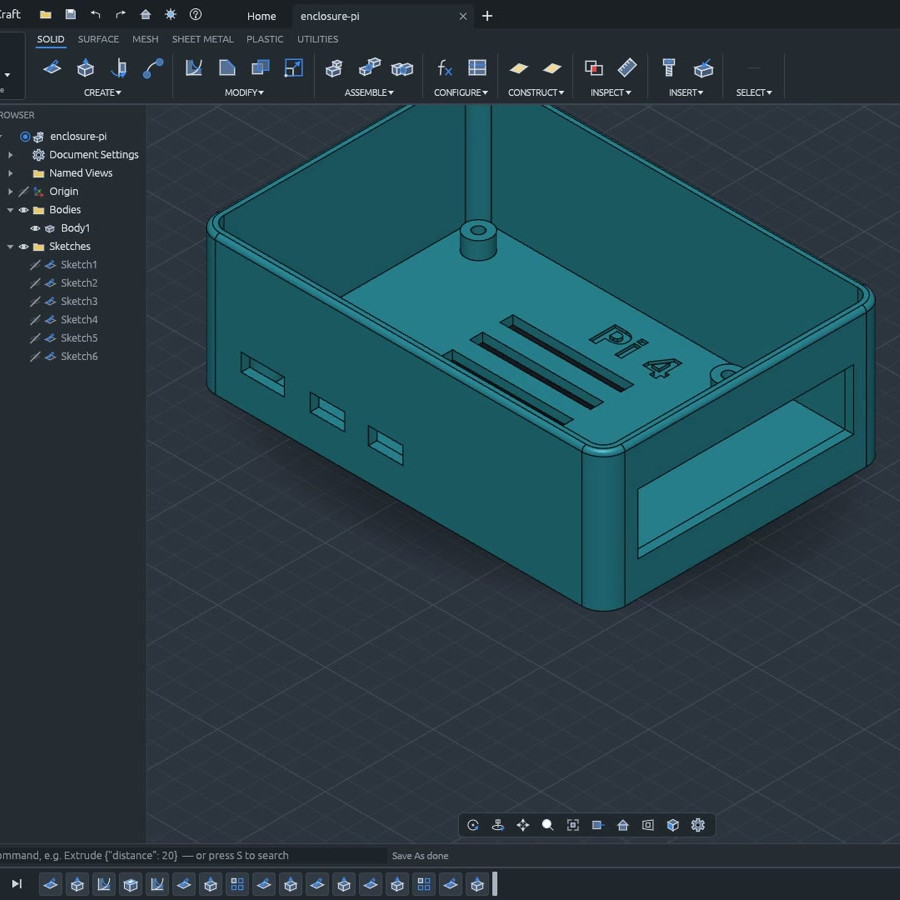
SolidCraft is Parametric, Automation-friendly CAD for Desktop and Browser

17 October 2026 at 07:00

If you’re looking to try a new, open source 3D modeling CAD suite, especially one with automation-friendly interfaces, take a look at SolidCraft. It’s under development but there’s support for all the usual features like sketches, solid modeling, and constraints as well as a full parametric feature timeline.

SolidCraft offers desktop, browser-based, headless CLI, and MCP interfaces.

A parametric timeline essentially means the model exists not as a single discrete object, but as the sum of a sequence of operations. One advantage of this is being able to set things up so that if one changes a value (like wall thickness), all the features that depend on that change automatically get rebuilt as a result. But there’s more!

Written entirely in Rust, SolidCraft can run as a desktop app or as a web app in a browser. Everything the user can do in SolidCraft is a command with JSON parameters, and it offers a built-in headless command line interface and even an MCP (Model Context Protocol) server built specifically to give AI agents a way to use the program, should one be interested in experimenting with that sort of thing.

SolidCraft is still in early development, but so far quite a few features seem to work as they should. Check out the development roadmap for details, and there’s a live online demo if you’re in the mood to click around and get a feel for things.

We have seen quite a few open-source, browser-based CAD efforts over the years and it’s encouraging to see developers continuing to explore fresh ideas and features in the CAD landscape.

U.S. Navy teaches drones to land on ships without GPS

15 October 2026 at 10:32
The U.S. Navy has flown a drone through mission tasks and landed it on a pitching ship at sea with GPS jammed or unavailable and no pilot at the controls, using only the aircraft’s own cameras, motion sensors and onboard software, the Naval Air Warfare Center Aircraft Division said. NAWCAD, the U.S. Navy’s main aviation […]

Valve Releases Hardware and CAD Reference For New VR Headset

10 October 2026 at 16:00

Valve recently began shipping its long-awaited VR headset, the Steam Frame. Now, there is a hardware reference repository that includes everything a budding modder might need, and then some.

No need to 3D scan or break out the calipers if one wants to design their own add-ons.

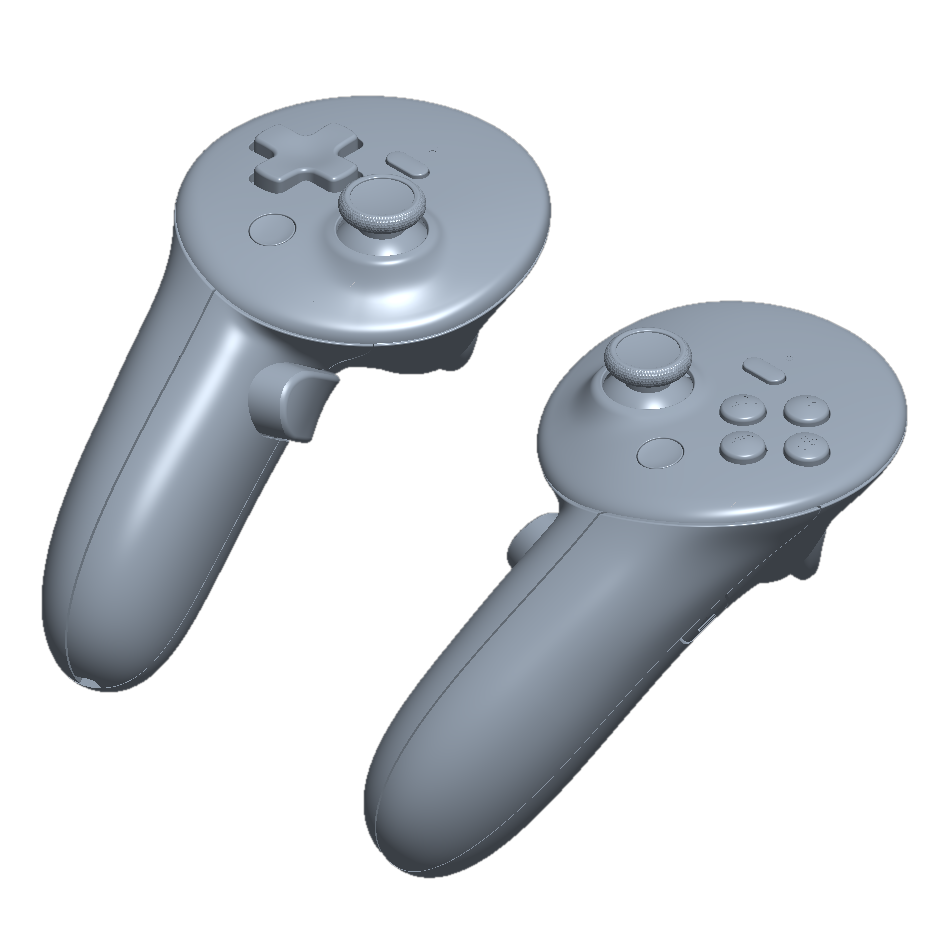
Want to design and 3D print some add-ons, or a carrying case, or some other doodad? There’s no need to break out the calipers or 3D scan the hardware. The repository contains STEP format models of the VR core module, head strap, and controllers, so it’s as easy as possible to design things that’ll fit. The location of the IR tracking LEDs embedded in the controllers is also documented, so one can ensure their design doesn’t occlude them.

That’s not all. The Frame has a user-accessible hardware expansion port at its front. This port exposes two interfaces: high-speed MIPI camera and PCI Express. This expansion port is documented in the repository, and even has a simple reference design built in both KiCad and Altium.

We’re glad to see Valve maintain their hacker-friendly hardware design with the Steam Frame. Demand for The Frame outstrips supply so far, so if you’re on the waitlist, you might want to browse the repository and get an early start on whatever customizations you have in mind while you wait for your confirmation. And when you get something working, drop us a note on the tips line!

❌
❌