
❌

Normal view

There are new articles available, click to refresh the page.
Yesterday β€” 28 October 2026Tech

Emulate the 486 in Your Browser

28 October 2026 at 07:00

You might fondly remember the days of the Intel 486, but you probably don’t have one on your desk anymore. If you’d like to emulate that classic hardware, you can now do it in your browser, thanks to [Jan de Jager].

What [Jan] has built is a 100% browser-based emulator for an Intel 80486DX2-66 PC. Obviously, it’s not just a CPU that’s being emulated hereβ€”[Jan] has gone so far as to throw in the motherboard and ISA/VLB adapter card emulation necessary to make this a real and functioning computer that runs inside a solitary browser tab.

It’s all written in ES6 JavaScript. It will happily run SeaBIOS, VGA BIOS, FreeDOS 1.3, and a whole bunch of classic games, like Wolfenstein 3D, Duke Nukem, and DOOM. There’s even a control panel where you can configure the PC how you like, from storage to expansion cards and all the rest.

Once upon a time an emulator was an application you had to download and run, hoping all the while that your new machine had enough grunt to emulate the classic hardware of your desires. These days, we have endless piles of CPU cycles to throw at everything and you can do it all within a browser. Or even on a tiny microcontroller, if you feel like it!
Before yesterdayTech

The iPad is finally getting the Affinity app creatives have been asking for

26 October 2026 at 18:07
Affinity’s new all-in-one creative app is finally coming to the iPad, nearly a year after Canva launched the redesigned desktop version for Mac and Windows. Creatives have been asking for the iPad release ever since, especially because files created in the new Affinity app cannot be opened in the older V2 iPad apps. Affinity already […]

2026 Retrocomputing Challenge: Dollhouse Arcade Cabinet Runs Remote DOS Games

17 October 2026 at 19:00

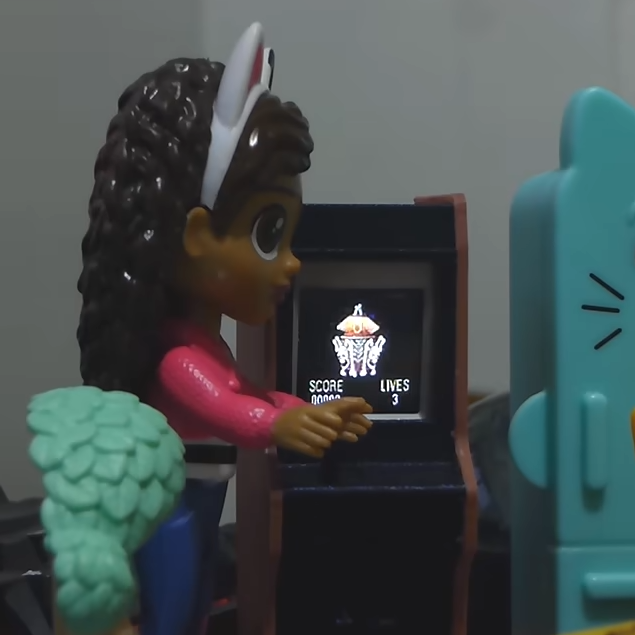
Classic DOS games never ran from within stand-up arcade cabinets in dollhouses, but [Juha Lilja] imagines a world in which they did. His Micro DOS arcade cabinet is described as a device that β€œruns nothing” because the tiny unit is actually streaming the games over Wi-Fi from a nearby PC. That doesn’t mean it’s just a glorified movie player, though β€” the cabinet is playable, if a bit awkward to do so.

An economical development board and a 3D-printed enclosure is all it takes to put classic DOS games into dollhouse-sized arcade cabinet.

The core of the micro arcade cabinet is a M5Stack AtomS3R running as an embedded remote terminal. One tilts the whole cabinet as if it were a virtual joystick to send up, down, left, and right. Button presses are done by pushing on the physical screen; it supports single, double, and long-clicks. While in theory one could install a micro joystick and buttons instead, [Juha] aimed to keep everything self-contained and use only what was already built into the AtomS3R. In this case, that’s a motion sensor and the single button which is activated by pressing the screen.

The games themselves run on a PC, with screen contents being streamed wirelessly to the little display and inputs being sent back. The firmware on the AtomS3R doesn’t know or care what game is being played; all it does is display what it’s told, and send back input events. The back end does the rest. This makes it pretty flexible, and a tiny arcade cabinet is a handy way to demonstrate the whole system. It’s a pretty slick addition to his daughter’s dollhouse, too.

If streaming DOS games (or whatever else) to economical endpoints is giving you some ideas, the GitHub repository holds code and a fuller explanation of how it works. There’s a deeper discussion on some of the finer technical points, as well. Watch it in action in the video embedded just below the page break.

2026 Hackaday Retrocomputing Contest

❌
❌