Reading view

There are new articles available, click to refresh the page.

Sail Virtually Aboard the “Itanic” with IA-64 Emulator

Intel’s Itanium architecture was an interesting experiment, but it has gone down in history as one of the chip giant’s bigger flops, so much so that it earned the name “Itanic” in the tech press. This is perhaps unfair, considering it did limp on until a quiet EOL in 2020. We didn’t know anyone missed it, but perhaps it was more the technical challenge than nostalgia for obsolete server hardware that led [Yufeng Gao] and [gdwnldsKSC] to spin up an instruction-set translator for the late, lamented, IA-64 architecture.

Note that it’s very much in alpha, version 0.1, so don’t expect all the things. Neither HP-UX and OpenVMS will boot, which is a pity since Itanium’s great success was arguably winning those OSes and thereby killing the bespoke architectures HP and DEC had at the time. Gentoo can get to a shell, as long as you use Kernel 6.6 or older, and Windows Server 2003 and XP-64 both apparently boot.

It’s not incredibly performant, with 486-level speeds when running on Ryzen 5000 series hardware, but then, it is a 64-bit hardware being emulated here, and pretty weird hardware at that. Itanium’s Very Long Word Instruction architecture was notoriously hard to program well. Specifically, it was hard to compile optimized programs for, so we expect optimizing an emulator is going to be similarly difficult. That’s why this is so impressive, even at this early stage.

The late, unlamented Itanium is probably one of the few systems not in the Virtual OS Museum, but perhaps eventually this project will change that.

via Raymii.org

Old SSDs Find New Life as Game Cartridges

Game companies might not like physical media much anymore, but gamers sure do. There’s nothing like pawing over your collection to find what to play, and inserting a cartridge with a satisfying click before sitting down to an old-school game like — wait, Cyberpunk 2077? Yeah, that wasn’t released on cartridge, but that didn’t stop [Jibril-sama] over on Reddit. The cartridges are 3D printed — stls on makeworld only, as of this writing — and contain old 2.5″ SSDs that [Jabril] was able to pick up in bulk.

This larger base seems ideal for building into a PC console, but either would work.

Inside the base unit is a simple USB3-SATA adapter that hooks to [Jabril]’s gaming PC. There are two versions of the base unit: a simple vertical unit, and a horizontal one with some springs to give a satisfying grip.

On each disk is a launch script that is vetted by a program on the PC that autolaunches only the cartridges you’ve told it to trust, which is a level of security we can appreciate. [Jabril-sama] has kindly made that available under the MIT license on GitHub.

We don’t know how much life is left in these cheap drives, but they should last a while if the only write is the odd save file. Hopefully [Jabril-sama] is cycling through his games fairly often, as SSDs are only non-volatile storage if your time horizon is short enough.

Thanks to [iliis] for the tip! Remember, if you use our tips line to share what you find, you’re not doomscrolling, you’re doing a public service.

Could Reticulum Power a Post-Internet Network?

These days, it is easy to think you always have access to the Internet. But some wonder if — in spite of its ARPANET, nuclear-war-planning heritage — you can actually count on it to be there when things go pear-shaped. [The Tech Prepper], as you might imagine, is quite concerned with that last question, and is flogging Reticulum over high-frequency radio as a post-internet network in a video embedded below.

Reticulum is a cryptographic network stack, fully decentralized and amazing from a cyberpunk/hacker/survivalist perspective. Unfortunately for [The Tech Prepper], until the you-know-what hits the ventilation unit and the FCC and its counterparts in other countries are too busy to be concerned with such trifles, encrypted signals are banned on ham radio bands just about everywhere. That’s why his demo is using a dummy load on the Mercury HF modem instead of an antenna: the feds don’t care if the signal doesn’t leave the building. The video shows how to replicate the setup using his EmComm Tools suite on Ubuntu.

Perhaps more interesting is his vision of a Post-Internet network, be it in a disaster scenario, as he envisions, or simply because we get sick of what the internet has become. The idea of easily hooking an open-source radio modem to a PC running modem73, open-source SDR software, has a certain appeal. Reticulum isn’t your only option there: modem73 will let you run a BBS in the clear — that is, unencrypted and legal to transmit — and let’s face it, wasn’t life online more fun in BBS days?

This isn’t the first time we’ve seen the Reticulum network stack, but last time it was operating at considerably shorter ranges over LoRA. 

Recycling Laptops and iMacs Makes PC Building Fun and Affordable Again

Building a PC used to be a fun adventure — what’s the latest, what’s the greatest, what can I afford? Well, that last question seems to have taken over and sucked all the fun out for a lot of people. [Matt] from [DIY Perks] on YouTube has hit upon a solution that’s brought back the fun, at least for him: recycling! The video is embedded below, and he runs a forum whose thread has more details.

Long story short, though, he’s flagging recycled laptop components as both good value for money and a fun rabbit hole to go down researching parts. The best part, of course, is that you can get a mobo with 32GB of RAM soldered on, and embedded RTX graphics, and a decent processor for about what you’d pay for that RAM on sticks these days. The big hack is getting the dang thing started: he needed to make a single-pin ribbon cable after identifying which pin on the keyboard membrane hit the power button. If you can score a laptop that does not power on from the keyboard, you’ll have an easier time in that regard.

To take recycling further, he shows how to delaminate cracked glass from an old Intel iMac to get a better-than-4K retina screen for nothing but sweat equity. The unit was heading for the bin, and his only cost was the effort it took to extract the LCD panel. Some of us might be able to skip the laptop and just use the iMac; it depends on how much compute is enough for your use case. Maybe a 10-year-old iMac’s guts will do; maybe last year’s gutted laptop isn’t enough.

We have to admit, the oak-and-aluminum all-in-one tripod he makes is very snazzy, though it may have too little brass to be on-brand for [DIY Perks]. The speakers, in case you were wondering, are also e-waste, recovered from an old TV. Perhaps the accent colour should have been green instead of blue!

Thanks to [Keith Olson] for the tip.

QT6 brings BASIC to the Web Browser, or Your Computer

In the old days, you either swore by BASIC or you swore at it — but just about everybody got their start on the educational language. Nowadays, the kids are learning Python, but there’s a case to be made for BASIC — either for education, or just for nostalgic fun. BASIC-256 fills that niche, and now that it’s being ported to the oh-so-portable QT6 by [UglyMike], there’s even a webAssembly version that will let you run BASIC in your browser.

This version of BASIC is based on KidBASIC, which was aimed at the educational market. It’s got some handy-dandy graphics routines, 64-bit variables, and other quality-of-life features you can find in the docs. The new port is multi-platform, though the MacOS version has only been compiled for Apple Silicon — less of an issue than it used to be — and the web version naturally can’t get access to hardware for, e.g., serial ports, so it is somewhat more limited than a full install. There’s a second ARM build for Raspberry Pi along with the ubiquitous x86, but the project is open source, so if you really want to run this on an UltraSPARC system, you are welcome to compile it there. That said, this is a beta version, and the dev is actively looking for problems — so give it a go and let them know.

This isn’t the only open source BASIC out there — even Microsoft released their source code, at least for the 6502.

Thanks to [UglyMike] for the tip!

Open-Source Mid-Drive e-Bike Motor Has Lots of Promise, and Hyphens

[Pedro Neves] has a mid-drive e-bike, but he doesn’t own it — not truly, since he can’t repair the motor unit. For a hacker to be in that position, there are only two options: crack the old one and make it your own, or build your own from scratch. [Pedro] built his own and is open-sourcing it on his website for everyone to play with. Right now, that’s .step files and a BOM, so you’ll need to watch the design/build video on YouTube below to get the full picture.

His choice of a motor from an old battery-powered angle grinder is both thrifty and environmentally friendly, so we approve. His goal of 25 km/h seems like a reasonable speed limit, but may still be too fast for some countries’ regulations— so do check the local rules if you’re going to build this. Making the most of 3D-printed components is also a choice that makes the project more accessible, but don’t worry — the bearing surfaces are all metal. That includes the clutch bearing that will let you pedal home if the battery dies or the motor craps out. Well, unless the printed plastic axle gives up the ghost, but that got replaced with a CNC version, so it’s all good. Unless you’ve got legs like Hercules, it ought to hold.

If that’s not DIY enough, you could always build the motor yourself. This mid-drive is also part of a larger project [Pedro] is working on for a whole cargo bike, as he details in his video, which is a worthy project we’ve seen other examples of before.

ESP32-driven Roulette Wheel Could Have Used a 555, but That Didn’t have WiFi

Sometimes you see a project and immediately, before going into the details, your mind throws up the old refrain: “coulda used a 555” — well, [Hulk] actually agrees when it comes to his ESP32-based, 3D printed roulette wheel. The first version did use a 555, but then feature creep kicked in and the final project ended up with an ESP32 instead. We’ve all been there.

The roulette wheel circuit is retained from the 555 version, with the ESP32 providing clock pulses instead of the venerable oscillator chip — it uses a pair of decade counters to create the chase effect of the LED around the wheel. With a handsome printed enclosure, [Hulk] could have stopped there, but then he’d have to keep track of scoring and the like manually like some kind of dark age peasant. It’s the 21st century, we have computers to to that for us!

Now, even though the ESP32 is still driving the LED chase via the decade counters, it can keep track of where the “ball” of light lands, and reports that via WiFi or serial. While it would have been an option to run the whole game on the ESP32. [Hulk] just has those values put into an SQL database on a server, which also runs the game front-end via PHP. The resulting web page lets two players make their bets and track their wins and losses over time. You can see that in action in the video embedded below.

Overkill? Sure, but we suspect [Hulk] already had the equipment and experience to make this the fastest way to get a playable game. There are easy ways to serve web content from an ESP32, but the easiest tool to use is always the one in your back pocket, right?

MacSurf Hits 2.0 To Bring PowerPCs back Online

There’s an interesting thing about retrocomputing — the moment that you realize your 25-year-old machine can do almost everything your average person uses a computer for. The problem is that the average person mostly uses a computer as an internet appliance, and the big missing piece for most old machines is hooking up to the modern internet. HTTPS is good to have, but isn’t so easy to implement when your browser gets megabytes of RAM instead of gigabytes.

That’s why MacSurf by [mplsllc] is so interesting, especially version 2.0 just released-– its explicit goal is to get as much of the modern web onto an OS 9 equipped PowerPC Macintosh as physically possible.

Before you get too excited– no, you won’t be hitting up YouTube.com or even GitHub. That’s just too big and bloated now, even if you can get past the HTTPS hurdle. You will, however, be able to access, say MacintoshGarden.org, whose out-of-order HTTPS certificates sent the last version for a tizzy. The forums at 68kMLA work, and threads load quickly thanks to the as-needed image loading added this version.

Other nice things added include a proper history and bookmark manager.  There’s still no tab support, but have you seen the modern web? You’re not fitting more than one webpage into RAM on a G3 no matter how hard you try. You can, however, download the web browser directly from the http-only MacSurf.org homepage.

We featured the first release of this netsurf-based browser, and have to admit we’re impressed with the speed of development. If you want a totally modern system on PPC instead of just an up-to-date browser, you might want to check out MorphOS.

White Rails are the Infrastructure Hack We Didn’t Know We Needed

A rail sprayer somewhere on Union Pacific tracks

Railroads might be a nineteenth century technology, but they’re still the backbone of cargo transportation in the 21st century. They’ve also far from run out of innovation, including this one which really just sounds like a hack: painting the rails white to beat the heat.

In the old days, when rails were short and riveted together, this might have been unecesssary; all those joints allowed for a lot of flex. But when you have kilometers of continously welded rail, the thermal expansion starts to matter. A lot. Even if the rails haven’t bent and buckled from excess heat, their capacity goes down. Trains must therefore slow way, way down in hot weather, reducing the overall amount of freight the system can handle.

So, how do you cool the million miles of metal that holds a country together? Paint. Simple white paint sprayed on the side of the rails can bring down temperatures 11 °C (20 °F), according to the Union Pacific Railroad, the first to try this in North America. It might not surprise you that this technique is also being rolled out on the other side of the pond during this summer’s European heat waves. Indeed, it was invented there; the Italians have been doing it for many years now.

If you think reducing solar heat with white paint is good, you can do better than that with special formulations that end up cooler than ambient. It passive cooling also comes in fibre form.

DOOM runs (slowly) in a IBM PC-Compatible CSS Sheet

Just when you thought we’d run out of things to port DOOM to, here comes [Ahmed Amer] with his CSS-DOS, a massive 300 MB CSS style sheet, that runs not just DOS, but Windows 1.0 and, of course, DOOM. The CSS sheet isn’t holding a DOOM port this time, though — it’s holding a full IBM PC compatible, with a simulated 8086, 640 kB of RAM, floppy and VGA controllers. Yes, in one style sheet. We did mention it was 300 MB, right?

CSS is not a very good programming language. It’s got functions and if statements nowadays, but it doesn’t really do programs in the usual sense. That is, lists of instructions that feed one into another. You can’t change a variable without jumping through hoops. The sort of static behavior you get from a CSS sheet actually matches hardware architecture better than software, which was the key insight [Ahmed] had to make the project possible. It’s still not easy, or elegant, or perhaps even sane, as you can find out from the excellent write-up he has describing how he pulled this off. We particularly like the interactive guide to the full mountain of madness that is the .css file.

Now, we admit that “runs DOOM” may be an exaggeration — even if the maddeningly massive CSS sheet ran an IBM-AT full speed, that hardware can’t handle the game at any playable speed. It doesn’t emulate at anything close to full speed, though. Because this is such a gratuitously weird hack, it only runs at two instructions per second. No, not FPS, instructions, as in at the CPU level. Well, it could be worse, at least it’s not clock ticks. Still, if you’re time-dilated enough you can wait the 3 weeks to boot DOS, and the 3 months to load a level, you can play DOOM at 0.0001 FPS.

Look, we didn’t make the rules — they say everything has to try and run DOOM. They don’t say everything has to run it well.

AIM-ing For a More Open Platform Than Discord

The OpenOscar Server in terminal, with Pidgin connected

Do you remember AIM? It may suprize you to hear that AOL’s instant messanger was actually supported all the way up to 2017– two years after Discord launched. Unlike Discord, AIM is a protocol, not a platform. Everything on your favourite Discord server is at the mercy of the corporate masters of said server; you can’t just spool up your own. Not so for AIM, as [Veronica] explains, both on her blog and in a YouTube video that we’ve embedded below.

The key is the fact that the AIM protocol isn’t locked into AOL’s now-defunct servers; it was reverse engineered in its prime for open-source messengers like Pidgin. You can host your own server, too, using the OpenOscarServer by [mk6i]. Even better, it’s not just AIM, but ICQ! In the sort of irony you only get in real life, the OpenOscar community does all its support on a Discord server. But then, they couldn’t hardly do it over AIM or ICQ these days.

For those of you who were too old or too young to get sucked into the 90s instant messenger craze, these protocols don’t just create chat rooms, that would be the even older Internet Relay Chat protocol, but usually worked more like SMS text messages. You have a contact list, and you send messages to your contacts via a server that acts as a hub. Once upon a time, that server was AOL’s, but now thanks to the OpenOscar project, it can be anybody’s computer. Of course, like texting, you can rope all of your contacts into one big group chat, and the protocol does support images and VOIP. (Which is starting to sound a lot like Discord.)

If you’re tired of your friend-group being at the mercy of American tech companies, [Veronica]’s blog post serves as a good guide to get you started running OpenOscarServer on a Linux system; she used a virtual private server but figures a Raspberry Pi ought to have enough grunt if you don’t have a huge number of people signed up.

For completeness, we should mention that while AOL pulled the plug on AIM nearly a decade back, ICQ, the other protocol supported by OpenOscarServer, lasted straight through until 2024.

Thanks to Keith Olson for the tip! Our tipsline is based on decentralized “electronic mail” technology that anyone can access.

2026 Frikkin Lasers Challenge: Laser Bandsaw

Can you call it a bandsaw if it has neither band nor saw? [WeldingRod1] does, with his entry in the laser contest — a manually-controlled laser cutter that he’s dubbed a Laser Bandsaw. Some might quibble that it’s not actually sawing with the beam, and others will inevitably find the safety implications rather frightening. We think it’s a fun project and that [WeldingRod1] can call it what he wants, as long as he follows his own advice and keeps his laser goggles firmly on his precious vision orbs.

He has actually put some thought into what started as the physical manifestation of a joke in a podcast. The blue diode laser — a NUBM44 diode rated at 7 W — got a custom-made copper heatsink. It’s also got a hefty beam dump in the form of a stack of box knife blades. That’s very necessary to keep the beam from reflecting where it shouldn’t, especially when you consider this operates like a regular band saw: you turn it on, and it’s ready to cut. With only 7 W of laser power it can’t cut that much, mind you, but apparently it’s great on balsa wood and blasts black paint off like nobody’s business.

Now if this was our shop we’d probably want to put the laser diode onto some kind of CNC platform, be it Cartesian or SCARA. But we’ve seen that done many, many times and if you’ve got the motor skills this might be just the tool for you. There’s a pinout and STLs for the 3D printed frame on the project page if you’re interested. If not, why are you still here? The article is finished. Go make something lase and send it in. The deadline for the 2026 Frikkin Laser Contest is fast approaching!

2026 Hackaday Freaking Lasers Contest

Star Trek Was Right about Prompt Injection, Sorta

This following statement is a lie: “I am telling the truth”. Okay, now that it’s just us meatbags, let’s get down to brass tacks. Captain Kirk’s logic bombs couldn’t possibly work on modern LLMs, right? Surely that was just a bit of 1960s silliness from when computers filled rooms and were esoteric magic even to most sci-fi writers?

Well, not entirely, according to a recent article in IEEE Spectrum. While you might not be able to make a data center explode, you certainly can use  a lot of tokens by making an LLM overthink with your prompt.

It comes down to the much-vaunted ‘reasoning’ ability of the new models — which isn’t really reasoning the way we think of it, but does involve breaking the stated prompt down into smaller problems. That’s part of what lets the new models tackle such involved tasks as porting MicroPython to the SNES with a prompt like “Please make this [stuff] work now!” It’s also a weakness, because with the right prompt you can get that virtual ‘reasoning’ to tie itself in knots with mutually incompatible smaller steps.

The models seem to be able to break out of it, but they burn a lot of tokens along the way, which is an attack in and of itself if you’re found a way to inject prompts into someone else’s API. It’s a little more subtle than what Kirk got up to, but underneath it’s essentially the same thing. At scale, it could serve as a DDoS attack on LLM servers. (Un)Fortunately, modern computers are better designed than their imaginary 23rd-Century counterparts, and there’s no way to craft a logic bomb into something that will let out the magic smoke.

Get your ESP32 Sunny Side Up with this Solar Dev Board

There are a lot of ESP32-based development boards out there– and why not? It’s a versatile chip that can be used in all sorts of situations, and people want boards to match them. Not finding one to his liking that was specifically built for solar powered IoT projects, [Narrow Studios] rolled his own. Well, designed it; like most these days, he’s outsourced the manufacturing to PCBWay, which is where you’ll need to go if you want one.

Why might you want one? Well, if you have similar goals in mind to [Narrow Studios]. He’s put an ESP32-C6 Mini on the board, which means it’s got most of the IoT communications protocols you might be interested in — bluetooth, wifi, Matter, Thread, and Zigbee, too. Ten 10 IO pins have been broken out, plus I2C on a QWIIC connector, which gets you a whole ecosystem of sensors to easily plug into. The “solar” part is justified by the inclusion of a BQ25186 linear battery charging IC from Texas Instruments, with the designated solar power input protected against reverse voltage in case you– like this author– have let magic smoke out by hooking things up backwards. Is it embarrassing? Yes. Does it happen? Also yes, so putting protection on the board is a nice feature. [Narrow Studios] released a video that we’ve embedded below discussing his design choices and demonstrating the device, but the project page can give you the gist.

Of course there’ve been plenty of solar-powered projects to feature the ESP32 here before– you can even use it for maximum power point tracking— but this dev board might be exactly what someone is looking for to build their next IoT project, so we’re thankful to [Narrow Studios] for the tip.


MicroPython is this Summer’s Hottest Title for the SNES, Thanks to Claude Fable

MicroPython, for the uninitiated, is a pared-down version of python meant to run on today’s powerful microcontollers. As impressive as it was for its day, the SNES is not quite in their league in terms of computing power. Time marches on, and so while there may be other indie releases worth mentioning, we’re declaring the hottest SNES game this season to be [Fabian Kübler]’s port of MicroPython.

Well, except he didn’t exactly do the porting himself: the Antrhopic LLM Claude generated the code, and performed most of the testing, as [Fabian]’s test of its new Fable 5 model. A brief pause during an export ban showed that Opus would crash and burn on the same task, but Fable was able to get things quickly back on track. It might be “AI slop” by some definitions, but the port scales 430 out of 468 on MicroPython’s core test/basics, which makes it usable to play some simple python games… slowly.

As you can see for yourself in an embedded emulator if you check out [Fabian]’s blog, spooling up MicroPython takes about twenty seconds at 3.58 MHz, and after that you can watch some sprites bouncing around at a blistering 0.8 FPS. [Fabian] seems satisfied with that performance, and impressed with Fable’s efforts at optimization. What to you think? Does the hardware have much more to give, or is that about it, given the nature of the Pythonic beast? Perhaps some plucky human could become a digital John Henry by producing a better, faster port — if you do, please let us know. If you’d rather just to see what Fable can do, the project is available on GitHub, so you can judge for yourself how sloppy the code is or test out the ROM.

Putting Python onto limited hardware may not to be to everyone’s taste, but there’s a good case to be made for it. The SNES may actually be too limited, though. It makes sense — the kind of micros you run MicroPython on can emulate the SNES.

Reject Modernity, Return to 80s, Learn C.

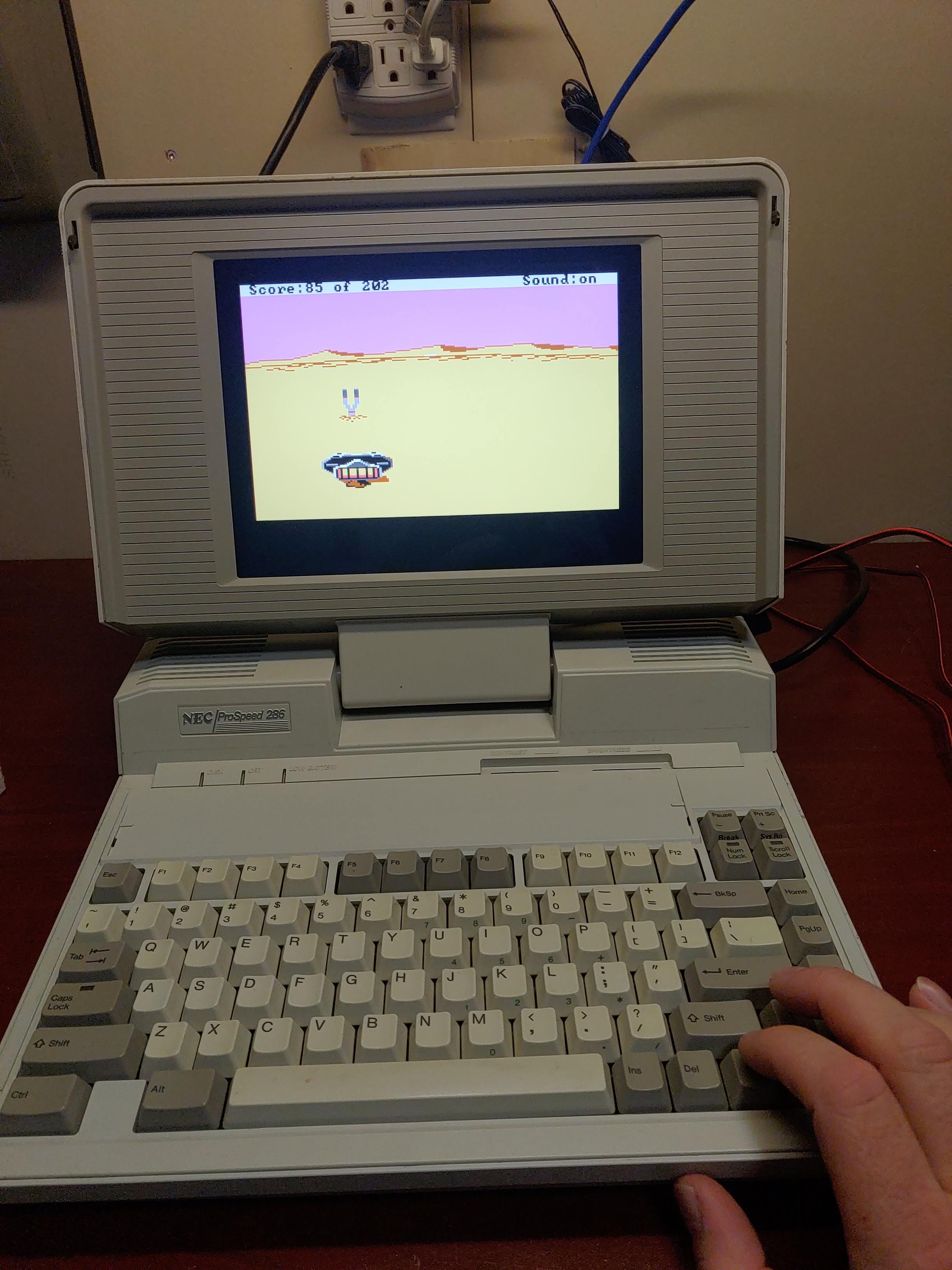
We’re not exactly sure how old [SnailMail] is, but he’s probably a member of Generation Alpha considering that to our wizened eyes the lad looks only slightly older than a fetus– which makes it all the more impressive that he’s written his own text editor, from scratch, in C– on a 386. See, [SnailMail] tried to learn the modern way, with IDEs that have code completion and AI integration, but his thoughts couldn’t gel in the modern environment. So he went online and bought an old IBM-compatible complete with monochrome amber monitor, and a whole 4MB of RAM. Big spender that he is, [SnailMail] upgraded that to 8MB.

Rather than fall victim to the siren song of Wolfenstien 3D or SimCity, he set out to learn to code: C, specifically, since that language bridges four decades between [SnailMail] and his new PC. Even more specifically, he got ahold of disks for Borland Turbo C and Turbo C++, which brings back memories for some of us. Of course the lad also had to learn how to use a DOS PC at the same time, but a teen in the 80s with a fresh box would have climbed the same steep learning curve. Some of you probably remember doing so yourselves. Just like you–or the hypothetical teen in the 80s–[SnailMail] did it not by googling or begging Claude for answers, but by digging into books. Many books.

After all the reading, he started with a text editor, something we remember being a pretty big project not given to first year students. Video evidence suggests he pulled it off. He describes how his solution works from about 8:00 in the video, so you greybeards in the audience can judge his work for yourself.

If you’re a member of Gen Alpha reading this and looking to learn to program, we cannot recommend this technique highly enough– [SnailMail] is going to have a better understanding of the underlying logic of computer science than a lot of CS grads being frocked today. Especially when you consider he ends by promising to learn assembly, something we heartily endorse.

3D Printed Scooter Fits in Your Luggage, Some Assembly Required

Though [Ivan Miranda] calls the 3D printed vehicle in his recent video a motorbike, what he ultimately pulls out of his suitcase is clearly a scooter. Linguistic confusion aside, the “Mirandetta” looks like an awesome build and pulling a scooter out of your suitcase and whizzing past everyone in the taxi line just sounds amazing, especially knowing you made it yourself.

Aside from a whole lot of filament, he’s got a couple of tool batteries for hot-swappable energy that Airport security shouldn’t mind too much — provided you carry them with you, anyway — plus the usual e-bike motor and electronic speed control you might expect, and lawnmower tires which you might not. The narrow 3D printed rims round over the normally-flat tires to make them usable for this application. He seems particularly taken with the bi-stable mechanism he built for the kickstand, and we can’t blame him as we love seeing that kind of thing ourselves. The TPU seat is also a nice touch to keep with ‘everything printed’ vibe.

Now while the finished product does indeed fit into his suitcase, it needs to be completely disassembled. Well, unless you have an over-sized suitcase, perhaps. So our dreams of zooming away from the luggage line from the first paragraph were perhaps a bit premature. Still, from the footage at Prague Maker Faire at the end of the video, it looks like it was a fun enough ride that we can forgive [Ivan] for our overactive imaginations.

If you want an open-source e-bike, we’ve seen those too — but that won’t fit in any kind of suitcase.

Radio-Gaga is a Toddler Friendly Remote In a Radio

Humans of all ages like music, but you can’t exactly pass a toddler the aux cable. That’s not to say the younger set don’t have their own particular tastes– they absolutely do, and they absolutely love to take control and inflict them on the rest of us. [nbr23] has a toddler who loves both music and tactile controls, and decided to combine the two for them with a project he calls Radio-Gaga, which is a gutted Panasonic radio that calls up tunes via Home Assistant.

Interestingly enough the radio is now just a remote control– the speaker has been removed along with the rest of the radio hardware. The buttons and dials are still there, though, letting the toddler control what tunes are on offer and at what volume via couple of potentiometers hooked to an ESP32. The sound itself is being served up from the homelab to a USB speaker. There’s one notable flaw with this architecture: if the batteries die on the remote, “Let it Go” does not until an adult intervenes manually or recharges the remote.

One interesting lesson [nbr23] wanted to share was that he was able to improve an unsatisfactorily slow startup time by assigning the device a static IP on his network– apparently the single longest step in getting the tunes going was negotiating a DHCP lease. Skipping that gets the tunes playing in under a second, which is fast enough even for the most impatient of tiny humans.

If you prefer a more self-contained device, we’ve seen toddler jukeboxes that keep storage and speaker built-in, many with NFC control. 

Overpowered RC car + Gimbal Cam = The Greatest Chase Vehicle We’ve Ever Seen

Modern cinema relies very heavily on quadrotor drones, because they make for very smooth, very easy to position platforms. From slow pans to chase shots, drones are great– if your shots can be taken at a high enough altitude. Close to the ground, things get a bit dodgier. That’s where [Transistor Man]’s camera chase vehicle comes in— it’s a rover, so it excels close to the ground. In fact, it can’t go anywhere else, except perhaps if provided with a jump. It’s got a hefty gimbal to hold the camera steady on any terrain, a decade-old surplus radio to provide full HD FPV to the remote driver, and a powerful 1/5th scale radio control rally chassis to make it all go. Plus googly eyes, because everything is better with googly eyes.

It looks like an enormous amount of fun to drive, but more importantly it provides smooth, cinematic shots from the professional Sony camera held in the gimbal. One big takeaway is that when 3D printing something that will bounce around this much, you can’t rely on pure strength– flexible filaments are your friend. Just about everything printed ended up remade in TPU if it didn’t start that way. The other takeaway is that we’ve reached enough of a technological plateau that if you scrounge around, you can build something to take a top-of-the-line footage with decade-old castoffs, like the gimbal and radio used in this project, which is a great thing for hobbyists and small studios.

If you can’t find surplus, you could always DIY a gimbal. We’re not filmmakers, but we find ourselves wondering how shots made with this rover would compare to a camera slider.

Die Casting Comes Home

You don’t normally think of die casting as something to do at home. Pressurized fluids demand respect at all times, which is perhaps in part why we see most projects skipping hydraulics for linear actuators. When the pressurized fluid is molten metal? Well, we’d say don’t try this at home, except that’s exactly what this video by [Know Art] is making us want to do. He’s doing die-cast aluminum, and it looks way easier than we thought it would.

If you’re wondering why anyone would attempt such a thing, it’s for the same reason die-casting has been an industrial powerhouse for the last couple hundred years — you can crank out a lot of parts, very quickly, with excellent detail and dimensional stability. You just need a mold, which in this process is called a die, and a way to squeeze metal into it with some force.

In this case the die was carved on a desktop CNC machine. Depending on how long you want your die to last, you’ll need something hard and heat resistant, like the graphite used in this video. Graphite is also used in constructing the piston for the injector, which is made from a modified hydraulic cylinder and a couple of old trampoline springs.

He first tests the setup with molten wax before moving onto aluminum, as the process is the same regardless: pour the hot liquid in, release the springs to provide the pressure that forces it into the die, and a part is made. It looks easy, if a bit frantic, as you have to work fast before the metal cools in the cylinder.

After CNC milling, EDM machining and all the fun things we’ve learned how to do with lasers and 3D printers, and now this we’ve got to wonder– is there any industrial process you can’t hack onto your desktop? We’ve even seen the chemists get in on the game.

Thanks to [Keith Olson] for the tip!

❌