
 Login
Login
Hackaday Links: October 25, 2026
Some disappointing, but perhaps not entirely unsurprising news this week out of Denmark — after announcing last year that they would transition away from Microsoft’s proprietary software, the realities of making it work seem to have caught the government off guard. The word is that a trial program immediately ran into problems when government employees that had been given Collabora tried to collaborate with their peers running Office, and has since been quietly abandoned.
Although there’s probably a joke to be made about different parts of the government not knowing what the other ones are talking about, the reality is that if one group of staffers can’t reliably access the data being produced by another, that’s a pretty big problem. Of course, had they simply asked us nerds, we could have advised them that these sort of issues are inevitable if you don’t fully commit to the effort.
Had the entire government moved to the Open Document Format (ODF) at once they would have avoided the issue, at least when it came to newly created documents, but obviously that’s a considerably larger undertaking than installing Collabora or OpenOffice on a few dozen machines and calling it a day. There’s no word yet on how this stumble will impact Denmark’s larger effort to free themselves of proprietary software, but we’d hazard a guess it’s not a great sign. Hopefully things go better for the Dutch.
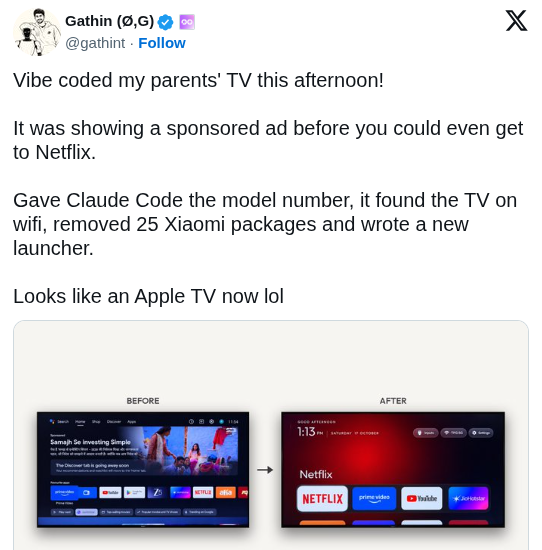 Speaking of users trying to improve their personal software situation, The Verge has an interesting article on a recent trend of frustrated users pointing AI tools like Claude at their smart TVs, with a few success stories posted to social media showing off interfaces that have been stripped of ads or replaced with something else entirely. It’s compelling stuff for anyone who’s unhappy with their current smart TV experience, but the whole thing isn’t quite as technically impressive as it might seem on the surface.
As the TV’s in question are running Android, all the AI tools need to do is connect to them over Android Debug Bridge (ADB) and uninstall any offending packages that might be providing ads, and similarly creating a customized launcher interface is a matter of spinning up an Android app and installing it over the network. The results may look like arcane magic to the uninitiated, so we appreciate The Verge pointing out that it’s all pretty basic stuff for anyone familiar with Android development.
On the subject of extracting unwanted components, a delicate operation to remove the masts of the sunken WWII cargo ship SS Richard Montgomery was completed successfully earlier this week off the coast of Sheerness, England. To those unfamiliar with this particular vessel that might not sound like a big deal, but when you’re dealing with a wreck holding an estimated 1,400 metric tons of explosives that have been deteriorating since 1944, even approaching the area needs careful planning and coordination.
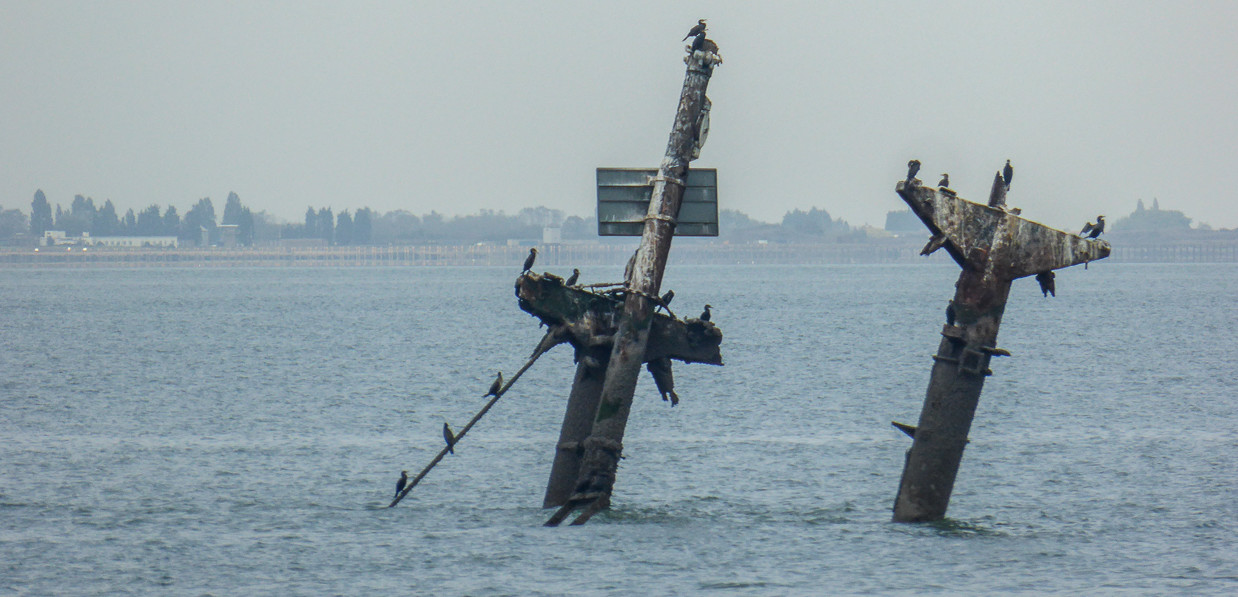
There was a concern that the masts and their supporting structures were on the verge of collapsing into the hull of the wreck, which experts warned could potentially trigger an explosion large enough to endanger life and property. Actually removing the explosives from the ship itself will be a far larger undertaking, but at least for the time being, removing the masts has helped stabilize the situation.
Finally, if you’re looking to learn about something a little more local than a potentially explosive situation in Sheerness (apologies to anyone in Sheerness), check out Local Wikipedia. Created by [Ed Jefferson], the site lets you filter Wikipedia pages by their distance from your location or whatever other landmark you wish. By default it shows results that are within 1.5 miles, but if you don’t have anything too exciting within range it will start opening up the radius to pull in more results.
See something interesting that you think would be a good fit for our weekly Links column? Drop us a line, we’d love to hear about it.
