Reading view

There are new articles available, click to refresh the page.

The Crypto Exchange Checklist Most Founders Skip — And Regret Later

Launching a crypto exchange can look straightforward from the outside.

You choose the trading model, add a few cryptocurrencies, connect wallets, build a trading interface, and prepare for launch.

But founders who have worked on real exchange projects know that the difficult part usually starts after the basic platform is in place.

A trading engine that slows down during high-volume periods. A wallet architecture that creates unnecessary security risks. Liquidity that looks sufficient during testing but disappears when real users arrive. Compliance requirements that were considered too late. These issues can turn an exciting launch into an expensive rebuild.

That is why a proper crypto exchange checklist matters before development begins.

Here are the areas founders should evaluate before committing resources to an exchange project.

1. Define the Exchange Model First

Not every crypto exchange should be built the same way. Your first decision should be the type of exchange you want to operate.

Common models include:

  • Centralized exchanges
  • Decentralized exchanges
  • Hybrid exchanges
  • Peer-to-peer exchanges
  • OTC trading platforms

Each model affects the technology architecture, liquidity strategy, custody approach, security requirements, trading functionality, and regulatory considerations.

For example, a centralized exchange generally requires components such as user accounts, custodial wallets, an order book, matching engine, admin controls, and liquidity integrations.

A decentralized exchange has a very different architecture because trading logic can rely heavily on smart contracts and blockchain infrastructure.

Choosing the model after development has already started can create unnecessary changes to the entire platform.

2. Don’t Treat Liquidity as an Afterthought

A beautiful exchange with poor liquidity will struggle to retain traders.

Users expect orders to execute at competitive prices without excessive slippage. If the order book is thin, traders may move to another platform even if your interface and features are excellent.

Before development, decide how liquidity will be sourced.

Possible approaches include:

  • Connecting external liquidity providers
  • Integrating multiple exchanges
  • Building liquidity pools
  • Using market-making strategies
  • Supporting internal order matching
  • Combining multiple liquidity sources

The right approach depends on the exchange model and target market.

Liquidity should be considered part of the initial business and technical strategy, not something added immediately before launch.

3. Examine the Matching Engine

The matching engine is one of the most important components of a centralized exchange.

It determines how buy and sell orders are processed and matched.

Founders should ask:

  • How many orders can the system process per second?
  • How does it behave during traffic spikes?
  • What happens when thousands of users trade simultaneously?
  • How quickly are order book updates reflected?
  • What happens if part of the infrastructure fails?
  • Does the architecture support future trading volume?

A platform can have an impressive frontend while still delivering a poor trading experience if the backend cannot handle real market activity.

Performance testing should therefore happen before launch, not after users start complaining about delays.

4. Build Security Into the Architecture

Security shouldn’t be a final development phase.

An exchange handles valuable assets, sensitive user information, authentication credentials, transaction data, and trading activity. A weakness in any of these areas can have serious consequences.

A security checklist may include:

  • Multi-factor authentication
  • Role-based admin access
  • Wallet security controls
  • Encryption
  • Withdrawal protection
  • API security
  • Session management
  • Transaction monitoring
  • Rate limiting
  • DDoS protection
  • Regular security testing
  • Smart contract audits where applicable

Cold and hot wallet management also deserves careful planning, particularly for custodial exchanges.

The goal isn’t simply to add security features. The architecture itself should be designed to reduce unnecessary attack surfaces.

5. Plan the Wallet Infrastructure Carefully

Wallet functionality is another area founders sometimes underestimate.

If the exchange supports multiple cryptocurrencies and blockchain networks, wallet infrastructure can become increasingly complex.

You may need to manage:

  • Deposit addresses
  • Withdrawal processing
  • Blockchain confirmations
  • Hot and cold storage
  • Transaction monitoring
  • Multiple networks
  • Asset balances
  • Fee calculations
  • Failed transactions
  • Wallet reconciliation

Supporting an asset isn’t just a matter of displaying its symbol on the trading screen.

The backend needs to correctly handle blockchain transactions and maintain accurate balances across the platform.

6. Think About Compliance Before Development

Compliance requirements can influence the architecture of an exchange.

Depending on the target market and operating model, founders may need to consider areas such as KYC, AML, transaction monitoring, user verification, data protection, licensing, and reporting requirements.

This is where a common mistake happens.

A founder builds the platform first and starts thinking about compliance later.

That can force major changes to onboarding flows, transaction monitoring, user management, reporting systems, and administrative controls.

Compliance requirements should therefore be mapped against the product architecture from the beginning.

7. Don’t Build Features Just Because Competitors Have Them

A competitor may have 200 trading pairs, advanced charts, copy trading, staking, bots, margin trading, and multiple payment options.

That doesn’t mean your first release needs all of them. Start by identifying the features that directly support your target users.

For example, an initial exchange may prioritize:

  • Spot trading
  • Fast order execution
  • Secure wallets
  • User verification
  • Deposit and withdrawal functionality
  • Liquidity integration
  • Trading charts
  • Admin controls
  • Transaction monitoring

Additional features can be introduced as the user base and trading activity grow.

A focused platform is often easier to test, secure, and operate than an overloaded first release.

8. Choose the Development Partner Carefully

This decision can affect almost every other item on the checklist.

Don’t evaluate a development company only by its portfolio screenshots or quoted development cost.

Ask about its experience with:

  • Matching engines
  • Exchange wallet infrastructure
  • Liquidity integration
  • Security architecture
  • Blockchain integration
  • Trading APIs
  • Admin dashboards
  • Scalability
  • Compliance-related functionality
  • Post-launch maintenance

It is also useful to understand whether the team has experience building the specific exchange model you are planning.

If you’re comparing development teams, reviewing a company’s cryptocurrency exchange development services can give you a better idea of the technologies, exchange models, and functionality that can be included in a platform.

The important point is to evaluate technical capability, not just marketing claims.

9. Test the Platform Under Realistic Conditions

A platform working correctly with ten test users doesn’t prove much. Before launch, test scenarios that resemble real activity.

For example:

  • Large numbers of simultaneous users
  • High order volumes
  • Multiple deposits at once
  • Heavy withdrawal activity
  • Blockchain network delays
  • API traffic spikes
  • Failed transactions
  • Unexpected server failures
  • Database recovery
  • Liquidity interruptions

Load testing and failure testing can reveal problems that aren’t visible during normal development.

The earlier these issues are found, the cheaper they usually are to fix.

10. Prepare for Scale Before You Need It

Scalability doesn’t mean building the biggest possible infrastructure from day one.

It means creating an architecture that can grow without forcing a complete rebuild.

Think about future requirements such as:

  • More users
  • More trading pairs
  • More blockchain networks
  • Higher transaction volumes
  • Additional liquidity providers
  • New trading products
  • Mobile applications
  • Institutional users
  • Regional expansion

A modular architecture makes it easier to introduce these capabilities over time.

11. Don’t Forget the Admin Side

Founders often focus heavily on the trader interface and overlook the administration system.

But exchange operators need strong internal tools to manage the platform.

An effective admin dashboard may include:

  • User management
  • KYC review
  • Asset management
  • Trading pair management
  • Deposit and withdrawal monitoring
  • Transaction tracking
  • Fee configuration
  • Liquidity monitoring
  • Risk controls
  • Reports and analytics
  • System alerts
  • Role-based permissions

The admin panel is effectively the control center of the exchange. It needs the same level of planning as the user-facing application.

The Final Checklist

Before moving toward launch, ask yourself:

Exchange model: Is the platform architecture appropriate for the trading model?

Liquidity: Do we have a realistic strategy for maintaining liquidity?

Performance: Can the matching and trading infrastructure handle growth?

Security: Have wallet, API, authentication, and transaction risks been addressed?

Compliance: Have applicable requirements been considered from the beginning?

Wallets: Can the infrastructure safely support the assets and networks we plan to offer?

Scalability: Can the platform handle more users and trading activity without a major rebuild?

Admin tools: Can the operations team actually manage the exchange efficiently?

Testing: Has the platform been tested under realistic traffic and failure conditions?

Development partner: Does the technical team have relevant exchange development experience?

What Founders Should Really Take Away

The biggest mistake isn’t forgetting one feature.

It’s starting development before understanding how all the important components fit together.

A crypto exchange is more than a trading interface. It is a combination of trading infrastructure, wallet systems, blockchain connectivity, liquidity, security, compliance, administration, and scalability.

If these areas are planned independently, problems tend to appear later when they are more expensive to solve.

A good checklist forces founders to think beyond the launch screen.

Before asking how quickly an exchange can be built, ask a more important question:

Will the architecture still work when real users, real transactions, and real trading volume arrive?

That question can save months of development time and prevent costly decisions from becoming permanent problems.


The Crypto Exchange Checklist Most Founders Skip — And Regret Later was originally published in Coinmonks on Medium, where people are continuing the conversation by highlighting and responding to this story.

Crypto On Ramp Fees: Why More Volume Does Not Fix Your Margins

In the deposit address model most ramps run, each new address takes two on-chain transactions before it returns anything. Here is what a ramp transaction costs end to end, and which part an operator can still change.

Crypto On Ramp Fees: Why More Volume Does Not Fix Your Margins

TL;DR

In the deposit address model most ramps run, each new address takes two on-chain transactions before it returns anything. Here is what a ramp transaction costs end to end, and which part an operator can still change.

Add a thousand customers and you add a thousand deposit addresses. In the standard model, each one takes two transactions before a cent of it reaches your hot wallet.

An engineer at a crypto exchange added his up. The answer came to roughly 270 million gas a month, at 50 deposits a day.

  • 50 deposits/day times 2 transactions/deposit = 100 transactions/day
  • 100 transactions/day times 30 days/month = 3,000 transactions/month
  • 3,000 transactions/month times ~90,000 gas/transaction ~270M gas/month

Why Deposit Wallets Cost Two Transactions Each

A fresh deposit address arrives empty. It holds the customer’s USDT but none of the native token needed to move it, so the platform funds the address first and sweeps it second. Both transactions are paid by the platform, on every deposit.

This is why volume does not rescue the number. Every extra customer brings an extra funding transaction with them, so the cost climbs at the same rate as the customer count while revenue per customer stays flat. That is one line on a longer bill.

Why Banking Costs Cannot Be Negotiated

Frax CEO Sam Kazemian quoted his JPMorgan banker word for word in 2024: “we have to close anyone’s account that we know their primary source of income/wealth is crypto. This is directly from the top from Jamie.”

n December 2025 JPMorgan froze accounts belonging to Blindpay and Kontigo over disputed transactions.

Licensing has not changed the pattern. 338 firms now hold full MiCA authorisation across 30 EEA markets, up from around 60 at the start of the year, and banks still decline them.

MiCA carries no provision requiring a bank to serve a licensed CASP, while the European Banking Authority continues to treat the sector as enhanced due diligence whatever an individual firm has cleared. Around 86 percent of European crypto companies report repeated account closures.

An operator carrying a 10 percent reserve has no lever to pull on any of this, which sends them back to the last row of the table.

How TRON Prices New Deposit Addresses

TRON holds more than 51 percent of all USDT in circulation, so a ramp settling in USDT is almost certainly running there.

TRON charges by the address. One published comparison put a transfer to a brand new address at 27.25 TRX, against 13.4 TRX to one that had been received before, which puts every customer’s first transfer on the expensive path.

Justin Sun’s Proposal #104 post confirms the energy unit price was halved in August 2025, the largest cut in TRON’s history. The same post commits super representatives to quarterly fee reviews, so an operator’s per transaction cost gets decided at a governance vote they do not attend.

TL;DR

In the deposit address model most ramps run, each new address takes two on-chain transactions before it returns anything. Here is what a ramp transaction costs end to end, and which part an operator can still change.

Add a thousand customers and you add a thousand deposit addresses. In the standard model, each one takes two transactions before a cent of it reaches your hot wallet.

An engineer at a crypto exchange added his up. The answer came to roughly 270 million gas a month, at 50 deposits a day.

  • 50 deposits/day times 2 transactions/deposit = 100 transactions/day
  • 100 transactions/day times 30 days/month = 3,000 transactions/month
  • 3,000 transactions/month times ~90,000 gas/transaction ~270M gas/month

Why Deposit Wallets Cost Two Transactions Each

A fresh deposit address arrives empty. It holds the customer’s USDT but none of the native token needed to move it, so the platform funds the address first and sweeps it second. Both transactions are paid by the platform, on every deposit.

This is why volume does not rescue the number. Every extra customer brings an extra funding transaction with them, so the cost climbs at the same rate as the customer count while revenue per customer stays flat. That is one line on a longer bill.

Why Banking Costs Cannot Be Negotiated

Frax CEO Sam Kazemian quoted his JPMorgan banker word for word in 2024: “we have to close anyone’s account that we know their primary source of income/wealth is crypto. This is directly from the top from Jamie.”

In December 2025 JPMorgan froze accounts belonging to Blindpay and Kontigo over disputed transactions.

Licensing has not changed the pattern. 338 firms now hold full MiCA authorisation across 30 EEA markets, up from around 60 at the start of the year, and banks still decline them.

MiCA carries no provision requiring a bank to serve a licensed CASP, while the European Banking Authority continues to treat the sector as enhanced due diligence whatever an individual firm has cleared. Around 86 percent of European crypto companies report repeated account closures.

An operator carrying a 10 percent reserve has no lever to pull on any of this, which sends them back to the last row of the table.

How TRON Prices New Deposit Addresses

TRON holds more than 51 percent of all USDT in circulation, so a ramp settling in USDT is almost certainly running there.

TRON charges by the address. One published comparison put a transfer to a brand new address at 27.25 TRX, against 13.4 TRX to one that had been received before, which puts every customer’s first transfer on the expensive path.

Justin Sun’s Proposal #104 post confirms the energy unit price was halved in August 2025, the largest cut in TRON’s history. The same post commits super representatives to quarterly fee reviews, so an operator’s per transaction cost gets decided at a governance vote they do not attend.

Three Ways Ramps Reduce Sweeping Costs

Deterministic addresses with proxy contracts

The engineer from the opening rebuilt his sweeping on CREATE2 with ERC-1167 minimal proxies and, in that one implementation, cut gas consumption by 84 percent

Threshold sweeping

Small balances stay put until the amount clears the cost of moving it.

Fystack runs this as sweep tasks set on a USD value, with one task attached across many deposit wallets so a threshold change lands everywhere at once, and a gas tank keeping those wallets funded for the transfer.

// Create wallet with new sweep task
await sdk.createWallet({
name: 'User Payment Wallet',
walletType: WalletType.Standard,
sweepTaskParams: {
minTriggerValueUsd: '100.00',
destinationWalletId: '123e4567-e89b-12d3-a456-426614174001',
destinationType: 'internal_wallet'
}
})

Energy acquired instead of burned

Staking TRX or renting from an energy pool both avoid the burn. Guarda published a comparison of 11 USDT transfers costing $76.79 burned against $17.96 rented.

A TRON DAO ambassador puts the unit economics near 5.5 TRX per 100,000 energy, enough for two USDT transfers, with the deposit returned when the rental ends.

Rental turns the per transfer cost into a working capital decision:

A TRON withdrawal in Fystack with energy renting active: 2.97 TRX rented against 24.03 TRX burned, roughly $6.96 saved on one transfer.

Where to Start Cutting Sweeping Costs

Sweeping is the one cost line still open to a decision, and the spread between a naive build and a considered one runs wide enough to matter at ramp margins.

If deposit wallets are multiplying faster than revenue and nobody owns the sweeping bill, that number is worth pulling before the next volume step.

Fystack can help there: stablecoin custody and payment infra, self hosted, with threshold sweeping and TRON energy renting built in. The signing core, mpcium, is open source.


Crypto On Ramp Fees: Why More Volume Does Not Fix Your Margins was originally published in Coinmonks on Medium, where people are continuing the conversation by highlighting and responding to this story.

I fixed a tractor using John Deere’s self-repair service. Farmers aren’t sold on it.

There is something wrong with the tractor. The water-in-fuel sensor, a small device embedded in the John Deere machine that monitors the integrity of its diesel engine, is disconnected. And I’ve got to fix it.

I’m not a mechanic or a farmer. I’m poking at a laptop at John Deere’s corporate office in Santa Clara, California. There’s a cable connecting the computer to a 5130ML tractor sitting on the grass nearby. A bright red notification sits on the screen, telling me something is wrong. I type in a question and the software pulls up instructions and a few images from the user manual that matches the serial number of the machine.

Credit: Boone Ashworth

Read full article

Comments

© John Deere

Study warns Seattle over-relies on Big Tech; Seattle Times v. Microsoft; Apple’s iPhone Duo echoes the past

This week on the GeekWire Podcast: A study commissioned by the City of Seattle says the city is not in decline but is in danger — finding that 10 companies, nine of them in tech, pay three-quarters of the payroll tax on large employers, and that the tax structure uniquely penalizes the hiring of senior, high-compensation workers.

The report says Seattle should be most concerned about AI but most active in cleantech, the one industry the city can actually shape, since it owns the electric utility and controls permitting, building codes and land use.

Meanwhile, the Seattle Times and Newsday sue Microsoft and OpenAI, accusing them of copying hundreds of thousands of articles to train their AI models, putting Microsoft’s hometown paper against a company that helps fund some of its journalism.

And Apple’s first foldable arrives as the iPhone Duo, reviving the name of the dual-screen phone Microsoft gave up on in 2023, with Surface fans arguing Apple took more than the name.

Which leads us to a new GeekWire Trivia Challenge about the Microsoft products that Apple later turned into categories. Stick around to the final segment to see if you can figure it out.

Upcoming Event
AI meets real estate
GeekWire, in partnership with Real Estate at Work, is recording the GeekWire Podcast live at 4 p.m. Wednesday, Sept. 16, with Toby Roberts, SVP of Engineering at Zillow. John Cook and Todd Bishop host with Real Residential broker Leka Devatha at Atmosphere Seattle. Grab a ticket.

Subscribe to GeekWire in Apple Podcasts, Spotify, or wherever you listen.

Audio editing and production by Curt Milton.

Dell's 52-inch enormo-monitor is a tsunami of impractical fun

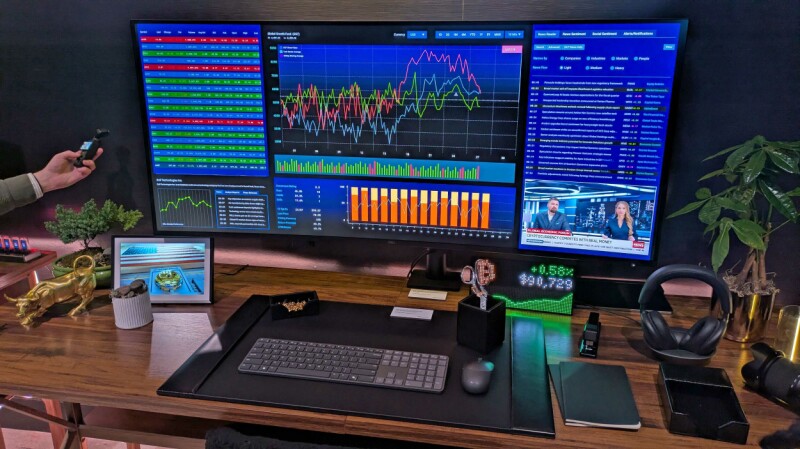
FIRST LOOK Dell's UltraSharp 52 display is a joyously enormous head-turner, but probably too much monitor for most users. Dell debuted the display at the CES show earlier this year. It's now on sale for $3,000. Sadly, I lack a PC capable of driving the screen at its full 6144 x 2560 resolution and 120 Hz refresh rate. Even at a miserly 3840 x 2160, however, I often marveled at how much it could display. Consider the screenshot below, which shows 50 columns and 89 rows of a single Excel spreadsheet – 4,450 cells in total. Here's another look at the monitor in full flight: a screen grab of Zwift, the virtual cycling metaverse I visit regularly as part of my exercise routine. At that size, Zwift felt more immersive and enjoyable than it does on a smaller screen. The display also handled motion smoothly during Zwift. other games, and streamed video. Getting used to it It took me a while to appreciate the monitor. When I first plugged it in, my occasionally-stiff middle-aged neck strained as I swiveled to view content at the edges and corners, while wielding my mouse to move its pointer between the screen's extremities felt like flapping my arms. My eyes didn't enjoy the experience at first either. I wear mild reading glasses while working, and found myself repeatedly refocusing as I looked across the curved display. For the first few days I spent with the screen, I therefore practiced "pillarboxing" – running the display at 3840 x 2160 and only using the center of the monitor while pixels on the edges remained dark. That didn't feel odd or distracting, perhaps because I often use "letterboxing" while watching video on my TV or tablet – leaving pixels at the top and bottom of the screen unused. As I grew accustomed to the enormo-monitor, I began using its entire area. Getting there was not straightforward: each of the three PCs I used with the monitor (one at a time, not together) required manual adjustment before I found a resolution that did not distort text and images. Dell's companion app was no help. It was slow to install, ran as if stuck in digital treacle, and is little more than a glorified front end for the Windows System/Display control panel. The HDMI connection to my desktop – an Acemagic mini-PC – repeatedly dropped out, forcing me to reseat the cable every day. The same PC and cable work reliably with my everyday monitor. I tried another cable and the problem persisted. I reached out to Dell, who suggested my two different cables were to blame. I connected my laptop – a Dell Inspiron Plus 7441 – over Thunderbolt and experienced some flickering that went away without needing to reseat the cable. A ten-year-old ThinkPad Carbon X1 connected fine over HDMI, but had even more trouble finding appropriate settings. But once I got the machine going and got used to its colossal size, my initial fatigue vanished. I realized I was squinting a little less than I do with my everyday display, a seven-year-old 32-inch Samsung that lacks the HDR feature the Dell machine includes. I sometimes use my lunch breaks to watch some rugby highlights, and the display handled those with ease. The easily observable nuances of small ads on team shirts would doubtless please sponsors. I was also pleasantly surprised by the display's speakers, which rendered my favorite tunes brightly and crisply. My current high rotation tunes include guitar feedback legends The Jesus and Mary Chain, spiky garage pop from Welsh outfit The Bug Club, and mumbly "power disco" by Getdown Services. JAMC's trademark fuzz was warm and deep, I felt like I could hear new strings on The Bug Club's guitars, and Getdown Services' beats thumped meatily. The speakers' location at the rear of the monitor led to a few "Where's that sound coming from?" moments, but those quickly became tolerable. Weighty issues I was impressed by Dell's packaging, which places the cables and included stand in clearly marked cardboard compartments within the shell protecting the screen. That matters because the box is a whopper that would be difficult to lug out of an IKEA and into a small car. Easy access to the assembly parts means a little less wrestling. At 12.95 kg (28.5 lbs), the monitor isn't problematically heavy – but is maybe too weighty for Dell's stand, as it never sat perfectly level, and I could find no way to straighten it. The screen is also unwieldy: I recommend connecting any cables you plan to use in advance, because shifting and lifting it to access its ports is not easy, especially in constricted spaces behind a desk. Tucked under the monitor's bottom-left edge is a forward-facing USB hub with two USB-C ports and one USB-A port. Making one of them a Thunderbolt port would have made it easier to connect a laptop without rummaging behind the beast. I finished my time with this giant display convinced that it is a lovely machine, but not one I need, as my work consists mostly of writing and editing text and browsing the web. Those who work with visual material may adore its size and the immersion created by its gentle curve. Many of Dell's promotional images show the device displaying multiple financial data feeds. The company pitches it as a replacement for four smaller monitors, requiring only one power cable and dispensing with a complex collection of stands. That seems like a more sensible use of the screen than everyday knowledge work. To finish, here's one more photo. I started working from home in 2002 but had no room to dedicate to an office. I therefore splurged about $700 – big bucks at the time – on a 15-inch, 1024 x 768 Dell 1503FP LCD monitor so that a CRT did not dominate my lounge room. It still works, although when the time came to take this snap, I couldn't find the HDMI-to-VGA adapter I use to fire it up. Here it is anyway, posed in front of its giant descendant to offer some historical perspective on how monitors have grown. ®

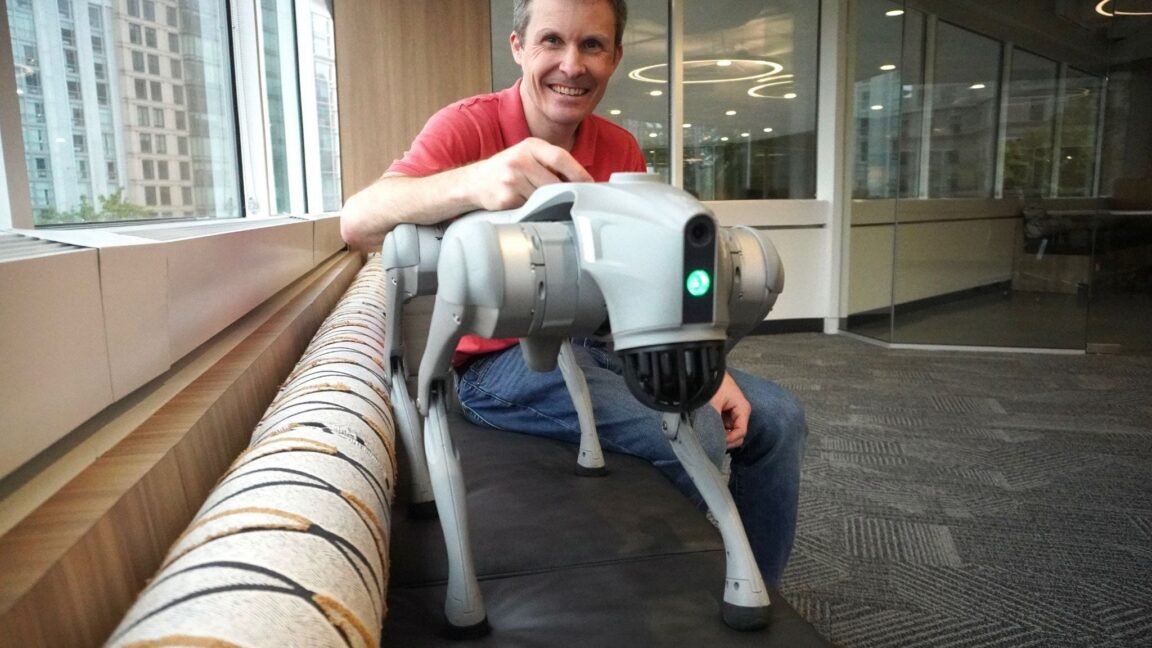
I spent $4,000 on a robot dog from China

On a sunny morning in June, I walked to work with a quadruped robot beside me. I’ve never gotten more attention from strangers.

A bunch of people snapped pictures of my robot dog. Several people asked me questions. Was it mine? (Yes.) Did I build it? (No.) Was it being used for surveillance? (No.)

Biological dogs kept a safe distance from my mechanical companion. Some growled or barked at it.

Read full article

Comments

© Nat Purser

Oracle tries to appease Stargate data center opponents with renewables push

Oracle’s proposed investment in 2 gigawatts of renewable energy projects for New Mexico comes as local opposition could delay development of the Project Jupiter data center that Oracle is building for OpenAI.

The two tech companies are developing the $165 billion Project Jupiter data center in Santa Teresa, New Mexico, as part of the broader Stargate AI infrastructure project announced by President Donald Trump in 2025. But Project Jupiter faces local protests and court battles over concerns about its environmental impacts—and the latest Oracle announcement on September 8 seeking proposals for renewable energy projects does not change the fact that the data center will be powered by fuel cells that consume natural gas.

“Like all matching programs, this would be synthetic in the sense that 2 GW of renewables wouldn't directly power the data center,” wrote Michael Thomas, CEO of the Cleanview data platform that tracks renewable energy and data center projects, in a LinkedIn post.

Read full article

Comments

© STACK Infrastructure

Raiders star Ashton Jeanty backs Nukleus, a tech platform for athletes and their advisors

Las Vegas Raiders running back Ashton Jeanty, an investor in Nukleus and a spokesperson for the platform. (Nukleus Photo / Ben Miller)

Hector Rivas spent a decade building ThriftBooks into one of the country’s largest used-book sellers, before an unlikely second act: co-founding a sports agency representing NFL players.

That career change led him to the problem behind his newest startup, and to the Las Vegas Raiders running back who just invested in it.

Nukleus founder and CEO Hector Rivas. (LinkedIn Photo)

Nukleus, based in Issaquah, Wash., is building what Rivas calls an operating system for the business of sports. The idea is a single workspace for everyone in an athlete’s orbit: agent, lawyer, CPA, financial advisor, marketing team, and others. It lets them all work from the same contracts, deadlines and records, rather than each keeping a separate pile of emails and spreadsheets.

The idea came out of Rivas’s years at Disruptive Sports, the agency he co-founded in 2020 and left earlier this year.

Ashton Jeanty, who signed a four-year, $35.9 million rookie contract with the Raiders in 2025, has taken equity in the company and signed on to serve as its public face.

Nukleus has also named four strategic investors: Mat McBride, Microsoft’s executive vice president and CFO for commercial products and infrastructure; WaFd Bank President and CEO Brent Beardall; investor Skyler Nelson, previously of Vulcan Capital and its successor firm Cercano; and Dr. Brett Kindle of the Andrews Institute in Gulf Breeze, Fla.

The company has a team of 12 based out of its Issaquah office, plus a supporting engineering team in India. Most of the team is engineering.

Other executives include CTO Eric Ahlstrom, previously at Microsoft, Unity, Oracle and ESPN; chief creative officer Ben Miller, a former creative director at the University of Washington and CAA Sports; and CFO Matt Porter, who worked with Rivas at ThriftBooks, EcoGoodz and Disruptive.

Nukleus closed a pre-seed round from friends and family in 2025 and is raising again now. Rivas declined to disclose the amount raised by the company so far.

From books to football: Rivas was ThriftBooks’ first CEO, running the used-book seller for about a decade after it launched in 2003. Based in the Seattle area, the company grew during his tenure from a storage unit in Kirkland, Wash., to 10 distribution facilities in 10 states, by his account.

He went on to found EcoGoodz, a used-goods and overstock brokerage, and in 2020 co-founded Disruptive Sports Agency with agent Henry Organ.

Rivas, an NFLPA-certified contract advisor, worked the business side of the agency. He left earlier this year to build Nukleus full time.

The years inside the agency are what produced the idea.

Everyone in a player’s orbit was working off “their own version of the truth,” Rivas explained via email: the agent, the lawyer, the CPA, the financial advisor, the marketing team. The athlete, he said, “was the one absorbing the cost of that disconnect,” in slower decisions and deals that fell through the cracks.

The pitch in Las Vegas: Jeanty and Rivas knew each other from Rivas’s years at the sports agency, and Rivas said the running back had been tracking what he was building.

“Because Ashton and I already knew each other, and he’d been aware of what I was building, the conversation came together naturally,” Rivas said.

He flew to Las Vegas to walk Jeanty through the model, the team, and where the company was headed. Rivas said Jeanty’s equity reflects both money invested and his role promoting the platform.

In a statement, Jeanty described the job of running his own career.

“Coming into the NFL, you become a CEO, directing a team of agents, advisors, and marketers, whether you’re ready or not,” he said. “Nukleus is what finally gets them all on the same page, so I can actually run that team the way it should be run. That’s why I invested in it.”

Where things stand: The product is in a free beta with about 30 users, including athletes, agents, agencies, lawyers and marketing staff. Nukleus plans to charge $99 per user per month for a starter plan and $249 for a full-featured one, with custom enterprise pricing. Athletes join free.

Alongside contract storage, deadline tracking and a shared workspace, the company is building AI tools meant to answer questions about contract terms and league rules.

Others are working similar territory. Agent Live 360 sells software built specifically for sports agents, and Opendorse, which says it works with more than 1,000 sports agents, offers tools to negotiate, approve and track deals. Nukleus says it differs from narrower tools by serving everyone in an athlete’s orbit.

The bigger bet: The company is looking well past a single app.

“Long-term, I don’t see this as a tool athletes use, I see it as the infrastructure the entire business of sports runs on,” Rivas said. “Every athlete becomes the center of their own connected team, and every professional working with them, across every sport, at every level, operates on one shared system instead of a hundred disconnected ones.”

On Call: Boss wrongly claimed IT deleted his files, refused to learn the one-click fix

ON CALL Friday morning is The Register's home for tech support stories, which we showcase in On Call – the weekly column made possible by readers generously sharing their experience of what it takes to fix things for the furious, fatuous, or feebleminded users that infest every workplace. This week, meet a reader we'll Regomize as "Lucia," who was once ordered to report immediately to a company director's office. "All of my files have gone," the director fumed, before insisting this was all the fault of the IT team, who were all inept, incompetent, and unfit for duty. Lucia examined the director's PC and found an empty "Home" folder. "I saw that he had clicked on the 'Up' directory icon to get there," Lucia told On Call. "I casually clicked on the 'Documents' folder and his files magically reappeared." Guess how much gratitude the director showed Lucia. If you guessed zero, congratulations. When Lucia tried to impart a quick lesson in directory navigation, the director was having none of it. "He simply bundled me out of his office, yelling, 'And make sure it doesn't happen again!'" Have your users refused to learn a simple fix? If so, a single click here will speed your story to On Call, so we can share it on a future Friday. ®

Android can now securely migrate your logins between password managers

As longer, more complex passwords have become a necessity, remembering all those strings of numbers, letters, and special characters has become nearly impossible. Password managers can solve that problem, but what happens when you want to move to a different login organizer? Sure, you could manually type all your logins into a new app, but now Android can do that for you without the tedium.

Google designed the new login transfer process to happen entirely on your phone, so you need the corresponding apps installed with your credentials synced. To start the move, you'll have to find the import option in the app you want to use. The location of that feature will vary, but in Google Password Manager (built into Android), it's near the top under the settings tab.

The import option in Google Password Manager will plug in to the new migration system, while export still just creates an unencrypted CSV with your passwords that can be dumped into any app. It will be similar in other apps, so make sure to start the process in the app you want to use. Currently, this works in Google's app, 1Password, Bitwarden, and Dashlane.

Read full article

Comments

© Google

❌