Completed another Hack The Box machine: Hercules, an Insane difficulty Active Directory challenge.
This was one of the longer attack chains I have worked through, involving multiple stages across web exploitation, credential access, Active Directory enumeration, privilege escalation, AD CS, and Kerberos abuse.
The initial foothold started with LDAP username enumeration and the discovery of credentials stored in an account description. After gaining access to the Hercules Portal, a directory traversal vulnerability exposed the web.config file and its ASP.NET machineKey values. These values allowed a forged Forms Authentication cookie to impersonate web_admin.
From there, a malicious ODT upload triggered an outbound NTLM authentication attempt, allowing the NetNTLMv2 credentials for natalie.a to be captured and cracked. The recovered credentials opened the path to Shadow Credentials against bob.w and stephen.m, followed by OU permission abuse to gain control of the Auditor account.
The privilege escalation chain continued through the Forest Migration OU, where fernando.r was enabled and used to identify an ESC3 misconfiguration. An Enrollment Agent certificate was then obtained and abused to request a certificate for ashley.b, leading to further access within the domain.
The final stages involved controlling IIS_Administrator, taking control of the iis_webserver$ machine account, extracting the required Kerberos session key, and abusing S4U2self/S4U2proxy to impersonate Administrator. This ultimately provided access to the root flag under C:\Users\Admin\Desktop.
Hercules was a great exercise in chaining several seemingly separate weaknesses together rather than relying on a single vulnerability. Definitely a box that required careful enumeration and keeping track of the relationships between users, groups, OUs, certificates, and Kerberos tickets.
Documented as part of my continued HTB practice and learning in Active Directory and offensive security.
PowerView is one of those tools that has become almost legendary in the world of Windows security. Originally it existed as PowerView.ps1, a script built to enumerate and understand Active Directory environments from the inside. It is used to ask the domain controller all kinds of questions and get detailed answers about users, computers, groups, privileges, relationships and sometimes even weaknesses.
The problem with the original script is that it only runs on Windows and every AV detects it. That’s why powerview.py was created.
OTW always stresses that recon is everything. Active Directory was not really designed to hide internal structure. Any authenticated domain users can enumerate almost everything inside the domain. Many junior pentesters feel lost when they first land inside a domain and aren’t sure what to do next. If that sounds familiar, this article is for you.
What If?
There are two issues you may encounter when working with powerview.py.
The first problem is credentials. Powerview.py requires valid domain credentials. So what happens if you do not have them? This is where MAQ, or Machine Account Quota, becomes important. By default, every user in Active Directory is allowed to create up to ten machine accounts. These machine accounts can authenticate to the domain and can therefore be used for enumeration. So if you have a shell or an RCE you simply create a machine account with a password and then use that account with powerview.py to log in. Some Active Directory setups are misconfigured and allow you to enumerate things anonymously.
The second problem is platform compatibility. Sometimes the machine you compromise is running Windows with no Python and a centrally managed antivirus you can’t disable. Other times you land on a sensitive Linux production box where installing tools isn’t an option. In those cases a reverse proxy tunnel is often the best solution. You can create one on Windows or Linux with this command:
ssh -R 1080 user@vps -Nf
Then you route traffic through port 1080 on your server using proxychains.
Setting Up
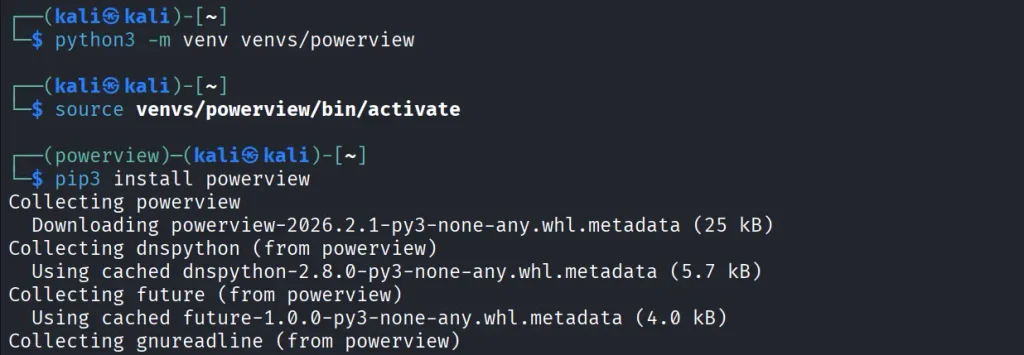
Let us prepare the environment for powerview.py. There are several ways, but this method works on most Linux systems:
kali > python3 -m venv venvs/powerview
kali > source venvs/powerview/bin/activate
kali > pip3 install powerview
Once you complete installation, you can connect to the domain controller.
Connection
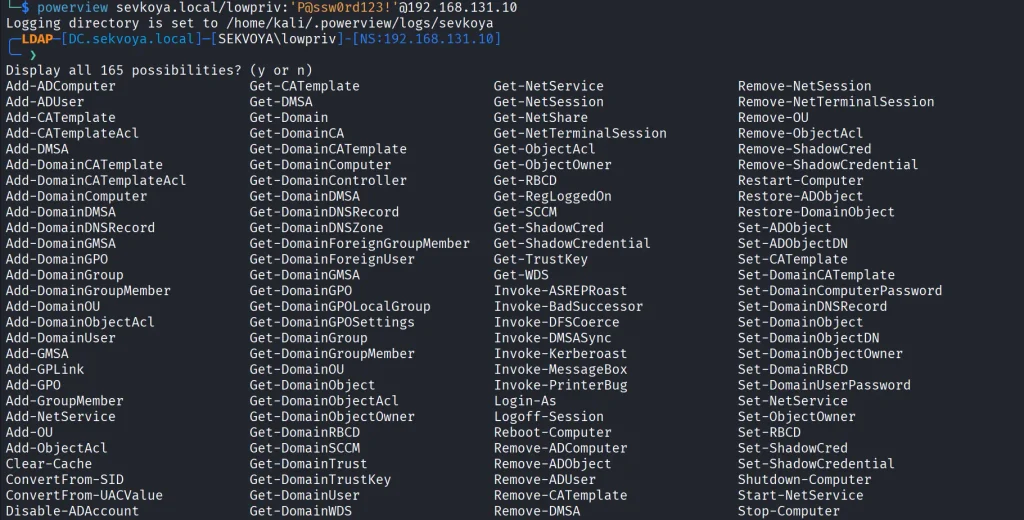
Connecting to the domain controller is very flexible. You can authenticate using a password, an NTLM hash or even a PFX certificate:
With a password:
kali > powerview domain.local/lowpriv:Password123@192.168.1.12
With an NTLM hash:
kali > powerview domain.local/lowpriv@192.168.86.192 -H NTLM
With a pfx file:
kali > powerview 10.10.10.10 --pfx administrator.pfx
Capabilities
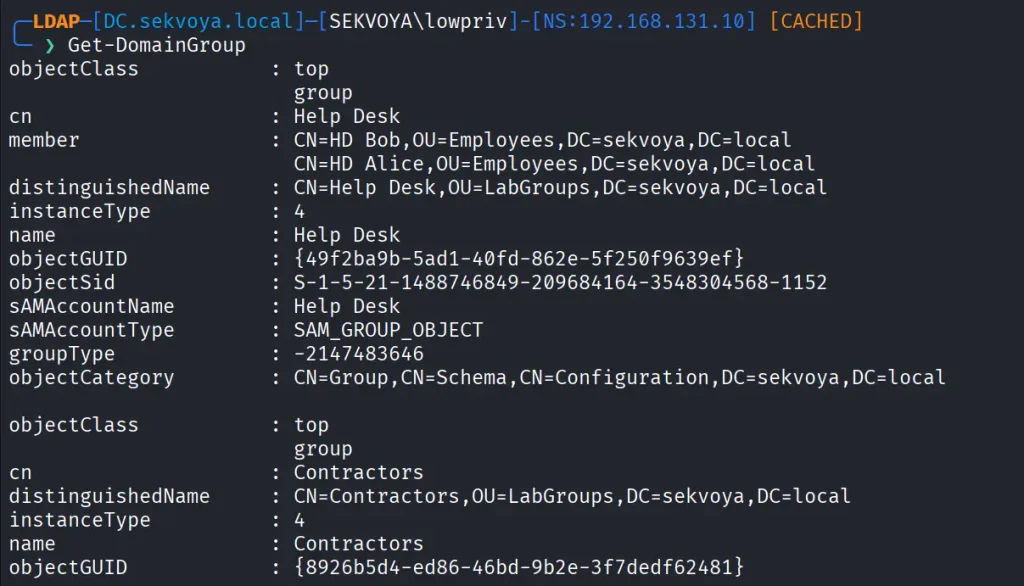
At this point you can explore everything powerview.py can do. Pressing Tab twice lists the available commands. If you’ve used PowerView.ps1 before, you’ll recognize a lot of the names and patterns, though some commands are different. Powerview.py doesn’t include every feature from the original script, but there’s more than enough to fully map a domain.
Every command contains a help section that explains available flags.
PV > Get-DomainComputer -h
Computers
In Active Directory, computers are objects just like users. Each one can have different permissions or roles. Certain misconfigurations can make certain computers valuable to attacks. Here’s how to list all enabled computers vulnerable to unconstrained delegation:
PV > Get-DomainComputer -Enabled -Unconstrained
Even small organizations usually have complex internal structures. You can count all enabled computers like this:
PV > Get-DomainComputer -Enabled -Count
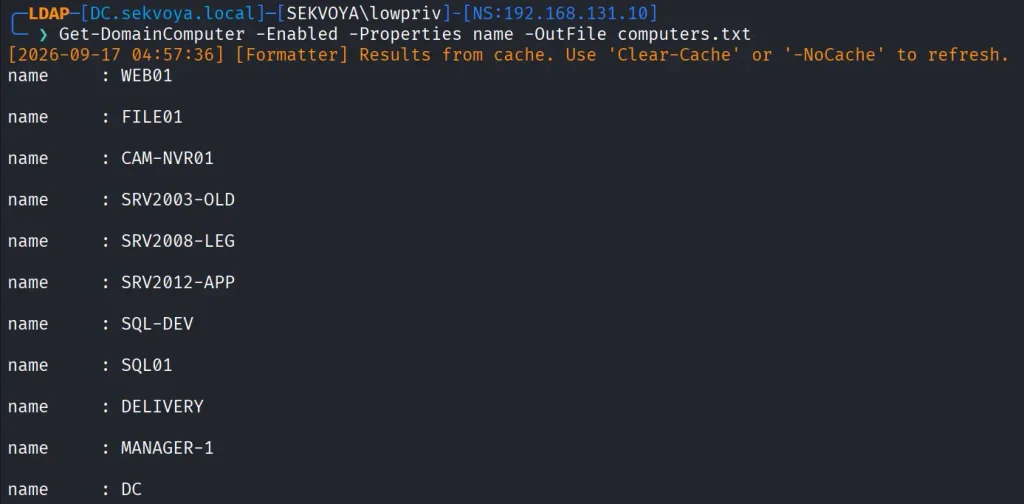
Just 11 computers in our lab. Hackers usually export the names of all those computers and then ping them to get their IPs. That way they get a list of real computers rather than a mix with computer accounts. Exporting computer names looks like this:
PV > Get-DomainComputer -Enabled -Properties name -OutFile /root/computers.txt
You can also pull detailed information about a specific computer:
PV > Get-NetComputerInfo -Computer NAME
Older Windows versions are especially valuable since they often lack modern protections and are still running as critical production systems.
Users
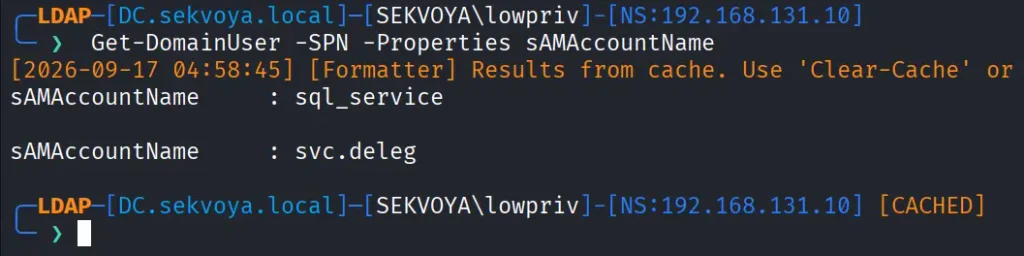
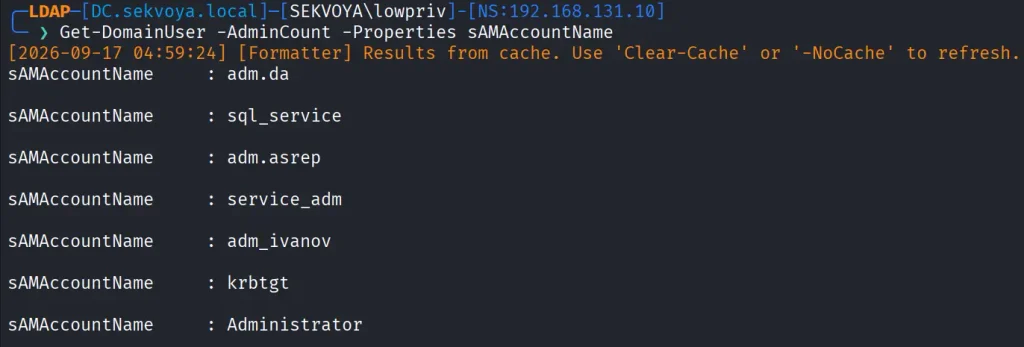
We can enumerate users too. This command shows users with SPNs configured, meaning they’re vulnerable to Kerberoasting:
Exchange remains a high value target. It has certain privileges that can help hackers abuse it and escalate in the domain. On top of that, it has a long history of vulnerabilities like ProxyShell, which let hackers get in without valid credentials.
Vulnerabilities
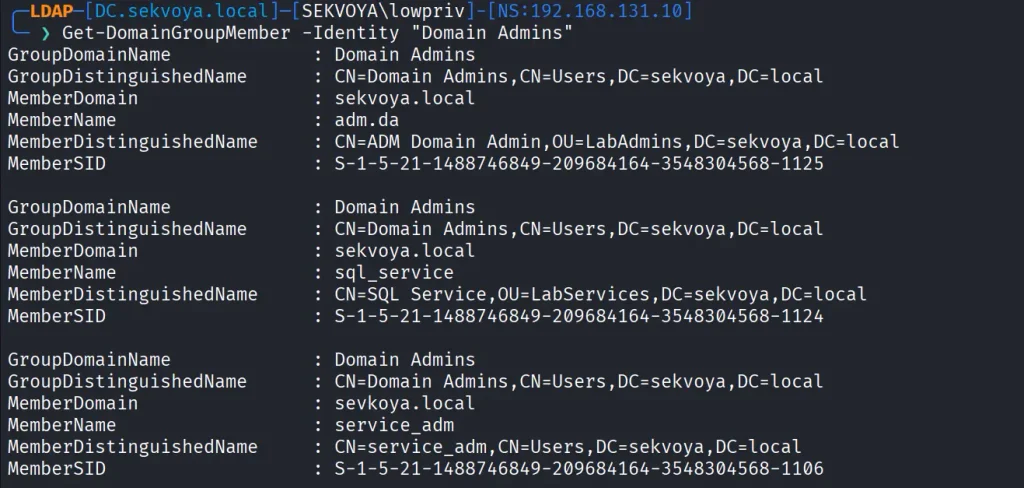
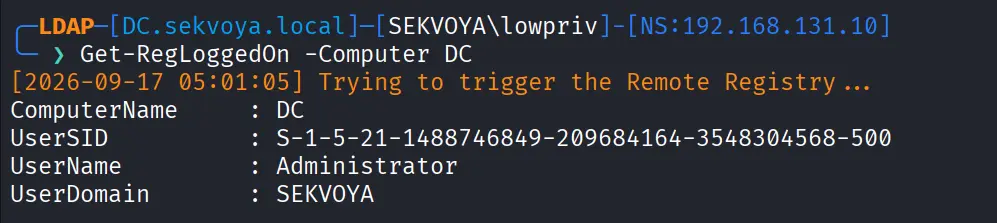
PowerView also finds certain vulnerabilities automatically in its output, so you can quickly spot misconfigurations.
Summary
These examples are only a small part of what powerview.py can do. The tool also supports DFSCoerce, PrinterBug, and several Kerberos related attacks. The amount of information you can pull with just a low privileged account is enormous. That’s why we strongly recommend powerview.py for both defenders and red teamers.
Recon might not feel exciting at first, but it’s the true foundation of effective security work. When you learn to listen to what the domain is already telling you, the path forward becomes a lot clearer.
If you want to advance your Linux skills in a penetration testing environment, or you’re planning to take the OSCP exam, you need to get creative with how you use your Linux machine. We offer our Advanced Linux for Hackers training.
Completed the Hack The Box “Pirate” machine, a hard-difficulty Active Directory challenge that required chaining multiple attack paths rather than relying on a single vulnerability.
The enumeration phase uncovered domain users, pre-created computer accounts, GMSAs, delegation relationships, and an exposed internal network. Access to gMSA_ADFS_prod$ led to DC01 and enabled an internal pivot to WEB01. From there, the attack chain involved GMSA credential retrieval, NTLM relay, authentication coercion, shadow credentials, certificate-based authentication, and Kerberos ticket abuse.
The privilege escalation path continued through constrained delegation and resource-based constrained delegation. Kerberos ticket manipulation ultimately provided Administrator access to the domain controller, followed by a SYSTEM-level shell and extraction of domain credentials from NTDS.dit. Both the user and root flags were successfully obtained.
Another challenging AD machine completed and another deep dive into Windows authentication, delegation, and privilege escalation.

 Login
Login