Nitter and XCancel, a pair of social media services which let you view posts on X without an X account, are down again after the latest round of legal wrangling. While the XCancel site now displays the message "Unfortunately, due to a new development in the ongoing legal proceedings, we are required to suspend this service again until further notice," Nitter's site is offline, and the code repository was archived on September 11, 2026. Things were not looking good in August for the services, which allowed a user to view posts on X (formerly Twitter) without an account or having to endure adverts and accept trackers. X's lawyers fired off a cease-and-desist letter, and the services acquiesced, going offline while the implications were digested. A few weeks later, the services were back up and running. At the time, zedeus, Nitter's maintainer, wrote, "an announcement will be made within a week, once we're able to reveal more information." Alas, that "more information" appears to be another cessation. XCancel wrote simply, "We can't share more details," and added a link to X for users keen for content. It is difficult to say for sure if and when the services might be back, or if users have headed elsewhere for their microblogging fix. Users not wishing to sign up for an X account have plenty of alternatives – Mastodon and Bluesky, for example. X has considerable form when it comes to rolling out the lawyers to fend off perceived threats or alleged abuses of its services, and is perfectly within its rights to do so. In the case of Nitter (and XCancel, which uses the project), the concern likely centered on how posts were viewed without an account, JavaScript, or ads. X also attempted to defend the Twitter and blue bird trademark and branding in a spat with tweet.app. It kept hold of Twitter (despite ditching the name after Musk's takeover), but tweet.app snapped up the word 'tweet' and the bird imagery. That's for the time being, at least. ®
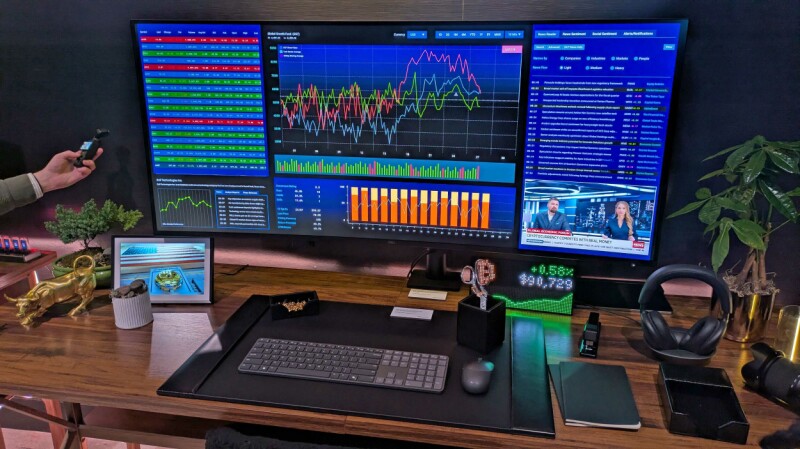
FIRST LOOK Dell's UltraSharp 52 display is a joyously enormous head-turner, but probably too much monitor for most users. Dell debuted the display at the CES show earlier this year. It's now on sale for $3,000. Sadly, I lack a PC capable of driving the screen at its full 6144 x 2560 resolution and 120 Hz refresh rate. Even at a miserly 3840 x 2160, however, I often marveled at how much it could display. Consider the screenshot below, which shows 50 columns and 89 rows of a single Excel spreadsheet – 4,450 cells in total. Here's another look at the monitor in full flight: a screen grab of Zwift, the virtual cycling metaverse I visit regularly as part of my exercise routine. At that size, Zwift felt more immersive and enjoyable than it does on a smaller screen. The display also handled motion smoothly during Zwift. other games, and streamed video. Getting used to it It took me a while to appreciate the monitor. When I first plugged it in, my occasionally-stiff middle-aged neck strained as I swiveled to view content at the edges and corners, while wielding my mouse to move its pointer between the screen's extremities felt like flapping my arms. My eyes didn't enjoy the experience at first either. I wear mild reading glasses while working, and found myself repeatedly refocusing as I looked across the curved display. For the first few days I spent with the screen, I therefore practiced "pillarboxing" – running the display at 3840 x 2160 and only using the center of the monitor while pixels on the edges remained dark. That didn't feel odd or distracting, perhaps because I often use "letterboxing" while watching video on my TV or tablet – leaving pixels at the top and bottom of the screen unused. As I grew accustomed to the enormo-monitor, I began using its entire area. Getting there was not straightforward: each of the three PCs I used with the monitor (one at a time, not together) required manual adjustment before I found a resolution that did not distort text and images. Dell's companion app was no help. It was slow to install, ran as if stuck in digital treacle, and is little more than a glorified front end for the Windows System/Display control panel. The HDMI connection to my desktop – an Acemagic mini-PC – repeatedly dropped out, forcing me to reseat the cable every day. The same PC and cable work reliably with my everyday monitor. I tried another cable and the problem persisted. I reached out to Dell, who suggested my two different cables were to blame. I connected my laptop – a Dell Inspiron Plus 7441 – over Thunderbolt and experienced some flickering that went away without needing to reseat the cable. A ten-year-old ThinkPad Carbon X1 connected fine over HDMI, but had even more trouble finding appropriate settings. But once I got the machine going and got used to its colossal size, my initial fatigue vanished. I realized I was squinting a little less than I do with my everyday display, a seven-year-old 32-inch Samsung that lacks the HDR feature the Dell machine includes. I sometimes use my lunch breaks to watch some rugby highlights, and the display handled those with ease. The easily observable nuances of small ads on team shirts would doubtless please sponsors. I was also pleasantly surprised by the display's speakers, which rendered my favorite tunes brightly and crisply. My current high rotation tunes include guitar feedback legends The Jesus and Mary Chain, spiky garage pop from Welsh outfit The Bug Club, and mumbly "power disco" by Getdown Services. JAMC's trademark fuzz was warm and deep, I felt like I could hear new strings on The Bug Club's guitars, and Getdown Services' beats thumped meatily. The speakers' location at the rear of the monitor led to a few "Where's that sound coming from?" moments, but those quickly became tolerable. Weighty issues I was impressed by Dell's packaging, which places the cables and included stand in clearly marked cardboard compartments within the shell protecting the screen. That matters because the box is a whopper that would be difficult to lug out of an IKEA and into a small car. Easy access to the assembly parts means a little less wrestling. At 12.95 kg (28.5 lbs), the monitor isn't problematically heavy – but is maybe too weighty for Dell's stand, as it never sat perfectly level, and I could find no way to straighten it. The screen is also unwieldy: I recommend connecting any cables you plan to use in advance, because shifting and lifting it to access its ports is not easy, especially in constricted spaces behind a desk. Tucked under the monitor's bottom-left edge is a forward-facing USB hub with two USB-C ports and one USB-A port. Making one of them a Thunderbolt port would have made it easier to connect a laptop without rummaging behind the beast. I finished my time with this giant display convinced that it is a lovely machine, but not one I need, as my work consists mostly of writing and editing text and browsing the web. Those who work with visual material may adore its size and the immersion created by its gentle curve. Many of Dell's promotional images show the device displaying multiple financial data feeds. The company pitches it as a replacement for four smaller monitors, requiring only one power cable and dispensing with a complex collection of stands. That seems like a more sensible use of the screen than everyday knowledge work. To finish, here's one more photo. I started working from home in 2002 but had no room to dedicate to an office. I therefore splurged about $700 – big bucks at the time – on a 15-inch, 1024 x 768 Dell 1503FP LCD monitor so that a CRT did not dominate my lounge room. It still works, although when the time came to take this snap, I couldn't find the HDMI-to-VGA adapter I use to fire it up. Here it is anyway, posed in front of its giant descendant to offer some historical perspective on how monitors have grown. ®
ON CALL Friday morning is The Register's home for tech support stories, which we showcase in On Call – the weekly column made possible by readers generously sharing their experience of what it takes to fix things for the furious, fatuous, or feebleminded users that infest every workplace. This week, meet a reader we'll Regomize as "Lucia," who was once ordered to report immediately to a company director's office. "All of my files have gone," the director fumed, before insisting this was all the fault of the IT team, who were all inept, incompetent, and unfit for duty. Lucia examined the director's PC and found an empty "Home" folder. "I saw that he had clicked on the 'Up' directory icon to get there," Lucia told On Call. "I casually clicked on the 'Documents' folder and his files magically reappeared." Guess how much gratitude the director showed Lucia. If you guessed zero, congratulations. When Lucia tried to impart a quick lesson in directory navigation, the director was having none of it. "He simply bundled me out of his office, yelling, 'And make sure it doesn't happen again!'" Have your users refused to learn a simple fix? If so, a single click here will speed your story to On Call, so we can share it on a future Friday. ®
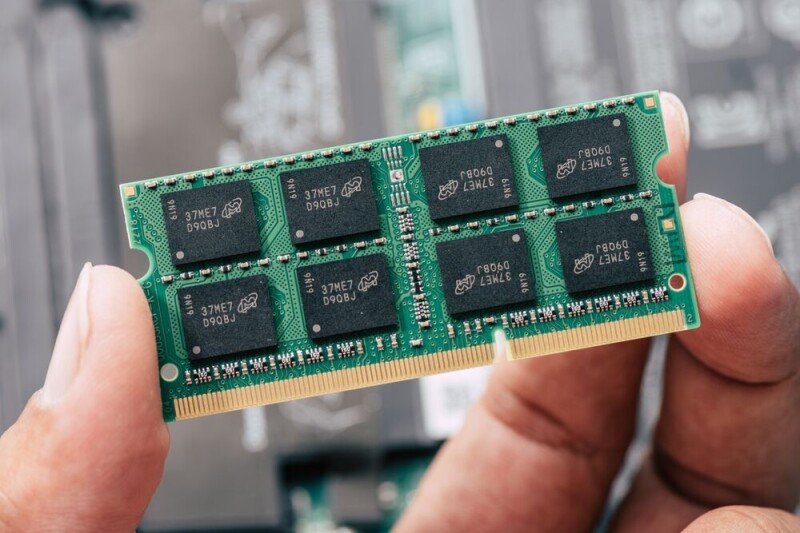
Laptop-maker Framework has decided to refund some of its customers who paid high prices for its model 13 Pro laptop due to the soaring cost of RAM. In July, the company told some customers who had ordered its very repairable machines that if they ordered 64GB of RAM, they would get just 32GB. “We recently received a cost update from our LPCAMM2 supplier that goes far beyond anything we had predicted and anything we’re able to absorb without placing our ability to operate at real financial risk,” the company wrote at the time. The company expected the price it paid for LPCAMM2 would go up by a low-to-mid double digit percentage from Q2 to Q3. Instead the price it paid was more than double the cost of its previous shipment. The company said the decision to reduce RAM in some machines “minimizes the impact of this challenge.” On Tuesday, Framework revealed that it has just scored “a limited quantity” of Micron 32GB and 64GB LPCAMM2 memory modules that it was able to acquire “at lower cost.” “While these new costs remain above our original pre-order launch baseline, they are lower than the last cost update that drove our current pricing for new pre-orders,” the company’s post states. Framework is therefore “rolling out price reductions across both already shipped and a subset of currently pending pre-orders.” That decision means customers who bought Framework laptops when it was paying top dollar for memory can get a refund for price difference between July and now. Customers who ordered when memory prices were high, but haven’t yet received a machine, will see the price of their orders fall. They can also edit their orders to acquire more memory at the new, lower price. Framework is not alone in eating the cost of increased memory costs. Storage vendor Everpure (formerly Pure Storage) promised to honor prices it quoted to customers before solid state disk prices soared. HPE recently promised to honor quotes from the day it issues them until it ships hardware, despite the fluctuating cost of memory. Such pledges probably aren’t altruistic, because major memory makers Micron and SK Hynix have offered long-term deals that reduce exposure to big price swings for buyers willing to commit to years of future purchases. Memory-makers’ margins are currently enormous, so if these deals sometimes mean they miss out on maximum profits it’s survivable. If HPE and Everpure have signed such deals, they get better visibility of future costs, and perhaps a little discount for committing to years of purchases. Others are hiking prices. Apple, which made $30 billion of profits in its most recent quarter, yesterday lifted the price of iPhones by $100. ®
It’s been a long time since Apple introduced a truly new product. The world finally got one today in the form of the folding iPhone Duo, and while it's new for Apple, it's not new for the industry. Nonetheless, Apple is once again hoping to validate a mostly moribund market as it did with tablets and smartwatches – folding phones only made up 1.6% of total smartphone sales last year, according to Counterpoint Research. Apple announced the iPhone Duo – did no one check the list of cursed gadget brands? – on Wednesday during new CEO John Ternus’ first crack at an Apple keynote, and it's a foldable iPhone. Given its aspect ratio, it’s probably more apt to call it an iPadphone, though. Ternus criticized the shape of other foldable smartphones, likening them to “just two phones strapped together” rather than a purpose-built foldable device. The Duo is intended to break that mold, though it was a little hard to tell from the event. Folded, the Duo has an oddly square shape that Apple described as being “passport sized,” with a 5.4” screen. When opened, the Duo has a 7.6” screen – not much smaller than the 8.3” screen on the iPad mini, which in turn is just a bit smaller than Huawei’s massive 10.3” tri-fold device. Speaking of screens, anyone who’s had an opportunity to play with a foldable smartphone knows their durability is abysmal. The original Samsung foldables were so soft they could be scored with a fingernail, and while successive models have improved, they still aren’t as hard as regular glass. Apple had plenty of platitudes to deliver about the screen, of course: Its many layers use a “visco-elastic adhesive” to allow components to slide against each other so everything folds more easily, and there’s a titanium plate at the back to keep the durability up, too. But what of its hardness? Not a word. As for the hinge – the bane of every foldable smartphone since the first Galaxy Fold hit shelves in 2019 – Apple claims that “over 100 tiny precision components” and the assistance of AI will ensure it's a tight and reliable fit. It’s worth pointing out, however, that Samsung has released eight generations of Galaxy Fold, and iFixit says the hinge is still its weakness. The Galaxy Fold 8, mind you, is only rated at IP48, meaning it’s not completely dust-tight, while the iPhone Duo claims to be IP68, meaning it’s completely dust-tight, though we’d caution waiting to see what the initial teardowns determine before deciding if that’s accurate. Either way, if you’re going to actually spring for this $1,999 phone you’d better plan to get an Apple Care plan, too. Unnecessary introductions There’s another big sticking point about the iPhone Duo that needs to be addressed, and that’s what it does with iOS. Apple apparently knows that such a wide device is going to make using the iOS dock, and other interface buttons less practical, so it’s decided to move all of them to the right side of the iOS screen. Navigation buttons, app interfaces, and everything one would use to get around is now located on the side to, in Apple’s words, “maximize vertical space for content.” That’s all well and good, but it means developers need to make arrangements for the iPhone Duo. Apple knows this, as it made sure to mention a new API that developers can use to adapt their apps. For what it's worth, a revamped version of Siri launching this fall has also required developers to adapt to its presence on Apple devices. According to the New York Times, that hasn’t been going too well, with many big developers yet to make the necessary changes to enable support for Apple Intelligence and its interface with Siri in their apps. That’s for a feature that extends across Apple’s ecosystem, mind you. The Duo is one single device. The Duo also only has two cameras to the iPhone Pro series’ triple lenses, and takes a step backwards by ditching FaceID for a TouchID button embedded in the side button. Apple tends to have a wait-and-see approach to new technology, joining the game late after the competition has had a chance to flounder around and make bad decisions with early models. It’s not clear whether the Duo will be a prime example of that philosophy in action, or whether it’ll join Apple’s other recent developments, like the Vision Pro, in relative obscurity. Ternus and company at least chose a good name if the product withers: No one remembers Microsoft’s Duo either. ®
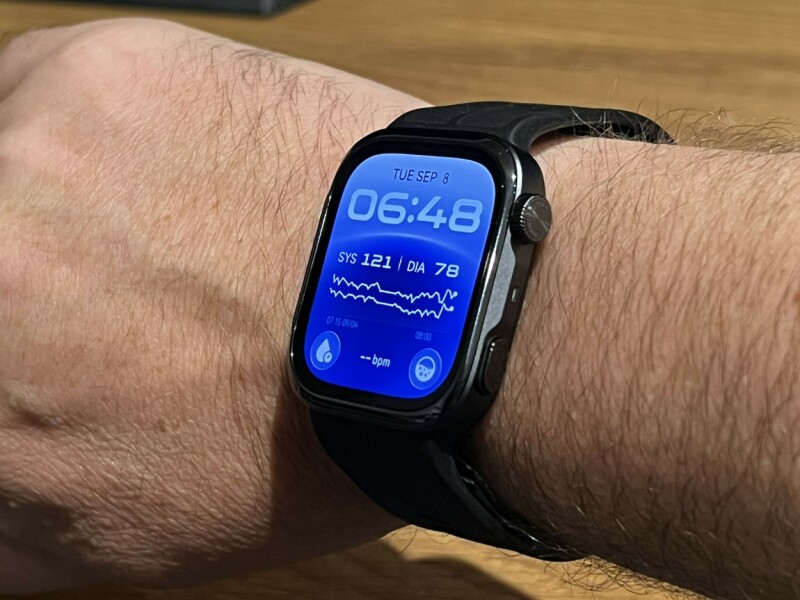
Huawei has released the Watch D3, the third generation of its blood-pressure-measuring wearable, as the company continues plowing a relatively lonely furrow in cuff-based technology. The D3 is an intriguing device for anyone seeking more credible blood pressure readings than many smartwatches claim to provide. Where many brands use optical technology to estimate blood pressure, the D series uses a pump built into the watch and an inflatable airbag inside the strap. The D3 is CE-certified as a medical device under the EU Medical Device Regulation (MDR). This is hardly Huawei's first rodeo: two predecessors have refined the formula and made the device feel less like clinical equipment and more like an ordinary piece of consumer technology. That said, it remains chunky compared with other wearables sold by Huawei and its rivals – the watch body weighs 40 g and is 11.3 mm thick. It's a noticeable improvement over the D2, but still feels like a large device. As it should. It includes a pump, and the removable strap (two sizes come in the box) has a built-in airbag. The Register was given a pair of these watches for a long-term test, and there is a noticeable physical difference between the D2 and D3. Subjectively, it was difficult not to be aware of the D2, but the D3, despite being only a few grams lighter and a few millimeters thinner, is far less obtrusive. Until, of course, it measures your blood pressure, when the tightening strap makes its presence obvious. Although virtually silent, the strap noticeably tightens as the watch measures blood pressure, and the software recommends sitting still, not talking, and placing a hand over your chest while the measurement takes place. The process takes barely a minute and produced plausible, consistent readings during our test. The device supports ambulatory blood pressure monitoring (ABPM), taking readings at intervals over 24 hours to provide a broader picture of how blood pressure changes during the day and night. A gentle nudge from the watch signals it's time to measure, and away it goes. It also supports blood pressure measurements before and after exercise, and can issue reminders following changes in altitude or temperature. Huawei's Health Community feature allows users to share health information and alerts with family members. Other metrics, such as pulse and blood oxygen, are tracked, but blood pressure measurements are the watch's party trick. Other functionality, such as phone notifications (we paired ours with an iPhone, and calls, messages, and other alerts appeared without drama), is present. However, you will need to install the Huawei Health app to use the device, which might cause some users concern about where their health data is going. We spoke to Rico Zhang, Huawei's president for the product line, via a translator during a launch event in Munich about concerns regarding privacy and data protection. He acknowledged the concern, saying Huawei follows all local policies on personal data and user privacy, and noted that the issue is fundamental "if we want to remain a wearable business in Europe in the future." Zhang gave a similar answer on repairability, saying Huawei followed local regulations. In the EU, battery replacement by consumers is not currently a requirement for wearables sold in the region. Probably also a good idea not to launch a Chinese wearable in Europe with a huge wooden metaphor parked outside. In day-to-day usage, the D3 feels like a slightly larger smartwatch, although we'd contend the user interface is slightly busier than, say, an Apple Watch. The screen is bright (a 1.92-inch display with narrower bezels and 3,000-nit peak brightness), and in our usage we got about five days of battery life. Huawei claims up to six days under typical use, although it says battery life falls to about one day with ABPM enabled. Aside from the user interface, which mainly requires learning new muscle memory, the water resistance is also an issue. Huawei told us the device has an IP68 rating but should not be worn in the shower or submerged for swimming. The company also says it is not water-resistant while taking a blood pressure measurement. Those restrictions are understandable given the inflatable mechanism, but still disappointing. Any water that does get on it also needs to be wiped off to avoid interfering with measurement accuracy. The D3 is a useful device for people who want cuff-based blood pressure readings without carrying a separate upper-arm monitor that sounds like a lawnmower. Its certification as a medical device gives it more credibility than many smartwatch-based alternatives, despite the great strides made with optics over the years, and its styling and size make it feel more like a normal wearable than a health device. The downsides are a busy interface outside the health functions and a design that remains chunkier than other wearables, including Huawei's own, despite efforts to slim it down. The Huawei Watch D3 launches in the UK on September 23 at £399.99. It comes in Black, the version we tested, plus Gold and Mocha Gold. ®
The Nitter project will continue "following legal advice," meaning XCancel, a public service built on its open source code, is back online. As of September 7, nitter.net displayed the announcement: "Following legal advice, the Nitter project will continue. This instance and others will be back up and running shortly." XCancel, a public instance built on Nitter, was operational again. Nitter is a free, open source front end for reading posts on X, the platform formerly known as Twitter before it was acquired and rebranded by self-described "free speech absolutist" Elon Musk. It requires no X account and, according to the project's repository, offers "zero ads" with "no JavaScript required." However, using Nitter or an instance based on it, such as XCancel, can feel like a game of Whac-A-Mole, with frequent changes required whenever X restricts another means of accessing its data. In January 2024, maintainer zedeus declared the project dead after X disabled the guest accounts on which it relied. Nitter returned at the start of 2025 using account sessions, although the maintainer warned: "Nitter is officially back, but hosting an instance is nowhere near as easy as it used to be." Then, on August 24, X deployed the lawyers and sent cease-and-desist letters demanding the permanent removal of Nitter instances and the project's repository. The repository was archived, instances went offline, and for a few weeks the lights went out. The project now says it will continue, although the main nitter.net instance has yet to resume normal operation. According to zedeus, "an announcement will be made within a week, once we're able to reveal more information." The Register asked X to comment, but have yet to receive a response. Nitter and similar front ends serve users who do not want an X account or the platform's tracking, while still allowing them to read posts from organizations that remain active there. Users cannot publish through Nitter, only read public posts. What legal advice persuaded Nitter to continue, and whether X plans another move against the project, should become clearer when zedeus publishes the promised announcement. ®
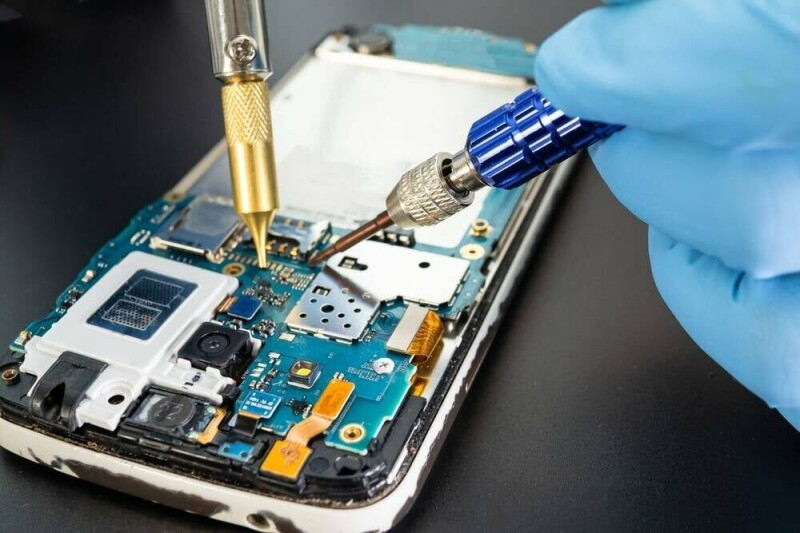
One year into the EU's repairability rules for smartphones and tablets, more than 80 percent of devices still lack the necessary repair information, Right to Repair Europe reports. The campaign group says that mobile devices available in the trading bloc must include a mandatory self-reported repairability score, and the device maker has an obligation to publish information to help users repair their kit. These requirements came into force from June 2025. Yet a review of the European Product Registry for Energy Labelling, where manufacturers are required to list where they publish the required information, found that few have so far fallen in line. Right to Repair says that of 2,334 records for smartphone models brought to market over the last year, only about 18 percent actually list a website where spare parts prices or repair instructions can be found. About half of the records simply have blanks where there should be a URL, while another 19 percent refer to a product page or support page not containing any relevant repair instructions or spare parts listings. Some records even refer customers to Temu or AliExpress for spare parts and repair instructions. Despite this, some of the blatantly non-compliant manufacturers still award themselves top marks for their repair information, resulting in a self-declared class A for repairability. The campaign group also complains that in many instances where spare parts are listed, they are given a ridiculously wide price bracket, such as between €14 and €128 for a replacement battery. But even for products that are technically compliant, the listed weblink still rarely offers a direct path to parts prices. For major brands such as Apple and Samsung, it can take some clicking around before you find what you need, Right to Repair says. The repair score and link to repair information should be provided on the energy efficiency label on products, but - we're told - the latter is missing for a significant number of products offered for sale, both in physical stores and online. Right to Repair Europe quite understandably questions the effectiveness of the EU’s approach, if so many devices are going on sale without complying with the regulations. Clearly, no public authority has taken it upon themselves to check the declared data, as thousands of blank fields seem to have gone unnoticed, it says. It likewise questions the wisdom of allowing manufacturers to mark their own homework on repairability scores, and asks if consumers can really trust them. We asked the European Commission for its reaction to the European Right to Repair campaign’s findings, and will update this article if it replies with comment. “The obligation for publicly available spare parts prices and repair manuals is a great step forward, but it needs to be enforced better,” said Thomas Opsomer, iFixit’s EU policy spokesperson, on behalf of the Right to Repair Europe Coalition. “Since the repairability scores are self-assigned, manufacturers should be required to publish the full documentation underpinning the scores they report, so that anyone can check their homework. It should also be made easier for consumers and repairers to report non-compliance,” he added. Next year, repairability is set to get another boost. EU regulations come into force in February that will mean new mobile devices must have user-replaceable batteries, with some exceptions for products like wearables. ®
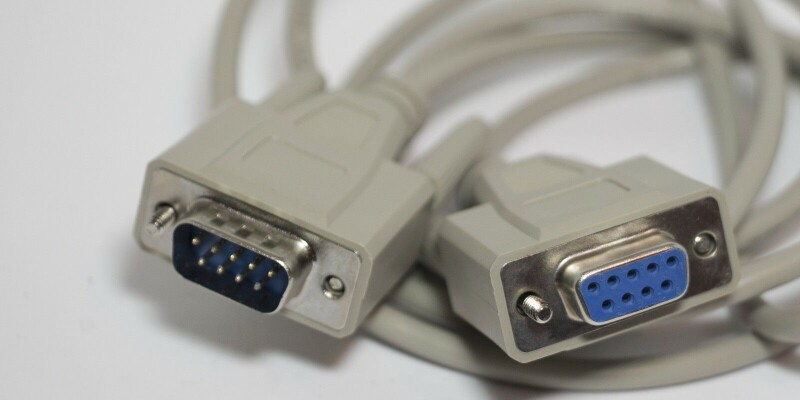
WHO, ME? Every Monday morning The Register asks the same question – “Who, Me?” – because that’s the name of our weekly reader-contributed column that shares your stories of workplace scrapes, escapes, and japes. This week meet a reader we’ll Regomize as “Marc” who told us that he graduated in the early 1990s and soon scored his first job – supporting PCs for Very Important Professors (VIPs) at the graduate school run by his alma mater. “Some of these VIPs went on to win Nobel Prizes,” Marc told The Register – although at the time this story took place none had become laureates. One tool that helped them work toward academic greatness was an IBM PC powered by an Intel 286 processor. “Take a moment to remember the physicality of the humble nine-pin RS-232 connector,” Marc urged, recalling that the plugs were brilliantly simple – but that in the early 1990s not all used the same pin for the same purpose. “For an actual serial RS-232, the power pin is well defined. But those of a certain age will remember a different IBM pinning for the physically identical connector,” he reminded The Register. “Specifically for the power pin on IBM’s proprietary mouse.” You can probably guess where this story leads. One of the VIPs was doing Very Important Work, but their mouse wasn’t working. Marc brought a replacement mouse, plugged it into the first port that looked appropriate, and rebooted the PC. “Immediately it started to smoke!” he admitted. “Foul smelling, unforgiving, electrical smoke.” Smoke that could destroy Very Important Science. Marc’s response was to kick the PC’s power cord out of the wall socket, an act he told us he performed “with the fury of a Baguazhang assassin.” (We had to look that up; it’s a Chinese martial art.) “I took a few deep breaths to assess the situation and realized my simple mistake,” Marc wrote. “I had plugged the new mouse into the wrong – but physically identical – nine-pin port.” Power had therefore flowed into the wrong port, causing the smoke. “After a few minutes putting things into their best and proper place, I powered up again and … no smoke! The mouse worked perfectly!” Marc tested the PC to make sure it was still sound, found no reason to suspect it was broken, then opened the VIP’s office door to dispel the olfactory evidence of his error. “My VIP did eventually get that Nobel Prize,” Marc wrote. “History will record his achievements but will never know the man who almost set his PC on fire to replace a Very Important Mouse.” Have you put the wrong plug into the wrong socket? If so, what went wrong? Click here – not here! – to send us your story so we can feature it in a future edition of Who, Me? ® ®
Comparing travel eSIM prices is not as simple as looking at a provider's homepage. Most companies advertise low starting prices, but what travelers actually pay depends on whether they can buy a plan that matches the length of their trip. If a provider only offers fixed duration packages, travelers may end up paying for several days of mobile data they do not need. For frequent travelers or longer trips, those extra days can quickly add to the total cost. The Travel eSIM Value Index 2026 compared three leading travel eSIM providers: Holafly, Saily and Airalo. The ranking looks at five factors that can affect the value of an eSIM before, during and after a trip. Best value eSIM 2026: Overall results To determine the best eSIM for travel in 2026, the analysis compared Holafly, Saily and Airalo across five areas: Pricing Efficiency (35 percent), Included Benefits (25 percent), Customer Experience (15 percent), Travel Flexibility (15 percent) and Connection Readiness (10 percent). Holafly achieved the highest overall score at 91.1/100, ahead of Saily (86.7) and Airalo (78.6). The results show that network quality has become largely comparable across leading providers, meaning the important differences now come from real trip costs, included features, customer experience and flexibility. Which travel eSIM offers the best value for money? Price is often the first thing travelers compare, but the cheapest advertised plan is not always the cheapest option for the trip they are actually taking. Pricing Efficiency accounts for 35 percent of the overall score, making it the most heavily weighted category in the index. Instead of comparing headline prices, the analysis calculates the real trip cost for journeys lasting between 1 and 30 days, based on the plans available from each provider. Because fixed duration plans can make travelers pay for more days than they need, a plan may look cheaper at first, but the final cost can be higher once you account for the days that go unused. Airalo and Saily require travelers to buy a 15 day plan for an 11 day trip. That means paying for four days of mobile service they do not need. By contrast, Holafly lets travelers buy exactly the number of days they need, eliminating unnecessary spending. The same pattern appeared across the trip durations analyzed between 1 and 30 days. By reflecting consistently lower real trip costs across the benchmark, Holafly achieved the highest Pricing Efficiency score at 100/100, while Saily scored 96.3 and Airalo 91.6. This was calculated by giving a 100 to the cheapest overall provider, while competitors lose points based on the exact percentage their plans cost extra. For instance, because Airalo's median costs were 8.4 percent higher than the baseline, its final score was reduced to 91.6. Paying only for the days you actually use can help keep travel costs down, but your experience abroad also depends on the extra tools that your plan has to offer. Which travel eSIM includes the most features? Price is only one part of the best value for money eSIM equation; features matter too, especially when they are included in the plan. Many travel eSIM providers advertise similar prices and unlimited data, but the experience can differ depending on what else comes with the plan at no extra cost. The benefits category compared eight features commonly used by international travelers, including hotspot sharing, regional and global plans, top ups, security tools and emergency internet access. Providers received higher scores when these features were included as standard rather than charging extra. Both Holafly and Saily achieved the maximum score of 100, but they offer different features. Holafly is the only provider to include Always On, which gives travelers complimentary backup data if they lose access to their main plan. Saily includes an integrated VPN, while Airalo scored 83.3 because fewer features are included as standard. These features can make a difference during a trip, but when plans change or something goes wrong, the support and policies behind the purchase matter too. Which travel eSIM offers the best customer experience? The experience of using a travel eSIM doesn't end after checkout: when travel plans change or problems arise during a trip, customer support and post-purchase policies can make a significant difference. To evaluate how efficiently each provider responds in these scenarios, the Customer Experience category combines verified Trustpilot ratings with the refund policy offered by each provider. While Holafly and Saily share the same Trustpilot rating of 4.7/5, their refund policies are very different: Holafly offers eligible customers up to 180 days to request a refund, compared with 30 days for Saily and 14 days for Airalo. This combination of customer satisfaction and a longer refund window gave Holafly the highest Customer Experience score at 90.75, ahead of Saily at 69.95 and Airalo at 54.45. If your trip gets cancelled, generous refund terms protect you. But in a normal scenario, another advantage relies on how easily a plan fits your actual schedule. Which travel eSIM gives travelers the most flexibility? Travelers plan their trips differently: some know exactly how long they will be away and want to pay only for those days, while others may extend their stay and need more mobile data once they are already abroad. That makes flexibility an important part of the overall value of a travel eSIM. To evaluate this, the Travel Flexibility category looked at two factors: whether travelers can buy a plan that matches the exact length of their trip, and whether they can extend an active plan without purchasing a new eSIM. Providers here take two different approaches to flexibility. Holafly lets travelers customise their plan from 1 to 90 days, ensuring they pay only for the exact duration of their trip, while Saily and Airalo sell plans in fixed blocks but allow users to extend an active plan without buying a new eSIM. As a result, all three providers achieved a score of 50 in this category, each offering flexibility at a different stage of the customer journey. Holafly offers the best value eSIM before the trip begins, while Saily and Airalo offer it once the trip is already underway. With all these options and commercial terms varying significantly across brands, travelers might question whether the underlying mobile service itself differs just as much. Is there really any difference in network quality? Network quality is often one of the first things travelers look for when comparing providers. Fast activation, reliable coverage and access to 5G networks all matter. However, the differences between leading providers are much smaller than many travelers expect. For this Connection Readiness category, the Index compares destination coverage, activation speed, multi-network support and 5G availability. The benchmark found no meaningful difference between the three providers in this category. All achieved the maximum score, reflecting comparable destination coverage, instant activation, multi-network support and 5G availability. This finding suggests that network quality is no longer the main differentiator among leading travel eSIM providers; the biggest differences come from real trip costs, included features, customer experience and travel flexibility, which account for 90 percent of the overall ranking. So, which travel eSIM is the most convenient? Choosing a travel eSIM involves more than finding the lowest advertised price: as leading providers offer similar access to mobile networks, the differences that matter most are how much you actually pay, what is included in your plan and how you are supported if something goes wrong. The Travel eSIM Value Index 2026 evaluated the five areas that influence that experience: Pricing Efficiency, Included Benefits, Customer Experience, Travel Flexibility and Connection Readiness. Together, they show how much travelers actually pay and how well a provider adapts to different trips. Based on the combined results, Holafly achieved the highest overall score, positioning it as the best value for money eSIM in 2026 with 91.1/100, followed by Saily at 86.7 and Airalo at 78.6. Holafly ranked first thanks to its combination of the lowest real-trip cost, included features, highest Customer Experience score, and flexible trip durations. The best travel eSIM is not necessarily the one with the lowest advertised price on a website. It is the one that lets you pay for the days you need, gives you useful features as part of the plan and offers support when you need it. Content provided by Holafly - Travel eSIM Value Index 2026
ON CALL Welcome to another Friday and therefore to a fresh instalment of On Call, our weekly reader-contributed column that shares your tech support stories. This week, meet a reader we’ll Regomize as “Roy” who toiled at a company that did work related to tissue donations and organ transplants. “The on-call duties were a bit hair-raising due to the high stakes involved,” Roy told On Call. “Thankfully, things typically ran well and I didn’t get too many calls in the off hours.” One call stuck in Roy’s mind, because it involved “an irate lab worker who was having difficulties logging into her workstation so she could get to work.” Roy started with the usual troubleshooting questions: was the machine connected to the network; were any lights on, and so on. “She was getting a bit more defensive, so I just reset her password and then had her change it to one she knew for sure, so we could move on with things,” he explained. Strangely, even the new password didn’t work. Roy therefore asked if the lab worker would spell the password out to him, so he could use her credentials in the company’s webmail service. The lab worker agreed and started to spell out her password. “Capital C, capital A, capital T,” she started, and then added “Capital Two.” “The last one stood out to me as a number I wasn’t so familiar with,” Roy dryly told On Call. “What’s a capital Two?” he asked. “Did you mean an ‘@’ sign?” The next thing Roy heard was the sound of his user typing. “’OK, I got it,’ she replied, before ending the call.” Have your users used confusingly odd terms to describe the everyday? If so, show your mastery of the @ symbol by sending email to Oncall@theregister.com. All donations of great stories welcome and we hope to transplant your contribution into a future edition of On Call! ®
Audacity, a beloved open-source audio editing software tool, has just received a massive makeover. For those unfamiliar with Audacity, it’s a 26-year-old piece of FOSS software that provides incredibly robust audio editing capabilities for the perfect price – $0 – making it ideal for independent musicians, garage bands, vinyl rippers, and college students who want to make a slowly, deliberately spoken foreign-language recording for a group project sound vaguely fluent - not that this vulture would know anything about that. While an incredibly useful tool, Audacity’s interface has been stuck in the mid-aughts for a couple of decades now. That's changed with Thursday's release of Audacity 4.0.0. Not only has the interface been completely overhauled, but there are also a lot of under-the-hood changes as well. The new UI was rebuilt on Qt and adds a Home screen for recent projects, plus configurable Workspaces. Audacity veterans will notice that the actual editing workflow looks different – much more like a modern piece of software than a relic of the Winamp days. As part of that redesigned interface, a number of new features bring Audacity into the current age: Clips can be moved over one another, with the underlying portion replaced where they overlap, multiple clips can be selected at the same time, and clips can be grouped for moving as a single object. Audacity 4 also retains non-destructive trimming, meaning trimmed portions of a clip can be recovered simply by extending the clip back into the trimmed-out portion. Audacity users have been crying out for a dedicated splitting tool, parent company Muse Group said in a press release, and that’s been added in version 4. Clip envelopes have also been added, which allow users to adjust the volume and add fades to tracks without altering the original recordings. All of Audacity’s built-in effects have been given an interface redesign as well. In short, it’s a substantial rebuild, although Muse has tried not to alienate veterans, noting that "existing keyboard shortcuts remain available, projects created in Audacity 3 open normally, and the familiar layout of tracks and timeline has been preserved.” Audacity 4, like all the versions that preceded it in the past 26 years, is remaining open source and free as well. “We always like to thank the open source community who help our team make things better,” Muse’s head of communications Jack Sutton told The Register in an email. Sutton also tipped his hat to Martin Keary, former head of product for Muse Group, who was an instrumental part of building Audacity 4 and recently left the company. Speaking of Keary, he published a nearly hour-long YouTube video in October defending the early alpha build of Audacity 4 when the FOSS audio editing world maligned the early build for turning Audacity into a full-fledged digital audio workstation (DAW) used to record, edit, and produce audio, instead of the editing tool it had long been. Keary insisted that wasn’t the case, and Sutton reiterated the point to us. “DAW features like virtual instruments and MIDI support are not in Audacity 4,” the Muse Group spokesperson explained. “Some of the under-the-hood and structural changes do make it easier for our team to potentially build DAW-like features in future, but our current priority is on … speedy and efficient audio editing.” Audacity 4 can be downloaded on GitHub and on MuseHub for those who use Muse’s other tools. ®

 Login
Login