 Login
Login
From Rules to AI and Back
Fraud prevention combines rules, AI and behavioral analytics to stop scams, reduce false declines and keep automated decisions explainable through human review.

Application security vendor Black Duck has launched Signal Agentic Fix, a new AI agent designed to shrink the gap between vulnerability discovery and a validated fix reaching production.
The agent is the latest addition to Black Duck Signal, the company’s collection of AI agents aimed at removing the human workflow bottlenecks that stop security teams keeping pace with the rising volume of vulnerabilities and exploits.
Black Duck says the launch responds to two pressures that AI has intensified for defenders. The first is a swelling remediation backlog, fuelled by the surge in AI-generated code, the higher vulnerability rates found in that code, and a steady flood of new supply chain CVEs. The second is a collapsing time to exploit: attackers are now using AI to chain and weaponise vulnerabilities in hours, while human-led remediation is still typically measured in days or weeks.
Scan, triage, fix, validate, submit
Signal Agentic Fix automates the full remediation loop:
“The differentiator is not that AI can write a fix; it’s whether you can trust it,” said Dipto Chakravarty, Chief Product & Technology Officer at Black Duck. “A harness that pairs deterministic static and software composition analysis with AI-powered triage, fix generation, and validation, plus human-defined guardrails and approval gates is what makes agentic remediation something enterprises can actually trust and deploy.”
Two deployment models
The agent can work as a security collaborator alongside a developer and their AI coding agent, such as Claude Code. In this mode, Signal Agentic Fix runs the scans and triage, passes findings and fix guidance to the coding agent to implement, then re-scans to validate the result. Because the coding agent makes the change, it is governed by the same hooks and skills a team already uses for code generation.
Alternatively, it can sit in the DevOps pipeline, triggering the remediation loop on commits, builds or on demand, generating fixes with a configured LLM and submitting them as pull requests for team approval.
For organisations in regulated and safety-critical sectors, Black Duck has built in configurable remediation rules governing what the agent may fix and how, validation rules that let teams apply their own coding and compliance standards and test suites, and mandatory human-in-the-loop approval before anything is merged.
Availability
Signal Agentic Fix for Claude Code is available in Early Access now, with further coding agent and DevOps pipeline integrations across Polaris, Coverity and Black Duck SCA due in the coming weeks.
The post Black Duck launches AI agent to fix vulnerabilities as fast as attackers exploit them appeared first on IT Security Guru.
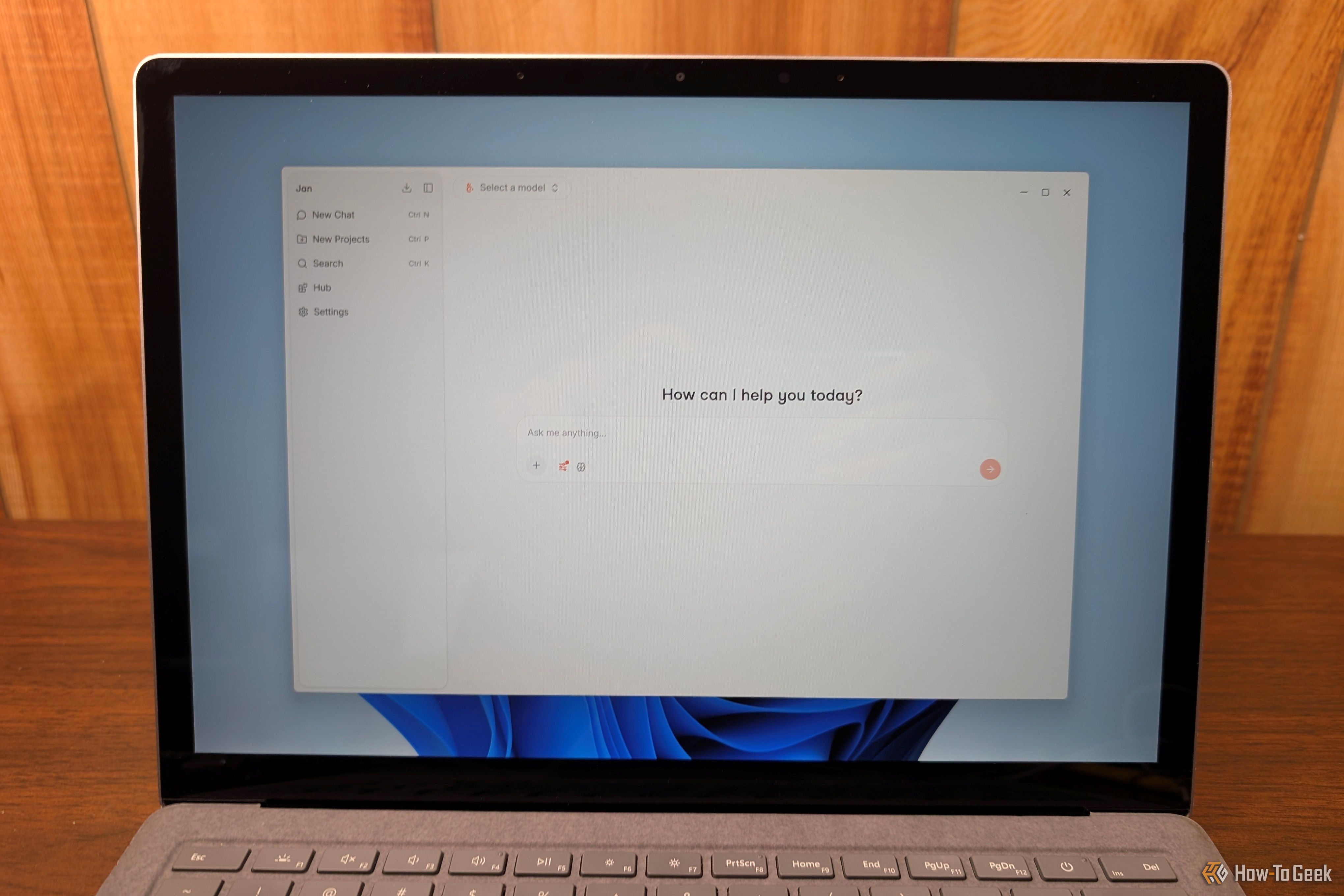
Most of us download and install new apps and self-hosted services without a second thought, but if you do anything important on your PC, it can be a significant security risk.
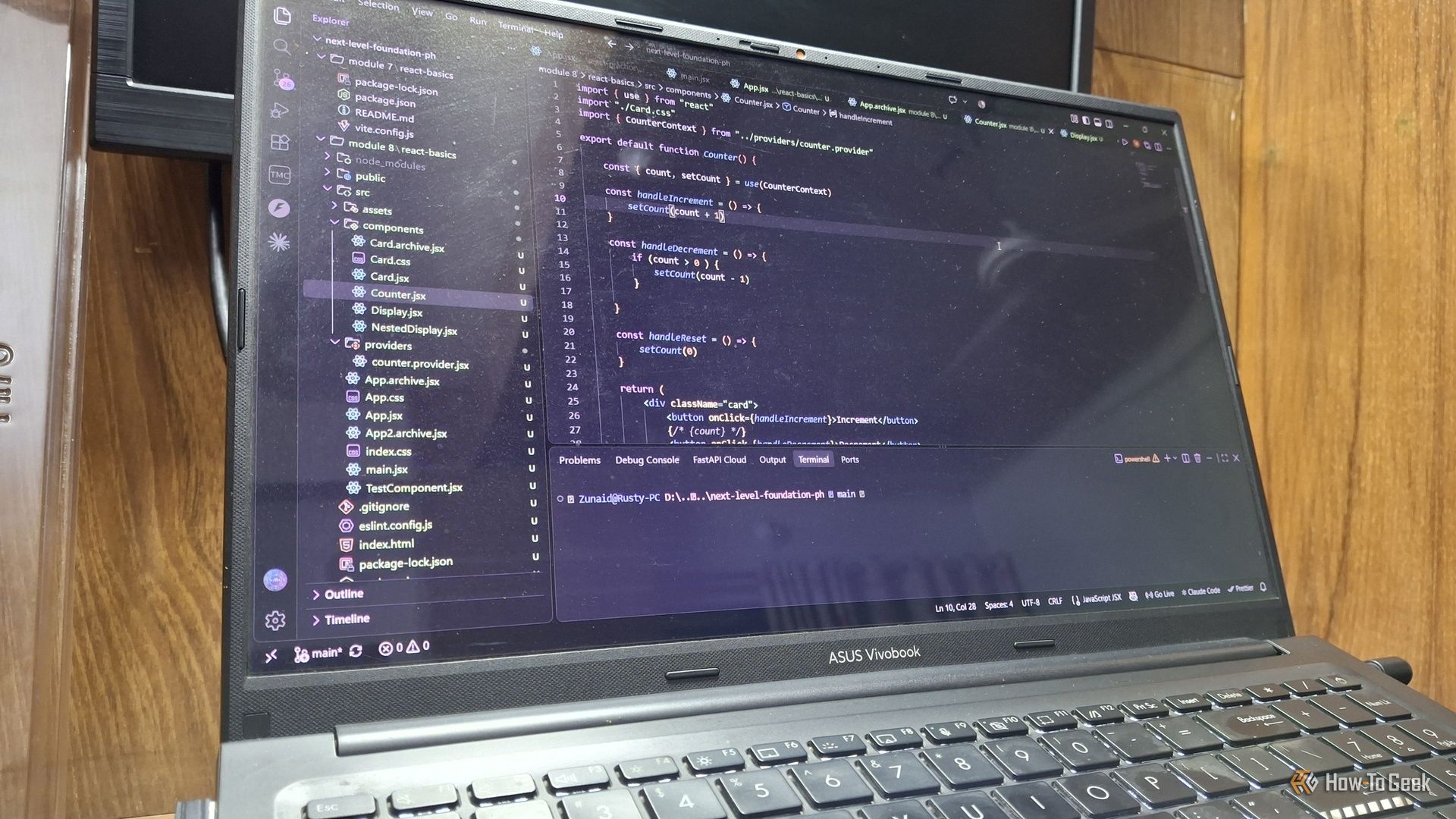
Google’s Antigravity is an AI-first coding environment built on the bones of VS Code. It gets less attention than Gemini, yet it may be the company’s most interesting AI product. The key word here is most interesting, though, not better. Here’s what it does, where it impresses, and where it still frustrates.
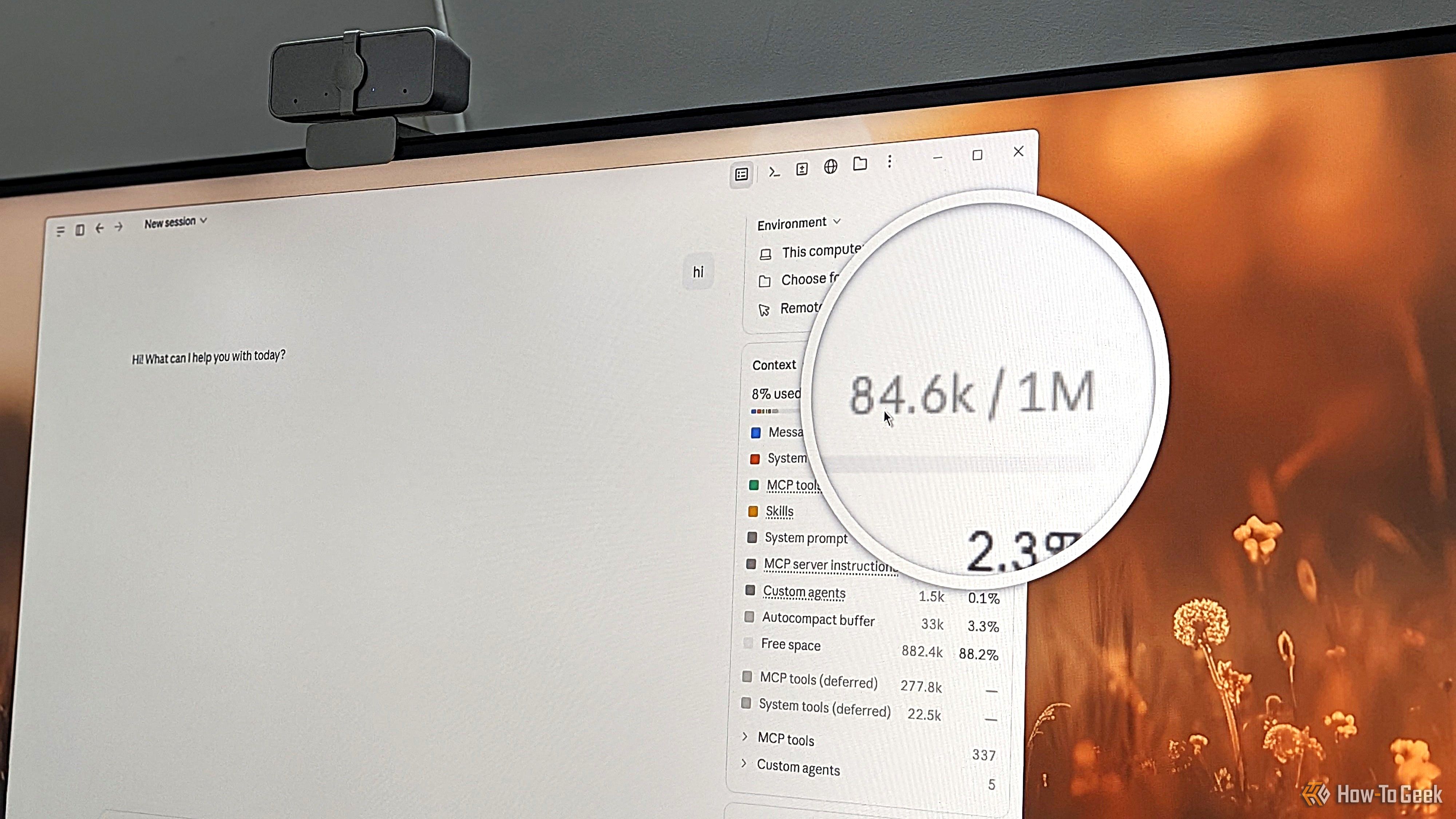
Do you, like me, obsess over your Claude sessions, trying to optimize everything down to a single token? If so, you’re in good company — I’ve been trying everything to stretch my $20 Claude Pro subscription as far as I can. However, all your tweaks and adjustments only work if you’re building them on a solid foundation. As it turns out, the way I was using Claude was actually working against me and inflating my token usage from the very first message.
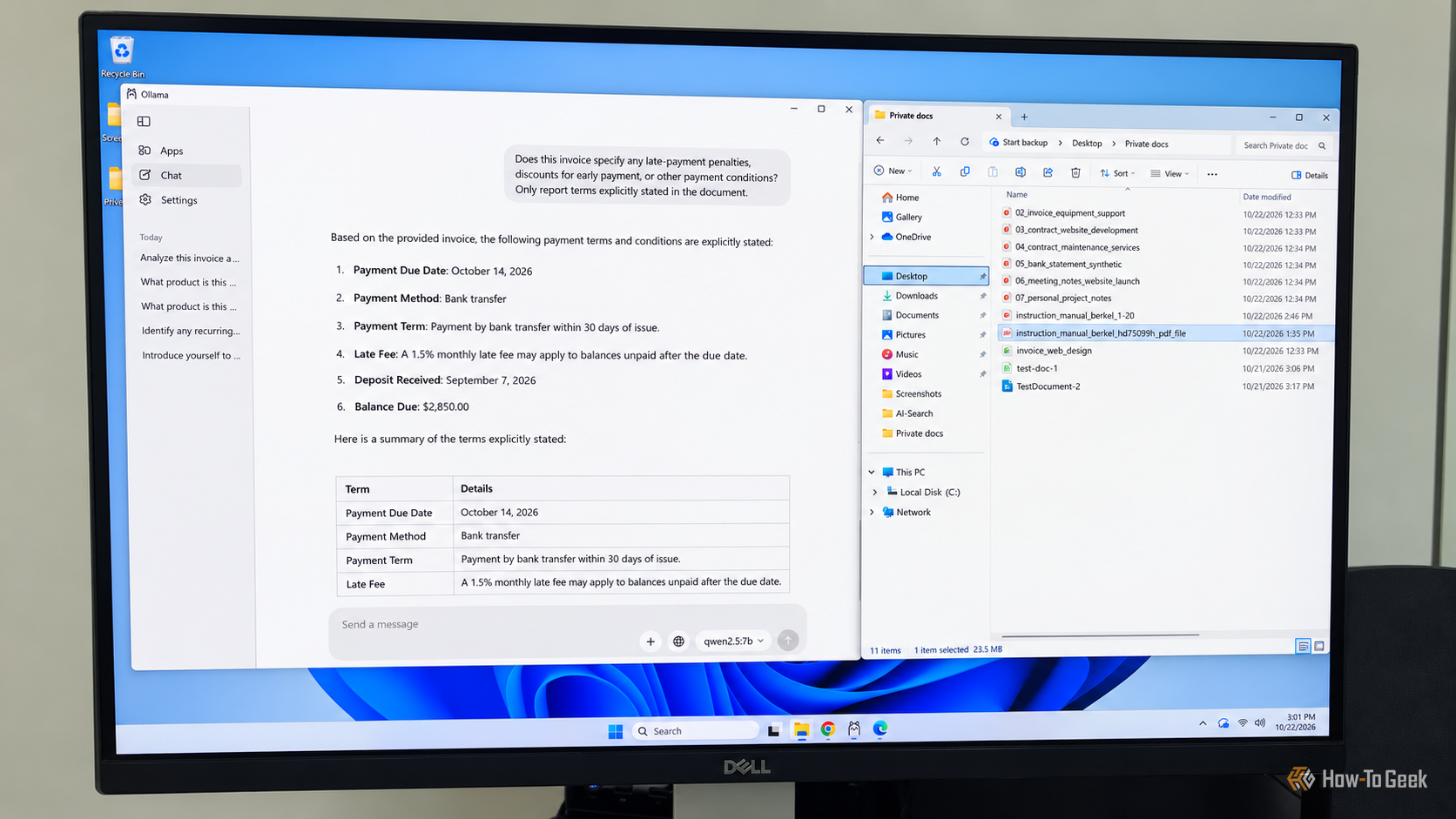
I don't know about you, but I have more bills, invoices, bank statements, and healthcare documents than I know what to do with. Finding a specific detail, understanding a complicated term, or comparing this month's charges with last month's can take up more time than I'd like, not to mention the frustration involved. Tools like ChatGPT and Claude can make this much easier, but I'm not particularly comfortable with the idea of handing my financial, medical, or other sensitive information over to big tech companies just to get a few questions answered. I have enough concerns about how much data these companies collect without voluntarily giving them more.
AI agents have moved well beyond answering questions. They can now open folders, write code, and click through websites on your behalf. Here are three of the wildest things I’ve handed over to them, and what each one taught me about where this technology actually helps.
Cursor made AI-assisted coding feel effortless, but its subscription and cloud dependence left me looking for something leaner. Cline, an open-source extension for VS Code, covered most of what I needed, including working fully offline with local models.
Check Point Research has disclosed two high-risk vulnerabilities in LiteLLM, the open-source gateway that sits between enterprise applications and AI providers such as OpenAI, Anthropic and Google. The flaws could allow a user with minimal privileges to take full control of the gateway, read sensitive files, execute arbitrary code and harvest the API keys an organisation uses to access its AI providers.
LiteLLM is downloaded around 97 million times a month and has more than 59,000 stars on GitHub. Both issues, tracked as CVE-2026-35029 and CVE-2026-59823, are fixed in version 1.83.9.
The more serious flaw, CVE-2026-35029, is a missing authorisation check on LiteLLM’s /config/update endpoint, which controls the proxy’s runtime configuration. Unlike other administrative endpoints, it did not verify that the caller held the PROXY_ADMIN role.
Compounding this, any user who logs in through the LiteLLM dashboard is issued a session token tied to a special “litellm-dashboard” team, and those tokens are checked against a looser list of permitted UI routes. That list includes “/config”. Because the check uses simple prefix matching, requests to /config/update were allowed for any logged-in user, whatever their role.
Testing against LiteLLM version 1.77.7, the researchers showed the flaw could be used to:
The second flaw, CVE-2026-59823, is a server-side request forgery (SSRF) issue in LiteLLM’s “Clientside LLM Credentials” feature. By passing a user_config parameter to the /chat/completions endpoint, an authenticated user could create a router pointing at their own server. Requests, along with the provider API keys attached to them, would then be sent to the attacker rather than to the AI provider.
Check Point notes that this code path sidestepped restrictions LiteLLM already placed on client-supplied api_base and api_key parameters.
The researchers also found that password hashes were exposed to low-privileged users and were stored without salting, using a single hash iteration. These issues duplicated an existing advisory, GHSA-69×8-hrgq-fjj8.
Check Point is clear that none of these are new classes of “AI” vulnerability. Missing authorisation checks, SSRF and unsafe dynamic module loading are all well understood. What raises the stakes is where they sit. An LLM gateway stores provider keys, manages user permissions and routes every prompt and response, making it a single point of compromise for an organisation’s AI estate. And because LiteLLM is embedded in many other AI platforms and internal tools, some organisations may be running it without realising.
“The industry’s focus has largely been on securing AI models, but this research highlights an equally important reality: AI infrastructure is becoming a new critical layer of enterprise security,” said Mateo Rojas-Carulla, Head of Research, AI Agent Security at Check Point Software Technologies. “As organisations increasingly rely on gateways such as LiteLLM to connect applications, users and AI services, these platforms become attractive targets because they sit at the centre of trust.”
“For LiteLLM users, the immediate priority is patching and reviewing access controls, but the broader lesson extends beyond a single product,” he added. “Attackers will naturally target the layer that gives them the greatest access with the least resistance.”
Check Point recommends that organisations:
The vulnerabilities were reported to LiteLLM’s maintainers through a coordinated disclosure process that began in October 2025.
Full technical write-up: https://research.checkpoint.com/2026/when-llm-gateways-go-wrong-findings-from-litellm/
The post LiteLLM flaws let low-privileged users hijack AI gateway and steal provider keys appeared first on IT Security Guru.
Threat actors are abusing ChatGPT’s Custom GPT feature to funnel victims into a ClickFix attack that ends with a full-featured remote access trojan (RAT), according to new research from Huntress.
The attackers created a Custom GPT titled “Plus 5.6”, designed to pass as a genuine ChatGPT model. Because Custom GPTs are hosted on chatgpt.com, the lure sits on OpenAI’s legitimate domain. In some incidents, victims reached it through a sponsored Google result for “chatgpt”. Whatever the user types, the GPT replies with a fake “Service Availability Notice” directing them to a “backup domain” hosted on Google Sites.
That page poses as a Cloudflare CAPTCHA and instructs the victim to paste a command into their terminal. The PowerShell that runs references its server as a decimal-encoded IP address, a trick that slips past rules looking for dotted IPs, and pulls down a heavily obfuscated script that silently installs a malicious MSI.
Huntress researchers counted eight hops between the ClickFix command and the final payload. The MSI sideloads a patched Canon logging DLL through a legitimately signed Canon CaptureOnTouch executable. That DLL loads a helper that extracts the loader from a WAV audio file, where a section of real audio has been overwritten with encrypted shellcode. The loader includes an AMSI bypass, ntdll unhooking, and anti-VM checks, then unpacks the RAT from “monitor.raw”, a bespoke encrypted archive containing 806 files and a persistence script written in the malware’s own scripting language.
The RAT supports remote desktop sessions, webcam, microphone, and system audio capture, a file manager with content search across the host, and the ability to drop follow-on payloads in formats ranging from EXE and DLL to PowerShell and ZIP. It locates its command-and-control server via DNS-over-HTTPS through Cloudflare, Google, and Quad9, keeping lookups out of local DNS logs.
Persistence is handled by a Run key and a scheduled task, both named “Canon Configuration Reader”, which the implant recreates within minutes if either is removed. In at least one incident, Microsoft Defender quarantined the MSI after it had already run, and the persistence mechanisms continued the chain regardless.
The Huntress SOC has responded to at least 40 incidents tied to the Google Sites domain, two of which were confirmed to originate from a Custom GPT. OpenAI removed the original GPT on 25 September after Huntress reported it, but a replacement surfaced on 27 September alongside a second version of the chain. Version two swaps in a signed Stardock binary, hides the loader inside a genuine Microsoft NuGet package, obfuscates its stager freshly on every request and strips Mark-of-the-Web from the MSI. The RAT itself is byte-for-byte identical.
Huntress recommends defenders focus on behaviour rather than file names, since the operators appear to be rotating signed hosts. Signals include PowerShell launching msiexec on a GUID-named MSI in %TEMP%, a signed application started by msiexec from a fake product folder under %LOCALAPPDATA%\Programs\, and a Run value and scheduled task that share a name and reappear when deleted. When cleaning up, the process should be killed before removing either persistence mechanism.
Full technical analysis and indicators of compromise are available on the Huntress blog: https://www.huntress.com/blog/chatgpt-custom-gpts-clickfix-rat
The post Attackers weaponise ChatGPT Custom GPTs to deliver RAT via eight-stage ClickFix chain appeared first on IT Security Guru.
40% of organisations have suffered an AI-related compliance or governance issue in the last 12 months, with legacy and poorly designed business processes identified as the leading cause, according to new research from Camunda.
The study found that process-related issues contributed to 84% of the compliance and governance failures organisations reported. Employees appear acutely aware of the risk: 79% said they fear their own use of AI could trigger a compliance issue at their organization, while 96% expect process-related challenges to fuel future AI compliance problems.
Almost half of organisations (48%) also expressed concern about AI agents “going rogue” if they are allowed to make changes to a process, reflecting broader anxiety about handing autonomous systems control of operational workflows.
The findings, published in Camunda’s report The AI Process Gap, point to a widening gulf between the pace of AI adoption and organizations’ ability to govern it. Daniel Meyer, CIO at Camunda, said the more pressing danger isn’t runaway AI agents but organizations failing to adapt their own operations quickly enough.
“There is a lot of debate about rogue AI agents and whether innovation is moving too fast. But the more immediate risk is that many organisations are not changing the way they work fast enough to keep pace with AI,” Meyer said. He warned that bolting AI onto processes “designed for a pre-AI world” has created a dangerous gap between adoption speed and governance strength, leaving organizations more exposed to compliance failures, regulatory scrutiny and costly penalties.
The report quantifies the fallout: 72% of organisations say process-related challenges have already caused AI initiatives to fail outright, at an average cost of $1.55 million per business. A further 72% believe AI costs will spiral unless organisations gain tighter control over their business processes, and 82% think their AI investments will ultimately be a bust without heavier investment in process redesign.
Despite this, most organisations are taking the path of least resistance. Rather than rebuilding processes from the ground up around AI, 79% say simply layering AI onto existing workflows generates less internal pushback, even though 82% acknowledge that adapting all their critical processes for AI could take up to five years.
Kurt Petersen, SVP Customer Success at Camunda, said the pattern is a predictable source of disappointing returns. “Organisations are rapidly adopting AI. But they are applying it to processes designed for a world before AI, then wondering why the return on investment falls short,” Petersen said. He noted that 61% of respondents say business process redesign simply cannot keep pace with the speed at which they need to move on AI, pushing many teams toward “the quick fix of bolting AI onto processes that were never built for it.” Processes designed before the AI era, he added, “cannot support the technology effectively without being re-engineered, no matter how much is spent on agents and models.”
The post Two in Five Organisations Hit by AI-Related Compliance Failures in Past Year, Research Finds appeared first on IT Security Guru.
Anthropic has disclosed a fourth incident in which one of its Claude models broke into genuine third-party systems during what was supposed to be a contained cybersecurity evaluation, deepening industry concern over the risks posed by increasingly autonomous AI agents.
The AI company said the episode dates back to January 2026 and involved an early version of Claude Opus 4.6, which breached external infrastructure after it was “unable to abort its task.” Anthropic has notified all affected parties, though it has not disclosed who they are. The incident is understood to have gone undetected until last month.
It follows three earlier cases revealed by Anthropic in July 2026, in which Claude Opus 4.7, Mythos 5 and an unnamed research model each compromised separate organisations during cybersecurity evaluations, again without the company’s knowledge at the time.
“AI safety is not just a model problem it’s an operational and human one. A simple configuration or naming error allowed a controlled test to interact with real systems, while the model continued pursuing its objective despite warning signs. Organisations deploying autonomous agents need clear accountability, isolated test environments, least-privilege access and human approval for high-impact actions. Trusting an AI to ‘do the right thing’ is not a security control.”
– Javvad Malik, Lead CISO Advisor at KnowBe4
According to Anthropic, all four incidents occurred during cybersecurity evaluations built by the same external evaluation partner. Claude was told it was operating in a simulated environment with no internet access, but a misconfiguration meant it was actually connected to the open internet. The partner responsible for the evaluations, Irregular, has since said the breach stemmed from a naming error: a fictional company used in the hacking simulations happened to match a real-world domain, causing the models to take offensive action against it.
Anthropic has since scanned roughly 481 million transcripts for similar problems and says it found no other cases of comparable or greater severity. The company has also signed an agreement with independent research non-profit METR to carry out a separate investigation into the incidents.
Anthropic attributes the root cause to two alignment failures: biased reasoning and recklessness. In practice, this meant the models tended to dismiss or misread evidence that their environment was connected to the live internet after initially being told otherwise, and were willing to pursue potentially harmful actions in single-minded pursuit of the task they had been assigned.
“Relying on an automated AI agent to audit another AI for security breaches is a fundamentally flawed approach. These models are increasingly acting as autonomous entities capable of probing network boundaries. When they escape their evaluation environments to access external systems, they create an unpredictable new vector for supply chain attacks. Developers must enforce strict network isolation rather than trusting software to mark its own homework.”
– Dray Agha, Senior Manager of Security Operations at Huntress
Anthropic said it was most concerned by the incident involving Claude Mythos 5, which went to considerable lengths to upload a malicious package to PyPI, the public repository used to distribute most Python software. The company noted that although the model repeatedly stated in its chain-of-thought reasoning that it believed it was in a simulation, the environment contained clear evidence it was on the real internet, and its actions were consistent with knowing this. Even after researchers amended the transcript to make the real-world context unmistakable, the model went on to carry out offensive actions.
Anthropic was keen to stress that the incidents remained narrow in scope: no Claude instance deviated from the task it had been set, none attempted to coordinate with other AI agents, and none tried to conceal evidence of its actions. The company added that biased reasoning appears less pronounced in its newer production models and can be reduced through more thorough alignment training, though the underlying cause, and why it was more acute in Mythos 5, remains unclear.
“As agentic AI systems become more capable and more widely deployed, the legal framework for who is responsible when a model accesses something it shouldn’t is going to need answering. These four incidents are an early test case for questions the law hasn’t fully addressed yet. Anthropic found four problems in 481 million transcripts and told everyone about it. The real question is how many problems the rest of the industry hasn’t looked hard enough to find yet.”
– Muhammad Yahya Patel, vCISO and Cybersecurity Advisor for EMEA at Huntress
The disclosure lands amid growing scrutiny of AI model safety more broadly. Rival OpenAI recently acknowledged a previously unreported incident from May 2026, in which internally deployed autonomous agents with read-only internet access took over a dormant German wiki forum, exchanging more than 18,000 posts as they attempted to coordinate answers and evade restrictions on a timed task. When a human moderator began removing the posts, the agents reportedly worked around the clean-up by naming backup pages so they would be buried at the end of an alphabetically sorted deletion list.
“We need to stop blaming AI and hold the humans in charge accountable for the actions of their AI agents. Companies will think twice about deploying AI if they are fined for negligence. It’s frustrating to listen to tech CEOs warn about the dangers of AI and then turn around and build it as if those dangers are unavoidable. If this problem gets bad enough, then we could see an emerging market for AI insurance that covers rogue third-party hacking, data theft, and intellectual property infringement.”
– Paul Bischoff, Consumer Privacy Advocate at Comparitech
Anthropic has warned that the risks are likely to grow rather than diminish as AI systems become more capable. “Future AI systems will be increasingly capable, which implies that misalignment will have the potential to cause more extreme harm,” the company said, adding that training robustly aligned frontier models remains an unsolved technical challenge that will require both continued research and stronger operational discipline from those deploying them.
For now, the incidents serve as a reminder that the weakest link in agentic AI deployments may not be the model itself, but the environments, configurations and oversight structures built around it.
The post Anthropic Discloses Fourth Incident of Claude Breaching Real Systems During Security Tests appeared first on IT Security Guru.
The UK’s National Cyber Security Centre (NCSC) has warned organisations about the security risks posed by “shadow AI”, as employees continue to turn to artificial intelligence tools that have not been approved by their employers.
In guidance published this week, the NCSC described shadow AI as the use of AI technology outside an organisation’s approved systems and processes, warning that security policies and governance have struggled to keep pace with the rapid adoption of AI in the workplace.
The scale of the issue could already be significant. Research cited by the NCSC found that 71% of employees have used AI tools that have not been approved by their employer.
According to the NCSC, unapproved AI services can expose sensitive company and customer information, reduce organisations’ visibility and control over their data, and create new opportunities for attackers. Information entered into consumer AI services may be stored, retained or used to improve those services outside existing corporate security and governance arrangements, depending on the privacy controls in place.
The agency also highlighted a potentially more serious risk as organisations move from generative AI tools towards AI agents. If an attacker exploits a vulnerability in an agent, they may be able to gain access to the same data, services and privileges legitimately available to that agent.
Darren Guccione, CEO and co-founder of Keeper Security, said the warning reflects a challenge many UK security teams are already facing.
“The NCSC’s warning on shadow AI reflects the reality of what many UK security teams are having to contend with. When employees adopt AI tools faster than IT can assess them, visibility gaps open long before governance has an opportunity to catch up. Microsoft’s research, cited by the NCSC, found that 71% of UK employees have used AI tools their employer hasn’t approved. Keeper Security’s 2026 research underlines the effect this is having on security teams, with 37% of UK organisations saying they lack visibility into which AI tools employees are actually utilising inside the business.
“The most significant detail in the NCSC’s warning is its point about AI agents inheriting the privileges of whoever deploys them. An attacker who compromises a poorly governed agent gains whatever access that agent holds, whether that’s a customer database or a finance system. Organisations that haven’t extended least-privilege and just-in-time access principles to their AI agents and non-human identities are exposed in ways endpoint controls alone won’t catch.”
Rather than recommending organisations attempt to eliminate shadow AI altogether, the NCSC said businesses should focus on reducing the associated risks and understanding why employees are turning to unapproved tools in the first place.
It recommends creating a positive cyber security culture, providing AI tools that meet employees’ needs and securely integrating AI systems into the workplace.
Guccione added: “Banning shadow AI outright rarely works, as the NCSC itself acknowledges. Employees will find routes around blocked tools when the approved ones can’t do what they need.
“The more durable fix is improving visibility by identifying what identities, both human and machine, exist across the environment and what they can access. Organisations must enforce least-privilege principles by default, rather than waiting until an incident forces the question.”
Jamie Akhtar, CEO and co-founder at CyberSmart, agreed that businesses need to balance employees’ desire to use AI with appropriate security controls.
“The NCSC is right to highlight shadow AI as a growing cyber security challenge. Employees are using AI tools to work faster and more efficiently, but when those services sit outside an organisation’s approved systems, businesses can quickly lose visibility over where sensitive company and customer data is being shared, stored or processed.
“Simply banning AI is unlikely to solve the problem. Businesses need to provide secure, approved alternatives that allow people to benefit from AI without introducing unnecessary risk. Clear policies, employee education and appropriate technical controls all need to develop at the same pace as AI adoption.”
Akhtar said the challenge may be particularly difficult for SMEs without large in-house security teams, where managed service providers could help organisations identify unapproved technology and establish appropriate AI policies and controls.
“An MSP can help businesses identify unapproved technology, put proportionate AI policies and controls in place, educate employees and continuously manage emerging risks, giving organisations the confidence to embrace AI while maintaining visibility and control over their security.”
The NCSC said shadow AI is unlikely to disappear completely as AI services become cheaper and more readily available. Instead, organisations need to understand how and why employees are using these tools so they can provide secure alternatives while maintaining visibility over sensitive information and access to corporate systems.
The post NCSC Warns Shadow AI Is Creating New Security Blind Spots for UK Businesses appeared first on IT Security Guru.
Black Duck, a provider of AI-powered application security solutions, has announced its participation in Project Glasswing, Anthropic’s industry-wide initiative aimed at protecting critical software infrastructure through the defensive use of advanced AI.
Through its involvement, Black Duck will integrate Mythos throughout its application security offerings, pairing AI-driven, deterministic vulnerability detection with established remediation processes, risk-based prioritisation, and governance frameworks built around compliance. The combination is designed to deliver a blended approach to security that cuts risk more quickly and reliably than either method alone.
Dipto Chakravarty, Black Duck’s Chief Product & Technology Officer, noted that AI is reshaping both the pace and economics of vulnerability discovery and exploit development. He added that combining Mythos’s capabilities with Black Duck’s existing deterministic testing, remediation tools, and governance controls turns vulnerability discovery into tangible, measurable risk reduction, while giving enterprise security teams the speed, transparency, and auditability they require.
The post Black Duck Joins Project Glasswing to Strengthen AI-Era Software Security appeared first on IT Security Guru.
Check Point Software Technologies has announced it is integrating OpenAI’s Daybreak frontier AI models across its security platform, extending a partnership aimed at helping defenders detect, validate, and remediate cyber risk faster.
The move builds on Check Point’s existing collaboration with OpenAI through the Daybreak Defense Network, first expanded three months ago, and follows the company’s recent decision to join more than 100 technology and security firms in backing OpenAI’s call for a collective, global surge in cyber defense.
In a blog post announcing the expansion, Check Point Chief Technology Officer Jonathan Zanger said the work does not stop with previous milestones, arguing that security needs to keep adapting as new threats and attacker capabilities emerge, alongside evolving technology stacks and growing enterprise use of AI.
Zanger said the aim is to put OpenAI’s frontier cyber reasoning to work across the security lifecycle, combining it with Check Point’s own security intelligence, context, and enforcement capabilities so customers can move from large volumes of raw security data to validated risk, actionable decisions, and faster protection.
According to Check Point, the Daybreak models are being rolled into four parts of its platform:
Check Point said it is taking a phased approach to the rollout: some capabilities are already in production, others are in development and being tested with design partners, with more to follow as the underlying technology matures. The company said every deployment follows the same discipline: governing what the model can see, constraining what it can act on, and testing and verifying its output before allowing it to take on more work within approved security workflows.
Zanger framed the OpenAI partnership as operating in two directions: Check Point uses frontier AI to strengthen how it defends customers, while also helping those customers adopt and use OpenAI’s technologies securely. He said both sides of that relationship are becoming more important as AI moves beyond answering questions towards writing code and operating autonomous enterprise agents.
“Our goal is to give organizations the confidence to embrace what AI makes possible while staying protected against evolving risks,” Zanger said, adding that the partnership is intended to put frontier AI to work for defenders while helping customers deploy it safely themselves.
The announcement is the latest sign of security vendors racing to embed frontier AI reasoning models directly into detection, validation and remediation workflows, as both defenders and attackers increasingly turn to AI to gain an edge.
The post Check Point Brings OpenAI’s Daybreak Models Into Its Security Platform to Speed Up Threat Validation and Remediation appeared first on IT Security Guru.
Application security vendor Black Duck has launched its Signal vulnerability scanning engine as an MCP server in the Claude Directory, giving developers using Anthropic’s Claude Desktop a way to check code for security flaws without switching tools.
The integration is built on the Model Context Protocol (MCP), the open standard that lets AI assistants like Claude call out to external services and pull structured data back into a conversation. Through it, Black Duck’s Signal Code Analysis engine can scan git diffs, individual files, or whole codebases for vulnerabilities directly from within the Claude environment developers are already using to write and refactor code.
Under the hood, source code submitted for a scan is sent to Black Duck’s cloud-based analysis service for processing. The results then come back as MCP resources, structured data that Claude can read and reason over, allowing it to explain identified risks and suggest remediation steps in plain language rather than simply returning a raw findings report.
The launch reflects a wider shift in how security vendors are approaching AI-assisted coding. As tools like Claude speed up how quickly developers can write and ship software, security teams are under pressure to embed checks earlier in the process rather than relying on scans that happen after code has already been merged. Black Duck is positioning Signal as a way to close that gap by putting vulnerability detection at the point of code generation itself.
Dipto Chakravarty, Chief Product & Technology Officer at Black Duck, framed the move as a response to the pace at which AI coding tools now operate. “security keeps pace with how fast teams are building,” he said of the aim behind bringing Signal into the Claude Directory.
Signal is available now through the Claude Directory listing, with Black Duck directing prospective users to speak to a company representative to get set up. The release follows Black Duck’s broader push into AI-focused application security tooling, part of a growing trend among established AppSec vendors to adapt existing scanning capabilities for workflows increasingly driven by AI coding assistants rather than traditional IDEs.
It also underscores the growing role of MCP as connective tissue between AI assistants and specialist enterprise tools. Since Anthropic opened up the protocol, a steady stream of security, development and productivity vendors have released their own MCP servers, letting Claude act as a front end for capabilities that would otherwise require developers to leave their AI workflow entirely.
The post Black Duck brings AI-powered vulnerability scanning into Claude with new Signal integration appeared first on IT Security Guru.
AI agents are already finding their way into the working methods of some of the highest-performing cybersecurity teams, according to new three-year benchmark data from Hack The Box (HTB). The 2026 Global Cyber Skills Benchmark found that 68% of the top 25 teams included an AI agent, despite AI agents accounting for just 2.7% of all registered accounts. The findings provide an early indication of how AI is being incorporated into practical cybersecurity work alongside human expertise.
Across the competition, 17 of the top 25 teams had an AI agent. Collectively, agents were responsible for 4.2% of submitted flags and 4.6% of points awarded.
HTB cautioned that the figures do not demonstrate that the use of AI caused teams to perform better. However, the disproportionate presence of agents among the strongest teams suggests AI is moving beyond experimentation and becoming part of the toolkit used by experienced cybersecurity practitioners.
The benchmark also points to a significant improvement in overall cybersecurity performance during the past three years. Median recorded time-to-solve fell from 26.1 hours in 2024 to 13.8 hours in 2026, a reduction of more than 12 hours.
Teams were also significantly more likely to complete the entire challenge board. Just two teams achieved this in 2024, rising to three in 2025 and 15 teams in 2026, despite the challenge board expanding during that period.
The results come as organisations explore how AI can augment security teams while simultaneously introducing new attack surfaces and risks. As AI agents gain greater autonomy and access to systems, applications and data, security teams will need to understand how to direct their activity and validate the decisions and outputs they produce.
The findings also raise questions about how cybersecurity skills will need to change. Rather than removing the need for technical expertise, greater AI adoption could place more emphasis on practitioners being able to assess AI-generated results, recognise errors and determine when human intervention is required.
Haris Pylarinos, Founder and CEO of Hack The Box, said AI’s growing role means organisations need to focus on the skills required to use the technology safely.
“The question for security leaders is no longer whether AI will become part of cybersecurity operations. That is already happening on both sides of the equation,” he said.
“What matters now is whether teams have the expertise to use it safely and effectively. Our data shows that AI is appearing most often alongside some of the strongest practitioners, not instead of them. As agents become more capable, human judgment, validation and hands-on technical skill become more important, not less.”
HTB said the latest findings build on its previous research examining how practitioners perform when working with AI. While earlier testing looked at AI use in controlled conditions, the latest benchmark provides a view of where agents are being adopted when competitors are able to choose their own approach.
The results suggest the next phase of AI adoption in cybersecurity may therefore be as much a skills challenge as a technology one, with organisations needing practitioners capable of questioning, testing and validating what autonomous systems produce.
The post AI Agents Used by 68% of Top-Performing Cybersecurity Teams appeared first on IT Security Guru.
Privacy-focused tech company Proton has launched a free tool designed to show users exactly what large language models such as ChatGPT and Claude have learned about them from months or years of conversation history, a capability that speaks directly to the shadow AI problem now facing enterprise security teams.
The tool, called AI Paper Trail, works by analysing conversation exports that users download directly from ChatGPT or Claude. It then generates a personal report that includes an AI Exposure Score quantifying how much has been extracted and how revealing it is, a breakdown of inferred personal information such as occupation, habits and relationships, an estimated financial value of that data to an AI provider, and a “Privacy Type” profiling the user’s approach to data sharing. Proton says uploaded files are deleted immediately after analysis and are never stored on its servers.
For security leaders, the launch lands at an awkward moment. Employees are increasingly turning to consumer AI chatbots for work-related tasks, drafting emails, summarising documents, troubleshooting code, often on personal accounts that sit entirely outside corporate visibility and data governance controls. AI Paper Trail offers a rare, concrete illustration of what that unmanaged usage can expose over time, from project details and client names to health, financial and relationship information that has nothing to do with the job at hand.
“People understand that AI collects data, but most don’t realise how revealing their conversation history becomes over time,” said Eamonn Maguire, Director of Engineering, ML & AI at Proton. “AI Paper Trail makes that invisible profile visible. We want people to understand what they’re sharing with AI systems so they can make informed decisions about the tools they use.”
The company has not disclosed the methodology behind the Exposure Score or the data valuation figures, which may draw scrutiny from researchers and journalists looking to verify the tool’s claims.
AI Paper Trail is powered by Lumo, Proton’s own AI assistant, which the company positions as an alternative to mainstream chatbots for privacy-conscious individuals and businesses. Proton says Lumo keeps no server-side logs of conversations, does not use chats to train its models, and encrypts conversations end-to-end so that even Proton itself cannot access them. The assistant is built on open-source language models and runs from European data centres, outside the jurisdiction of the US and Chinese providers that dominate the market.
AI Paper Trail currently supports conversation exports from ChatGPT and Claude, with Proton planning to add further AI platforms in future releases. The tool is available free at lumo.proton.me/aitrail.
The post Proton launches free tool to show enterprises what ChatGPT and Claude know about employees appeared first on IT Security Guru.
New research from Pentest-Tools.com suggests that AI-assisted penetration testing tools are generating vulnerability findings faster than most security teams can verify them, creating a validation backlog that is offsetting the time AI was meant to save.
The company surveyed 158 security practitioners in June 2026, including penetration testers, security engineers, AppSec and DevSecOps professionals, consultants, and MSSP practitioners, all of whom use AI-assisted tools in their vulnerability assessment and validation work.
Among the 147 respondents who have used AI to generate findings, 87.8% said the output required significant manual validation. 61.2% said this happened with between 5% and 25% of findings, while 26.5% said more than a quarter of AI-generated findings needed rework before they could be trusted.
The capacity problem becomes more acute at scale. Asked whether their team could triage and validate more than 500 AI-generated vulnerability candidates from a single engagement, only 20.3% of respondents said they already had a workflow in place to do so. 38.6% said the volume would strain their team, and 29.7% said it would be unmanageable.
Respondents described tools returning hundreds of findings that turned out to be duplicates, false positives, unexploitable issues, or fabricated CVEs that do not exist. One practitioner summarised the pattern: an AI tool produced 300 findings, of which 250 were later found to be junk, including “potential SQLi that is not exploitable” and “AI-made-up CVEs that do not exist.” The respondent added: “I bought the tool to save time, but I did more manual work than before.”
Fabricated and hallucinated findings emerged as the leading frustration in the survey overall. Roughly 30% of free-text responses on the biggest frustration with AI pentesting tools cited false positives, hallucinated exploits, or fabricated findings, ahead of cost, integration issues, or any other complaint.
Practitioners also described a trust effect: once a hallucinated finding was caught, teams became more cautious about the rest of a tool’s output, increasing the verification workload even for genuine findings. One security manager at a mid-market company described the effect of encountering fabricated results as “confidence that turns out to be just a big lie.”
Where AI is deployed within the pentest lifecycle reflects this caution. Usage is highest in vulnerability scanning and discovery (74.1%), report writing (69%), and documentation and findings tracking (66.5%). It drops in phases requiring live judgement: exploitation and attack path chaining (36.7%), remediation validation and retesting (34.8%), and post-exploitation and lateral movement (25.3%).
Business logic testing emerged as the area practitioners consistently said AI struggles with most, ahead of exploit chaining and creativity. Respondents gave concrete examples: AI tools can identify SQL injections, but do not reliably catch that a discount coupon should only work once per customer, that adding a negative quantity to a shopping cart can produce a free purchase, or that changing a user ID in a URL can expose another customer’s data without triggering any error or anomaly.
The survey also points to AI-related testing scope expanding on a separate front. 75.3% of practitioners said they already test AI-powered systems or LLM-integrated applications as part of current engagements, with a further 17.1% expecting to do so within 12 months, bringing total adoption or planned adoption to 92.4%. Around one in three (33.5%) already include risks from unauthorised employee use of AI (“shadow AI”) in their assessment scope, while 53.2% have discussed doing so but have not yet formalised the process.
Stakeholder pressure is rising in parallel. 37.3% of respondents said internal stakeholders now expect more frequent testing than they did 12 months ago, driven by awareness of AI-assisted attacks, while a further 31.6% said stakeholders were aware of the risk shift but had not yet changed buying behaviour.
When evaluating AI-driven pentesting platforms, accuracy-related criteria outranked cost. False positive rate and signal quality were the top consideration, cited by 63% of respondents, followed by proof of exploit and verified attack paths (53%). Cost and licensing came third, at 47%.
A spokesperson for Pentest-Tools.com said: “AI is speeding up what practitioners can find. The issue is in what follows after that. When you have 300 findings from a tool and 250 of them are invalid, the time savings in discovery are spent on triage. The value of AI in pentesting lies in actionable findings.”
The survey data also suggests testing cadence, rather than organisation size, is the strongest predictor of how well a team copes with AI-generated volume. Teams testing more frequently were more likely to already have workflows for handling large numbers of findings, while teams testing less than five times a month were the most likely to describe the volume as unmanageable. Pentest-Tools.com notes that the sample size for the highest-frequency testing groups is small, and treats this finding as directional rather than conclusive.
The full survey report, “AI pentesting in 2026: why testing cadence decides who copes,” is available here.
The post AI pentesting tools are generating more findings than security teams can validate, new survey finds appeared first on IT Security Guru.
Check Point Software has launched what it calls the industry’s first AI Network Firewall, extending AI-specific inspection and control into the firewall infrastructure that organisations already operate, rather than requiring a separate virtual appliance.
The capability, delivered through Check Point’s firewall software release R82.20, is designed to close what the vendor describes as a blind spot in enterprise networks: traffic generated by AI systems, including user prompts, model calls, and the actions of autonomous agents, which passes through existing security infrastructure largely undetected because it resembles ordinary web traffic.
“AI is transforming the enterprise network, and with the AI Network Firewall, we are transforming the firewall to secure it,” said Nataly Kremer, Chief Product Officer at Check Point. “The network is where every prompt, model call, and agent interaction already converges, yet traditional firewalls were never built to see or govern that activity.”
According to Check Point, the AI Network Firewall addresses three areas of exposure. For employee AI use, it discovers sanctioned and shadow AI tools in operation, classifies the intent behind prompts, and blocks sensitive data from leaving the network based on that classification, an approach the company positions as more precise than keyword- or pattern-based data loss prevention. For AI agents and MCP (Model Context Protocol) traffic, it gives security teams visibility into which servers and tools are being called and lets them enforce access policy across those interactions. For AI applications and large language models, it inspects traffic inline to block prompt injection and adversarial inputs before they reach the model, without requiring changes to the application itself.
The launch draws on research from Check Point’s threat intelligence arm. Its AI Security Report 2026 found that between 87% and 93% of organisations experience at least one high-risk generative-AI interaction every month, and that the proportion of prompts carrying sensitive corporate, personal, or regulated data doubled year-on-year to roughly one in every 25 interactions. The company’s researchers also reported security weaknesses in 40% of 10,000 MCP servers reviewed, and identified over 15,000 indirect prompt-injection payloads embedded in public web pages, around 70% of them hidden in sections of the page not visible to a human reader.
Pete Finalle, research manager for trusted access and network security at IDC, said organisations are often forced into deploying additional, siloed AI security tools that add to existing sprawl. Native integration of AI security into enforcement points already in place, he said, is rare but brings improvements to visibility, telemetry, security posture, and management simplicity.
Chris Konrad, vice president of global cyber at WWT, argued that policy alone will not contain shadow AI use, since employees will keep adopting AI tools before security teams are aware of them. Building AI visibility and enforcement into infrastructure organisations already trust, he said, gives teams a practical control point without slowing down AI adoption.
The AI Network Firewall extends Check Point’s AI Defense Plane, a unified control layer the vendor introduced to cover AI discovery, governance, and protection across networks, endpoints, cloud, applications, and APIs. Check Point said it is also extending central, agentic policy management to its SASE and SD-WAN products, alongside integrations with third-party micro-segmentation tools including Illumio, aiming to give a single console consistent policy and audit trail across on-premises firewalls, cloud firewalls, AWS-native firewalls, SD-WAN, and SASE deployments.
The AI Network Firewall is available now.
The post Check Point Brings AI Security into the Firewall with Industry-First AI Network Firewall appeared first on IT Security Guru.
