❌

Reading view

There are new articles available, click to refresh the page.

Hacking the Modern Tamagotchi With UART
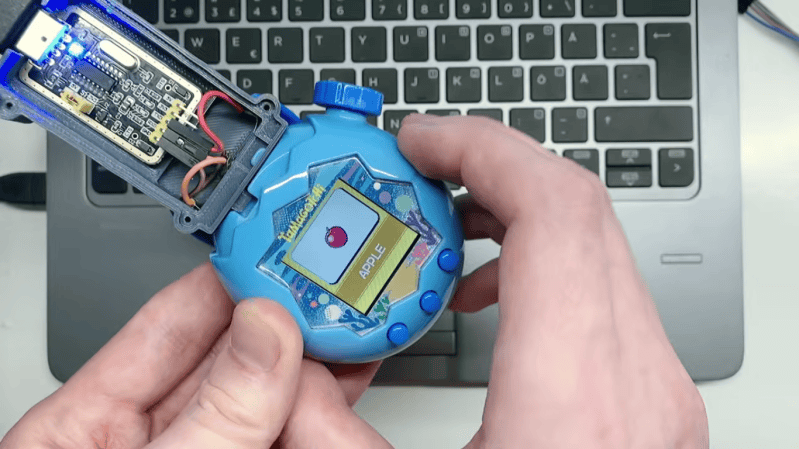
Although not technically the first virtual pet, the Tamagotchi handhelds certainly popularized the idea and made it a worldwide phenomenon. In the late 90s it was hard to go out in public and not see them dangling from backpacks and belt loops. They turned out to be more than a passing fad, too. There have been Tamagotchis in various forms since then, and one of the latest, the Tamagotchi Paradise, is uniquely hackable thanks to this custom UART interface.

The build starts with a simple and inexpensive CH340G UART adapter with a built-in USB interface. A custom 3D printed enclosure is used to house the adapter and also help to expose the interface to the Tamagotchi. This is done by wiring three pins to nickel strips, which are threaded through slits in the case and looped back around to create a pogo-style adapter for the Tamagotchi’s custom dock. Normally this would be used to link to other Tamagotchis, but in this case the USB-to-UART adapter mimics it, allowing for all kinds of in-game shenanigans. The project’s creator [Squalius] shows it off by connecting it directly to a browser tool in Google Chrome.

Not only that, but this can also be used to modify the software running on the handheld entirely, with the video showing demos playing not only Super Mario but also DOOM (of course). This isn’t too surprising given that these games are built with modern 32-bit ARM microcontrollers. For the 90s purists, though, it probably won’t surprise anyone to know that these devices have been the subject of various hacks almost since they came out.
Arduino Engine Runs Many Games

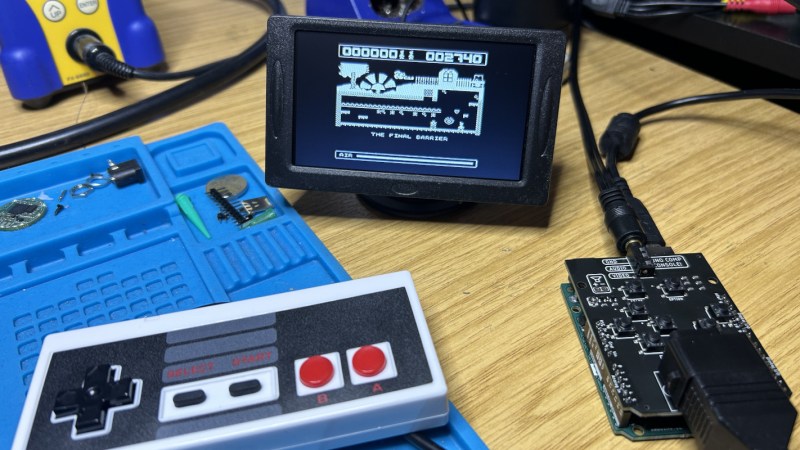
A few years ago, [Smashcat] ported a ZX Spectrum game called Manic Miner to the Arduino Uno. The Arduino has less memory than the original Spectrum did, so doing all this on an 8-bit microcontroller was no easy lift. Since then, parts of this original port have been adapted to produce a game engine, allowing [Smashcat] to port several other games to the Arduino Uno as well.

The engine is able to host a 2D map with the ability to scroll, at a resolution of 256×256, as well as up to nine sprites at the same time. The graphics are locked to 50 FPS, but only with a real Arduino Uno that has a crystal oscillator. Some replica boards do not have a timekeeping chip accurate enough to replicate the video signal, which is done without a framebuffer. That signal, as well as two PWM audio channels, are still generated directly as well, with only a few resistors needed to hook everything up to a monitor and a controller, including the option of using an NES controller.

With all of that running on the Arduino and it hooked up to the daughterboard that provides the controller interface as well as the resistors for the video signal to function and a driver for a speaker, the system now runs the original Manic Miner as well as three other games: Scramble, Space Invaders, and Pac Man.

The engine and the rest of the code are available on a GitHub page as well, and there’s even a WebAssembly version available to run various pieces of the software without the specific hardware. The original ZX Spectrum was an interesting machine too that still inspires builds like this, despite it being well over 40 years old now.

Running a Philips CD-i Off USB-C

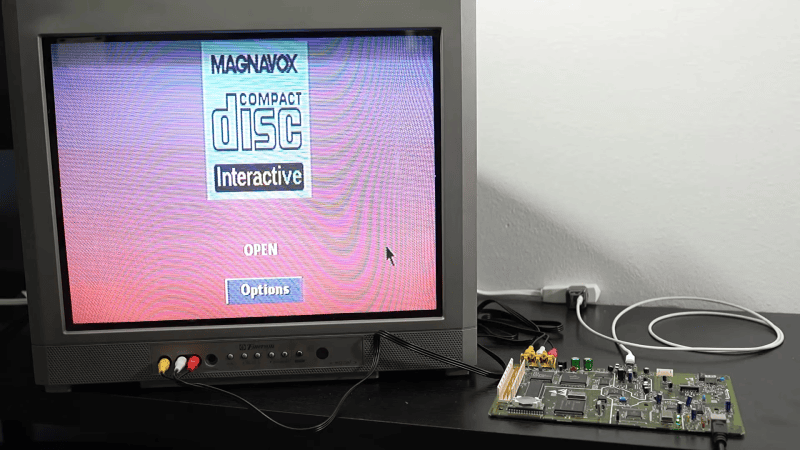
The Philips CD-i is a console with many shortcomings, and those include the power supply. For whatever reason, the engineering team decided it should use an 8P8C connector just like Ethernet. Thus, just like your Ethernet cables, it has that annoying problem of the tab snapping off all the time. [MattKC] wondered if the CD-i could benefit from a USB power upgrade instead, and set about making it a reality.

The plan was simple enough—get the CD-i running off of USB-C instead of the ungainly original power supply that shipped with the unit. Given the console runs almost exclusively off of 5 V power, it should have been pretty easy. Only, the original spec adds one little detail that makes things a bit harder. The console is designed to draw up to 3 A from the 5 V line, while also having a -5 V line at 0.2 A. If not for that negative supply, it would have been easy to run the unit off any old 15 W USB-C charger spitting out 5 V. That extra negative line complicates things, because while the negative line could be created with some supporting electronics, it’s hard to find that extra watt from most chargers. While there are plenty of higher-wattage USB-C chargers, the majority tend to use higher voltages to deliver the additional power, capping the 5 V output at 3 amps.

Thus, it was necessary to work a little harder. [MattKC] decided to build a board that would negotiate with a USB-C charger for 9 V operation to get the power budget necessary. This would then be stepped down to 5 V, while there would also be an inversion step to supply the -5 V line, too. A CH221K chip does the job of negotiating a 9 V USB-C power supply, while a TPSM84538 steps the voltage down to 5 V with the capacity to supply up to 5 A. An LT3580 chip then inverts this voltage for the 5 V line. There’s also a power switching circuit on board because the CD-i included some of that functionality in the original power brick.

If you’ve got a CD-i and you’re sick of fussing with the original power supply, this could be a great upgrade. We’ve also explored USB Power Delivery in detail before, if you need a primer.

DOOM Ported to a $30 Clamp Meter

DOOM. Boil it, mash it, stick it in a stew, it’s the game that runs on anything and everything. Now, the classic shooter is running on a rather unlikely target—a cheap clamp meter of very limited resources, thanks to the work of [Artur Bieniek].

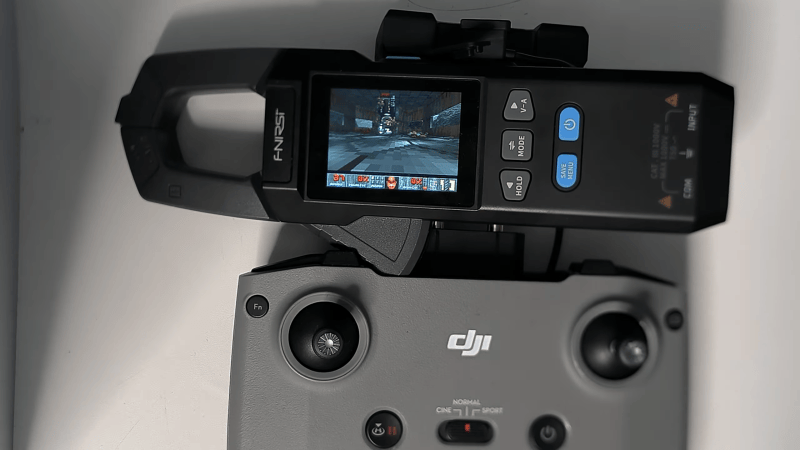
The clamp meter in question is the FNIRSI DMC-100, which can be had for the low price of just $30 or so if you know where to look. It’s a far cry from the many thousands of dollars you’d pay for a heavy old 486-based machine back in 1993. [Artur] got the doomgeneric engine running on the Artery AT32F415 chip that runs the clamp meter.

The chip is pretty capable, with its 150 MHz clock speed, though the 32 KB of RAM posed rather a big limitation to the project. It may be one of the lowest RAM DOOM ports out there. Even with this limit, [Artur] was able to get Episode 1 of Freedoom: Phase 1 loaded on to the thing, including E1M1 to E1M9 along with the title screen, intermissions, the finale, the menu, and four save slots. Color graphics are displayed on the meter’s 320 x 240 screen, and there are even sound effects on the built-in buzzer. Controls are mapped to the rather curious choice of a DJI RC-N1 drone controller.

We’ve seen DOOM running on everything from desk phones to completely custom CPUs. These days you have to try pretty hard to find something it hasn’t already been ported to.

Sega Genesis Controllers on the Philips CD-i

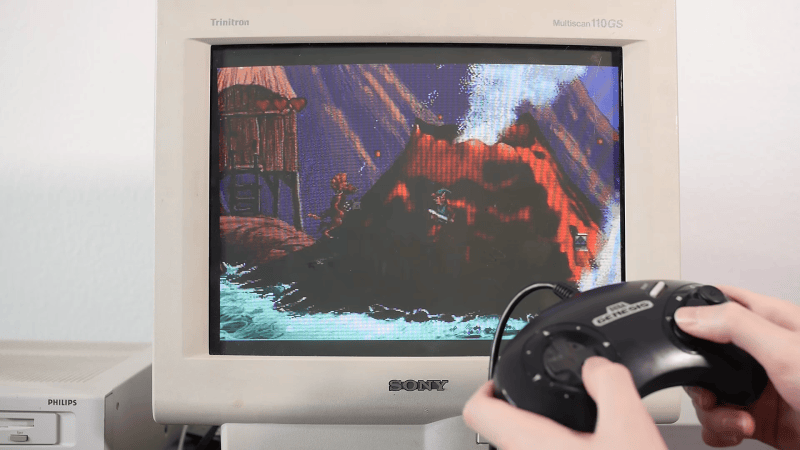
The Philips CD-i was not popular upon its launch in 1991, and is barely acknowledged today. In the opinion of [MattKC], it had a particularly poor selection of controllers, too, and it’s often hard to find used examples anyway. To rectify this situation, he whipped up an adapter to let him use Sega Genesis controllers instead.

The benefit of the Genesis controller is that it uses DB-9 connectors that are readily available, and it’s got a simple pinout that is compatible with the Atari joystick port, too. It makes interfacing the controllers supremely easy. Converting the controllers required using a Arduino Pro Micro to read the Genesis pad and translate it into something suitable for the CD-i.

On the Sega controller side, the microcontroller just has to strobe one pin while reading the state of others to determine what all the buttons are doing. The CD-i, however, expects a serial data stream from the original Philips controllers. Thus, the microcontroller is set up to poll the Genesis controller, and then translate this into the serial commands for the CD-i. It gets a little complicated, because the CD-i wasn’t really built for game controllers, but mouse-like inputs instead. But it’s not too hard to get things working once you understand what the weird Philips console is looking for.

There aren’t really any good games on the CD-i, so this isn’t a project that the retro gaming masses will be flocking to. Still, if you have a CD-i and you want to hook up some controllers on the cheap, this might come in handy. Alternatively, you could also try the BlueRetro project.

EA Is Shutting Down BioWare

"According to a recent report by Bloomberg's Jason Schreier (paywalled), EA has reportedly decided to shut down BioWare," the studio behind the Dragon Age and Mass Effect games, writes longtime Slashdot reader atari_kid. Quartz reports: Chief Studios Officer Cam Weber and Chief Operating Officer David Tinson wrote that "over the past several months, we've taken a hard look at our business." They said a small BioWare team had been doing early groundwork on a Mass Effect game, but EA chose to drop the effort. That decision means closing the studio and its Edmonton workspace, they wrote. "We do not take this decision lightly," Weber and Tinson said of the BioWare closure, according to Variety. EA will keep investing in Apex Legends and is continuing work on two upcoming launches, Marvel's Iron Man and the next Star Wars Jedi game, the executives said. They added that EA's Respawn and DICE studios will join forces on an upcoming project, in addition to new Battlefield titles. Bloomberg said the project is probably a new installment of the Star Wars: Battlefront franchise.

Read more of this story at Slashdot.

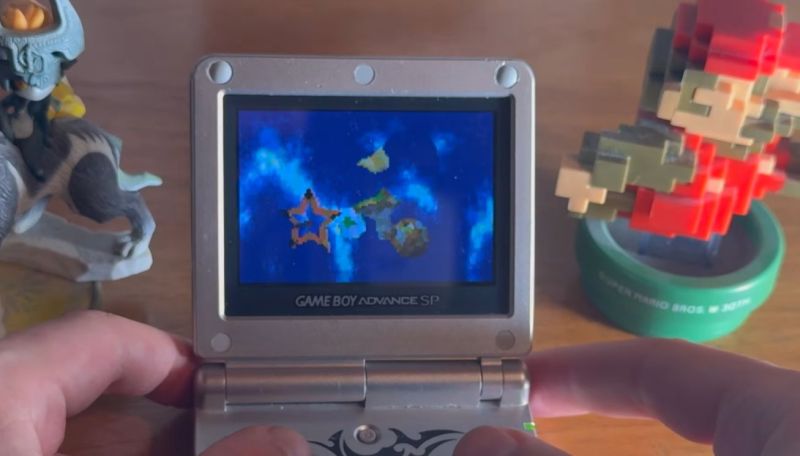
Super Mario Galaxy Now Runs on the GBA

Joining the ranks of fresh backported Nintendo games is Super Mario Galaxy for the Nintendo Game Boy Advance (GBA), courtesy of [Tobias Friedly], AKA [Tobi]. In a recent video he announces the release of this game, along with the release of the source code of the engine and all the game’s code in a GitHub project.

Naturally none of the original Wii game’s assets are provided to appease Nintendo’s vicious lawyers, so you’re expected to bring your own super-legally acquired ISO image or equivalent to fill in these blanks when you build your ROM for the GBA.

This is a mostly complete port, even integrating the star pointer despite the GBA’s limited number of controls compared to the Wii. In some situations it’s opted to have star bits automatically collected to work around this limitation, which is probably a quality-of-life improvement that many SMG players will appreciate.

For the game’s logic a lot of code was borrowed from the recently decompiled version of the original game, which saved a lot of time even if the GBA’s hardware is no match for the Wii’s. From the gameplay in the video it definitely looks like a playable version of the game, with an acceptable frame rate that looks to be worth a try.

2026 Retrocomputing Challenge: Dollhouse Arcade Cabinet Runs Remote DOS Games

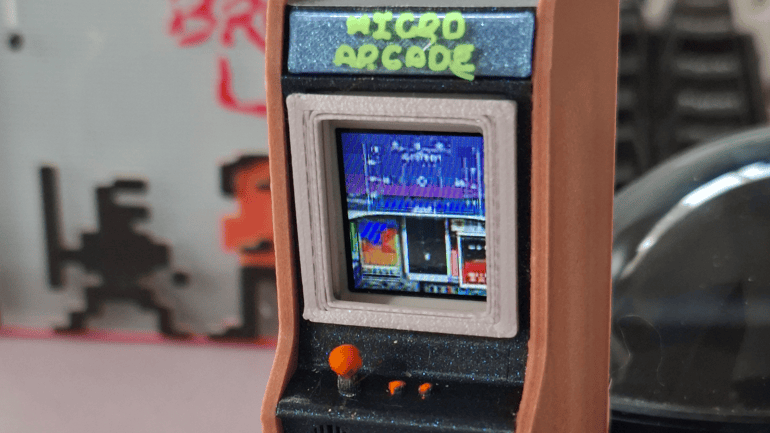
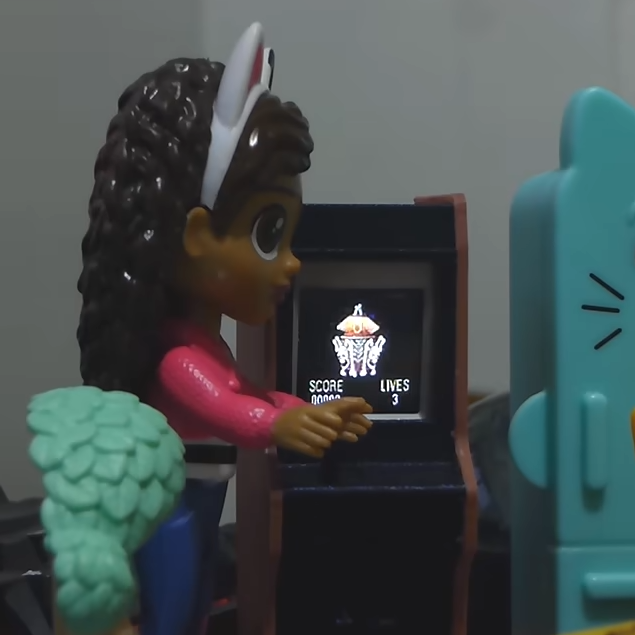
Classic DOS games never ran from within stand-up arcade cabinets in dollhouses, but [Juha Lilja] imagines a world in which they did. His Micro DOS arcade cabinet is described as a device that “runs nothing” because the tiny unit is actually streaming the games over Wi-Fi from a nearby PC. That doesn’t mean it’s just a glorified movie player, though — the cabinet is playable, if a bit awkward to do so.

An economical development board and a 3D-printed enclosure is all it takes to put classic DOS games into dollhouse-sized arcade cabinet.

The core of the micro arcade cabinet is a M5Stack AtomS3R running as an embedded remote terminal. One tilts the whole cabinet as if it were a virtual joystick to send up, down, left, and right. Button presses are done by pushing on the physical screen; it supports single, double, and long-clicks. While in theory one could install a micro joystick and buttons instead, [Juha] aimed to keep everything self-contained and use only what was already built into the AtomS3R. In this case, that’s a motion sensor and the single button which is activated by pressing the screen.

The games themselves run on a PC, with screen contents being streamed wirelessly to the little display and inputs being sent back. The firmware on the AtomS3R doesn’t know or care what game is being played; all it does is display what it’s told, and send back input events. The back end does the rest. This makes it pretty flexible, and a tiny arcade cabinet is a handy way to demonstrate the whole system. It’s a pretty slick addition to his daughter’s dollhouse, too.

If streaming DOS games (or whatever else) to economical endpoints is giving you some ideas, the GitHub repository holds code and a fuller explanation of how it works. There’s a deeper discussion on some of the finer technical points, as well. Watch it in action in the video embedded just below the page break.

2026 Hackaday Retrocomputing Contest

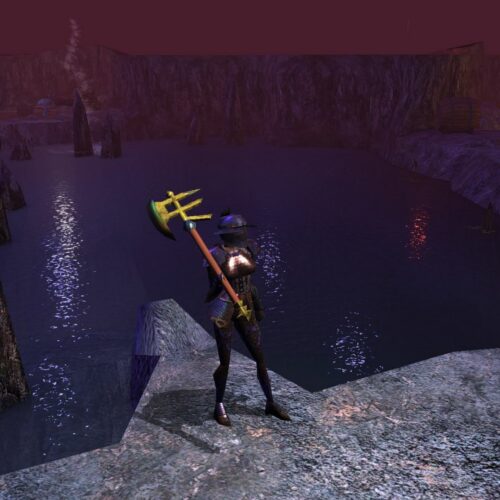
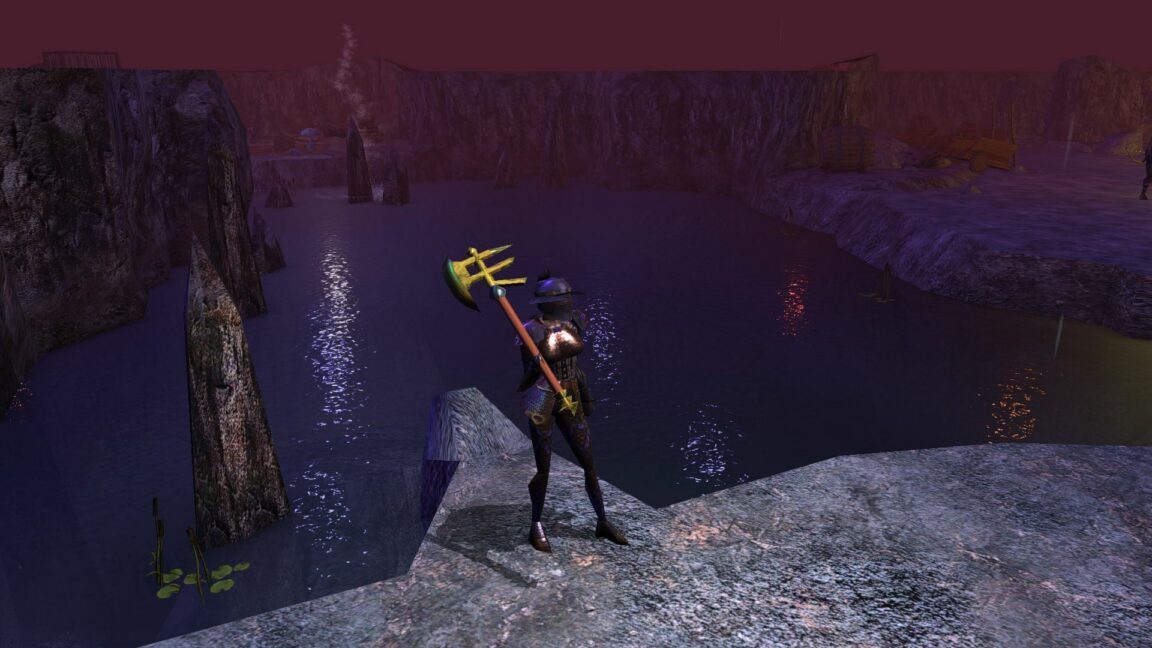
Why BioWare's Neverwinter Nights still has thousands of active players

Neverwinter Nights was made by the studio that produced seminal RPGs Baldur's Gate, Star Wars: Knights of the Old Republic, Mass Effect, and Dragon Age. It sold well and was critically acclaimed at launch. Yet, somehow, it has not been canonized in most gamers' minds over the decades the same way the games that came before and after it were.

Nonetheless, more than two decades later, it still has a tight-knit and surprisingly active community that none of those other games can rival. I think that's partly because it was a completely different beast.

Read full article

Comments

© GOG

The 10€ Gamepad

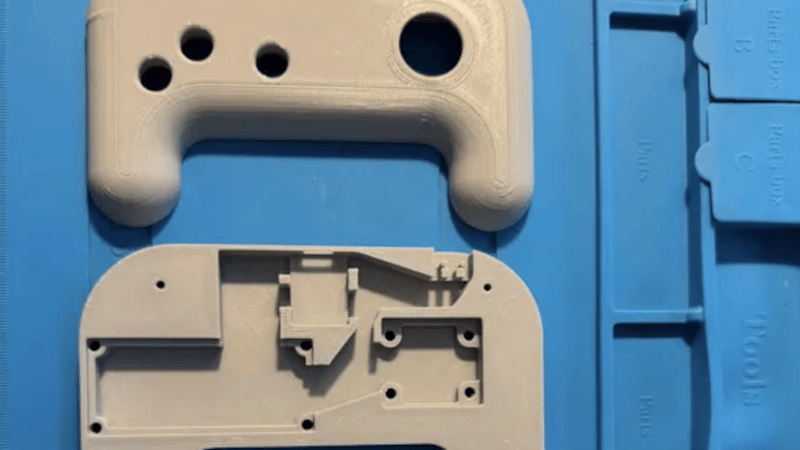
We aren’t sure what [Lazy_Duck] is doing with video games, but it must require a lot of controllers. Dismayed at the cost and complexity of commercial gamepads, they started soldering and 3D printing to get a cheaper basic controller.

The emphasis is on throwing things together, so there’s no dedicated PCB. Just a protoboard with an RP2040-Zero, a joystick, a few buttons, and a microswitch. A 3D-printed case rounds out the project.

On the printing side, the device uses heat-set threaded inserts, which should make for a very sturdy build. For software, the GP2040-CE firmware handles everything, acting like a controller and managing configuration via a web page.

Even if you don’t want a cheap gamepad, you could apply the principles and software used here to create any kind of gamepad you want. The firmware makes good use of the dual-core RP2040. It also offers a lot you could add to your version of the cheap controller, like OLED displays, RGB LEDs, and more.

Of course, you could also get fancy with the 3D printing side, too. For example, a resin printer makes nice button caps.

US Rep proposes bill to give video game buyers "ownership," not "a license"

A new bill proposed by Rep. Ritchie Torres (D-NY) aims to establish new regulations that would ensure that "buying a video game would give the consumer ownership of the game rather than a license to play it," including assurances that they can continue to access the games for years after they are released.

The announcement names NBA 2K25 as an example of the problem the bill aims to solve; that game launched on September 6, 2025, but is scheduled to become unplayable on December 31 due to server shutdowns. The bill, which is called the Power to Players Act, directs the FTC to take action to prevent outcomes like that in the future.

Read full article

Comments

© House of Representatives

Braino! Takes the Cheap Yellow Display to School

These days, it’s common to give even very young children a mobile device loaded up with educational software that aims to improve everything from basic motor skills to reading and arithmetic. But even the cheapest phone or tablet isn’t the kind of thing most parents would like to see get destroyed, and there’s always a concern about giving children a device that’s capable of connecting to the Internet.

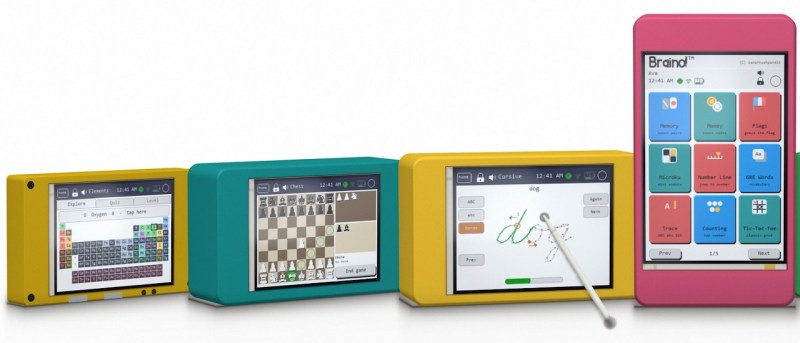
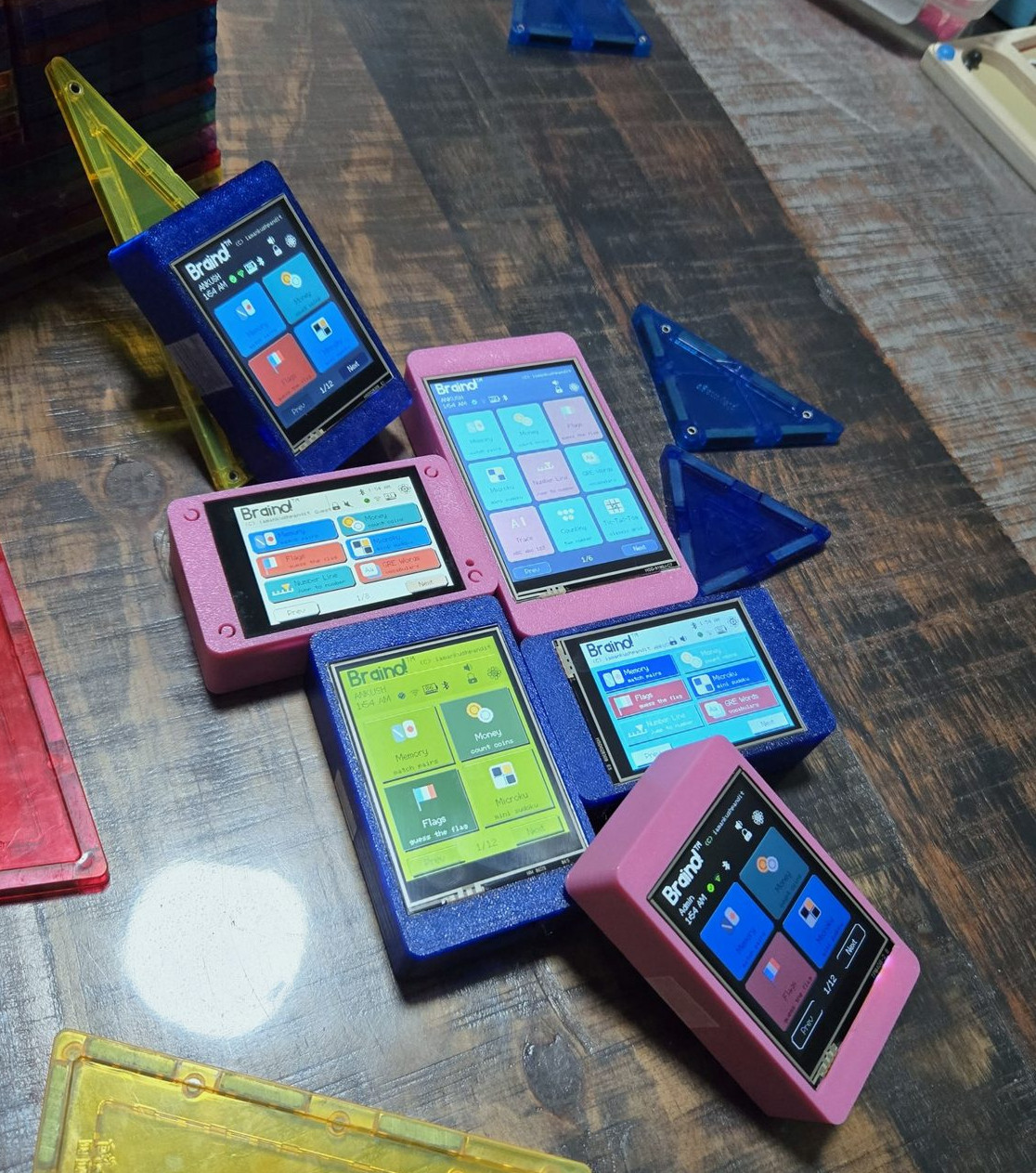
Which is where Braino! from [Ankush Pandit] comes in. This suite of applications can be easily flashed to a common Cheap Yellow Display to turn it into a legitimate educational tool. Combined with a 3D printed case, the total cost of the build is low enough that you don’t have to feel bad about handing it off to even the roughest of youngsters.

[Ankush] makes it clear that this project isn’t trying to sell you anything. You’re responsible for picking up a compatible CYD and installing Braino via the web flashing application. The software is released under the GPLv3 license, and it contains no ads, user accounts, or cloud connectivity. We know not everyone is thrilled with how much time young kids spend staring at screens these days, but opinions on modern parenting aside, it’s hard to find fault with the way things have been implemented here.

When the parent sets up Braino they can pick which of the 40 games can be accessed, allowing the experience to be tailored to the individual child’s age and ability. Should you decide to enable Bluetooth, some of the games even support wireless multiplayer between devices.

The commonality of the Cheap Yellow Display is one of its best features, and Braino does an excellent job of showing why that’s so important. Trying to develop a project like this without a standardized platform of some type would be a non-starter, but when anyone can get a CYD sent to their house from Amazon and flash it right from the browser, it’s makes the whole thing far more accessible.

Running DOOM (Sort Of) on a Sonoff Smart Switch

It’s often said in this community that DOOM can be made to run on anything, and as time goes on, that’s becoming more and more accurate. We’re at the point now that every “normal” device seems to have some version of the iconic 1993 shooter, so now there’s nothing left but to start working on the more oddball targets.

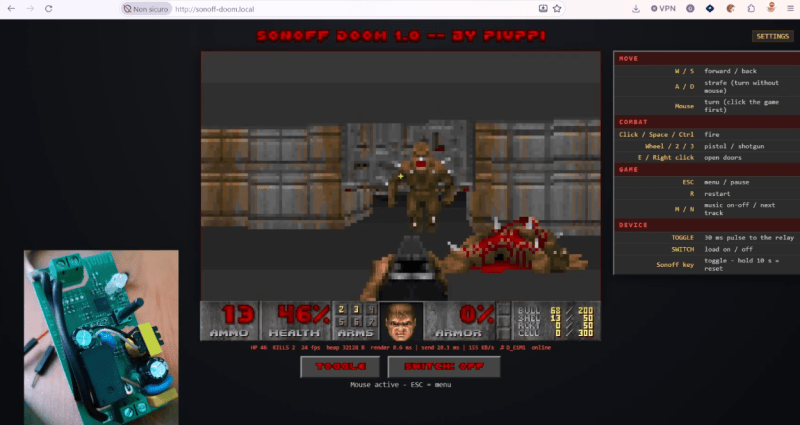
As a perfect example, [piuppi] recently wrote in to share their efforts to get DOOM — or at least something that looks like it — running on the Sonoff Basic R2 smart switch. We say something that looks like it because the game you’re seeing in the video below isn’t actually DOOM. In fact, it’s not even really a full game. It’s essentially a tech demo that’s capable of rendering graphical data pulled from the game, but only within the confines of simplistic map. Still, not bad for something designed to turn lamps on and off.

The GitHub repo includes excellent documentation should you want to rip and tear on your own Sonoff device. As you might expect the process is a bit involved, and does require you to provide your own copy of DOOM for the script to extract the necessary data from. After it’s setup, you can hit the switch from any browser on the local network and take out your frustrations on the state of modern home automation on some imps. The best part is, even after the game is installed and running on the switch, the device still actually works as a switch.

But don’t worry. Even in the unlikely event that we run out of devices that can be hacked to run DOOM, there’s still a whole world of gadgets out there that need their own port of Duke Nukem 3D.

❌