Reading view

There are new articles available, click to refresh the page.

DeWalt's battery lineup has a compatibility trap most buyers miss

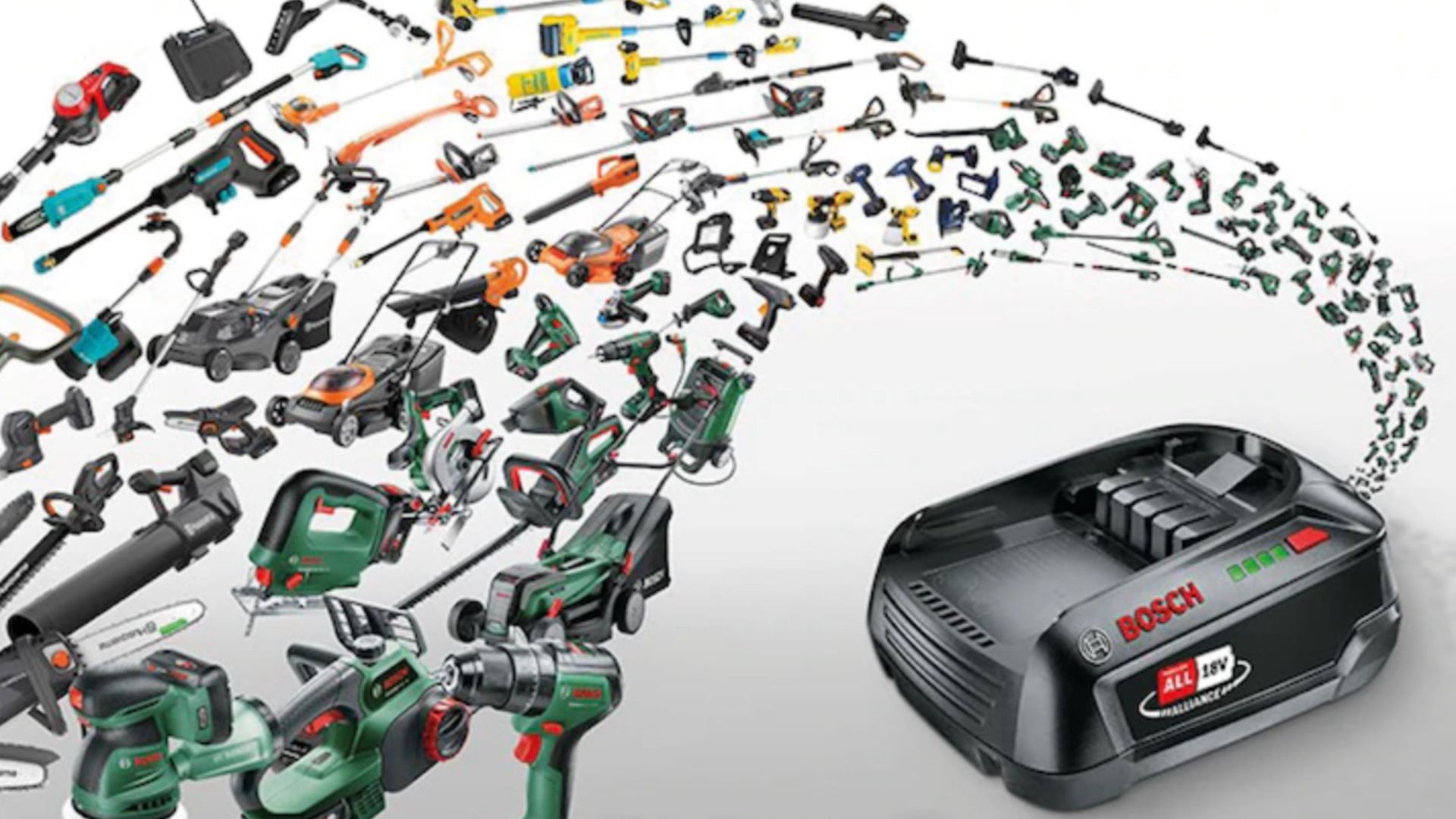
Buying into a tool ecosystem is supposed to mean your gear works together. That's the whole point of sticking with one brand. DeWalt has leaned hard on that idea with FlexVolt. Unfortunately, it does come with a lot of stipulations, and it can feel like a trap if you don't know any better. While I like DeWalt, and they can be budget friendly, I think it could be clearer in its marketing for its batteries.

NASA, GE Aerospace Work Enables Hybrid-Electric Flight Demonstration

4 min read

Preparations for Next Moonwalk Simulations Underway (and Underwater)

Modified Saab 340, a hybrid-electric aircraft in flight.
A modified Saab 340B aircraft in flight powered in part by a hybrid electric system built by GE Aerospace, along with NASA, BETA Technologies, and Boeing.
GE Aerospace

An aircraft powered by a megawatt-class hybrid-electric engine developed in collaboration with NASA and built by GE Aerospace, demonstrated flight of an innovation that can inform new generations of fuel-saving aircraft power systems.

Mounted to a Saab 340B aircraft, the engine flew at Farnborough International Air Show in the United Kingdom. It was the public debut of a system that has in recent months made historic test flights, becoming the first hybrid electric-powered aircraft to fly above 30,000 feet.

“This achievement reflects what NASA does best in aeronautics: we explore bold possibilities, validate them through rigorous research and testing, and work with industry to turn breakthrough ideas into technologies that bring real value for the American people,” said Laurie Grindle, director of the Aeronautics Division within the agency’s Research and Technology Mission Directorate at NASA Headquarters in Washington.

The testing leveraged work done through NASA’s former Electrified Powertrain Flight Demonstration project and the agency’s ongoing Subsonic Vehicle Technologies and Tools project – years of collaborative research that included key testing at NASA test facilities. 

The engine integrates electric motors, a gas turbine, and energy storage capabilities. It was designed to demonstrate the capacity to power an aircraft around the size of a regional-class jet, reducing fuel burn and costs without sacrificing performance. The unit’s technology and designs are expected to be used to help develop future hybrid systems that could lower airline operating costs. 

The demonstration flight came after years of rapid development for the technology. For NASA, it also validates work that stretches back to a time when hybrid aviation propulsion seemed almost beyond the horizon of possibility.

This achievement reflects what NASA does best in aeronautics: we explore bold possibilities, validate them through rigorous research and testing, and work with industry to turn breakthrough ideas into technologies that bring real value for the American people.

LAURIE A. GRINDLE

LAURIE A. GRINDLE

Director of the Aeronautics Division within the agency's Research and Technology Mission Directorate

“This is the culmination of more than 15 years of work, and we did that because it’s going to have an impact for aircraft that will help reduce energy use and help U.S. companies and the public,” said Ralph Jansen, aerospace engineer at NASA’s Glenn Research Center in Cleveland. “It’s about having a vision that no one believes can happen and then doing the work to define and execute the research and development needed to make it happen.”  

This accomplishment was possible because of the collaborative effort of hundreds of people working on Electrified Powertrain Flight Demonstration and Subsonic Vehicle Technologies and Tools projects across NASA centers, in conjunction with GE Aerospace and its partner companies.

Hybird-Electric Evolves

In recent years, aviation has seen a boom in small aircraft and drones powered by electrical systems drawing from batteries. But large passenger and cargo planes require complex engines capable of supplying massive amounts of power. So more than a decade ago when NASA began contemplating hybrid systems, just the possibility of using electric motors to supplement some energy was a daunting engineering challenge. 

NASA spent about seven years performing preliminary research, working with small businesses and other partners to consider technological obstacles and the potential commercial viability of hybrid systems. During that time, the agency addressed several barriers to implementation including the power, thermal, and battery technology, and the integration of the power system, engine, and aircraft.

Through the agency’s Electrified Powertrain Flight Demonstration award, GE Aerospace and NASA worked with researchers to develop lighter and more efficient power systems and shrink key components – sometimes dramatically. 

NASA and GE Aerospace also leveraged agency facilities and resources to further their research. In 2022, GE Aerospace tested an integrated version of its propulsion system at NASA’s Electric Aircraft Testbed at the agency’s Neil A. Armstrong Test Facility in Sandusky, Ohio. Testing allowed the system to operate in conditions simulating 45,000 feet in altitude, the range in which commercial single-aisle aircraft fly. 

The team added components, including electric motors, power converters, propellers, and a GE Aerospace commercial engine, followed by more ground tests and eventual flight tests. For the researchers who’d spent years on the concept, seeing the engine powering an aircraft in flight was a major step in a long journey.

“I’ve got to say, I was pretty touched seeing it fly. It was just awesome,” Jansen said.  “It’s just like a regular plane, which is probably the best thing of all.”

NASA’s current support for this research is through the Aeronautics Division of its Research and Technology Mission Directorate.

Facebook logo
Instagram logo
Linkedin logo

NASA Pushes New Wing Design to Find Structural Limits

3 Min Read

NASA Pushes New Wing Design to Find Structural Limits

A wide view of a test structure in a laboratory shows a full test assembly secured inside a steel rig. Hydraulic lines, sensors, and support equipment surround the structure, with additional lab equipment visible in the background.
The 15-foot Structural Wing Experiment Evaluating Truss-bracing test article is fully installed in the Flight Loads Laboratory at NASA’s Armstrong Flight Research Center in Edwards, California, on Wednesday, May 20, 2026. The model is part of NASA’s research to develop technologies for future ultra-efficient aircraft.
Credits: NASA/Carla Escamilla

NASA researchers recently put a new wing design, appearing long and thin with a lightweight structural design, through a series of grueling tests to find its structural limits. What they found left them encouraged about the wing’s potential, even when they pushed it past its intended limits.

The 15-foot Structural Wing Experiment Evaluating Truss-bracing (SWEET-15) test article is part of NASA’s research to develop future ultra-efficient aircraft. The design incorporates a long wing supported by an aerodynamic strut, based on NASA’s earlier Transonic Truss‑Braced Wing concept.

The research team is working to understand whether SWEET-15’s design and its new lightweight structural designs could help commercial airliners save fuel. But first, they need to understand how it behaves under the kinds of force wings experience in flight.

A group of people work together in a large workshop, handling and inspecting a long metallic structure laid across padded tables. Tools, materials, and protective equipment are spread across the workspace.
Lab technicians Phil Tofts, Chris McLain, and Jeff Howell and NASA engineers Erin Anderson and Richard Larson prepare the 15-foot Structural Wing Experiment Evaluating Truss-bracing model in the Flight Loads Laboratory at NASA’s Armstrong Flight Research Center in Edwards, California, on Thursday, Dec. 11, 2025. The model is part of NASA’s research to develop technologies for future ultra-efficient aircraft. 
NASA/Christopher LC Clark

The SWEET-15 design originated with combining five different advanced composite manufacturing and assembly technologies that enabled the novel structural design. The 15-foot-long test article was then designed and fabricated at NASA’s Langley Research Center in Hampton, Virginia, before traveling to NASA’s Armstrong Flight Research Center in Edwards, California, for testing.

Over several months, NASA engineers intentionally bent the test wing in the Flight Loads Laboratory at NASA Armstrong. Numerous strain and load sensors, including fiber-optic strain sensors, were placed throughout the structure to track how the wing responded as forces increased.

The data from the sensors confirmed the predictions made by NASA’s computer models. According to initial findings, the wing withstood the anticipated in-flight forces without issue. The results provided the team with confidence in the new manufacturing approaches and methods for connecting wing parts used in SWEET-15, which could support future efficient aircraft designs. The manufacturing approach, developed at NASA Langley used the Integrated Structural Assembly of Advanced Composites robot, aims to produce lighter and stronger composite structures for aerospace vehicles.

A long beam is suspended in a laboratory while personnel observe and guide its placement. Overhead support equipment, cables, and lab infrastructure surround the test area.
Lab technicians Jeff Howell, left and Chris Mount install the 15-foot Structural Wing Experiment Evaluating Truss-bracing model in the Flight Loads Lab at NASA’s Armstrong Flight Research Center in Edwards, California, Wednesday, February 11, 2026. The model is part of NASA’s research to develop technologies for future ultra-efficient aircraft.
NASA/Christopher LC Clark

The test concluded with a deliberate test-to-failure, where engineers increased loads beyond the wing’s design limits to determine how and where it would fail. The structure ultimately failed at roughly 127% of its design limit load, with visible damage appearing near the back edge of the wing and in the upper wing cover. This element of testing provided valuable insight into how the joints connecting the wing to its main strut and a secondary one, called a jury strut, behave under forces beyond the expected flight envelope.

This marks the first time a representative composite truss-braced wing configuration has undergone this type of structural evaluation.  It was made possible only through NASA collaboration across centers and projects, with researchers utilizing agency resources such as the Fiber Optic Sensing System developed to gather data on both aircraft and spacecraft.

A man wearing ear protection works closely with multiple hydraulic and instrumentation units connected to a large beam mounted on a test structure. Numerous cables, hoses, and measurement devices extend from the setup.
NASA research engineer Walter Hargis regulates the 15-foot Structural Wing Experiment Evaluating Truss-bracing model in the Flight Loads Laboratory at NASA’s Armstrong Flight Research Center in Edwards, California, on Tuesday, March 31, 2026. The model is part of NASA’s research to develop technologies for future ultra-efficient aircraft. 
NASA/Ryan Kline

To prepare for the testing, engineers at NASA Langley designed, analyzed, and manufactured the wing and completed safety preparations and lab setup.

Researchers will now analyze the data collected during testing to inform future airframe designs and support NASA’s ongoing efforts to develop more efficient aviation technologies.

The work is being conducted through NASA’s Subsonic Flight Demonstrator project in the agency’s Research Technology Mission Directorate. The successful testing of multiple innovative components marks a milestone in NASA’s aeronautics research.

To learn more, visit:

https://www.nasa.gov/aeronautics/

Linus Torvalds to critics of AI coding in Linux: "Fork it. Or just walk away."

The widespread introduction of AI-powered coding tools has led to some dramatic splits between those integrating those tools into their workflows and anti-AI absolutists who don't want large language model-generated code anywhere near their projects. When it comes to the Linux kernel, though, creator and top-level maintainer Linus Torvalds said he is "willing to absolutely put my foot down" in support of using AI tools to improve the long-standing open source project.

Writing in a lengthy post on the Linux kernel mailing list this week, Torvalds said that "Linux is not one of those anti-AI projects, and if somebody has issues with that, they can do the open-source thing and fork it. Or just walk away."

The statement came amid a lengthy thread arguing about the use of Sashiko, an "agentic Linux kernel code review system" that its creators claim can, in tests, independently find 53.6 percent of the bugs that would end up being fixed by human coders in later commits. But the tool can also waste maintainers' time by sending "false positive" reports of bugs that don't exist, at a rate Sashiko's maintainers estimate is "well within [the] 20% range."

Read full article

Comments

© Getty Images

The code AI forgot: logcat.ai raises $2.55M to put agents to work on device operating systems

Varun Chitre, CEO, left, and Tarun Vashisth, CTO, co-founders of logcat.ai. (logcat.ai Photos)

The past two years have transformed the world of software development, but there’s at least one area that remains largely untouched by artificial intelligence: the operating-system layer inside phones, vehicles, and other connected devices. 

A Seattle startup called logcat.ai has raised $2.55 million to change that.

Co-founded by CEO Varun Chitre and CTO Tarun Vashisth, two engineers with years of experience building device software, logcat.ai is developing a system of AI agents that autonomously hunt down bugs across the kernel, modem, and firmware of devices running Android or Linux.

The pre-seed round was led by Founders’ Co-op, with participation from Act One Ventures, TheFounderVC, Shorewind Capital, Clayoquot Capital, and Alumni Ventures. 

“It’s one of the toughest areas of software engineering, and it doesn’t get a lot of exposure. Operating-system engineering is virtually hidden today,” Chitre said in an interview.

It’s also a challenge for many companies given a shortage of engineers who specialize in the field, compared to the much larger population of developers who build apps and software that run on top of the operating system.

How it works: An engineer using logcat.ai uploads the log files a device generates when something goes wrong — such as bug reports and kernel logs — and logcat.ai’s software analyzes them together to find the root cause and point to where in the code to fix it. Each finding cites the exact log line it came from, so an engineer can check the work.

Currently, logcat.ai finds the root cause and recommends a fix. The larger plan is to have the AI write the fixes, test them, and eventually build new features on its own, with engineers approving the work before it’s deployed.

The long-term goal, Chitre said, is to become the standard tool for building and maintaining operating systems on new and existing hardware — from smartphones to cars to robots and other embedded systems — so a company can ship without a full-stack specialist on staff.

“We’re moving toward a world where software and intelligence extend far beyond our laptops and phones, yet the tooling to build high-quality products for that world is still missing,” said Aviel Ginzburg, general partner at Founders’ Co-op, in a statement.

He called Chitre and Vashisth “one of the only teams in the world truly up for the challenge.”

Traction: The company says it has served hundreds of engineering teams in a public beta, analyzed more than 10 billion lines of trace data, and run thousands of automated investigations. It’s generating revenue but isn’t ready to disclose numbers or customers. 

Competitive landscape: Chitre said logcat.ai’s main competition isn’t another product but in-house scripts and the knowledge locked in a few senior engineers’ heads. App-level crash tools like Google’s Crashlytics and Sentry stop at the app layer and don’t do the deeper system debugging.

Specialist vendors and the contract manufacturers that build devices are potential partners more than rivals, Chitre said, since they face the same engineer shortage.

GeekWire first reported on logcat.ai in March, in a Startup Radar roundup.

The team: Chitre and Vashisth met at Esper, the Bellevue, Wash.-based device-management company, where they worked together for more than seven years. They started logcat.ai because they had spent years doing debugging by hand and knew what was missing.

Chitre has spent more than 13 years in the field, getting operating systems to boot and run on new hardware and porting new Android releases and Linux kernels onto older devices. He was also a maintainer of LineageOS, a widely used open-source version of Android. 

Vashisth has led engineering teams working across Android, Linux, and iOS, and brings a background in large-scale distributed systems. At Esper, he rose to senior software engineering manager. His prior experience includes platform-architecture engineering at Target.

For now, the company is just the two founders: Chitre in the Seattle area, Vashisth in Bengaluru, India. They plan to hire about 10 people over the next year, with a distributed team working remotely from wherever they can find the specialized talent.

They know those hires won’t be easy to find, given the scarcity of people in the field. “That’s the same shortage our product exists to address,” Chitre said, “and we’re not exempt from it.” 

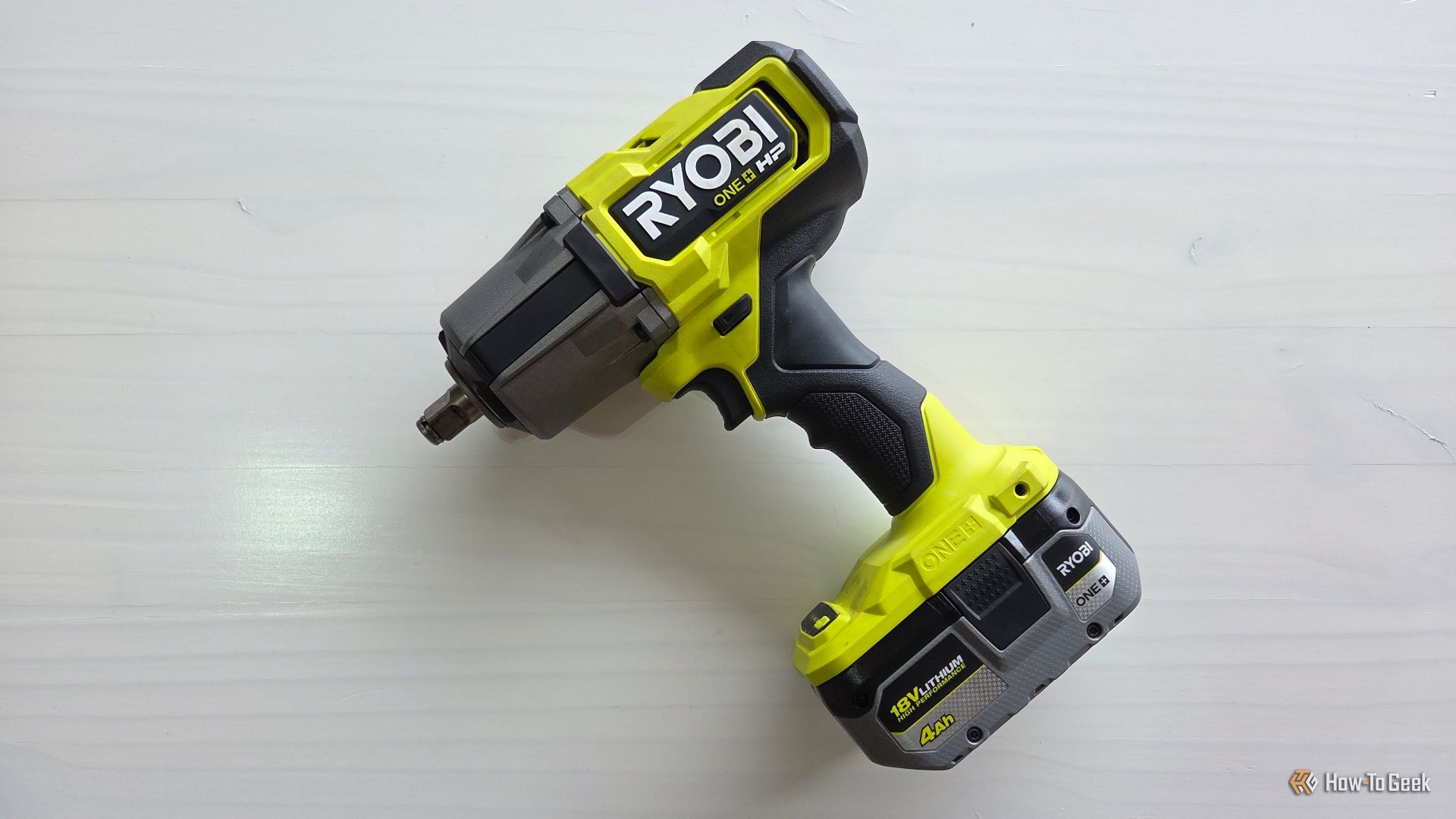
You’re storing your power tool batteries wrong. Here’s how to make them last longer

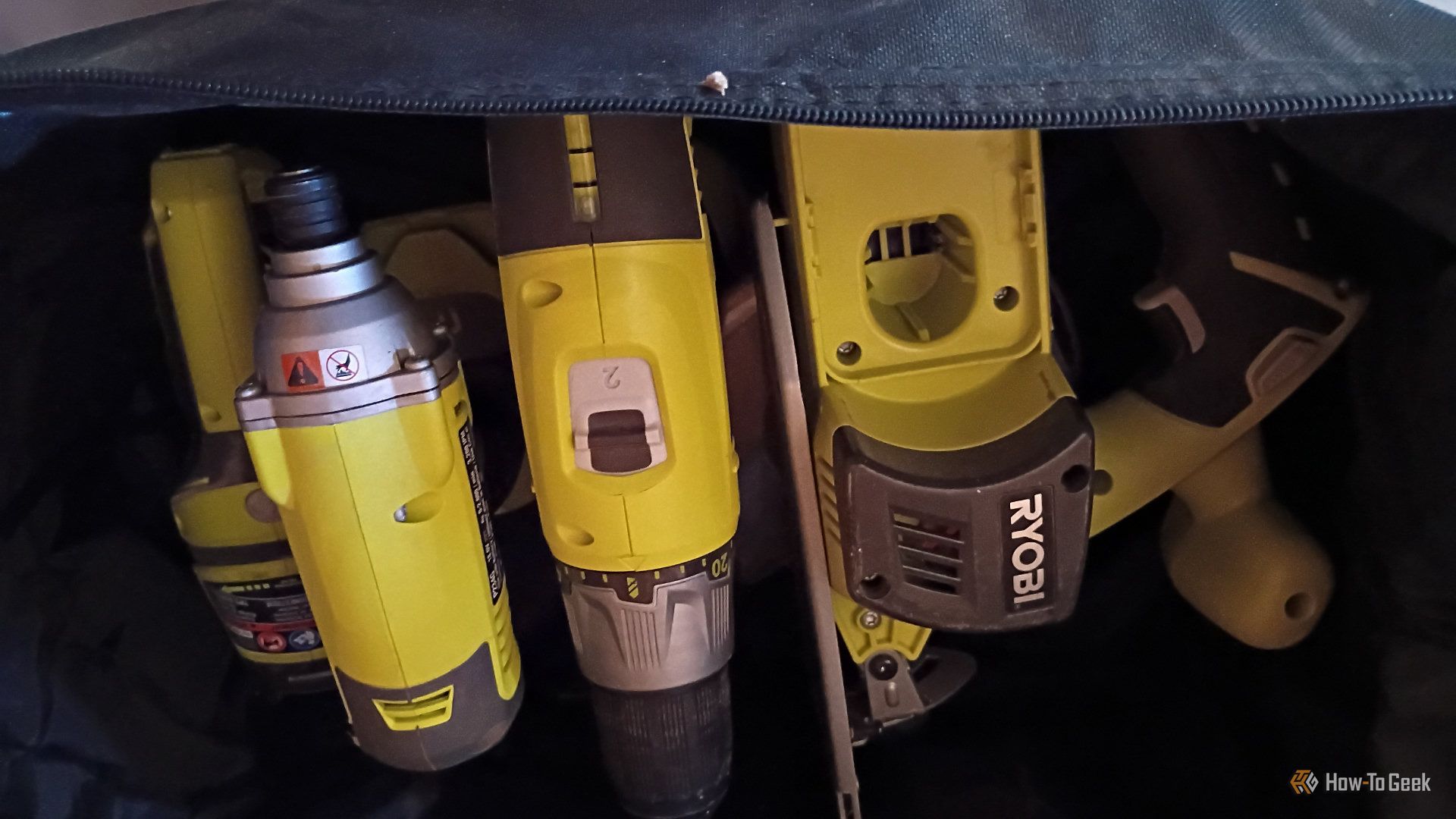
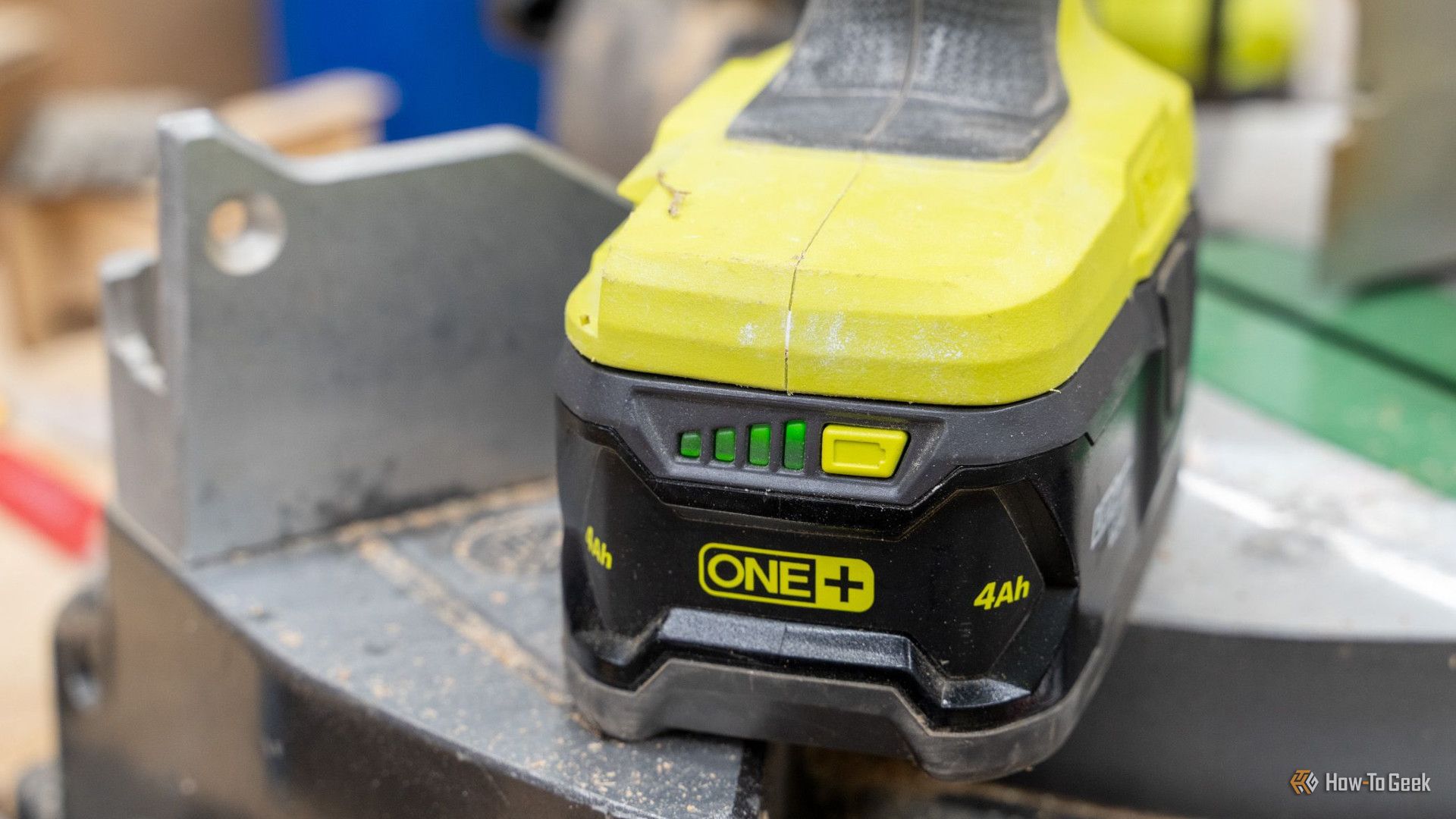
Whether you have a garage full of Ryobi tools, a work truck packed with Milwaukee or DeWALT, or use any other major power tool brand, you know that the battery packs are just as important as the tools. They're expensive, too. And chances are, you're not storing them right. Thankfully, a few new habits or systems can extend runtime and prevent premature failure.

Linux for Hackers: Building Your Tool Arsenal

Welcome back, aspiring cyberwarriors!

Think back to the first time you installed Kali Linux. It was probably one of those moments where you realized just how many cybersecurity tools existed. Your applications menu was packed with hundreds of tools covering everything from recon and vulnerability scanning to exploitation, password attacks, wireless security and much more.

At first, it was exciting. But most beginners spend hours clicking through the menus wondering what every tool does and when they should actually use it. Unfortunately, the sheer number of applications quickly becomes overwhelming. Even if you dedicate time to learning them, chances are you’ll forget many of their names simply because there are so many available. On top of that, documentation isn’t always beginner-friendly. Some projects have excellent documentation, while others assume you already know exactly what the tool is supposed to do before you even start reading.

The good news is that you don’t have to memorize hundreds of commands or remember every tool available. Instead, you can build your own arsenal of references that helps you quickly find the right tool.

In this article, we’re going to build exactly that. We’ll explore two resources called Arsenal-NG and Arsenal, both of which are designed to make finding offensive security tools, payloads, commands much faster.

Arsenal-NG

The first tool we’ll look at is Arsenal-NG. The name pretty much explains what it does. Arsenal-NG is essentially a searchable collection of offensive security tools, commands, and predefined workflows. Whether you’re doing reconnaissance, exploiting a service, generating payloads, Arsenal-NG can help you find the right tool for the job.

Let’s install it.

kali > git clone https://github.com/halilkirazkaya/arsenal-ng.git
kali > cd arsenal-ng
kali > make build
installing arsenal

Once compilation finishes, you can launch the program directly. For convenience, you may also want to move the binary into one of the directories listed in your PATH environment variable. Doing so allows you to start Arsenal-NG from any directory. 

kali > arsenal-ng
arsenal overview

When it starts, you’ll immediately notice a large collection of tools organized inside the interface. Each tool includes predefined presets for different kinds of operations. 

To display the complete list of available tools, simply run tools

tools

If you already know what kind of task you’re trying to accomplish but don’t remember what tool can do it, you can use the built-in search feature. Searching by keywords makes it easy to discover them.

arsenal keyword search

Once you’ve found the tool you need, selecting one of its presets walks you through the required parameters. There you simply provide the requested information and let it generate the command for you.

arsenal filling out the template

If you need additional information about the application itself, run help.

arsenal menu

Arsenal

Unlike Arsenal-NG, Arsenal focuses primarily on web exploitation and can be used directly from your browser. There is no installation process, making it convenient when you simply need a quick reference.

You can access it here.

One thing worth mentioning is that the website supports multiple languages. If the interface isn’t already in English, simply switch the language using the selector in the upper-right corner. Once inside, you’ll notice that the content is organized into several different sections, each designed to help with a different phase of a web penetration test.

One of them is Payloads.

arsenal payloads

This area contains a huge collection of payloads covering many different types of web vulnerabilities and exploitation techniques. Whether you’re working with command injection, SQL injection, XSS, SSTI, XXE, deserialization, or other common web vulnerabilities, chances are you’ll find useful examples here.

Another valuable section is Attack Chains.

arsenal attack chains

Rather than simply providing payloads, Attack Chains guide you through the overall exploitation process. They outline the sequence of steps typically required to compromise a target.

The Commands section is another good reference.

arsenal commands

You can build the command you need by selecting the appropriate options.

Then we have Wordlists.

arsenal wordlists

There are numerous wordlists organized into logical categories, making it much easier to find exactly what you’re looking for. Each category often contains several different wordlists optimized for different situations. 

You’ll also find a large collection of Scripts.

arsenal scripts

These scripts cover a wide variety of purposes, including reconnaissance, AI-related security checks, subdomain takeovers, automation and more.

Of course, we’ve only scratched the surface. Arsenal contains more additional sections that are worth exploring on your own. Spend some time clicking through the different categories and seeing what they have.

Summary

Building your own cybersecurity arsenal isn’t about memorizing every command ever written. In fact, no experienced pentester or hacker remembers every tool, every option or every payload. There are simply too many of them, and new ones are being developed all the time. Arsenal-NG and Arsenal can help you organize knowledge. They are valuable when you’re getting started and they remain just as useful years later when you’re experienced.

Since many of these tools fall into different categories, such as network pentesting, web pentesting, bug bounty hunting, and more, the best way to develop your skills is through our Member Gold subscription. It gives you access to a wide variety of training courses covering different areas.

The post Linux for Hackers: Building Your Tool Arsenal first appeared on Hackers Arise.

Contextual Retrieval: Anthropic’s Method for Cutting RAG Failures

Introduction

Welcome back!!! If you have been following my RAG series, you already know that chunking is where most retrieval pipelines quietly break. You split a document into neat little pieces, embed each one, store it in a vector database, and assume the system now understands your content. It does not. Each chunk sits alone, stripped of the paragraph before it and the paragraph after it, and that missing context is exactly where your RAG system starts failing.

In September 2024, Anthropic published a technique called Contextual Retrieval that tackles this problem directly. It is simple, it is cheap to run, and it cut retrieval failures by 49%, and by 67% when combined with reranking. That is not a small improvement. That is the difference between a RAG system users trust and one they quietly stop using.

Related article: Chunking Strategies

The Real Problem With Chunking

Say you are building a RAG system over a company’s financial filings. One chunk says:

“The company’s revenue grew by 3% over the previous quarter.”

Sounds fine until someone asks “What was ACME Corp’s Q2 2024 revenue growth?” Your retriever has no idea this chunk is even about ACME Corp, let alone Q2 2024. The company name and the quarter were mentioned two paragraphs earlier, in a chunk that got split away during preprocessing. The embedding for this chunk carries none of that information, so it barely resembles the query, and it gets buried under chunks that are only superficially related.

This is not a rare edge case. It is the default behavior of naive chunking, and it is the single biggest reason RAG systems return “I could not find relevant information” or, worse, confidently hallucinate an answer.

What Contextual Retrieval Actually Does

The fix Anthropic proposed is almost embarrassingly simple: before you embed or index a chunk, prepend a short piece of context that situates it within the full document. Instead of embedding

“The company’s revenue grew by 3% over the previous quarter.”

you embed

“This chunk is from an SEC filing on ACME Corp’s Q2 2024 performance. The previous quarter’s revenue was $314 million. The company’s revenue grew by 3% over the previous quarter.”

Now the chunk carries the company name, the time period, and the surrounding numbers, all inside the text that gets embedded and indexed. Both your vector search and your keyword search suddenly have something real to match against.

The two components that make this work are:

Contextual Embeddings Every chunk gets a short, chunk specific context written by an LLM before embedding. This context is generated using the whole document as reference, so it captures things like the document’s subject, the section it belongs to, and any entities or dates that got separated from the chunk during splitting.

Contextual BM25 The same contextualized chunk is also indexed for keyword search using BM25. This matters because embeddings alone still miss exact matches like order numbers, product codes, or specific dates, the same limitation we covered in the keyword search article in this series. Contextual BM25 gives you that exact match capability on top of contextualized text.

Run both together in a hybrid retriever, and you get chunks that are both semantically rich and precisely searchable.

Why This Works Better Than Alternatives

You might be thinking, why not just make chunks bigger so they carry more context naturally(That was my first thought too 🤔).A few reasons this does not hold up:

Bigger chunks dilute relevance. A 2000 token chunk covering five different topics gets a muddy embedding that does not represent any single topic well. Precision drops even as recall might improve slightly.

Bigger chunks blow up your context window. If you retrieve the top 10 chunks and each one is huge, you are burning tokens on irrelevant surrounding text instead of giving the LLM more distinct, relevant pieces of information.

Contextual retrieval keeps chunks small and precise, and adds context as metadata baked into the text itself, rather than solving the problem by brute force. You get the recall benefits of bigger chunks without the noise.

Implementation, Step by Step

Here is a working pipeline you can adapt to your own documents.

Step 1: Generate Context for Each Chunk

from anthropic import Anthropic

client = Anthropic()
CONTEXT_PROMPT = """<document>
{full_document}
</document>
Here is the chunk we want to situate within the whole document:
<chunk>
{chunk_content}
</chunk>
Please give a short, succinct context to situate this chunk within the overall
document for the purposes of improving search retrieval of the chunk.
Answer only with the succinct context and nothing else."""
def generate_chunk_context(full_document, chunk_content):
response = client.messages.create(
model="claude-opus-4-8",
max_tokens=150,
messages=[{
"role": "user",
"content": CONTEXT_PROMPT.format(
full_document=full_document,
chunk_content=chunk_content
)
}]
)
return response.content[0].text

If you are worried about cost, Claude’s prompt caching handles this well. You cache the full document once and reuse that cached version across every chunk in that document, so you are only paying full price for the document tokens a single time.

Step 2: Build the Contextualized Chunks

def build_contextualized_chunks(document_text, chunks):
contextualized_chunks = []
for chunk in chunks:
context = generate_chunk_context(document_text, chunk)
contextualized_chunk = f"{context}\n\n{chunk}"
contextualized_chunks.append(contextualized_chunk)
return contextualized_chunks

Step 3: Index for Both Embedding Search and BM25

from rank_bm25 import BM25Okapi
import numpy as np

def build_hybrid_index(contextualized_chunks, embedding_model):
# Embedding index
embeddings = embedding_model.encode(contextualized_chunks)
# BM25 index
tokenized = [chunk.lower().split() for chunk in contextualized_chunks]
bm25 = BM25Okapi(tokenized)
return embeddings, bm25

Step 4: Retrieve With Both, Then Rerank

def hybrid_retrieve(query, chunks, embeddings, bm25, embedding_model, top_k=20):
# Semantic search
query_embedding = embedding_model.encode([query])[0]
semantic_scores = np.dot(embeddings, query_embedding)
# Keyword search
tokenized_query = query.lower().split()
bm25_scores = bm25.get_scores(tokenized_query)
# Combine, normalize both to 0-1 range first
semantic_norm = semantic_scores / (semantic_scores.max() + 1e-8)
bm25_norm = bm25_scores / (bm25_scores.max() + 1e-8)
combined = 0.5 * semantic_norm + 0.5 * bm25_norm
top_indices = combined.argsort()[-top_k:][::-1]
return [chunks[i] for i in top_indices]

For the final accuracy boost, add a reranker (Cohere’s rerank model or a cross encoder) on top of these top 20 results before passing the final 3 to 5 chunks to your LLM. This is the step that took Anthropic’s numbers from 49% failure reduction to 67%.

Best Practices for Contextual Retrieval

  1. Use a cheap, fast model for context generation. You do not need your most expensive model to write a two sentence summary of where a chunk sits in a document.
  2. Cache the full document when generating context for multiple chunks from the same source. This is where prompt caching saves real money at scale.
  3. Keep the generated context short, 50 to 100 tokens is usually enough. Long context defeats the purpose of keeping chunks small.
  4. Always pair contextual embeddings with contextual BM25. Using only one leaves accuracy on the table.
  5. Add a reranking step if your use case can tolerate the extra latency. The accuracy gain is significant.
  6. Test on your own domain before trusting published numbers. Anthropic’s benchmarks used codebases, fiction, ArXiv papers, and science papers, your documents may behave differently.
  7. Monitor your actual retrieval failure rate before and after, do not assume the improvement transfers without measuring it.

Conclusion

Contextual retrieval is one of those techniques that feels obvious once you see it, and that is usually a sign it is worth adopting. It does not require a new vector database, a new architecture, or months of engineering work. It requires rethinking one step in your pipeline: what actually gets embedded and indexed.

If your RAG system has been giving vague or wrong answers and you have already tuned your chunk size, tried different embedding models, and added reranking, this is very likely the missing piece.

Thank you for following this RAG tutorial series! If you found this helpful, please give it a clap 👏 and share with others building RAG systems.


Contextual Retrieval: Anthropic’s Method for Cutting RAG Failures was originally published in Coinmonks on Medium, where people are continuing the conversation by highlighting and responding to this story.

Learn How to Use a Soil Moisture Meter

Who hasn’t had a hard time at some point with trying to keep their plants watered appropriately? If you regularly forget to water or you keep giving your plants too much, get yourself a soil moisture meter. These garden tools take the guesswork out of watering, and this article will show you how to use a hygrometer.

The post Learn How to Use a Soil Moisture Meter appeared first on Gardener's Path.

❌