Login
Login
Open Source Intelligence (OSINT): Investigating Google Accounts with Ghunt
Welcome back, aspiring cyberwarriors and OSINT enthusiasts!
These days, it’s hard to find someone who doesn’t have a Google account. With the massive Google ecosystem out there, knowing how to dig into a Google account can be super useful for OSINT investigations. Ignoring it means missing out on a goldmine of information.
Therefore, in this article, we’re going to dive into using the Ghunt tool to investigate Google accounts effectively. Let’s get rolling!
What is Ghunt?

Ghunt is an open-source security framework created by the researcher mxrch. It helps gather public information connected to Google accounts. What’s important is that the tool does not break into accounts or exploit system bugs. Instead, it extracts publicly exposed data directly from Google services and internal APIs.
Investigators can start a search using a target email address, a Gaia ID, a Google Drive share link, or a Google Maps link. It can reveal an account’s unique Gaia ID, last profile edit timestamp, uploaded photos, and Google Maps reviews. It can also check for active services like Google Calendar or YouTube.
Step #1: Installation and Setup
At the time of writing, the version of Ghunt published on PyPI was not working. So, the recommended way to install this tool is directly from the Git repository.
kali> pip3 install pipx
kali> pipx ensurepath
kali> pipx install git+https://github.com/mxrch/ghunt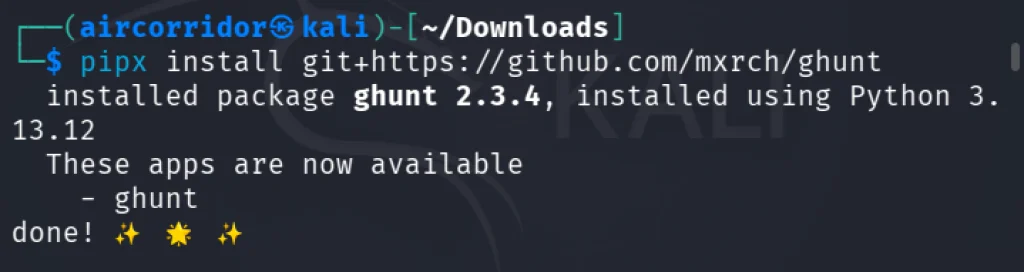
To check if everything works, we can open the help screen.
kali> ghunt -h
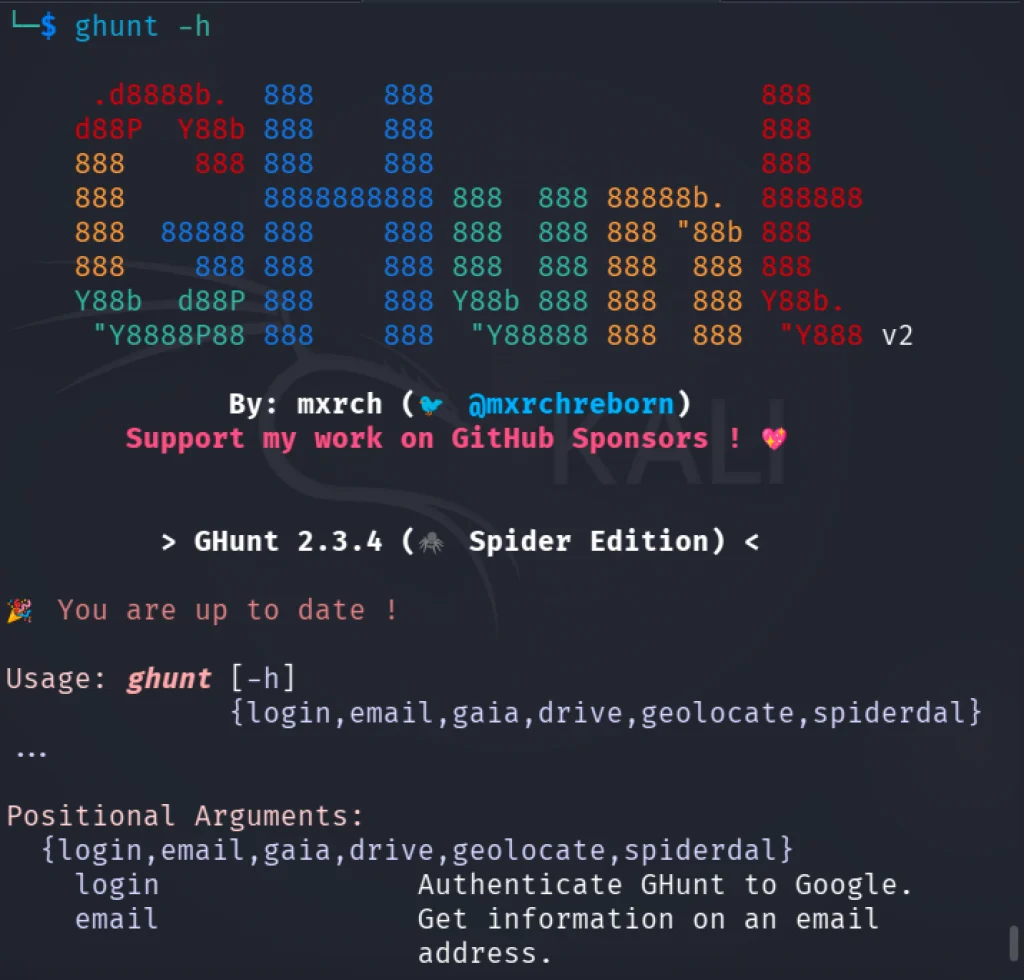
You should see the output above. To continue, we need to authenticate Ghunt with Google. To do so, we need to download the Ghunt Companion extension for Firefox or Google Chrome.
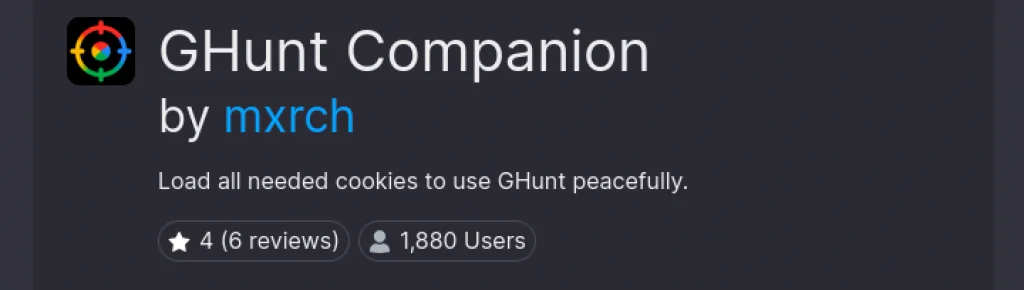
This plugin will load all the necessary cookies to use Ghunt correctly. After installing it, you will need to sign in to your Google account, and at the end, you will see the screen below.
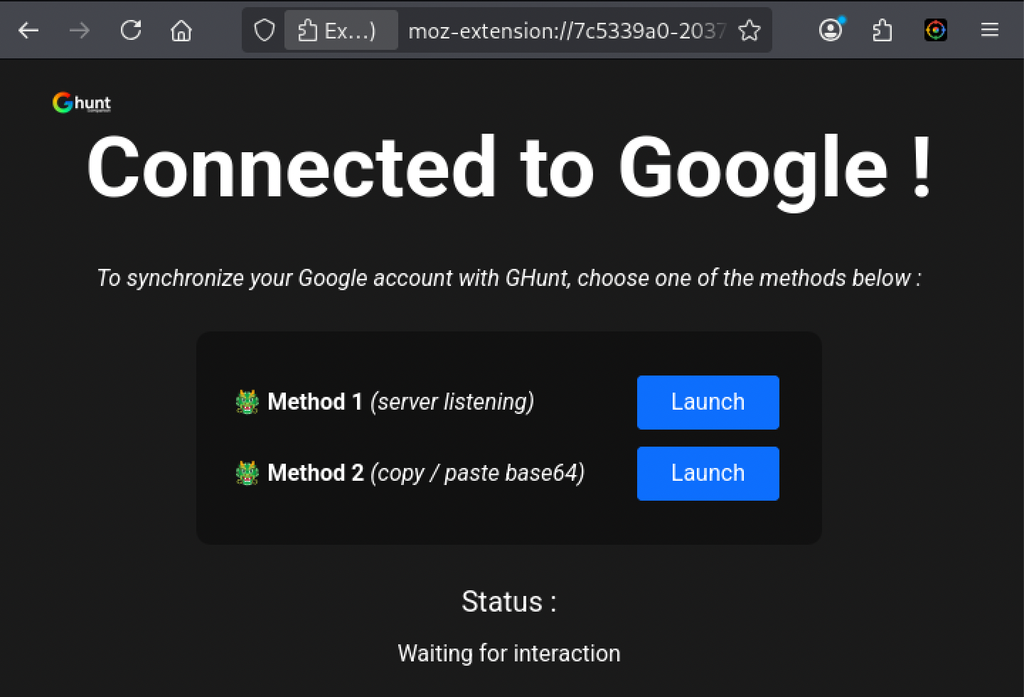
In this demonstration, I will use method number 2. Just click Launch, and the credentials will be copied to the clipboard. After that, run:
kali> ghunt login

And enter the token. Credentials will be saved locally, and in the next runs of the tool, you won’t need to enter them again.
Step #2: Modules
Once authenticated, you have the following search options:
email: Get information on an email address.
gaia: Get information on a Gaia ID.
drive: Get information on a Drive file or folder.
geolocate: Geolocate a BSSID.
Let’s gather information on email:
kali> ghunt email <email>
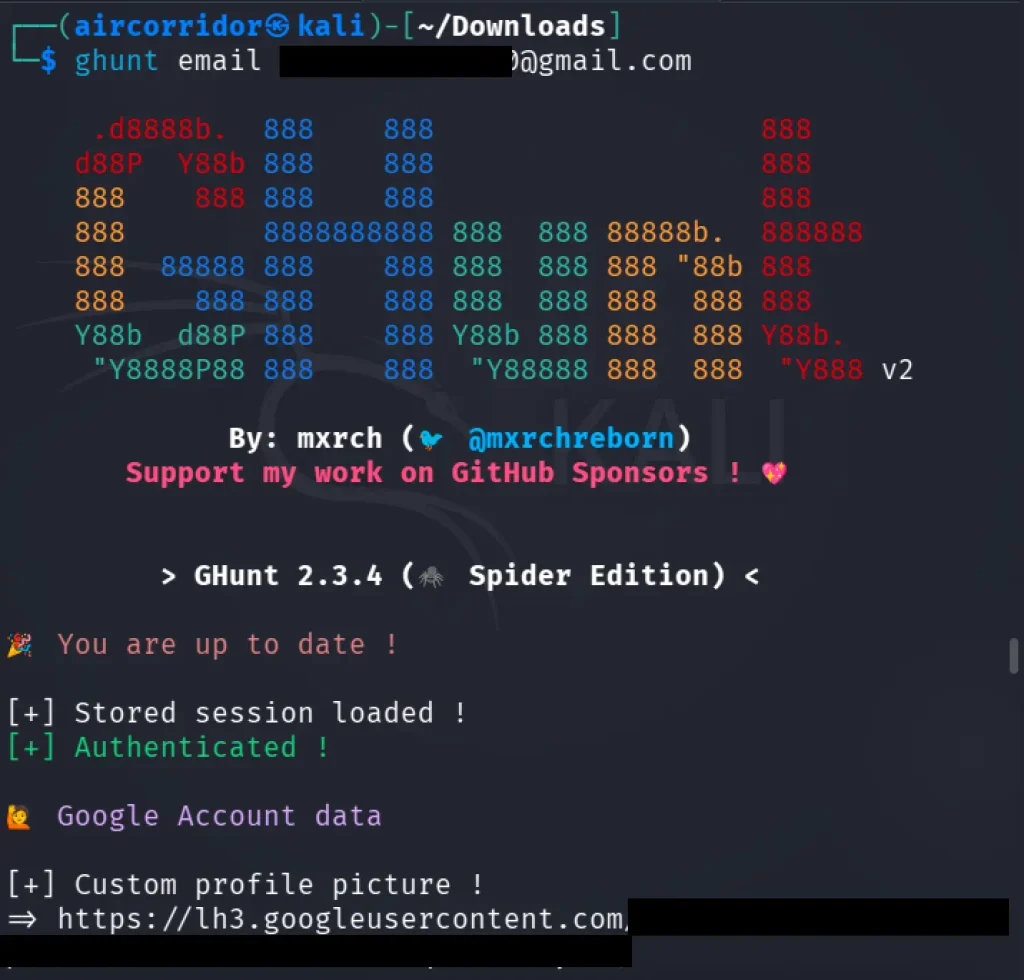
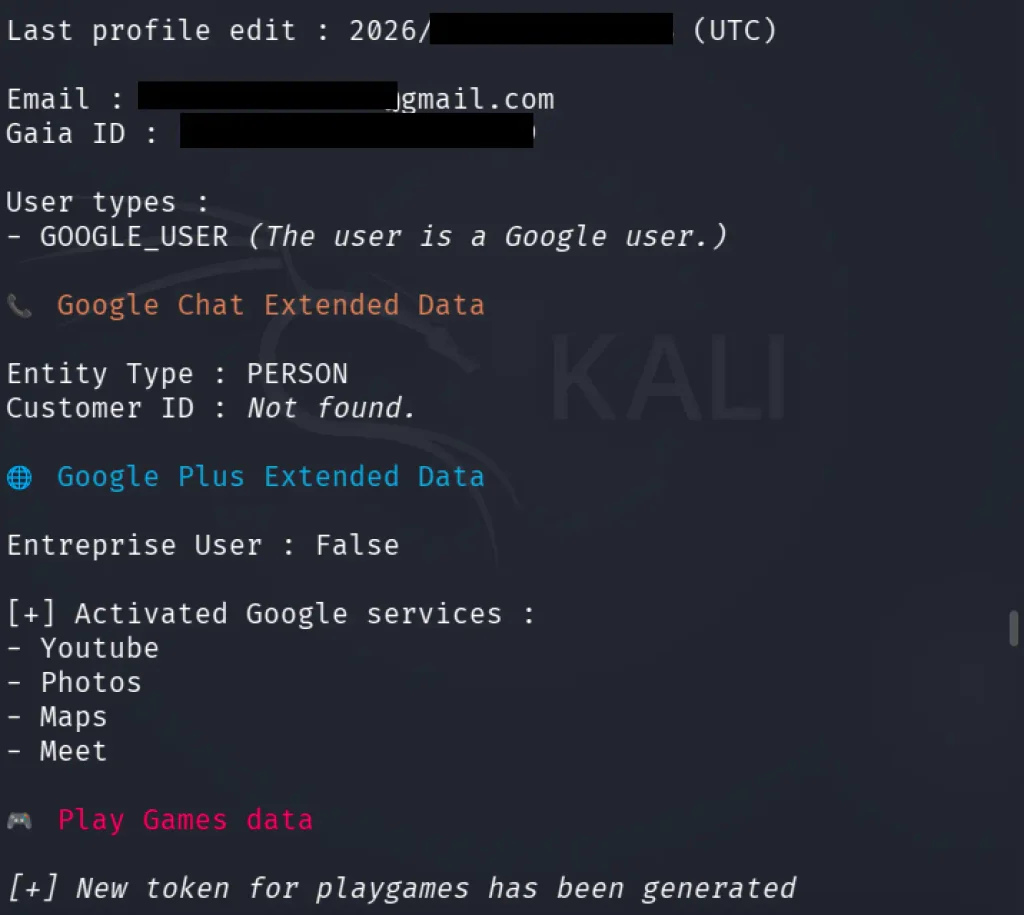
First, the output includes a link to the user’s custom profile image. The next valuable pieces of information are the date the profile was last edited, the Gaia ID, and the list of activated Google services. A Google Gaia ID is a unique, persistent identifier assigned to a user that serves as the foundational token for Google’s centralized authentication infrastructure, enabling the company to recognize users and link their data, preferences, and activity across services such as Gmail and YouTube.
In addition, Ghunt can display Google Maps–related data associated with the account.
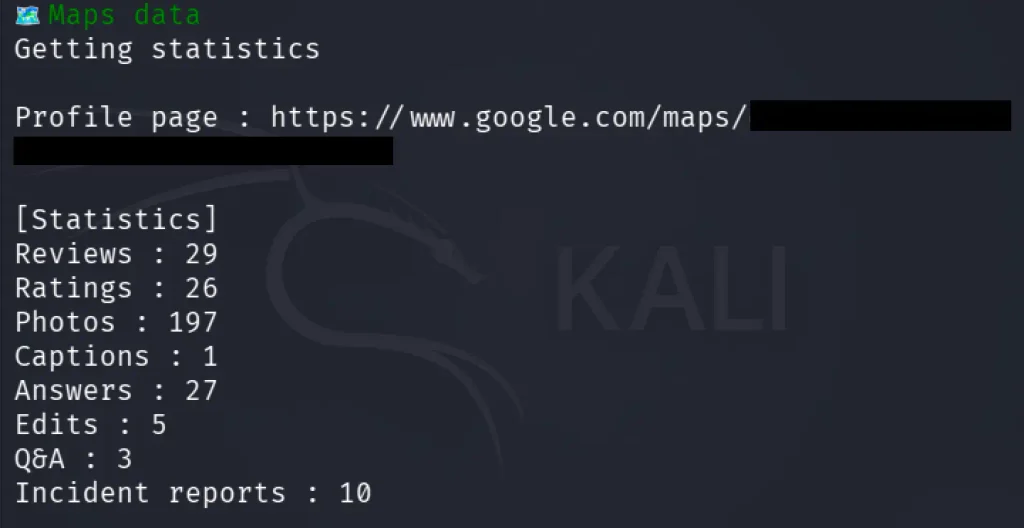
It includes all the activities that the user did, including photos and incident reports, if there are any.
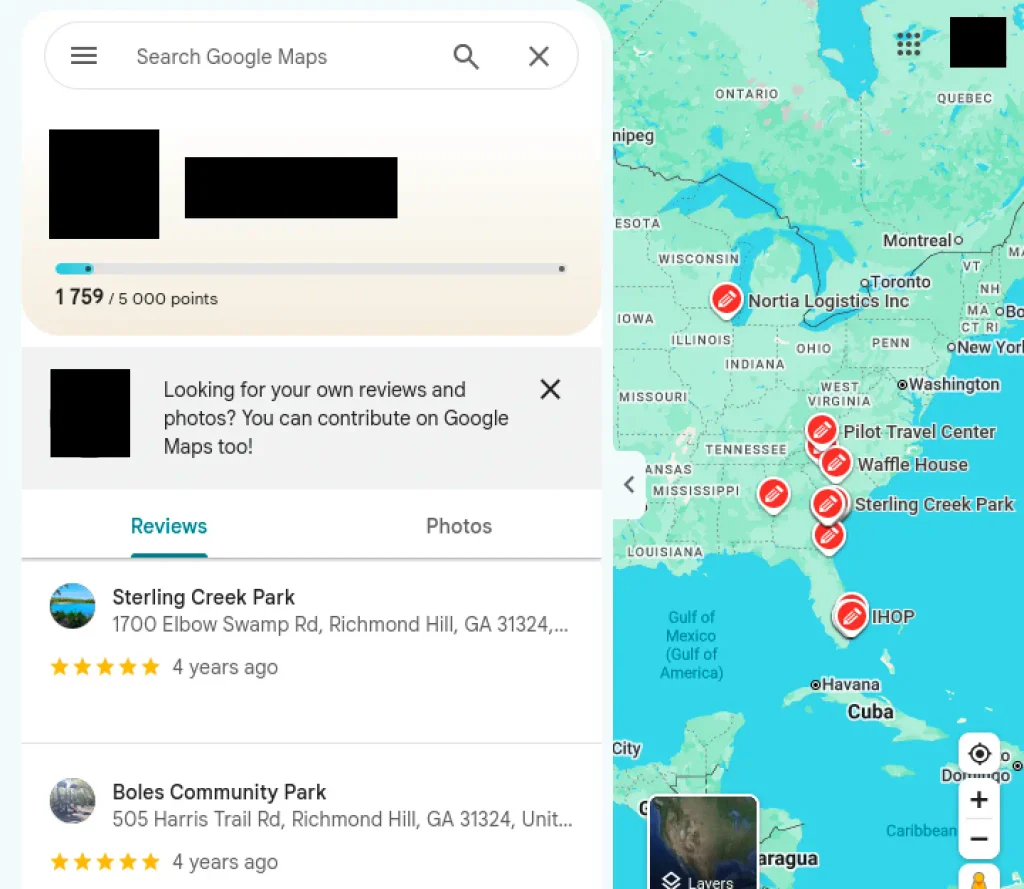
Another Ghunt module is information gathering by Gaia ID. It works identically to how it does with email, so let’s move into the Drive module. Here we need to provide Ghunt with a Google Drive file ID. You can find this ID by right-clicking a file in Google Drive, selecting “Get link,” and copying the ID from the resulting URL, which appears after /d/.
kali> ghunt drive <file_id>
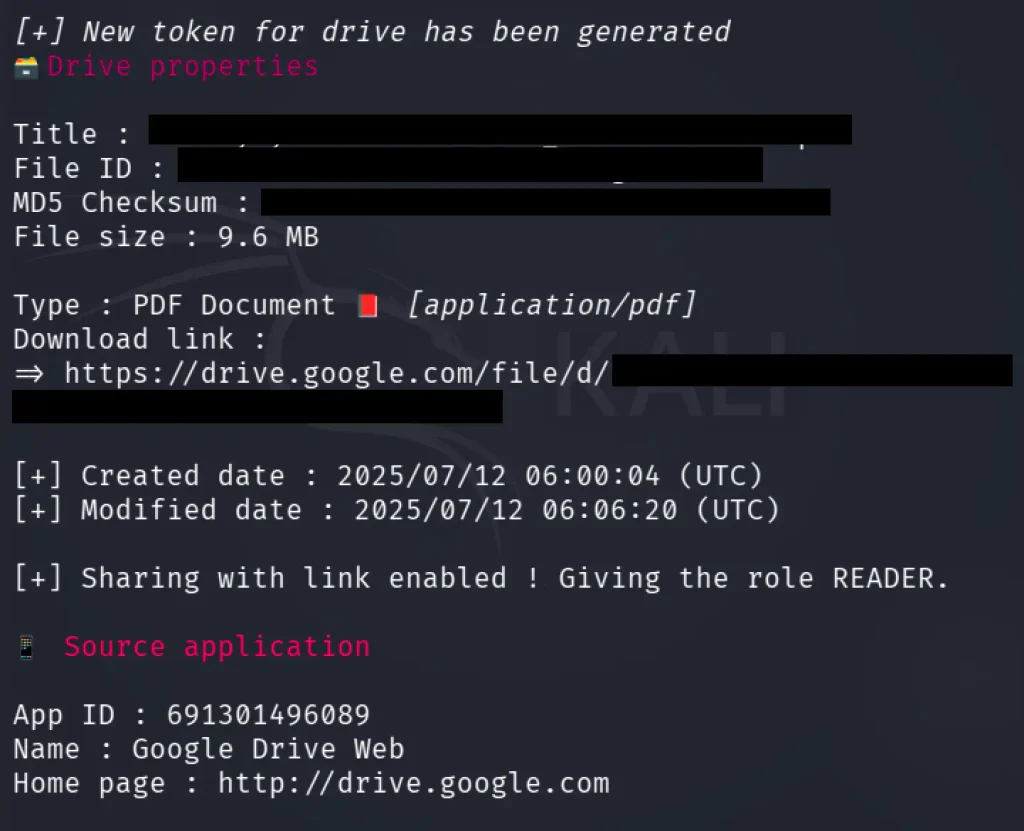
Here we can see that we found the timestamp and even the source application details. By scrolling down, we can see who the owner of the file is.
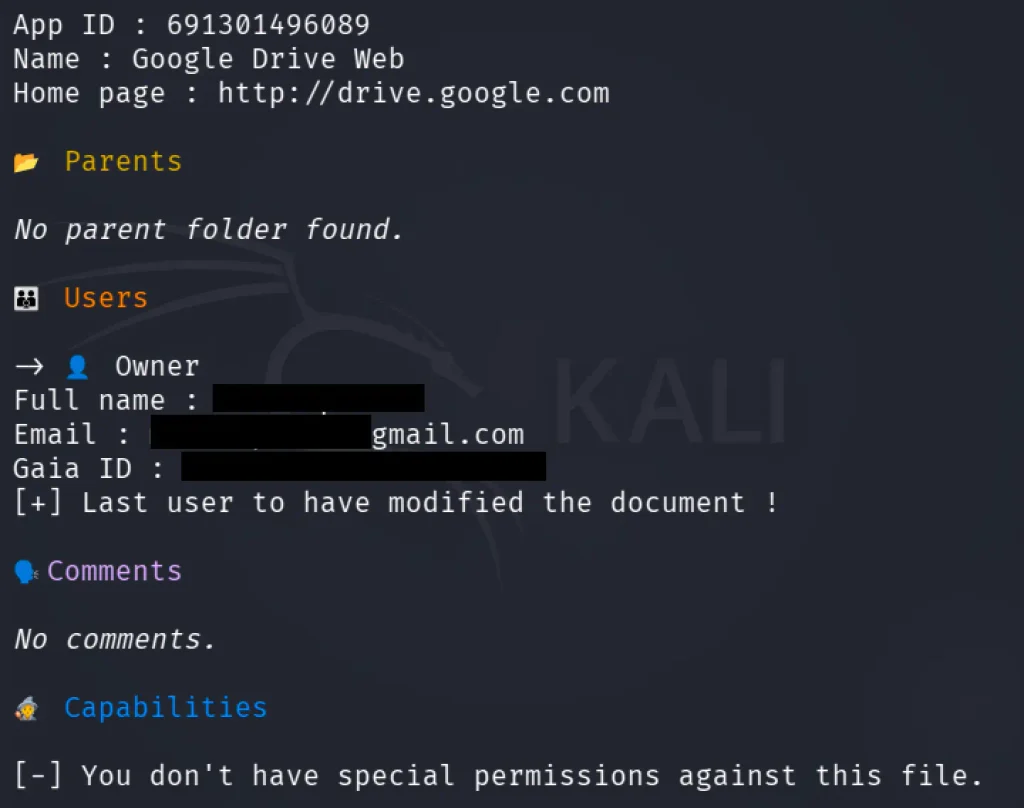
Pretty useful, I think.
Next, the module is geolocation of BSSID. But it returns approximate positions, and it won’t resolve every BSSID. So let’s not focus on that and move into the last module, spiderdal. It follows Google Digital Asset Links declarations to identify related web or Android app assets.
kali> ghunt spiderdal -u <domain>
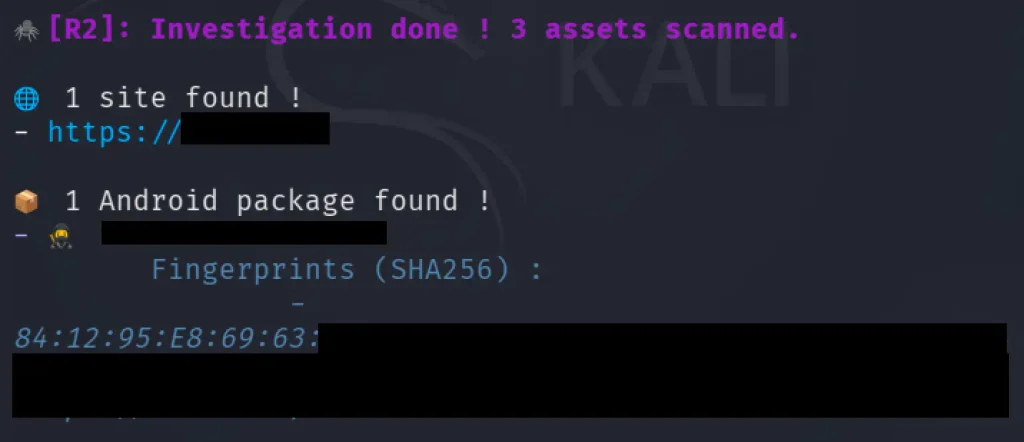
Crawled the domain looking for Google-related data and confirmed the website itself. It discovered that the official Android app domain is tied to a domain and extracted the app’s SHA-256 signing certificate fingerprint.
Summary
A Google account is primarily designed to give users access to Google services. Over time, as a person stores more of their digital life within the Google ecosystem, the account accumulates a large amount of information that can be highly valuable for OSINT investigations. Tools like Ghunt provide a convenient way to access and analyze some part of that information. I recommend testing Ghunt, as it may earn a place in your OSINT toolbox.
If you’re looking to enhance your OSINT skills, consider exploring OSINT training. If you need assistance in uncovering the truth, don’t hesitate to reach out to us at hackers-arise@protonmail.com, and we’ll conduct a comprehensive OSINT investigation for you.
The post Open Source Intelligence (OSINT): Investigating Google Accounts with Ghunt first appeared on Hackers Arise.