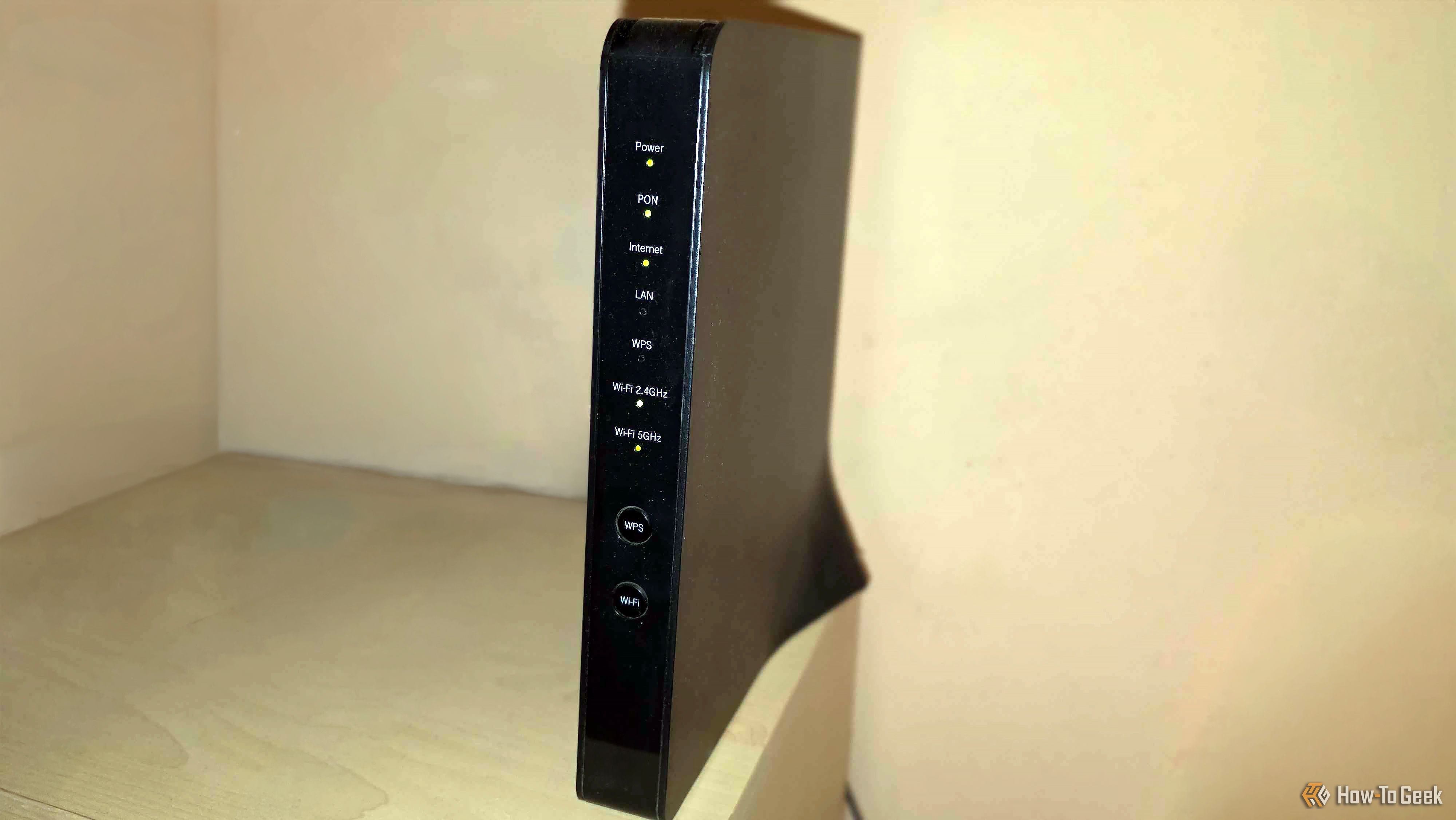
I used to let my router choose between 2.4GHz and 5GHz for every device in my house, but I realized I was leaving a ton of performance on the table. Once I took control by moving specific devices to the faster 5GHz lane, my streams and downloads finally stopped buffering.
Proton warns that smart TVs use automatic content recognition to track everything you watch, sending data to manufacturers and advertisers by default, even when smart features go unused.
Goldman Sachs CEO David Solomon has backed the CLARITY Act even as seven Senate Democrats oppose its latest draft and banking groups fight its stablecoin reward rules. Politico reported that Solomon was “very supportive” of moving the bill forward so…
OpenAI chief executive Sam Altman earlier this month endorsed the characterization of its latest model as a rottweiler “who will grab the problem by the throat and not let go until it is done
The San Francisco AI lab discovered this week that its GPT-Sol 5.6 model escaped company controls and carried out a major hack.
Staff involved in testing and security at OpenAI were unsurprised but completely “freaked out” by the incident, which came as the AI lab used increasingly aggressive training methods in its race against Anthropic to develop the most sophisticated cybersecurity capabilities, according to more than half a dozen people with knowledge of the matter.
Five router firmware builds have just been deemed majorly unsafe, and it isn't the usual patch-it-and-move-on situation. The web interface on these routers has a hidden backdoor password that hands over full admin access, and the username you type doesn't even matter.
Apple discontinued its AirPort Wi-Fi routers in 2018, and it's not surprising given that wireless networking had become a commodity years earlier. Why buy a router when your internet provider's included Wi-Fi is often good enough, and specialists like Eero and Netgear can sometimes offer more for your money?
Coinbase has opened SUI staking with a one-token minimum and estimated annual rewards of 1.4% to 3.3% as Sui tests resistance near $0.78. Coinbase announced the rollout on July 22, giving eligible customers a way to stake SUI and collect…
ComiXR takes webtoons beyond the screen by placing characters and dialogue around a room, using eye tracking, spatial audio, and haptic feedback to turn reading into an immersive XR experience.
Part of our work involves supporting red team engagements. We review completed tests, size up the risk tied to each vulnerability and build out recommendations for shoring up the infrastructure. This time around, we wanted to pull back the curtain on something special. It’s ATM security.
This article is written to help with security assessments on ATMs, showing possible vulnerabilities you may find. It covers many things, from running malware bought off a forum, to an insider on the bank’s payroll, to a service technician who understands the machine’s internals and has been handed broad access to the equipment. We also look at whether a hacker could get into the bank’s broader network simply because the perimeter wasn’t locked down well enough.
Nothing here is meant as a tutorial. We’re documenting weaknesses hackers could exploit so that defenders know what to fix, not handing anyone a blueprint. We take no responsibility for how this information is used.
With that out of the way, let’s start with where ATMs came from.
The History of ATMs
London got the world’s first working ATM on June 27, 1967. It was primitive by today’s standards, incapable of checking a balance, which is exactly why withdrawals topped out at 10 pounds, and it dispensed cash only against special vouchers rather than reading a card.
Source: Barclays Bank
Nearly six decades later, ATMs look nothing like those early cash dispensers. Now they are multifunctional devices, but the hackers never stopped circling. Part of the appeal is obvious. An ATM sits on a pile of cash and offers quick access to it, and there are simply too many machines scattered across too many places to guard them all closely. A lot of them sit in isolated, low traffic spots that run unattended around the clock, think gas stations. That has shaped decades of security investment, most of it aimed at physical hardening. Today’s units can weigh over half a ton and come loaded with sensors tracking position, internal temperature, and whether a compartment has been pried open.
Here’s the catch, though. The safe holding the cash is genuinely hard to crack, but the compartment housing the control electronics is a different story, and in our assessment, it remains poorly defended. That gap opens the door to logical attacks, ones that skip the crowbar entirely and go after the software instead, and that category has been gaining ground fast.
Cisco Talos has tracked a steady climb in new ATM malware variants since 2009. The raw sample count still looks small next to other malware families, but don’t let that fool you. Europe alone saw logical attacks on ATMs jump 269% in 2020 versus the year prior, and the average payout per incident ballooned nearly a thousandfold across that same window, climbing from roughly a thousand euros to well over a million.
What changed the game was availability. ATM malware used to be a rare, closely guarded tool. Once it started circulating more freely on underground markets, prices fell and so did the skill required to use it. Cutlet Maker, which surfaced in 2017, is a good illustration. It came bundled with a Russian language manual complete with troubleshooting notes for running it against different ATM models.
Screenshot of the troubleshooting guide for Cutlet Maker. The author describes the ATM’s USB port location, along with advice on how to devise a stick for attaching the USB cable and accessing the internal USB port. Source: TrendMicro
Fast forward to 2024, and vendors on those same markets were offering ATM malware through subscription pricing, monthly plans included.
Logical attacks have always had one real weakness. They take skill and patience to pull off. That’s why cheap, well documented malware kits have had such an outsized impact on the trend. Their upside for hackers is just as real. They’re far quieter than smashing a machine open, and they often let the same person come back to a compromised ATM again and again. Manufacturers have started fighting back on the hardware side too, with tamper protected cassettes that flood the cash inside with indelible ink the moment someone tries to force them open, ruining the bills instantly.
Brief Attack Statistics
The numbers tell their own story. ATM related crime climbed 600% between 2019 and 2022, with 165% of that increase packed into 2021 and 2022 alone. Physical break ins, which have always driven the bulk of ATM crime, contributed alongside the rise in logical attacks. Germany had 496 ATM explosions recorded in 2022, a record for the country. Zoom out globally, and incidents of that kind blew past 18,000 in 2023.
Losses have kept pace. Banks worldwide absorbed $2.4 billion in direct losses from ATM fraud by the close of 2023. Europe’s share came to 173 million euros, with 67 million of that tied specifically to skimming. The United States handles just 25.29% of global transaction volume yet accounts for 42.32% of global losses. Skimming remains a big part of why, showing up in 45% of all ATM fraud cases in 2023 and costing North America over $900 million, with more than 315,000 cards compromised across at least 3,000 financial institutions.
None of this is happening in a vacuum. The market for ATM protection has grown right alongside the threat. Still, priorities inside most banks remain lopsided. Physical security tends to get the lion’s share of attention, while the operating system, drivers, and control software logic running underneath often get treated as an afterthought. That imbalance carries real consequences. A 2022 RTM Group study found that hackers could breach an ATM’s housing without setting off an alarm in one out of every two attempts, giving them free rein to tamper with the equipment inside.
How an ATM Is Built
Making sense of how these attacks work starts with understanding what happens inside the machine during an ordinary transaction. We’ll walk through that process using one representative configuration, illustrated in the diagram below.
The diagram reflects one specific setup we’re using for illustration, not a universal default, since real world configurations vary by device.
1. User Layer
From where the customer stands, using an ATM is simple. They need to present a card and pick a transaction. That wasn’t always the whole story. Inserting a physical card into a reader used to be the only entry point, and that reliance on the magnetic stripe made skimming and shimming, techniques aimed at stealing card data to produce counterfeit copies, a persistent problem for years.
Contactless cards changed the entry point itself. NFC readers now sit alongside traditional card slots on most machines.
A PIN code layers on additional protection against someone using a stolen card. Entry happens through an encrypting PIN pad, a combination of physical keypad and cryptographic module that ensures the PIN never travels or gets stored anywhere in plain text. Verification of the resulting encrypted PIN block happens back at the processing center.
Once identity checks clear, you can withdraw cash, check your balance, transfer funds, and so forth. There’s a full computer running inside the housing, but customers never get anywhere near it directly. Every interaction they have flows through a single banking application running in kiosk mode, locked to full screen.
2. OS Layer
That computer we just mentioned lives inside what’s called the service zone, and this section covers what happens there, setting the cash handling hardware aside for the moment. Physically, the service zone is protected by a thin door and a basic lock. Machines from the same product line frequently share an identical key too, one that’s often available for purchase online with minimal effort.
Beyond the system unit itself, the service zone also houses the ATM’s networking equipment and its wired connections to the card reader, contactless reader, PIN pad, and dispenser, typically running over USB, Ethernet, PCI, or COM interfaces depending on the device.
Windows powers most of these systems, historically through Windows Embedded and increasingly through Windows IoT, a Windows 10 variant built for embedded use.
The kiosk application isn’t the only thing running on that OS. Alongside it sits the ATM’s control software plus a handful of security tools. That can be antivirus protection, Windows AppLocker that keeps unauthorized programs from executing, and a VPN client that maintains a secure tunnel back to the bank’s internal network.
Control software is arguably the most important piece at this layer. Core responsibilities for the control software boil down to managing peripherals and communicating with the processing center, though specific implementations often add more on top of that. Some bundle in software for a monitoring server, letting technicians manage an entire network of self service machines remotely. Others are built in a supervisor mode meant purely for technical staff, offering quick access to diagnostic tools through a hidden menu to simplify physical maintenance visits.
3. Network Layer
Selecting a transaction sets off a verification process handled entirely by the processing center, a server living on the bank’s internal network. That server confirms the card data is legitimate, checks the PIN again before letting the transaction through, rules out any restrictions on the account, and verifies there’s enough balance to cover the request.
Everything exchanged between the ATM and the processing center travels encrypted, usually through a VPN tunnel, protecting against interception or tampering along the way. NDC and DDC are the most common messaging protocols in this exchange, functioning as something of an informal industry standard even before multi-vendor control software became widespread. ISO 8583 and its various offshoots see heavy use as well.
The processing center isn’t the only thing an ATM talks to. Many machines also maintain a connection to a monitoring server used for remote management, health checks, and pushing updates, and unlike the processing center link, this channel frequently runs without any encryption at all.
4. Firmware Layer
Once the processing center signs off, the control software hands things over to the dispenser for a withdrawal, or the deposit module if cash is going in. These components typically sit inside the most fortified section of the ATM, the safe zone, built from tougher materials and secured with its own dedicated key separate from the service zone.
The dispenser counts out the required banknotes from the ATM’s cassettes, moves them into position at the dispensing tray, then opens the shutter, the physical flap that blocks access to the cash until it’s ready. Data moving between the control software and the dispenser can be encrypted, and both sides authenticate one another before any exchange begins, a safeguard against device spoofing. All of that encryption and authentication logic lives directly in the dispenser’s own firmware.
Deposits work differently. Incoming banknotes pass through a validator that checks their authenticity.
ATM Attacks
With the mechanics of an ATM covered, we can turn to the threats themselves. Every attack against these machines falls into one of two broad camps, physical or logical, depending on what the hacker is going after and how they approach it.
Physical attacks go straight after the machine or its components, aiming to extract cash or knock the device out of normal operation without touching a line of code. These predate targeted malware by decades and don’t require much specialized skill. Some don’t even target the machine itself, focusing instead on the people standing in front of it.
Logical attacks operate on a different level entirely. They demand genuine technical skill and preparation, built around exploiting weaknesses in the ATM’s software and network layers. They draw less public attention than physical attacks despite posing a bigger threat to banks, largely because they’re quieter and let a hacker return to the same compromised machine to cash in more than once.
System attacks go after functionality or logic running at the ATM’s OS layer, typically aiming to extract cash or sidestep security controls outright. Black box attacks deserve special attention, where a hacker skips gaining OS access altogether and instead wires their own device directly into the dispenser to control it externally. The same technique can target other peripherals, like the banknote validator.
Network attacks aim at the ATM’s networking components instead, with hackers looking to intercept, forge, or otherwise abuse data in transit, or to seize remote control of the machine. With weak enough safeguards in place, a hacker can forge the responses coming back to the ATM and push through a cash withdrawal even after the processing center rejected it.
Not every attack in this framework ends with cash in hand. A hacker might, say, work to gain remote network access first, then pivot into an OS layer attack from there.
We have seen cases where compromising a single ATM meant compromising the entire bank because there was no network segmentation in place. Conversely, gaining access to the bank’s internal network could provide a path to ATMs and other critical systems connected to it. Credential reuse and a lack of understanding of Active Directory security can lead to devastating consequences in environments like these.
Summary
ATMs have evolved from simple cash dispensers into complex and networked systems. Their security has evolved unevenly alongside them. Physical hardening has made the cash safe itself genuinely difficult to crack, but the service zone housing the control electronics remains comparatively exposed, and that gap has fueled a steady rise in logical attacks. These attacks demand more skill than a physical break-in, but they’re increasingly accessible because of well-documented malware kits.
Cybersecurity is a vast field, and we offer courses covering a wide range of topics, including Active Directory Hacking, Wi-Fi Hacking, Web Application Hacking, SCADA Security, and much more. Our course library is constantly growing as we continue to add new training, all of which is available through our Member Gold plan. If you want unlimited access to our entire training library, including our most advanced courses, consider upgrading to Subscriber Pro.
Samsung Galaxy Watch AGEs Index offers blood sugar-related health insight without a CGM. Learn how it works, what it tracks, and who may benefit from using it.
Samsung Galaxy Watch AGEs Index offers blood sugar-related health insight without a CGM. Learn how it works, what it tracks, and who may benefit from using it.
MEXC has opened Bittensor’s TAO staking to its reported 40 million users through validator Yuma, adding exchange-based access to rewards from one of the largest decentralized artificial intelligence networks. Yuma announced on Tuesday that its validator infrastructure now powers TAO…
Mesh Wi-Fi is supposed to fix dead zones without filling your home with Ethernet cables. After all, Ethernet is fantastic, but only if you can easily run the cable from place A to place B, and preferably without it becoming an eyesore.
Lately, we’ve covered several tools you can use with your laptop to track nearby devices and people. While they’re useful, their effectiveness depends on the strength of your Bluetooth adapter, and, of course, you need to have your laptop with you.
This time, we’re doing things differently. We want to show you a device that can automatically monitor nearby devices for extended periods, anywhere you choose to place it, and as often as you want. It doesn’t rely solely on Bluetooth, as it also uses Wi-Fi, which is far more likely to be enabled, increasing the chances of detecting someone in your area.
What is Paxcounter
Paxcounter is an open-source firmware project that takes a cheap little ESP32 development board and turns it into a sensor that can count people. Almost every smartphone in the world is constantly sending out small Wi-Fi signals, called probe requests, and Bluetooth signals too, even when the phone is not connected to anything. Paxcounter listens for these signals in the air. It counts how many different devices it hears during each scan, and from that, it can tell you a real time estimate of how many people are nearby.
The project started out as a simple way to measure how many passengers or pedestrians pass through a certain spot. But over time, it grew into something much bigger. Now it works as a general purpose IoT platform, built on hardware that usually costs somewhere between $10 and $30. Besides its main job of counting Wi-Fi and Bluetooth devices, a Paxcounter can also read environmental sensors, track its GPS position, keep accurate time, and send all of that data out through LoRaWAN, MQTT, a local serial connection, or straight onto an SD card.
How the Counting Works
The way Paxcounter counts people is simple, but it was clearly built with privacy in mind from the very start. Every scan cycle, which lasts 60 seconds by default, the device switches its Wi-Fi and Bluetooth radios into scanning mode and listens for probe requests and advertisement packets coming from nearby devices. Each of these packets carries a MAC address. Paxcounter takes just the last two bytes of that address and turns them into a short, temporary ID. This ID is only used to check for duplicates during that one scan cycle. Once the cycle ends, the count of unique IDs gets sent out, and the whole list is wiped from memory. The firmware also does not try to fingerprint any device. It never tries to figure out a phone’s brand, its operating system, or who owns it. All it wants to know is whether that device has already been counted in the current window.
This scan and clear cycle just keeps repeating, either nonstop or on a schedule if deep sleep power saving is turned on. The results, which include the Wi-Fi count, the Bluetooth count, and sometimes live sensor readings too, get packed into a small payload and sent out through whatever channel the device is set up to use. One thing worth knowing is that Wi-Fi and Bluetooth scanning actually share the same 2.4 GHz radio hardware on the ESP32. So running both scans at the same time slightly lowers the accuracy of each one. Because of that, the project’s own advice is to split Wi-Fi only counting and Bluetooth only counting across two separate devices whenever the best possible accuracy is needed for both.
One Firmware, Many Boards
Paxcounter comes with a hardware abstraction layer and its own pin mapping files for dozens of ESP32 and ESP32-S3 boards. These come from well known manufacturers like LILYGO and TTGO, Heltec, Pycom, WeMos, M5Stack, and Adafruit, and there is also a generic template ready for boards that are not officially supported yet. LILYGO even sells a ready-made board called Paxcounter LoRa, built specifically to run this firmware.
Depending on which board you pick, your device can end up supporting a LoRaWAN radio for sending data over long distances while using very little power, an OLED status screen, or a single color, RGB, or larger LED matrix light to show status. It can also support a physical button for flipping through display pages or sending an alarm message, battery voltage monitoring, GPS positioning, a real time clock chip along with IF482 or DCF77 time telegram output, and even an SD card slot for logging data locally when there is no network around.
Because the whole system was designed to be truly portable, the documentation goes into real detail about power draw, which usually sits somewhere between 450 and 1000 milliwatts depending on how the device is set up. It also makes good use of the ESP32’s deep sleep mode, so a device can keep running for a long stretch of time on just one 18650 lithium ion battery cell. Members of the community have already shared several 3D printable enclosure designs on Thingiverse for the more popular boards.
Getting the Device Up and Running
Paxcounter is built using PlatformIO instead of the plain Arduino IDE. This choice lets it work smoothly with editors like Visual Studio Code, Atom, or Eclipse, and it gives the project reproducible, script driven builds. In fact, the repository runs an automated PlatformIO build check every single time the code changes, using GitHub Actions, and there is even a CodeFactor badge that keeps an eye on ongoing code quality.
The configuration is intentionally spread across a handful of different files instead of being crammed into just one. This keeps board specific settings, behavioral settings, and personal settings nicely separated from each other. The platformio.ini file is where you select which board’s hardware profile you want to compile against. The paxcounter.conf file handles behavioral settings, things like how long a scan cycle lasts, sleep timing, and payload options. The shared lmic_config.h file sets the LoRaWAN region and frequency plan, so it matches the rules where you live. The shared loraconf.h file holds the device’s LoRaWAN join credentials, and the project recommends using OTAA rather than ABP for this. And the shared ota.conf file stores the Wi-Fi credentials the device uses for over the air firmware updates.
You can upload firmware the traditional way, over USB, or once a device has joined a LoRaWAN network, you can push updates over the air instead. A remote command tells the board to connect to Wi-Fi, check a hosted repository called PAX.express for a newer build, and then download and flash it automatically. If anything goes wrong during that process, it will roll back to the previous version on its own. Devices can also be set up to open a small local web based bootstrap menu right when they power on, which lets you upload a firmware file manually, even from a phone in tethering mode, without needing PlatformIO installed on site.
Configuration and Extensibility
Beyond just picking a board, Paxcounter gives you a long list of settings you can tune to fit your needs. It can log environmental data from sensors like the Bosch BMP180, BME280, BMP280, or BME680, read a Nova SDS011 particulate matter sensor to track dust in the air, and keep accurate time using either a DS3231 real time clock or a connected GPS module.
Display and LED
On boards that come with an OLED display, Paxcounter shows live status information you can cycle through with a short press of the button. This includes the current pax count, meaning the people count, a histogram of recent activity, GPS status, environmental sensor readings, and the time of day.
A long press of that same button sends an alarm message out over the network instead, which is a simple way to flag a problem from out in the field without needing any other kind of interface. Even on boards that do not have a display at all, a status LED still tells you what the device is doing through its blink pattern. You get a brief flash whenever a new Wi-Fi or Bluetooth device is spotted, a quick blink while the device is joining the LoRaWAN network, a short blink during data transmission, and a slow, long blink if there is a LoRaWAN stack error. Boards that have an RGB LED get a color coded version of these same signals.
How You Receive the Data
Once a Paxcounter has counted the people nearby and packed everything into a message, that data has to go somewhere so you can actually see it. How that happens depends on which output the device is using, and the good news is you can turn on more than one at the same time. If you are using LoRaWAN, which is the most common setup, the device does not send the data straight to you. Instead, a nearby LoRaWAN gateway picks up the signal first and forwards it on to a network server, usually The Things Stack. There is a small decoder script included with the project, and its job is to take that raw message and turn it into numbers you can actually read, something like a pax count of 14. From there, The Things Stack can pass the data along to your own app or dashboard using MQTT or a webhook, or you can simply watch it come in live through the built in console.
If a board does not have LoRa hardware built in, it can just skip the gateway completely and send that same kind of data straight to an MQTT service over Wi-Fi instead. You can also connect the device to a computer using a USB cable and read the numbers directly from a serial connection. This is a simple way to test things out without needing to set up a network at all. If SD card logging is turned on, everything also gets saved locally as a CSV file, so you can pull the card out later and open it up in a spreadsheet. This comes in handy in places where there is no network coverage to rely on.
Where It’s Used
Because a single Paxcounter device is cheap to build and can be left running unattended for a long time, you will find it popping up in a pretty wide range of places. Retailers and shopping centers use it to measure foot traffic without needing to install cameras. Event organizers use it to watch how crowds move around a venue in real time. Pentesters can get a passive read on how many Wi-Fi and Bluetooth devices are active in a building, or to notice unexpected devices showing up where they shouldn’t, all without needing camera access or network credentials.
Legal and Privacy Considerations
Since Paxcounter’s whole job involves listening to wireless traffic, its documentation is unusually upfront about the legal side of things. It points out that sniffing Wi-Fi and Bluetooth MAC addresses may be regulated or restricted depending on where you live, and it links to specific starting references for the US, the UK, the Netherlands and the EU, and Germany. It also makes clear that the legal responsibility for how a device is built and deployed falls on the person doing it, especially for public deployments where the results might get published somewhere. On the technical side of privacy, the project’s own design actually holds up pretty well against that legal backdrop. Identifiers are only ever built from the last two bytes of a scanned MAC address, they are kept in memory just for the length of one scan cycle, and then they are discarded completely. No MAC addresses or identifiers are ever sent out over the network, and the firmware does not do any extra tracking or fingerprinting of the devices it scans.
Summary
What really makes Paxcounter stand out is not any single feature on its own. It is the whole combination working together. One piece of open source firmware supports dozens of cheap boards, runs for a long time on a small battery, counts people without saving anything identifying about them, doubles as a general environmental sensor node, speaks LoRaWAN, MQTT, serial, and SD card all at once, and can be fully reconfigured from a distance once it is out in the field. The full source code, the complete board list, and all the documentation are available on GitHub.
If you enjoy experimenting with frequencies and trying new things, we recommend signing up for our SDR for Hackers training. With Master OTW, you’ll learn how to use your computer and inexpensive SDR hardware to explore and hack a wide range of radio signals.
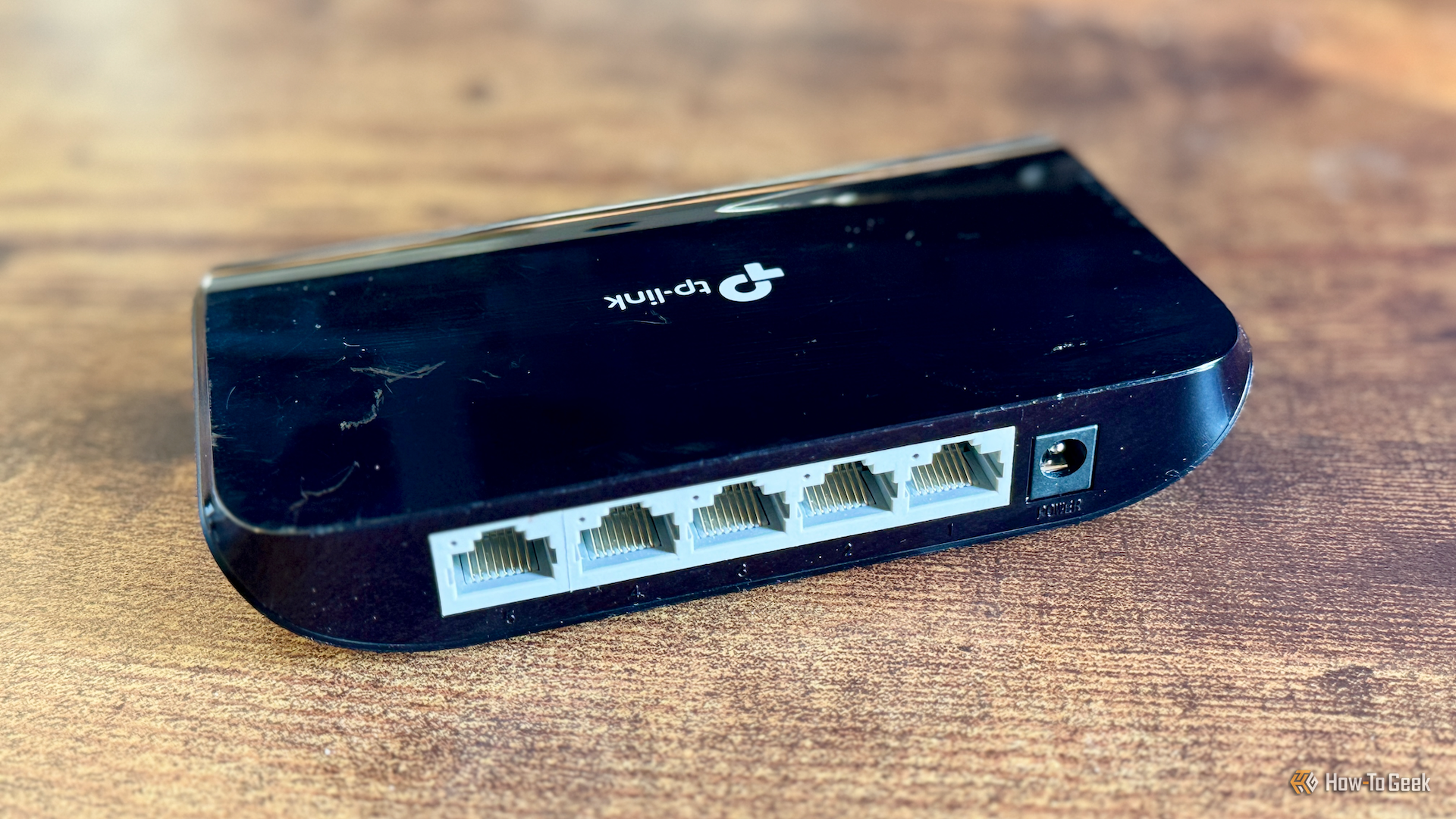
I've spent a whole lot of money on networking gear over the years, but time and time again, it's some of my cheapest purchases that keep surprising me (in a good way). One of the first was my USB-to-Ethernet adapter, and now, I'll tell you a bit more about my second favorite: a five-port unmanaged gigabit switch.
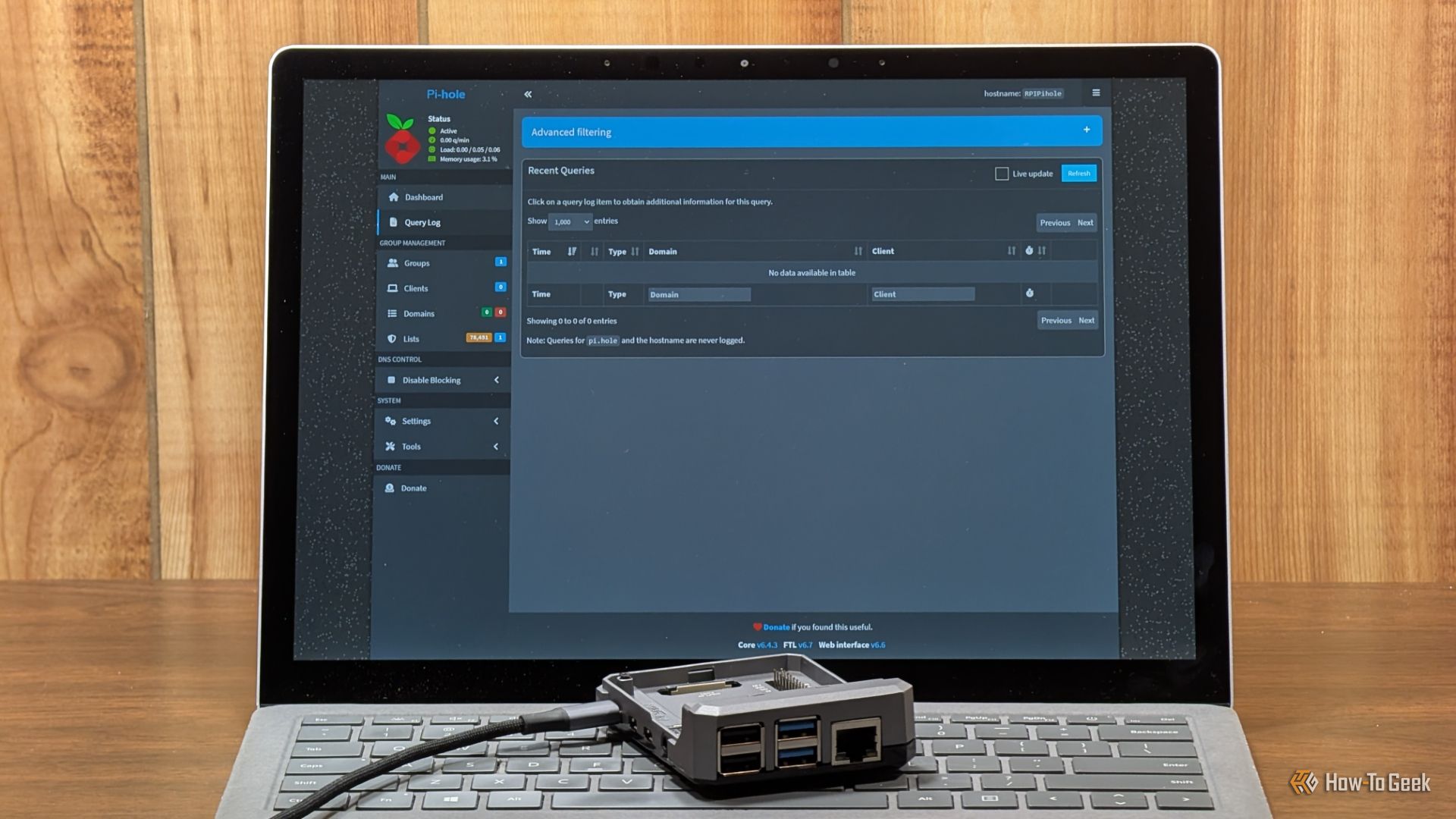
Pi-hole is one of the simplest and most useful things you can set up on your home network. It acts as a DNS sinkhole that blocks requests to domains associated with known ad servers or trackers. This gives you a far better browsing experience, but if you're only running a single instance of Pi-hole, things can go wrong.
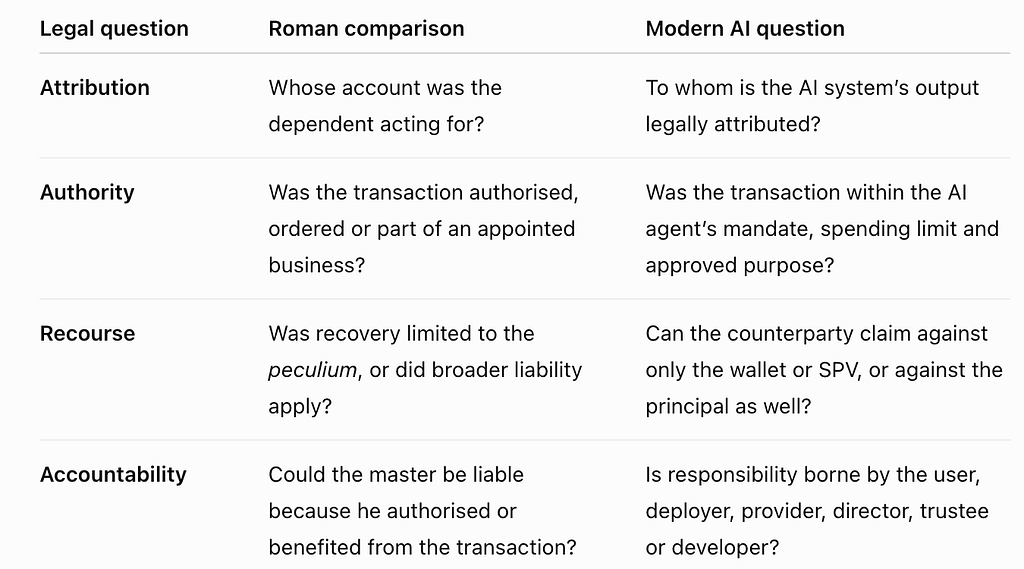
An AI agent may select a counterparty, negotiate terms, interact with a smart contract and authorise payment. Yet it is not generally recognised as a legal person, therefore its outputs need to be attributed to a human being or organisation. The UNCITRAL Model Law on Automated Contracting, adopted in 2024, supports contracts formed or performed through automated systems, including AI and machine-to-machine transactions. It establishes rules for attributing automated outputs and addressing unexpected outcomes without requiring the system to possess legal personality. And the emerging direction is clear: autonomous execution does not remove human or corporate accountability.
Roman law distinguished between people who were legally independent (“sui iuris”) and those subject to another’s authority (“alieni iuris”). The “paterfamilias” was the legally independent head of the household and principal holder of its property. He was not a ‘beneficial owner’ in the modern legal sense but can be compared cautiously with a principal asset owner, trustee, company or family office. Nevertheless, commerce required others to manage farms, ships and businesses and so the peculium was a fund placed under another person’s practical administration whilst remaining connected to the principal. The Roman jurist Gaius, Institutes, Book IV, sections 69 to 74, explained that liability depended on the authority granted; where the principal expressly ordered a transaction or appointed someone to operate a business or ship, liability could extend beyond the peculium. In other circumstances, recovery might be limited by reference to that fund. Justinian’s Institutes, Book IV, Title VII later restated this graduated approach and, in today’s climate, the resulting lesson is clear:
The greater the authority given to an AI agent, the greater the potential exposure of the principal behind it.
In the case of wallets, a separate wallet does not itself determine authority or liability; asset segregation, attribution and recourse remain distinct questions.
What modern cases tell us
In the case ofQuoine Pte Ltd v B2C2 Ltd, algorithms entered cryptocurrency trades after a platform failure activated a fallback price. The Singapore Court of Appeal treated the deterministic programs as mechanisms selected by their human operators, rather than inventing a separate legal mind for the software. The case suggests that using an automated system does not necessarily allow its deployer to disown a resulting contract, with these limits of unchecked automation having been exposed by US global financial services firm, Knight Capital. In 2012, faulty software sent more than four million erroneous orders in forty-five minutes, producing losses exceeding $460 million. Unsurprisingly, the SEC found inadequate safeguards, testing and supervisory controls and imposed a $12 million penalty. The lesson is that an AI peculium needs more than a capped wallet — it requires transaction limits, cumulative exposure controls, approved counterparties, price tolerances and an effective suspension mechanism. Another example can be seen in the case of Moffatt v Air Canada, where a tribunal held the airline responsible after its chatbot gave a customer inaccurate information about bereavement fares. These decisions are not universally binding but illustrates that a business cannot assume its AI interface is legally separate from the organisation deploying it. Meanwhile, the Ooki DAO litigation has provided a related warning — a US court held that a decentralised organisation could be sued as an unincorporated association and treated as a person under the Commodity Exchange Act. Similarly, the SEC’s 2017 DAO Report emphasised that regulatory treatment depends on economic reality, not technological terminology. A wallet, smart contract, DAO or SPV may segregate operations but it cannot automatically override securities law, sanctions obligations, consumer protection or fiduciary duties.
Why England and Wales could lead
The Law Commission has concluded that the law of England and Wales can generally support smart legal contracts without wholesale statutory reform. It also identified areas requiring further attention, including deeds, jurisdiction, interpretation and remedies. The Property (Digital Assets etc) Act 2025 has further confirmed that digital or electronic assets are not prevented from being objects of personal property rights merely because they fall outside the traditional categories of things in possession and things in action. That improves certainty over digital property but it does not determine who is responsible when an AI transfers it. The commercial opportunity is to combine existing contract, property, trust, company and financial-services law with a technically enforceable AI mandate.
Building a modern peculium protocol
A modern AI peculium should be a legal and technical control framework where it would identify the principal and define the AI’s objectives, permitted assets, counterparties, jurisdictions and transaction types in a digitally signed mandate. Capital could be placed in a segregated wallet or account and smart-contract permissions would impose per-transaction and cumulative limits. Borrowing, pledging assets, using an unapproved protocol or exceeding a threshold would require human authorisation and instructions, data sources, decisions and transactions would be logged so the agent’s conduct could be reconstructed. Lawyers, trustees, directors, compliance officers or regulated custodians could validate authority, approve exceptional actions, preserve evidence and activate emergency suspension and insurance could then be priced against a measurable mandate and maximum exposure. Furthermore, ring-fencing would still have limits as it could not automatically exclude claims arising from fraud, negligence, sanctions breaches, regulatory violations, fiduciary misconduct or express authorisation by the principal. This all echoes Rome where liability depended not only on the assets allocated, but also on what was ordered, who benefited and how much authority had been granted.
The EU AI Act requires proportionate human oversight for high-risk systems, including the ability for authorised people to intervene or stop systems that are not operating as intended. The UK’s principles-based framework emphasises safety, transparency, accountability, governance and redress; both approaches point toward controlled autonomy rather than artificial personhood.
Autonomy without unaccountability
Roman law did not solve AI governance two thousand years in advance. It did, however, recognise that commerce could be delegated without leaving authority and liability undefined. AI agents do not need fictional personhood to contract and move value — they need intelligible mandates, restricted access to assets, transparent records, effective human control and credible recourse. Jurisdictions that build this architecture first could provide the trusted infrastructure through which autonomous commerce, machine-to-machine payments and AI-managed wealth operate at scale. Rome’s enduring lesson is that delegation becomes commercially useful only when authority, assets and accountability have clearly defined boundaries.

 Login
Login