ICE’s Homeland Security Investigations is engaged in far-reaching spying against left-wing activists that rivals the FBI and CIA crackdowns on the Civil Rights and anti-war movements.
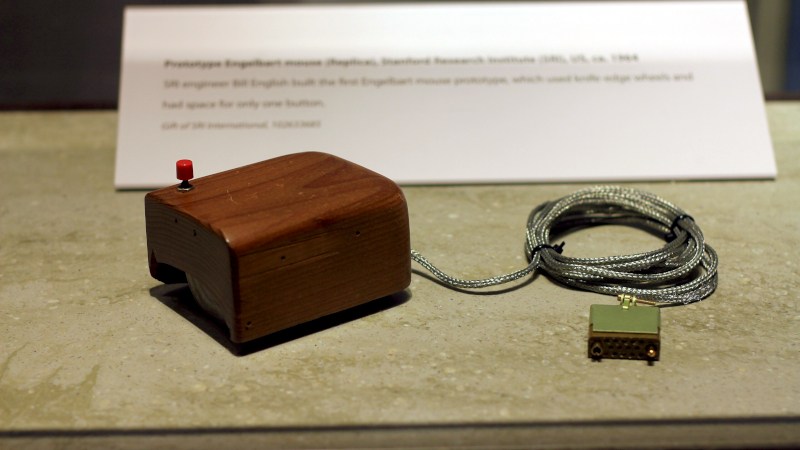
Many readers will be familiar with Douglas Englebart’s 1968 so-called “Mother of All Demos”, in which he described many of the devices and technologies we would be using two or three decades later. Among these was a primitive computer mouse, but while famous it was by no means the earliest pointing device. At the recent Vintage Computer Festival Berlin, [Dmitriy Kostiuk] delivered a fascinating lecture of the history of the pointing device.
It’s a long video that we’ve placed below, and it’s an exhaustive examination of the topic from the earliest examples to the 1990s when mice became commoditized. It’s a surprise to find that the first pointing device was a trackball built for a 1950s Canadian warship, with a surprisingly modern-looking optical encoder. Englebart’s 1966 wooden block with its pair of wheels and potentiometers had a less-well-known and much more stylish competitor in the same year from Telefunken.
We visit the various design iterations as the form of what we’d call a mouse today took shape. It’s unexpected to find that those Sun mice with the spotty mouse pad weren’t from Sun at all, they were from Mouse Systems. The first mice from Microsoft and Apple make an appearance, as do some awful designs for 8-bit computrs. Remembering those in particular perhaps it’s as well we didn’t have the cash to buy such a disappointing product for ourselves.
The video is long, but interesting. Give it a watch.
Header image, Douglas Englebart’s prototype, Michael Hicks, CC BY 2.0.
Sir Arthur Conan Doyle created one of the most beloved fictional detectives of all time in Sherlock Holmes, spawning countless novels, films, TV series, and so forth featuring the sleuth. Far fewer people know about the real-life inspiration for Holmes: a renowned surgeon at Scotland's University of Edinburgh named Joseph Bell, who taught Doyle when the author was still a young medical student. Bell is the subject of a new, eminently readable biography, Sleuth-Hound: The Case of the Real Sherlock Holmes, by medical historian Lindsey Fitzharris.
In 2020, Fitzharris hosted a documentary for the Smithsonian Channel, The Curious Life and Death Of…, exploring famous deaths, ranging from drug lord Pablo Escobar to magician Harry Houdini. Fitzharris performed virtual autopsies, experimented with blood samples, interviewed witnesses, and conducted real-time demonstrations in hopes of gleaning fresh insights. And last year she and her husband, caricaturist Adrian Teal, collaborated on an illustrated children's book, Dead Ends! Flukes, Flops, and Failuresthat Sparked Medical Marvels.
File systems are something we rarely think about anymore, but in the early days of Windows, they could make a surprisingly big difference in how much of your pricey hard drive you actually got to use. FAT16 had one incredibly frustrating quirk with how it handled cluster sizes. Its inefficiency effectively punished you for buying a bigger hard drive, as it could leave you wasting much of the storage you paid for.
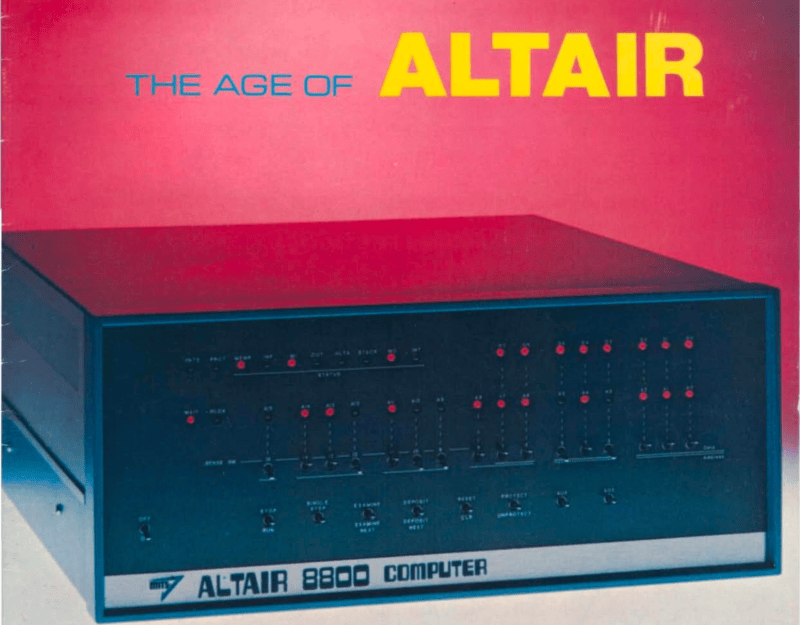
I recently got the Amazon Christmas toy book in the mail, and it is definitely the modern version of the Sears Christmas Wish Book for last century’s youth. Or at least the majority of last century’s youth. For the true hacker, we had a different set of wishes. Recently, I found something I’ve clung to for over 50 years: the 1975 “The Age of Altair” catalog from MITS. Now that was a wish book!
The poor thing has been dragged around for decades and, I’m sad to say, it looks it. It isn’t totally trash, but I decided I should scan it. Then I realized that Bitsavers has already done it for me and with a much nicer copy, too. The images in this post are from their scan instead.
About the Altair
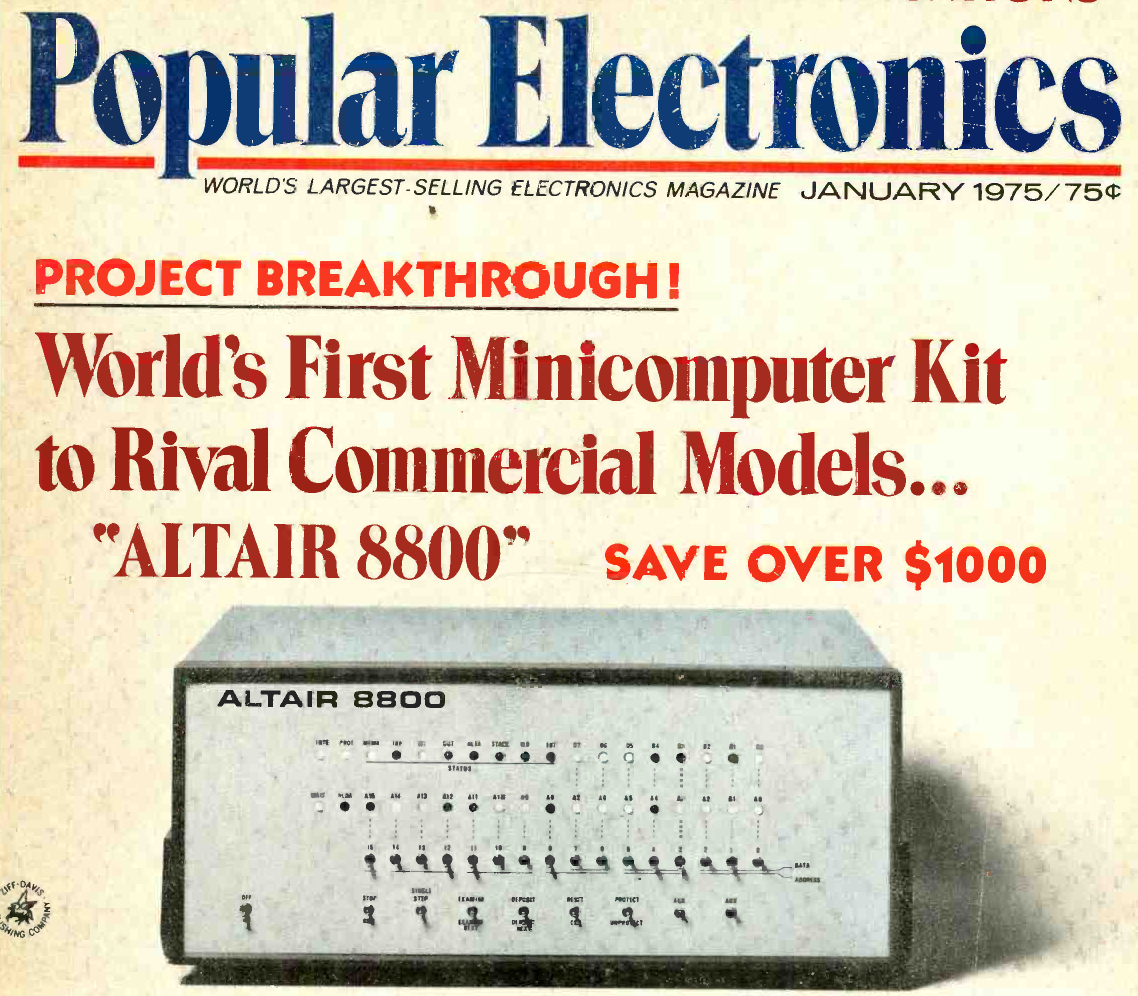
The magazine that started it all (World Radio History).
If your first computer ran Windows, you might not get the significance of the Altair. Back in 1974, the idea of having your own computer was practically ludicrous. Sure, Radio Electronics had published plans for the Mark 8 in July of that year. But it used an anemic 8008 CPU, and it wasn’t easy to get all the parts you’d need to build one. Other limited computers, like the Kenbak-1 or the occasional surplus minicomputer, ended up in personal hands. But you couldn’t just decide you wanted a real computer, plunk down some money, and have one delivered unless you had extremely deep pockets.
To stay on magazine stands longer, old print mags would come out earlier than their cover date suggested. The January 1975 Popular Electronics arrived, actually, in December of 1974 — just in time for the holidays. It showed a computer you could buy as a kit or assembled: the Altair 8800. Many of us were mesmerized by the idea of owning an actual useful computer.
Reality Check
Of course, the problem is, it wasn’t actually a useful computer. All by itself, it was a bunch of switches and LEDs with a CPU. You’d need memory, and even a little was super expensive. But it was still cheaper than anything else. Want a terminal and enough memory to run BASIC? That’s going to be even more.
In those days, magazines had “bingo cards.” Each ad had a number, and if you wanted more information, you circled that number on the card and mailed it to the magazine. A while later, you’d be rewarded with mail from the company in question. I have no idea how many of the “Age of Altair” catalogs were sent, but I know I got one.
The machine on the cover didn’t look much like the machine in the magazine. The story is that the original machine was sent to the magazine for photography and was lost in the return shipping. But either way, it looked like a small minicomputer of the era.
Micro
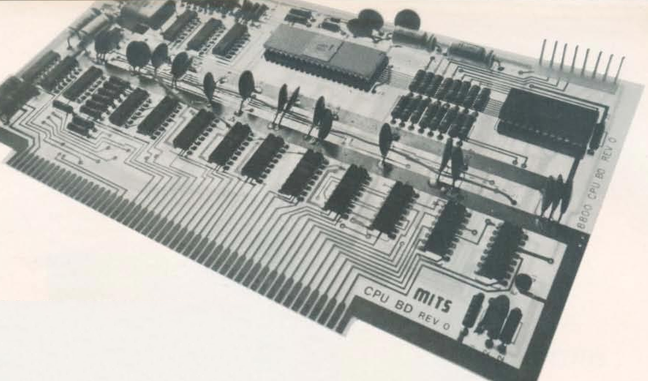
The CPU board used what would later be called the S-100 bus.
The catalog notes a cycle time of two microseconds, or about 500 kHz. That’s a little misleading. The CPU actually ran at 2 MHz, but each instruction took multiple clock periods, and some instructions required several machine cycles. Even a simple NOP took two microseconds, while more complex instructions could take considerably longer. It wasn’t a speed demon.
One nice thing about the Altair is that it had a card cage, and you could plug in whatever you wanted with what would later be called the S-100 bus. Of course, to save money, you might not get all the card guides and connectors.
If you had deep pockets, you could get fast static memory. This would cost more and provide less memory, but the chips stored bits in flip-flops, and it was fast. Or you could opt for more dynamic memory, which stored data in tiny capacitors on its memory chips. The downside is that the memory had to periodically refresh itself, stealing cycles away from the already slow CPU.
Down with Switches
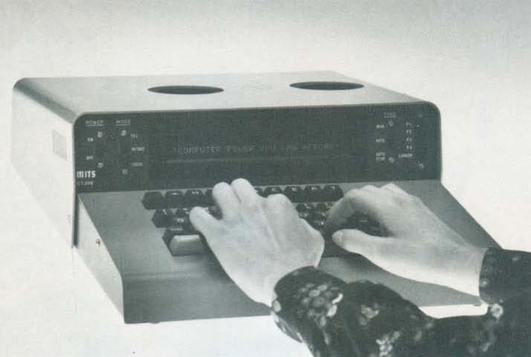
The Comter 256 showed a whole 32 characters at a time!
Naturally, you didn’t want to flip switches all the time. MITS offered the Comter 256 terminal. It had 256 bytes of its own storage and a whopping 32-character display. It even had holes to stick your phone in, if you wanted to talk to a remote computer.
This was, of course, not very practical. Your best bet was a TeleType. The TeleType Model 33 had a printer and a keyboard. The ASR variant had a paper tape reader and punch, too. Mass storage and a printer that operated at 10 characters per second. No screen, though. Everything you did was on paper. And it was pricey, too.
Software
The catalog offered a 4K and 8K BASIC along with “Extended” BASIC, which needed 12K but got you double precision math, PRINT USING, and disk I/O. There was also a single page of 8080 instructions in binary. I remember fixating on that page, trying to understand how you’d program this machine. There was a lot of missing detail.
Pricing
For as cheap as these were compared to the alternatives, they were still out of reach for many people, especially a kid. The computer itself was just a bit over $600 unless you wanted to build it yourself. Then you could save just under $200.
You couldn’t do anything without memory, though. A board that could hold 1 kB of static RAM (but only came with 256 bytes) was $134 assembled, plus $61 for every 256 bytes after that. If you wanted the board fully loaded, they discounted that to $209. The slower 4 kB dynamic RAM board was a cool $338. If you didn’t have paper tape, you probably wanted the interface to load and save programs from cassette. That was another $174.
Wanted something with a keyboard? The Comter terminal was $885, but for $35 more, you could get one that would also work with your cassette recorder to save and load things. Or opt for the TeleType for $1,500. You might be tempted by the 88-VLCT (the “low cost terminal”) at only $169. But if you saw it, it only had seven numeric keys (for octal) and two other buttons.
That’s not all. Those terminals had to plug into something. That board would run you around $140, depending on which variant you wanted. Even something like a real-time clock was an extra purchase.
The base computer price had four available slots, one of which held the CPU. So if you had a CPU, two memory cards, and a serial I/O card, you were full unless you bought more slots. To make it easier, you could buy a bundle. The cheapest was just shy of $3,000.
Perspective
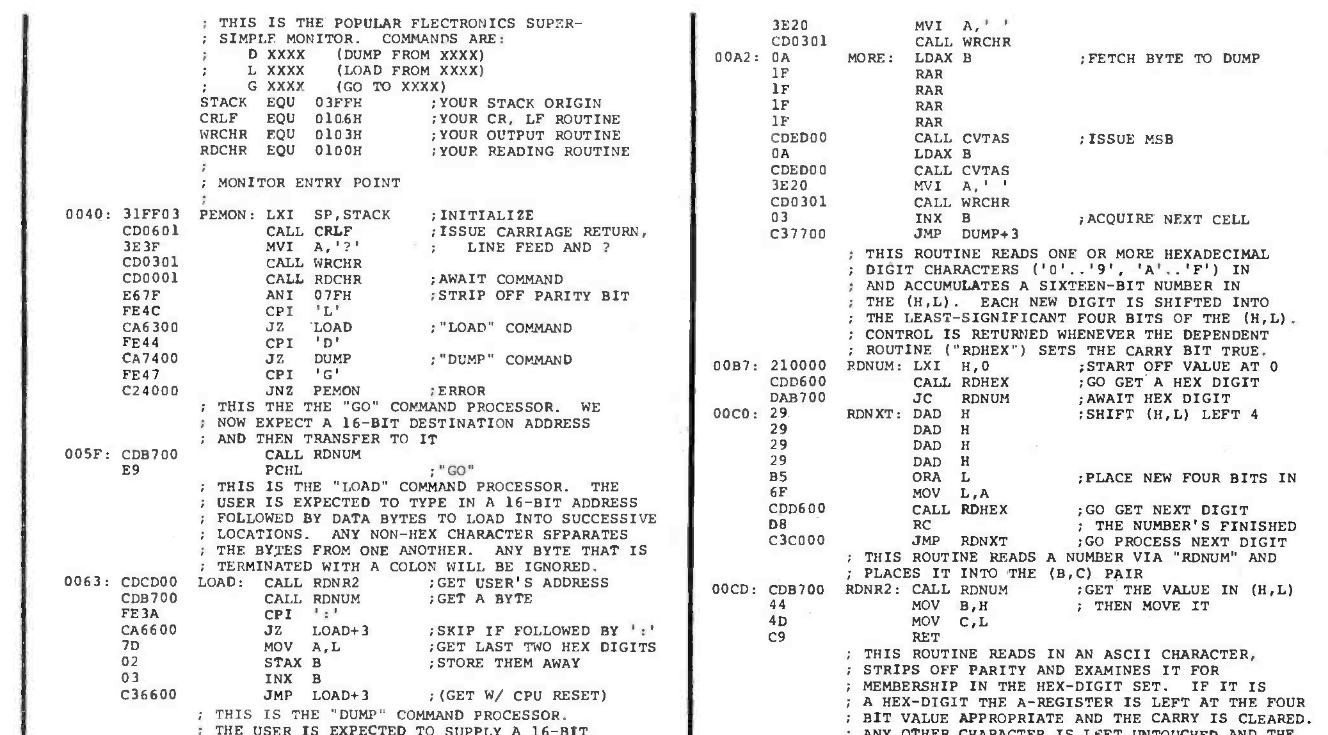
Why are the addresses backward? Part of the PEMON monitor from the November 1975 Popular Electronics.
I know. It is easy enough to spend $3,000 on a state-of-the-art computer today and, at the time, this was pretty state-of-the-art. But in today’s dollars, that’s about $19,000. A new car was about $5,000, and $3,000 would get you a very nice used car. An average home ran about $42,000, and $3,000 would be a hefty part of a down payment. The median income in 1975? Under $14,000.
Still, these were the first real computers you could at least imagine buying. It wouldn’t be long before the prices of even better machines dropped considerably.
I wasn’t the only one who wanted one of these machines. I conspired with friends to pool money to get one, but we never managed it. I pored over machine code listings in later magazines and the instruction reference in the catalog, trying to puzzle it out. I finally did. In those days, you couldn’t just download the manuals or watch a video about it.
Then again, the value of an original working Altair 8800 today makes it, again, out of reach for most of us. There are always faithful recreations. Or even less-than-faithful ones. I have plenty of these recreations and simulations now, but I still have kept the catalog I pored over so many years ago.
The history of Bitcoin is more than a history of blocks, prices and inventions. It’s a collection of problems, experiments, mistakes, ideas and human decisions that can help us understand where digital money should go next.
When people talk about Bitcoin, the conversation often leaps ahead to the future: adoption, regulation, mining, institutional investment, scalability, artificial intelligence, quantum computing, or the dawn of a new global financial system. But here’s the rub with trying to predict Bitcoin’s future without knowing its past. The birth of Bitcoin in 2009 was not a singular technological breakthrough. Emerging from years of experimentation with cryptography, digital money, computer networks, privacy, distributed systems, and the age-old question of whether people could exchange value without relying entirely on a central authority, it became a new way to organize money.
History changes the way we look at Bitcoin. The story starts long before the first bitcoin was mined. Slowly, ideas from cryptographers, computer scientists, privacy advocates, economists, and early pioneers of digital cash laid down the intellectual groundwork on which Bitcoin could stand. One or two projects failed. Some only solved half the problem. Others conceived ideas that would later appear in Bitcoin in a different form. In many ways what looks revolutionary in retrospect was the product of a long chain of discoveries. History tells us innovation is rarely a one-off. It’s generally a conversation between generations of ideas.
And so does the environment in which Bitcoin was born. On January 3, 2009, Satoshi Nakamoto mined the Genesis Block of Bitcoin and embedded a reference to a newspaper headline about another bank bailout. That message tied the technical genesis of Bitcoin to the financial circumstances of its time. The global financial crisis had revealed the fragility of institutions that millions of people had taken to be stable. So Bitcoin entered history not just as new software, but as a different answer to an old question: who do we have to trust when we exchange and store value?
By understanding these origins, we can also help prevent Bitcoin and blockchain from becoming technologies without a purpose. Blockchain is sometimes pitched as if the goal is decentralization. But history has shown us otherwise. The real innovations came from trying to solve real problems: double spending, centralization, censorship, privacy, verification, ownership, monetary scarcity and coordination between strangers. Remembering the problem that created the technology helps us to better know where blockchain is really useful — and where it isn’t.
Bitcoin’s history also teaches us to watch failure. Old digital currencies are no longer. Exchanges imploded. Protocols were being attacked Splintered communities. The rules were changed. New technologies offered more than they could deliver. But these failures are not just embarrassing chapters to forget. They constitute the knowledge base of the industry. A future generation, if it studies them carefully, need not make all the mistakes from the beginning.
That is why learning the history of Bitcoin is finally an exercise in designing the future. Understanding where proof of work came from, why scarcity mattered, why decentralization was difficult, why previous forms of digital money failed, and why Bitcoin appeared when it did gives us a much clearer framework for evaluating the technologies being built today.
The tale of Bitcoin has yet to be told. We are living inside a chapter of it. The choices made today by developers, users, companies, governments, researchers and communities may become the historical lessons studied decades from now.
If we want that future to be better, we must not look forward alone.
Sometimes to understand where Bitcoin is going, is to understand the long road that made Bitcoin possible.
You’ve probably seen people committing their env files to GitHub without noticing it. When you’re looking for a job as a coder, that mistake alone is significant enough to get you rejected if it happens during the technical portion. And if it ever happened to you, it’s happened to plenty of others too.
Today we’ll look at TruffleHog. It’s a tool that scans Git repositories and their full history for secrets that got committed by accident. It uses high entropy checks with custom regular expressions to catch strings that look like API keys, tokens, passwords and other sensitive data. You can point it at one repository or use a GitHub or GitLab API to hit a lot of projects in one go.
A developer can delete a key from the latest commit, but it will still live in Git’s past. With those credentials, you access services without making much noise.
Installation
First install git-dumper and TruffleHog. The Python package and the GitHub release are not the same, so pay attention to which one you’re on.
kali > pip3 install git-dumper
kali > pip3 install trufflehog
We’ll use git-dumper when we find an exposed .git directory and then run TruffleHog against that dump. Leaked .git folders are still common.
Dump a Repository
Some servers leave the entire .git directory open. Below you can see a website where it was fully accessible.
Dump it by giving git-dumper the URL and a local folder for the files.
kali > git-dumper http://example.com/.git dump
Other websites block the directory listing but still serve some of the files.
Git-dumper can pull every object, commit and reference it can reach.
kali > git-dumper http://example.com/.git/ dump
Everything will be stored in the dump folder.
Analyzing the Repositories
Once the dump is on disk, run TruffleHog against it. By default it runs entropy-based matching. That can help, but it shouldn’t be the only mode you know. In our case, regex with entropy off gave us more results.
kali > trufflehog --regex --entropy NO dump
In one of the files we found database credentials.
You can also install TruffleHog from the GitHub release and scan the filesystem directly:
kali > curl -sSfL https://raw.githubusercontent.com/trufflesecurity/trufflehog/main/scripts/install.sh | sh -s -- -b /usr/local/bin

kali > trufflehog filesystem /home/kali/Documents/dump
This build is fine for tuning your scans, but it often makes more noise and false positives, so just be aware of it.
Other Ways to Analyze Repositories
Depending on which build you’re using, try these flags to change what you get in the output.
Scan a repo for verified secrets:
kali > trufflehog git https://github.com/trufflesecurity/test_keys --results=verified,unknown
Verified means TruffleHog checked these finding live against the service API (AWS, GitHub and so on). Unknown is both high entropy and regex hits that it couldn’t confirm.
Same scan with JSON output:
kali > trufflehog git https://github.com/trufflesecurity/test_keys --results=verified,unknown --json
Scan a GitHub repo including issues and pull requests:
kali > trufflehog github --repo=https://github.com/trufflesecurity/test_keys --issue-comments --pr-comments
That digs into issues, comments, PR bodies and comments. You can find leaks in discussions too.
Scan a local Git repo:
kali > trufflehog git file://test_keys --results=verified,unknown
Useful when you’ve compromised a dev Linux machine with multiple projects on it. There’s a better chance of finding something locally than pushed to GitHub, although both can happen, as you now know.
Summary
We had an external pentest where several services were accessible but no credentials could be found. Surprisingly, some developers had kept projects they were doing for the company publicly accessible on GitHub. Eventually we found a working pair and got into a database.
TruffleHog can be really helpful here. Sensitive files sometimes get exposed without the publisher even knowing it. We’re humans and we make mistakes. Offensive or defensive, the point is the same.
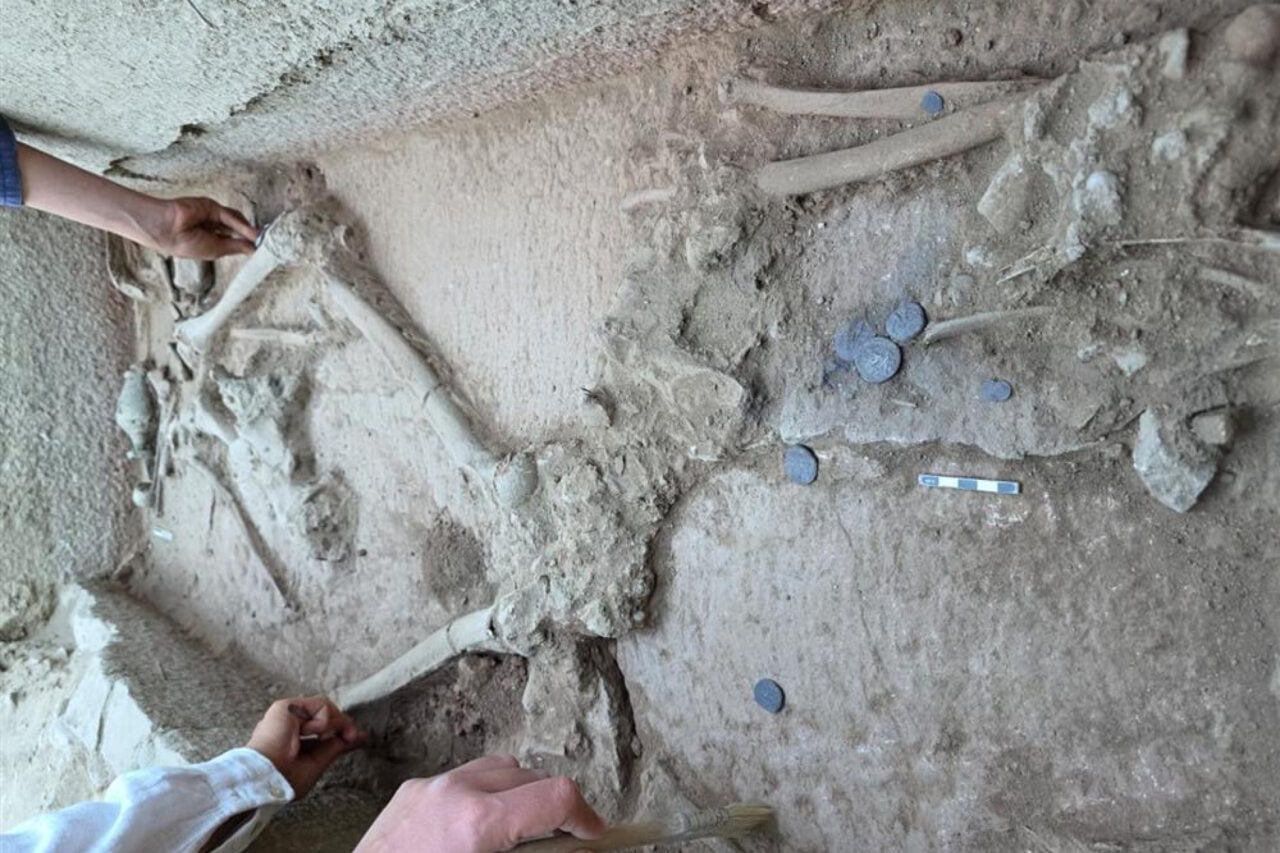
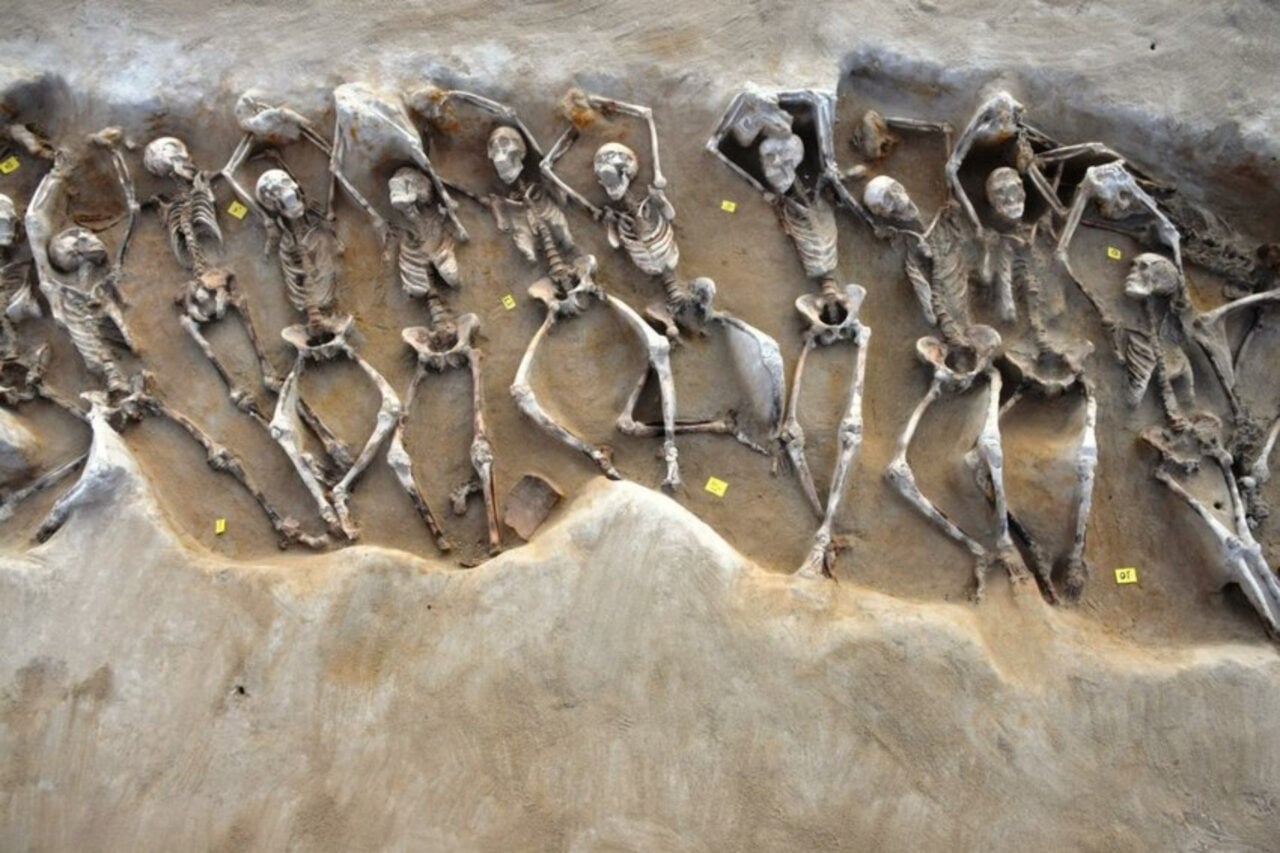
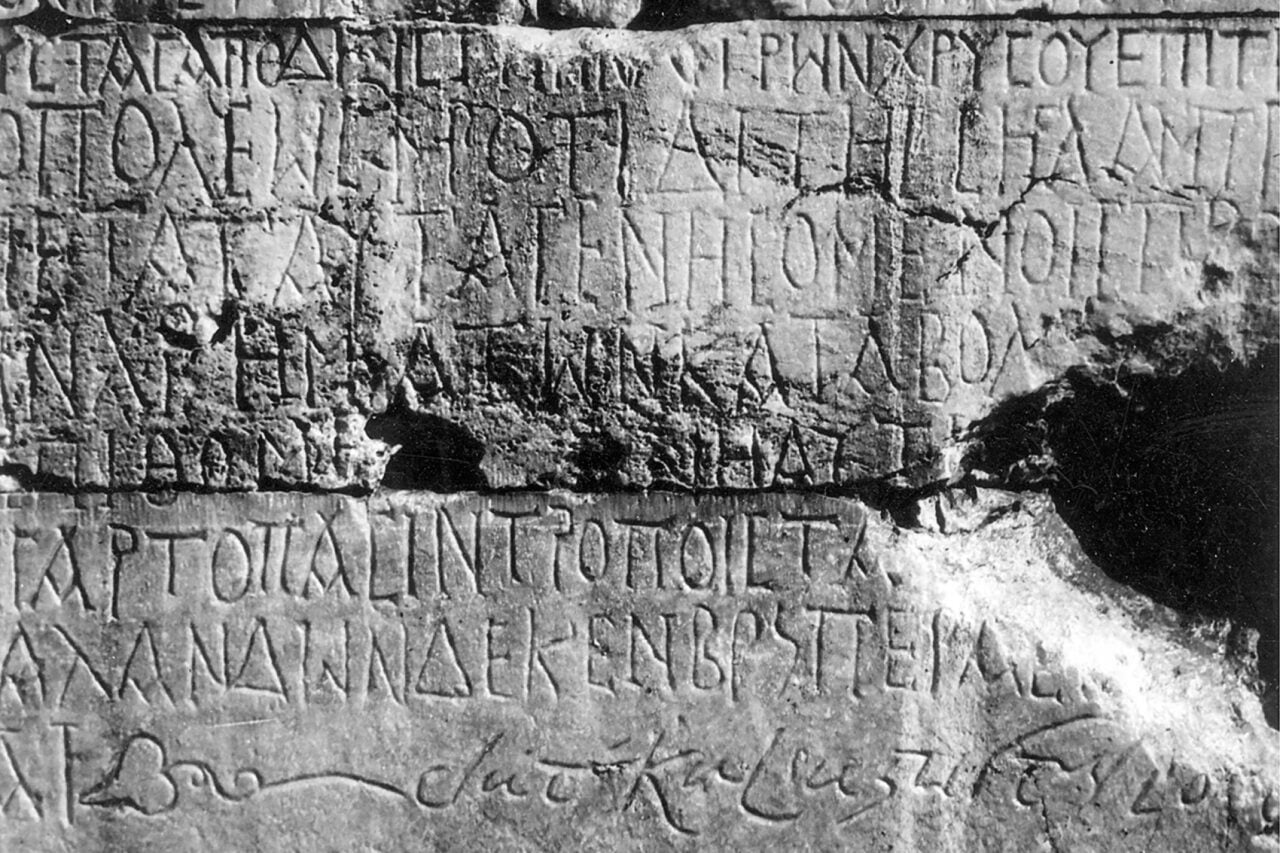
Researchers will have to take a closer look to find stronger evidence, but the findings offer a rare look into the people who lived in a wealthy Greek city.

 Login
Login