Reading view

There are new articles available, click to refresh the page.

Protect Social Media Account | Protect Your Facebook Account| Protect Your Instagram Account


Protect Social Media Account | Protect Your Facebook Account| Protect Your Instagram Account


Hello Friends. Today we will take lesson on the importance of protecting the social media account from being compromised. A strong social media policy can protect your brand and avoid embarrassing posts. Social media accounts are the latest phishing target.

Social media has made its own place in the world of people. There are some people, whose day is not complete without using it, but always be aware of the fraud and cyber-crime that occur while using social media. So far, people have had to pay the price for not doing so.

It's a good time to update existing policies to cover the increase in remote work and set clear expectations for employees about using social media during work hours.


One fine day you may get email that someone is trying to log into your Instagram account. But the thing is, you don’t have any Instagram account.

This is a very common phishing scam. A phishing scam is when someone tries to impersonate a company or service that you might actually do business with in an effort to steal your account information.

The scammers assume you have a Instagram account and are hoping you will click on the link and provide your login credentials so they can use this information to access any account you might have.

These tend to be more common with scammers claiming to be from your bank or other financial institutions, but lately they have been targeting social media accounts. Their assumption is that if you use the same login information at one site, you probably use it for another.

Once they get a user name and password combination, these scammers will meticulously go through every possible online service and try to access the accounts with the information they have from this one phishing attack.

That is why it is always a good practice to use a unique password for each one of your online accounts. And yes, that can be a real hassle.

I have been using Google Chrome and logging in with a Google account. This allows me to create and save complex and unique passwords for all of my online accounts.

If you’re not a fan of Google, look at a dedicated password manager like LastPass or 1password for managing this.

Social media platforms like #Facebook, #Twitter and #Instagram started out as a way to connect with friends, family and people of interest. But anyone on social media these days knows it’s increasingly a divisive landscape.

Undoubtedly you’ve heard reports that hackers and even foreign governments are using social media to manipulate and attack you. You may wonder how that is possible. As an information security enthusiast I can explain – and offer some ideas for what you can do about it.

Protect Social Media Account | Protect Your Facebook Account| Protect Your Instagram Account


Bots and sock puppets

Social media platforms don’t simply feed you the posts from the accounts you follow. They use algorithms to curate what you see based in part on “likes” or “votes.” A post is shown to some users, and the more those people react – positively or negatively – the more it will be highlighted to others. Sadly, lies and extreme content often garner more reactions and so spread quickly and widely.

But who is doing this “voting”? Often it’s an army of accounts, called bots, which do not correspond to real people. In fact, they’re controlled by hackers, often on the other side of the world. For example, researchers have reported that more than half of the Twitter accounts discussing COVID-19 are bots.

As a social media researcher, I’ve seen thousands of accounts with the same profile picture “like” posts in unison. I’ve seen accounts post hundreds of times per day, far more than a human being could. I’ve seen an account claiming to be an “All-American patriotic army wife” from Florida post obsessively about immigrants in English, but whose account history showed it used to post in Ukranian.

Fake accounts like this are called “sock puppets” – suggesting a hidden hand speaking through another identity. In many cases, this deception can easily be revealed with a look at the account history. But in some cases, there is a big investment in making sock puppet accounts seem real.

Sowing chaos

Trolls often don’t care about the issues as much as they care about creating division and distrust. For example, researchers in 2018 concluded that some of the most influential accounts on both sides of divisive issues, like Black Lives Matter and Blue Lives Matter, were controlled by troll farms.

More than just fanning disagreement, trolls want to encourage a belief that truth no longer exists. Divide and conquer. Distrust anyone who might serve as a leader or trusted voice. Cut off the head. Demoralize. Confuse. Each of these is a devastating attack strategy.

Taking control

So what can you do about it? You probably already know to check the sources and dates of what you read and forward, but common-sense media literacy advice is not enough.

First, use social media more deliberately. Choose to catch up with someone in particular, rather than consuming only the default feed. You might be amazed to see what you’ve been missing. Help your friends and family find your posts by using features like pinning key messages to the top of your feed.

Second, pressure social media platforms to remove accounts with clear signs of automation. Ask for more controls to manage what you see and which posts are amplified. Ask for more transparency in how posts are promoted and who is placing ads. For example, complain directly about the Facebook news feed here or tell legislators about your concerns.

Third, be aware of the trolls’ favorite issues and be skeptical of them. They may be most interested in creating chaos, but they also show clear preferences on some issues. For example, trolls want to reopen economies quickly without real management to flatten the COVID-19 curve. They also clearly supported one of the 2016 U.S. presidential candidates over the other. It’s worth asking yourself how these positions might be good for Russian trolls, but bad for you and your family.


Because of the multi-purpose aspect of social media platforms, they become valuable tools that the average person spends approximately 100 minutes on every day, according to a recent study. Because they are such omnipresent platforms, and being linked to an increasing number of applications on smartphones and other devices, it becomes even more necessary to secure them.


Users can save themselves from all these things by taking care of few things.


Create strong password

It is very important to protect yourself while using any social media platform. For this, first create a strong and different password. This is such a thing, without which you cannot open your account. For this reason, create a password that is difficult for the hacker to think and cannot easily break it. This will keep your social media account safe and no personal information will be able to go out. Also for the sake of protection please activate multi-factor authentication password while logging into the social media account.


Take care of privacy

Have you ever noticed that whoever is watching what you are sharing on social media?

If you do not want everyone to see the photos, files and other things you have shared, then take care of the privacy settings. While creating an account, first make the settings related to privacy so that your things do not fall into the wrong hands.


Report offensive post

Many times we see many such posts on social media which do not look right, but in spite of this we ignore them. This is our biggest mistake. You should report such posts immediately. It will be beneficial for you as well as the rest of the people. By doing this you can secure multiple people at once. In addition, you can also report fake IDs.


Do not use third party app

Many applications, software, and websites etc. give you the option to login with a social media account. You must have thought many times to press the button of Login with Facebook, but it can become a big problem for you. To avoid this, tap on the app and website in the settings and see all the apps and websites associated with the ID, immediately remove what you don't feel safe.

Conclusion

This article is drafted to explore the privacy and security issues that affect social media accounts. The topics covered herein reveals that users of social media post personal information, which can be used by malicious criminals and businesses to compromise the privacy and security of individuals in the real world. It has been noted that people post personal information because they have a false sense of security while using social media.

Irrespective of  the fact that there are laws and policies that seek to protect users’ information from such vices, individuals should exercise caution and filter information that they publish on social media, because it becomes public as soon as it is posted. So prior to posting any personal information in social media account please judge the personal contents you are willing to publish.

Protect Social Media Account | Protect Your Facebook Account| Protect Your Instagram Account


identity guard

                            identity guard

 👉Identity theft definition 


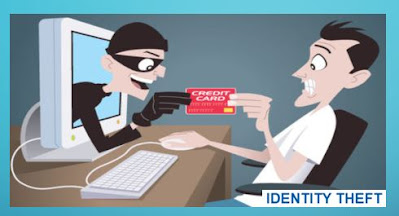
Identity theft is the use of someone else's personal information without permission, typically to conduct financial transactions. By personal information, we mean data that institutions use to recognize any individual associated with the institutions. Examples are social security number, bank account number, address history, and soon and so forth.

These types of valuable information are in theory private and should be treated as SPII, but in practice can often be discovered in a variety of ways by a dedicated identity thief, who can then either access individual’s own accounts or open new ones in your name. The latter practice can be particularly having a harmful effect,  with just your social security number, identity thieves can take out loans or credit cards that they never pay off — and the resulting damage to your credit rating can be very difficult to undo.

While identity theft is a very old crime, in many ways it is a defining problem of our modern digital age, in which your personal information can easily be exposed online due to your own negligence or the poor security practices of companies you do business with, and so much of your financial life rides on the accuracy of your credit rating. The damage can be mitigated, but it's better to prevent the theft in the first place.

Impact of identity theft on business


Identity theft is most often associated with the act of stealing an individual's identity.

Here we are talking about an identity thief pretending to be someone within a company who has the authority to make financial transactions, just like they might pretend to be another individual.

The consequences can be dire, particularly for small businesses where the founder's or owner's finances are deeply entangled with the company's.

How is identity theft committed?


Every act of identity theft begins with a thief gaining access to one or more pieces of personal information about the victim. Thieves can, for instance:

·     


Many of these techniques would work on both individuals and businesses. Businesses are often less strict about controlling "personally" identifying information than individuals, since certain facts about businesses must be public by law, and a business is run by multiple people and lines of responsibility may be diffuse.

Identity theft examples


                        identity theft


Once identity thieves have identifying information about you or your company, there's a lot of different techniques they can use to profit from it.

  •    Accessing existing financial accounts. This is probably the most straightforward way to profit from identity theft-- by simply stealing your money. With a credit card or bank account number, identity thieves can make purchases until the fraud is noticed and the accounts frozen. Businesses, which may have large amounts of cash or credit for day-to-day operations, are a particularly tempting target.


  •    Opening a fraudulent credit card or other line of credit. This can be achieved with as little data as a name and a social security number. Once the credit is available to the identity thief, money can be withdrawn and spent or charges made to the card — and of course they'll make no attempt to pay off the loan. Since the debt is attached to the victim's social security number, there are little or no consequences for the identity thief. Again, businesses are a particularly tempting victim of these scams, as they can often acquire bigger lines of credit than individuals can.


 Identity theft protection

There's a wealth of information out there on how to protect yourself from identity theft, from outlets ranging from credit agencies to government websites to personal finance publications. While the details differ, there are some bits of advice that almost everyone seems to agree on, and they apply to individuals and businesses alike.

identity guard


Following are the points we can practice to our confidential data safe from theft.

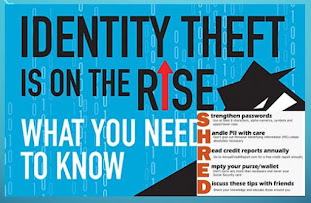
1.    Don't share personal information (birthdate, Social Security number, or bank account number) because someone asks for it.

2.    Pay attention to your billing cycles. If bills or financial statements are late, contact the sender.

3.    Secure your Social Security number (SSN). Don't carry your Social Security card in your wallet. Only give out your SSN when necessary.

4.    Collect mail every day. Place a hold on your mail when you are away from home for several days.

5.    Store personal information in a safe place.

6.    Install firewalls and virus-detection software on your home computer.

7. Create complex passwords that identity thieves cannot guess. Change your passwords if a company that you do business with has a breach of its databases

8.  Update sharing and firewall settings when you're on a public wi-fi network. Use a virtual private network (VPN), if you use public wi-fi.


How to report identity theft


That's a long list of precautions you need to take, and while many people make strong efforts to meet all of them, it's hard to do it all perfectly — and an identity thief only needs to get lucky once. And as we've noted, many identity thieves get personal data derived from hacks of corporate systems, so even if you've been completely vigilant about your data, you can still find yourself a victim of identity theft if some company you've done business with lets down its guard.

If you think, you have been hacked or your confidential information are compromised, here are few tips you can follow.


1.    Pull your credit report. Every year, you’re entitled to one free credit report from each of the main credit card company You can access these reports from the respective credit card issuer company’s website as well.

2.    File a police report and fraud affidavit. These can be obtained from your creditor(s) recovery department, and provide copies of these documents and any additional necessary paperwork to creditors’ fraud departments.

3.  Create an Identity Theft Report. Do inform the credit card issuer about the fraud online .The online report asks a few questions about your situation, then devises a personal recovery plan.

4.    Place an extended fraud alert on your credit file. This alert lasts seven years and is available only to identity theft victims. To get an extended fraud alert, you’ll first need to fill out an Identity Theft Report.

5.    Make a list of suspicious  activity. Applications to open new accounts, as well as the accounts that have already been fraudulently opened in your name, must be noted and forwarded to the three credit bureaus and listed on your Identity Theft Report.

6.    Provide creditors’ fraud departments with the details and contacts. It will take up to 90 days to conduct a full investigation.

7.    Obtain letters from your creditors. These letters should state that the fraudulence on your account has been confirmed, resolved and removed from your account. Then make sure that your creditors have expunged this negative reporting on your account and that a letter stating this has been sent to all three credit reporting bureaus. (As a backup, you should personally send a copy of these letters to the credit reporting agencies as well.) Be sure to call afterward to make sure that they have received this information.


Conclusion

Identity theft not only impacts you financially but emotionally as well. The emotional stress can disrupt your sleeping and eating and lead to depression. If such things happens then giving yourself room to breathe and allowing some time to pass to repair the damage, noting that recovering from identity theft can be a process that takes weeks or even months.

Identity Guard


Desktop Security

Hi Friends , Greeting of the day. Hope you all are safe and healthy.

At present we all are coming across the  term "cyber security" , hacking etc etc for the multiple events cropping up at Indo-China Boarder.

In the past articles have already been published related to


Today we will discuss about the desktop security and Why do you need to secure your Desktop?

desktop security


We have to provide enough security to our desktop because a desktop if used without proper security measure that could lead to compromise the system for illegal activities using the resources of such non-protected computers. These exploiters could be Virus, Trojans, Key loggers and sometimes real hackers. This may result in data theft, data loss, personal information compromise, stealing of credentials like passwords etc.

If the desktop is not protected then hackers may use it to trigger thousands of illicit e-mails which in turns will chock the network access.

There is another way hackers can take undue advantage of the desktop by doing shoulder surfing. This is when an unnoticed individual looks over your shoulder to obtain private information like your user name and password. The best possible counter measure is to hide the keyboard by body while providing the credentials.

If you know you are going to be away from your desk for an extended period of time during the work day; a good alternative to shutting down your system is locking your keyboard. On a Windows system this can be done by pressing and holding the key with the “flying window” (usually found next to the ‘Alt’ key on the right side of the keyboard) and then pressing the “L” key. This will lock the keyboard and blank the monitor screen until a valid password is entered.

Being aware of who is around you is the first line of defense for desktop computer users. Combine awareness, good password practices, and secure applications and users will have a security formula that makes them less likely to be hacked.


5 free security downloads every computer needs


If you’re looking for simple, effective ways to stay on top of cybersecurity, these five free downloads can help you protect your system from malware infection, secure your network and help you browse the web with peace of mind. Here’s what you need to install.

1.   Essential anti-malware software for PCs and Macs


Antimalware programs are essential for scanning and cleaning harmful files from your computer. As a freeware you can try Windows Defender and Malwarebytes

Windows Defender is designed by Microsoft to work with Windows 10 computers and comes with your PC by default. Because it works behind the scenes, there are no downloads or installation files to mess around with. Using the program, you can scan your computer for malware, quarantine malicious files and remove them with just a few clicks

In addition to performing background scans, this software automatically scans downloads, open programs and provides new Windows Update definitions so you can stay on top of spreading threats. Make sure you’re using the latest version. 

 As for Apple systems, macOS doesn’t have a stock equivalent like Windows Defender, but that doesn’t mean you should go without protection.

Malwarebytes for Mac is designed for speed and can scan your entire computer in as little as 30 seconds. It identifies and removes malicious files for you once the scan is complete — no extra work required on your end.

To get started, you have to download the free version from the website which is authenticate installer file will appear in your Downloads folder in the bottom right corner of your dock where all your program icons are found. Click the file to open it, and follow the directions that appear on-screen.

Malwarebytes will run you through the process of your first scan once you boot it up for the first time.

2.   Quad9 helps you optimize your network for security


Quad9 is a free, recursive, any-cast DNS platform that provides end users robust security protections, high-performance, and privacy

DNS is what’s responsible for directing you to specific websites when you type in a web address, as well as the reason why you don’t have to enter an IP address every time you want to visit a site. Your internet provider typically assigns your DNS settings automatically, but hackers can hijack these settings to redirect you to malicious websites.

Use a safer option: The Quad9 Domain Name System service is maintained by cybersecurity advocates at IBM and The Global Cyber Alliance. Every time you click on a web link, Quad9 will check the site against IBM X-Force’s threat intelligence database of over 40 billion analyzed webpages and images.

Quad9 works to protect you by blocking unauthorized DNS redirects right off the bat and can also protect your devices from cyber-attacks by blocking remote hosts as well.

All you need to do to use Quad9,  is edit the address into your DNS settings, so there are no additional programs to download.

3.    HTTPS Everywhere encrypts unsecured websites so they’re safe to visit


Are you familiar with “HTTPS?” This online marker shows if a website is properly encrypted for secure communication and appears as a lock icon in your address bar, as well as an “https://” in the web address itself.

Most websites these days use HTTPS to guard against hijacking and malicious hacking attempts, but not every site has made the switch.

Fortunately, the HTTPS Everywhere browser extension fixes this issue. It was created as a joint venture between the Electronic Frontier Foundation and the Tor Project. Using a bit of clever coding, it’s able to rewrite your web requests as HTTPS — even if the website you visit isn’t properly encrypted.

If you’re concerned about visiting an unknown or new website, HTTPS Everywhere can give you a bit more peace of mind. Just make sure to pair it with a good cybersecurity suite like the ones above for maximum protection.

desktop security


You can download the browser extension for the desktop versions of Chrome, Firefox, and Opera — and comes standard with Brave and Tor. For Android smartphones, download the mobile version for Firefox and try in the mobile version of Brave for iOS or Android.

4.    This keylogger check will show you if someone is spying on what you type


Keyloggers are devastating programs that can monitor the things you are typing and send them back to the hackers in control of them. This allows them to steal passwords, email addresses and other personal information with ease — all right under your nose.

To protect your PC against keyloggers, anti-keylogging software is your best bet. When it comes to free options, Ghostpresss offers good amount of features in one lightweight download. Not only does it scan for existing keylogging software on your computer, but it also runs active real-time keylogging protection.

This means that it’s running in the background while you type and will block any background attempts to record what you’re spelling out. It can even prevent remote screenshots from activating, which hackers sometimes use to capture passwords that have their characters blocked by apps.


5.    hard drive health checker will keep your system running smoothly


Ignoring warning signs of a failing hard drive can cost you a good deal of money and time.

To protect and monitor your hard drive, we recommend using a digital health checker like CrystalDisk for diagnostics. This program provides detailed readouts on the status of your storage system and can tell you when something is awry or unusual before the effects become obvious.

A good deal of the information you’ll get back from a hard drive health checker is difficult to interpret if you’re not an expert. The most important thing you need to check is your disk’s “SMART status.” SMART — which stands for Self-Monitoring, Analysis, and Reporting Technology — is how your disk reads its health back to you.

desktop security

As computers get more advanced, so do the threats we face on the web. Luckily, these programs can give you peace of mind while you surf the internet and can help your system last longer than it might have normally.


Cyber Security at Covid19

cyber security


We have often observed  that cybersecurity professionals are a lot like first responders. That is, they train, practice and endlessly condition themselves for the big red alarm to ring so they can save the world from cybermiscreants. Some people are comfortable in that role and others aren't, which is often the determining factor in whether someone is a successful cybersecurity leader.


The pandemic has brought cybersecurity front and center for state and local governments and corporate sectors, but under different names and categories. Whether the hot topic is working from home, or unemployment benefits enrollments, or streamlining business processes using digital signatures, cyberleaders must seize this opportunity.

Working from home certainly belongs in that list of hot topics, since COVID-19 has resulted in government organizations and corporate organisation transitioning a majority of their office-based employees to some form of remote work. This initially looked like a temporary measure, but it's becoming increasingly clear that many of those remote workers may never be returning to their government cubicles. Security leaders need to shift their response from viewing remote work vulnerabilities as a temporary problem and begin identifying more permanent solutions.

Employees working from home are playing games and trolling Facebook and Instagram on the same computers they are using to access sensitive data. How is your agency's security awareness training?

That's the kind of question organization’s chief information security officers can expect to hear more often than not , from the  policymakers who are their bosses. CISOs have struggled for years to be taken seriously as business leaders and deserving of membership on the executive leadership team. The COVID-19 pandemic is their moment to prove they belong, but responsibility is the price they must pay for a seat at the table. "Security is not a problem you solve, it's a long-term business risk you manage," says security expert and entrepreneur Matt Devost. "It is important that your security program doesn't focus just on short-term goals, but that you also play the long game. As the CISO, you need to have a compass, not a map."


With business continuity and operational resilience at stake, awareness of key cybersecurity considerations is crucial, as many organizations look at a long-term shift towards work from home. There are few points which we have to keep in mind while framing business continuity principals.

Digital Empathy – Security has proven to be the foundation for digital empowerment in a remote workforce. Cloud-based endpoint protection technology enables employees to work when, where, and how they need to work and can allow them to use the devices and apps they find most useful to get their work done.  After all, security technology is fundamentally about improving productivity and collaboration through inclusive end-user experiences.

 Zero Trust – Over the past two years, Zero Trust has emerged as a key security philosophy for businesses. COVID-19 has allowed for a real-life demonstration of why it’s important. Companies relying on traditional ideas of securing workers through “walls and moats” at the perimeter (aka firewalls) were both more susceptible to COVID-19 themed threats and were less able to meet the demands of a newly remote workforce.

Zero Trust shifted from an option to a business imperative in the first 10 days of the pandemic. The Zero Trust architecture will eventually become the industry standard, which means everyone is on a Zero Trust journey whether they know it or not.

 Diverse data for better threat intelligence – A blend of automated tools and human based insights are needed to identify new COVID-19 themed threats. With adversaries adding new pandemic themed lures to their phishing attacks, organizations need to bolster their security foundation with strong threat intelligence, which is derived from analyzing a diverse set of products, services and feeds from around the globe.

  Building Cyber Resilience – It is human nature to plan for the last crisis. Global events like COVID-19 highlight the need to have a response plan that expects the unexpected.  A strategic combination of planning, response, and recovery helps establish a comprehensive Cyber Resilience strategy to enable secure remote work options, whether in the short or longer term.

  Integrated security – People often thought about security as a solution to deploy on top of an existing infrastructure, but events like COVID-19 showcase the need for truly integrated security for companies of all sizes. As a result, integrated security solutions are now seen as imperative.

As organizations adapt to the new reality and its cybersecurity implications, there is an equally critical, if not higher, need to educate employees so they don’t become the weakest link in the security chain. This can be accomplished through:

  Educating employees on the importance of Multi-Factor Authorization (MFA) solutions and setting up MFA for digital tools is an important way that organizations can reduce the risk of identity compromise.

  Communicating employee guidelines clearly, including sharing information on how to identify phishing attempts, distinguishing between official communications and suspicious messages that violate company policy, and the procedure of reporting suspicious email.

  Selecting a trusted application which ensures end-to-end encryption for enabling remote working audio/video calling. With the barrage of news and ongoing discussions, many users are in crisis mode, making them more vulnerable than ever to deception.


Cyber-Security lessons learned from the pandemic

1. Don’t take the bait

Phishing remains a popular—and effective—technique for attackers. It is an attempt to steal credentials and obtain sensitive information, often by an e-mail message containing a link to a seemingly legitimate Website. Phishing is the top threat action used in cyber-security breaches, according to Verizon’s 2020 Data Breach Investigations Report. To combat phishing, employees should know how official communications will be sent, treat unknown e-mails and links as suspicious, and have an easy way to alert their IT security team.

phishing

2. Improve cyber-security training

Most cyber-security training revolves around workplace use, with passing mention of security best practices while on business travel. Remote work opens the door to risks posed by unknown Wi-Fi networks, shared workspaces, wireless printers, and similar technologies not vetted by IT security. Cyber-security training should include best practices for remote work, covering: working environment, router security, use of a virtual private network (VPN), oversharing screens during online meetings, personal use of company computers, and IT support.

3. Secure collaboration tools

Collaboration tools, such as online meeting services, are now the norm for remote teams to communicate. Recent headlines have shown they can have security gaps if not configured properly. Meeting organizers should use built-in security features, such as waiting rooms, password protection, and other settings to control participants’ capabilities (e.g., printing, participant lists, document sharing, recording). Participants should not share meeting links publicly or with people who don’t have a need to know. Virtual meeting software should be regularly updated to the current version, or have auto-update enabled. Finally, employees should only accept meeting invites from expected and trusted sources.

4. Embrace distance learning and telemedicine

Education and healthcare changed dramatically when millions of students across the country found themselves suddenly unable to go to school and millions of patients could not see their doctors or receive the healthcare they needed. Both schools and hospitals have been prime targets for ransomware—where cyber-attackers encrypt or lock down a victim’s files/networks and demand a ransom to restore access—a threat only enhanced by COVID-19. To combat this, schools and hospitals should update their cyber-security risk assessment to encompass distance learning and telemedicine tools, as well as provide enhanced cyber-security training for educators and healthcare professionals.

5. Adopt the NIST cyber-security framework

Improve cyber maturity by adopting the National Institutes of Standards and Technology (NIST) Cybersecurity Framework as a guide for building a strong cyber-security foundation. It provides exhaustive guidance around five steps, or functions—Identify, Protect, Detect, Respond & Recover—that could help transform an organization’s cyber-security risk management posture from reactive to proactive.

Beyond a response to COVID-19, adopting the NIST Cybersecurity Framework will demonstrate to customers and regulators that an organization takes cyber-security seriously.

COVID-19 is a wake-up call to the world that economies must adapt quickly to survive and prosper. It brought into sharp relief our dependence on technology and its vulnerabilities. Continued vigilance is the ultimate lesson.

email security


Cyber Security

Dear Visitor, Greetings of the day.


Today we will learn about Cyber security, Cyber Security elements , Types of cyber-attacks  and the importance of cyber security.

cyber security


What is  cyber security

Definition – In simple words this is a type of security used for systems connected to the Internet. It also works to protect hardware, software and data from cybercrime.

Both cyber security and security forces are kept protecting the data so that the data is not stolen in any way and all the documents and files are safe. Great computer specialists and IT trained people are able to do this kind of work.

Cyber ​​security elements

Application Security

Information Security

network security

Emergency protection

Operational safety

End User Education

Data security

Mobile Security

Cloud Protection

Many times, the danger in cyber security is because the network connection and the Internet is changing the world at a very rapid rate, due to which security has become very important.

The administration is adopting several methods to deal with such activities. Strong capital is being used by many countries for cyber security so that the personal data of those countries is not leaked and all the information is protected.

In 2017, in one cyber security survey its estimated that information security expenditures across the world had risen to 83.4 billion and had increased nearly 7% since 2016. In the coming time, by the end of 2020, expenditure on its product and service will be up to 150 billion.

Types of cyber security attacks

Due to changing technology, our security and intelligence has become very challenging for us. However, to avoid cyberbullying, we need to keep our information secure.

 Ransomware - This is a type of virus used by criminals to attack people's computers and systems. This causes a lot of damage to files lying on the computer. Then the criminal takes bribe from whichever computer or system is malfunctioned in this way and then leaves his system.

Malware - It damages any file or program of computer such as computer virus, worm, trojan etc.
malware

Social engineering - This is a kind of attack that depends on human interaction. So that people can be tricked into the web with cleverness and their personal data, password etc. can be removed from them. Because of this also people are in great danger, so whoever you talk to, do it very carefully.
Phishing - This is a type of fraud in which emails containing fraud are sent to people so that they feel that this mail has come from a good organization. The purpose of such mail is to steal the necessary data such as credit card information or login information.


Advantages of cyber security

Cyber ​​security is necessary because the government, military, corporate, financial and medical institutions collect a lot of data and keep that data in their systems, computers and other devices. Some part of this data can also be very important, due to which theft can have a profound effect on one's personal life and it can cause all the soil of that institution to be silted.

With the help of cyber security, this data is kept secure so that this data cannot be captured by anyone else. As the data grows, we need good and effective cyber security products and services.

With the help of cyber security, we can avoid cyber-attack, data theft and thieves threats. Whenever an organization has the security of a good network and there are ways to avoid any kind of difficulty, all this work is possible only with the help of cyber security products and services. For example, many types of antivirus etc. protect us from virus attacks.

Cyber ​​security is a continuous process because of the risk. Security systems are constantly updated to check and control the increasing volume and complexity of cyber-attacks.

In the coming years, there will be even more advanced cyber-attacks using new technologies and intentions. Dark Web, the availability of ransomware and malware on the Dark Web will increase dramatically. It will not allow anyone, no matter how much technical knowledge they have, to launch a cyber-attack easily and quickly.

Nevertheless, due to the damage caused by cyber-attacks in the past, there is now a greater awareness of cyber-attacks and better cyber security measures are also needed among all types of organizations.

With the now applicable EU GDPR (General Data Protection Regulations), organizations may face fines of up to 20 million euros or 4% of annual global turnover for certain violations. There are also non-financial costs to consider, such as reputational damage and loss of customer confidence.

Cyber-attacks have become more sophisticated with attackers using ever-increasing tactics to exploit weaknesses in social engineering, malware and ransomware (as was the case with Petya, WannaCry and Crypto-Locker).

Three pillars of cyber security [PPT]

1  People:
     Every employee and stakeholders should be aware of their role in preventing and mitigating cyber threats, and specialized technical cyber security employees need to be fully prepared with the latest skills and qualifications to mitigate and respond to cyber-attacks is.

2 Processes:

Processes are important in defining how organization activities, roles, and documentation are used to reduce the risks of organization information. Cyber ​​threats change quickly, so processes need to be constantly reviewed to be able to adapt with them.

3 Technology:

By identifying the cyber risks that your organization faces, you can then begin to see which place to control, and what technologies you will need for this. Technology can be deployed to prevent or mitigate the effects of cyber risks, which depend on your risk assessment and your acceptable level of risk.


Cyber security needs more women role models

Information and cyber security assurance body Crest has highlighted a number of actions needed to improve gender diversity in cyber security, including more outreach into schools, dedicated career mentoring for women entering the sector and changes to recruitment practices.

Borne out of research undertaken at a recent gender diversity workshop organised by the non-profit group, alongside polling of its accredited members, Crest’s report, Exploring the gender gap in cyber security, found that while awareness of gender diversity was improving in security, there was still more work that could be reasonably undertaken to make an even greater difference.

Polls taken across two workshop events held during the summer of 2019 found that only 14% of attendees thought that not enough was being done to close the gender gap, but 86% believed that the progress that has been made was not enough.

The study also revealed that 59% of women in security said their experience in the industry was “mixed”, in that they had received some support but, equally, obstacles and challenges arose specifically because they are women.

“It is encouraging that as an industry we are making progress, but there is a lot more to do and improving the visibility of female role models will allow us to challenge the perception of the cyber security industry,” said Crest president Ian Glover.

The main priorities for change identified at the workshops were encouraging girls and young women to study computer science; improving visibility of women role models in security; challenging the perception that security is a gender-specific role; and industry-wide mentoring and coaching for women embarking on careers in the sector.

The report said that senior security leaders could and should shoulder more of the legwork in approaching schools and colleges, to help address a lack of interest in Stem subjects. This could be coupled with better promotion of established initiatives, such as the National Cyber Security Centre’s (NCSC’s) Cyber-First Girls contest.

Crest’s report also pointed to issues with current recruitment practices, and said change is needed in how security jobs are described and “sold” to women, right down to the language used in ads, and even candidate requirements.

Many of those present at its workshops said that the inclusion of training options in job adverts could encourage more women to apply, as would the introduction of flexible working hours, maternity policies that go above and beyond the bare minimum, and support for women going back to work after a career break.

Crest also found demand for an industry-wide mentoring and coaching scheme for women, creating a community, and helping people grow and develop in their careers.

 “Schools hold the key and we need to help them to encourage more girls into the industry. Furthermore, the mentoring scheme would give a platform on which role models can help to coach and guide others, which in turn will help to challenge the perception of gender as it relates to the industry,” said Glover.

security


❌