Reading view

There are new articles available, click to refresh the page.

Sail Virtually Aboard the “Itanic” with IA-64 Emulator

Intel’s Itanium architecture was an interesting experiment, but it has gone down in history as one of the chip giant’s bigger flops, so much so that it earned the name “Itanic” in the tech press. This is perhaps unfair, considering it did limp on until a quiet EOL in 2020. We didn’t know anyone missed it, but perhaps it was more the technical challenge than nostalgia for obsolete server hardware that led [Yufeng Gao] and [gdwnldsKSC] to spin up an instruction-set translator for the late, lamented, IA-64 architecture.

Note that it’s very much in alpha, version 0.1, so don’t expect all the things. Neither HP-UX and OpenVMS will boot, which is a pity since Itanium’s great success was arguably winning those OSes and thereby killing the bespoke architectures HP and DEC had at the time. Gentoo can get to a shell, as long as you use Kernel 6.6 or older, and Windows Server 2003 and XP-64 both apparently boot.

It’s not incredibly performant, with 486-level speeds when running on Ryzen 5000 series hardware, but then, it is a 64-bit hardware being emulated here, and pretty weird hardware at that. Itanium’s Very Long Word Instruction architecture was notoriously hard to program well. Specifically, it was hard to compile optimized programs for, so we expect optimizing an emulator is going to be similarly difficult. That’s why this is so impressive, even at this early stage.

The late, unlamented Itanium is probably one of the few systems not in the Virtual OS Museum, but perhaps eventually this project will change that.

via Raymii.org

QT6 brings BASIC to the Web Browser, or Your Computer

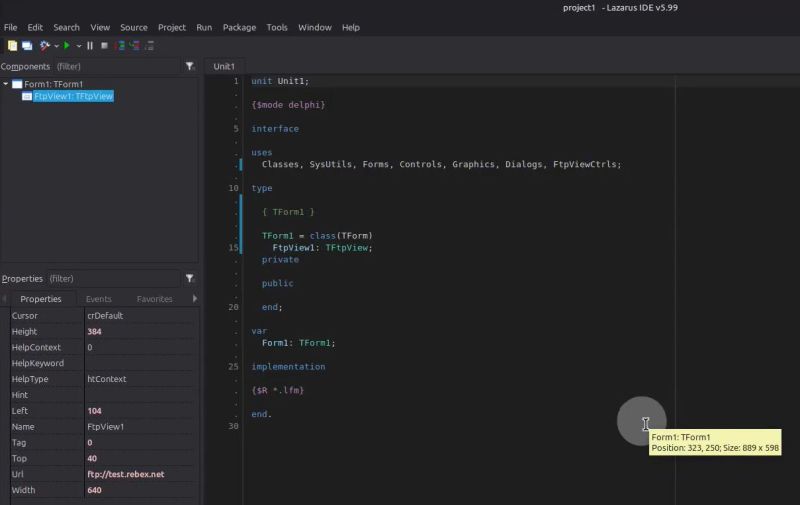
In the old days, you either swore by BASIC or you swore at it — but just about everybody got their start on the educational language. Nowadays, the kids are learning Python, but there’s a case to be made for BASIC — either for education, or just for nostalgic fun. BASIC-256 fills that niche, and now that it’s being ported to the oh-so-portable QT6 by [UglyMike], there’s even a webAssembly version that will let you run BASIC in your browser.

This version of BASIC is based on KidBASIC, which was aimed at the educational market. It’s got some handy-dandy graphics routines, 64-bit variables, and other quality-of-life features you can find in the docs. The new port is multi-platform, though the MacOS version has only been compiled for Apple Silicon — less of an issue than it used to be — and the web version naturally can’t get access to hardware for, e.g., serial ports, so it is somewhat more limited than a full install. There’s a second ARM build for Raspberry Pi along with the ubiquitous x86, but the project is open source, so if you really want to run this on an UltraSPARC system, you are welcome to compile it there. That said, this is a beta version, and the dev is actively looking for problems — so give it a go and let them know.

This isn’t the only open source BASIC out there — even Microsoft released their source code, at least for the 6502.

Thanks to [UglyMike] for the tip!

Write 2D and 3D Games in Modern MoonBASIC

One of the major strengths of the BASIC programming languages has always been their no-fuss setup and rich set of commands for operations that would take considerably more work in a bare-bones language like C. MoonBASIC continues this legacy with a BASIC variant optimized for both 2D and 3D game development.

Included in the package are Raylib, Box2D, and Jolt, whose functionality is exposed via over 4,200 commands in their respective namespaces. You can also download a whole IDE package based around VS Code, use it on the command line, or add it to an existing VS Code installation.

A quick glance at the ‘getting started‘ guide gives a pretty good idea of what to expect of MoonBASIC, including a range of custom language additions and support for PBR materials, dynamic lighting, and other modern game engine features.

Whether writing a game in BASIC was on your bingo card for this year or not, it might be worth taking a look to see whether it’s your jam. After all, if BASIC was good enough for both AI and game development in the 1980s, surely it can be used for complex games in 2026.

Calculator UI Is More Complex Than You Might Think

Calculators are so ubiquitous and so familiar that they are easy to take for granted in many different ways. [lcamtuf] points out one that has probably never occurred to many of us: the user interface for a calculator is an unexpectedly complex thing.

The internal logic to support sequential inputs and multiple operators in a way that feels intuitive is a complex thing.

Resolving something like 1 + 2 = is pretty straightforward but complexity compounds rapidly after that, with numerous special cases. Let’s imagine one decides to program a simple calculator UI as a weekend project. The development process might look a little like this:

  1. User types in 1 + 2 = and the calculator displays 3. What happens if the user immediately presses -?
  2. No problem, just consider the result of the previous operation as an already-there input. So we’ll have 3 - for this next operation, and wait for more.
  3. Unless we should have treated that - as a negative sign for whatever number is coming next, making it a negative number? No, ignore that. Just treat whatever results from pressing equals as a pre-typed input.
  4. Unless the user hits a number. Because if they hit 2 (for example) then we’ll have a 32 and not a 2 which they probably, definitely don’t expect. So that’s a special case and we should insert a clear if that happens.
  5. Oh, better clear if the user enters a decimal, too.
  6. I’m going to need a coffee…

And that’s just the tip of the iceberg. Imagine trying to figure all this out for the very first time, without the benefits of habit and history to fall back on.

The fact is that supporting the apparently trivial behavior of a simple calculator requires an underlying complex state machine that deals with all kinds of special cases in order to make the UI feel intuitive. And that’s just for a basic four-function calculator; we haven’t even touched on how special keys like % should behave.

We know [lcamtuf] speaks from experience, not just because of their deep knowledge of calculator history but because they rolled their own calculator that uses voltmeters as digit displays and there’s nothing like actually implementing something to make one appreciate it.

Google Earth Desktop Client to be Retired in 2027

Come next year, those looking to explore the globe virtually via Google Earth will have to do so on their smartphone or from within their browser, as the search giant has decided to discontinue the service’s desktop client in June 2027.

The good news is, the lights won’t be going out immediately. According to a post made on Google Earth’s official support community by Community Manager [Aamir F.], the June cutoff date applies to new downloads, but nothing is changing on the backend, so existing installs will continue to work.

Now, while it’s safe to assume that you’ll have little trouble finding an alternate download of the Google Earth client for years to come, there’s no telling how long before they quit working. It probably goes without saying that Google won’t be providing updates to the software anymore, so if there’s any kind of breaking change on either the API side or at the OS level, that’s the end of the road. There’s always a chance that Google will decide to release the source and turn the whole thing over to the community… but we wouldn’t hold our breath on that one.

To be fair, we have absolutely no doubt that the majority of Google Earth users already access the service via the smartphone app or their browser. Honestly, you could say the same thing about most services these days. So in that respect, it’s not much of a surprise that Google doesn’t feel like keeping the native version going. That said, several commenters in the community thread pointed out features from the desktop client that aren’t available in the other versions.

Are you still using Google Earth on the desktop? Will this change impact something you’re working on? We’d love to get your take on this in the comments below.

Thanks to [Mark Lloyd] for the tip.

UDP Broadcasting and the Joys of IPv4 Subnetting

In the previous installment on UDP broadcasting and service discovery, the basics of both were explored, including an implementation in the form of NyanSD and its protocol. Contained in the comment section was a very good demonstration of why one of the most exciting aspects of software development is the opportunity to share your latest creations with other people. This being the ability to get solid feedback on all the points – including any potential boneheaded omissions – that you really should address, whether intentional or accidental.

The most pertinent point raised was definitely that of broadcast addresses and IPv4 subnets, with the latter topic especially being something that the sysadmins at the office would talk about all the time, but which us software developers were always happy to ignore as something that didn’t concern us. Turns out the joke was on me and everyone else – like our esteemed readers – who thought that they could escape the fascinating world of subnets, as today we’ll take an in-depth look at what subnets are and how they are relevant to the world of UDP network discovery.

I somewhat alluded in the first article to the topic of ‘which broadcast address to use’ as being somewhat of a rough topic to figure out, which is clearly why I just stuck to a blatantly ‘works for me’ /24 subnet that usually will work on networks, until it does not.

Subnet And Conquer

Basic subnetting concept. (Credit: Michel Bakni, Wikimedia)

The short version of ‘what is a subnet’ is to point at the subnet mask that we have been mostly mindlessly mashing into networking configuration dialogs along with the IPv4 address for many decades now. Usually this takes the form of 255.255.255.0, which is just the human-readable version of the actual bitmask. Here the loopback interface already tends to use 255.0.0.0 as its netmask, which is a detail that tends to be easy to gloss over as this is just one of those local OS things.

Putting netmasks in the crudest and simplest terms, they are a bitmask that is used to identify how an IPv4 pool of addresses is split up by defining which bits of the 32-bit IPv4 address identify a subnet. Normally we call the trailing part of an IPv4 address (the .123) the host identifier, with the preceding section the network identifier.

By masking part of this host ID and using it to create a subnet identifier, we can then use this for additional routing, just at the cost of a reduced number of possible host IDs within that subnet.

As an example, the common 255.255.255.0 mask identifies the first 24 bits (3 bytes) of the 32-bit (4-byte) IPv4 address, hence the mask being referred to as /24. With this mask, the remaining host ID bits allow for 256 hosts, of which two are not used for hosts: the first (e.g. 192.168.0.0) and last (e.g. 192.168.0.255) in the range. The last host ID in the range forms the broadcast address for that subnet.

This is why, for a /24 subnet, you can generally get away with just slapping a .255 on the end of an interface’s address, but also why for other subnet configurations it’s likely to explode violently.

To get briefly back to the loopback’s /8 style netmask, this means a single subnet with a maximum of 16,777,214 hosts, which ought to be sufficient for local system networking shenanigans. Its opposite extreme would be the /31 style netmask, which with just two potential host IDs is practically useless.

IPv6 subnetting is similar, but due to the much larger address pool and differences in the protocol this is a whole other kettle of fish that is as likely to send a network administrator’s heart racing in excitement as it is to make the average software developer run away screaming. This can be a fun topic for another day, perhaps.

This overview of IPv4 subnetting also skips over details like the different classes of IPv4 subnets beyond the Class A type here, but those are happily left to sysadmins and kin for now.

Sub-casting

In order to thus obtain the broadcast address for a given network interface you need to know two things: the IPv4 address and its associated netmask. From this you can then tell three things: the subnet ID, the broadcast address in that subnet, and the current host ID. Of these we only really care about the the second item.

Although you can obtain the broadcast address yourself by applying the netmask to the address, the OS’s APIs tend to happily give you the precomputed broadcast address. If that’s not your style or not an option, a manual procedure is to:

  1. Determine the number of host ID bits using the netmask.
  2. Set all bits to 1 in these bits to get the highest possible host ID.
  3. Use this value along with the original masked (i.e. network ID) bits to obtain the broadcast address.

If we thus start with a 192.168.0.0/24 network, we end up with 192.168.0.255, while for a 192.168.0.0/26 network with just six bits available the maximum value is 64, ergo we get 192.168.0.63, since we start counting at 0.

With this we can now broadcast UDP packets on any interface without any (major) worries.

Local Broadcast Address

A small glitch in the whole above story is that there’s actually another broadcast address, one which is always the same for each interface and can be considered to make the whole preceding explanation completely irrelevant. This being the local, or limited, broadcast address, which is either the best thing since sliced bread or the worst sin ever committed in the history of IP networking, depending on whom you ask.

This cheat code takes the form of the address 255.255.255.255 and if you send a packet on a UDP socket to it, you’ll get happy UDP responses from any service that is listening on the specified port. This raises the point of why you’d not just use this broadcast address on all interface, rather than bother with all the earlier described nonsense.

The only major difference between this local broadcast address and the earlier described directed broadcast address is that the latter can also be used to target a foreign network, instead of just the local network. This makes it a very attractive option if you just want to query the local network with UDP broadcast packets.

As for why you’d not want to use a local broadcast address, I couldn’t really find any references or citations on why this would be the case. Both would appear to be perfectly valid approaches to broadcasting, each with its own pros and cons.

Bugs

One final topic was my mistaken hardcoding of a /24 style broadcast address in NyanSD. Here reader ziew helpfully pointed me towards the Poco::Net::NetworkInterface::broadcastAddress() function, which seemed perfect. Unfortunately Poco’s implementation at least on Windows 10 appears to be rather broken.

After getting only 0.0.0.0 as broadcast address from this function, I had a bit of a look at what was happening, including checking what I got as subnet mask both for the default index parameter and for the next index. Across two different Windows 10 installations and both GCC in MSYS2 as well as MSVC 2017/2022 with various versions of Poco the returned values were… interesting enough to file a bug report on the Poco issue tracker.

Clearly this isn’t going to be fixed just yet, but on the bright side the horrific atrocity that I committed by hardcoding a /24 broadcast address will still work on basically every home LAN out there that NymphCast is likely to be used on.

Maybe I could just switch to a local broadcast address and that’d be even better. Feel free to torch down this idea in the comments, just be sure to provide solid reasoning and cite your sources.

A Complex Topic

Writing out the above pretty much clarifies I think why past me got a bit overwhelmed when trying to ‘just do a UDP broadcast thing’. Even just scratching the surface of IPv4 subnets and not even venturing into IPv6 territory makes one already feel a bit antsy.

Certainly, one could totally argue that anything other than a /24 network is unlikely to be encountered outside of certain government and business networks with either very specific needs, very enthusiastic sysadmins, or both, but it’s always better to design software with such real-life scenarios in mind.

Reject Modernity, Return to 80s, Learn C.

We’re not exactly sure how old [SnailMail] is, but he’s probably a member of Generation Alpha considering that to our wizened eyes the lad looks only slightly older than a fetus– which makes it all the more impressive that he’s written his own text editor, from scratch, in C– on a 386. See, [SnailMail] tried to learn the modern way, with IDEs that have code completion and AI integration, but his thoughts couldn’t gel in the modern environment. So he went online and bought an old IBM-compatible complete with monochrome amber monitor, and a whole 4MB of RAM. Big spender that he is, [SnailMail] upgraded that to 8MB.

Rather than fall victim to the siren song of Wolfenstien 3D or SimCity, he set out to learn to code: C, specifically, since that language bridges four decades between [SnailMail] and his new PC. Even more specifically, he got ahold of disks for Borland Turbo C and Turbo C++, which brings back memories for some of us. Of course the lad also had to learn how to use a DOS PC at the same time, but a teen in the 80s with a fresh box would have climbed the same steep learning curve. Some of you probably remember doing so yourselves. Just like you–or the hypothetical teen in the 80s–[SnailMail] did it not by googling or begging Claude for answers, but by digging into books. Many books.

After all the reading, he started with a text editor, something we remember being a pretty big project not given to first year students. Video evidence suggests he pulled it off. He describes how his solution works from about 8:00 in the video, so you greybeards in the audience can judge his work for yourself.

If you’re a member of Gen Alpha reading this and looking to learn to program, we cannot recommend this technique highly enough– [SnailMail] is going to have a better understanding of the underlying logic of computer science than a lot of CS grads being frocked today. Especially when you consider he ends by promising to learn assembly, something we heartily endorse.

UDP Broadcasting and Easily Finding Network Services

Local area networks (LANs) that use technologies like Ethernet and Wi-Fi are incredibly useful for letting devices talk with each other. Yet a core problem here is knowing which devices are where on the network, as anyone who has ever tried to add a network printer or network share to their system can probably attest to. Unless you happen to know the IP address of the LAN device, the port, and protocol, the target device may as well be located on the Moon without further help, such as automatic network discovery in lieu of waddling over to the device and reading the label listing its IP address.

Over the decades quite a few ways have been developed to enable such network discovery, with many of them using UDP broadcast as the first step. By broadcasting a global message on the entire LAN, any device that has an actively listening UDP socket on that particular port can parse said message and decide whether it’s feeling sociable enough to reply.

The topic of UDP broadcasting is however not as straightforward as it may sound if you’re just getting started, including the existence of many opinions on the ‘right way’. There is also a massive divide between a sprawling service discovery protocol like mDNS and a light-weight one like that one that I had to implement a few years ago for an open source project.

Network Broadcasting

The obvious advantage of a broadcast message is that a client device that seeks its protocol soul mate on the LAN doesn’t need to ping all possible IP address and subnets. Instead,  a broadcast message is designed so that all connected networking devices know that it should be forwarded to all other known devices. Thus with a single message from the client, in theory, only a single message will then neatly land at every single other connected system.

Of course, this ignores happy joy fun things such as convoluted network configurations, such as those involving overlapping Wi-Fi repeaters and subsequent routing, but in general we can assume that this is how it works. Various edge cases and fascinating complications of these will be considered in a later section.

Much of this service auto-discovery is tossed under the header of ‘zero-configuration networking‘, or zeroconf for people who don’t like typing. The best part about zeroconf is probably that there are so many standards here, ranging from DNS-SD to mDNS, UPnP, SLP and others. Perhaps unsurprisingly, one of the major issues here is that platform support here is spotty, with mDNS – despite being one of the most universal – not having much support outside of MacOS/OS X with Bonjour and Linux/BSD with Avahi.

Thus while trying to add the auto-discovery of NymphCast receivers and media servers by NymphCast clients, I found myself asking the daunting question of whether I was at risk of being about to embark on reinventing the proverbial wheel. After all, nobody wants to become the subject of an xkcd comic.

UDP Discovery Basics

As it turns out, I ought not to have been too worried, as despite looking everywhere I could find nothing along the lines of the NyanSD network service discovery (NSD) protocol that I ended up implementing and integrating into NymphCast. What I wanted after all was the most no-frills NSD possible that could be easily integrated, while working the same across just about any desktop, server and embedded platform imaginable.

All that’s needed for this is a way to create an appropriate UDP socket, and a way to either broadcast a query and receive the response, or to listen for incoming UDP packets. Here you can figure out the platform-native method for each target platform, or not reinvent the wheel and use an existing networking library for C++ like Poco. This is what I used for NyanSD, along with my ByteBauble utility to handle endianness conversions.

For the UDP server — the listening side — the procedure is fairly standard, with a regular UDP listening socket. As UDP is a connectionless protocol, there is not a lot of preamble here, just a UDP socket instance (here Poco::Net::DatagramSocket), which is bound to the target port and regularly polls for any fresh UDP packets to process. This can all be seen in the single source file for NyanSD which covers both the client and server side code.

Where things get spicy is with the client that sends the broadcast query and waits for any replies. If we were to just shove the query data into the socket along with the request to toss it over to a regular IP address, not a lot would happen. To make it into a broadcast request we need a few things:

  1. Let the network subsystem know that we want to do broadcast things.
  2. Create the special broadcast address for the target network interface.

With Poco the first point is easily handled by simply calling setBroadcast(true) on the UDP socket instance. For BSD sockets this sets the appropriate flag on the socket, which is essentially repeated across all OS implementations due to how prevalent the BSD socket library is.

The second point can be summarized for IPv4 as a curt ‘make it end with .255’. For example 192.168.0.255 when the client network interface’s IP address is 192.168.0.42. If there are multiple interfaces on the client system, you can go through the list one by one to broadcast on each of them before filtering out potential duplicate returns.

As for how to do broadcasting with IPv6: you don’t, as this protocol relies on multicast and special multicast receiver groups, which is another kettle of fish and of not much relevance for LANs.

Complications

If you look at the NyanSD API, it may give the impression that the query process is incredibly straightforward, with the sendQuery() function neatly returning a stack of remote systems that responded to our query. While these are definitely all the responses, it’s important to remember that NyanSD queries every single network interface. This means that the responses are likely to contain duplicates, which may even come from the loopback address when a service runs locally.

The filtering of this is captured in the NymphCast client library (libnymphcast) where the findServers() function in the main source file calls the isDuplicate() and isDuplicateName() functions, as well as the removeLoopback() function that nukes any responses that match a remote service found via a non-loopback interface. This last filtering is essential for NymphCast when e.g. using playback groups that would otherwise get confused by a stray loopback address.

Although one may think that such in-depth filtering is unnecessary if all you have is a single Wi-Fi or Ethernet interface in your system, one of the curveballs that I encountered during real-life testing was apparently related to Wi-Fi repeaters. For some reason it seems that the way that the repeaters did their broadcasting led to erroneous duplication of packets and thus multiple returns from a single system.

Depending on your exact use case and network configuration you may encounter any such issues and perhaps an exciting new one.

NyanSD Findings

Over the years that NyanSD has been used in the NymphCast project, it has proven to be one of the most reliable and probably nearly zero-fuss components. I have so far used it on Windows, various Linux distributions, FreeBSD, Haiku, Android, and the ESP32 via FreeRTOS and ESP-IDF. What this experience has proven to me most of all is that service discovery doesn’t have to be complicated.

The basic UDP protocol is simple and reliable enough that, barring a very sick LAN, there shouldn’t be any issues here. Assuming you get your filtering sorted of the responses, it’s probably the last part of a project to worry about.

One thing that I’m also very happy with in NyanSD is that there’s no set port in the protocol, like how mDNS always uses port 5353. What this means is that I can have NyanSD listen with a UDP socket on the same port as the NymphCast server’s TCP socket, which also means that different services with their own port can be targeted directly rather than every NyanSD-enabled service on the network getting blasted by every NyanSD query.

I did also do some work on a NyanSD daemon as a more central services database, but so far I have had no real need for it in a practical deployment. I guess that such a thing could be very useful if the port of a service is not set in stone, but generally that’s the one aspect of network services that tends to be boringly predictable.

❌