❌

Reading view

There are new articles available, click to refresh the page.

Running Generative AI on an RP2350

A grid of images shows pictures emerging from patches of random noise. To the left, images are more random, while to the right they become more recognizable.

Driven by a desire for privacy, customization, and lower costs, there’s growing interest in AI models which can be run on local hardware. Few of them go as far as [Tim], though, who built an image generation diffusion model which can run on an RP2350 microcontroller.

As might be expected, its capabilities are limited. The resolution is 128Γ—128, it only generates images of human faces, and it takes about twenty seconds per image – still impressive for such limited hardware. It runs on a Waveshare RP2350 development board, and it can output the generated image over USB or display it with the aid of a VGA adapter board.

The generative model doesn’t directly create an image. Rather, it generates a distribution in a latent space, which a variational auto-encoder’s decoder component translates into an image. The auto-encoder was trained in two parts: an encoder which transforms an image into a latent-space distribution, and a decoder to transform that distribution back to an image; once this was trained, only the decoder was used.

The generative portion of the model uses a latent flow diffusion transformer; this takes in noise to start with, then iteratively predicts changes which bring it toward the desired image. It can also take in a output class, which guides the generator’s direction (toward a smiling face, for example). [Tim] trained two models, one larger and one faster, and quantized the weights for both to 8-bit integers. Both models, along with the inference program, then fit into 4 MB of flash memory.

For such a small model, the results are remarkably good; they don’t look quite natural, but they’re quite recognizable. For more on how diffusion image generators work, check out our article on Stable Diffusion.
Take Tool Photo, Generate Custom Gridfinity Bin

What if the organization and storage benefits of tool shadowing could be had and improved with a modular, semi-automated process? Tracefinity attempts that by generating custom Gridfinity bins from photos of tools, and has quite a few nifty features that are worth a look.

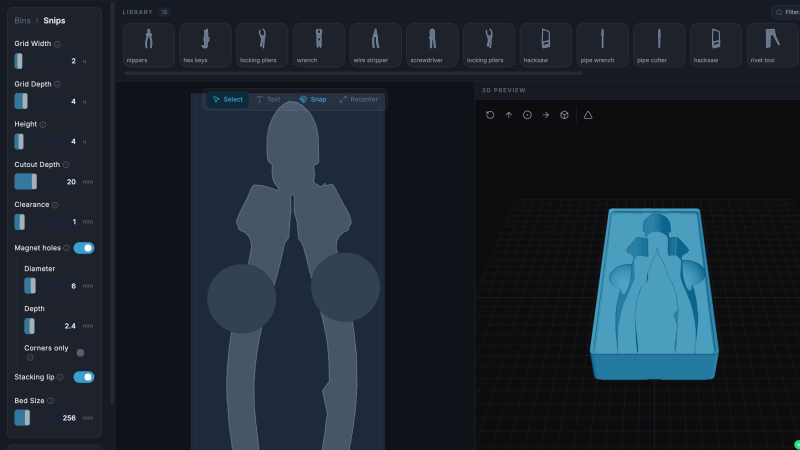
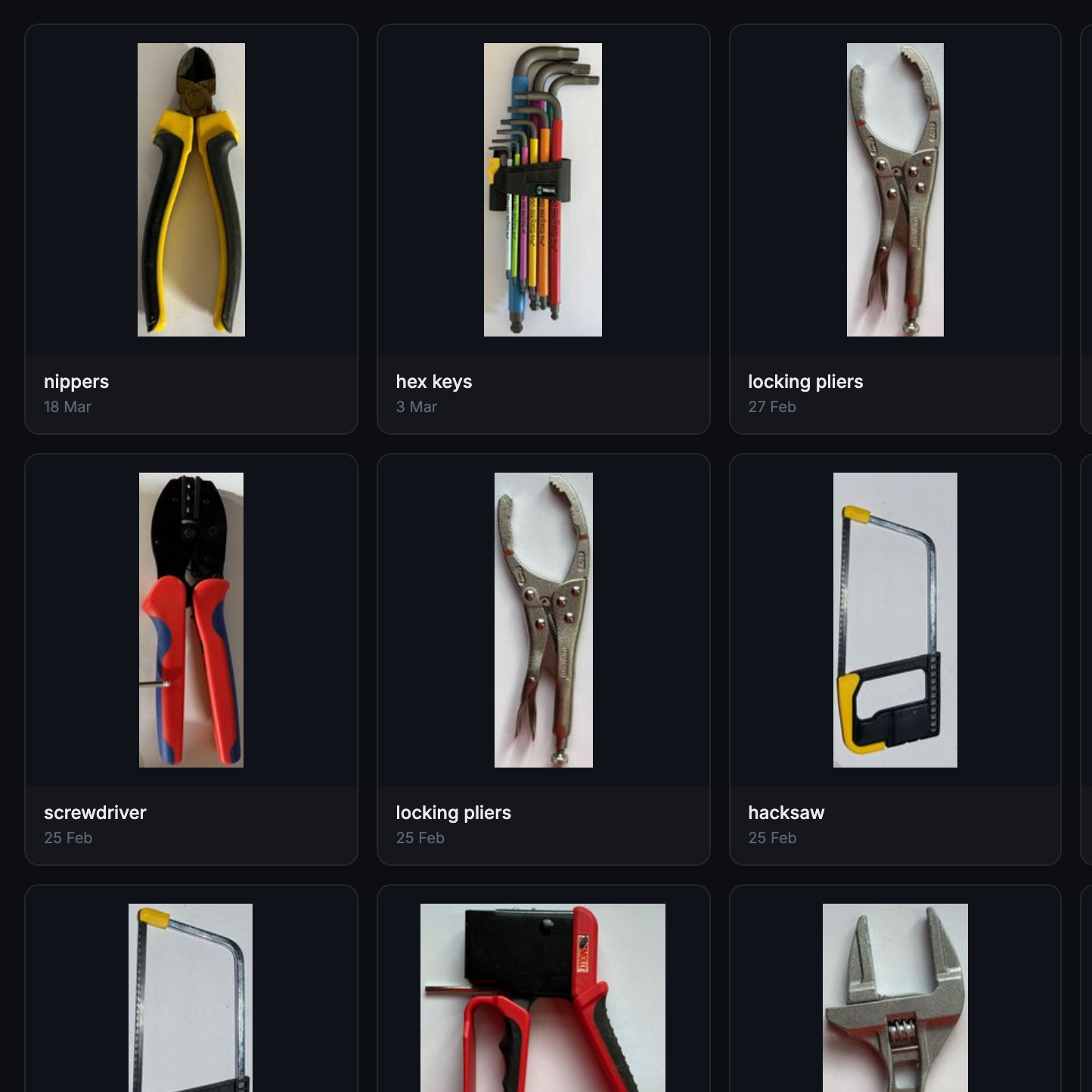
Maintaining a library of tools makes it easy to create project-based custom layouts.

The basic workflow is this: place one or more tools on a sheet of paper, take a photo, then upload the photo and have the system trace and save the outline and add it to a private tool library. When one is ready to create some bins, use the library of saved tool outlines to generate custom Gridfinity layouts.

If you’re unfamiliar, Gridfinity is a modular system of standardized bins and baseplates designed with 3D printing in mind, making it an ideal match for highly-customized organization tasks and a particularly natural fit for a tool-tracing system like this one.

The idea of taking a photo of a tool and generating a custom bin is a compelling one, and a couple years ago we covered a project that did just that. Tracefinity seems like a natural evolution of the idea, and includes handy features like easy design adjustments, optional magnet holes, and we really like the concept of a tool library from which individual tools are scanned once then later selected to create specific, project-based layouts.

Tracefinity takes advantage of new software capabilities like machine learning to improve and streamline the tracing process, but that doesn’t mean it relies on any external services. It can be entirely self-hosted and by default uses a local, CPU-friendly object detection model for tool tracing. There is an option to provide a API key to use Google Gemini instead, but it’s not required. It can come in handy for especially complex tool outlines or dealing with non-ideal source photos, however.

LLM Moats Quickly Evaporating

In the business world, a moat is a quality of a business that makes it difficult for competitors to take that company’s profits. With how hard it is to train models for large language models (LLMs) and generative AI, it might seem like Anthropic, Open AI, and other LLM companies would have huge moats given the amount of compute it takes to build models. But open source models are quickly draining that moat, and now the only thing standing in the way of a customer using one of these models on their own hardware instead one from the larger companies is physical computing resources. [TerminalBytes] demonstrates a few of these models on personally owned computers to show the current state of the art.

[TerminalBytes] started off running the 27B version of the Qwen3.8 on a Mac Studio with 256 GB of unified RAM, which is plenty for this task. But it’s also enough to benchmark a few different models. Qwen3.6 is compared to 3.8, and then the different quants of each model are also compared. Quants are compressed versions of models that need fewer bits to store weights, meaning that the same models can run in less memory with smaller losses in fidelity. Many of these quants run on machines with 32 GB of RAM or less, encompassing many average gaming PCs. There’s even a 1-bit quant that [TerminalBytes] tested which can easily run on a machine with 16 GB, although with mixed results.

Keep in mind that this is just the current state of affairs with open LLMs. Future versions of these models are likely to optimize the number of tokens produced per unit time, or otherwise increase quality of responses while requiring less computer resources. We don’t really think that the ease of running local models will be the sole reason that the AI bubble pops, though. The fact that not every computer user is running Linux is proof enough of that.

New Controller Makes Heavy Machinery Intuitive

As children, many of us looked wistfully into the cockpits of heavy machinery, wondering just how the series of knobs and levers would do something like operate a bulldozer, crane, or excavator. The nature of these myriad of hydraulic and electronic controls for equipment like this is often inscrutable to adults as well; it takes a considerable amount of training to be able to competently operate most of these machines. But this new controller from MIT may help shorten that training time.

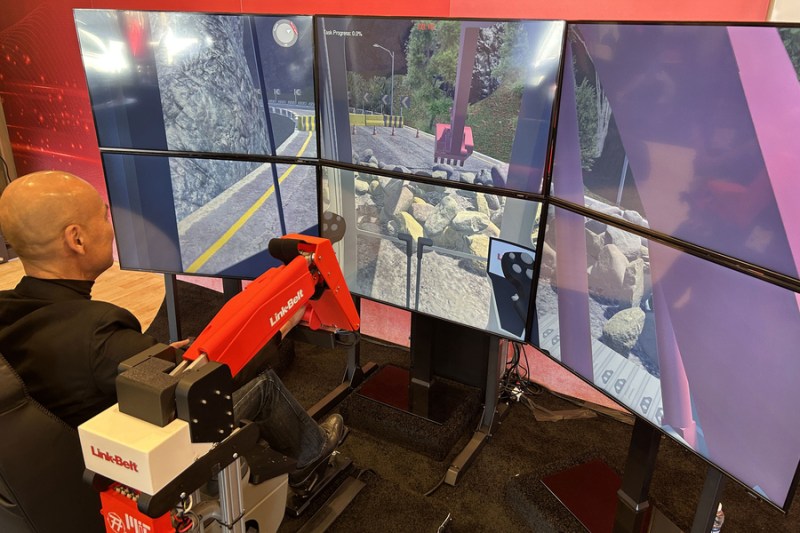
The controller is specifically meant for excavators. In a standard excavator, a pair of joysticks is typically used, with one controlling the swing and the boom and the other controlling the stick and the bucket. Getting used to this combination can take practice, so instead the group of researchers replaced them with a model excavator arm that the operator controls directly with their own arm. The new controller is more intuitive to use as it translates the movements of the model to that of either a real excavator or a training simulation.

The researchers plan to include haptic feedback in future versions, which will hopefully further increase the ease of which new operators can get a feel for using these machines. For those not working towards a new career or an ambitious weekend with rental equipment, there are some other ways of learning how to operate excavators and other pieces of heavy machinery.

❌