❌

Reading view

There are new articles available, click to refresh the page.

Valve Releases Hardware and CAD Reference For New VR Headset
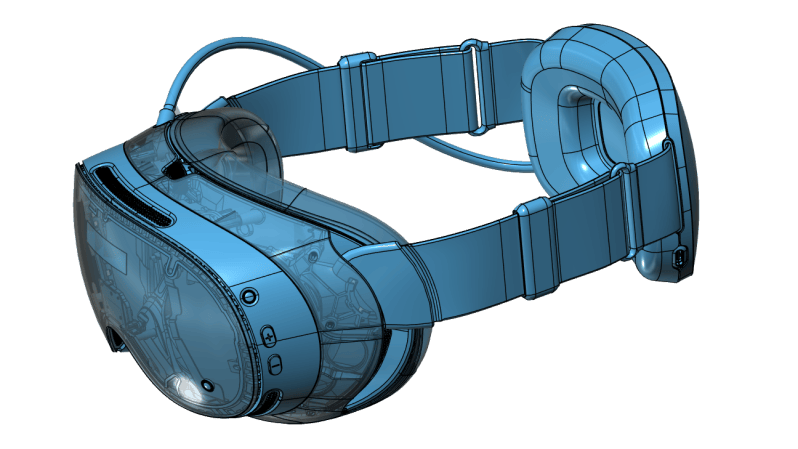
Valve recently began shipping its long-awaited VR headset, the Steam Frame. Now, there is a hardware reference repository that includes everything a budding modder might need, and then some.
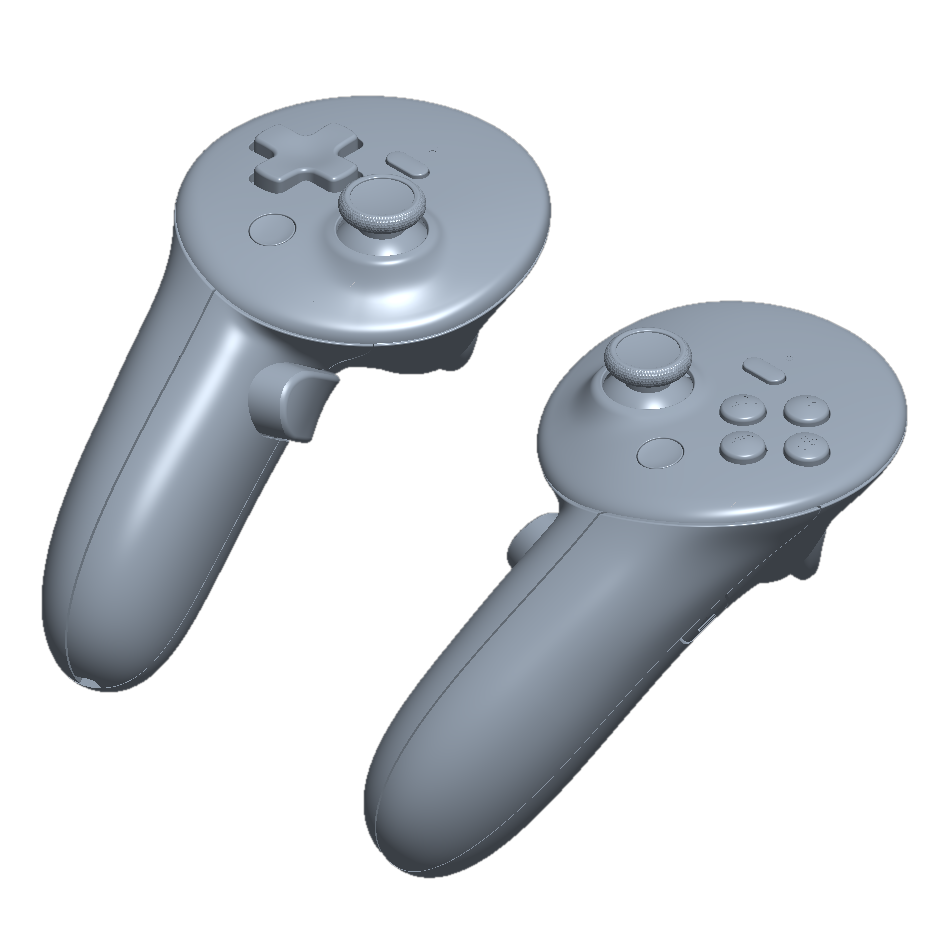
No need to 3D scan or break out the calipers if one wants to design their own add-ons.

Want to design and 3D print some add-ons, or a carrying case, or some other doodad? There’s no need to break out the calipers or 3D scan the hardware. The repository contains STEP format models of the VR core module, head strap, and controllers, so it’s as easy as possible to design things that’ll fit. The location of the IR tracking LEDs embedded in the controllers is also documented, so one can ensure their design doesn’t occlude them.

That’s not all. The Frame has a user-accessible hardware expansion port at its front. This port exposes two interfaces: high-speed MIPI camera and PCI Express. This expansion port is documented in the repository, and even has a simple reference design built in both KiCad and Altium.

We’re glad to see Valve maintain their hacker-friendly hardware design with the Steam Frame. Demand for The Frame outstrips supply so far, so if you’re on the waitlist, you might want to browse the repository and get an early start on whatever customizations you have in mind while you wait for your confirmation. And when you get something working, drop us a note on the tips line!
Belt File from Old Mixer and Junk Bin Parts

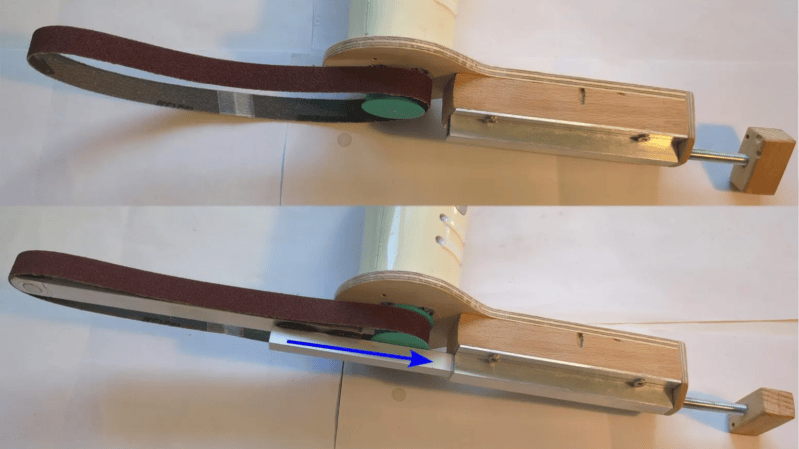
Making one’s own power tools can be a rewarding way to upcycle parts, and [bluesyann] does exactly that with a belt file made from an old mixer. We like how the enclosure for the old mixer is preserved and acts as a handle, so there’s no need to worry about motor mounting and wiring separately. It looks perfectly usable, and all the hardware needed is the sort of thing one finds in a scrap pile.

[bluesyann] stretches the sanding belt between a 3D printed pulley attached to the mixer motor, and a bearing fitted into the end of some aluminum U-channel. Scrap wood and more nested U-channel make up the rest of the assembly, and there’s even a tension adjustment made from a threaded rod.

There’s a bill of materials and a 3D model for the pulley, but a build like this is more about sharing the broad strokes rather than the exact design. Whenever one modifies or integrates an existing piece of equipment (the mixer, in this case) into a project, most of the work is about working with and around the bits one can’t change.

Watch it in action in a brief video, embedded just below. If you like the idea but don’t have a mixer like the one [bluesyann] used, let us point you toward a similar DIY attachment to get a similar result from a common angle grinder.

2026 Retrocomputing Challenge: Retro Terminal Bartop Arcade Topper

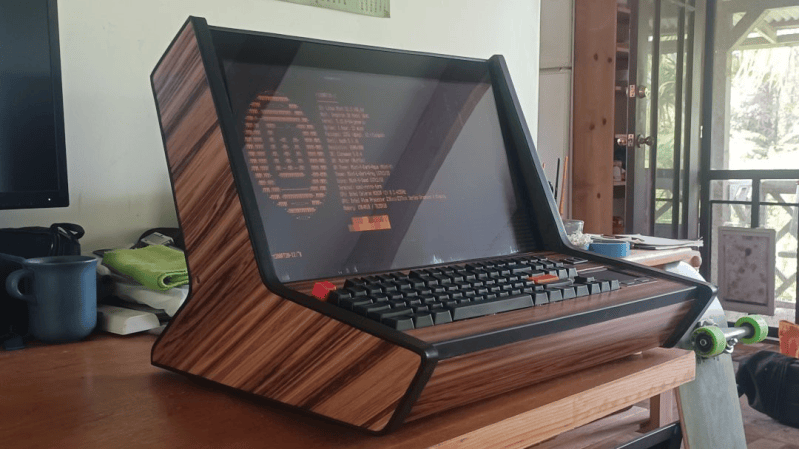
Retrocomputing is more than just hardware. It’s also a feel, a vibe, and [valkyrie0528]’s Retro Terminal Bartop Arcade Topper has it in spades.

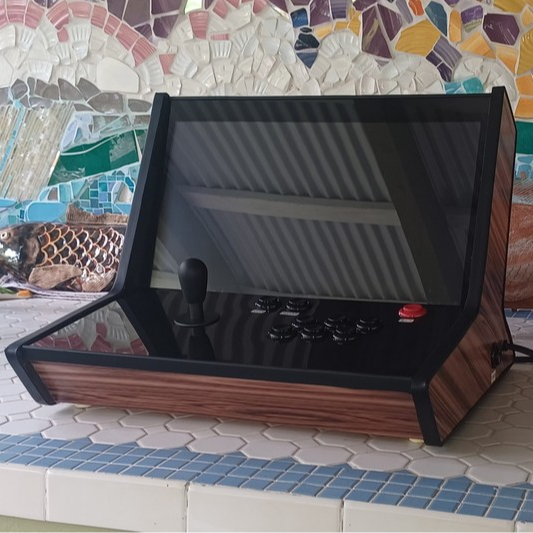
The same unit, in bartop arcade machine mode.

Here’s how it happened. The gorgeous device you see in the image above in fact started out as a bartop arcade cabinet build. The front section β€” with arcade buttons and joystick β€” is a removable panel. While building it, the panel was uninstalled and [valkyrie0528] placed a keyboard in the empty recess to do some configuration. Sitting at the machine like that felt like being right back in the 80s, perched at an 8-bit home computer. Cue a visit from the Good Ideas Fairy.

Now, in addition to being an arcade cabinet, one can swap the arcade controls panel for a one that has a keyboard (clicky and mechanical, of course), touchpad, and small USB breakout. The result looks amazing either way. As an arcade machine it’s beautiful, and in retro terminal mode it’s simply gorgeous.

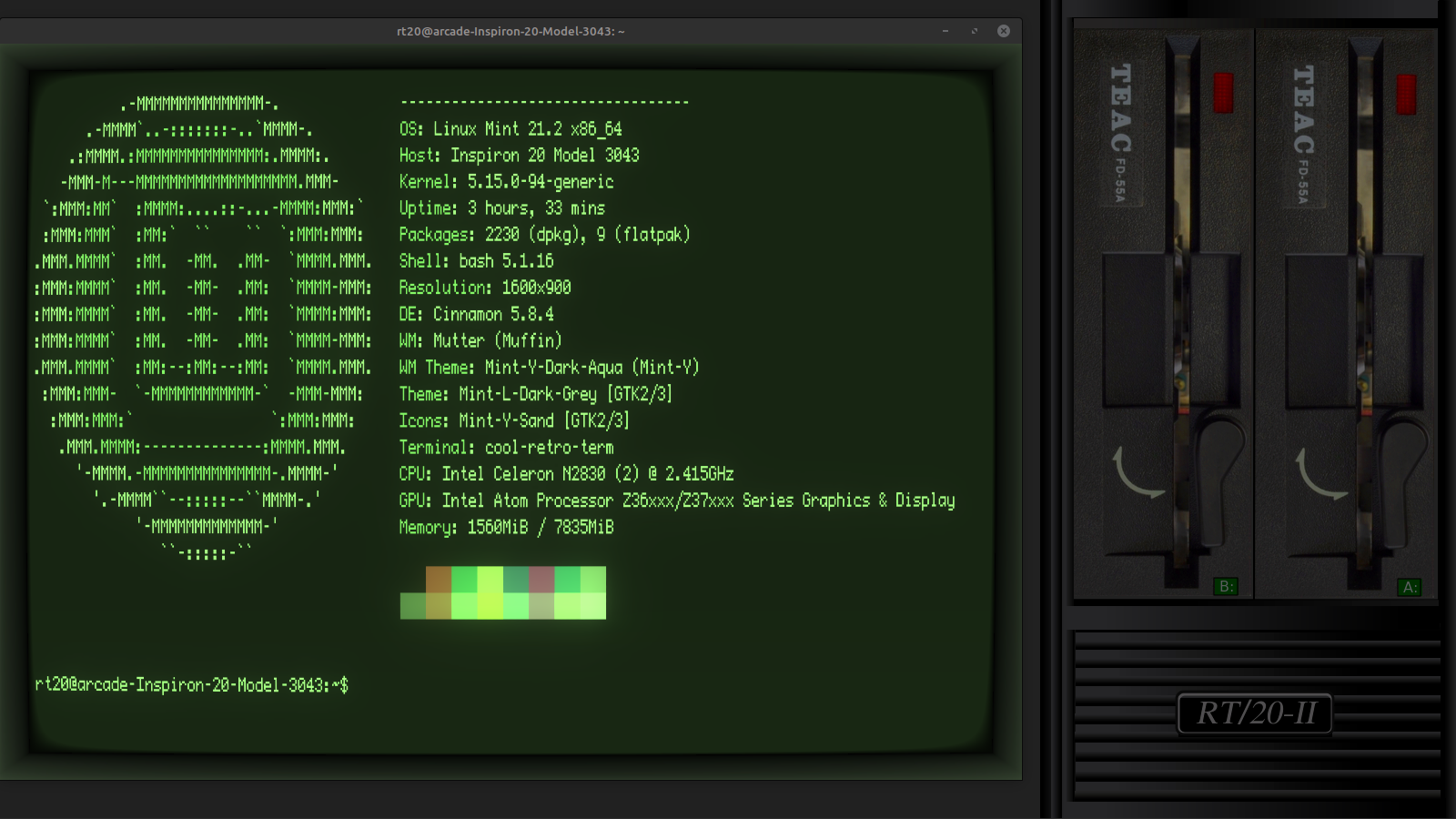
The icing on the cake is [valkyrie0528]’s use of cool-retro-term as the terminal emulator, and there’s even a widescreen wallpaper accompanying it that puts an image of two 5.25β€³ floppy drives to the side. If you like that idea, you can download the wallpaper file from the project page for your own use.

A widescreen wallpaper with two 5.25β€³ floppy drives is the perfect complement to a retro terminal emulator.

There’s still time to enter our 2026 Retrocomputing Challenge, so if you find yourself inspired and want to show off your own take of things, there’s no time to lose!

2026 Hackaday Retrocomputing Contest
❌