Had a crap day at work? Again? We’ve all been there. But instead of glazing at your computer screen into the wee hours trying to write that reply email you’re never going to send, turn your work brain off, settle down, and let yourself get taken away for a while.
Boox has revamped its eReader lineup ahead of the Picco. The company has introduced three new Android 16-based models, including a Palma 3 that upgrades its most iconic device as well as the Note Air6 C and the Note Mini C.
A database is a core part of many apps, from full-blown enterprise websites to simple tools like shopping lists and finance trackers. Relational databases driven by SQL are popular, but Linux offers a simpler, more transparent alternative.
Firefox 156 is the second release since Mozilla moved to a twice-monthly release schedule, and the blog OMG Ubuntu notes it has faster start-up times for its built-in PDF viewer and also lower CPU usage when viewing large JPEG images:
In Firefox 156, the browser now uses libjpeg-turbo's IDCT scaling to reduce images during decoding, rather than loading a full-size image into memory and then shrinking it. Benchmarks from the bug report show up to 20Ã-- less memory used during very large image loading, and decoding is up to twice as fast. Since these speeds were quite fast already, there's no perceptible difference to users. Behind the scenes, it's more efficient.
Firefox's built-in PDF viewer starts up to 45% faster in this release. The browser now loads the background PDF.js worker sooner, rather than launching it only when needed.
Sponsored suggestions in the address bar are live for users in France, Germany and Italy (Ouais!, Juhu!, etc). These are already available in some other locales. Don't want them? Disable them via Settings > Search > Firefox Suggest > Suggestions from Sponsors.
Besides that, the rest of this release is primarily bug fixes — worthwhile and welcome as always.
And in about two weeks Firefox 157 will be released, reports PC World. "That update should add support for JPEG XL (JXL), a modern image format that offers the same quality as JPEG at a significantly smaller size. Although JPEG XL was launched in 2021, Safari is the only browser to support it yet. For a short period, Chrome also supported it, but that ended in 2022."
Also, a recent Firefox blog post emphasized that it supports whatever level of AI engagement "is right for you... Because the only person telling you how much AI you need should be you."
Opting out of upcoming and current AI features on your browser should not require endless navigation through multiple Settings pages. That's why Firefox offers an AI controls section within its General Settings panel. A single, easily located place where you can block current and future AI features and related pop-ups with the swipe of a toggle...
For the many people who sit in the middle of the AI usage spectrum, we made sure you can opt in and out of specific features in line with your preferences. Capabilities like AI translations, image alt text in Firefox PDF viewer, tab group suggestions, and key points in link previews can all be individually switched on and off, ensuring you can enjoy such offerings on a case by case basis as it suits your needs...
Smart Window is Firefox's most integrated AI experience, but that doesn't mean it compromises our commitment to choice, privacy, and transparency. Our newest window type, which we've been polishing and testing in beta, uses only the context you share with it to help you move work forward and across the finish line. When permitted by you, its built-in, AI-powered assistant can work directly with your open tabs and browsing history to connect the dots. This means comparing information, generating recommendations, summarizing pages, and planning projects without having to feed every crumb of context from your previous and current browsing activity each time you enter a new prompt.
And if you want to block Google's AI Overviews, there's over 100 extensions to choose from.
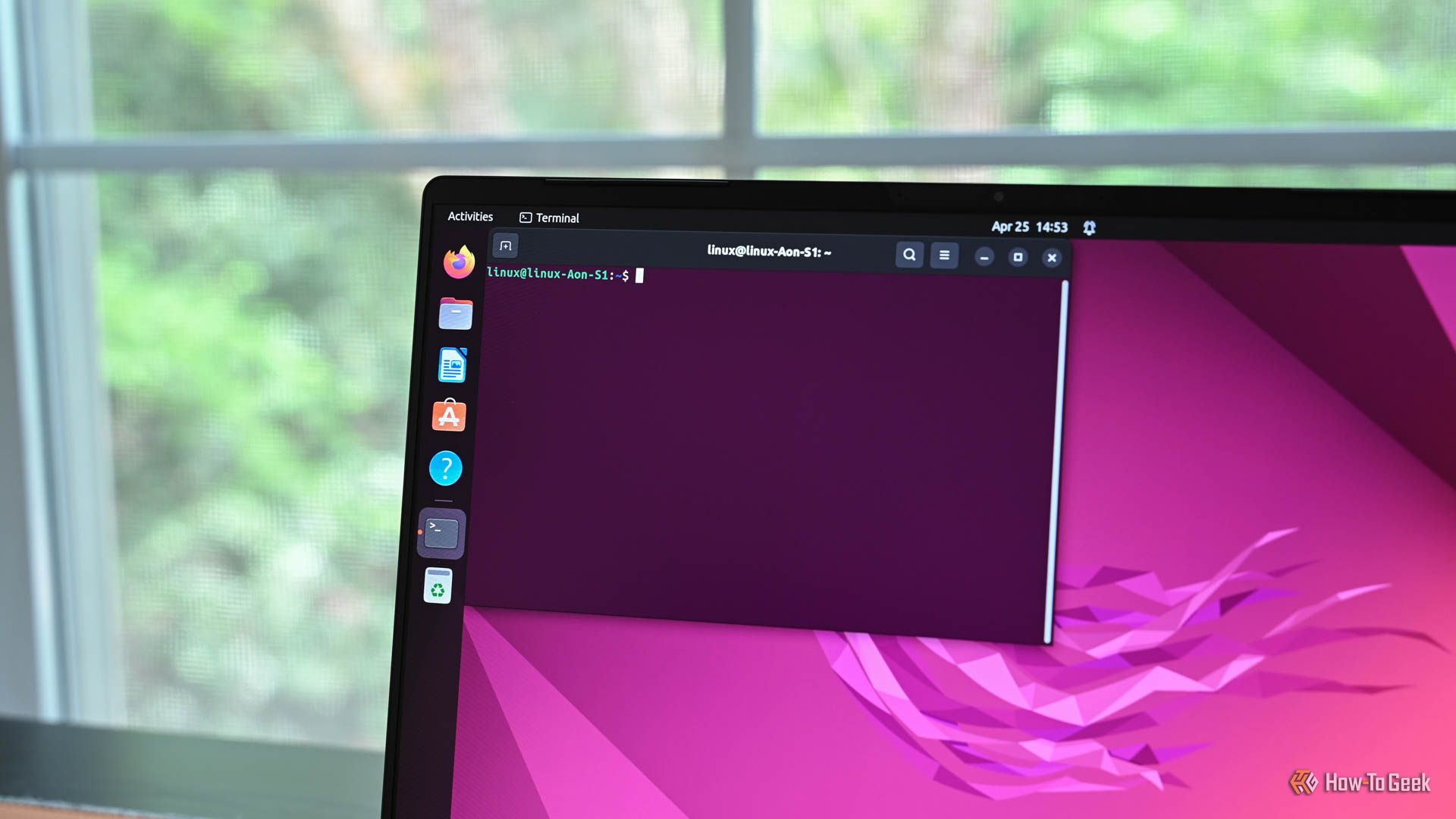
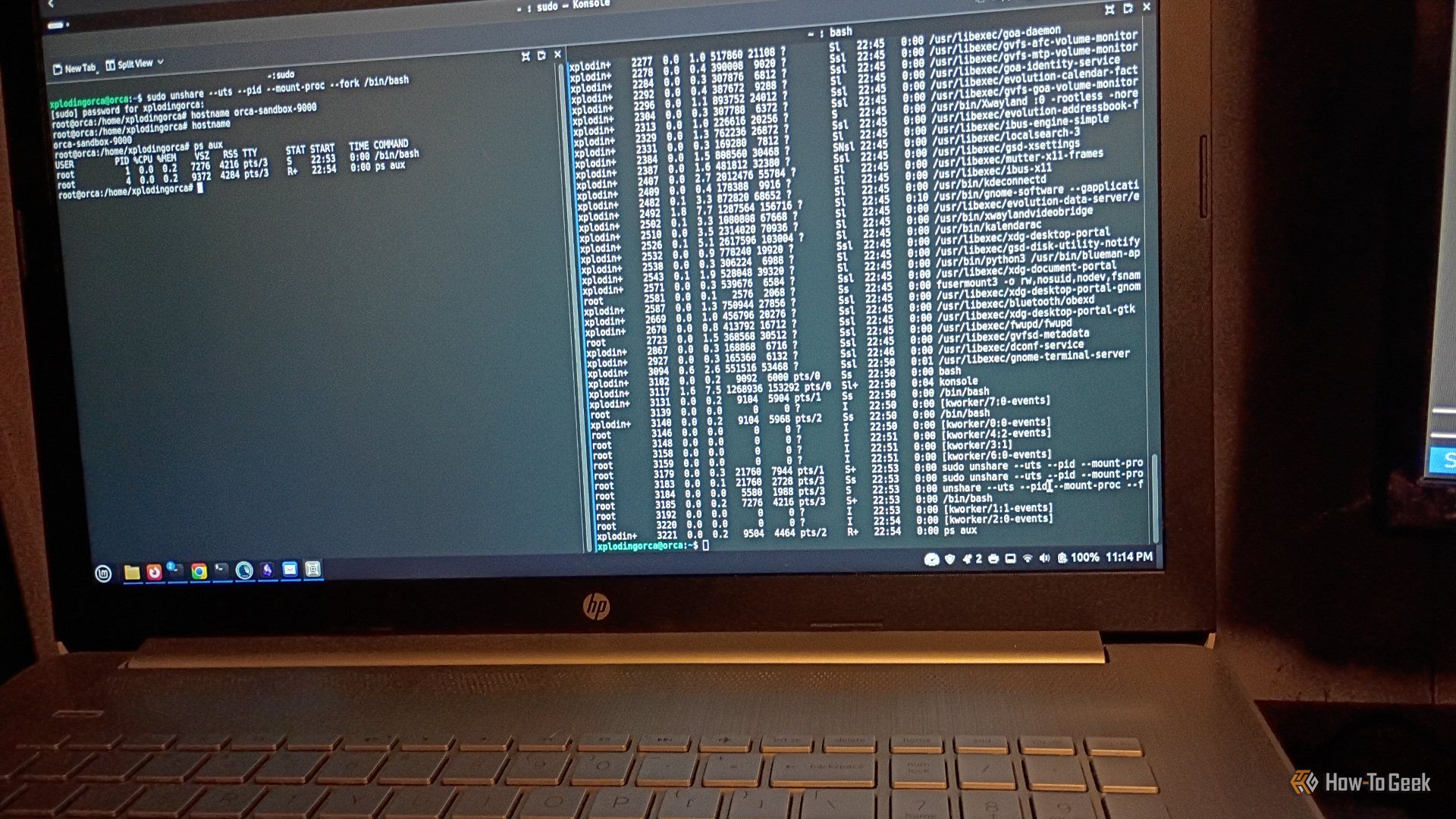
If you're new to Linux, you might wonder whether you really need to use the terminal. While Linux comes with modern desktop environments, you can benefit from knowing the Linux terminal. It's easier than you think. Just a few simple steps, and you'll be a pro in no time.
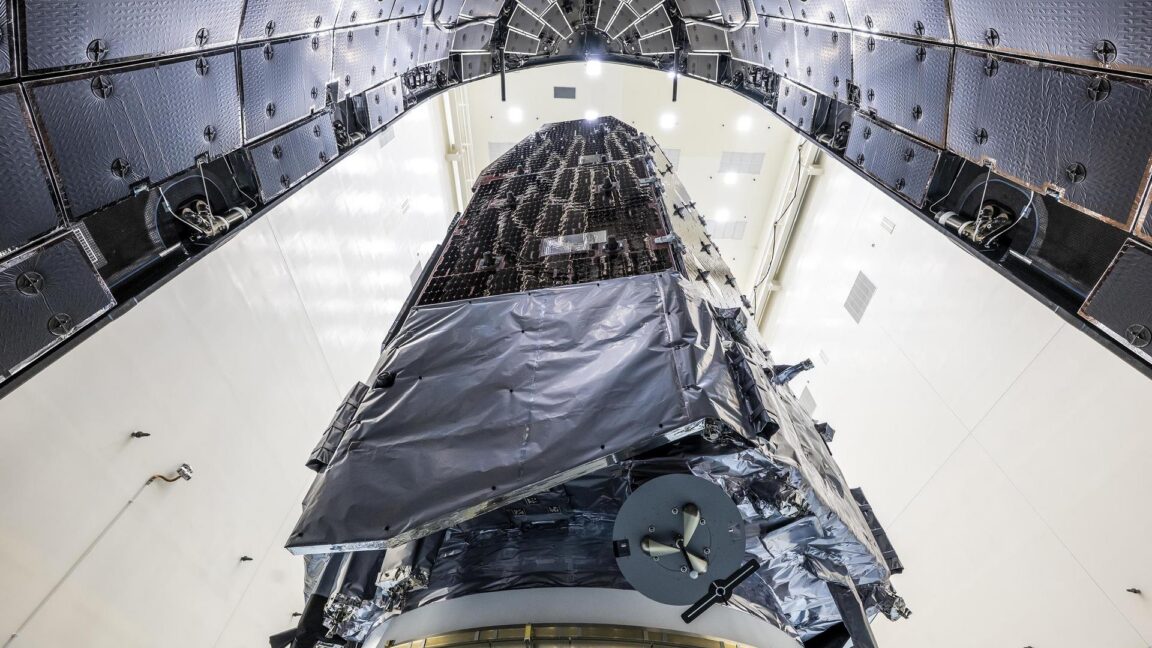
NASA's Nancy Grace Roman Space Telescope is gliding toward its distant observation post on a pinpoint trajectory so precise that engineers estimate the spacecraft's fuel load will last twice as long as their initial expectations, the space agency confirmed Monday.
The $4.3 billion observatory's designers originally planned to load enough propellant into Roman's four fuel tanks for a minimum lifetime of five years, plus a potential five-year mission extension. That was a conservative estimate. NASA officials knew an on-target launch and perfect execution of the observatory's first post-launch course correction maneuver would leave Roman with a hearty fuel reserve.
"As a result of exquisite planning by our orbital dynamics team, brilliant execution by the operations team, and a precise launch from SpaceX, Roman has fuel for at least 22 years of potential science operations," Jamie Dunn, center director at NASA's Goddard Space Flight Center, said in a press release.
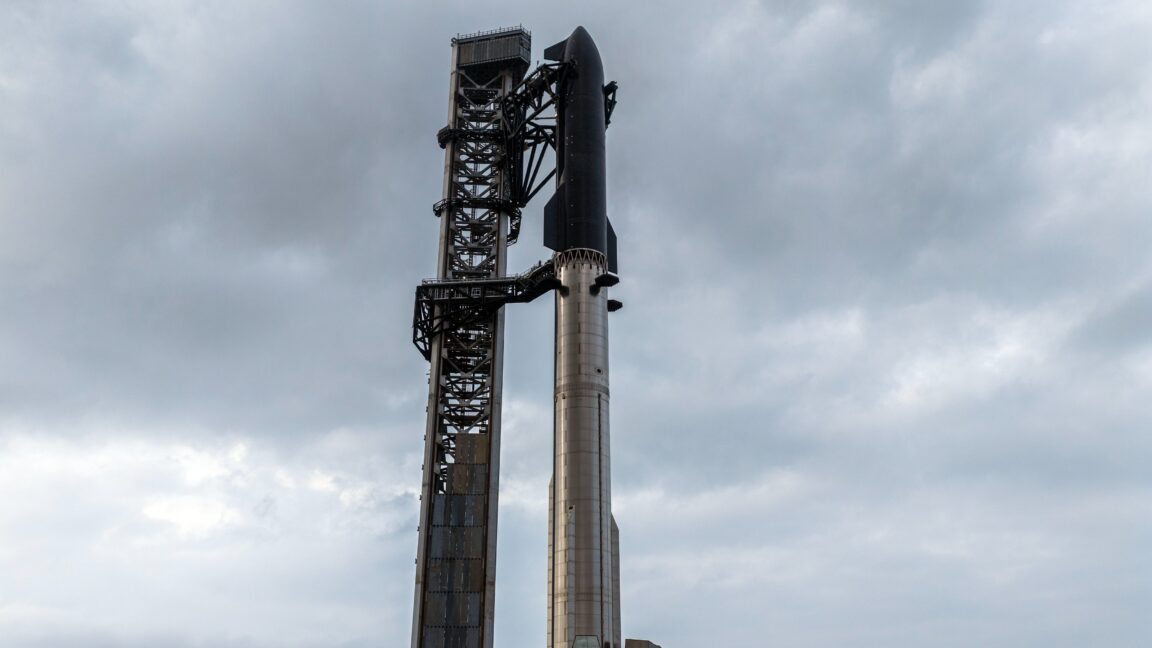
Pending regulatory approval, SpaceX said today it intends to launch its 14th Starship mission as early as September 22. This flight is notable, as it will be the first time that SpaceX attempts to launch the experimental vehicle into orbit.
The company set a target liftoff time of 7:15 am local in Texas (12:15 UTC), with a 75-minute launch window. Sunrise in Brownsville, Texas, is 7:17 am CT, so the launch could make for some striking imagery.
The super heavy lift rocket will be carrying 26 of the larger V3 Starlink satellites into an orbit 275 km above the Earth. In an update on its website, SpaceX said the Starship upper stage will seek to complete six orbits around the Earth before completing its mission after about 10 hours.
For TV nerds, it's the most wonderful time of the year—Fall TV season! It's the time when many of the shows you've been waiting on are finally coming back. But it also means that you've got a few weeks to get it together before your remote and your watchlists go into overdrive.
Most Linux advice targeted at newcomers starts and ends with “just pick Ubuntu or Linux Mint,” but I find that to be an oversimplification. However, at the same time, I do understand that it’s not helpful to overwhelm someone with the hundreds of distros out there. So, we’ve developed a quick cheat sheet that walks you through a dozen beginner-friendly distros and shows how they compare across the four key areas that matter for a Linux newcomer. This should help you decide for yourself instead of simply listening to someone else’s opinions.
With the Xtensa Lx7 twin CPU cores in the ESP32-S3 running at a relatively zippy 240 MHz and accompanying PSRAM of up to 16 MB, you might find yourself wondering whether it could run Linux. As [Paulneja] demonstrates with Linux kernel 6.11, the answer is a ‘yes’, though with the usual caveats.
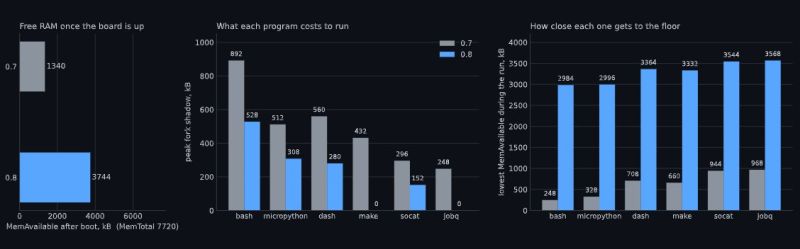
What complicates matters with the ESP32-S3 is that it lacks certain amenities that spoiled OSes like Linux have come to take for granted, such as a Memory Management Unit (MMU). To deal with this, the NOMMU Linux configuration was used, along with a custom fork() implementation. Although the previous 0.7 version sort-of worked, the current 0.8 release is the first that manages to actually boot reliably and has a usable amount of RAM available after boot.
You can see the comparison between the two versions in the header image, with v0.8 having a blistering 3.7 MB available after booting and with overall resource usage and performance having improved massively. Note that only one core is available to Linux, with the other used by the typical FreeRTOS ESP-IDF stack to provide WiFi and Bluetooth.
This was all run on an ESP32-S3 with the N16R8 configuration, meaning 16 MB Flash that’s also used for writable storage and 8 MB of octal PSRAM. As for practical applications, it’s noted by [Paulneja] that this is a research project, though one could imagine this being an embedded Linux project along the lines of a network router running something like BusyBox.
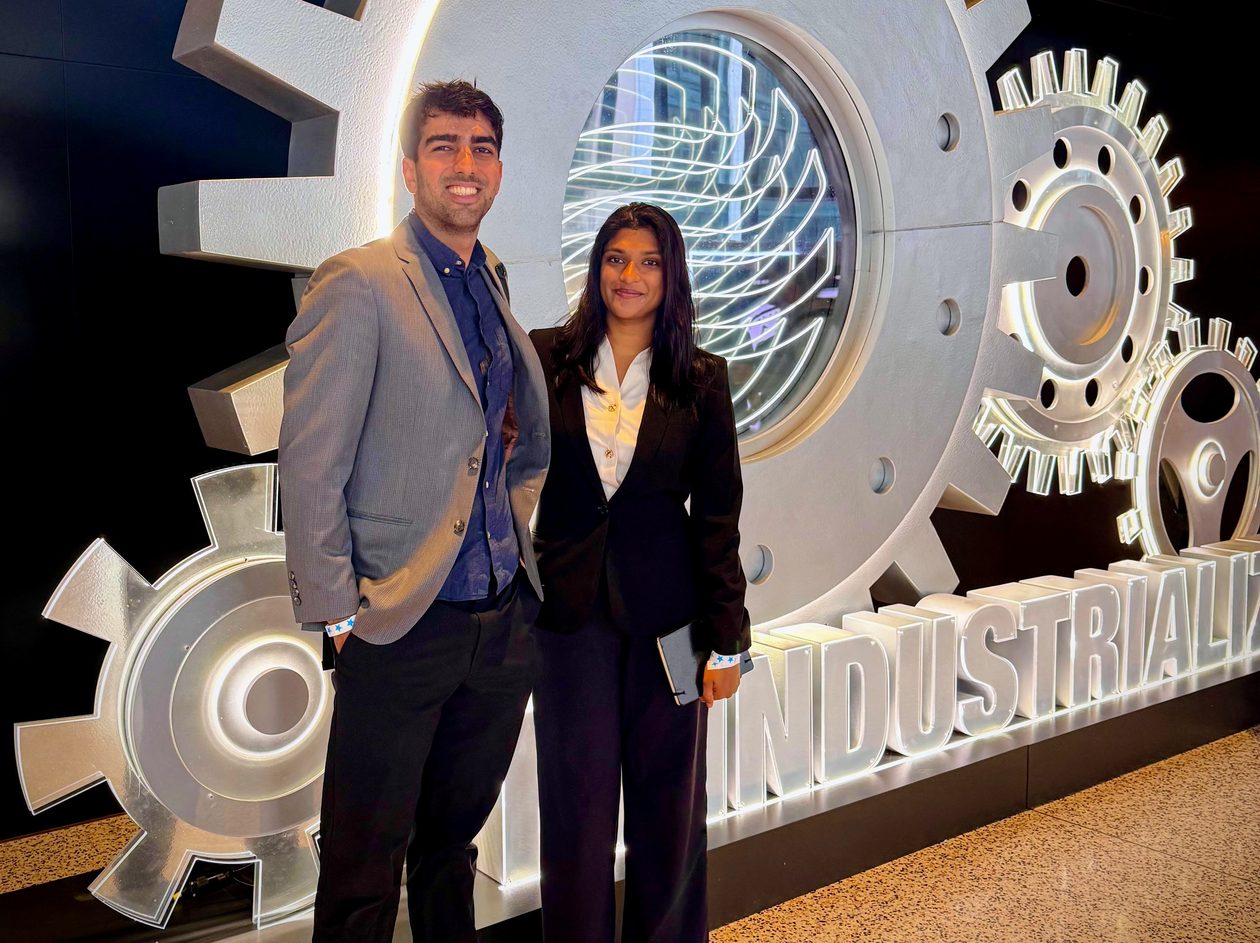
Neuramill co-founders Nick Khormaei (COO) and Nistha Mitra (CEO) at the Reindustrialize summit in Detroit. (Photo courtesy of Neuramill)
When machinists with decades of experience retire, everything they know about how metal behaves under a cutting tool — or anything else they learned through a career of scrapped parts and expensive mistakes — walks out the door with them.
A startup with roots in Seattle, started by two founders in their 20s, is building technology to capture that knowledge long before that point.
Neuramill, founded last year by CEO Nistha Mitra and COO Nick Khormaei, is developing what the company calls an intelligence layer for high-precision manufacturing.
The software reads a design file and figures out how the part should be made: which tools, which machines, and in what order. A machinist reviews and approves every plan before anything reaches the floor.
“This is a high-skill job, and nobody’s retaining this information,” Mitra said. When the machinists who know how to build complex jet engine parts retire, she said, that knowledge goes with them. “We help retain that for the future generation.”
Khormaei said the two founders spent much of the past year visiting machine shops to watch how the work gets done.
“The craft itself is so impressive,” he said. “They’re able to look at these drawings and models that come in and know exactly how to build it. It’s like they’re doing real-time physics simulation.”
Early customers and partners: The company says it has closed a six-figure contract with a major defense contractor, one of the companies known in the industry as primes. Neuramill declined to name the contractor.
Two of the machine shops using the software are Diamond Machine Works, a Seattle precision machining company founded in 1959, and VTN Manufacturing in San Jose, Calif. Satellite maker Astranis is a design partner.
Mitra said the company is not yet selling broadly, but has been paid by some of the early customers testing the software.
How they got here: Mitra, 26, has a computer science degree from the University of Maryland and spent three years at Oracle, most recently as an AI applied scientist in Seattle, working on multimodal models that reason across several kinds of data at once.
Khormaei, 24, holds bachelor’s and master’s degrees in electrical engineering from the University of Washington. He was a propulsion engineer at Boeing in Everett, where he worked on 777X fuel system electrical certification, and then spent part of last year at SpaceX as an integration and test engineer on Starlink manufacturing in Redmond.
Where the software fits in: Neuramill’s technology works at a stage that has stayed largely manual: after the design file arrives, and before a programmer opens the computer-aided manufacturing (CAM) software that translates decisions into machine instructions.
Rather than position the company against Siemens and Mastercam, Mitra said Neuramill plugs into those systems. The company recently joined Siemens’ Frontier Partner Program, which gives startups access to the company’s software tools.
“At this point we are very collaborative with these companies,” she said, adding that the established vendors are looking for new technology of their own.
Bay Area and Seattle: Both founders worked in the Seattle region before leaving for San Francisco, a move Mitra described to GeekWire in February. They are back every four or five weeks now, working out of Foundations, the Seattle founder hub.
“We love this ecosystem. It gave birth to Neuramill,” Mitra said. They keep coming back in part for the customers: “This is a booming ecosystem in space and in aerospace.”
Funding and team: Neuramill has raised an undisclosed amount from Ascend, Breakwater Ventures, Schema Ventures, Creative Destruction Lab, Acequia Capital and Correlation Ventures.
The team is six people plus a contractor: the two founders, a chief research scientist who worked with Mitra at Oracle, and three engineers, one of them a machinist.
What’s next: The long-term goal, Mitra said, is a “world model” for manufacturing: a system that can reason across geometry, materials and machine behavior at any level of complexity. Even then, she sees a role for the people on the shop floor.
“There is a beauty to the craft of manufacturing that we should really respect,” she said. “There are some places where humans should not be extracted out of an industry, and I think manufacturing is one of them.”
Apparently, people hate typing. As every movie and TV show suggests, the future is talking to computers. There was a time when speech recognition was complex and not very good. But these days, even our lowly phones can do a pretty good job of speech recognition. Of course, one problem is that your phone probably isn’t actually doing the speech recognition. It sends it to the big business of your choice to interpret. I’ve been using Handy, a speech recognition system that works well for me. I’ve also looked at some that didn’t.
After all, it is sometimes nice to dictate to your computer, and it would be even nicer if you could keep your data local. On Windows, oddly enough, there is a well-developed speech feature that, as far as I can tell, almost no one talks about or uses. One video estimates that 99% of users don’t use it. Linux, of course, has many options, but historically, these have been difficult to set up or finicky.
Of course, the good news is that many of the Linux tools are open source and the models are quite good. That means other people have had the freedom to fork the tools and make them easier to use, at least in theory. The licensing of the models themselves may be different, but those will be hard to modify, anyway and they generally work well. The biggest problems on Linux isn’t the technology itself, but the tremendous variety of systems and setups.
Suppose you want to write a speech-to-text program. Will it work on ARM? What desktops will it integrate with? Can it use a GPU? What kind? What about specialized instructions in some CPUs? Then there’s the forced input situation; typing into arbitrary programs once you know what the user said. On X11, it is easy, but Wayland needs different handling.
A Shortcut
I’ve thought about using my phone with KDE Connect, which is an excellent program. It can let you use your phone as a keyboard and mouse for your Linux computer. Unfortunately, it is aimed at character-at-a-time input, and I’ve never found a way to make it work with voice.
Besides, the phone is beaming all the data to “the cloud.” You probably type things you’d rather not broadcast to the ether.
I had looked at Speech Note before, but it is sort of a speech recognition notepad. I didn’t find it seamless, and it didn’t work well on my system anyway. Vocalinux looks nice, but a quick test kept complaining that my Intel extensions were not available. Makes sense, since I have an AMD CPU. Even though the documentation said it should work, I was never able to get it to work.
The Easy Way
Turns out the application that worked readily on my machine was Handy. Keep in mind, Handy is just another tool that uses one of several models out there, along with other open-source tools. You might need to install some tools to deal with your system like xdotool or dotool, but they are probably already installed anyway. That isn’t to minimize the value of Handy. It is — well — Handy. You don’t have to load and configure models, set up a bunch of system-level hooks, or install a bunch of libraries. You install it, and it works.
You can configure it. The best model for you, for example, may depend on your machine and the languages you speak. You can configure the hotkeys and how the app types into your computer. But it does all the work of downloading and configuration.
No Cloud, Unless…
The models do run on your computer and you can make sure it takes advantage of your hardware. However, there is an optional alternate hotkey that takes your speech, processes it to text, and then sends it to your choice of AI engines to clean it up.
Of course, you could be running your own AI engine, but normally you’ll have it sent somewhere else with a prompt. You can tune the prompt or create your own, but the default one starts: “Clean this transcript: 1. Fix spelling, capitalization, and punctuation errors 2. Convert number words to digits (twenty-five → 25, ten percent → 10%, five dollars → $5) 3. Replace spoken punctuation with symbols (period → ., comma → ,, question mark → ?) 4. Remove filler words (um, uh, like as filler)…”
You do need an API key, but there are free options available. For experimenting purposes, I went to OpenRouter, generated a key, and attached it to one of several free models they have. The nice thing is that you can experiment with different models while keeping the same key.
If you search for free in the models box, you will find a few choices including openrouter/free which just picks a free model that isn’t too busy. That can be important because some of the models will introduce long wait times into your transcription.
On the other hand, you can make a new prompt, copy the original one in, delete the part about keeping the language the same, and add instructions to translate the output to French, and that will work, at least most of the time. So there are a lot of possibilities.
Rather than tell you all about it, we’d encourage you to install it and try it or watch the reveiw video below.
Special Mention
Although Handy is my first choice for day-to-day transcription use, there is another open source project that’s worth mentioning. Nerd Dictation is a very lightweight wrapper around the Vosk model. It does take a little bit to set up, and then it provides you with a command line tool that can start and stop dictation. Of course, you can assign those to macro keys. However, there is also a switch that allows you to simply output to stdout. That opens up a lot of possibilities for writing programs or even shell scripts that respond to voice.
To see what’s possible, run nerd-dictation begin --help. This will show you how to output to stdout, set a timeout, and handle other options.
Of course, the obvious project would be a voice typewriter. Many of the tools mentioned here either rely on or can use OpenWhisper and, of course, you can use it too, if you roll your own code.
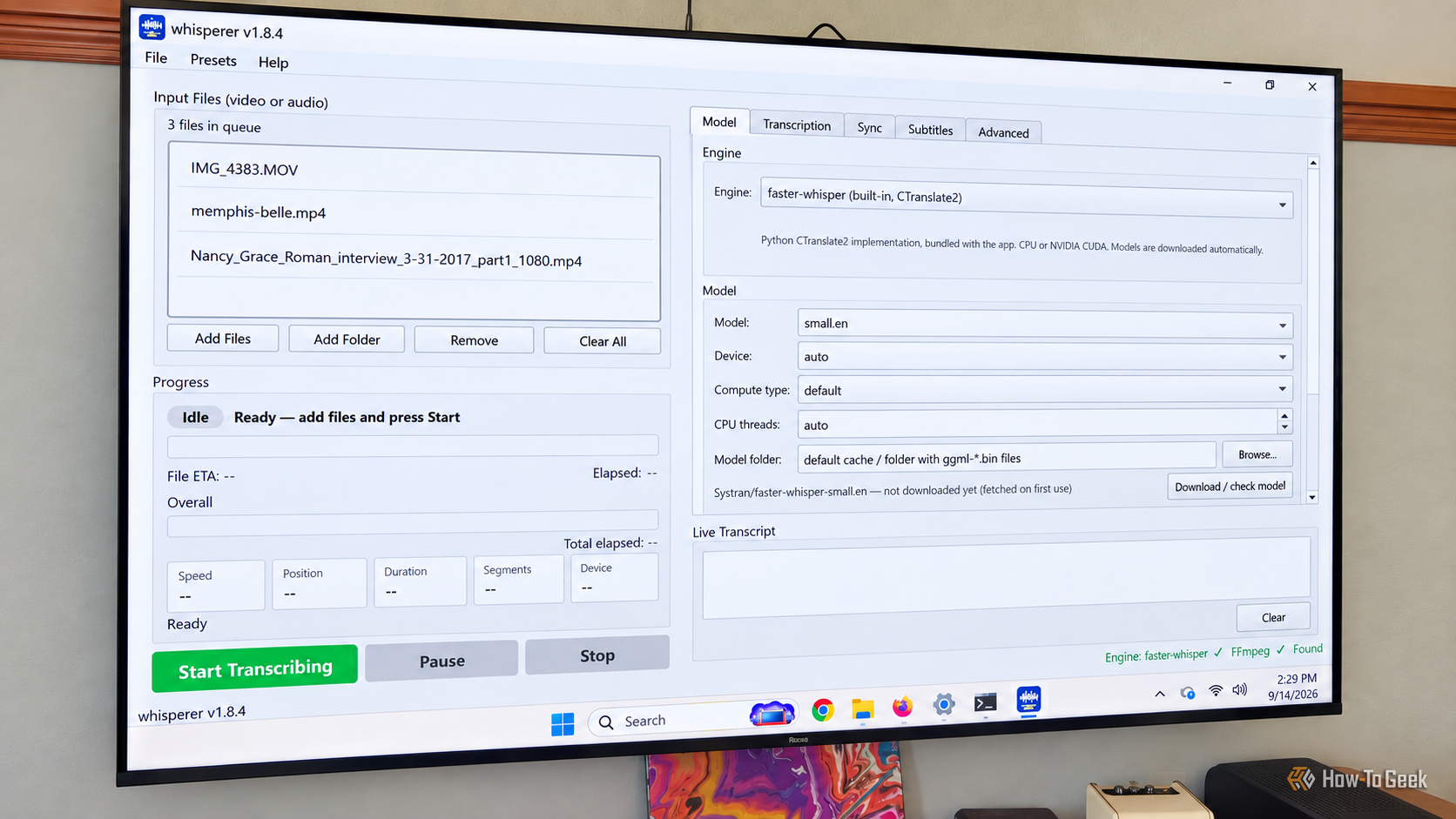
I have a lot of video files scattered between my Plex library and shared folders full of family videos. Some have subtitles, plenty don't, and I wanted an easy way to transcribe them without uploading personal footage to a third-party cloud service. While looking for something that could handle the job locally, I came across Whisperer on GitHub.

 Login
Login