Reading view

There are new articles available, click to refresh the page.

The Need for Speed: Internet Speed Measurement (or DIY?)

Car enthusiasts want to know how quickly they can make a quarter mile. Weightlifters are forever trying to add one more plate to the bar. Internet denizens have their own favorite number to brag about: the result from a speed test.

The ritual is familiar. Close a few browser tabs, click the big “Go” button, and watch the needle climb. Perhaps you pay for gigabit service and see 940 megabits per second, which produces a satisfied nod. Perhaps you see 299 megabits and begin obsessing over network hardware. But before you get too excited either way, try another test. There is a fair chance it will give you a different answer.

That does not necessarily mean one test is lying. “Internet speed” is not a single physical quantity waiting to be measured. A speed test measures the performance of a particular device, over a particular local connection, through a particular ISP route, to a particular server, at a particular time using a particular test method. Change any of those things and the answer can change too.

The Usual Suspects

Ookla on a WiFi connection to a 1Gbit Ethernet network. The limiting factor is the 802.11s WiFi link between the computer’s Ethernet port and the router’s.

Speedtest by Ookla is probably the best-known test. It selects a nearby server, although you can choose another. It attempts to saturate the connection with multiple simultaneous transfers. That makes it good at answering the question most consumers are asking: approximately how much aggregate bandwidth can this Internet connection deliver?

Running several connections matters. A single TCP connection must gradually increase its sending rate while reacting to round-trip time, packet loss, receive-window limits, and congestion-control behavior. On a high-bandwidth or high-latency path, one connection may not fill the available pipe. Several parallel connections can ramp up independently and make it easier to reach the link’s aggregate capacity. That number is valid, but it represents something like a busy household, a large segmented download, or several applications operating at once. It does not necessarily predict the speed of one file transfer from one distant server.

Google’s built-in search speed test (search “speed test”) uses Measurement Lab’s Network Diagnostic Tool, or NDT. M-Lab describes NDT as a single-stream measurement of bulk-transport capacity. That makes it an interesting counterpoint to Ookla. A single flow may expose latency, loss, or TCP-window limitations that a multi-stream test can partially conceal. You can also use M-Lab’s own speed test directly.

While you may get similar numbers between the two approaches, you also may not get similar numbers, especially on high-latency connections where Ookla’s multiple streams will help hide latency.

Netflix’s Fast.com is deliberately simple. Open the page, and it immediately begins transferring data from Netflix infrastructure. By default it emphasizes download performance, since its original purpose was to answer a practical question: can this connection deliver Netflix video properly? Selecting “Show more info” adds upload speed and both unloaded and loaded latency.

Fast is barebones and measures speed to Netflix.

The use of Netflix servers is significant. Fast.com measures the route between you and Netflix’s content-delivery network, while Ookla may test against a server operated by your ISP only a few network hops away. A superb Ookla result and a poor Fast.com result do not prove deliberate throttling, but they do tell you that the destinations — or the routes to them — are behaving differently.

Cloudflare offers two related tests. Its Radar Network Quality Test provides a quick summary, while speed.cloudflare.com  gives an extremely detailed breakdown. The latter reports download and upload throughput, idle and loaded latency, jitter, packet loss, server location, and application-oriented quality estimates.

Cloudflare provides a wealth of stats and graphs.

Loaded latency is especially useful. An otherwise fast connection can become miserable when a large upload or download fills an oversized queue in the modem or router. Your idle ping might be 12 milliseconds, but under load it may jump to several hundred milliseconds. That is the classic symptom usually called bufferbloat.

If you want more options, there is testmy.net, which allows you to test upload and download speeds separately, and speedof.me, which keeps a history for you, among others. It isn’t always obvious which ones are measuring a single connection vs multiple ones, so you may have to dig through whatever documentation you can find.

Your WiFi Is Part of the Test

A browser speed test cannot automatically tell you what’s hurting your speed. A laptop connected through marginal WiFi may report 180 megabits per second even though the router has a flawless gigabit Internet connection.

In fact, once incoming Internet service reaches several hundred megabits per second, WiFi is frequently the limiting factor. The link rate displayed by the operating system is not the same thing as usable throughput. Wireless protocols have framing overhead, acknowledgments, contention, retransmissions, and half-duplex operation. The advertised 866, 1200, or 2400 megabit link rate is therefore not a promise that application data will move at that rate.

The numbers printed on WiFi boxes add another layer of optimism. A router sold as “AC1800,” for example, does not provide an 1800-megabit connection to one device. The figure is normally the sum of the maximum advertised PHY rates on separate radios — perhaps 1300 Mb/s on 5 GHz plus 450 Mb/s on 2.4 GHz — with some rounding for marketing. A conventional WiFi client connects to one band at a time, so it cannot combine those rates. The total is better understood as the router’s theoretical aggregate capacity while serving multiple devices across both bands. Even then, protocol overhead, contention, signal quality, and client limitations make actual data throughput considerably lower. Newer WiFi 7 equipment can sometimes combine links using Multi-Link Operation, but that exception does not make the old ACxxxx arithmetic any less misleading.

WiFi also uses shared airtime. Devices on the same channel — including neighboring access points that can hear one another — must contend for opportunities to transmit. A slow or distant client takes longer to send a given amount of data and can consume disproportionate airtime while doing so. Modern access points may provide airtime fairness and other mitigations. One old device does not invariably drag every client down to its rate, but it can still reduce the capacity available to the rest of the network. Interference has a similar effect. A weak signal, a crowded channel, microwave noise, or an overlapping neighboring network causes frames to be delayed or retransmitted. Those retries consume airtime without delivering additional data.

Repeaters and wireless mesh backhaul add another complication. A simple same-channel repeater must receive each packet and then transmit it again over the same shared medium. In the worst case, each repeated hop can roughly halve the available throughput. Modern tri-band mesh systems can avoid much of that penalty by using a dedicated backhaul radio, and Ethernet backhaul avoids it almost entirely.

This means it is entirely reasonable to buy gigabit Internet service and obtain only 300 or 500 megabits per second from a WiFi laptop. Whether that represents a problem depends on the client, radio band, channel width, signal level, backhaul, and local RF environment.

For a meaningful ISP test, begin with a computer connected directly to the router by Ethernet. Stop large transfers and temporarily disable any VPN. Record the chosen server, latency, upload speed, and download speed rather than preserving only the most flattering number. Then run the same tests over WiFi. The difference is an approximate measurement of what the wireless portion of the network is costing you.

Remove the Internet From the Experiment

OpenSpeedTest running on an OpenWRT node.

Better still, remove the ISP from the test completely. OpenSpeedTest is a self-hostable, browser-based test. Run its server on a wired computer, NAS, or container, then visit it from laptops, phones, and tablets around the house. Because the traffic remains on your LAN, a slow result points toward WiFi, switching, cabling, or the client rather than the Internet connection.

It is possible to run this on the uhttpd server used with OpenWRT, although you’ll need to coax it to measure upload speeds since the server can’t handle the default method. The trick is to create a CGI script that accepts a large amount of data successfully and then configure uhttpd to run that.

A browser-based local test is convenient, but for serious diagnosis it is hard to beat iperf3, the client/server tool we recently used while testing mesh routers. On one machine (say, 192.168.1.100), start the server:

iperf3 -s

From another machine, run:

iperf3 -c 192.168.1.100

By default, iperf3 uses one TCP connection. Add -P 4 to try four parallel streams, or -R to reverse the direction so that the server sends and the client receives. Those variations can tell you something. If four streams are much faster than one, the network may have enough aggregate capacity but a single TCP flow is being limited by latency, loss, window growth, CPU performance, or offload behavior. If the reverse test is much faster, examine the weaker machine’s transmit path, drivers, antennas, or CPU.

iperf3 can also generate UDP traffic at a specified rate and report packet loss and jitter. That is often more informative for evaluating a wireless link than merely chasing the largest TCP number.

Can Linux Make It Faster?

Linux offers an impressive array of network tuning knobs, which naturally tempts us to turn them. But first, you need to understand what needs tweaking.

Check the negotiated Ethernet rate and interface counters:

ethtool eth0
ip -s link show eth0

A gigabit adapter that has negotiated 100 megabits per second usually has a cabling, connector, or switch-port problem. Increasing TCP buffers will not repair it. Rising interface errors and drops point toward a physical, driver, or congestion problem. TCP retransmits (view with ss -ti) may indicate loss elsewhere on the path.

You can inspect the active queue discipline with:

tc qdisc show

Linux supports queue disciplines such as fq_codel, which combines per-flow queueing with active queue management. It attempts to prevent one large transfer from building an enormous queue and delaying unrelated interactive packets. The kernel documentation specifically lists fq_codel as a sensible queue discipline that works without extensive configuration.

It can be selected as the default for newly created interfaces with:

sudo sysctl -w net.core.default_qdisc=fq_codel

That may improve queueing on traffic leaving the Linux machine. It does not, however, fix a large queue in the cable modem or Internet router. Queue management must be applied at the bottleneck. If the ISP link is limited to 20 megabits upstream, controlling a queue on a gigabit Ethernet interface after it has already handed packets to the router is too late.

For a home connection, the most effective bufferbloat treatment is usually Smart Queue Management on the router. OpenWrt’s SQM system supports both fq_codel and CAKE. CAKE generally provides better performance. However, fq_codel requires less CPU overhead.

High-latency paths introduce a different problem. TCP must keep enough data in flight to fill the bandwidth-delay product. Modern Linux generally autotunes TCP buffers, so the old advice to assign enormous fixed values to tcp_rmem and tcp_wmem is less universally useful than it once was. Before changing them, use ss -ti during a transfer and look for retransmissions, round-trip time, congestion-window size, and whether the receiver window is actually limiting the connection.

Linux also supports selectable TCP congestion-control algorithms:

sysctl net.ipv4.tcp_available_congestion_control
sysctl net.ipv4.tcp_congestion_control

Algorithms such as BBR can improve throughput and queue behavior on some long-distance or lossy paths. But changing the algorithm affects connections sent by that Linux machine; it does not control the remote speed-test server, repair poor WiFi, or eliminate a queue in the router. Congestion-control tuning is therefore a useful experiment for a server, VPN endpoint, or long-haul transfer machine — not a universal solution to slow networking.

Finally, inspect hardware offload features when a Linux system cannot keep up with a fast LAN:

ethtool -k eth0

Advanced network tuning is a bit beyond the scope of this post, but there are plenty of roadmaps down this rabbit hole.

The Lesson

The lesson here is that there is no universally correct speed-test result. Ookla tests how effectively multiple transfers can fill a route to one of its servers. M-Lab examines a single bulk flow. Fast.com tests the path to Netflix. Cloudflare pays unusual attention to latency under load and overall connection quality. OpenSpeedTest and iperf3 can determine whether the Internet connection is even the problem.

Run enough tests, and you will eventually obtain a number worth bragging about. Run the right tests, though, and you may find ways to truly increase real-world performance. If you want to chase that extra 1 kbit per second speed, be our guest — we know how it is. But the truth is that if the Internet is doing what you want it to do, then it is fast enough.

Compile Here, Run Everywhere: Crosstool-Ng

In a recent post, I mentioned that I wanted to build some tools for a stripped-down Linux running on a 3D printer with a MIPS CPU. I had two options: build a toolchain to cross-compile, or use Zig, which, in theory, has built-in toolchains for MIPS. I had to jump through hoops to get Zig to work, and I did mention Crosstool-Ng, so you might wonder why I didn’t start there. Turns out, it had its own set of hoops to work through.

What is Crosstool-Ng?

Crosstool-NG is a build system for making cross-compilation toolchains: compilers, assemblers, linkers, C libraries, kernel headers, and all the other pieces needed to build software on one machine that will run on a different kind of machine. Instead of manually matching a particular GCC version with the right binutils, glibc, or musl release, Linux headers, patches, and configuration options, you select the target architecture and let Crosstool-NG download, patch, configure, and build the stack. The result is a self-contained toolchain with commands such as mipsel-linux-musl-gcc or arm-none-eabi-gcc, ready to produce binaries for the target system.

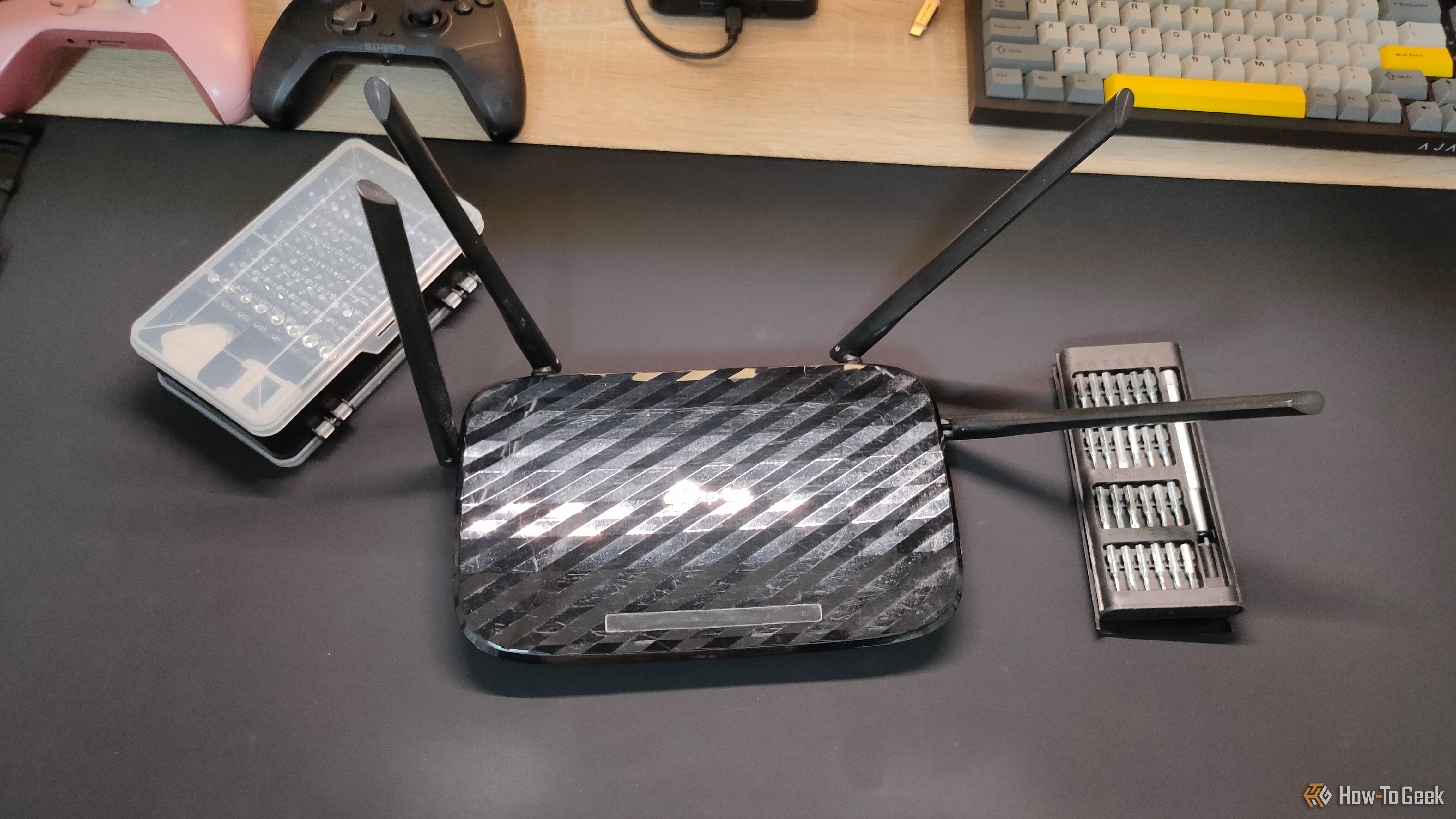
Stock? Zig? Crosstool-Ng? No way to tell from this picture.

The four-part name is in a particular format that is often used in the cross compiling world. For example, consider arm-none-eabi-gcc. The tool here is gcc and, as you might expect, there will also be arm-none-eabi-as and arm-none-eabi-ld, among other things. The first part, arm in this case, will be the target architecture.

The second part of the name can mean a few different things. In theory, it is a vendor name but it is sometimes “none” which often means “generic” or, in the case of a linux target, “linux,” which isn’t technically a vendor.

The third part is the calling convention and, often, some idea of the library. For example, arm-linux-gnueabihf-gcc would mean the GNU library using the ARM EABI and hardware floating point. These are sometimes called “target triples” because, historically, it was CPU-VENDOR-OS, but now there are usually four or even five parts if the calling convention includes the OS, like linux-musl, for example.

That sounds simple, but cross-toolchains are unusually sensitive to version combinations and ABI details. Endianness, floating-point conventions, instruction-set variants, threading support, and C library choices all have to agree. So saying “Arm” or “MIPS” doesn’t mean much. You need to account for all the possible variations in the CPU and the libraries. Crosstool-NG does not eliminate those decisions, but it turns them into a reproducible configuration rather than a long sequence of hand-built components. I had two problems that I eventually resolved.

Problem One: Versions

One nice thing about Crosstool-Ng is that it pulls the right versions of everything for you. The problem is, when you install it from your system repositories, you are probably getting a crazy old version of the tool itself. I couldn’t find the right entries in the configuration when I did that, so I eventually uninstalled and picked up the latest version right from the source.

If that was the only problem, I would have been lucky.

Problem Two: Infinite Combinations

The CPU on the printer is an odd bird. As I noted last time, the executables use the r2 instruction set but also use the nan2008 convention which is usually found in r6. While Crosstool-Ng is good at letting you specify exactly what you want, it isn’t always clear on how you specify every detail.

To be fair, just like with Zig, some of that may be on me. I don’t use Crosstool-Ng or Zig every day, so maybe I was making either or both of them too hard. The bad news: It took me three or four attempts to get the right toolchain. The good news: It was a lot easier than manually downloading a bunch of stuff, trying to fix it up, building it, and still having to do it three or four times.

Configuration

Most, but not all, of the necessary changes were here.

Sort of like buysbox or building a custom kernel, the configuration for Crosstool-Ng uses the command: ct-ng menuconfig. This gives you a menu where you can set options about what you want and where you want it stored.

The problem is that the nan2008 setting I needed isn’t part of a standard mips32r2 setup. I suspect that if I had needed mips32r6, everything would have just worked. But, of course, I’m not that lucky.

In the target settings, I needed to match all the specifications, of course, but I also needed to add -mnan=2008 to both the CFLAGS and LDFLAGS as you can see in the figure.

So what’s so hard about that? Just those changes won’t produce a working toolchain for my printer. The C compiler also needed --with-nan2008 (in the C Compiler options screen under extra target CFLAGS) and the same option needed to be placed in the C Library screen, too.

Of course, it is like a word search puzzle. Once you see the answers, they look obvious. But when you are searching through pages of options, it is easy to miss one. It isn’t like there is a checkbox for “Use nan2008” that does it all for you because using nan2008 with mips32r2 is “strange.”

The Proof is in the Build

Once everything was set correctly, I was able to produce a toolchain (ct-ng build) that could compile busybox and even a small text editor. Everything ran fine on the printer.

To build busybox, I used:

make V=1 CC="mipsel-unknown-linux-musl-gcc -march=mips32r2 -msoft-float -static -Os" STRIP='mipsel-unknown-linux-musl-strip' -j6

Unlike Zig, no patching needed. The Zig version was about 9 kB larger than this version, so not much different there. Both were just over a megabyte total. I could probably have used hardware floating point to get a smaller executable, but given that I don’t think any of this is using much floating point at all, it didn’t seem to matter very much.

I had also threatened to compile a text editor. Turns out most have dependencies on things like ncurses, which are a pain to bundle. So I grabbed a copy of the tutorial editor kilo and extended it to look a little like emacs. Works great. Great place to start if you need a static editor that doesn’t take much space.

Lesson Learned

If the CPU on the printer had been more conventional, I think either approach would have worked fine. I prefer the Crosstool solution in this case, because I’m not lying by patching the ELF header. In this case, I don’t think that lie hurts anything, but a program that did a lot of floating-point math might not work correctly, whereas I think the one produced by Crosstool would be fine even for a floating-point program.

On the other hand, like most Unix and Linux things, there are always more ways to solve any problem. If your problem is wedging executables on an alien Linux box, there are two perfectly fine ways to solve it.

I replaced my default Linux terminal with this cross-platform one—and I'm not going back

Did you know there are different Linux terminals, some with unique and special features that can genuinely improve your day-to-day experience? For the average user, the choice doesn't matter much, but if you're planning to get serious about the terminal—using terminal apps, Vim, or Emacs—the terminal you choose becomes almost as important as the Linux distribution you run. With that in mind, here's why I settled on my current terminal, along with how the other popular options compare to my daily driver.

I finally tried an Atomic Linux desktop—and I'm no longer afraid to break my system

I have broken Linux desktops in all the usual ways. I have installed a random PPA because some forum comments from 2018 sounded confident. I have removed a package that looked useless, only to discover it was holding the login screen together with tape and ancestral prayers. Not only that, but I upgraded at midnight, watched the system return with a black screen, and then pretended this was “learning” (copeeee!).

Linus Torvalds to critics of AI coding in Linux: "Fork it. Or just walk away."

The widespread introduction of AI-powered coding tools has led to some dramatic splits between those integrating those tools into their workflows and anti-AI absolutists who don't want large language model-generated code anywhere near their projects. When it comes to the Linux kernel, though, creator and top-level maintainer Linus Torvalds said he is "willing to absolutely put my foot down" in support of using AI tools to improve the long-standing open source project.

Writing in a lengthy post on the Linux kernel mailing list this week, Torvalds said that "Linux is not one of those anti-AI projects, and if somebody has issues with that, they can do the open-source thing and fork it. Or just walk away."

The statement came amid a lengthy thread arguing about the use of Sashiko, an "agentic Linux kernel code review system" that its creators claim can, in tests, independently find 53.6 percent of the bugs that would end up being fixed by human coders in later commits. But the tool can also waste maintainers' time by sending "false positive" reports of bugs that don't exist, at a rate Sashiko's maintainers estimate is "well within [the] 20% range."

Read full article

Comments

© Getty Images

This open-source app turned my terminal into a to-do list

My relationship with to-do apps usually follows a predictable course. I install one, spend an unreasonable amount of time choosing colors and categories, enter every task I can remember, and then stop opening it after three days. The task list survives somewhere in the cloud, quietly preserving plans that even I have forgotten.

The code AI forgot: logcat.ai raises $2.55M to put agents to work on device operating systems

Varun Chitre, CEO, left, and Tarun Vashisth, CTO, co-founders of logcat.ai. (logcat.ai Photos)

The past two years have transformed the world of software development, but there’s at least one area that remains largely untouched by artificial intelligence: the operating-system layer inside phones, vehicles, and other connected devices. 

A Seattle startup called logcat.ai has raised $2.55 million to change that.

Co-founded by CEO Varun Chitre and CTO Tarun Vashisth, two engineers with years of experience building device software, logcat.ai is developing a system of AI agents that autonomously hunt down bugs across the kernel, modem, and firmware of devices running Android or Linux.

The pre-seed round was led by Founders’ Co-op, with participation from Act One Ventures, TheFounderVC, Shorewind Capital, Clayoquot Capital, and Alumni Ventures. 

“It’s one of the toughest areas of software engineering, and it doesn’t get a lot of exposure. Operating-system engineering is virtually hidden today,” Chitre said in an interview.

It’s also a challenge for many companies given a shortage of engineers who specialize in the field, compared to the much larger population of developers who build apps and software that run on top of the operating system.

How it works: An engineer using logcat.ai uploads the log files a device generates when something goes wrong — such as bug reports and kernel logs — and logcat.ai’s software analyzes them together to find the root cause and point to where in the code to fix it. Each finding cites the exact log line it came from, so an engineer can check the work.

Currently, logcat.ai finds the root cause and recommends a fix. The larger plan is to have the AI write the fixes, test them, and eventually build new features on its own, with engineers approving the work before it’s deployed.

The long-term goal, Chitre said, is to become the standard tool for building and maintaining operating systems on new and existing hardware — from smartphones to cars to robots and other embedded systems — so a company can ship without a full-stack specialist on staff.

“We’re moving toward a world where software and intelligence extend far beyond our laptops and phones, yet the tooling to build high-quality products for that world is still missing,” said Aviel Ginzburg, general partner at Founders’ Co-op, in a statement.

He called Chitre and Vashisth “one of the only teams in the world truly up for the challenge.”

Traction: The company says it has served hundreds of engineering teams in a public beta, analyzed more than 10 billion lines of trace data, and run thousands of automated investigations. It’s generating revenue but isn’t ready to disclose numbers or customers. 

Competitive landscape: Chitre said logcat.ai’s main competition isn’t another product but in-house scripts and the knowledge locked in a few senior engineers’ heads. App-level crash tools like Google’s Crashlytics and Sentry stop at the app layer and don’t do the deeper system debugging.

Specialist vendors and the contract manufacturers that build devices are potential partners more than rivals, Chitre said, since they face the same engineer shortage.

GeekWire first reported on logcat.ai in March, in a Startup Radar roundup.

The team: Chitre and Vashisth met at Esper, the Bellevue, Wash.-based device-management company, where they worked together for more than seven years. They started logcat.ai because they had spent years doing debugging by hand and knew what was missing.

Chitre has spent more than 13 years in the field, getting operating systems to boot and run on new hardware and porting new Android releases and Linux kernels onto older devices. He was also a maintainer of LineageOS, a widely used open-source version of Android. 

Vashisth has led engineering teams working across Android, Linux, and iOS, and brings a background in large-scale distributed systems. At Esper, he rose to senior software engineering manager. His prior experience includes platform-architecture engineering at Target.

For now, the company is just the two founders: Chitre in the Seattle area, Vashisth in Bengaluru, India. They plan to hire about 10 people over the next year, with a distributed team working remotely from wherever they can find the specialized talent.

They know those hires won’t be easy to find, given the scarcity of people in the field. “That’s the same shortage our product exists to address,” Chitre said, “and we’re not exempt from it.” 

❌