Reading view

There are new articles available, click to refresh the page.

3D Imaging Without a Lens

There are plenty of ways to capture 3D images or simulations of such if you know what you’re doing with camera hardware and fancy mathematics. However, a little more unusual is the idea of capturing a 3D image while using no lens at all — and yet, [okooptics] has achieved just that!

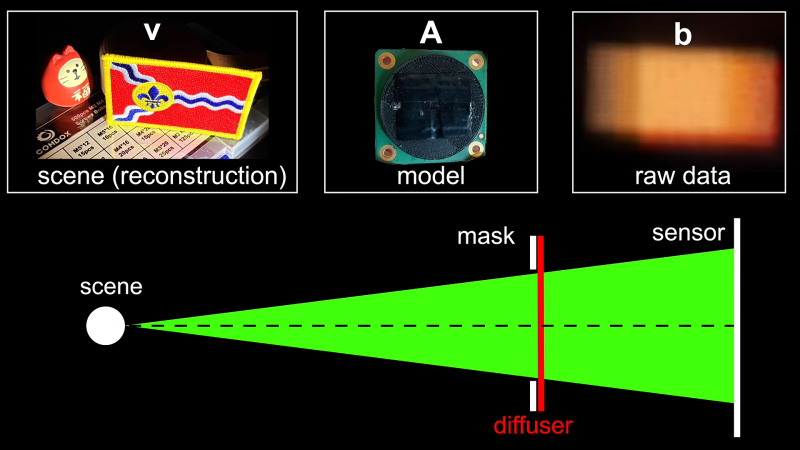
The basic concept builds on an older project from [okooptics], wherein images were captured from a Raspberry Pi camera with no regular lens element installed. In its place was a thin layer of Scotch tape over the sensor, acting as a diffuser. With the right deconvolution math, it’s possible to actually recover a real image out of the blurry mess this setup initially captures. [okooptics] was then able to push this into three dimensions by weighting the point spread function used to deconvolute the image.

Adding directional bias to the process creates a similar effect to slightly shifting the cameras position, actually revealing a view from a slightly different angle of objects in front of the camera. [okooptics] does a great job of explaining the science behind how this is possible and the practical limitations of the technique, also referencing research papers that have explored these ideas in great depth.

It’s math heavy to extract 3D data from what otherwise looks like blurry nothingness, but it’s possible if you know what you’re doing. For a fuller understanding, it’s worth diving into [okooptics] earlier work in this realm, taking photos with Scotch tape in place of a lens.
Your dashcam is probably in the wrong spot — here's where it belongs

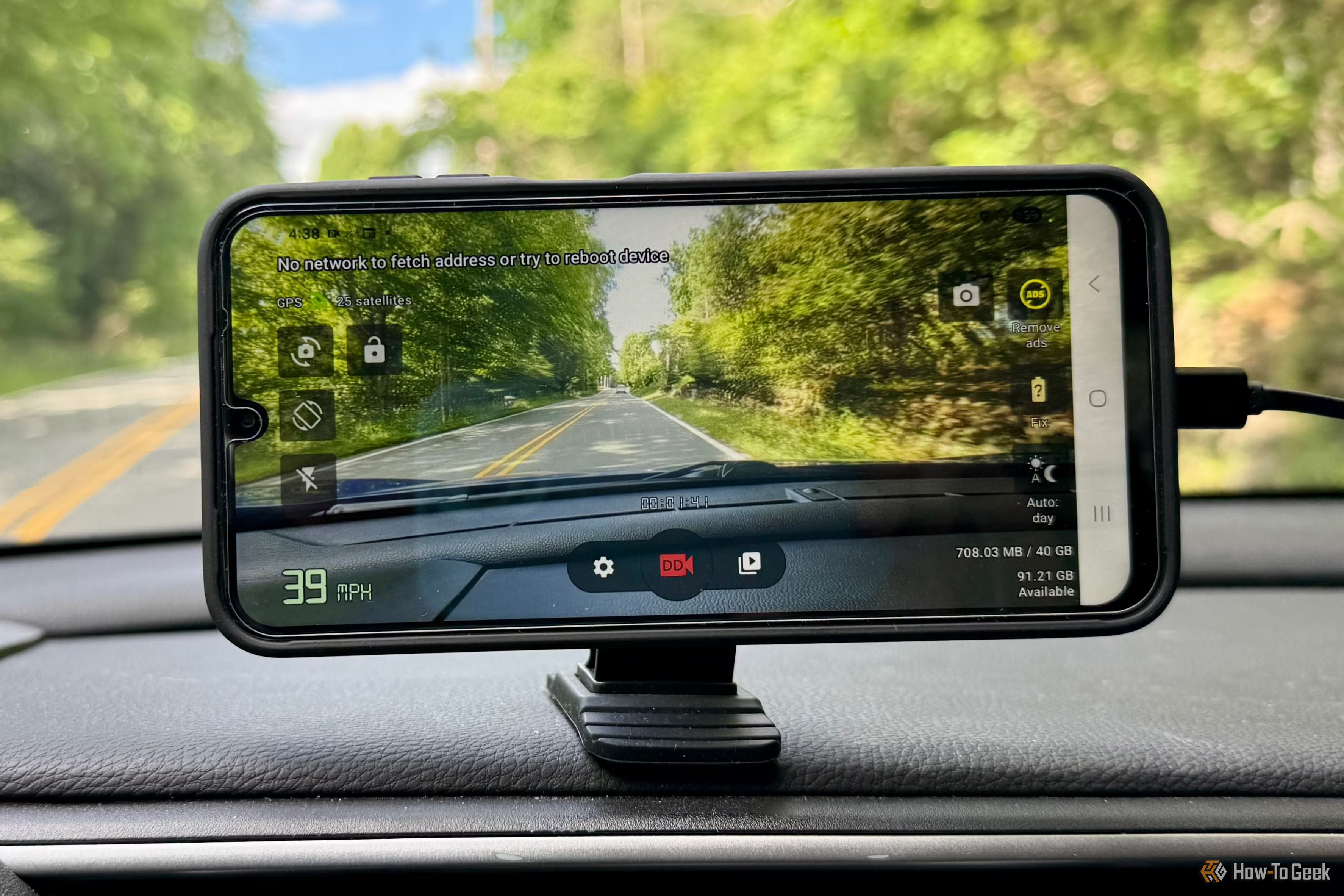
A dashcam can be one of the most useful gadgets you add to your car, but simply sticking one onto the windshield doesn't guarantee that you're getting the protection you expect. Where you put the camera can affect everything from how much of the road it captures to whether it interferes with your own visibility, and a poorly planned installation can create problems you probably didn't consider.

Wyze treats home security like a social feed with new AI-powered ‘Stories’ feature

Smart home device maker Wyze wants to end notification fatigue by turning security footage into something more akin to an Instagram feed.

The Kirkland, Wash.-based company launched “Wyze Stories,” a new AI-powered feature that stitches together clip sequences from multiple cameras into a single, chronological event.

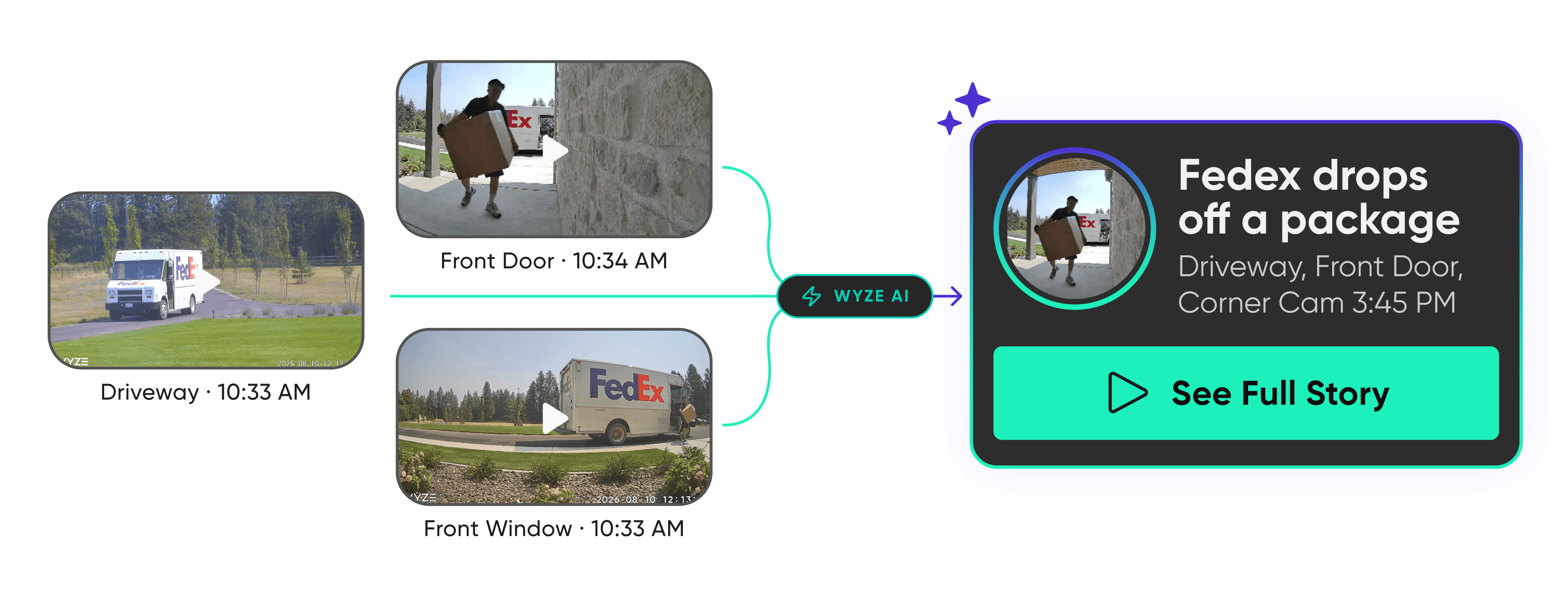
Instead of firing off separate alerts as a visitor moves from the driveway to the front porch, the system uses multi-camera grouping and event importance filtering to deliver a unified highlight reel alongside a descriptive, text-based summary.

“Honestly, the number one thing people complain about with security cameras is getting blown up with notifications,” Dave Crosby, co-founder and chief marketing officer at Wyze, said in a news release Tuesday. “Instead of digging through a mess of clips, you just tap through daily stories like your house is your favorite social feed.”

An illustration shows how Wyze AI combines video feeds from multiple cameras—such as a driveway, front window, and front door—into a single, summarized event notification. (Wyze Graphic)

Within the app, stories are indicated by glowing green-and-purple rings on the home tab, allowing users to tap through footage, hold to pause, or watch events at double speed. The feature also uses AI to generate instant written summaries of detected activity — such as noting when a delivery driver leaves a box at the door — and automatically highlights high-importance events while suppressing repetitive, minor alerts.

The new feature is available as part of Wyze’s top-tier “Cam Unlimited Pro” subscription, which costs $19.99 a month and includes features like cross-camera grouping, 24/7 emergency dispatch, and 60 days of cloud storage.

Wyze Stories works across most of the company’s hardware lineup, with the exception of older legacy models like the original Wyze Cam, Doorbell v1, and Outdoor v1 and v2.

Founded in 2017 by a trio of former Amazon employees, Wyze originally launched with a $20 smart camera before expanding into a broader lineup of sensors, lighting, and home security systems. The company raised $110 million in 2021 and ranks No. 20 on the GeekWire 200 index of top Pacific Northwest startups.

Digital “Film” For Your Pi Camera

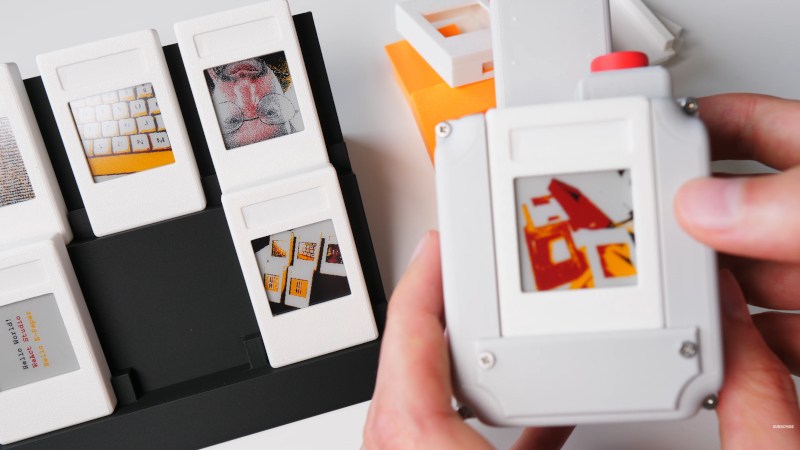
The formula of a Raspberry Pi camera is such that it’s almost a self-assembly kit of parts. Over the years we’ve seen a lot of attempts to make one that’s more impressive, usually due to a different take on a case design. It’s not often we see something genuinely out of the ordinary, and perhaps [Strange Inventions] has made one. He’s produced an instant camera where the “film” is a removable cartridge containing a color e-paper display.

It’s a straightforward enough idea: the camera writes the image to the display, and since these displays are persistent, there it stays. The displays connect via headers, and the cartridge slips in in a similar manner to a console game cartridge. They’re not cheap, but at least unlike a Polaroid or Instax cartridge, they are reusable.

You’ll have to pay up if you want to download the files, but it’s not outrageously expensive if you really want to build one. But perhaps the key here is that it’s not something beyond the abilities of the average Hackaday reader to make their own. We’re sure this idea will be expanded upon by others in due course.

Meanwhile, if it’s simpler instant photography you crave, you can always print the real thing.

Panoramic Photography with a Linear Scanner

Although digital photography took a big bite of the film industry’s lunch, it wasn’t able to completely eliminate the need — or desire — for photographers to use film in some situations. But digital information from a camera sensor can be manipulated to augment the natural physical capabilities of a camera in ways not really feasible for film. High dynamic range images, focus and exposure stacking, and automatic panoramic stitching. This camera takes the latter example to the extreme.

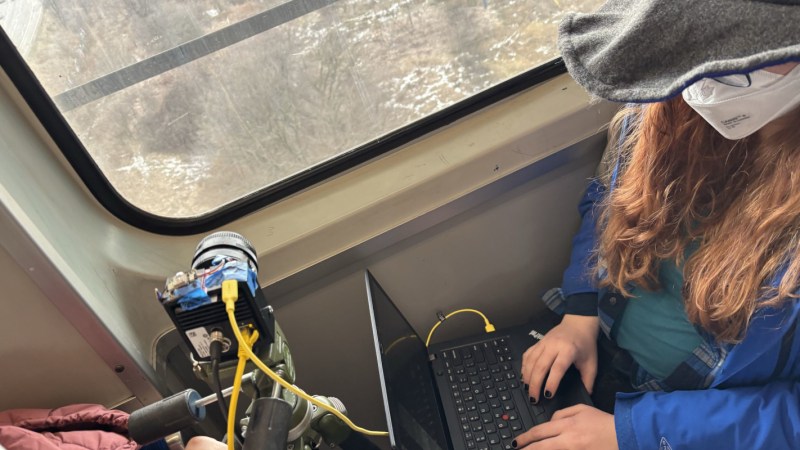
[Philo]’s proof of concept was a smartphone camera set on a chair and rotated around a room. Some software grabbed a single column of pixels as it moved and stitched them all together to form an image. This came out well enough that the idea was refined a few times, but it wasn’t until a single-line digital camera meant for imaging assembly lines was found that this really took off. Using the camera and some custom software, [Philo] was eventually able to take some of the longest panoramic images we’ve seen, using things like railways and boats as the track the camera rides on, with accelerometer data to help stabilize the image.

The results speak for themselves. There’s a bit of wobble from the movement of the various vehicles despite the accelerometer data, but given that the image is coming from a sensor meant for examining conveyor belts, it’s hard to complain. Of course, if you want to stick to film, there are panoramic film cameras available too even if they don’t quite have the reach of this digital one.

The Shutter Makes This 3D Printed Camera Special

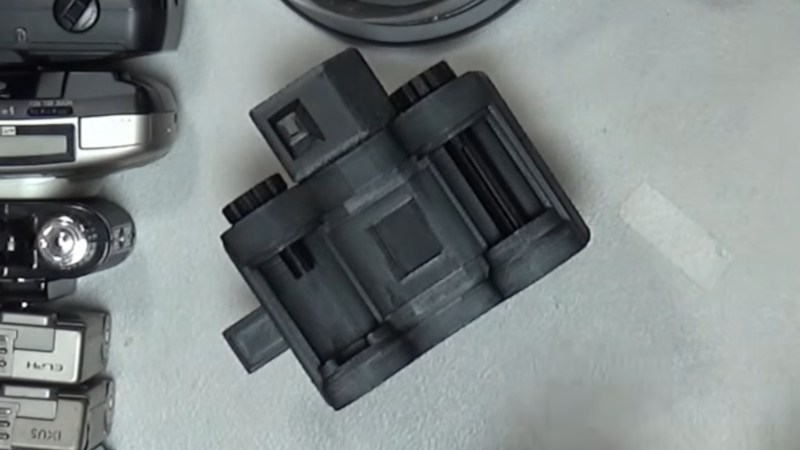
Making a film camera is a project within the reach of almost anyone, from the experimenter with cardboard and sticky tape, to the machinist with an aluminium billet. But 3D printing has opened up the world of cameras to whole new set of experimenters, and we’ve seen some very impressive builds here as a result. For all that, there’s always been a particularly tricky aspect to a home made camera: the shutter. In particular, making one with variable speed has proved almost impossible. Now [Camera Things] has given it a very good shot, with a sliding 3D printed design.

To cock it, both the strips are pulled across, before the blind strip is pushed back, and the shutter operates by sliding back under the influence of a rubber band. The clever part in this case is that the blind strip can be partially pushed back to affect the size of the shutter opening. The effect is then of a variable width strip of light passing over the film, which is equivalent to varying the speed of a conventional shutter.

Due to space constraints he’s only able to make it a half frame shutter, so he’s abandoning this design in favour of a more complicated set of vertical leaves. Sadly he’s not made the files available, but we thing proficient CAD users should be able to make their own version. The video is below the break.

It’s not the first printable shutter we’ve seen, but it remains the first variable one.

PolyShot Camera Focuses On Nostalgia

An open-source, DIY, point-and-shoot digital camera.

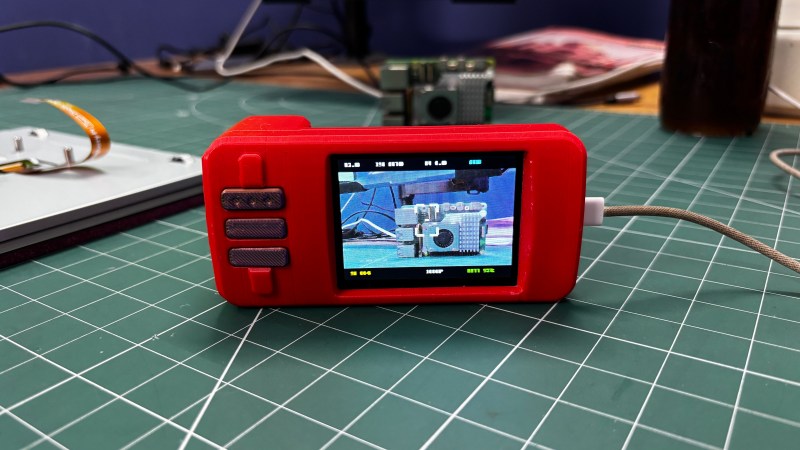
Although we personally have yet to see anyone brandishing an old digital point-and-shoot camera, we hear they’re back in vogue. Why, though? People are nostalgic for that image quality. While he certainly could have simply picked up a vintage model somewhere for a likely inflated price, [Arnov Sharma] decided to build his own version and call it the PolyShot.

The core of this project is the Unihiker K10 dev board, which uses an ESP32-S3, a whopping 2 megapixel camera, and a micro SD card to capture photos and display them back on the screen. The tricky part, if you can call it that, is the custom PCB. It’s a simple board with just three buttons: shutter, gallery, and next image. We do like that the position of the battery compartment creates a nice grip.

The biggest difference here is that there is a few-second delay between pressing the shutter button and actually capturing the image, which you can see in the short videos below. So if you’re trying to get a shot of a skink or something equally speedy, we wish you good luck.

In a future iteration, [Arnov] wants to address the issue of image quality, because this project ended up evolving into a more traditional digital camera. He would also improve the battery life, for which the current expectancy is around three hours on a charge. Ultimately, [Arnov] wants to ditch the Unihiker and design everything from the ground up, using an ESP32-S3 module.


So, You Want to Fix an Old Camera

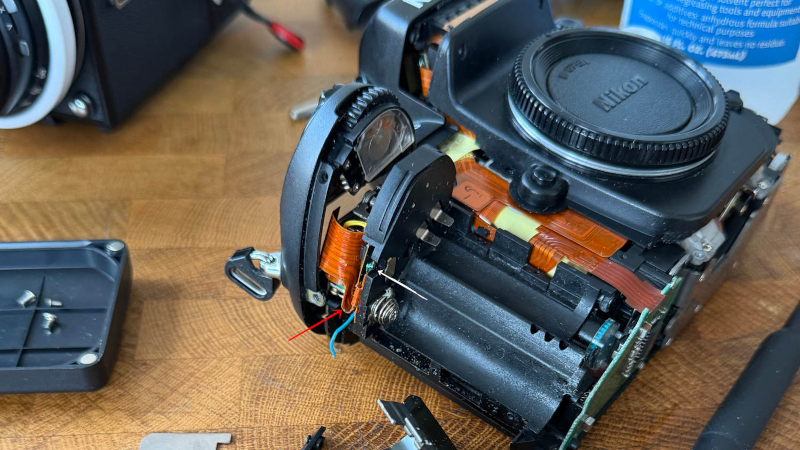
Old cameras are a fantastic way to experiment with photography, and outside a few brands, they can be an inexpensive way too. It’s easy to find older cameras in a broken condition for  a lot less money, but if you’re tempted to fix one then [enthdegree] has some advice for you.

It’s ostensibly a set of notes on the disassembly and repair of a Nikon F100 35mm film SLR, but along the way it’s full of useful tips and tricks for camera disassembly. he materials you’ll need, advice on not losing screws is one, and warnings against disassembling too much is another. It’s all the stuff he wished he’d known before starting, and now you can know it too.

Fixing up old cameras in this way is rewarding, and something we’ve certainly been known to do ourselves. But it’s worth bearing in mind that it’s not for the faint-hearted, and with decades of old film cameras sitting unused, often a working example might make more sense.

❌