
 Login
Login
Exploring What’s Left of Google’s VR Dreams

You’re likely familiar with Google’s Cardboard, and the legions of cheap virtual reality headsets it spawned. By sticking a smartphone to the wearer’s head, all these headsets needed were some basic optics to provide a surprisingly effective VR experience. You may even know about Google Daydream initiative that came a few years later, which not only improved the basic Cardboard design but brought with it new software features such as VR-specific improvements to the Android operating system and a version of the Play Store dedicated to 3D games and applications.
 But unless you’re a true Google devotee, what you may not know is that the search giant partnered with Lenovo to produce a stand-alone Daydream headset called the Mirage Solo in 2018. A full year before the Oculus Quest hit the market, the $399 device combined the guts of a smartphone with a 2560×1440 display running at 75 Hz, a pair of cameras in the front that let it see the world around the user in three dimensions, and a gyroscopic handheld controller to provide an immersive VR experience without having to be tethered to a computer. In addition to the standard consumer version, there was even a “Business Edition” of the headset specifically marketed to schools, offices, and hospitals as a way to deliver VR content without having to invest in any additional infrastructure.
So why isn’t the Mirage Solo better known? Because in classic fashion, just a few years after it was released, Google decided they were no longer interested in virtual reality and shuttered the entire Daydream program. The software components it introduced were stripped out of Android, the 3D Play Store was taken down, and the back-end mechanisms necessary to register new headsets were turned off. Almost overnight, the Mirage Solo became a stereoscopic paperweight.
Or at least that was the official story, anyway. I recently came across a Lenovo Mirage Solo at a thrift store for $25, and despite my initial Internet searches strongly indicating that it would probably be worthless, it seemed worth the gamble to find out for myself.
Know Before You Buy
Usually I’d just jump into the cool stuff, but I think in this case it’s probably wise to get some details clear before continuing. There’s a good chance that some of you may decide to pick up a Mirage of your own after reading this, or perhaps you’ve already got one and wandered in from an Internet search. However you’ve come to read this article, I don’t want to give you the wrong impression about the realities of the situation.
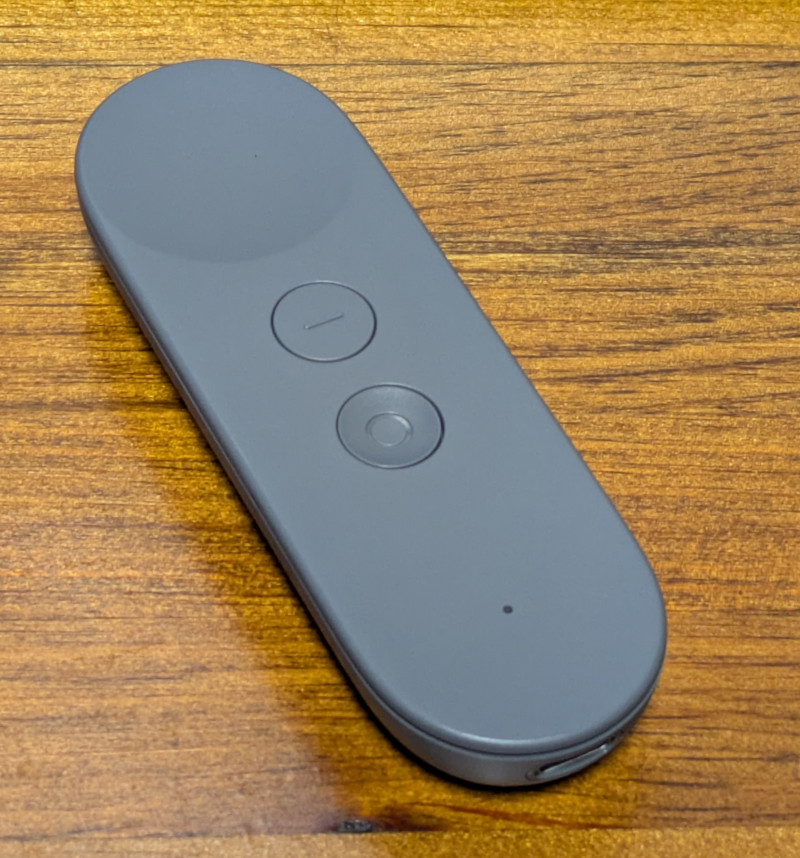 So let’s start with the most important thing: do not buy a Lenovo Mirage Solo unless it has the motion controller! I really can’t stress this one enough, as to my knowledge, there is no way to navigate the UI of the Mirage without it. Many of the cheap units you’ll find on the second-hand market are only priced that way because the controller is missing, so be careful. If you’re wondering, the controller doesn’t need to be the original one that was sold with the Mirage for it to work, but spare controllers are understandably in high demand and are usually priced accordingly.
The second thing to remember is that Daydream is a dead platform, and the software running on the Mirage is now at least six years out of date. Anything that still works on it only does so because whatever upstream service or API it relies on hasn’t yet changed enough to break anything. As of this writing, I personally believe enough of the software still works to make the Mirage worth picking up if you can get a good price on one, but that’s not necessarily going to be true forever.
Escaping Captivity
Alright, let’s assume you’ve just pulled a brand new Lenovo Mirage Solo out of the box in 2026 and want to use it, what does that look like?
The first time you boot it up, you won’t get very far. After it asks you to connect the controller and does some internal housekeeping, you’ll be presented with a dialog that walks you though connecting to a WiFi network and adding it to your Google account. Unfortunately, this process will never complete because Google has flipped some switch on their end — although you wouldn’t know it on the device, as the only feedback you’ll get is a pop-up message advising you that there’s been an unspecified problem and that you should try again later.
Thankfully, somebody over at Google left us a backdoor. If you click on the four corners of this dialog, starting with the top-left and working clockwise, you’ll be able to bypass the provisioning process. After some more loading and a bit of a tutorial about using the controller and navigating the user interface, you’ll be facing (literally) the next problem.
You are standing in an open field west of a…wait, no. Sorry that’s something else. You will be in a virtual forest though, and if you look around you’ll see waterfalls, a winding stream, and birds flying around.
 It’s all very slick, but the thing we’re mainly worried about right now is the huge message in front of us saying the system can’t connect to the internet. What’s actually happened is that the system can’t connect to the mothership because the Daydream API has been turned off, but apparently there was no canned error message to convey that condition so this is what we get.
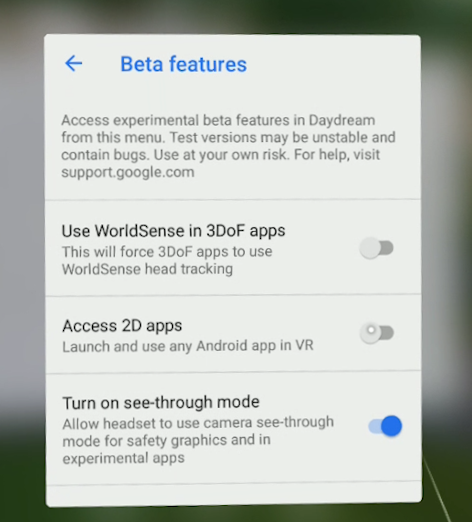
But again, the developers at Google have provided us a way forward. If you navigate to the settings screen there is an option for Beta Features, and underneath that section you’ll find an entry that says Access 2D Apps. Once you select it you’ll be warned that the behavior of standard Android applications in Daydream may be unpredictable, and the Mirage will reboot.
This is where things start to get interesting. Once the headset restarts there will now be a new tab in the application launcher labeled 2D, and under it you should see an icon for the standard Play Store. Once you go into the settings and add your Google account, you’ll be able to browse the Store and download whatever games or applications you want — so long as they don’t mind running on Android 8.0, anyway.
Android Apps…in Space!
Gaining access to standard Android applications opens up a huge world of possibilities. While the older hardware of the Mirage Solo and the outdated OS means you won’t necessarily be able to run the latest and greatest pieces of software, there’s still a lot you can do, from watching Netflix to working with spreadsheets in Google Docs and connecting to your Linux box over SSH. The on-screen virtual text input is good enough for simple tasks, but connecting a physical keyboard over USB or Bluetooth makes the whole experience vastly more enjoyable.
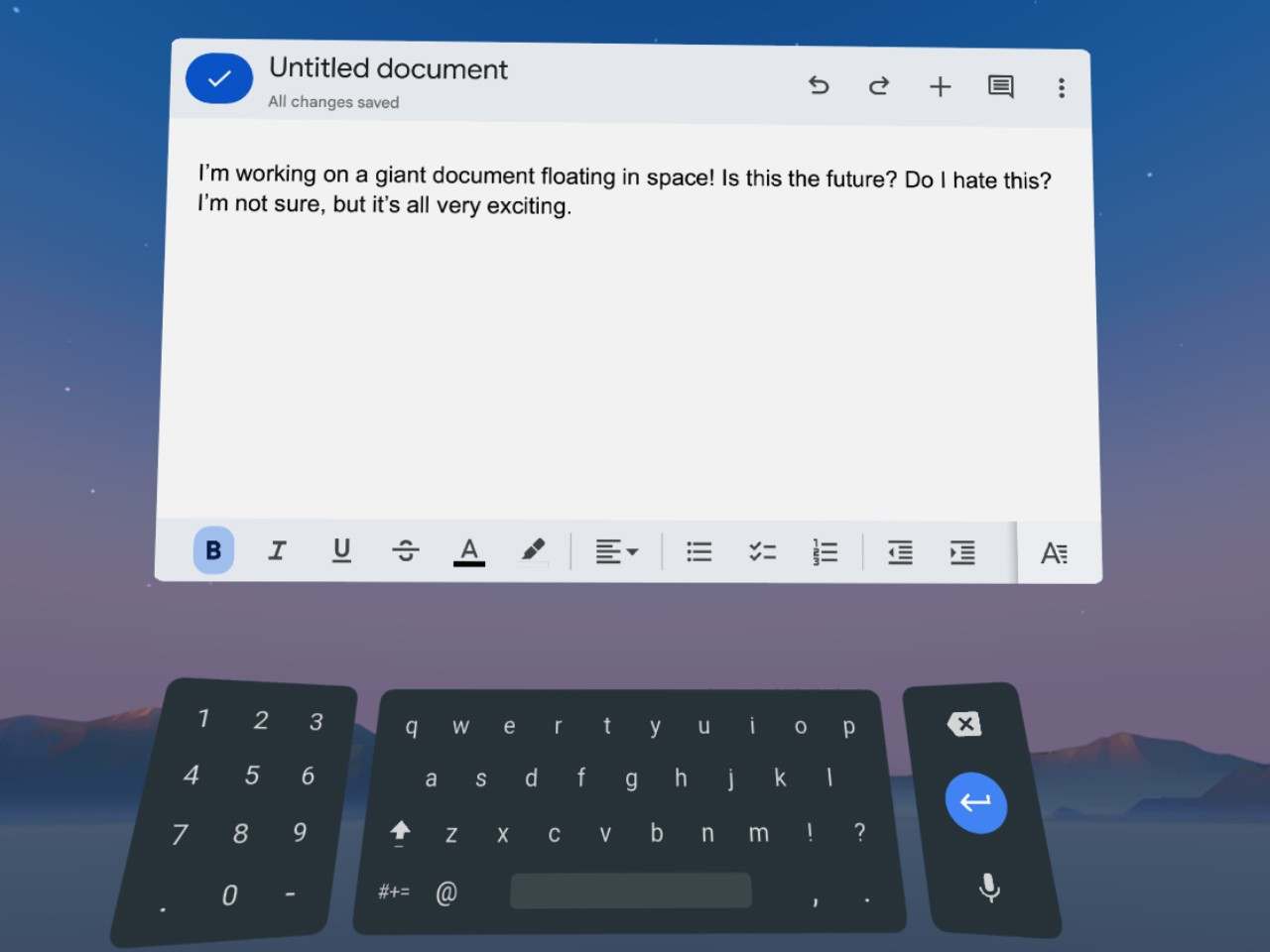
When running 2D applications in Daydream, they will appear as a giant display floating in front of you. Some of the apps will only work in portrait mode as if they think they are running on a normal phone, but in most cases you can grab the corner of the window and stretch it out into a landscape orientation that better fits the fairly impressive field of view offered by the Mirage.
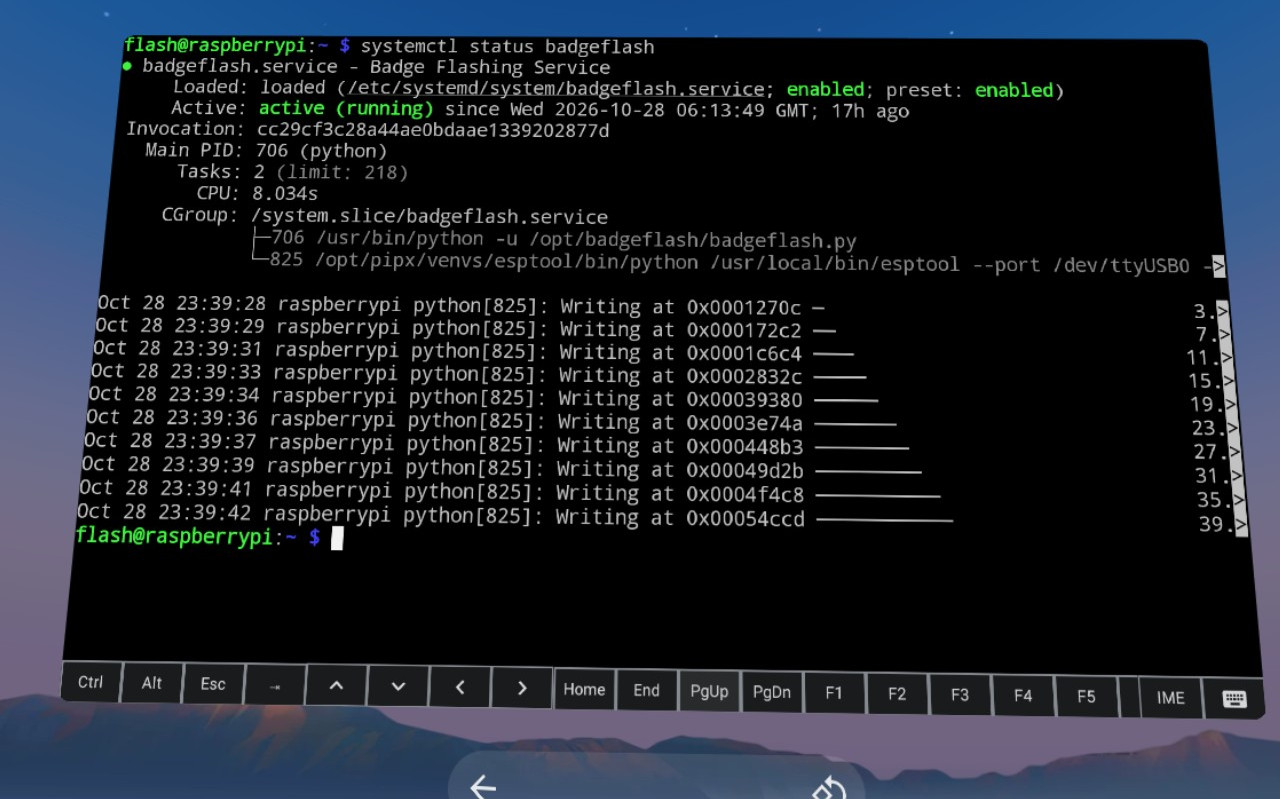
The only real issue with using 2D Android apps on the Mirage is how simplistic the window management is. You can move the window and resize it, but there’s no provision for having multiple windows open at the same time. In fact, under normal circumstances there doesn’t even appear to be a way to switch between running applications without having to go all the way back to the main menu — although I did discover that when you have a physical keyboard connected you can use Alt-Tab to bring up the stock Android task switcher, which helps.
Entering the Third Dimension
At the start of this article I explained that the 3D Play Store was shuttered, and with it, all the games and applications that were actually designed to take advantage of virtual reality. But as we all know, nothing is every really gone on the internet, and thanks to some dedicated fans at the Opendream project, much of the Daydream software has been preserved and can be installed on the Mirage.
I’ll leave exploring the catalog of available Daydream software as an exercise for the reader, but at the very least you should install Firefox Reality. It’s not only a far more capable browser than Android’s stock version of Chrome, but it’s an excellent example of how immersive Daydream could be when the software took advantage of the platform.
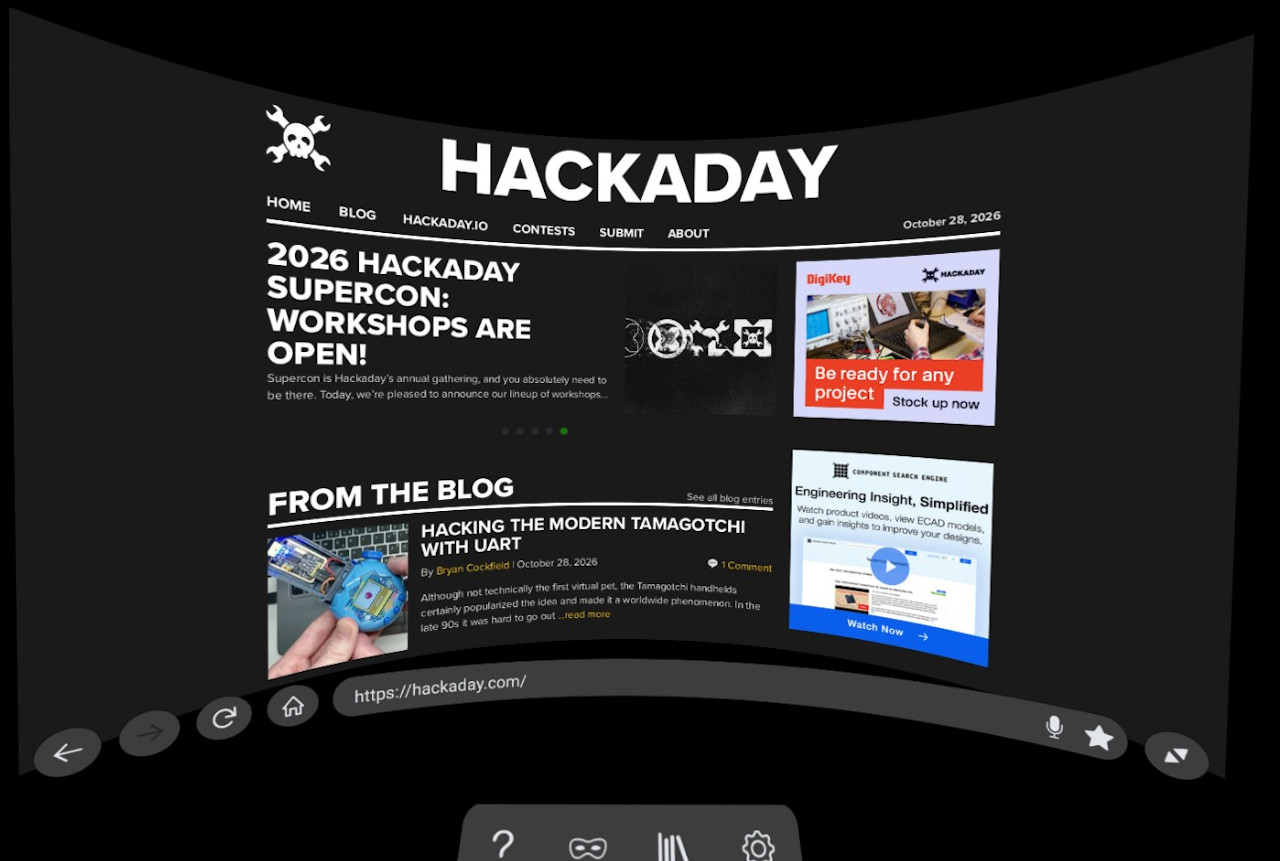
The browser still shows up as a giant floating display, but now you’ve been transported into a darkened environment and have far better control over how everything looks. It also features a far more pronounced 3D effect, with pop-ups that actually hover over the page, and a 3D render of the remote that moves around in space in front of you as you swipe around the pages. There’s even support for curving the entire display, which makes for a very unique browsing experience.
Speaking of a unique experience, I’ve saved my absolute favorite for last — YouTube VR. It’s so well implemented and immersive that I’ve actually watched whole movies with this thing on my head. While there’s plenty about Daydream that clearly needed some more time to cook, Google really pulled out all the stops for this one.
Everything works as you’d expect, including 360 degree videos and even purchased content that’s attached to your Google account. At least for me, I’d go so far as to say that the experience is good enough that it’s worth getting a used Mirage Solo just for watching YouTube alone.
Nothing Lasts Forever
As I said at the start, it’s important to understand that the Lenovo Mirage Solo still having any sort of functionality in 2026 is something of a fluke. It’s supposed to be a dead product, and neither Google nor Lenovo want anything to do with it. There are no updates coming, no tech support, and no warranty.
At any moment, the YouTube API could make some kind of breaking change, or your favorite apps might get an update that prevents them from working on such an old version of Android. You’d be absolutely crazy to buy this headset at anything near its full retail price.
That being said…if you can get a good deal, and by that I mean certainly under $100 and closer to $50 – $70 USD, I think there’s enough life left in the device to make it worth picking up. If you end up getting one and doing something cool with it, I’d love to hear about it.
