
❌

Normal view

There are new articles available, click to refresh the page.
Before yesterdayMain stream

Enable Resizable BAR on Unsupported Motherboards

26 October 2026 at 19:00

Recently [Rod Burlamaqui] released the arc-rebar project on GitHub, enabling Intel GPUs to work significantly more efficiently if the system’s mainboard does not support resizable BAR. It does require a Debian or Ubuntu installation and of course a supported Intel GPU.

Although the resizable base address register (ReBAR) feature has been part of the PCIe specification for a while, its use was quite limited until Intel released its Arc series of graphic cards. These use this feature to map much more of the GPU’s video RAM (VRAM) into the PC’s address space than the standard 256 MB, assuming that the system is capable of decoding addresses above 4 GB, i.e. allow for 64-bit BARs.

For GPU manufacturers like AMD and Nvidia this wasn’t so much of an issue as their GPU designs developed in a world where ReBAR didn’t exist, while Intel’s new GPU generations were designed with ReBAR as a core feature, which naturally cripples performance if the mainboard does not have it enabled during PCIe bus enumeration.

This initramfs-based fix runs before the GPU driver loads and performs the requisite BAR configuration. In testing with an Intel Arc B580 GPU on a 2015-era Intel Xeon mainboard the difference between the default and the fixed bandwidth was a bump from a pitiful 15 GB/s to a respectable 392 GB/s, showing how this one fix can breathe new life into older systems.
Backup Tapes Come Back to the Homelab

12 October 2026 at 07:00

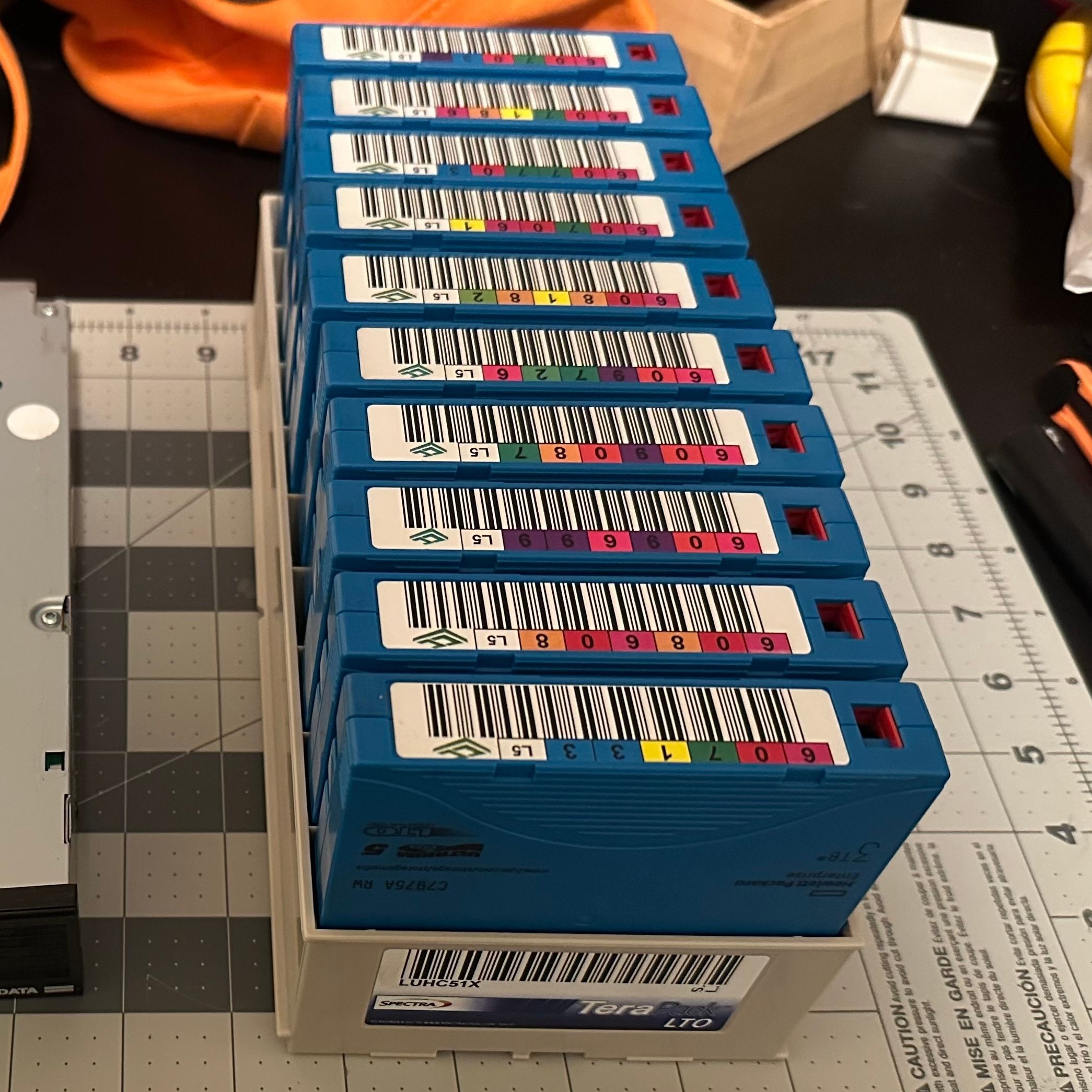
It’s one of the great mysteries of computing, how somehow in the Year Of OLlama 2026, tape remains the god of cheap storage. A while back [Ben Pettis] recounted his experience setting up an LTO-5 tape drive in his homelab, an experience which only becomes more relevant as hard drive prices stay high.

LTO-5 is already well out of date in the professional world, after all– a new server install would be debating the merits of LTO-9 versus LTO-10, but for the homelab it’s a matter of what’s affordable on the used market with decently-sized cartridges. If you can live with 1.5 TB of uncompressed data on a roughly palm-sized Linear Tape, Open cartridge then LTO-5 could be good enough. Yes, the tapes are advertized as 3TB, but that’s assuming a 2:1 compression ratio on the data, which you’re not likely to get on the photos and video that make up much of a data horder’s storage. That’s one thing [Ben] was quick to clear up for us. He also detailed his adventures with the cheaper-to-buy fiber channel model of drive.

The label would have you believe this box stores 30 TB.

Tape drives usually come with an SAS or fiber channel interface– fiber channel being, you guessed it, an optical solution unlike the SCSI-like SAS connection you may be familiar with for block storage devices. With a PCIe adapter it’s not hard to set up, provided you get the cables the right way around! That’s another detail we’re glad [Ben] shared so we can find it again if we have the same problem: with no switch in the circuit, you need a crossover cable to bring TX to RX. Which is obvious in retrospect, but obscure to those of us just learning about the standard.

The advantage, as [Ben] makes clear and everyone has always known is simply price. As of this writing, diskprices.com has 16$/TB as the lowest cost, while [Ben] was able to pick up lightly-used tapes on eBay for only 2$/TB. If you have a lot of data, those savings amortize the drive costs relatively quickly, since a used drive like [Ben]’s can be had for a few hundred bucks.

Is it the ultimate solution for our data storage woes? That depends on your needs, but perhaps not considering we get as many tips on storing data on reel-to-reel as we do on LTO. We even saw a tape-loading robot repurposed to serve bar one time.

❌
❌